-
-
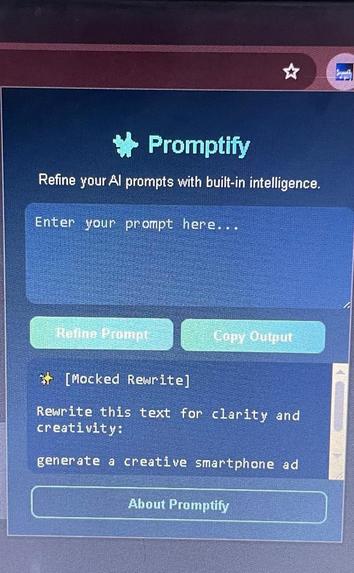
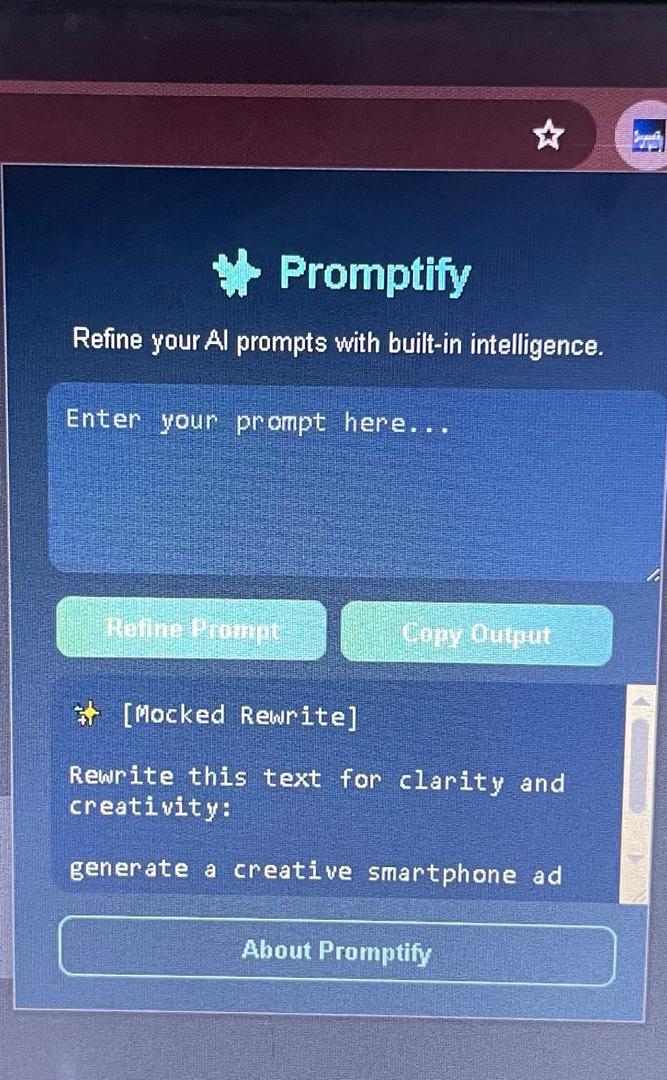
Promptify extension popup
Inspiration: High increase in the use of AI chatbots
Goal Help users refine, rewrite, and optimize prompts before sending them to Gemini, ChatGPT, Claude, or any AI model — directly inside Chrome.
How we built it
Setup: Created a Manifest V3 Chrome Extension with HTML, CSS, and JavaScript in VS Code.
UI Design: Built a sleek popup interface (popup.html, popup.css) for input, refinement, and output.
Core Logic: Implemented the popup.js script that:
Sends user text to the AI using ai.languageModel.create().
Uses a system prompt that defines Promptify’s role as an expert prompt engineer.
Falls back to a mock mode when Gemini Nano isn’t available (ensuring full functionality everywhere).
Extras: Added a right-click “Refine with Promptify” option, local storage for history, and an “About” page for branding.
Testing & Optimization: Tested via Chrome’s Developer Mode — ready to auto-connect to Gemini Nano when available in supported regions.
Challenges we ran into
Gemini Nano is not yet available in my region, so we created a fall back mock mode, for anyone else who faces same issue
Accomplishments that we're proud of
Seamless AI Integration (Future-Ready Design): Built a fully functional Chrome Extension that automatically connects to Chrome’s Gemini Nano built-in AI when available, while running in a mock mode when not yet available — ensuring global compatibility without code changes.
Smart Prompt Refinement Engine: Designed a custom system prompt that turns Promptify into an expert AI prompt engineer, capable of rewriting any rough user input into a clear, effective, and ready-to-use AI prompt, optimized for models like Gemini, ChatGPT, and Claude.
What we learned
Develop and structure a Chrome Extension (Manifest V3) from scratch using HTML, CSS, and JavaScript.
Work with Chrome’s upcoming built-in AI capabilities (Gemini Nano APIs), understanding how ai.languageModel.create() and systemPrompt define an AI’s behavior.
Handle progressive enhancement, designing code that gracefully falls back when APIs aren’t yet available.
Combine good UX design and AI engineering, turning a simple idea into a real, polished productivity tool.
What's next for Promptify
Add multiple rewrite modes (Creative, Formal, Concise, Summarize) and a history tab for past refinements.
Launch Promptify on the Chrome Web Store, making it accessible to everyone who writes or engineers prompts.
Expand beyond Chrome — bringing Promptify to Edge and Firefox as AI-powered writing assistants.


Log in or sign up for Devpost to join the conversation.