-
-
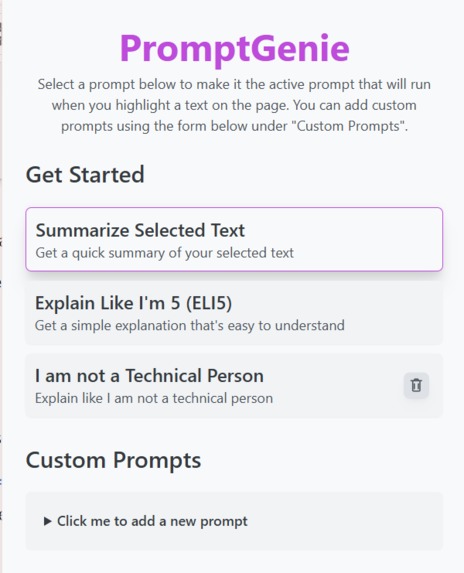
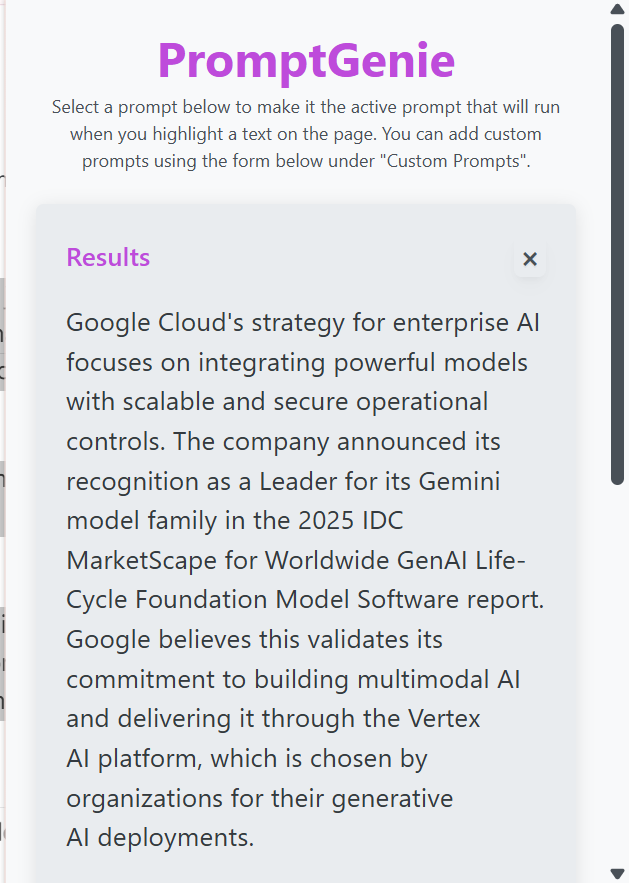
Extension Popup Overview Page
-
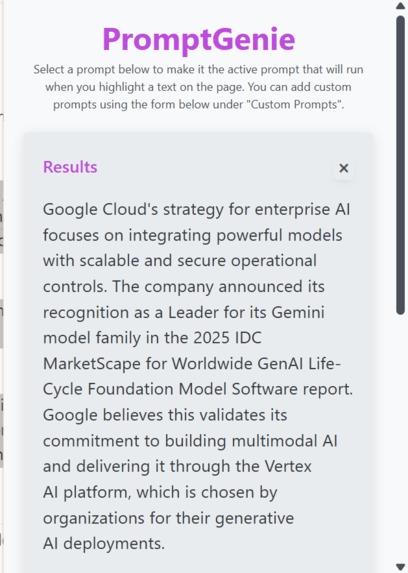
Sample results from model inference
-
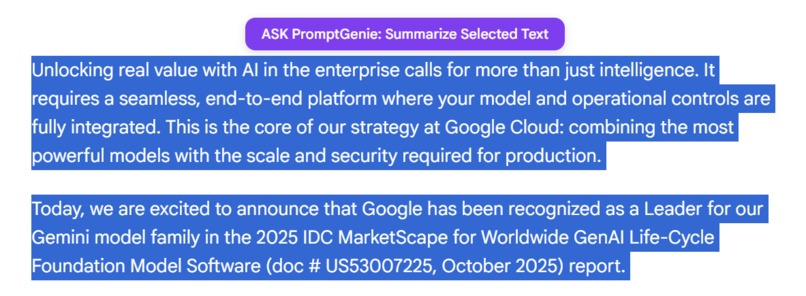
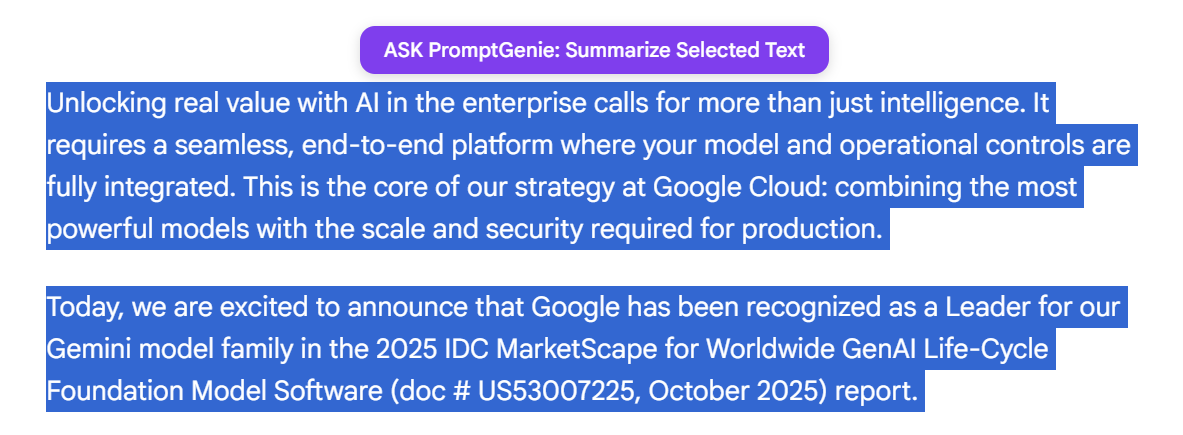
Popup to summarize text when user selects a text
Inspiration
Users are constantly inundated with information online. They encounter long articles, technical jargon, and complex topics that require significant time and effort to digest. Switching between tabs or using external tools to summarize or simplify text breaks workflow and reduces productivity.
What it does
The "PromptGenie" is a Chrome extension that provides in context, on demand text processing powered by hybrid AI. It allows users to instantly summarize, simplify, or apply custom transformations to any selected text or entire webpages without leaving the page. By leveraging Chrome's on-device AI for speed and privacy, and offering a seamless fallback to powerful cloud models, the extension provides a fast, reliable, and personalized tool for understanding the web better.
How we built it
To solve this problem, we decided to use a chrome extension. We first built a simple popup that will allow the user to view default prompts and select an active prompt. We then added a form for the user to be able to add their own custom prompts. We stored the default prompts and new custom prompts in chrome storage for persistence.
Following that, we added Firebase and added context menus when text is selected on the page to capture the selected text and generate the response based on the prompt. We then proceeded to also add the context menu for generating a summary for the whole page. Finally, we added a popup action button for when the text is selected to execute the currently active prompt.
APIs Used
- Chrome Extension APIs:
chrome.contextMenusfor dynamic menu creation and click handlingchrome.storage.localfor prompt persistencechrome.runtime.sendMessagefor communication between background, popup, and content scriptschrome.scripting.executeScriptfor extracting page contentchrome.action.openPopupfor UI feedback
- AI APIs:
- Chrome Prompt API (on-device):
- Hybrid On Device Inference with Firebase Gemini API (cloud/on-device): Supports local on device inference for fast, private inference on supported Chrome versions through and the cloud when on-device is unavailable or insufficient
Challenges we ran into
- Showing the action button when text is selected was challenging. It still has a few bugs where sometimes, it does not show, but for the most part it does show up when the text is selected.
- On the same issue, one thing we will need to consider along the line is ensuring that it does not show up for all cases or at least allowing the user to basically turn it off else it becomes distracting if the user does not need to use it and is selecting text for another purpose. It's also not a good user experience if the user has multiple competing extensions or tools that are doing a similar thing by displaying some floating action on top of selected text. When we tested on Chatgpt for instance, it was competing with the Ask Chatgpt floating action when text is selected so it's something we need to think about and find a long term solution to.
Accomplishments that we're proud of
- Being able to create a chrome extension.
- Seeing the extension work by just highlighting some text and getting feedback about the page.
- Getting the popup action to work.
What we learned
- How to build a chrome extension.
- How to use the
firebase/aisdk to perform AI inference. - How to use the Prompt AI API to perform AI inference.
What's next for PromptGenie
- Find a long term solution and a better user experience for showing the popup when a user selects content on the page.
- Allow users to choose whether they want local only or cloud inference for certain prompts that might be more complex.
- Allow users to craft more complex prompts that should run on cloud only inference for more complex use cases or access to real time data.
- Allow users to have conversations based on response. Basically, allow the user to setup follow up questions for results that the AI generates.
Built With
- firebase
- javascript
- webpack

Log in or sign up for Devpost to join the conversation.