-
-
Built on Bolt.new with a single one shot prompt
Inspiration
We are living in the age of Large Language Models. From developers to marketers to students, everyone is becoming a "prompt engineer." We all start with simple questions, but quickly realize that to get truly powerful results, we need to build sophisticated, multi-part prompts.
Our inspiration came directly from the personal pain of this process. Our complex prompts were scattered across messy text files, Slack messages, and Google Docs. Trying to reorder a persona, add new context, or tweak the final question was a nightmare of copying, pasting, and losing track of the structure. We thought, "What if building a prompt was as intuitive and satisfying as building with LEGOs?" That question was the seed for PromptFuse.
What it does
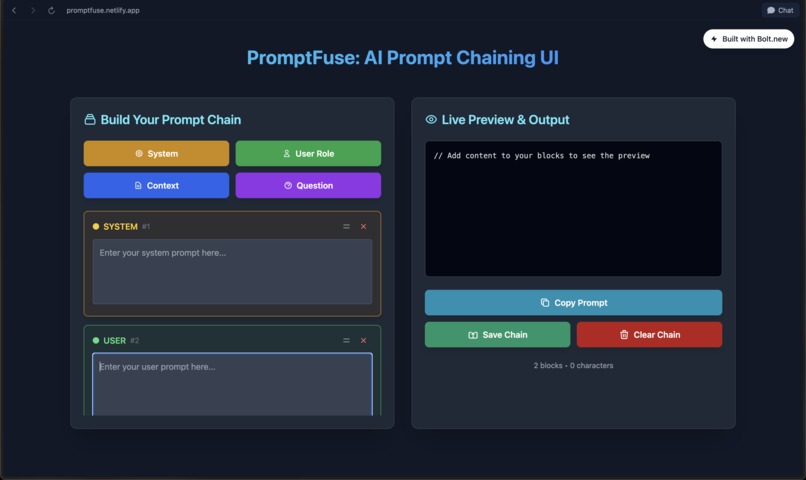
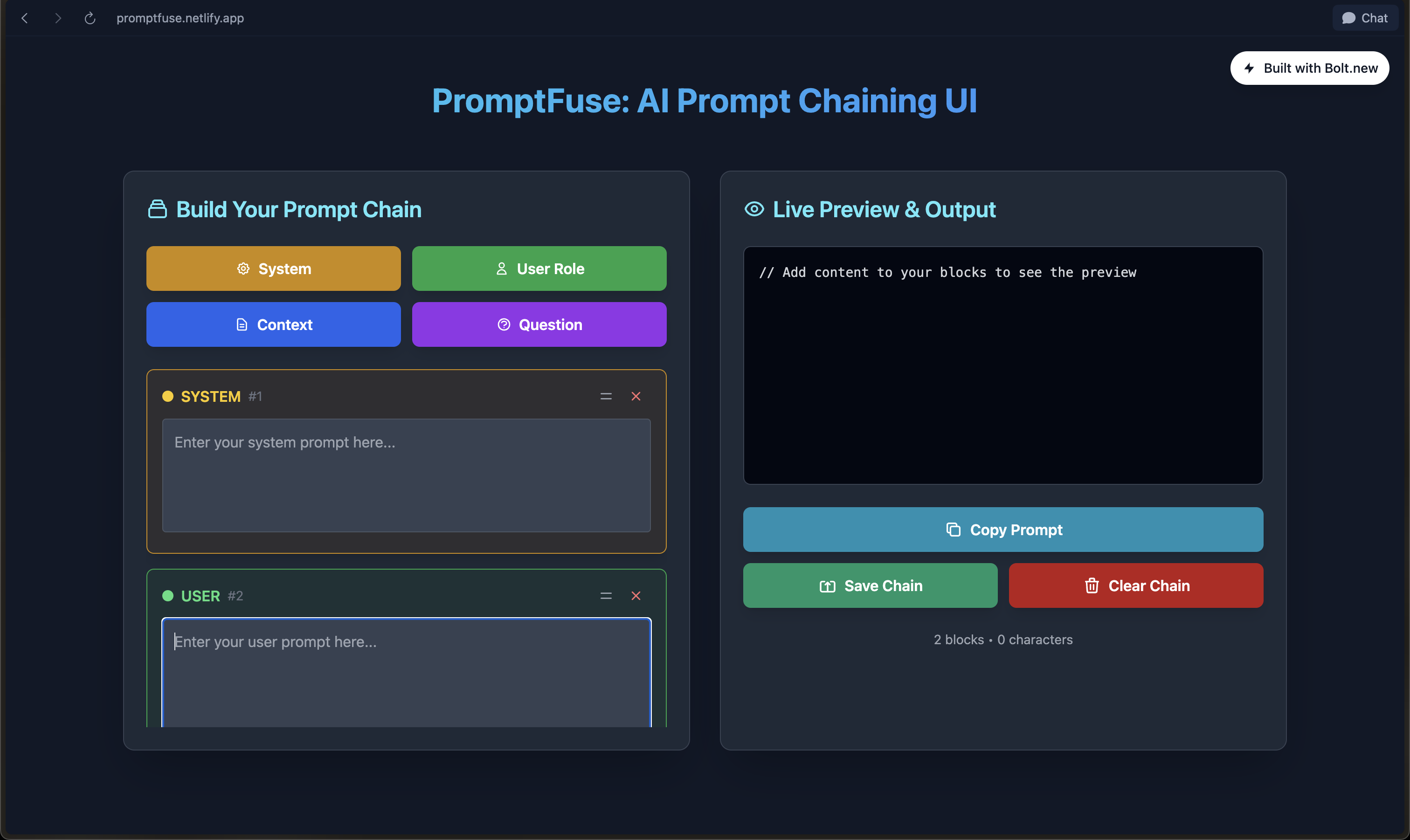
PromptFuse is a visual workbench that transforms complex prompt engineering into a simple, drag-and-drop workflow. Instead of a single, chaotic text file, it allows you to build prompts using modular, self-contained blocks.
Here’s what you can do:
Add Different Block Types: Create blocks for a System Instruction, User Role, Context/Data, or the final Question.
Live Preview: As you type in any block, a live preview on the right assembles your final, perfectly formatted prompt in real-time.
Drag-and-Drop Reordering: The core feature! Simply drag any block to change its position in the chain, and the live preview instantly updates. This makes experimenting with prompt structure effortless.
One-Click Copy: Once you're happy with your prompt, a single click copies the entire text to your clipboard, ready to be pasted into ChatGPT, Claude, or any AI model.
Save & Load Your Work: The app uses the browser's localStorage to save your entire prompt chain. You can close your browser, come back later, and pick up exactly where you left off.
How we built it
This project is a testament to the power of modern AI-driven development. PromptFuse was built from a single, comprehensive prompt given to Bolt.new. We meticulously planned every feature, UI element, and piece of logic and described it in one go.
The technology stack is intentionally lean and powerful:
HTML5 for the semantic structure.
Tailwind CSS (via CDN) for the entire UI. This allowed us to create a polished, responsive, dark-mode interface without writing a single line of custom CSS.
React,Typescript for 100% of the application's logic. There are no external frameworks or libraries.
Browser APIs: We leveraged native browser capabilities like the localStorage API for persistence and the navigator.clipboard API for the copy-to-clipboard functionality.
The entire application—structure, style, and stateful logic—is self-contained in a single index.html file, with zero backend or server-side code.
Challenges we ran into
Prompt Precision: The biggest challenge was crafting the initial prompt for Bolt. We learned that we couldn't be vague. We had to think like a developer giving precise specifications to a teammate, detailing everything from the data-id attributes needed for event handling to the exact logic for updating the preview pane.
Implementing Drag-and-Drop Logic: This was the most complex feature to specify. We had to explicitly describe the JavaScript event lifecycle (dragstart, dragover, drop), how to identify the dragged item and its target, and crucially, how to update the underlying promptChain data array before re-rendering the UI. Getting this right in the prompt was key to making it work on the first try.
Accomplishments that we're proud of
The Single-Prompt Build: We are incredibly proud that this fully interactive, stateful application was generated from one prompt. It validates the idea of using AI as a powerful development partner.
The Intuitive UI/UX: The final app isn't just functional; it feels good to use. The instant feedback from the live preview and the smooth drag-and-drop functionality make it a genuinely useful and enjoyable tool.
Zero-Dependency Portability: The fact that this entire app is a single HTML file with no backend means it's incredibly fast, completely private (all data stays on your machine), and can be used by anyone, anywhere, just by opening the file in a browser.
What we learned
Declarative Thinking is a Superpower: The process forced us to think declaratively about the entire application. Planning the complete state, UI, and logic upfront, and describing it clearly, is a powerful skill that extends beyond just prompting an AI.
Design Before You Prompt: The success of this project was 90% planning. The time spent designing the user flow and data structure before writing a single word of the prompt was the most critical investment.
What's next for PromptFuse: AI Prompt Chaining UI
We see a bright future for PromptFuse and believe it can evolve from a utility into a platform. Here are our next steps:
Shareable Prompt Links: Implement a feature to encode the entire prompt chain into a URL, so users can share their favorite prompt templates with others.
Community Library: Create a gallery of pre-built, effective prompt chains for various tasks (e.g., "Resume Critic," "Code Explainer," "Recipe Generator") that users can load with one click.
Variable Support: Allow users to define variables like {{TOPIC}} or {{PRODUCT_NAME}} in their prompts, with a separate form to fill in the values, turning chains into powerful, reusable templates.
Built With
- html5
- react
- tailwind-css
- typescript


Log in or sign up for Devpost to join the conversation.