
Prompt Shorty
A web application that teaches kids AI prompting through interactive storytelling. Built with modern web technologies and designed to make AI education accessible and fun for children.
Inspiration
- Duolingo: Gamified learning approach that makes education engaging and interactive
- Creating stories for kids: The power of storytelling to capture imagination and teach complex concepts
- AI and prompt engineering longevity: The fact that AI and prompt engineering will be around for a long time, making it essential to teach these skills early
What it does
Prompt Shorty is an interactive story generator that teaches children the fundamentals of AI prompting through a fun, visual interface. Kids can:
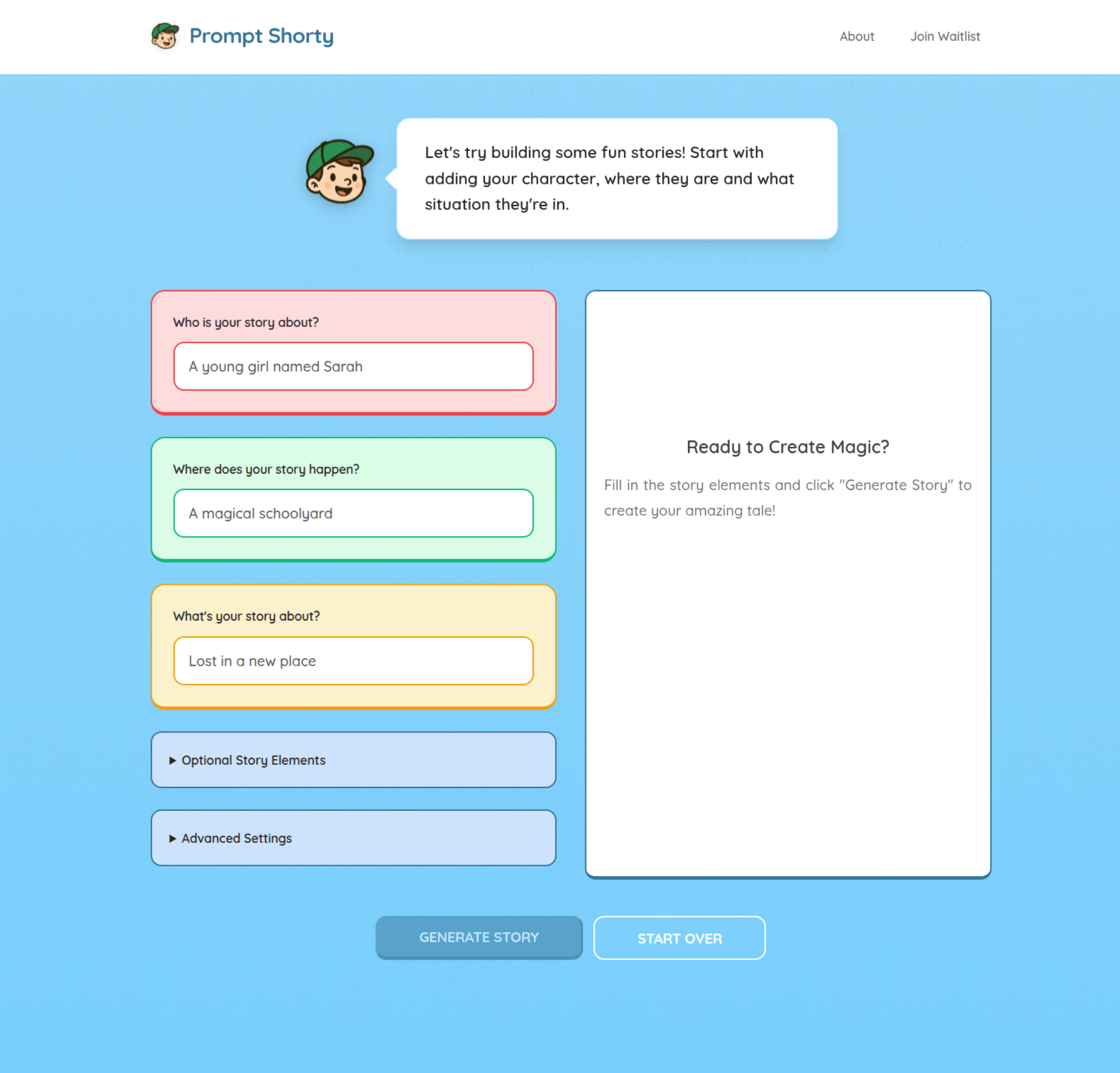
- Create custom stories by filling in character, setting, and tone inputs
- Learn prompt engineering by seeing how their inputs affect the generated story
- Experiment safely in a kid-friendly environment with content filtering
- Build confidence with AI tools through guided, age-appropriate interactions
- Access from anywhere as a web-based application that works on any device
The app uses color-coded input fields (red for characters, green for settings, orange for tone) to make the learning process intuitive and engaging.
How we built it
- Frontend: Pure HTML, CSS, and JavaScript for maximum compatibility and performance
- Styling: Custom CSS with CSS variables for consistent theming and responsive design
- AI Integration: Netlify serverless functions to handle AI API calls securely
- Content Safety: Built-in filtering to ensure all generated content is age-appropriate
- Responsive Design: Mobile-first approach that works seamlessly across all devices
- Typography: Quicksand font family for a friendly, approachable feel
- Animations: CSS animations and transitions for an engaging user experience
Challenges we ran into
- Bolt is bad at fine tuning and small details: The AI model struggled with precise control over story generation and maintaining consistent quality
- Content filtering: Ensuring all generated stories remain kid-friendly while still being engaging
- User experience: Balancing simplicity for kids with enough complexity to teach meaningful prompt engineering concepts
- Performance: Optimizing the story generation process to provide quick responses without overwhelming the AI API
Accomplishments that we're proud of
- Kid-friendly interface: Successfully created an intuitive, colorful interface that appeals to children
- Educational value: Demonstrated that AI prompting can be taught through storytelling in an accessible way
- Safety first: Implemented robust content filtering to ensure a safe learning environment
- Cross-platform compatibility: Built a web app that works consistently across devices and browsers
- Engaging design: Created a mascot (Shorty) and visual elements that make learning fun
- Responsive layout: Achieved a professional, modern design that scales beautifully on all screen sizes
What we learned
- AI limitations: Understanding the current capabilities and limitations of AI models for educational content
- Child-centered design: The importance of visual cues, color coding, and simple interactions for young users
- Content safety: Best practices for filtering and moderating AI-generated content for children
- Educational technology: How to bridge the gap between complex AI concepts and child-friendly learning
- Web development: Building performant, accessible web applications that work across different devices and browsers
What's next for Prompt Shorty
- Gather enough emails to finish building out the full version
- Expand story options with more characters, settings, and story types
- Add image generation to create visual accompaniments to the stories
- Implement user accounts for saving and sharing favorite stories
- Create teacher dashboard for classroom integration and progress tracking
- Add more educational content about AI and prompt engineering concepts
- Develop mobile app for even better accessibility and user experience
Built With
- css
- figma
- html
- javascript
- netlify
- openai


Log in or sign up for Devpost to join the conversation.