-
-
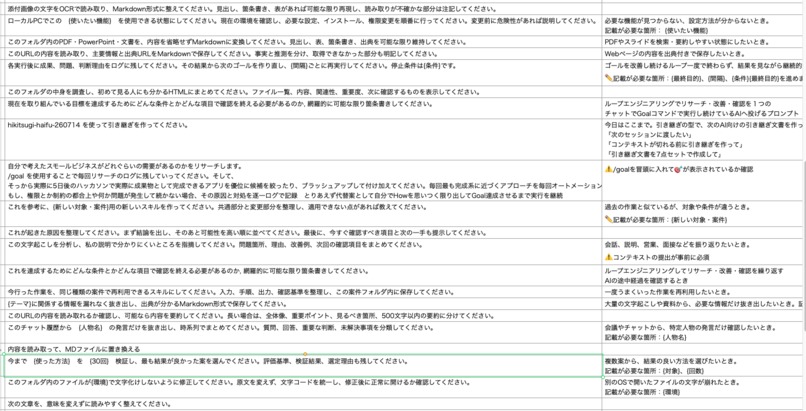
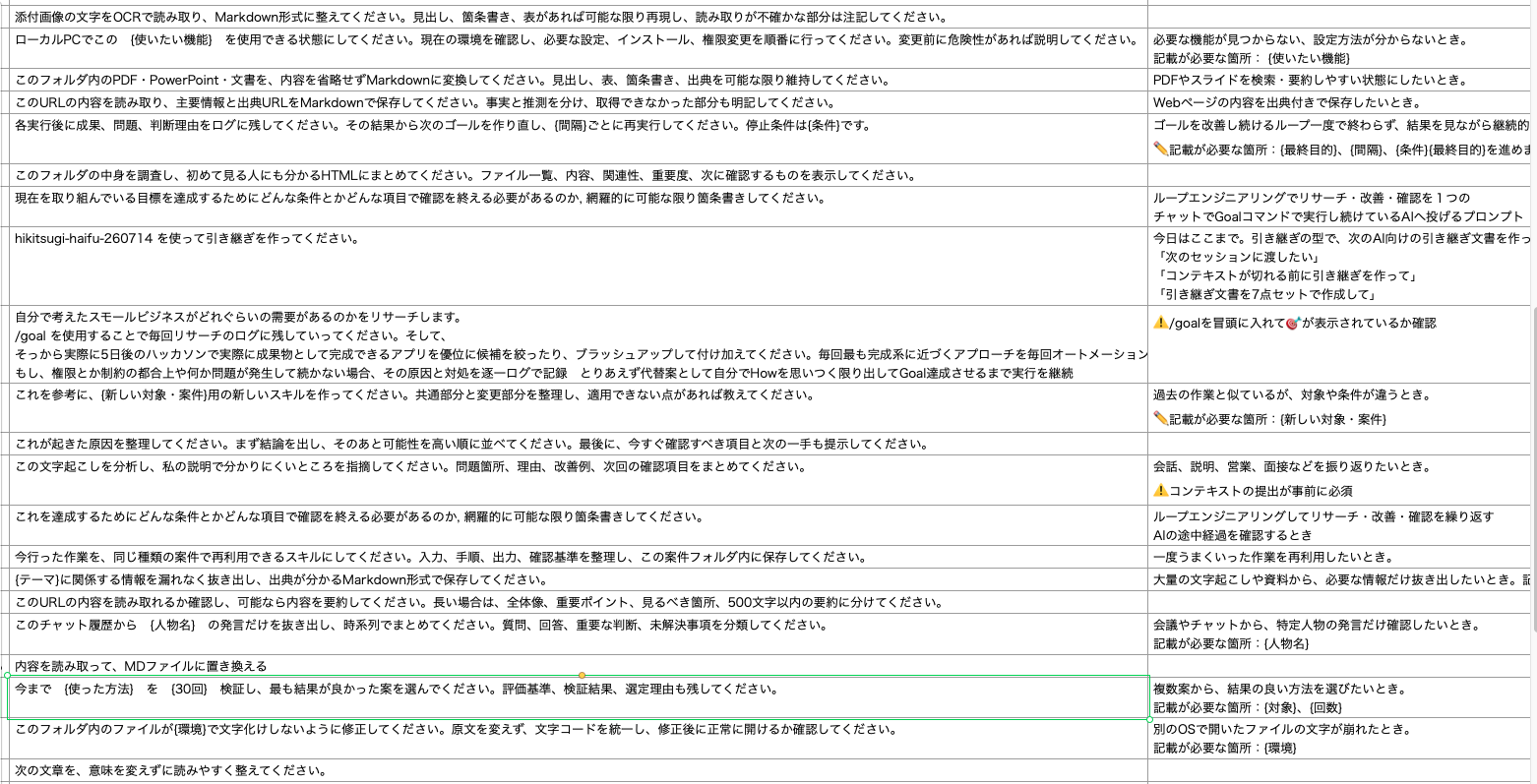
CSV export
-
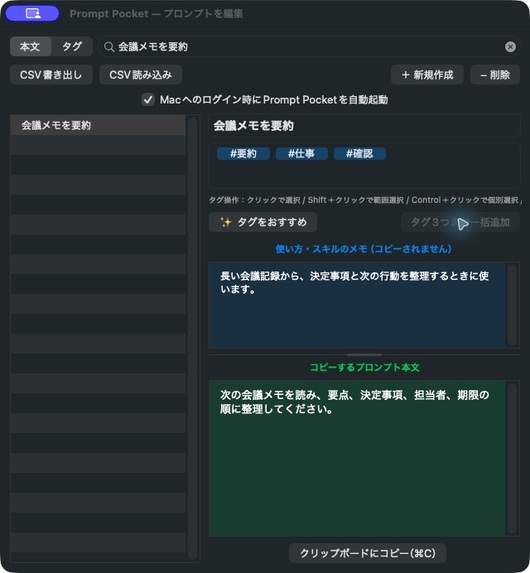
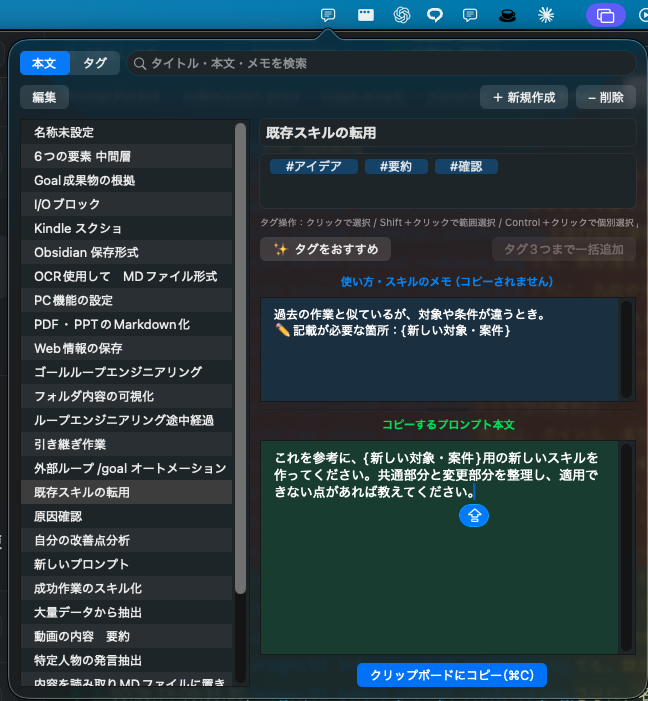
prompt_pocket_overview
-
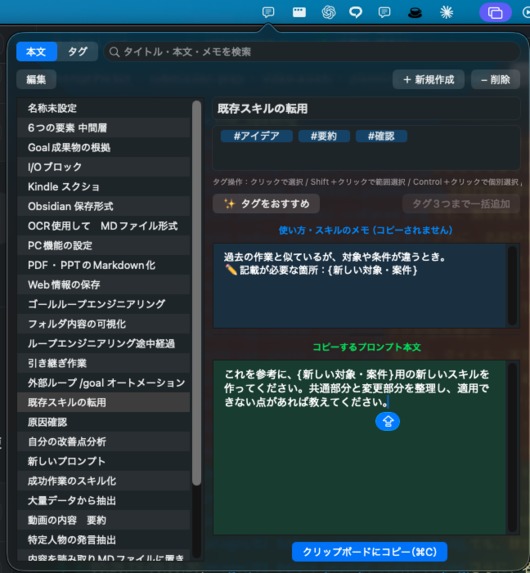
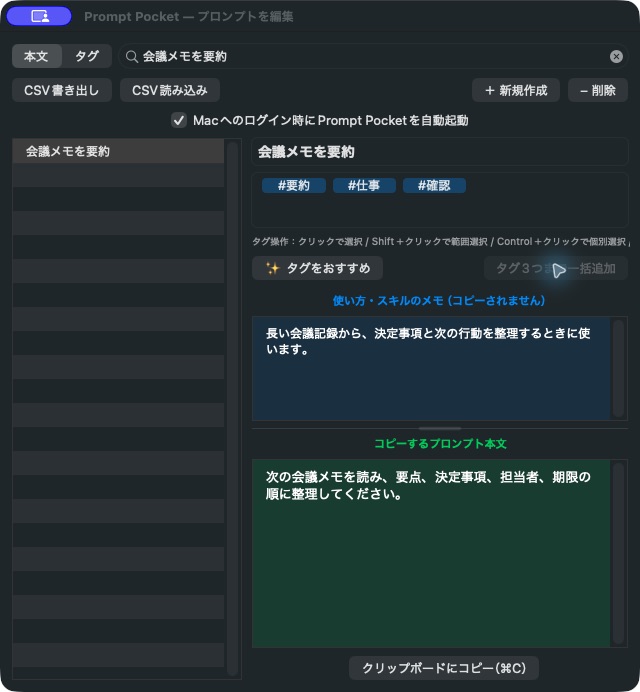
prompt_fields_and_memo
-
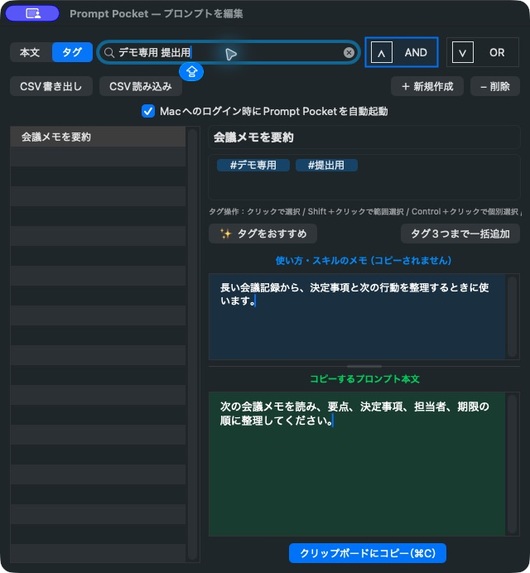
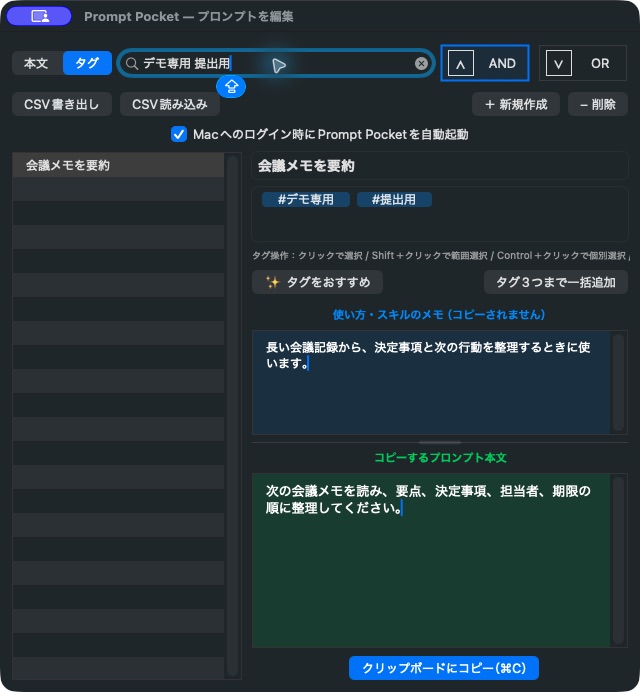
tag_autofill_result
Inspiration
I regularly reuse AI prompts for writing, summarization, research, and software development. As my prompt collection grew, the prompts became scattered across notes, chat histories, and files.
I often remembered that I had created a useful prompt but could not remember where I had saved it. Assigning titles and tags manually was also repetitive, and usage notes were easily mixed with the text that should actually be sent to an AI.
I built Prompt Pocket to give frequently used prompts one private, searchable home on my Mac.
What it does
Prompt Pocket is a native macOS menu bar app for saving, organizing, finding, and reusing AI prompts.
Each entry stores four separate elements:
- A title
- Tags
- Usage notes
- The prompt text to copy
Usage notes remain inside the app for reference. When the copy button is pressed, only the actual prompt text is copied to the clipboard.
When an entry has no tags, Prompt Pocket analyzes its title, notes, body, and previously used tags to suggest up to three tags. This processing runs locally on the Mac and does not send prompt content to an external server.
Prompt Pocket also provides:
- Text search across titles, notes, and prompt bodies
- Tag-only filtering
- AND and OR matching for multiple tags
- CSV import and export
- Add, Merge, and Replace import modes
- Automatic backup before replacement
- Local Markdown storage
How I built it
Prompt Pocket is written in Swift using AppKit and runs as a native macOS menu bar application.
Prompts are stored locally as individual Markdown files. Search and tag recommendations use deterministic on-device processing, without a remote database, cloud service, or external inference API.
During OpenAI Build Week, I used Codex and GPT-5.6 to extend the original prototype into a safer and more complete prompt-management workflow.
Codex and GPT-5.6 helped me:
- Break everyday frustrations into implementable features
- Review interface and storage designs
- Implement tag editing and multi-tag selection
- Separate text search from tag search
- Design safe CSV import and export workflows
- Review privacy boundaries
- Create deterministic verification programs
- Inspect build results and regressions
I did not treat an AI response alone as proof that a feature worked. The project was checked using real Swift builds, repeatable verification programs, file-reference checks, and privacy scans.
Challenges I ran into
One challenge was making a menu bar utility feel fast while still supporting a persistent editing window.
Tag interaction also required careful handling. Selecting tags, deleting them with the keyboard, and supporting multiple selections had to work without accidentally removing unrelated data.
CSV replacement was another high-risk area. A failed import must not erase an existing prompt library. I addressed this with validation, backups, staged replacement, and fail-closed behavior.
The final challenge was preparing a public submission without exposing personal prompts, local skills, chat history, or machine-specific paths. The public package and demo use an explicit allowlist and synthetic data.
Accomplishments that I am proud of
I am proud that Prompt Pocket remains a small native utility while supporting practical organization and recovery features.
The app can suggest tags, search by content or tags, copy only the intended prompt text, and move prompt collections through CSV without requiring an account or external server.
I am also proud that the submission was verified through real builds and deterministic checks instead of relying only on AI-generated reviews.
What I learned
I learned that local-first software requires more than simply avoiding a network request. Storage boundaries, backups, test data, screenshots, repository contents, and failure behavior all need to be considered together.
I also learned that AI-assisted development works best when ideas, implementation, review, and verification are treated as separate stages.
What is next for Prompt Pocket
Next, I would like to improve onboarding, expand automated testing, and prepare a signed and notarized macOS distribution.
I also want to refine tag recommendations and make it easier to move a safe, selected prompt collection between devices without exposing the user’s complete private library.


