-
-
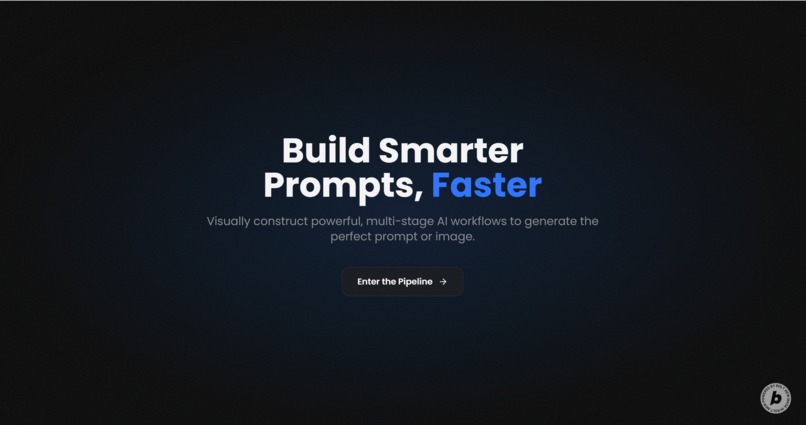
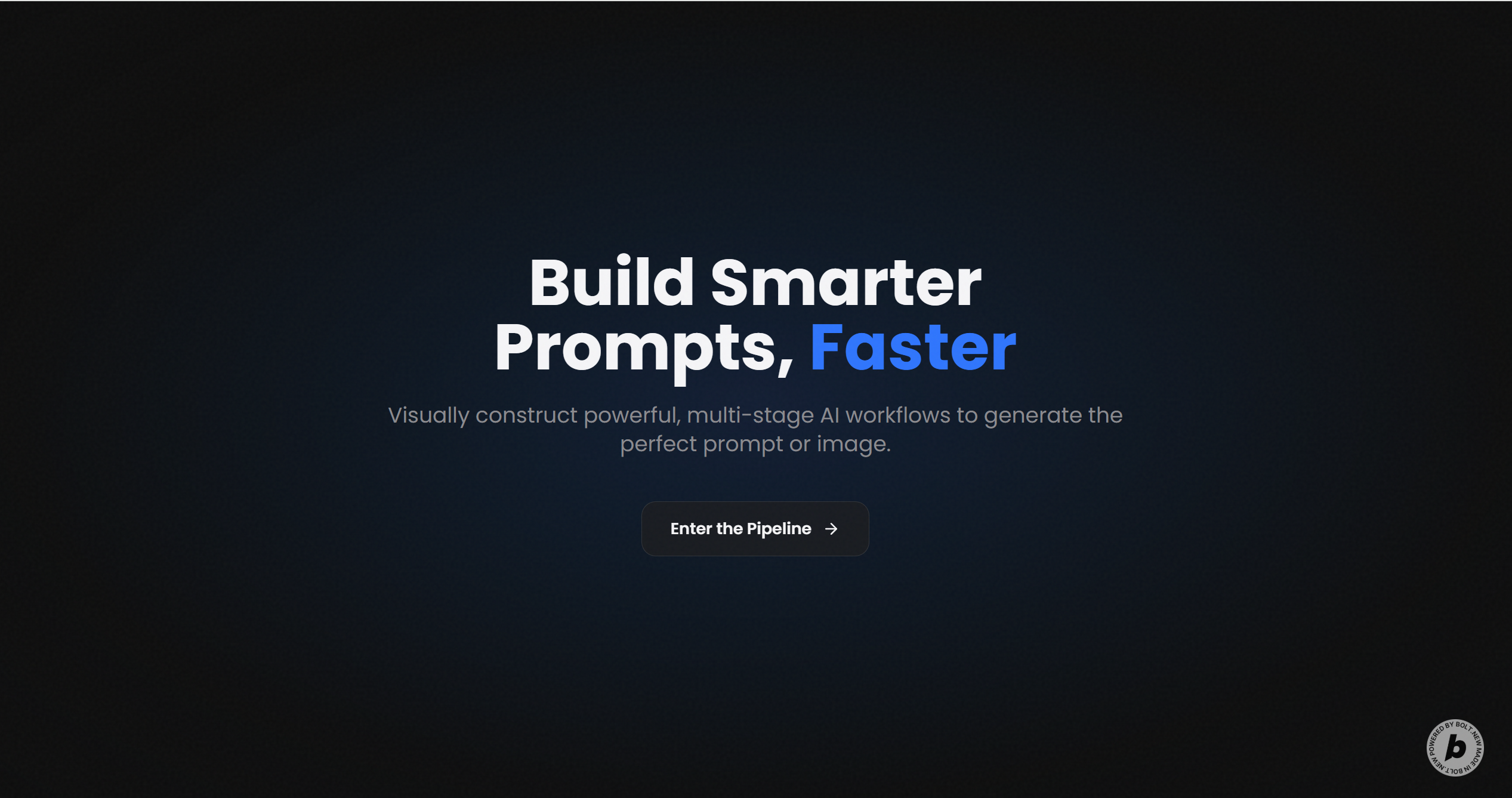
Landing Page
-
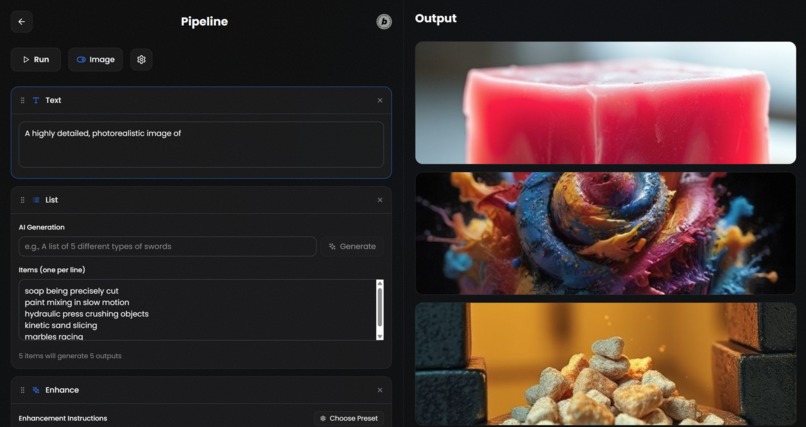
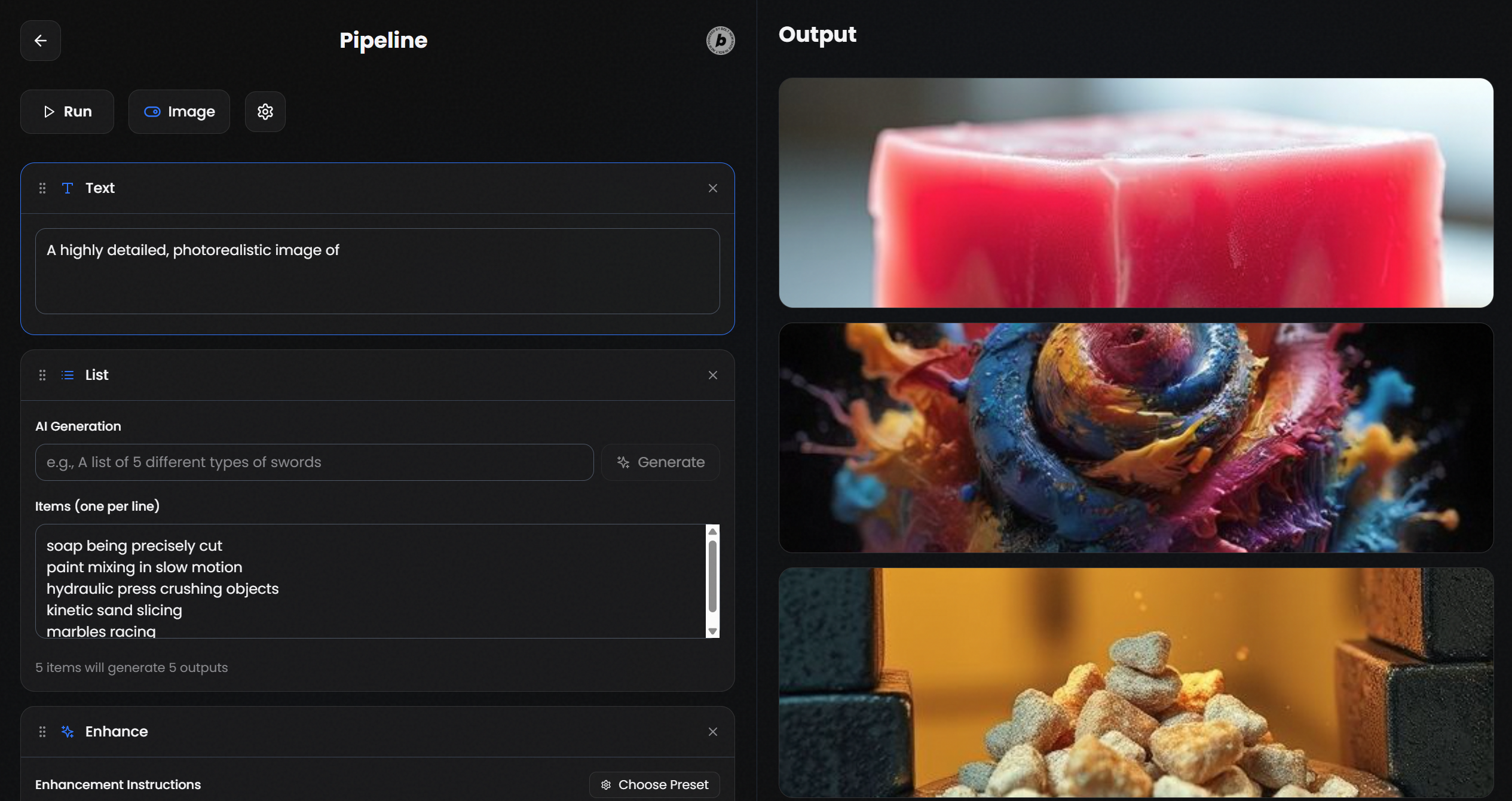
Pipeline Workflow Page
-
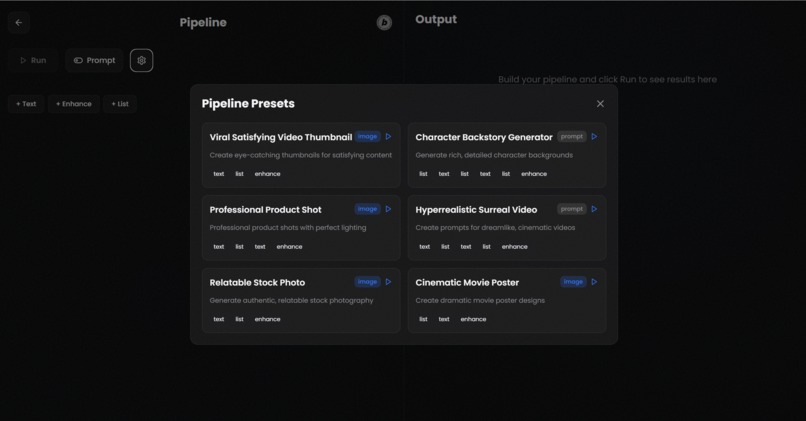
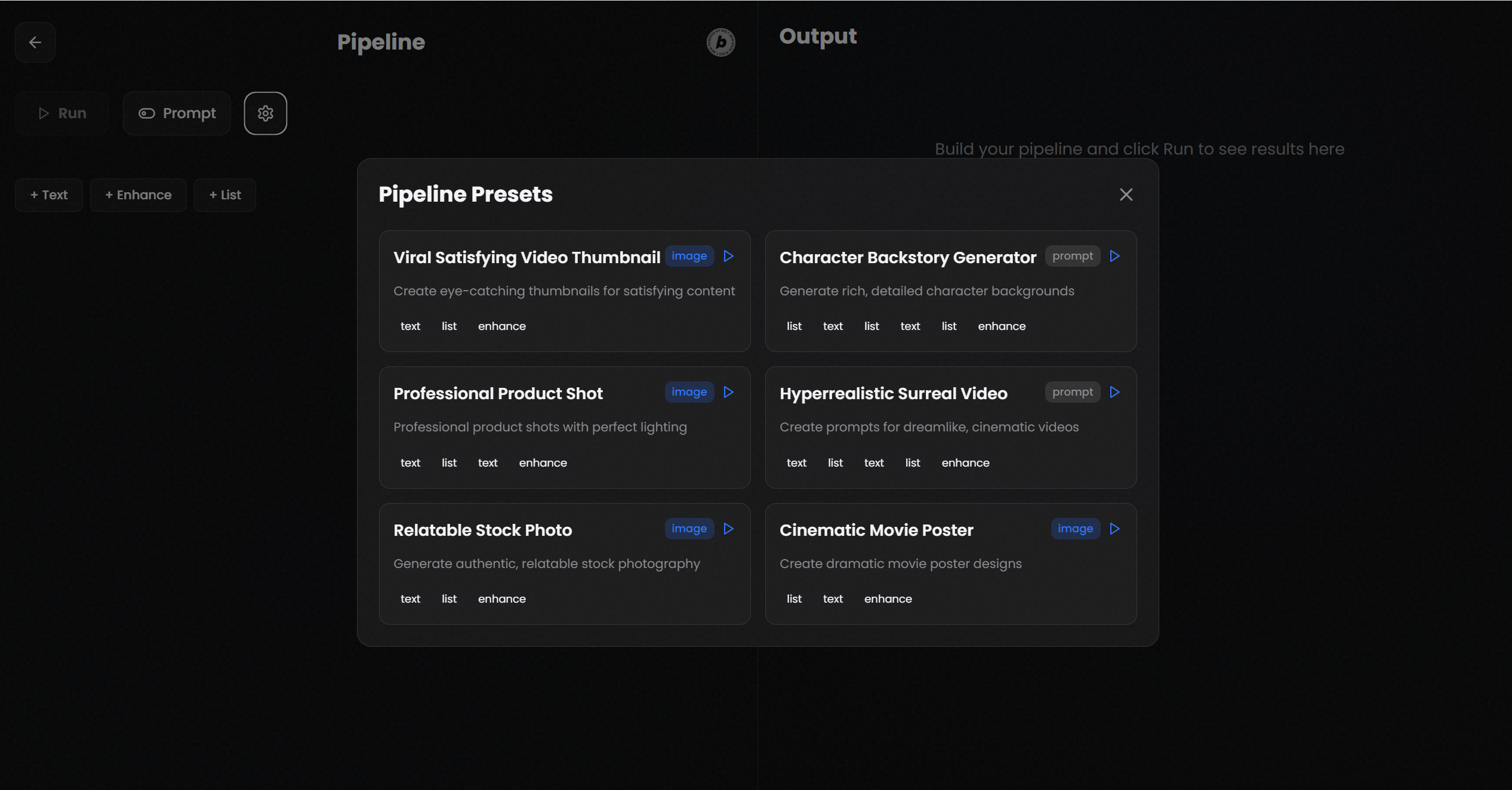
Pipeline Presets
-
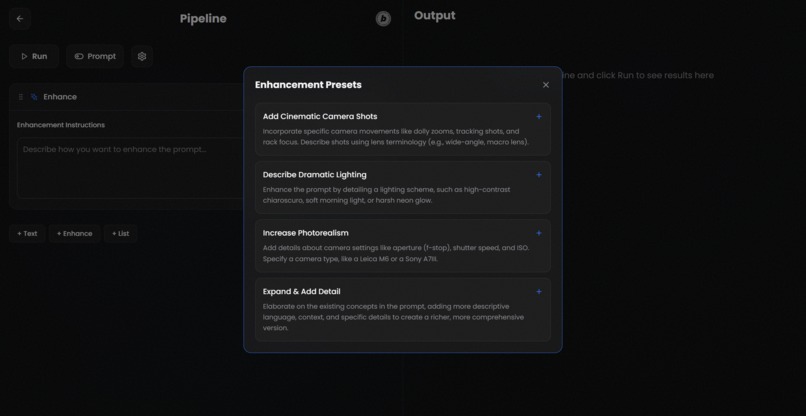
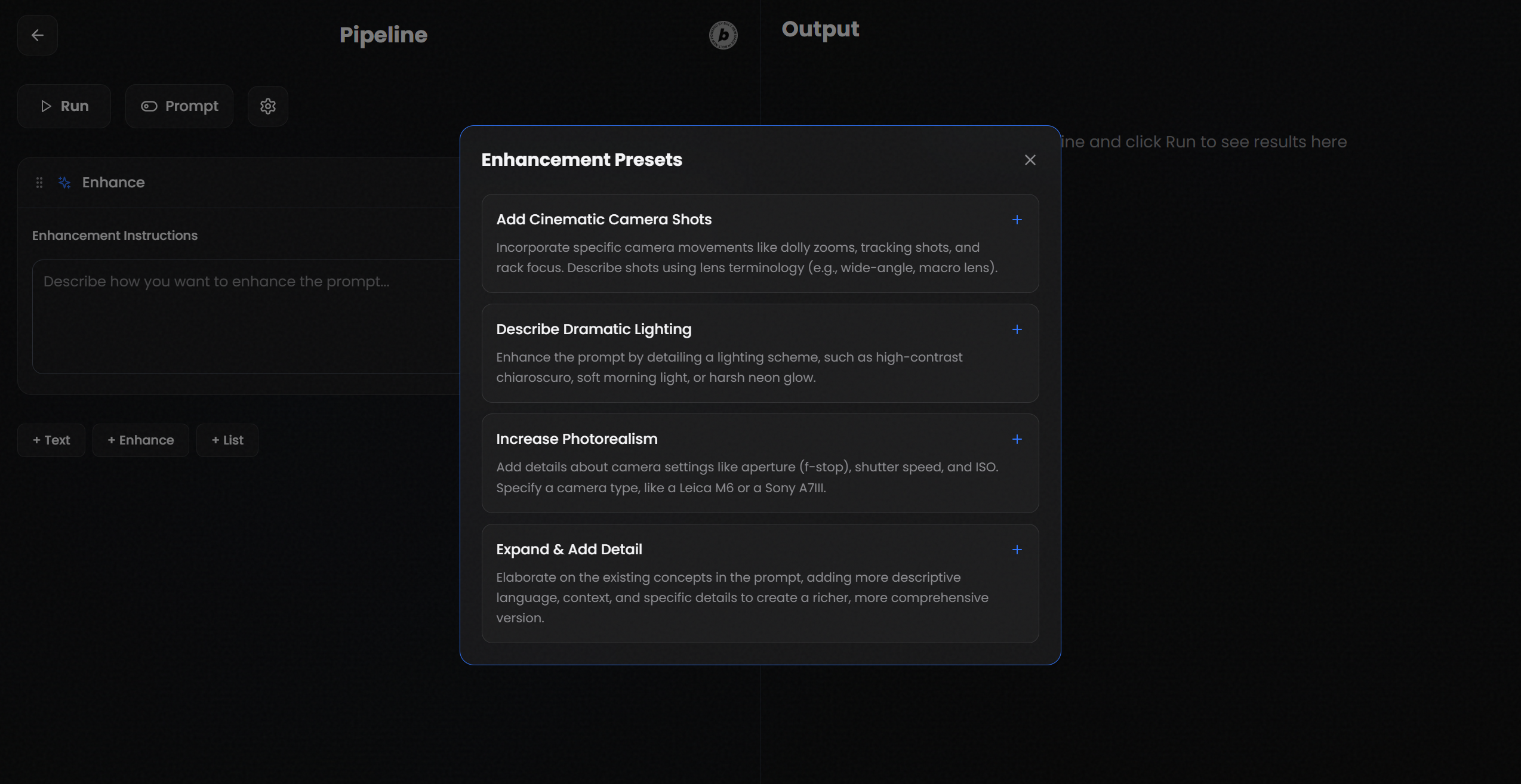
Enhancement Presets
Inspiration
My inspiration for Prompt Pipeline came directly from my own experience working with generative AI. I was captivated by the creative possibilities but frequently hit a wall when trying to scale my ideas. A simple text prompt was great for a single output, but creating dozens of variations or achieving a precise, professional aesthetic felt chaotic and repetitive. My inspiration was to design an application that treated prompt engineering as a structured, visual workflow—a tool where I could build, iterate, and refine my ideas programmatically, moving beyond the limitations of a single input field.
What it does
Prompt Pipeline is an advanced creative environment that allows users to construct complex, multi-stage AI workflows using a visual, block-based system. A user starts on a modern landing page that showcases the app's features before entering the main two-panel interface.
Building a Pipeline: On the left panel, users build a workflow by adding and configuring sequential blocks. They can start with pre-built workflows from the Pipeline Presets modal or build from scratch. Block types include:
- Text Block: For adding static text segments to the prompt.
- List Block: A powerful iteration tool that causes the entire pipeline to run multiple times, once for each item in the list. The list can be populated manually or generated by an AI.
- Enhance Block: Takes the combined output of all previous blocks and refines it based on user instructions or professional presets.
Generating Output: After constructing a pipeline, the user clicks the "Run" button. The application processes the blocks sequentially, handling all the logic and variations. The right panel, which initially shows skeleton loaders for the expected number of outputs, populates with the final results.
Viewing Results: Depending on the selected Output Mode, the result cards will display either a final, polished text prompt (with options to expand and copy) or a generated image (with options to download and view the underlying prompt).
How I built it
With a clear vision for the application, I authored an exhaustive architectural document to serve as a single-source-of-truth blueprint. I then provided this detailed prompt to Bolt.new to execute the development and build the application in a single, cohesive response. My prompt was broken down into distinct pillars to ensure every detail of my vision was realized:
Pillar I - The Design Aesthetic: My instructions to Bolt.new specified the exact color palette (like the
#0D0D0Dbase), materials (a glass effect usingbackdrop-filter: blur(24px)), motion choreography for Framer Motion, and typography (Poppins font).Pillar II - The Workflow Engine: I defined the application's core logic with precision. I detailed the three main block types (
Text,Enhance,List) and their exact behaviors. I engineered the execution logic, demanding aSequential Output Generationwhere the application processes prompts strictly one by one to ensure stability.Pillar IV - The Technical Specification: I left no room for error in the technical implementation. My prompt included the exact API endpoints and system prompts for the
pollinations.aiservice. I also wrote the content for thePipeline PresetsandEnhancement Presetsdirectly into the prompt to ensure Bolt.new would build them in from the start.
Challenges I ran into
My primary challenge was translating a complex, multi-faceted creative vision into a perfectly precise and unambiguous set of instructions for Bolt.new. To get a high-quality application in a single shot, I had to anticipate and solve problems before they arose. The difficulty was in creating a document so complete that the AI's execution would be polished and functional.
After Bolt.new generated the initial codebase, I discovered a couple of errors that required debugging. The first was an error where the drag-and-drop reordering of pipeline blocks. The second issue was with the image download functionality; the generated link was not triggering a download properly. I also had to fix a few other small errors as well.
Accomplishments that I'm proud of
Executing a Complete Design Vision: I am incredibly proud of the "The Glasshouse" aesthetic. By providing an extremely detailed design specification, I was able to guide Bolt.new to creating a clean and sleek user interface that feels fluid and cinematic
Building a Robust Workflow Engine: I successfully designed a system that is a powerful and flexible tool. The block-based system can handle complex iteration with the
Listblock and sophisticated prompt refinement with theEnhanceblock, all while maintaining stability through sequential processing.The One-Shot Application: My greatest accomplishment was authoring a prompt so comprehensive that Bolt.new could generate a complete, professional-grade, and fully functional web application in a single, cohesive package. This validated my approach of providing a detailed architectural blueprint for complex AI-driven development.
What I learned
The key lesson from this project was that to get a truly viable, professional-grade application from an AI like Bolt.new in a single shot, a comprehensive specification is necessary. I learned that minimizing ambiguity and ensuring my vision was executed perfectly required me to provide a near-complete architectural blueprint. This process reinforced the idea that structure, detail, and foresight are just as crucial when prompting an AI as they are in traditional software development.
What's next for Prompt Pipeline
Data Persistence and Sharing: The next step is to expand this into a full-fledged workflow application where users can store presets and assets, publish pipelines, and "fork" pipelines created by others.
Expanded Block Library: I want to increase the power of the pipeline by adding new block types. Future additions could include an "Input Block" to define variables at runtime, a "Logic Block" for conditional processing (e.g., if-then statements), and more integrations with different AI services.
Broader API Support: To make the tool more versatile, I plan to integrate with a wider array of generative AI APIs beyond
pollinations.ai, allowing users to direct their workflows to different models for text, image, audio, and video generation.
Built With
- bolt.new
- framer-motion
- ionos
- netlify
- pollinations.ai
- react
- typescript
- vite


Log in or sign up for Devpost to join the conversation.