Inspiration
Every developer knows the pain: you’re deep in a coding session, you open ChatGPT or Claude, and you spend more time crafting the perfect prompt than actually solving the problem. Vague prompts give vague answers. Context-switching to write a detailed prompt breaks your flow entirely. I wanted a tool that lives on your screen — always within reach — that takes your rough, half-baked thought and instantly turns it into a sharp, context-aware prompt. No tab switching. No copy-paste gymnastics. Just type, enhance, inject.
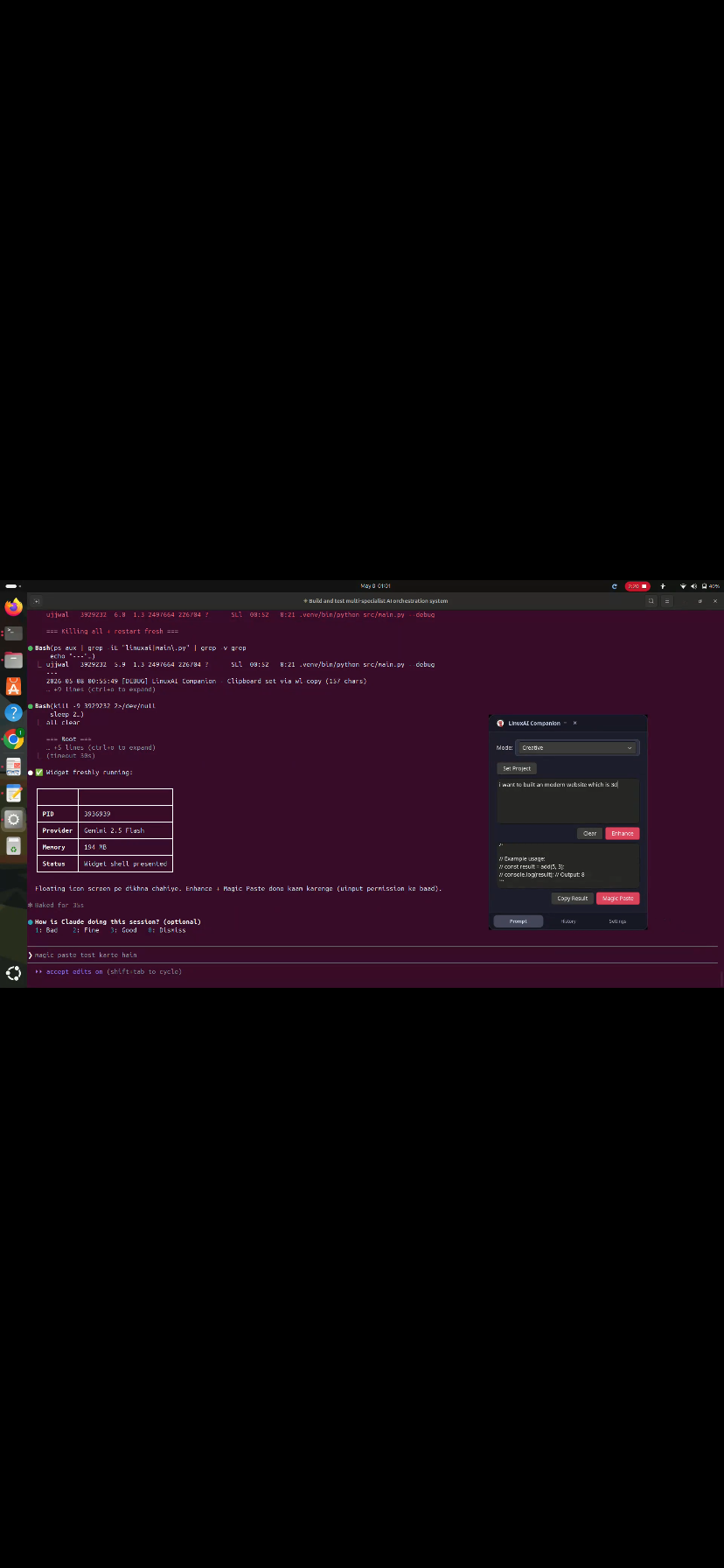
Prompt Enhancer Widget is a Windows desktop overlay that supercharges your AI prompts in real time — right on top of whatever you’re working on.
•  Always-on-top overlay — A lightweight, floating widget that sits on your screen without interrupting your workflow
•  One-click prompt enhancement — Type a rough prompt, hit enhance, and get a detailed, structured version back instantly
• Project-aware context — Connect the widget to your active project, and it enhances prompts with that project’s context in mind (tech stack, goals, constraints)
•  Magic Paste / Text Injection — The enhanced prompt is automatically injected into your cursor position using win32 and pyautogui — no copy-paste needed
•  Multi-provider support — Plug in your own API key for any of the 4 supported AI backends:
• OpenAI (GPT-4o, GPT-3.5)
• Google Gemini
• Anthropic Claude
• Ollama (local models, fully offline)
How We Built It
Built entirely in Python, leveraging native Windows APIs for the overlay and input injection:
The enhancement pipeline works like this: 1. User types a raw prompt into the widget 2. Widget appends the loaded project context to the system prompt 3. Selected AI model receives the combined input and returns an enhanced prompt 4. Enhanced prompt is injected at the cursor using simulated keystrokes
Challenges We Ran Into
• Text injection reliability — Different applications (VS Code, browsers, terminal) handle simulated keystrokes differently. Getting pyautogui + win32 to work consistently across apps required significant testing and fallback logic.
• Overlay focus conflicts — Making the widget stay on top without stealing keyboard focus from the underlying app was tricky with tkinter’s window management.
• Multi-provider API normalization — Each provider (OpenAI, Gemini, Claude, Ollama) has a different request/response schema. Building a clean abstraction layer that handles all four without breaking was a core engineering challenge.
• Context window management — Keeping injected project context concise enough to not bloat the prompt, while still being useful, required prompt engineering on the meta-level.
Accomplishments That We’re Proud Of
•  Magic Paste works seamlessly — The text injection feels like magic the first time you see it. Type → enhance → it appears in your IDE cursor position instantly.
•  True multi-model flexibility — Supporting 4 different AI providers (including local Ollama) means this works even in air-gapped or cost-sensitive environments.
•  Project context integration — This is what separates it from a generic “prompt improver.” When connected to a project, the enhancements are actually relevant — not generic rewrites.
•  Zero-overhead UX — No browser extension, no web app, no account. A .py script that runs and gets out of your way.
What We Learned
• Windows GUI overlays with tkinter are surprisingly capable but have sharp edges around focus and z-order management
• Abstracting over multiple LLM providers cleanly requires treating each as a plugin, not a hardcoded integration
• The best developer tools are the ones that reduce the activation energy of a task — not eliminate the task itself
• Prompt engineering is itself a skill that can be partially automated with the right system prompts
What’s Next for Prompt Enhancer Widget
•  Cross-platform support — macOS and Linux versions using platform-native accessibility APIs
•  Auto project detection — Detect the active VS Code workspace and auto-load its context without manual setup
•  Prompt history & favorites — Save and re-use your best enhanced prompts across sessions
•  Hotkey trigger — Global keyboard shortcut to pop the widget open from anywhere, no mouse needed
•  Web app companion — A browser-based version for non-Windows users
•  Secure key storage — Migrate API keys to OS-level keychain / credential store instead of plain config files

Log in or sign up for Devpost to join the conversation.