Inspiration
The inspiration for this project stemmed directly from the release of Google's Gemini Nano model integrated within the Chrome browser. I saw a unique opportunity to build an AI assistant that is completely different from mainstream cloud-based tools in terms of privacy and offline capabilities. My core vision was to create a tool that could provide advanced AI capabilities while ensuring that user data and selected text never leave the local device.
What it does
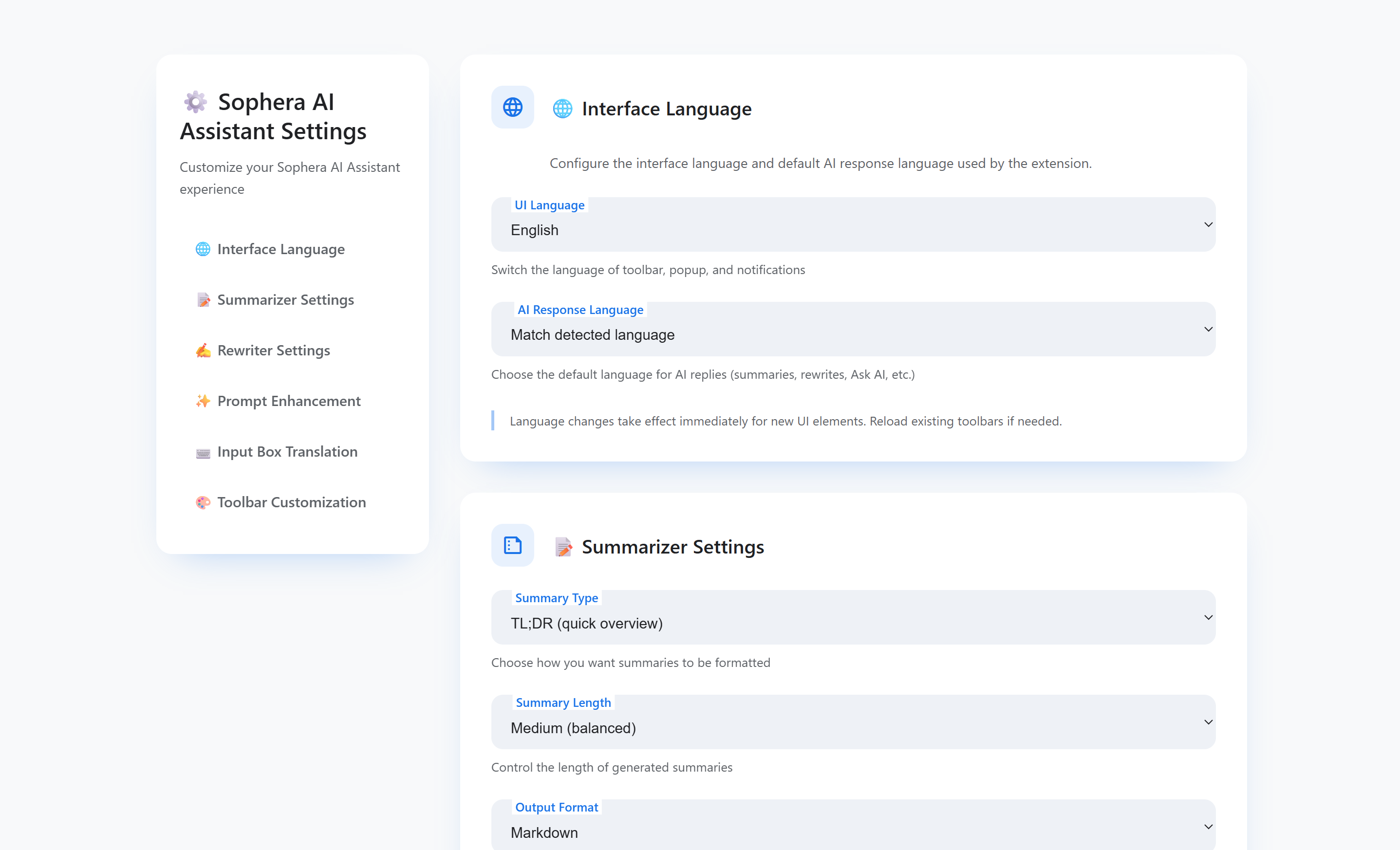
Sophera AI Assistant is an intelligent Chrome extension based on Manifest V3, providing localized, privacy-first text processing and conversational features:
Highlight Helper: Select text on any webpage for instant smart summarization, rewriting, and AI translation.
⌨️ Triple-Space Translate: In any input field, quickly press the spacebar three consecutive times to instantly translate the entered text into the target language.
Context Chat: Provides an elegant sidebar chat interface. Users can type the @ symbol to reference any open tab, and the AI will provide accurate answers based on the content of that page.
History Management: Records all chat history, supporting renaming and deletion.
How we built it
The project strictly adheres to the Manifest V3 architecture, built with JavaScript (ES6+), HTML, and CSS to ensure it is lightweight and efficient.
Architectural Foundation: Based on Chrome's built-in Prompt API, Summarizer API, and Translator API.
Core UI: Implemented a high-fidelity AI sidebar (sidebar.html, sidebar.css) matching the Google Gemini style.
State Management: Established a persistent state management system for chat history, renaming, and deletion based on chrome.storage.local.
Feature Integration: Achieved seamless connection between the Highlight Helper's "Ask AI" button and the sidebar, ensuring smooth interaction between the two main functional areas.
Challenges we ran into
The biggest challenge we encountered stemmed from the Service Worker (SW) lifecycle management in Manifest V3, which led to two major issues:
Disconnected Port: Frequently encountered the Attempting to use a disconnected port object error. This happens because when the SW restarts after being idle, it loses all global state, invalidating the communication port cached by the frontend.
"Zombie Document" State: The most insidious bug was that after a long pause, the SW would restart, but the Offscreen Document would still exist in a "zombie" state. The old code couldn't detect it was disconnected, causing messages to fail and leading to a silent UI freeze.
We use the following concept to describe this complex state loss process: $$\text{SW Restart} \Rightarrow \text{lastOffscreenInitTime} = \text{null} \Rightarrow \text{hasOffscreenDocument()} \approx \text{true (Misjudgment)} \Rightarrow \text{Message Sent to Zombie Process} \Rightarrow \text{Prompt API Missed}$$
Accomplishments that we're proud of
Privacy & Offline: Successfully built a 100% offline and privacy-first AI assistant, achieving the project's core vision.
Architectural Stability: Solved the fundamental difficulty of the Service Worker lifecycle. Implemented a robust, self-healing communication protocol that eliminates all port disconnection errors by detecting SW restarts and forcing the recreation of the Offscreen Document.
Unique Interactions: Successfully implemented the Triple-Space Translate and @ Context Chat features, providing an efficient and unique in-browser AI interaction experience.
UI Quality: Implemented custom Markdown rendering for tables and multi-line code blocks, fixing display defects caused by the API's raw output format.
What we learned
The Truth of Service Workers: Never trust any global state or cached connection in a Service Worker. One must rely on restart detection (checking lastOffscreenInitTime) and forced recreation (closeOffscreenDocument()) to ensure the health of the Offscreen Document.
API Strictness: Learned that the Chrome AI APIs are extremely strict about input formats. Even the formatting for code block rendering and multimodal inputs must perfectly match the underlying API's expectations, or it will result in silent failures.
User Experience Priority: When implementing keyboard interactions, we learned that priority is key: when the floating box is visible, the Enter key must be prioritized for "selection" rather than "sending." This is crucial for ensuring a smooth user experience.
What's next for Triple-Space Translate & Context Chat: Private AI Sidebar
Feature Expansion: Reintroduce and refine the multimodal input features (image uploads and regional screenshot analysis) that were excluded due to time constraints.
Data Persistence: Investigate using chrome.storage.sync to implement cross-device synchronization for user settings and custom templates.
Performance Monitoring: Optimize resource management in background.js to ensure minimal resource consumption from the AI model and Offscreen Document without impacting the user experience.
Built With
- chrome.i18n
- chrome.offscreen
- chrome.runtime
- chrome.scripting
- chrome.sidepanel
- chrome.storage
- chrome.tabs
- css3
- css3-platform:-chrome-extensions-(manifest-v3)-chrome-built-in-ai-apis:-prompt-api-(languagemodel)-for-conversational-chat
- html
- html5
- javascript
- promptapi
- rewriting
- summarizerapi
- translatorapi

Log in or sign up for Devpost to join the conversation.