-
-
Prompt Dock Mini
-
Prompt Dock Mini Demo
-
Prompt Dock Mini Demo
PromptDock Mini
Rough thoughts in. Better prompts out.
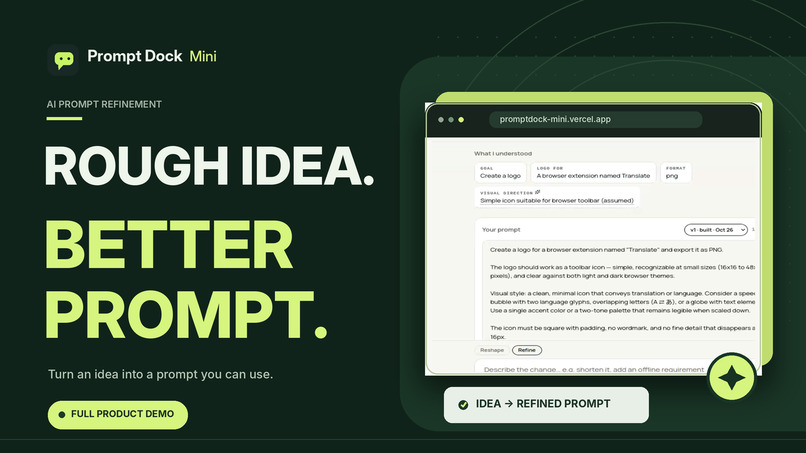
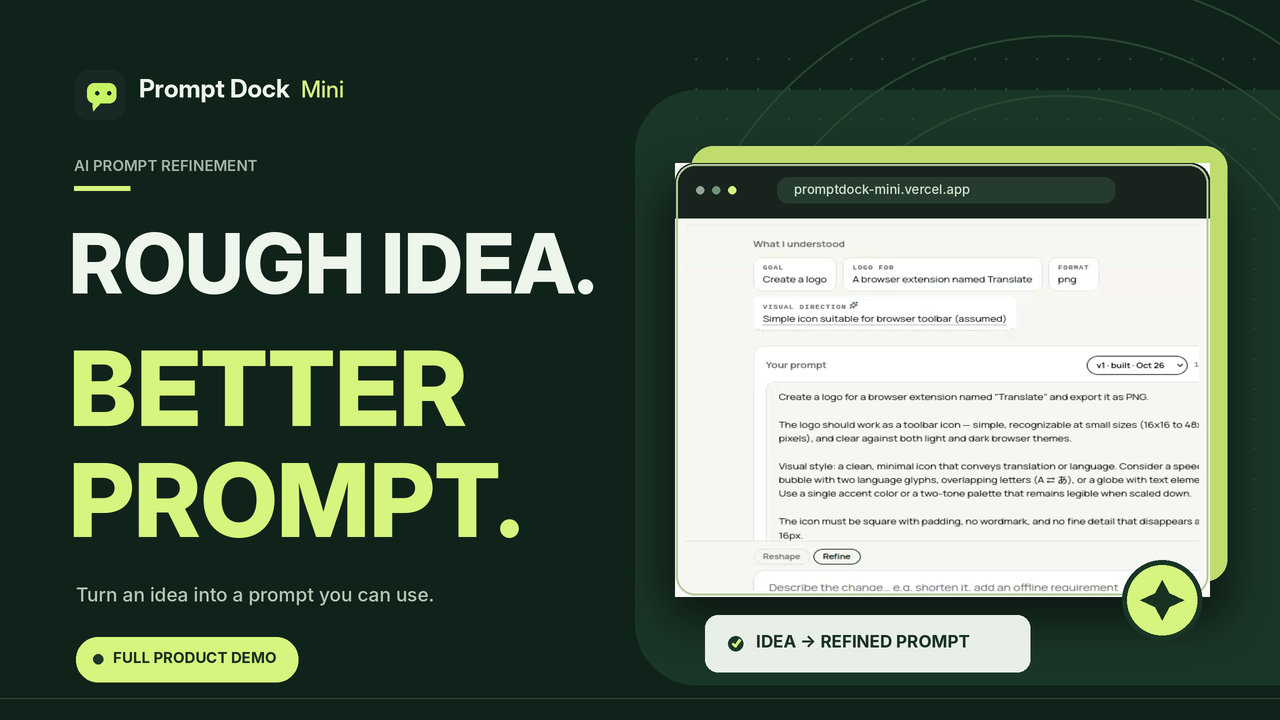
PromptDock Mini is a lightweight, open-source AI prompt engineering tool that turns messy, incomplete thoughts into clear, structured, and actionable prompts.
Instead of expecting users to understand prompt engineering, PromptDock Mini helps them communicate what they actually want to accomplish.
Try PromptDock Mini | GitHub Repository
Inspiration
As a developer who regularly works with AI coding assistants, language models, and agentic development tools, I've encountered the same problem repeatedly: getting AI to understand exactly what I want often takes more effort than it should.
Sometimes, I know exactly what I want to build but struggle to express it clearly. Other times, I have an idea that makes complete sense in my head but becomes difficult to communicate when I try putting it into words.
The result is usually the same: repeated explanations, unnecessary revisions, and wasted time.
And I realized this wasn't just a developer problem.
Students, designers, researchers, content creators, and everyday AI users experience similar difficulties.
Most AI tools expect users to provide reasonably clear instructions. But what happens when the user hasn't fully figured out their own idea?
That question became the foundation of PromptDock.
While working on the larger PromptDock project, I wanted to explore a simpler approach focused entirely on transforming unclear ideas into useful prompts without overwhelming users with complicated settings, endless dropdowns, or technical terminology.
I wanted an experience that felt natural.
What if you could simply describe your idea, however incomplete, and have a system help you understand and structure it before generating anything?
That was the inspiration behind PromptDock Mini.
The philosophy is simple:
You shouldn't need to become a prompt engineer just to communicate effectively with AI.
And perhaps more importantly:
When something is unclear, AI should ask rather than confidently guess.
What it does
PromptDock Mini helps users transform rough ideas into structured prompts through a conversational, context-aware refinement process.
The application follows a straightforward workflow:
Rough Idea → Intent Understanding → Clarification → Prompt Generation → Refinement
1. Start with an imperfect idea
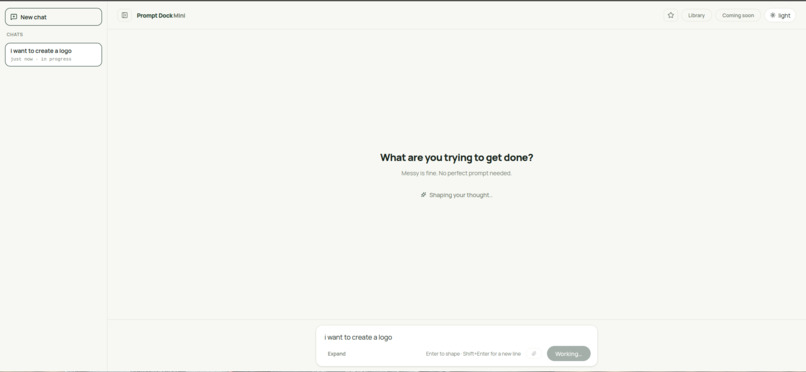
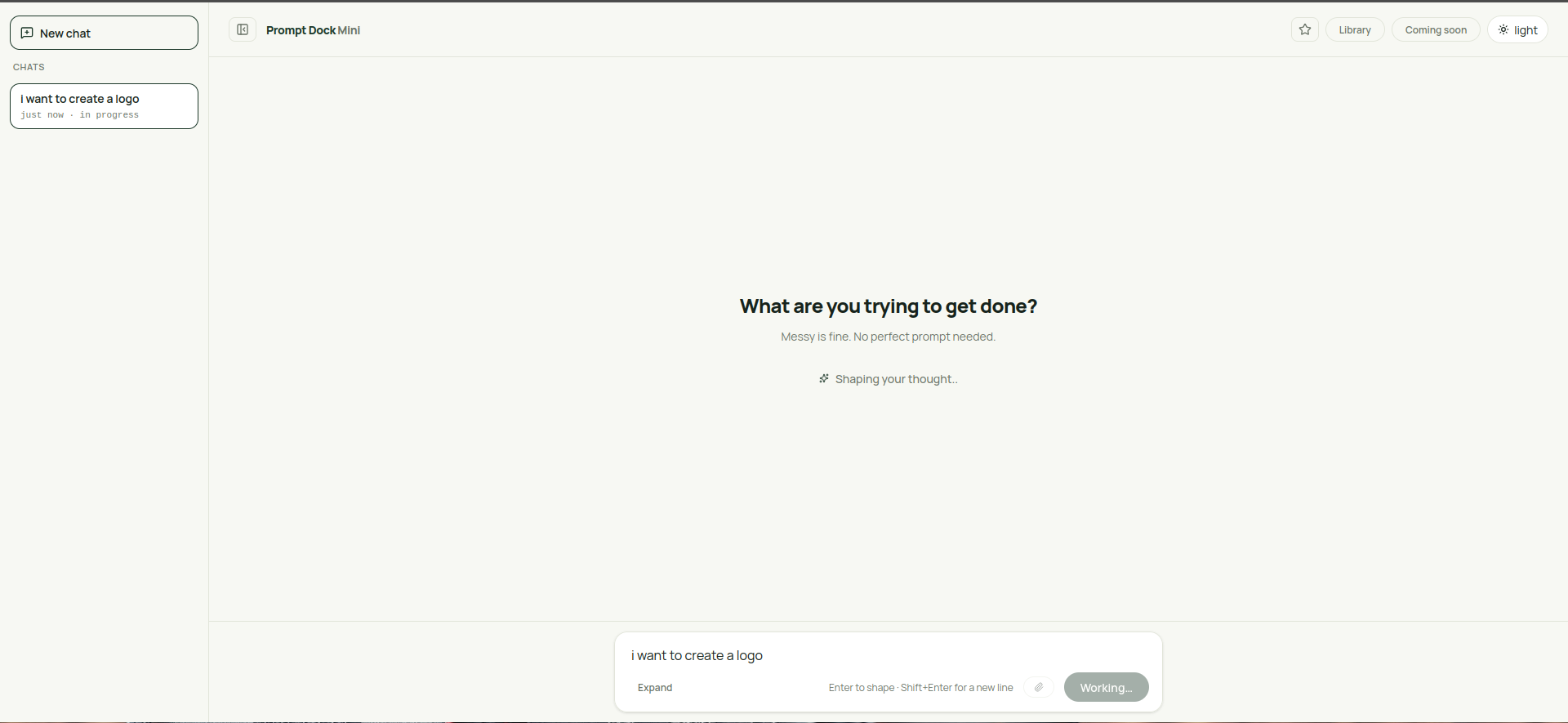
Users begin by describing what they want to accomplish in natural language.
There's no strict template, complicated form, or required prompting structure.
You can write something as simple as:
"I want to create a logo."
Or:
"I want to build an application that helps me keep track of things."
PromptDock Mini takes that starting point and begins identifying what the user is trying to achieve.
2. Understand the user's intent
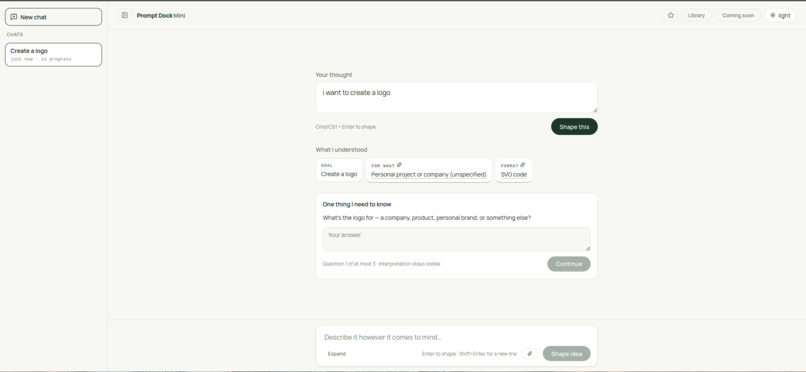
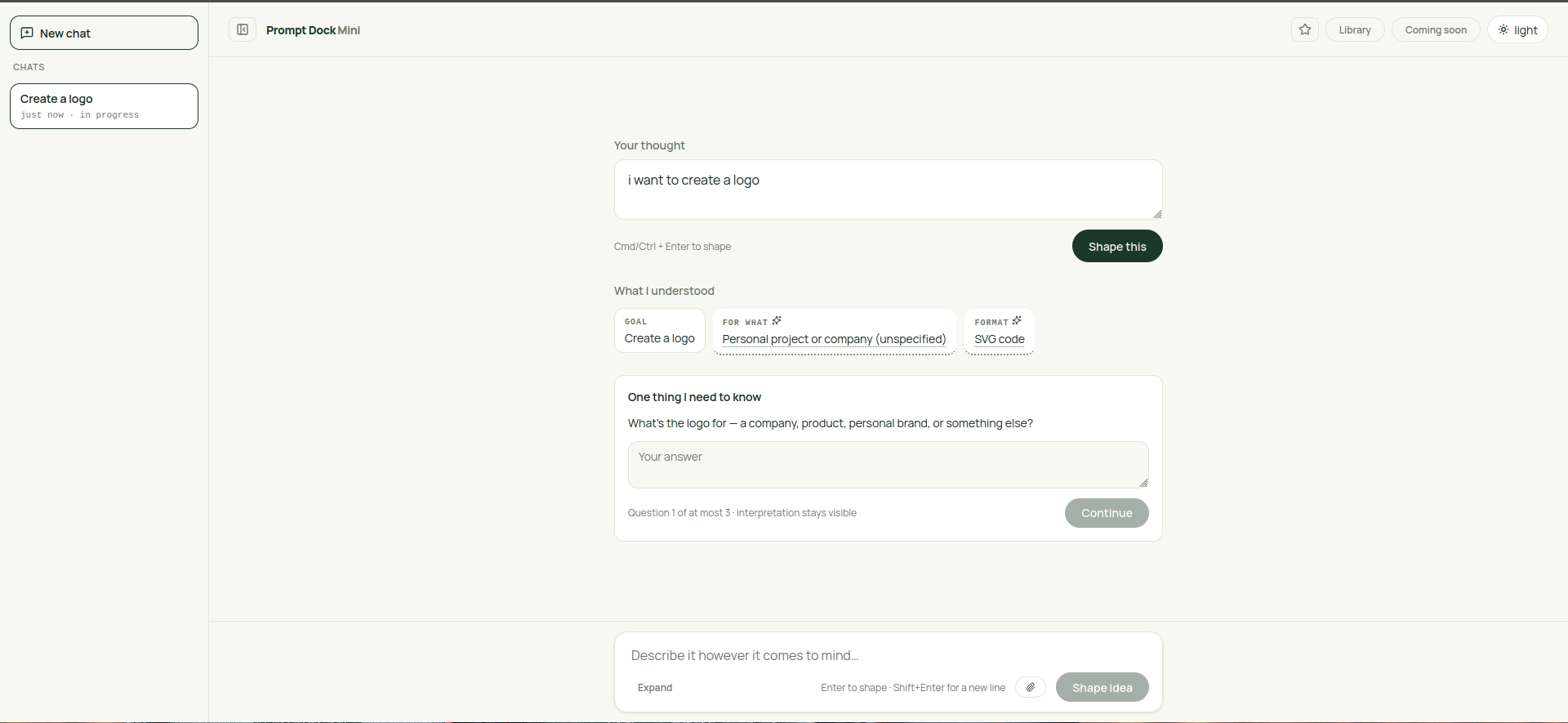
Rather than immediately producing a long prompt, the application interprets the user's request and identifies relevant information.
This can include the user's goal, intended audience, context, constraints, and expected output.
The interpretation is presented in editable fields, allowing users to correct the system's understanding.
Importantly, PromptDock Mini distinguishes between information explicitly provided by the user and information inferred by AI.
This makes assumptions more transparent instead of silently treating them as facts.
3. Ask intelligent clarification questions
When an important detail is missing, PromptDock Mini asks a targeted follow-up question.
It doesn't interrogate users with an endless questionnaire.
Instead, it evaluates whether making the wrong assumption would materially affect the result.
If the missing information matters, it asks.
If the system can make a reasonable assumption, it proceeds while keeping that assumption visible.
The application limits clarification to three questions per prompt, keeping the experience focused.
4. Generate structured prompts
Once the user's intention is sufficiently clear, PromptDock Mini generates a detailed prompt incorporating the available context, requirements, and clarifications.
The resulting prompt can be copied and used with AI systems such as ChatGPT, Claude, Gemini, or AI coding assistants.
5. Refine prompts conversationally
Prompt creation doesn't end after the first generation.
Users can request modifications naturally.
For example:
"Make it more technical."
"Add accessibility requirements."
"Focus on a minimalist design."
The application applies the requested change to the existing prompt instead of requiring users to start over.
6. Save prompts locally
PromptDock Mini includes a local-first prompt library powered by IndexedDB.
Users can:
- Save and revisit generated prompts.
- Access previous prompt versions.
- Mark important prompts as favorites.
- Search and organize their prompt library.
- Rename and delete saved prompts.
- Continue refining previously generated prompts.
Prompts are stored locally in the browser, without requiring account creation.
7. Access saved prompts offline
PromptDock Mini is also a Progressive Web App (PWA).
Through its service worker and browser-based storage, users can access their saved prompts and library offline.
AI-powered generation and refinement still require an internet connection.
The goal is not to replace existing AI assistants. It's to help users communicate with them more effectively.
How we built it
PromptDock Mini was developed as a focused web application using modern frontend technologies, server-side AI integrations, and browser-native storage.
Frontend and user experience
The application is built with:
- Next.js 16 for the application framework, routing, and server-side endpoints.
- React 19 for its component-based, interactive interface.
- TypeScript for type safety and maintainability.
- Tailwind CSS 4 for responsive layouts and consistent styling.
- Lucide React for interface icons.
I wanted the interface to feel more like a focused writing environment than a complicated developer dashboard.
The design uses warm off-white surfaces, deep green tones, restrained lime accents, clean typography, and generous spacing.
Both light and dark themes are supported.
The workspace uses progressive disclosure, revealing relevant information and controls as users move through the prompt creation process.
AI architecture
The AI workflow is divided into three primary operations.
1. Shape
The shaping endpoint analyzes the user's initial request and returns a structured interpretation.
It identifies relevant fields, distinguishes known information from inferred assumptions, and determines whether clarification is necessary.
2. Build
The build endpoint transforms the interpreted request and collected answers into a structured prompt.
3. Refine
The refinement endpoint receives the existing prompt alongside the user's requested modifications and generates a revised version.
These operations are handled through Next.js API routes, with AI provider credentials kept on the server.
Multi-provider AI integration
PromptDock Mini integrates with:
- APMIX
- Groq
- Google Gemini
The application implements a configurable provider fallback system.
If a provider fails, times out, or returns a response that cannot be properly processed, the system can attempt another configured provider.
This improves resilience without exposing provider configuration complexity to users.
Prompt engineering and response validation
A significant part of development involved designing the instructions used to interpret user intent.
The AI must distinguish between what users actually said and what it reasonably inferred.
The system also validates and processes structured model responses to ensure they conform to the application's expected data structures.
Local-first persistence
PromptDock Mini uses IndexedDB to store prompt groups, version histories, and associated information.
Each refinement creates a new version, allowing users to revisit earlier results without losing their previous work.
Browser localStorage also supports lightweight preferences and workspace restoration.
Progressive Web App
The project includes:
- A web app manifest.
- Installable application icons.
- Service-worker caching.
- Offline access to the local library.
- Connection-aware handling of AI features.
Deployment and development
The application is deployed using Vercel.
The source code is publicly available on GitHub, along with project requirements, technical specifications, and testing scripts.
Challenges we ran into
Building PromptDock Mini revealed several challenges that went beyond creating a simple AI interface.
1. Knowing when AI should ask questions
One of the biggest challenges was determining when the AI should make an assumption and when it should ask the user for clarification.
Asking too many questions makes the experience frustrating.
Making too many assumptions can result in a prompt that misunderstands the user's actual intention.
I addressed this by introducing a rule: only ask when an incorrect assumption could significantly change the outcome.
This became one of the most important decisions in the application's prompt engineering architecture.
2. Getting consistent structured responses
Different AI providers do not always return responses in identical formats.
During testing, some providers wrapped JSON responses in Markdown code fences or included formatting that complicated direct parsing.
To handle this, I implemented response extraction, parsing, validation, and provider fallback mechanisms.
This helped make the application's internal AI workflow more reliable.
3. Handling extremely vague requests
Some requests contain almost no useful context.
For example:
"Help me with my thing."
The challenge was to avoid inventing requirements while still giving users a meaningful path forward.
I tested the prompt interpretation system against vague, ambiguous, lengthy, and unconventional requests and refined its instructions based on the failures observed.
4. Preserving user control
I wanted users to remain in control of their prompts.
An important technical challenge was preventing automatic AI updates from accidentally overwriting changes users had already made manually.
The solution involved distinguishing between untouched AI-generated prompts and manually edited content.
When necessary, the application requires an explicit update rather than silently replacing the user's work.
5. Building reliable local storage
Moving from a basic recent-prompts system to a versioned IndexedDB library introduced additional complexity.
I needed to preserve existing records, support multiple versions, and maintain a usable interface without requiring accounts or backend databases.
A migration process was introduced to preserve older locally saved prompts.
6. Keeping the experience simple
Perhaps the most interesting challenge was deciding what not to build.
It would have been easy to add dozens of configuration options, multiple AI agents, prompt scoring, elaborate dashboards, and account systems.
However, those features could distract from the core purpose.
I deliberately prioritized the experience of taking an incomplete idea and turning it into something useful.
The challenge wasn't adding more functionality. It was making the essential functionality feel effortless.
Accomplishments that we're proud of
Turning a personal frustration into a usable product
What started as a recurring frustration with AI communication became a functioning application that others can use.
Building an intent-aware prompt workflow
Rather than simply rewriting text, PromptDock Mini analyzes user intent, identifies assumptions, asks clarification questions, and generates prompts based on a progressively clearer understanding.
Creating a transparent interpretation system
The distinction between known information and AI-inferred assumptions gives users more control over how their ideas are interpreted.
Implementing conversational refinement
Users can continuously improve generated prompts without restarting the entire process.
Building a versioned local library
The application preserves prompt history locally, making it possible to revisit earlier versions and continue working.
Supporting offline access
Users can access their saved prompts even without an active internet connection.
Implementing AI provider fallback
Integrating multiple providers introduced a degree of resilience into the AI architecture.
Keeping the project open source
PromptDock Mini is publicly available on GitHub.
Developers can inspect the implementation, explore its architecture, contribute improvements, or use the code as a learning resource.
Shipping a focused product
I'm particularly proud that the application maintains a relatively simple user experience despite the complexity of the processing happening behind the scenes.
The interface is designed around the user's idea, not around the underlying technology.
What we learned
Developing PromptDock Mini reinforced several lessons about AI engineering, software design, and product development.
Prompt engineering is more than writing instructions
A good AI interaction depends on understanding intent, identifying ambiguity, managing assumptions, and providing sufficient context.
Simply making a prompt longer does not necessarily make it better.
AI should acknowledge uncertainty
One of the most valuable lessons was that the system should not always attempt to answer immediately.
Sometimes, one well-placed clarification question improves the quality of the result more than several paragraphs of automatically generated instructions.
User experience is part of AI engineering
An advanced AI workflow can still feel ineffective if users have to navigate too many controls or understand technical concepts before getting value.
The interface needs to complement the intelligence of the underlying system.
Structured AI outputs require defensive engineering
Even when a model is instructed to return structured data, its responses can vary.
Reliable AI applications need parsing, validation, error handling, and recovery mechanisms.
Local-first applications offer meaningful advantages
Not every application needs accounts, cloud synchronization, or a dedicated backend database.
For a focused tool like PromptDock Mini, browser storage creates a simpler experience while giving users local access to their saved work.
Smaller products can still solve significant problems
I learned the value of restricting scope and focusing on a single meaningful workflow.
PromptDock Mini doesn't need to do everything.
It needs to do one thing exceptionally well: help people turn what they mean into instructions AI can understand.
What's next for Prompt Dock Mini
PromptDock Mini is an evolving project, and there are several improvements I want to explore.
1. Shareable prompt links
Allow users to generate links to prompts they want to share with others.
2. Optional accounts and synchronization
Introduce an optional account system for users who want to access their saved prompts across multiple devices.
Local-first usage would remain an important part of the experience.
3. Community prompt discovery
Explore a community section where users can discover useful prompts, learn from other creators, and remix existing ideas.
4. Optional cloud backup
Allow users to back up their local libraries without making cloud storage a requirement.
5. Model-specific prompt optimization
Explore formatting prompts for different AI systems and use cases, including coding assistants, image generation models, and general-purpose language models.
6. Better accessibility and input methods
Explore features such as voice-based idea capture and improved keyboard interactions.
7. Continued improvements to prompt interpretation
Keep refining how the system identifies user intent, evaluates ambiguity, and decides when clarification is necessary.
8. Community contributions
Continue developing PromptDock Mini publicly and welcome constructive feedback, bug reports, and contributions.
Final Thoughts
PromptDock Mini started with a simple observation:
People shouldn't have to struggle to explain their ideas to AI.
I wanted to create something that makes prompt engineering more approachable without requiring users to learn complex techniques.
The result is a lightweight tool that helps transform incomplete thoughts into structured prompts while keeping users in control of the process.
There's still more to build, but the core idea is already functional.
You bring the idea. PromptDock Mini helps you express it.
Links
Live Application: https://promptdock-mini.vercel.app/
Source Code: https://github.com/kingjethro999/promptdock-mini
Built by: King Jethro
Built With
- apmix
- google-gemini
- groq
- html5
- indexeddb
- javascript
- localstorage
- next.js
- node.js
- pwa
- react
- rest-api
- service-workers
- tailwind-css
- typescript
- vercel


Log in or sign up for Devpost to join the conversation.