Inspiration
After every restart, we faced the same collection of small operational questions: Which local projects should be running? Which ports belong to them? Which services are healthy? Which are exposed through Tailscale? And what was the command to start everything again?
The information existed across terminals, bookmarks, configuration files, and memory. Projects Hub was created to turn that fragmented setup into one calm, trustworthy control desk.
What it does
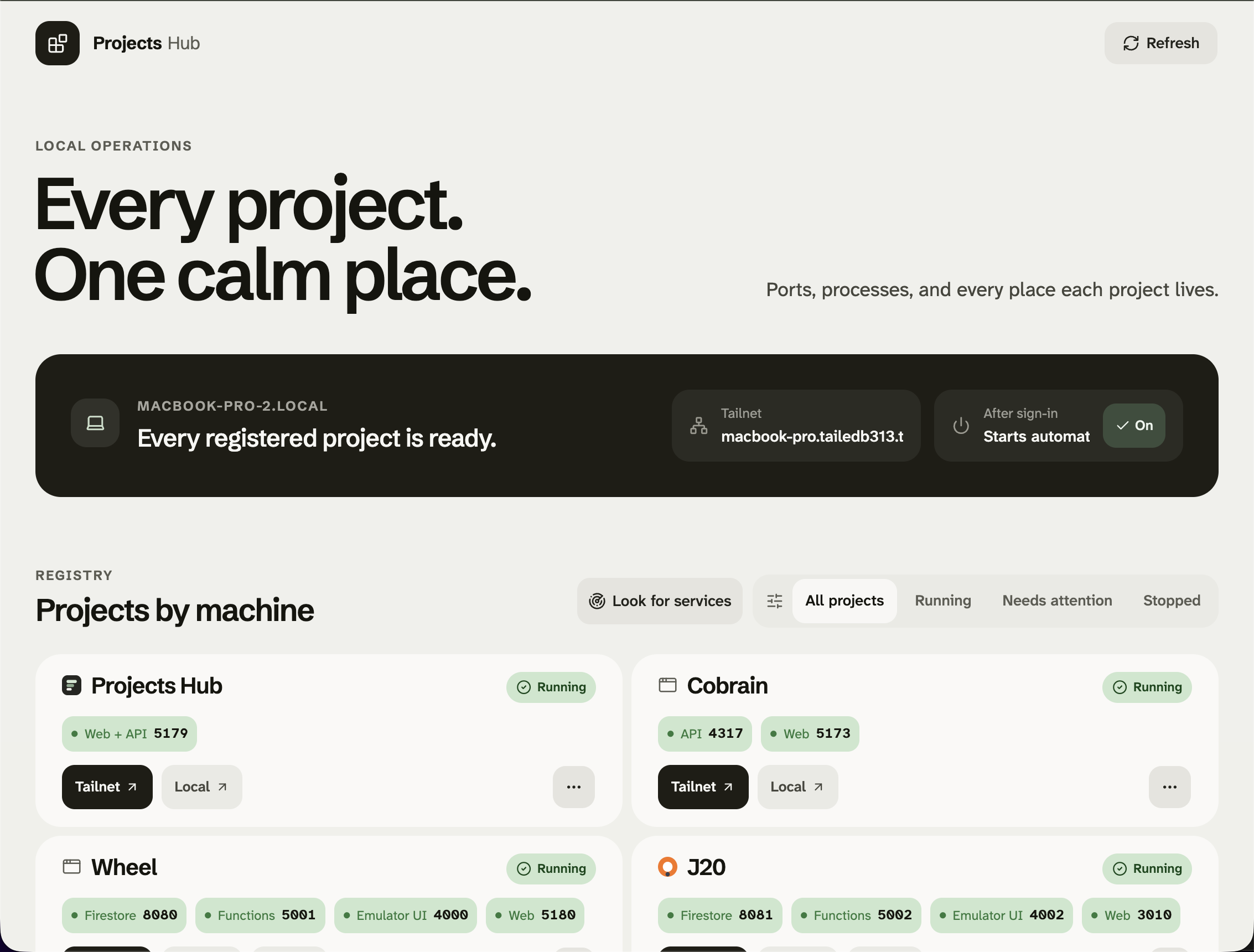
Projects Hub monitors the projects, desktop applications, and background services running across your computers.
It can:
- Display live HTTP, TCP, process, port, and health information.
- Open Tailnet, local, and production destinations.
- Start and safely stop configured services.
- Discover unregistered local services and add them as monitors.
- Add or remove individual Tailscale Serve mappings.
- Detect port collisions and avoid starting duplicate processes.
- Archive discovered services without losing their configuration.
- Aggregate multiple computers into one responsive interface.
- Restore itself automatically after sign-in.
- Provide the same functionality through a scriptable CLI.
Each computer runs the same lightweight Hub. One Hub can then display and control services owned by the others.
How we built it
Projects Hub is built with React, TypeScript, ShadCN, Node.js, and Express. A portable JSON registry describes projects, services, ports, commands, destinations, and Tailscale mappings, while machine-specific paths, discovered services, runtime state, and logs remain local and gitignored.
The backend inspects live listeners and processes using native macOS and Windows facilities. It combines that evidence with HTTP health checks, process ownership, saved configuration, and the current Tailscale Serve table before offering an action.
We used Codex with GPT-5.6 throughout the project. We made the core product, design, and safety decisions—including the quiet Codex-style interface, Tailnet-first navigation, one-Hub-per-machine architecture, and conservative process controls. Codex implemented the application, iterated on the interface from real mobile screenshots, developed the cross-platform inspection logic, wrote tests and documentation, and helped deploy and verify the system on both macOS and Windows.
Challenges we ran into
The hardest problem was distinguishing “something is listening on this port” from “this is the correct, healthy process and Projects Hub can safely control it.” Process ownership behaves differently across macOS and Windows, and a service can be running successfully without having been started by the Hub.
Windows added another complication: services launched by Task Scheduler can run in a privileged session that a normal interactive application cannot terminate. We deliberately avoided solving that by elevating the entire Tailnet-accessible Hub. Instead, Projects Hub reports the real operating-system restriction and keeps its control boundary conservative.
Tailscale required similar care. The Hub needed to add or remove one mapping without resetting unrelated routes already serving other projects.
Accomplishments that we're proud of
Projects Hub became a real operational tool rather than a static dashboard. It is running across a MacBook and a Windows PC, aggregating live status for development projects, desktop applications, media services, and background tools.
We are particularly proud of:
- Turning unknown local listeners into identifiable, useful service entries.
- Supporting multiple services and ports within one project.
- Preserving unrelated processes and Tailscale mappings during every action.
- Making archive and permanent removal clearly different operations.
- Delivering the complete control surface on both desktop and mobile.
- Keeping portable configuration in Git without leaking machine-specific state.
- Building a packaged judge path that runs without rebuilding the frontend.
What we learned
Local service management is less about issuing start and stop commands and more about establishing trustworthy ownership.
A port is not proof of identity. A listener is not necessarily healthy. A known process may still belong to a different security context. A remote action should be executed by the machine that owns the service, not by the machine displaying it.
We also learned that discovery is most useful when it is honest. Projects Hub can identify a service, preserve its port and process information, and add it to the registry without pretending it knows a safe launch command. That missing configuration can then be investigated deliberately by the user or an AI assistant.
What's next for Projects Hub
The next step is automatic Hub discovery with explicit trust: computers on the same local network or Tailnet should be able to find one another, followed by a clear pairing step before remote control is enabled.
We also want to add:
- A Codex skill for checking services, reserving ports, and updating the registry.
- Assisted investigation of safe start and stop mechanisms.
- First-class adapters for Windows scheduled tasks and system services.
- Linux service ownership and autostart support.
- Better peer authentication and permissions between Hubs.
- Import and export tools for moving rich service configurations between machines.
- Historical uptime, restart, collision, and health information.
The long-term goal is for Projects Hub to become the dependable local operations layer underneath every development machine—easy for a person to understand and structured enough for an AI agent to operate safely.
Built With
- codex
- express.js
- node.js
- react
- shadcn
- typescript


Log in or sign up for Devpost to join the conversation.