-
-
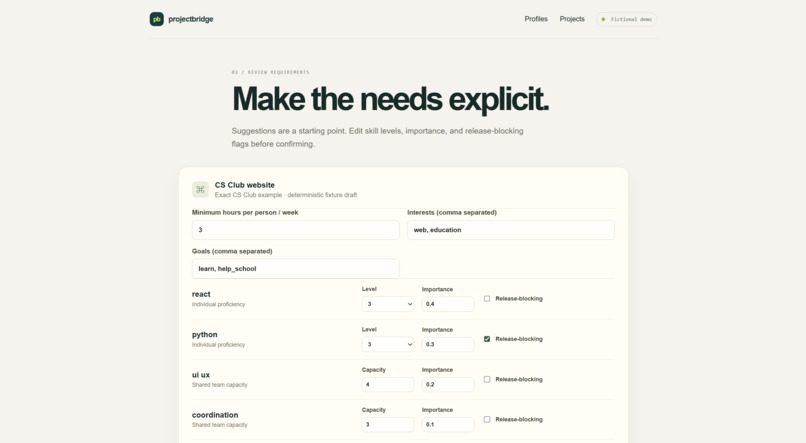
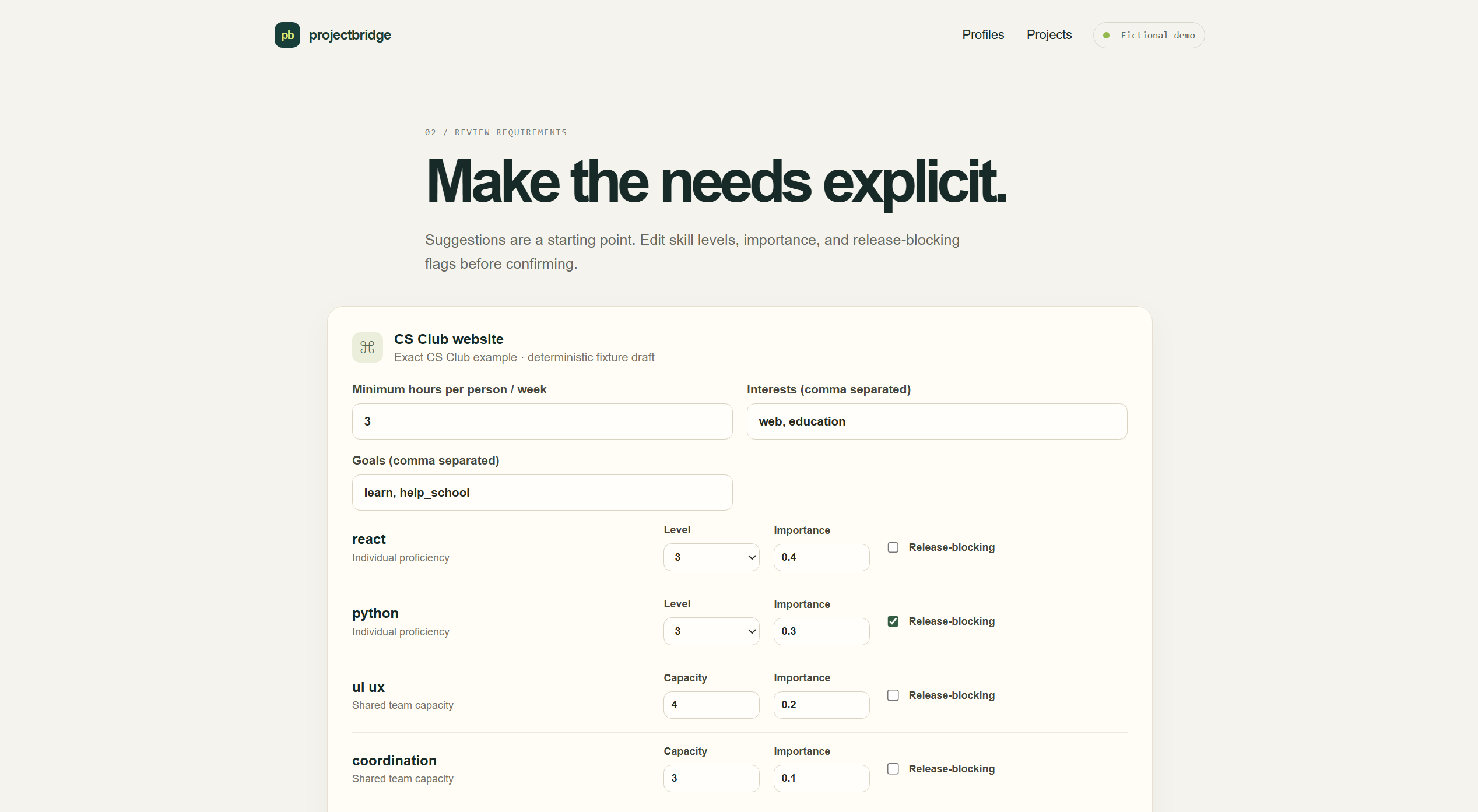
Review the skills, weekly capacity, and priorities a project needs before matching.
-
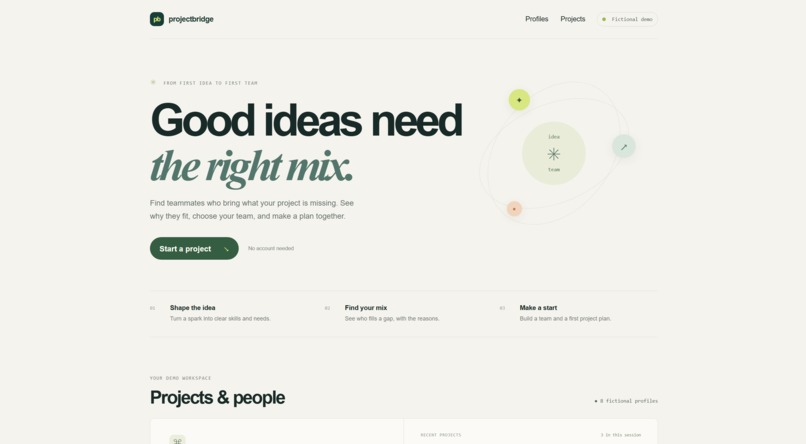
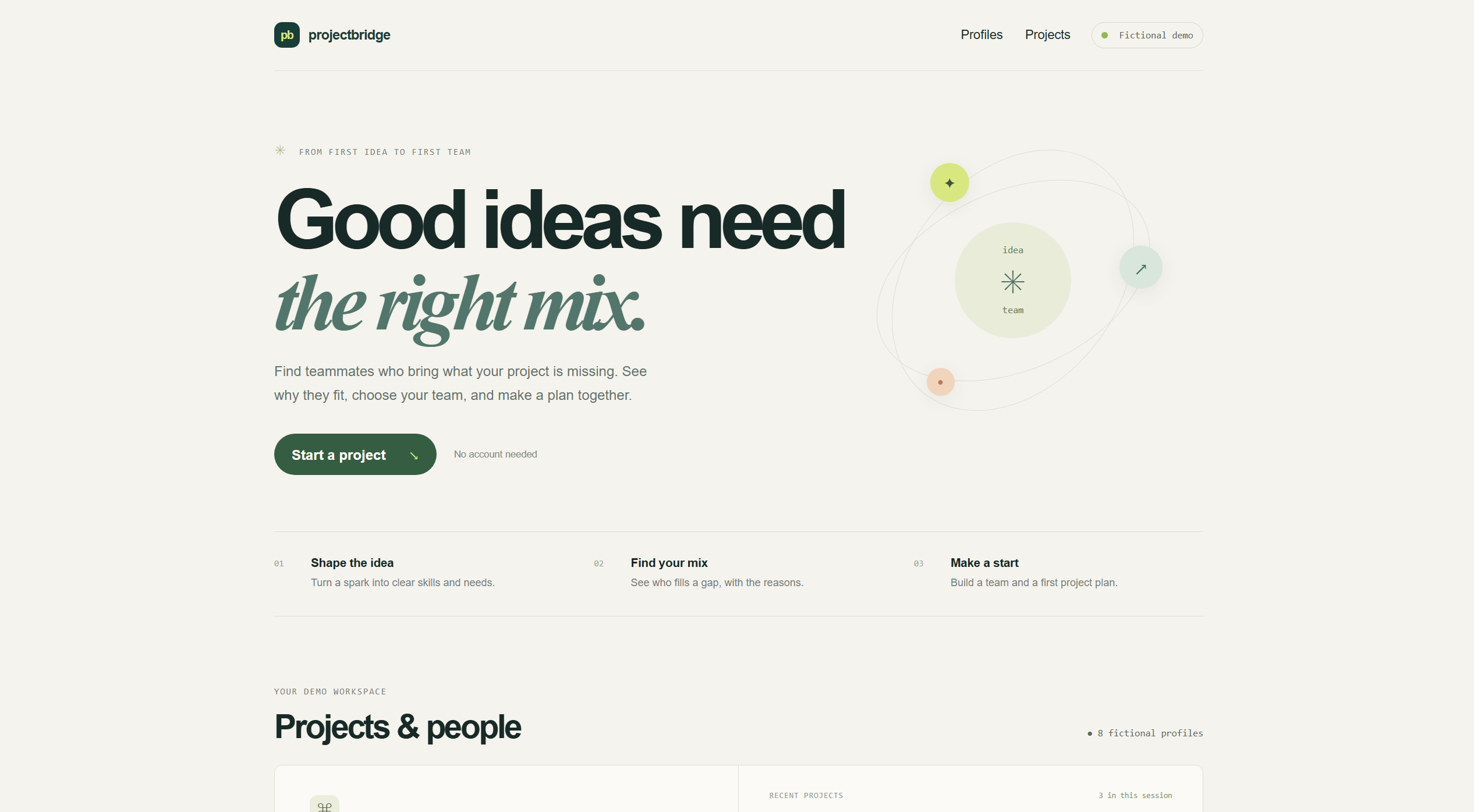
See how ProjectBridge guides a student idea toward a project team.
-
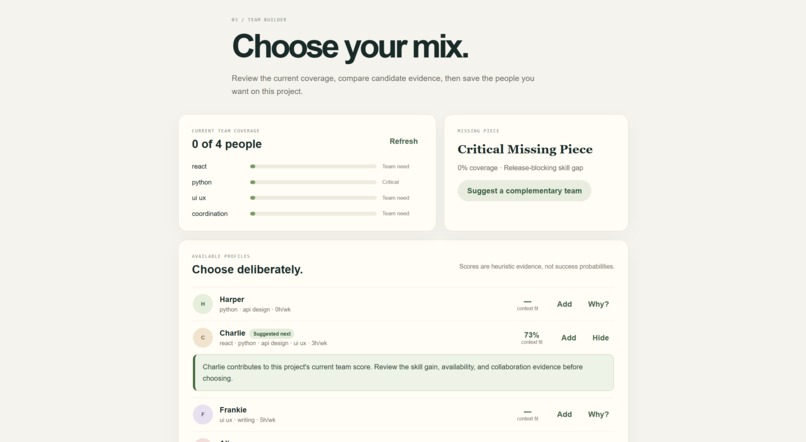
Explore skill coverage and fictional teammates, with evidence explaining each suggestion.
Inspiration
ProjectBridge grew out of a problem I encountered while trying to start a CS club at my school. Having an idea was the easy part. The harder questions were: What skills does this project actually need? Who could contribute those skills? How much time can each person commit? And, as the team changes, what are we still missing?
That made me interested in a more deliberate way to form student project teams. Instead of simply finding the most similar people, I wanted to explore whether a tool could help students think about the needs of the project and the complementary strengths of potential teammates.
What it does
ProjectBridge turns a project idea into editable skill requirements, then lets the user compare fictional teammate profiles against those needs.
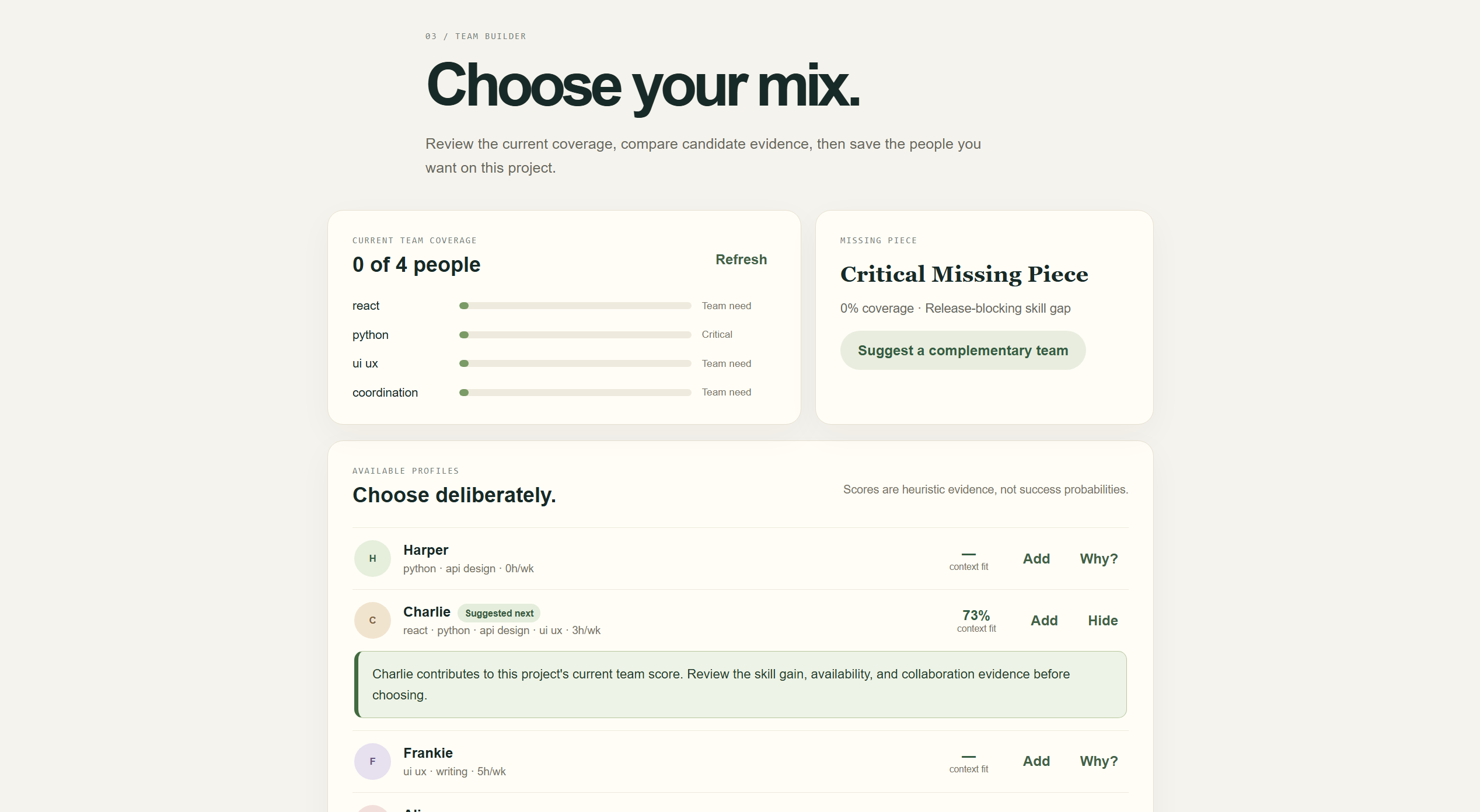
Rather than treating a match score as a prediction, ProjectBridge shows the evidence behind each suggestion: skill contribution, availability, collaboration preferences, and the gaps in the current team. As members are selected, the tool reevaluates what the team still needs.
The user always makes the final decision. Once a team is chosen, ProjectBridge helps turn the idea into a practical first roadmap with tasks and owners.
The matching scores are transparent heuristics designed to support discussion, not predict whether a team will succeed. Requirements, recommendations, and plans remain reviewable and editable by the user.
How I built it
I built the frontend with React, TypeScript, and Vite, and the API with Python and FastAPI. SQLite stores isolated demo workspaces.
The matching system uses deterministic application logic to calculate skill coverage and compare how different profiles could contribute to the current team. It also considers availability and simple collaboration preferences while keeping the underlying evidence visible to the user.
The CS Club example uses predefined fixture data, while other project ideas receive editable starter requirements. The app does not call an AI model or external AI API at runtime.
I also added session and revision checks so that saved teams and plans remain tied to the correct demo workspace and the version of the project requirements that the user actually confirmed.
Challenges and what I learned
The hardest part was not producing a match score—it was deciding what that score should mean.
Early on, I realized that simply measuring similarity would miss the point. A team does not necessarily need another person who looks like its existing members; it may need someone who fills a missing skill. I also had to handle different kinds of skills: for some requirements, one strong contributor may be enough, while others can benefit from several people working together.
Another challenge was making the scores useful without making them look like guarantees. I kept skill coverage, availability, and collaboration preferences visible as separate evidence and designed the explanations to show why a profile might help fill a particular gap.
That process changed how I thought about the project. I learned that a matching tool should not try to make a human decision automatically. Its job is to make the tradeoffs easier to see so that people can make a better-informed choice.
I tested the API and the main browser flow, including mobile layout and keyboard use. The demo uses fictional student profiles and does not collect real student information.
OpenAI Codex assisted me with implementation, debugging, tests, interface review, and documentation. I designed and reviewed the project's behavior and matching approach, evaluated edge cases, and reviewed the final implementation so that I can explain how it works.
Built With
- fastapi
- openaicodex
- playwright
- python
- react
- sqlite
- typescript
- vite

Log in or sign up for Devpost to join the conversation.