Inspiration
We live in a world full of information overload. Articles, dashboards, and websites constantly demand our attention, but our brains can only process so much at once. It’s easy to get lost, frustrated, or mentally fatigued while navigating complex web content. Project Zen was born from a simple idea: What if the web could adjust itself to make information easier to process, instead of expecting users to adapt to every page? Our goal was to create a tool that helps users focus, reduces clutter, and supports productivity in real time without asking the user to change their behavior.
What it does
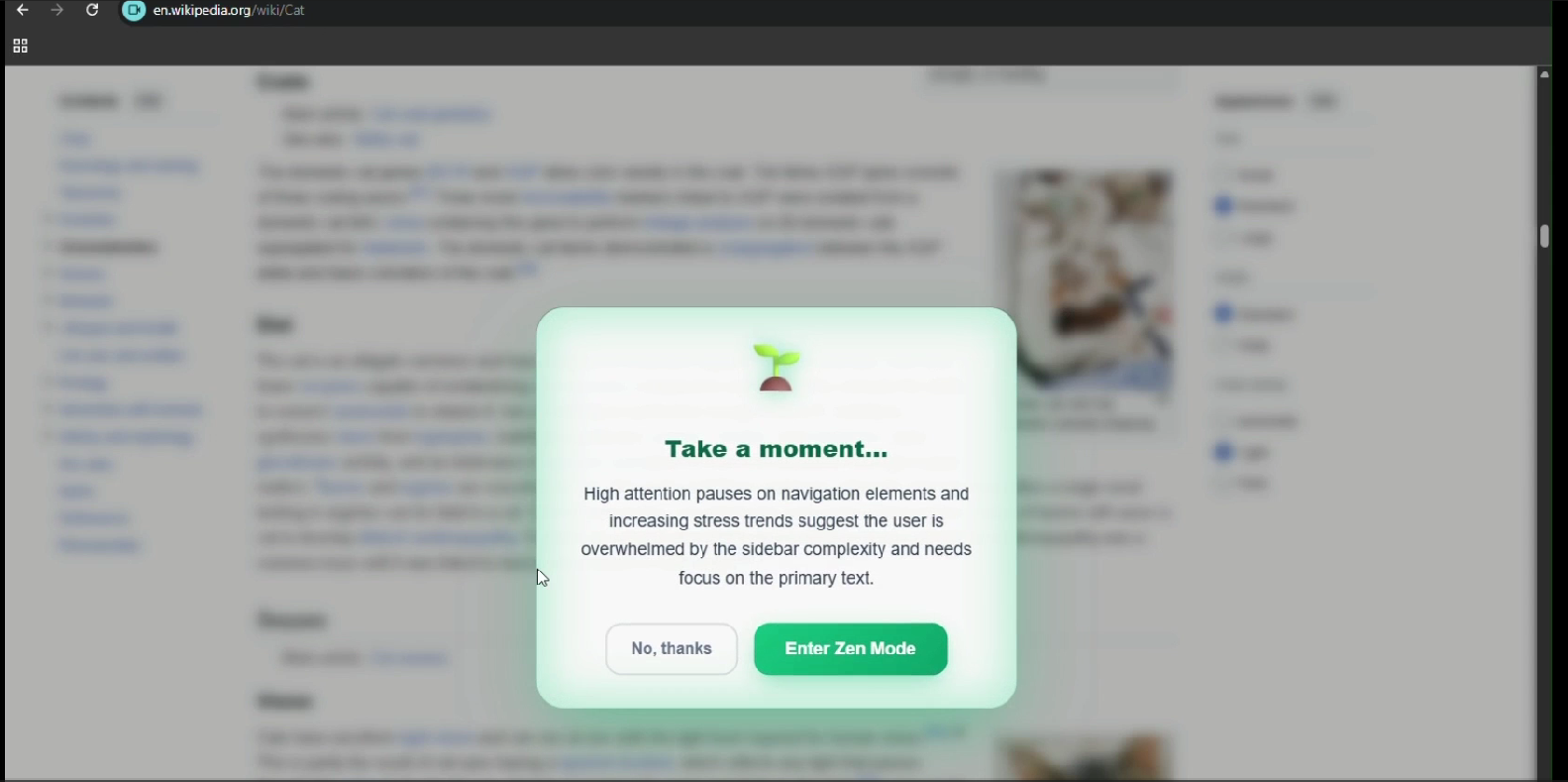
Project Zen is a browser extension that adapts web pages based on observable user interactions and page structure. It tracks scrolling patterns, clicks, hovering, and dwell time, which all indicate when a user is engaging with information-dense content.
When these patterns suggest that a user could benefit from a simplified interface, an optional camera frame can be captured (if the user consents). The frame is downscaled to 320px and sent to Gemini 3 AI as a form of additional confirmation to help verify that the behavioral signals correspond to an actively engaged user. This reduces false positives, for instance distinguishing between a user reading carefully and someone who has simply left the tab open.
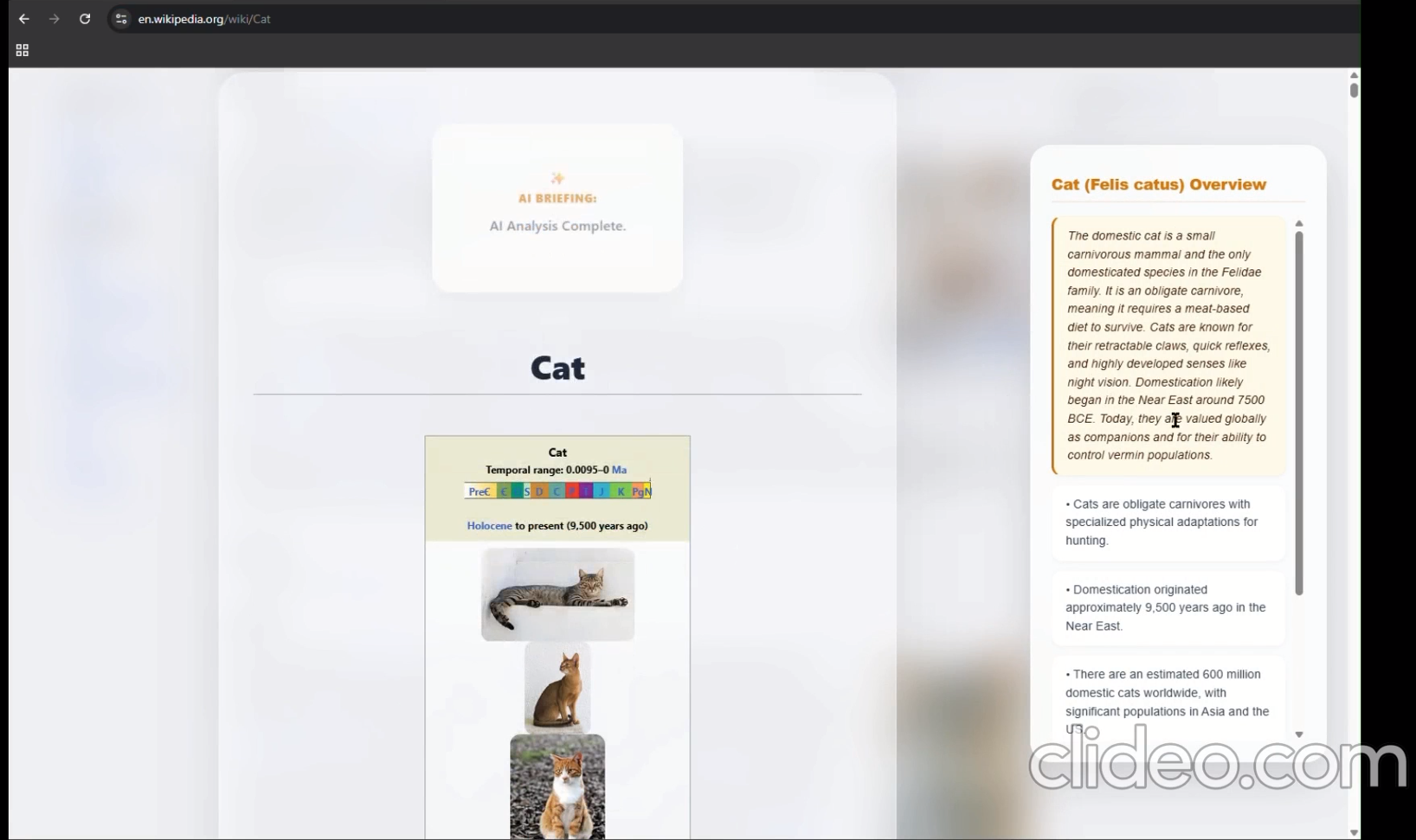
Gemini combines the behavioral signals, focused element information, structured page data, and the optional frame to reason about the page layout. It identifies primary content, secondary panels, and optional elements, and generates UI adaptation recommendations. The frontend applies these recommendations dynamically, resulting in a cleaner, more focused browsing experience that adapts in real time.
How we built it
Project Zen was built as a modular browser extension, with separate components for signal collection, UI mapping, AI reasoning, and dynamic adaptation. This structure allowed our two-person team to work in parallel without conflicts and simplified testing and iteration.
Signal Collection: We created JavaScript modules that monitor scrolling, clicks, hovering, and dwell time entirely on-device. These modules calculate a weighted score every 2 seconds, track consecutive triggering behaviors, and manage strikes for breaches. Strikes reset automatically if scores fall below thresholds twice, and a 5-minute cooldown prevents repeated UI changes.
UI Structural Mapping: Another module scans the DOM to create a JSON snapshot of all meaningful elements, such as headings, paragraphs, tables, sidebars, and navigation blocks. Each element receives a unique identifier, role, tag, index, and a short text preview. Utility functions provide element positions and which elements are currently visible in the viewport. This snapshot is sent to Gemini 3 as structured input for reasoning.
Optional Camera Frame: After thresholds trigger, a downscaled camera frame can be captured with explicit user consent. The frame is sent to Gemini 3 as confirmation of active engagement, helping reduce false positives while ensuring no mental or emotional state is inferred.
AI Reasoning & Adaptation: The extension sends the combination of behavioral signals, focused element data, page structure, and optional frame to Gemini 3 via API calls. Gemini returns actionable recommendations specifying which elements to hide, highlight, or summarize. The frontend then applies these changes dynamically using CSS and JavaScript, ensuring smooth updates without breaking the page layout.
Tech stack & tools: • Frontend / Extension: JavaScript, HTML, CSS, Vite • AI & reasoning: Google Gemini 3 API • Real-time adaptation: DOM manipulation via JavaScript, CSS transitions, and dynamic element updates
Challenges we ran into
One of the hardest parts was figuring out what counts as “signal overload.” People read, scroll, and click in so many different ways that the same behavior could mean very different things for different users. Calibrating thresholds without triggering false positives or delaying useful adaptations required multiple iterations.
Another challenge was translating AI recommendations into real-time page updates. Web layouts vary widely, and a careless DOM change could break the page or confuse the user. We spent a lot of time experimenting with flexible CSS and dynamic JavaScript updates to make adaptations smooth and intuitive.
Finally, designing a system that feels helpful without being intrusive pushed us to think carefully about privacy and user experience. We had to make sure optional features like the camera frame had a clear, defensible purpose, and that all sensitive data stayed local unless explicitly consented to. Balancing responsiveness, reliability, and privacy was tricky.
Accomplishments that we're proud of
One of our biggest achievements with Project Zen is integrating Gemini’s reasoning in a meaningful way. Seeing the extension dynamically reorganize, highlight, and summarize content in real time was extremely rewarding, because it shows that adaptive interfaces can respond to how people interact with the web.
We are also proud that the project demonstrates that AI-driven adaptations can be functional and user-friendly. Balancing responsiveness, privacy, and real-time updates pushed us to think carefully about user experience, and we’re proud that the result was an intelligent system that helps people focus without interrupting their workflow.
What we learned
Building Project Zen taught us a lot about the intersection of AI, web development, and human-computer interaction. We gained hands-on experience in designing modular systems that can operate in real time while remaining reliable and privacy-conscious.
We also learned how subtle behaviors like small pauses, scrolling speed, or hover patterns can indicate when users might benefit from interface adjustments, and how to turn that data into actionable recommendations without making assumptions about mental or emotional states.
On a technical level, we deepened our understanding of DOM scanning, real-time updates, and asynchronous AI integration. Beyond coding, we learned the importance of thinking critically about privacy, consent, and user trust when building AI-driven tools.
What's next for Project Zen
Looking ahead, we plan to explore several directions: • Expanded signals: Incorporate lightweight, on-device cues like blink or gaze patterns without transmitting raw images. • Adaptive learning loops: Allow the system to refine its strategies based on user interactions over time. • Broader platforms: Extend Project Zen to mobile devices or integrate with productivity apps like Notion or Slack. • Personalized recommendations: Suggest focus-enhancing strategies based on interaction patterns over time. Our ultimate goal is a web that adapts intelligently to user behavior, helping people navigate complex content with clarity, efficiency, and minimal distraction.
Built With
- css
- geminiai
- html
- javascript
- node.js
- vite


Log in or sign up for Devpost to join the conversation.