Inspiration
The inspiration of Security-Sandbox is not a person, a marvel of engineering, or some story, but seeing a common issue across the entire world of software engineering. It is simply how easy it is for one error in code or one fault in the code made while programming to cause a critical error and collapse functionality, or open said application to exploitation. Hobbyists like us make errors, lone developers make errors, and even huge corporations make them, a common occurrence seen everywhere. Even recently, due to a minor segmentation fault, 8.6 million Windows computers hosting CrowdStrike software shut down due to the small memory segmentation fault that was pushed without being caught. This caused many industries, such as Aviation and Transportation, to have their logistics shut down for weeks, creating billions of dollars in cost overruns. We want to try to make sure that we can catch such errors in our code to make sure we can catch it and prevent it, whether it is for us or others, using Security-Sandbox.
What it does
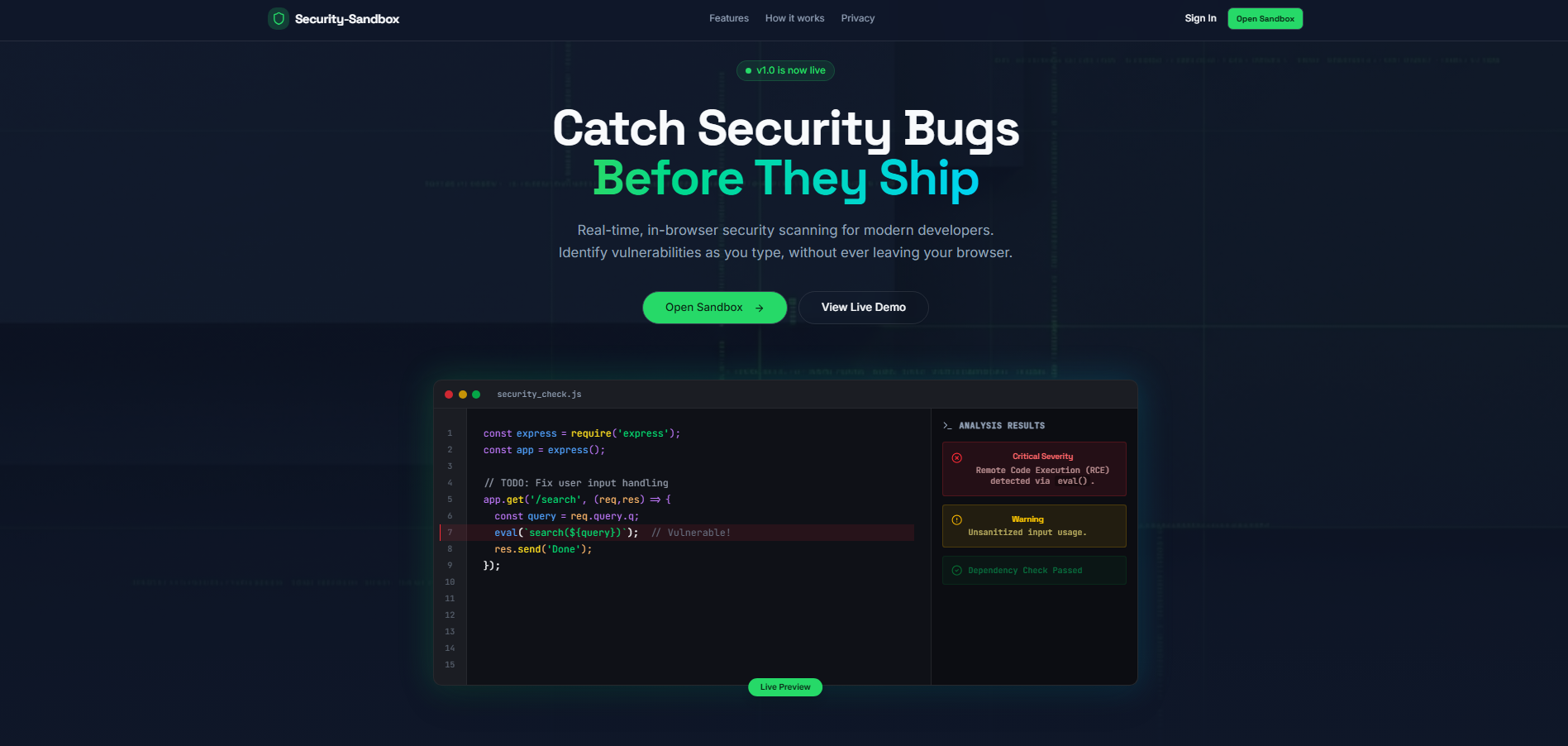
Our program lets users write or paste code into a live editor and automatically scans it for potential security vulnerabilities. As users' type, the program highlights risky patterns like SQL injection, XSS, and unsafe function usage in real time. Everything runs entirely in the browser, so no code is sent to a server. The interface is simple and responsive, allowing users to quickly test and analyze their code without setup. It's designed to help developers spot issues early and understand where their code might be insecure.
How we built it
We built this website using HTML for the layout, JavaScript for interactivity, and TypeScript for the static code analysis engine. It lets users write or paste code directly into a live editor and automatically scans for common security vulnerabilities like XSS, SQL injection, and unsafe functions. We run all analysis in the browser using client-side logic, so no code ever leaves the user’s machine. JavaScript handles the editor behavior and user interface, while TypeScript gives us type safety and structure for writing the vulnerability checks.
Challenges we ran into
One of the biggest challenges we faced was implementing a reliable static analysis engine that could run entirely in the browser without using any server-side resources or APIs. Writing vulnerability detection logic in TypeScript that could handle a variety of coding styles and incomplete input was complex, especially when trying to catch patterns like SQL injection or XSS without false positives. Integrating this logic with the live editor introduced performance issues, as analyzing code in real time while the user typed sometimes caused lag or missed edge cases. We also had to work around limitations of browser-based JavaScript when parsing and scanning more complex code structures. Also, managing databases was difficult, so we integrated our own database, which was made from scratch with TypeScript.
Accomplishments that we're proud of
We’re proud that we successfully built a static analysis tool that runs entirely in the browser using only JavaScript and TypeScript, without relying on external services. We also accomplished real-time scanning integrated smoothly with the live code editor, providing immediate feedback without impacting performance. Additionally, we managed to keep the interface simple and responsive while handling different types of user input and code structures. ## What we learned We learned how to build a static code analysis engine using TypeScript that runs completely in the browser. We gained experience integrating real-time code scanning with a live editor while maintaining good performance and responsiveness. We also learned how to capture and log user interactions effectively, and how to handle error management gracefully in a client-side environment. Finally, we deepened our understanding of balancing functionality with usability in a lightweight web application.
What's next for Security-Sandbox.
In the future, we plan to expand the range of vulnerabilities our tool can detect and improve the accuracy of our analysis. We want to enhance the user interface to support more programming languages and add features like code formatting and suggestions. Additionally, we plan to optimize performance further to handle larger codebases smoothly and explore options for integrating with external tools or services while maintaining user privacy.


Log in or sign up for Devpost to join the conversation.