-
-
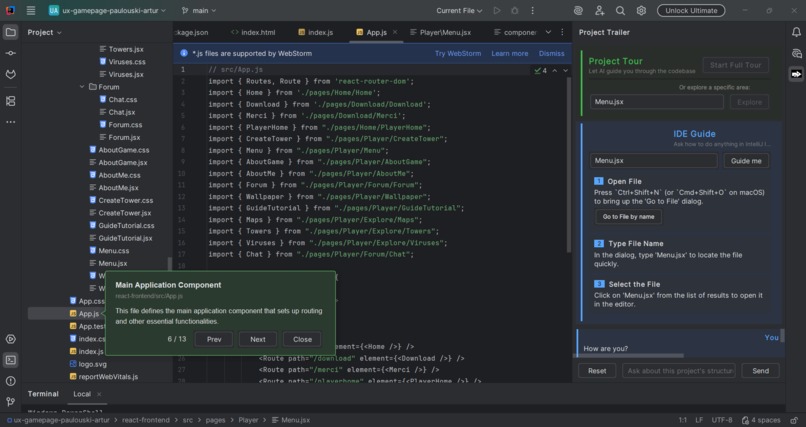
"Tour" by Project Trailer
-
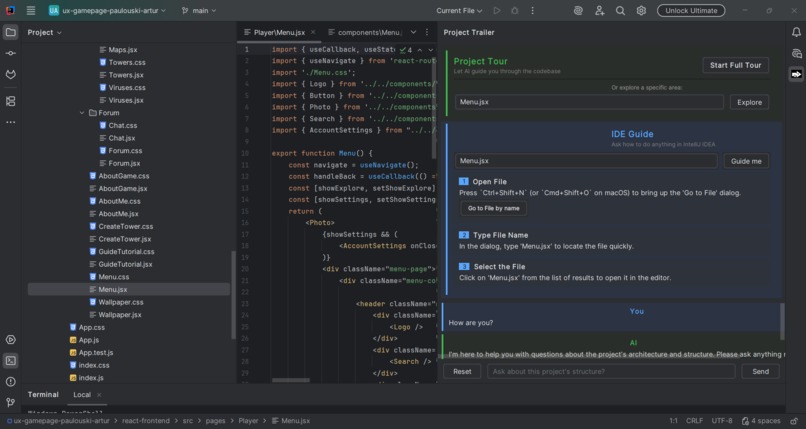
Description from IDE Guide
-
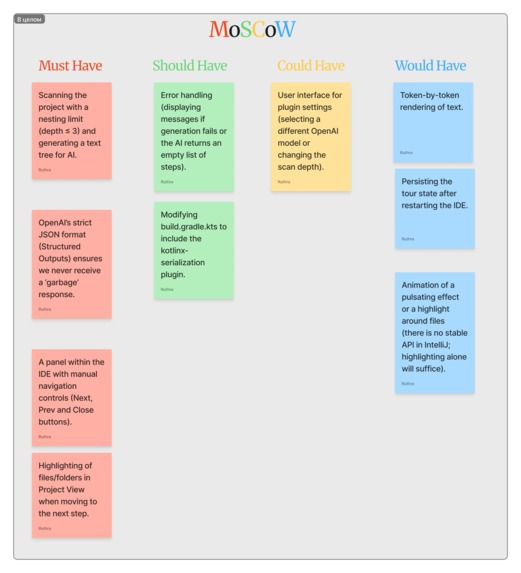
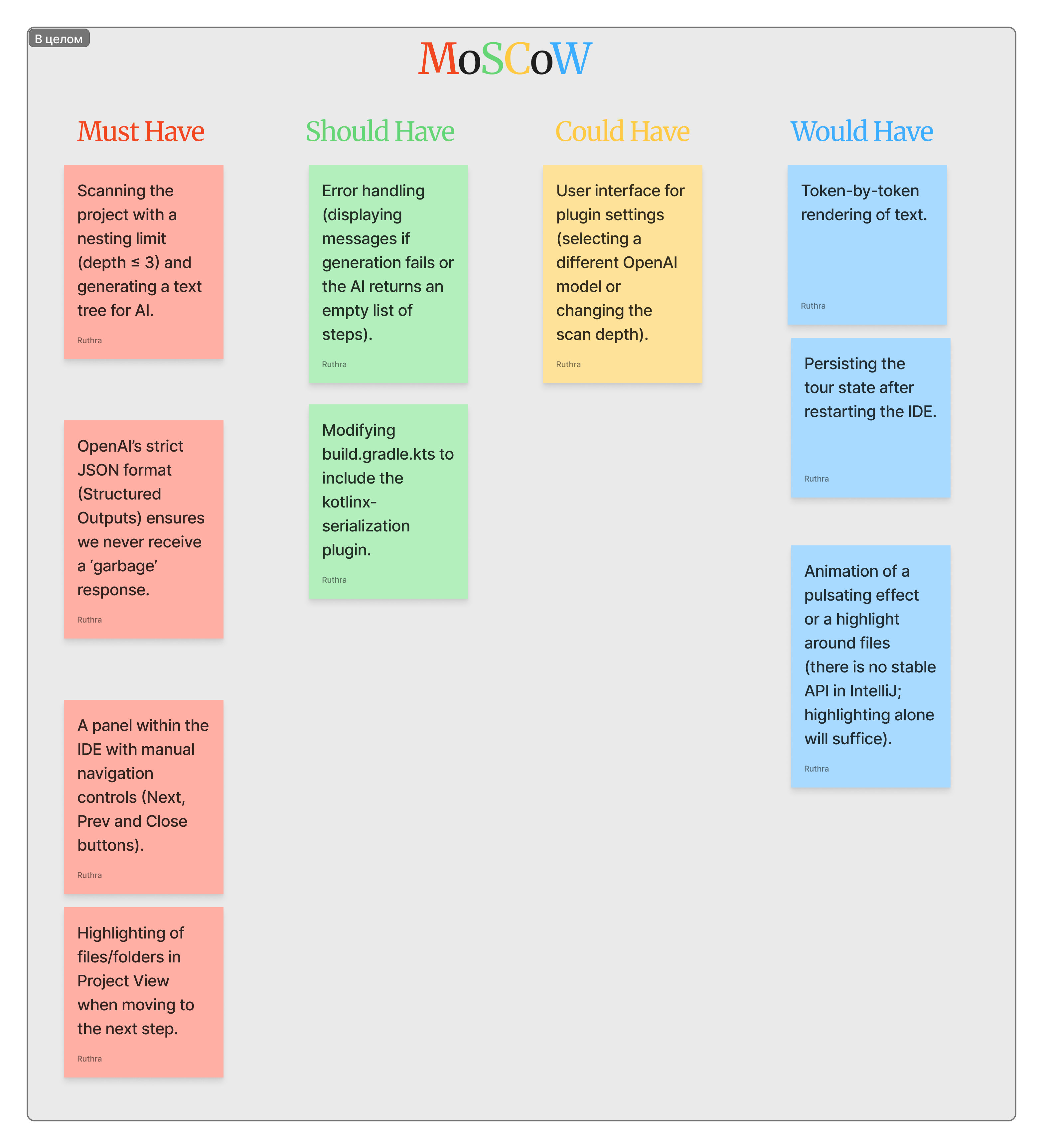
MoSCoW sorting
-
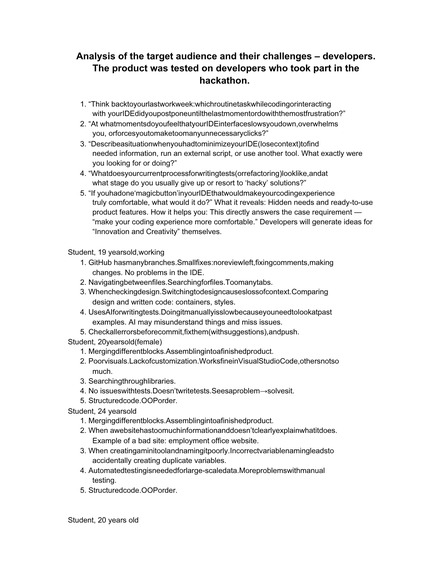
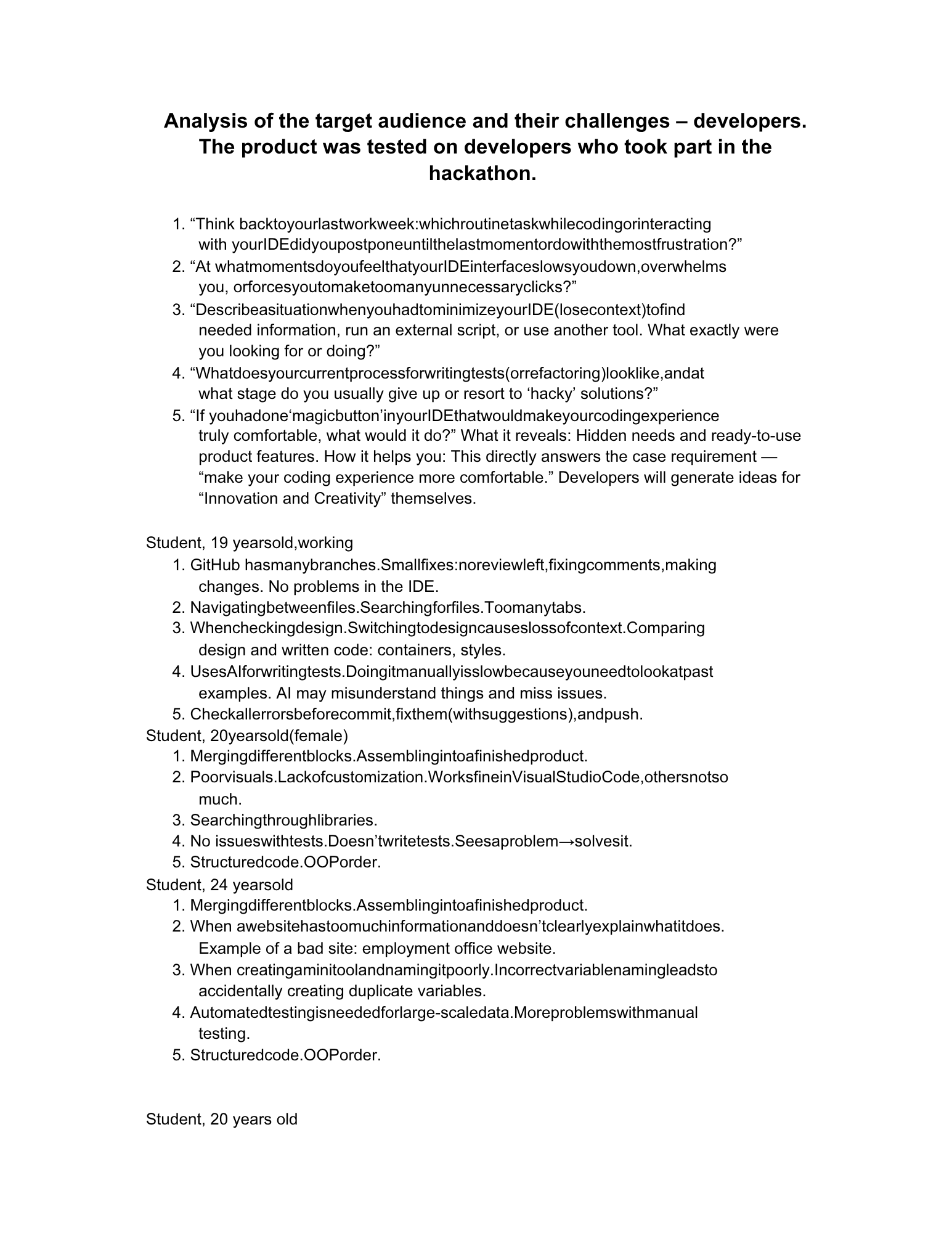
Target Analysis 1
-
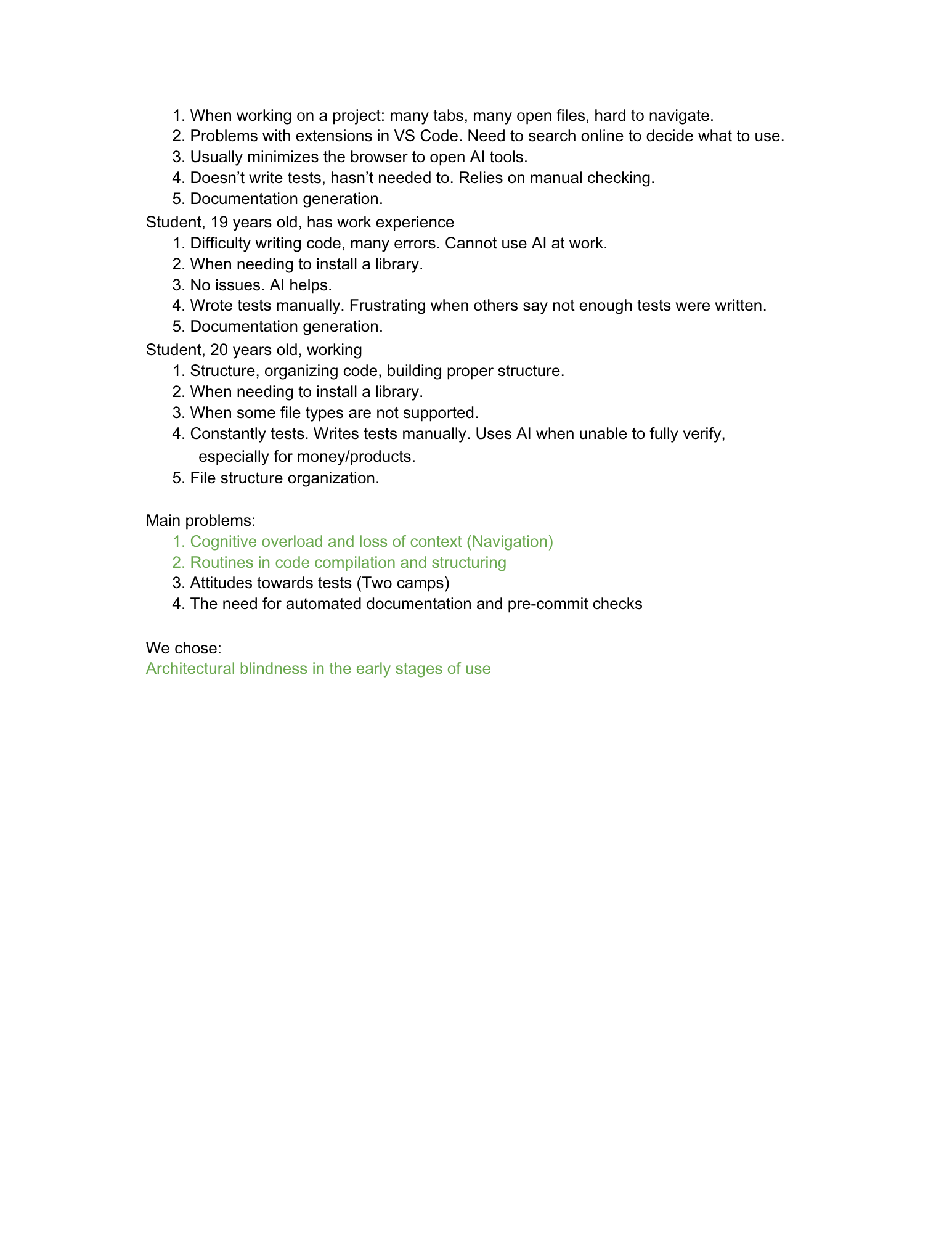
Target Analysis 2
Inspiration
We want to streamline developers’ workflows. We chose them pain, onboarding to a new project, because new contributors spend hours clicking through unfamiliar folders trying to figure out where things live and why. We made an AI-powered guide that rides shotgun inside the IDE itself.
What it does
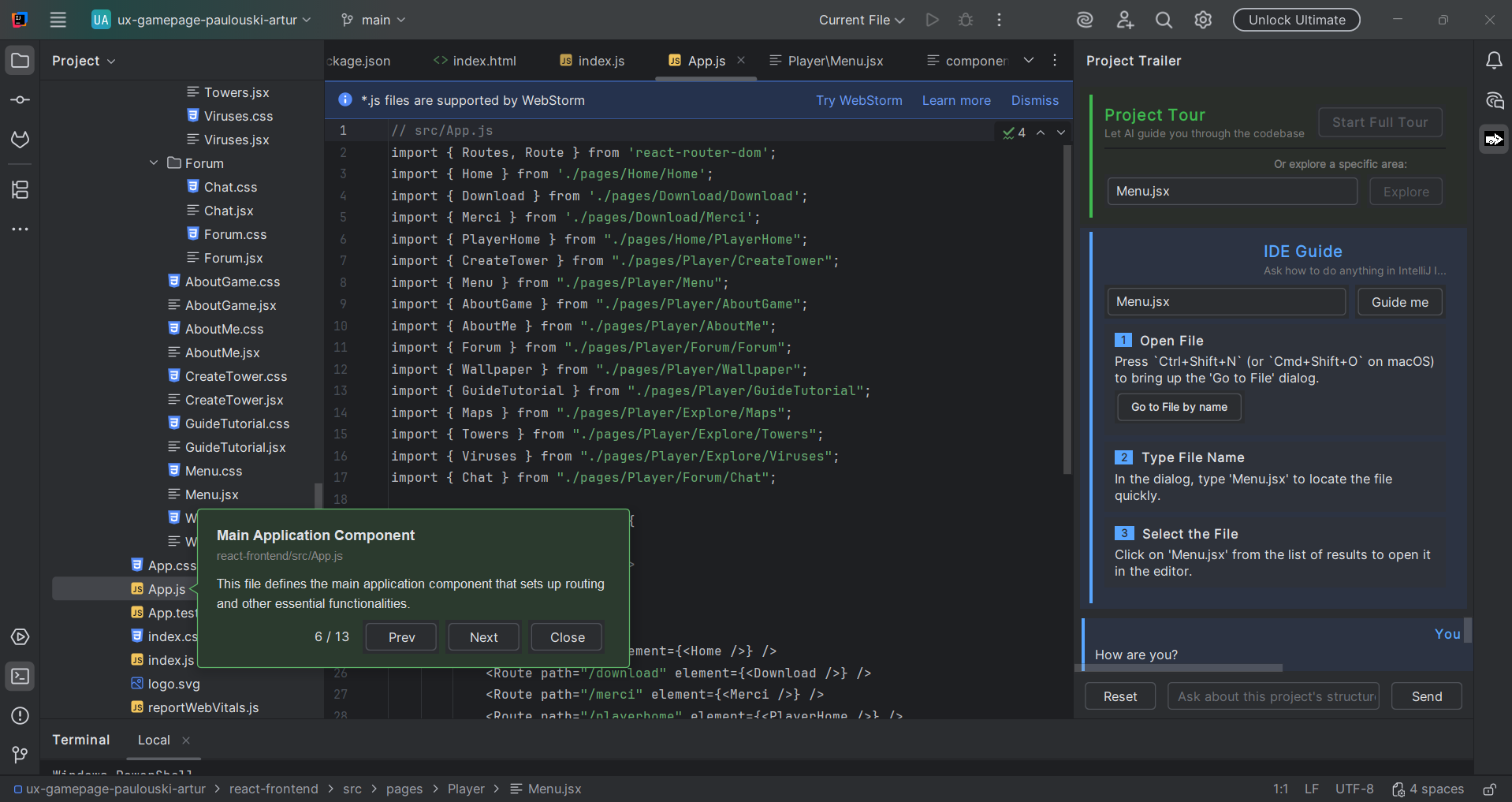
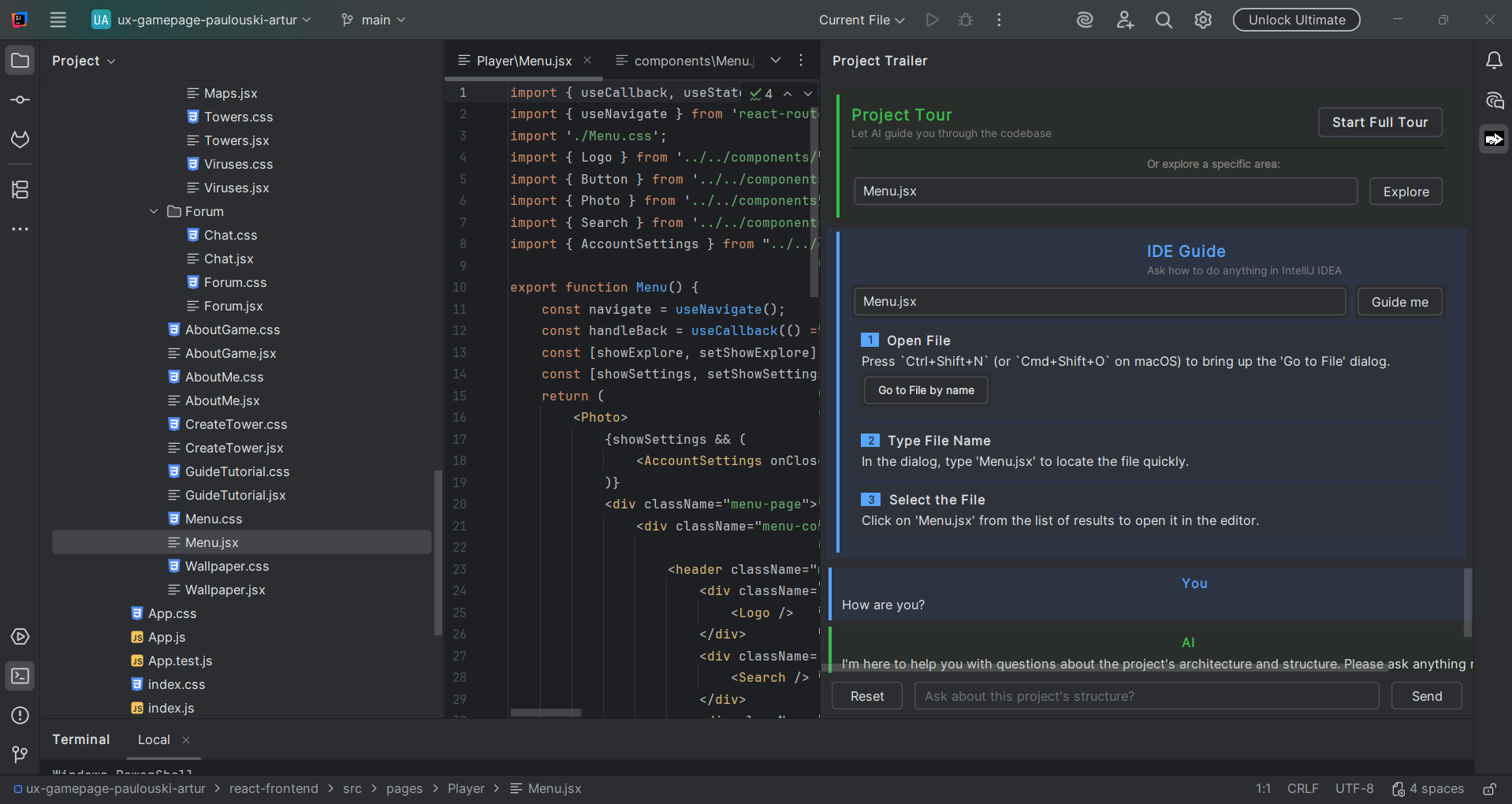
"Project Trailer" is an IntelliJ Platform plugin that adds an AI-assisted tool window to IDEA. It scans the project structure and uses OpenAI to generate a guided "tour" of the codebase, in which step-by-step explanations of key files and how the pieces fit together.
How we built it
We built the plugin using Kotlin and the IntelliJ Platform SDK.
Challenges we ran into
Lack of sleep, an issue with the layout of the description boxes.
Accomplishments that we're proud of
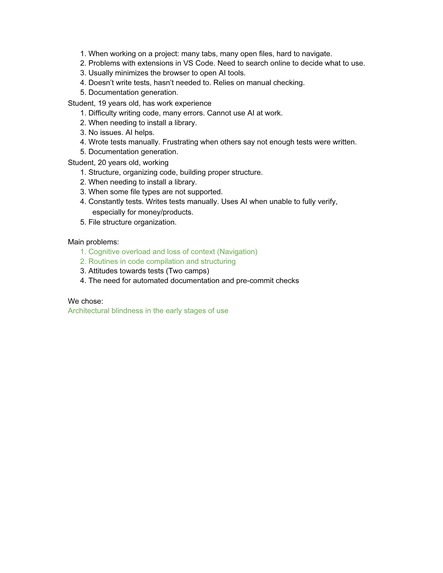
We analysed the issues relating to working with the IDE. We drew up a list of open questions and carried out a thorough design analysis using the Double Diamond method. We learnt how to use plugins from scratch.
What we learned
Writing IntelliJ IDEA plugins means learning the platform's extension-point model, and the Gradle IntelliJ Platform plugin handles the sandbox IDE, plugin verification, and Marketplace packaging.
Built With
- ai
- idea
- jetbrains
- kotlin
- openai
- plugin


Log in or sign up for Devpost to join the conversation.