Inspiration
Easy and quick navigation across projects when you have a lot of them takes more time than it should. In this add-on I tried to improve projects navigation experience in JIRA.
What it does
With Project Switcher add-on you can:
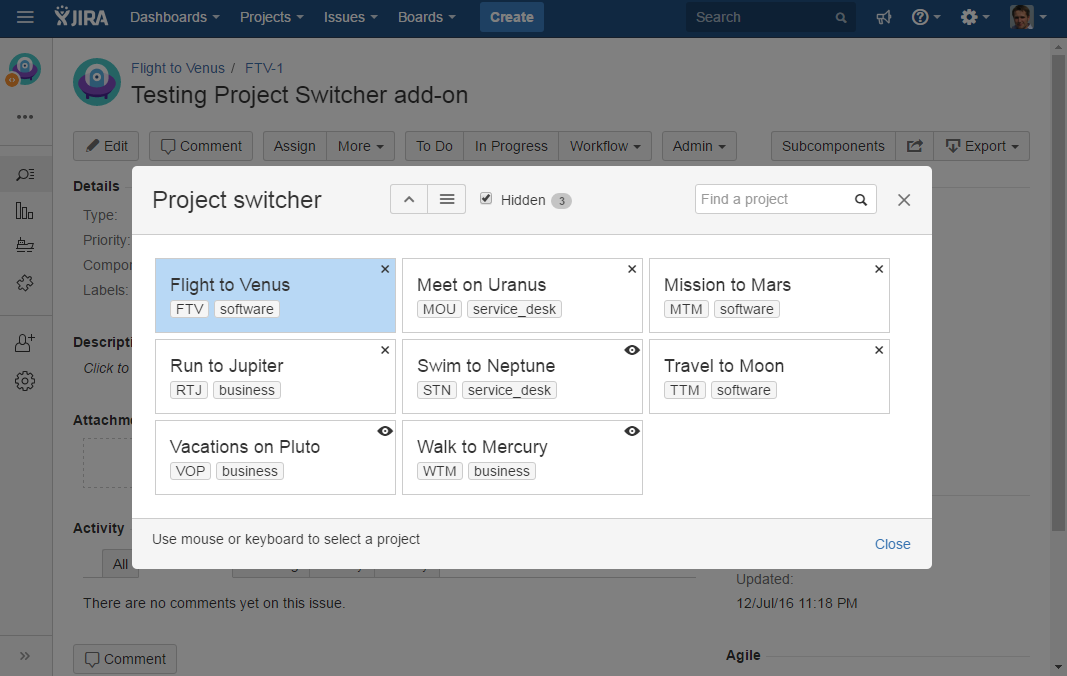
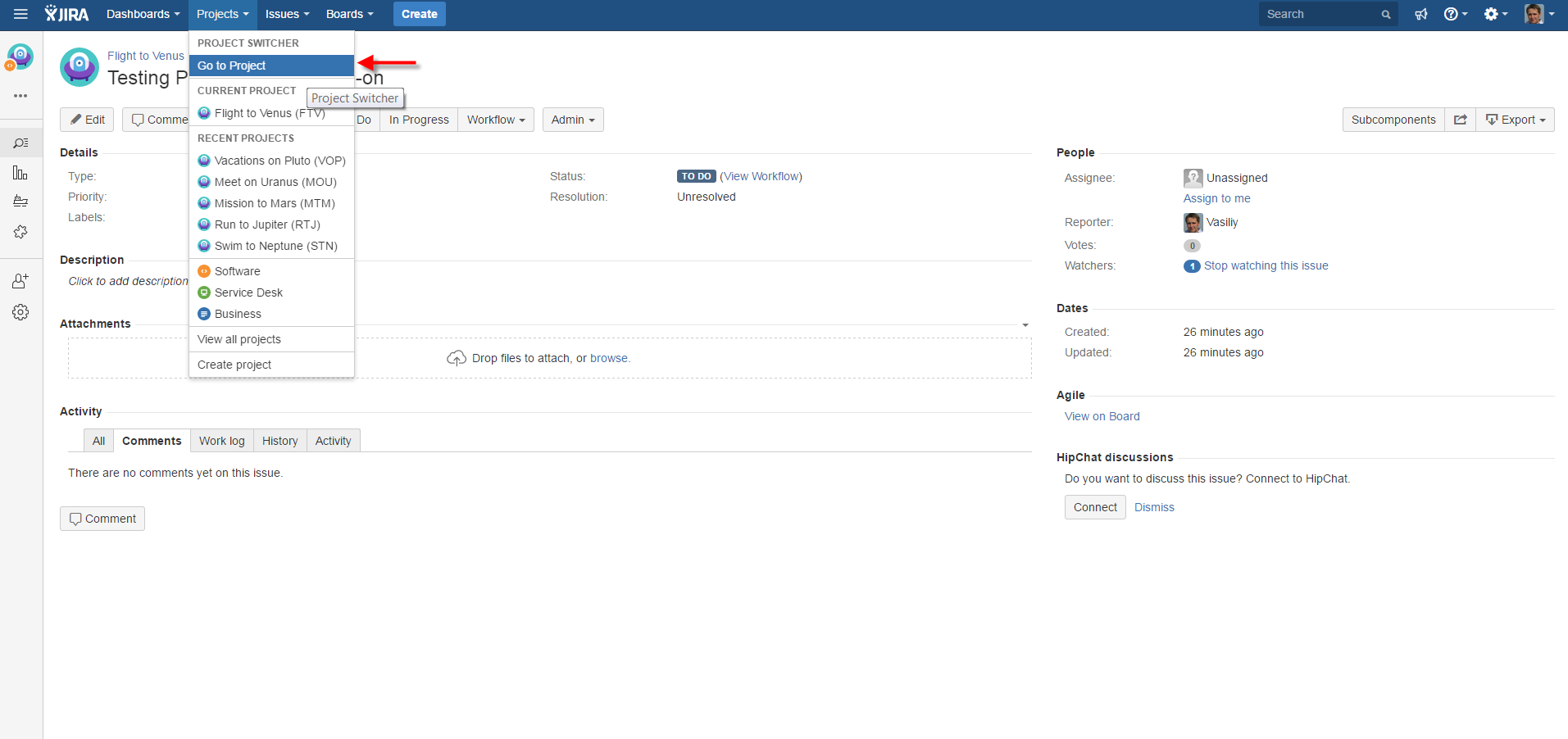
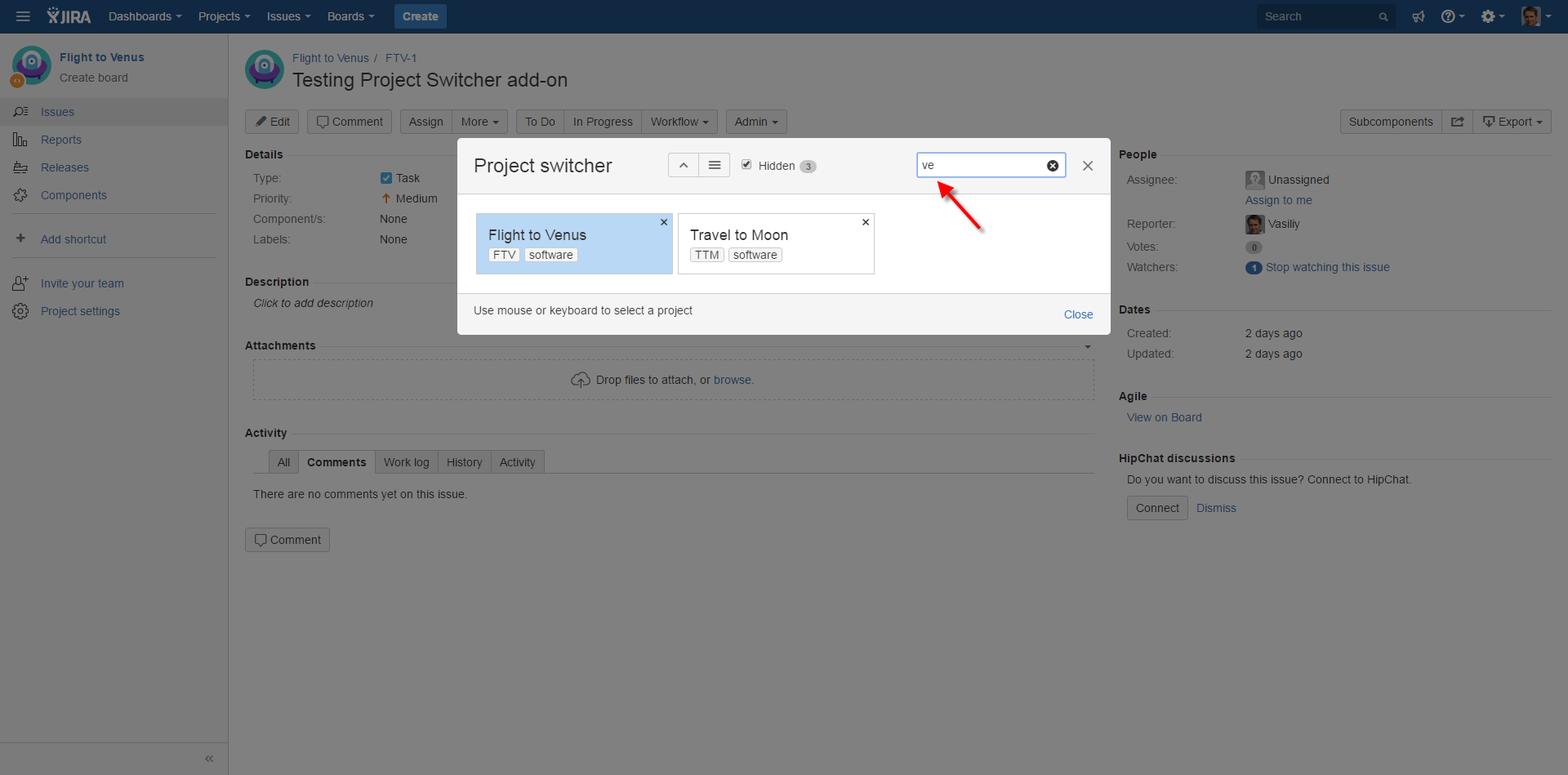
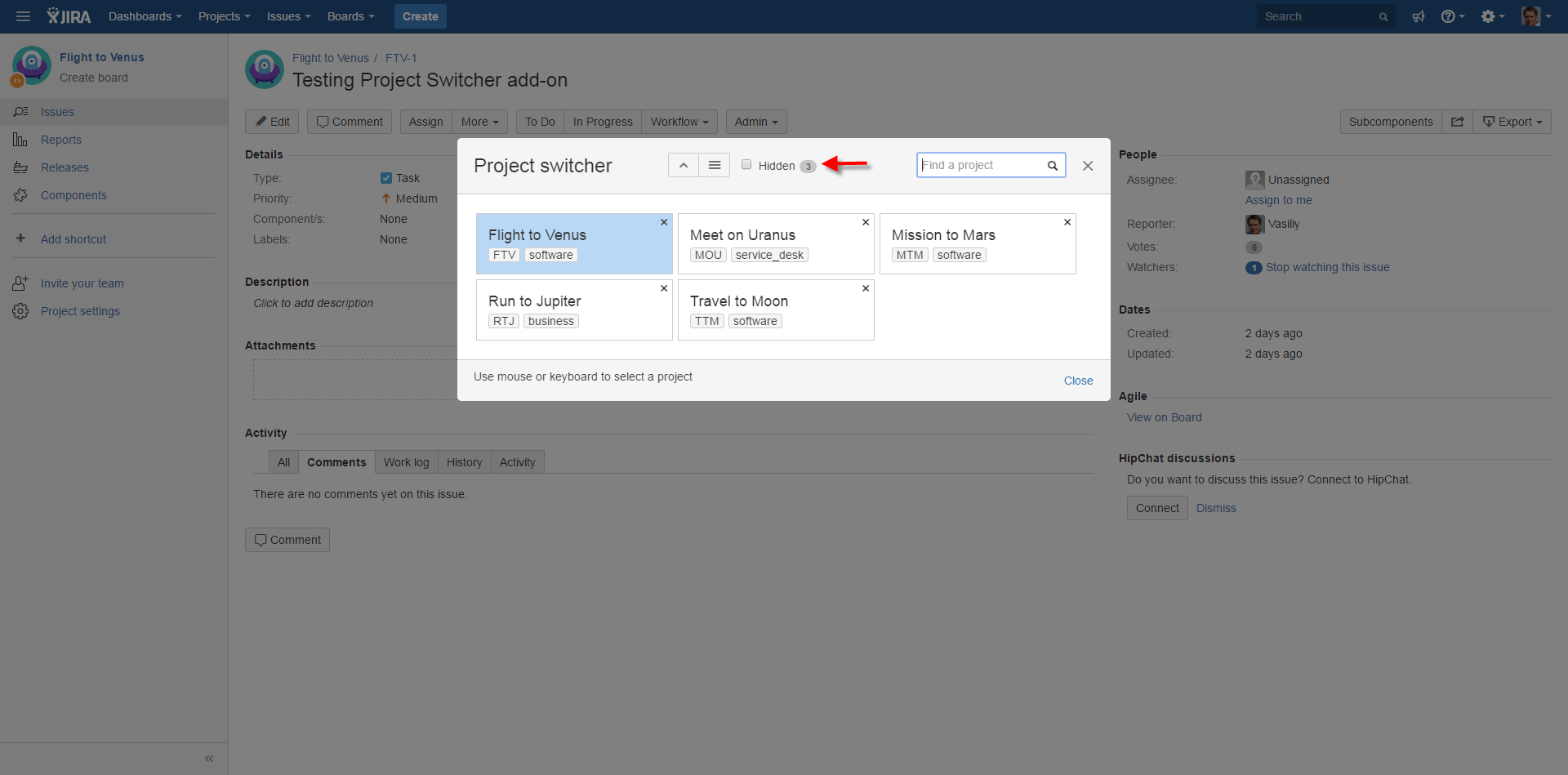
- open a dialog with all projects you have access to
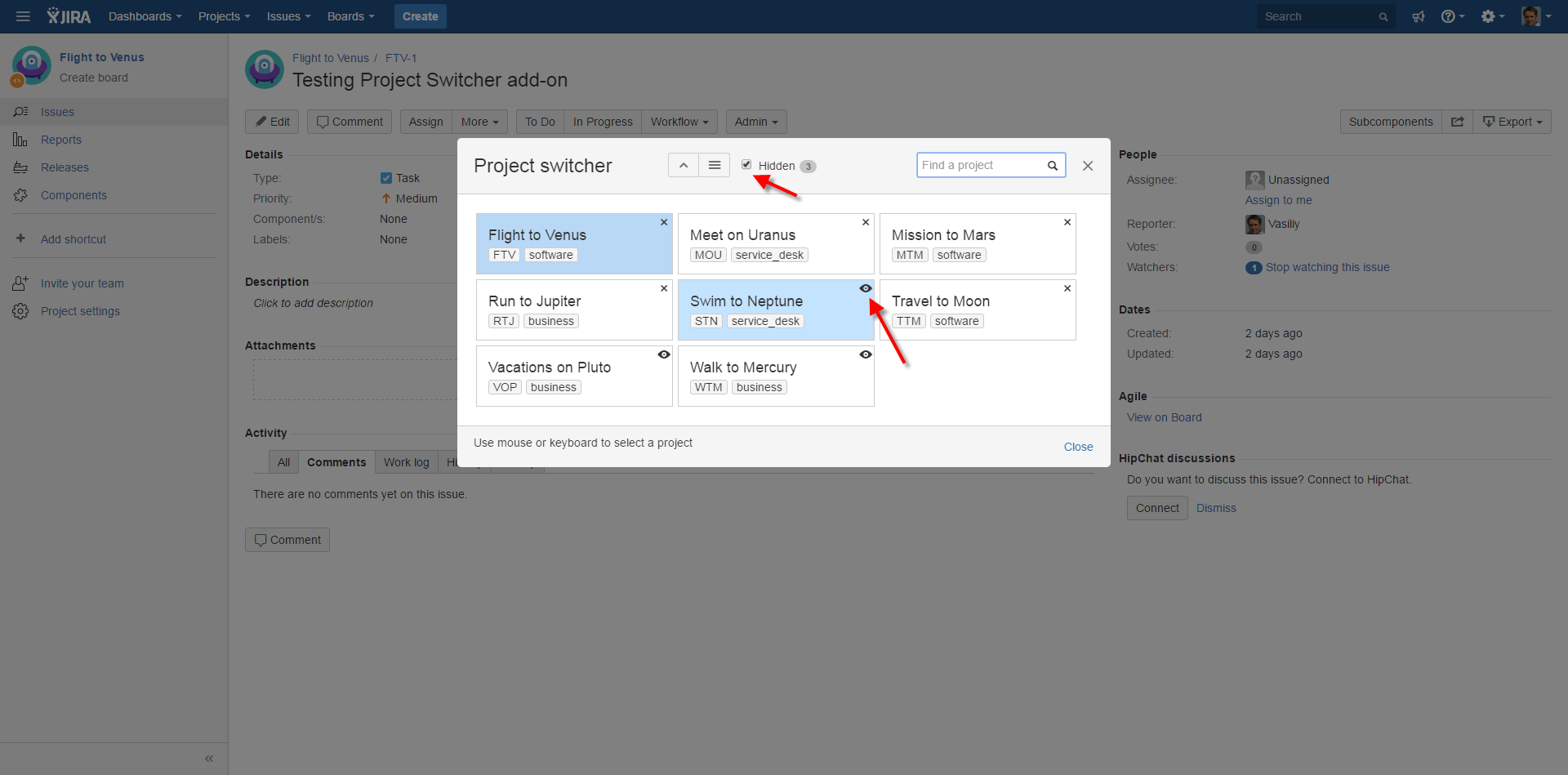
- hide those projects you don't want to see
- find projects by name
- use keyboard navigation to select and open a project
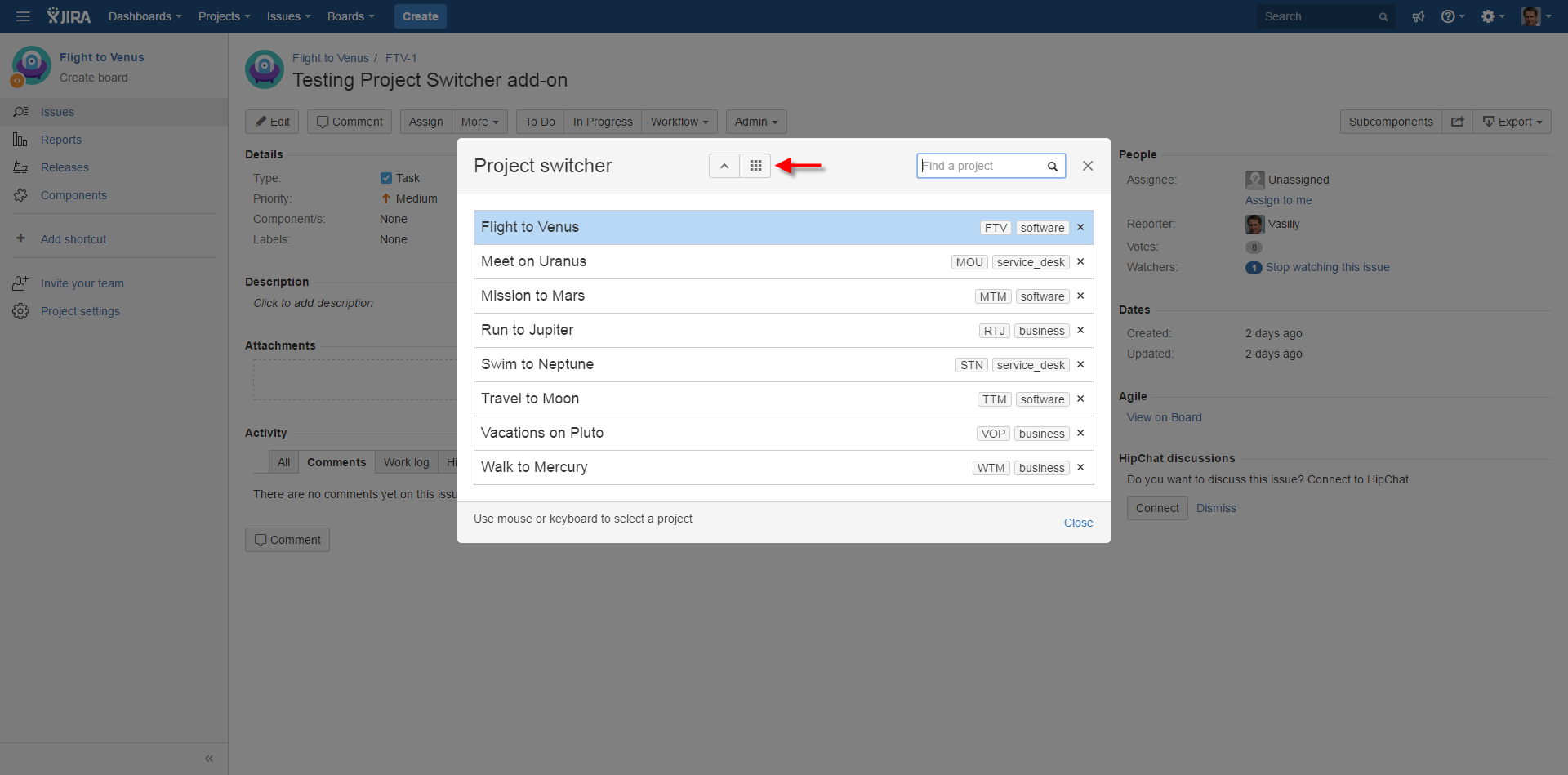
- switch between list and grid projects view
- open switcher dialog with keyboard shortcut (JIRA Server only)
How I built it
The idea was to build some small but useful feature for JIRA Server and JIRA Cloud simultaneously, trying to share as much code as possible. I used Node, Webpack and React to build the front-end.
Challenges I ran into
- It was my first project built with this technology stack and it wasn't easy to get started)
- Handling differences in JIRA Server and Cloud API, like license checking and entity properties
Accomplishments that I'm proud of
- Cloud add-on has only static content - it is easy to maintain.
- User settings are stored in JIRA as user entity properties
What I learned
How to develop add-ons for JIRA Server and Cloud simultaneously
What's next
- Agile Board Switcher - already here
- Space Switcher for Confluence
- Repo Switcher for Bitbucket


Log in or sign up for Devpost to join the conversation.