-
-
Machine Learning Process
-
System Architecture
-
"Learn" Page
-
"Test" Page
Inspiration
Learning American Sign Language (ASL) can be both challenging and rewarding, but the lack of accessible, interactive resources often hinders progress. Traditional methods of learning ASL—such as textbooks, videos, or apps—often fail to provide real-time feedback, making it difficult for learners to know if they’re signing correctly. Additionally, these resources may not be engaging enough to sustain motivation and consistent practice. Our goal is to bridge the communication gap between users and Deaf individuals to foster a more unified community.
Imagine a platform that not only teaches ASL but also uses cutting-edge computer vision technology to provide instant feedback on your signing accuracy. This is where Project Sign comes into play—a website designed to make the learning process more interactive, accurate, and enjoyable.
What it does
There are two main pages: the "Learn" page and the "Test" page.
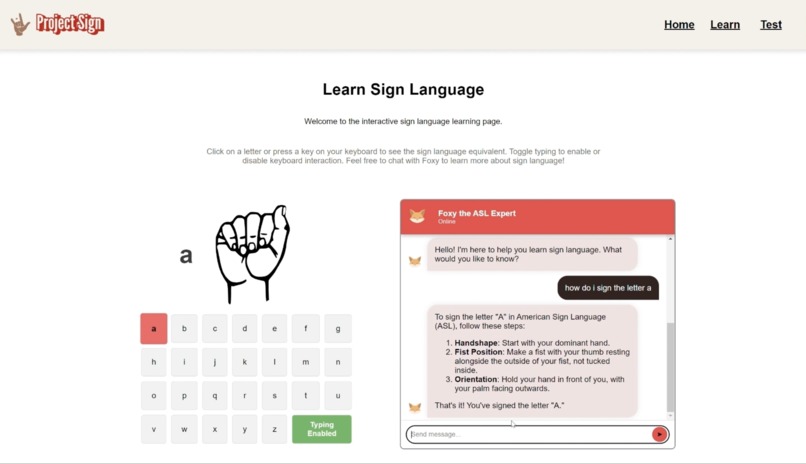
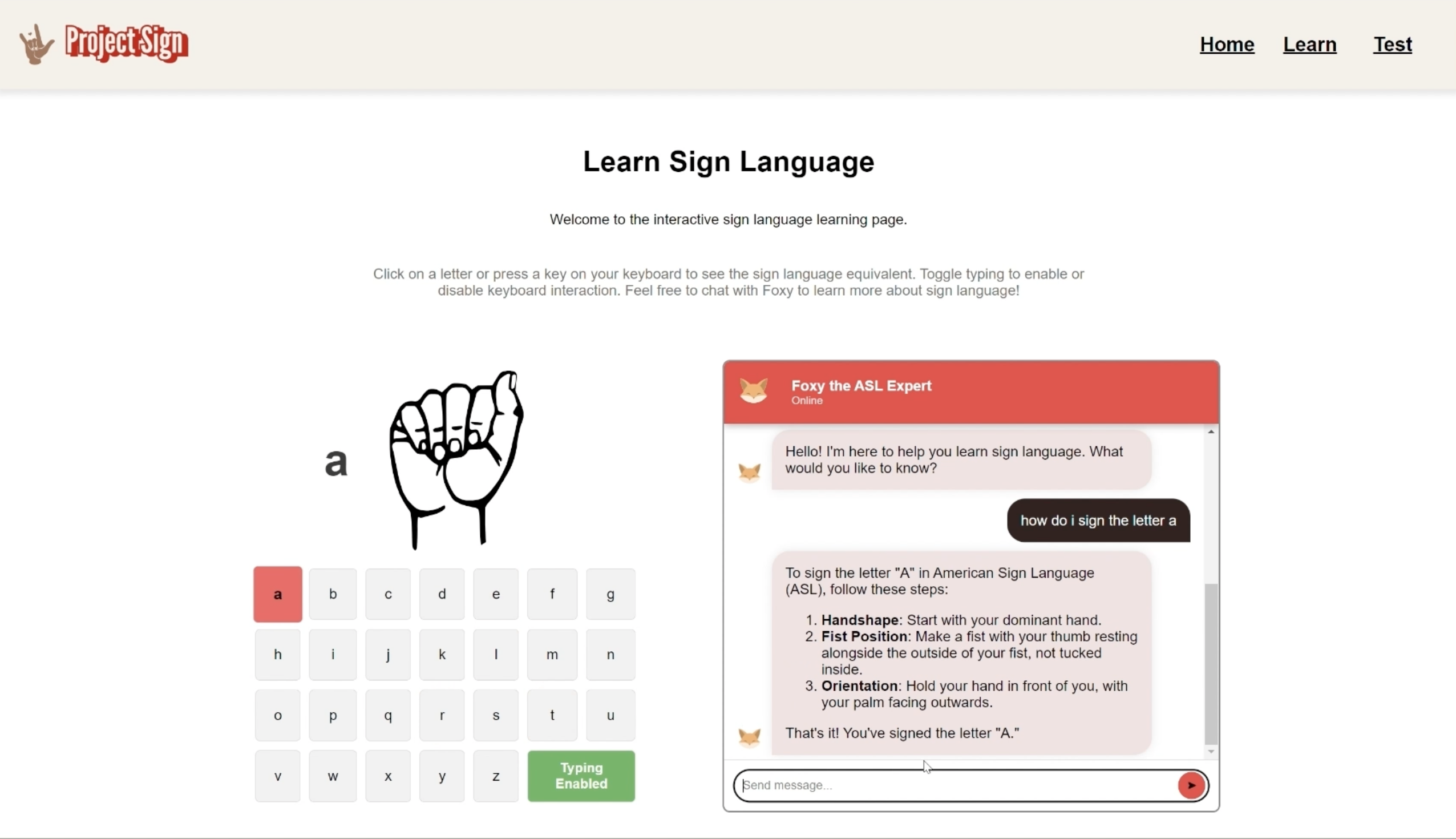
The "Learn" page features a letter-to-image mapping tool and an ASL expert chatbot. Users can gain proficiency in the sign language alphabet using the letter-to-image mapper, which is crucial for forming various words. They can also use the chatbot to receive step-by-step instructions for forming signs, access resources, and ask detailed questions.
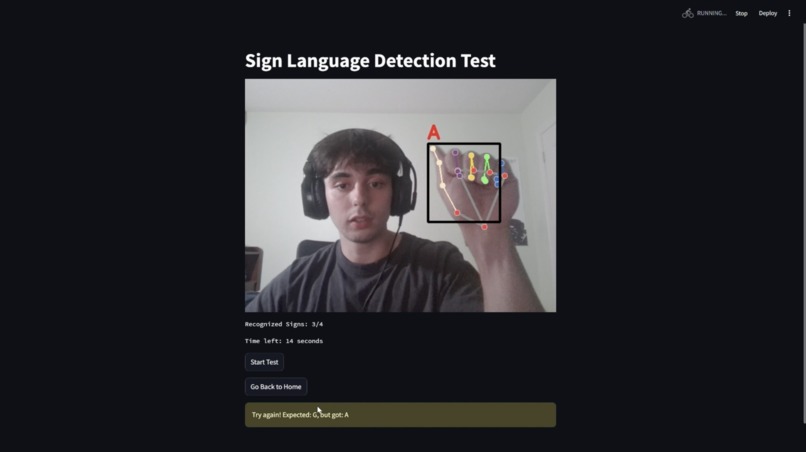
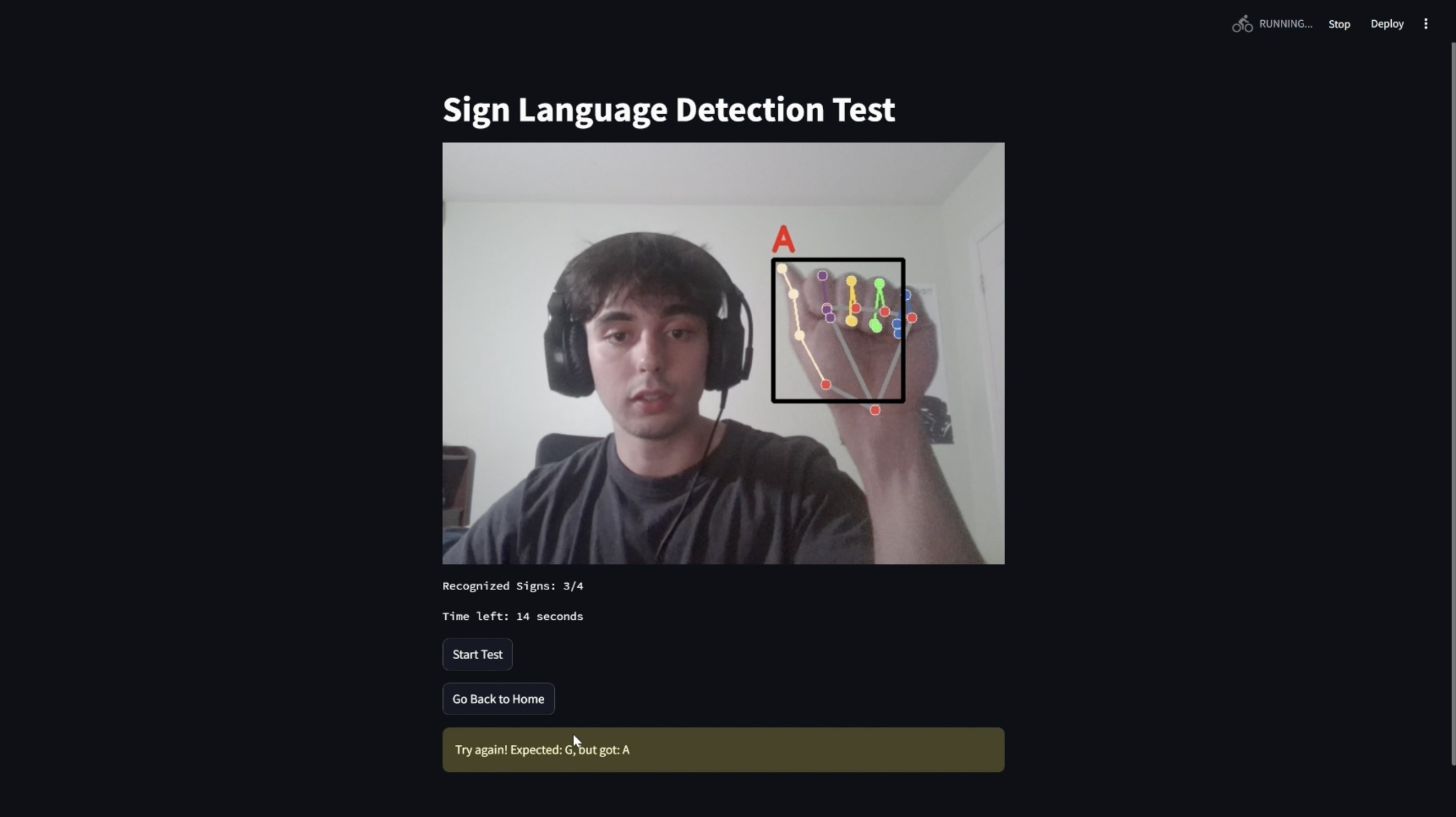
Our website allows users to apply the knowledge they've acquired. When they enter the "Test" tab, they will be prompted to hold up the sign for a specific letter within the allotted time. The goal is to get as many symbols correct as possible before time runs out. The user's signing is detected through computer vision and processed by our classification model to verify its accuracy.
How we built it
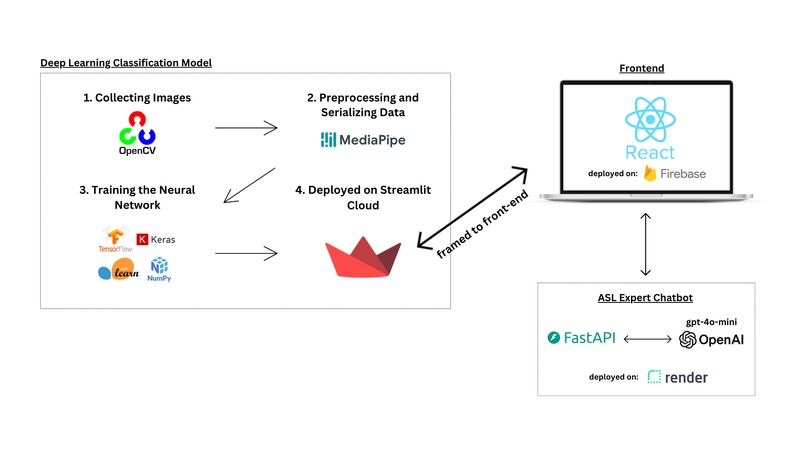
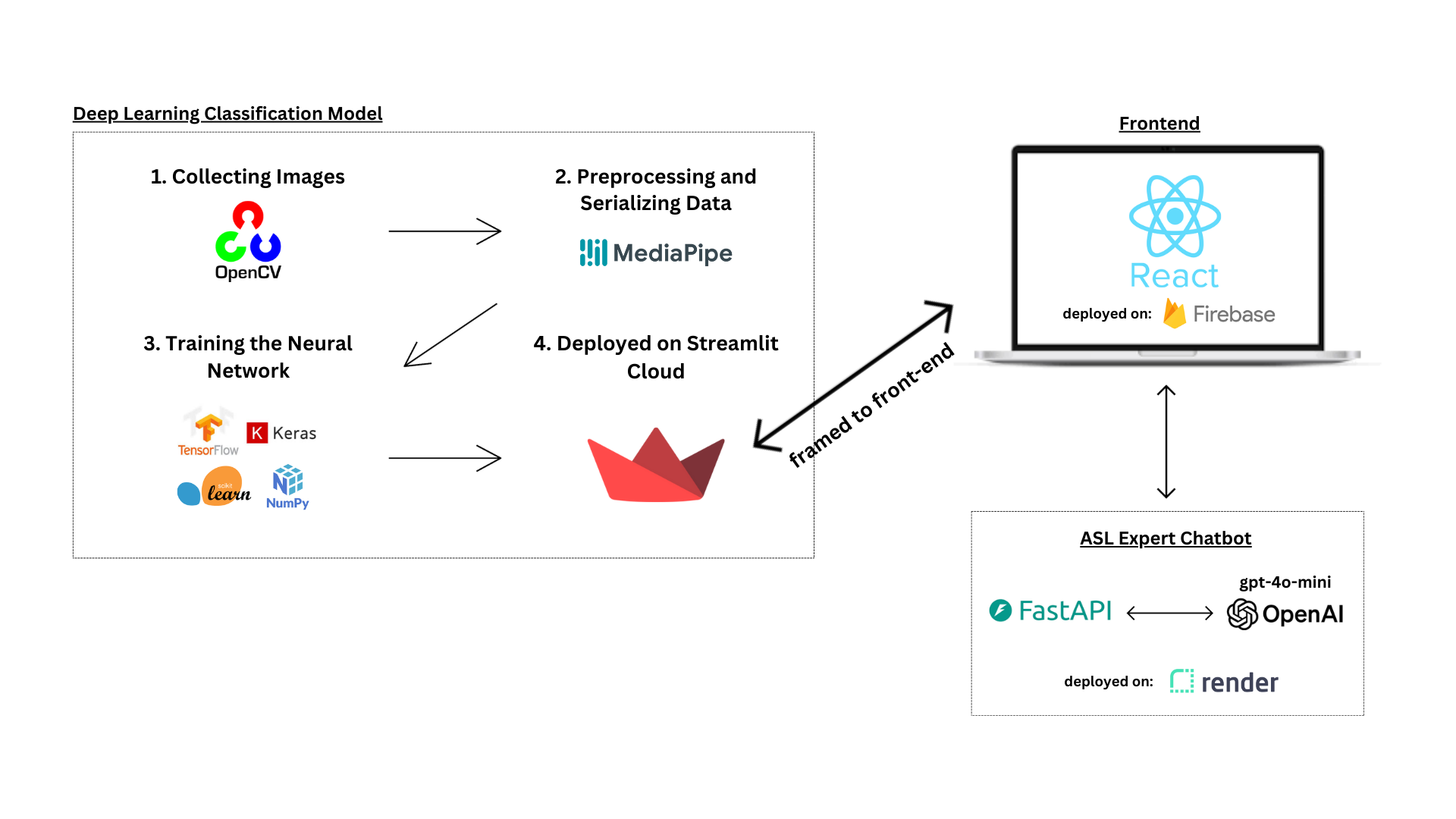
Our front-end was built using React.js and deployed on Firebase. The testing page is hosted on Streamlit and uses OpenCV along with our model to detect signs. The chatbot interacts with our prompt-engineered GPT-4o Mini client through FastAPI.
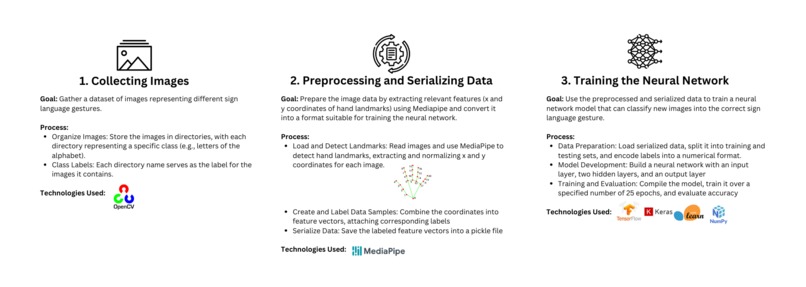
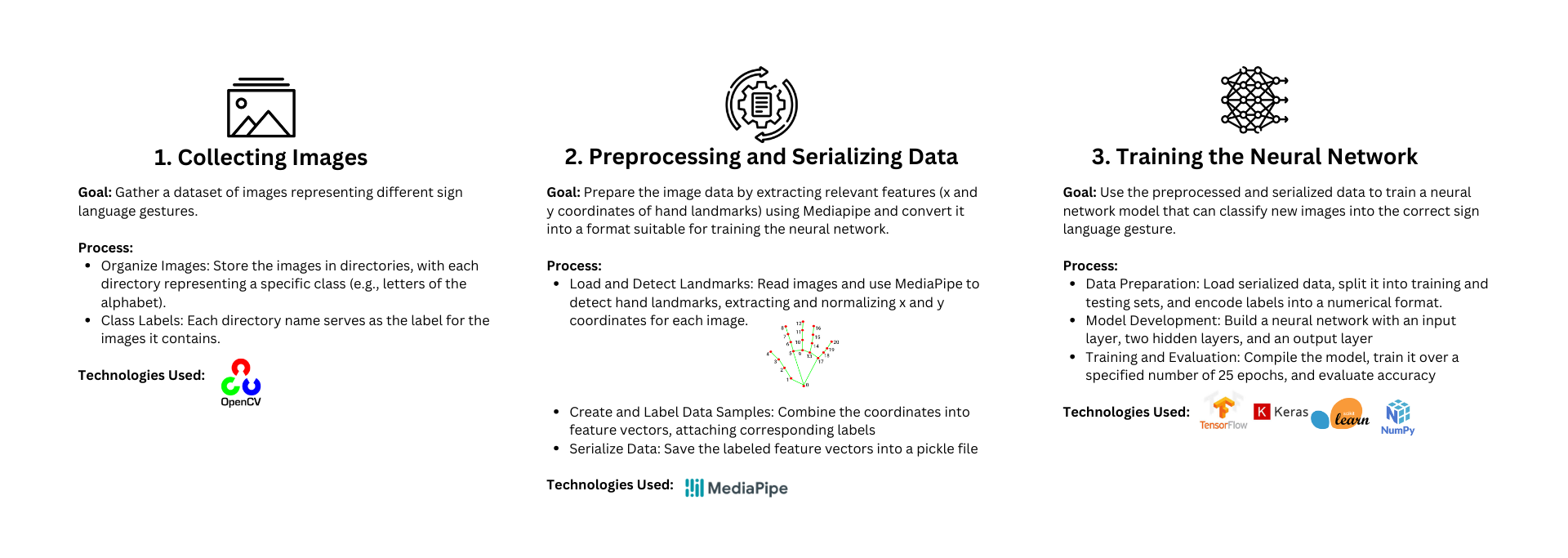
Here are the steps we took to create our classification model:
Image Collection: We collected image data using OpenCV, gathering 100 images for each label. Preprocessing: We processed the images with MediaPipe to detect hand landmarks, extracting and normalizing the x and y coordinates for each image. Training the Model: We constructed a neural network with an input layer, two hidden layers, and an output layer, and trained it over 25 epochs.
Check out the featured image which has a diagram of our system design.
Challenges we ran into
None of us had that much experience with React and front-end development in general, so getting a clean and uniform user interface was difficult.
Initially, we wanted to use TensorFlow.js to convert our model into a format that our React app could interact with. However, we encountered issues integrating the model with the frames captured by the React app. We pivoted to using Streamlit, a Python-based frontend framework, and this approach worked much better.
Accomplishments that we're proud of
We're especially proud of training our own neural network and successfully integrating all parts of the project. We feel like we've truly created a platform that optimizes ASL learning.
What we learned
We learned that coming up with ideas for a hackathon is no easy feat. We spent most of Friday evening coming up with an idea, and given that this hackathon had no theme, the amount of choice we had actually turned out to be a curse instead of a blessing.
Also, it turns out that working with computer vision and neural networks isn't a piece of cake :(
What's next for Project-Sign
In the future, we hope to:
- Introduce a more immersive and robust game where the user plays a space-invader inspired game by signing whatever signs are approaching their core. If the user does not have the correct sign in time, the sign will hit the core and deplete the user's health bar.
- Train our model with more labels (additional words for users to learn) and a larger dataset to increase accuracy.
- Clean up a few details, deploy all systems, and launch for public use!


Log in or sign up for Devpost to join the conversation.