Inspiration
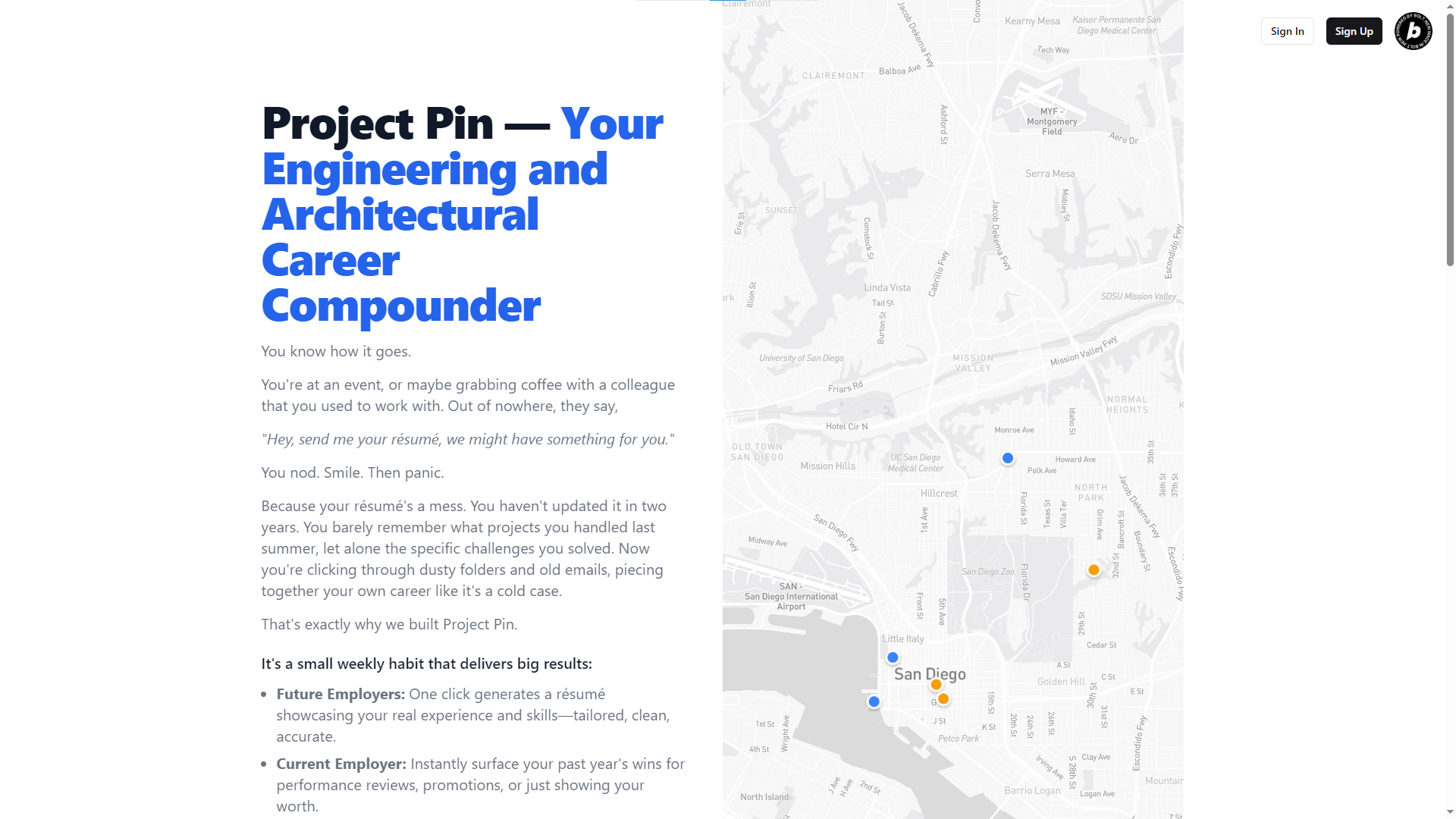
This has happened to me a few times.
At a mixer, after talking to someone I had a good rapport with, he said:
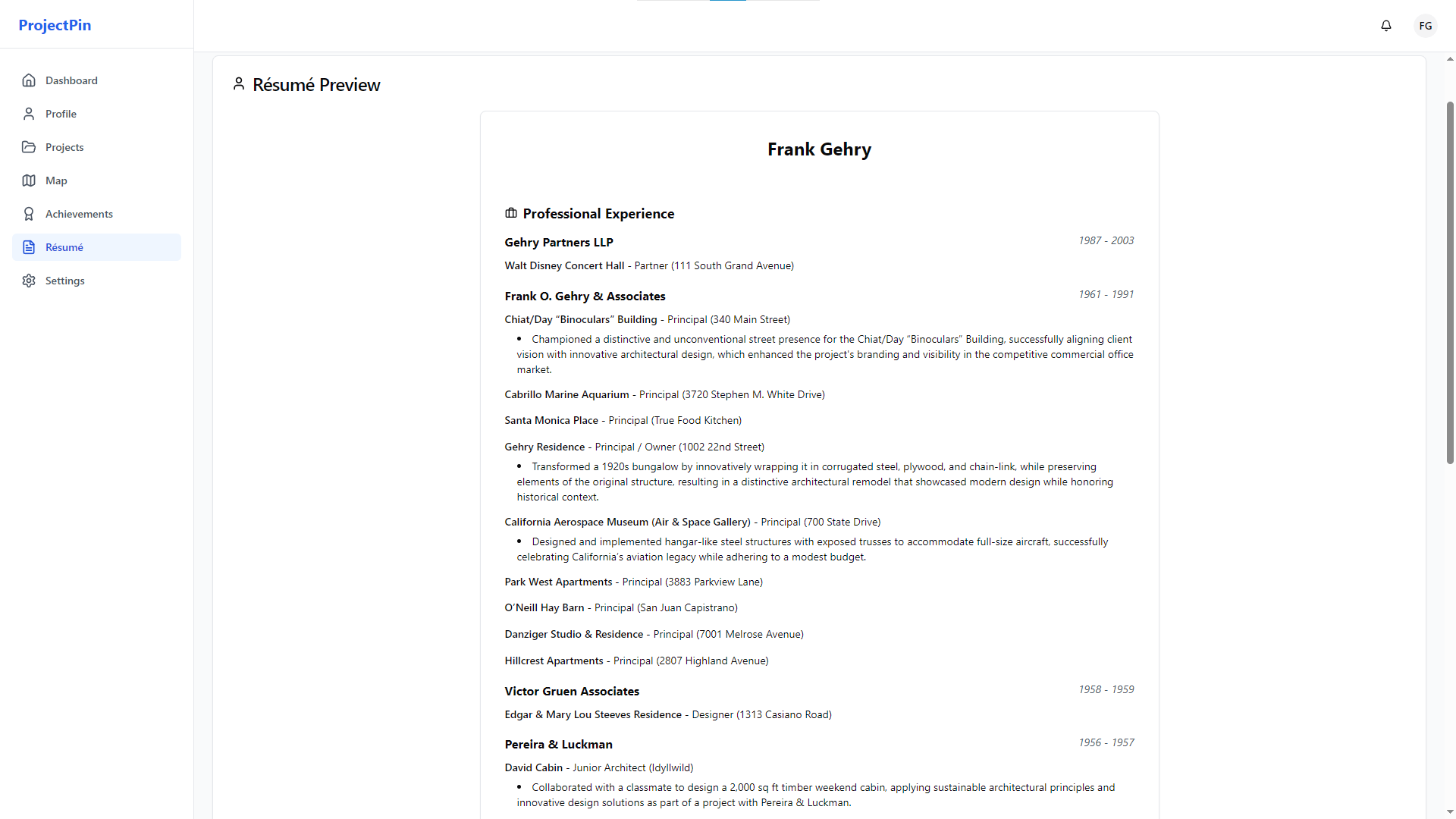
"Hey, send me your résumé — let’s talk."
And there I was, digging through old job folders, timecards, and email threads, trying to piece together what I actually did last year. It’s frustrating.
And honestly, it feeds that nagging imposter syndrome that so many of us in AEC (architecture, engineering, and construction) feel.
I wanted to kill that scramble once and for all. This hackathon with bolt.new felt like the perfect chance to build something that helps other engineers and architects turn a small weekly habit into real proof of what they’ve done.
What it does
Project Pin gives me a simple system:
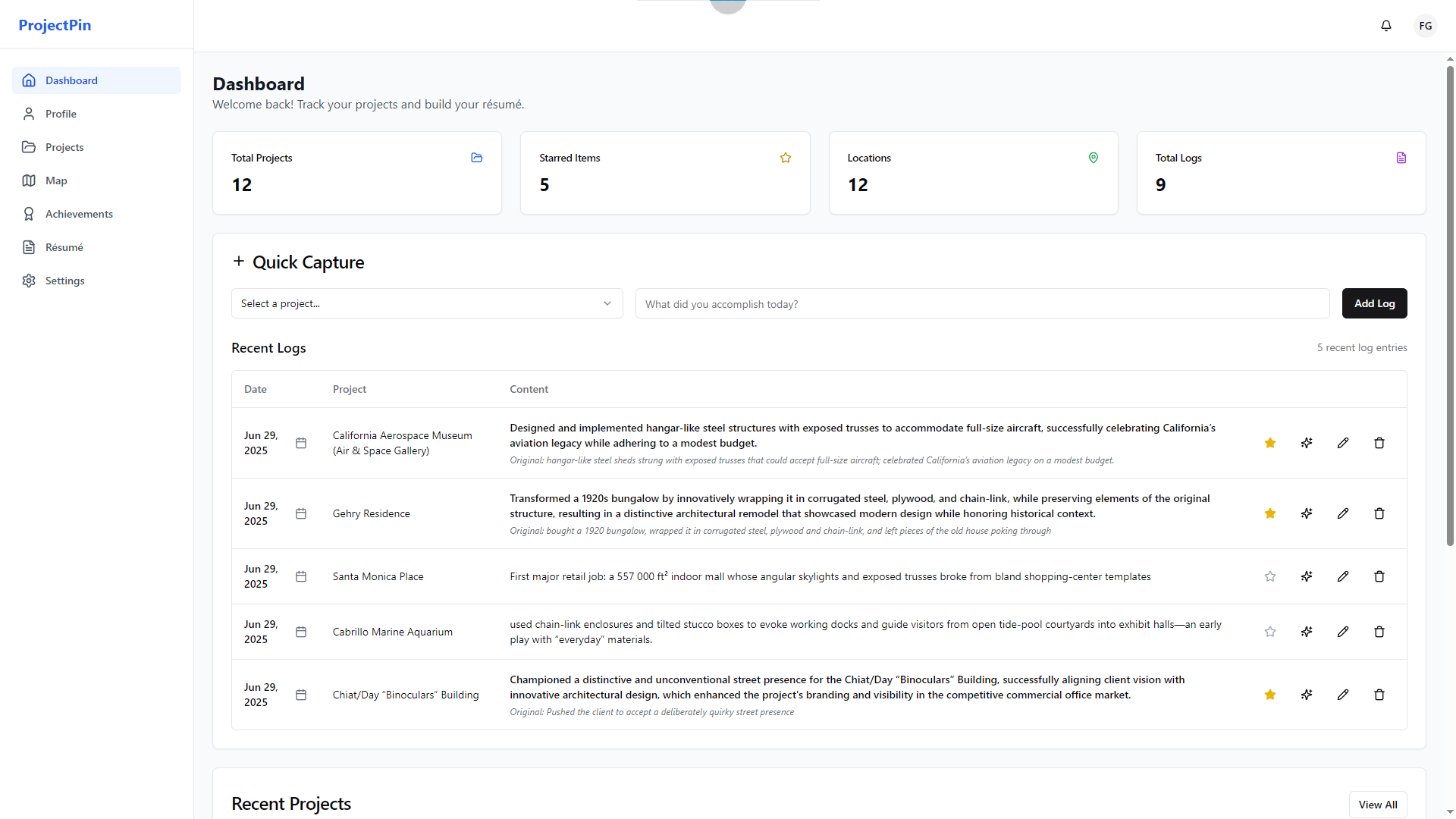
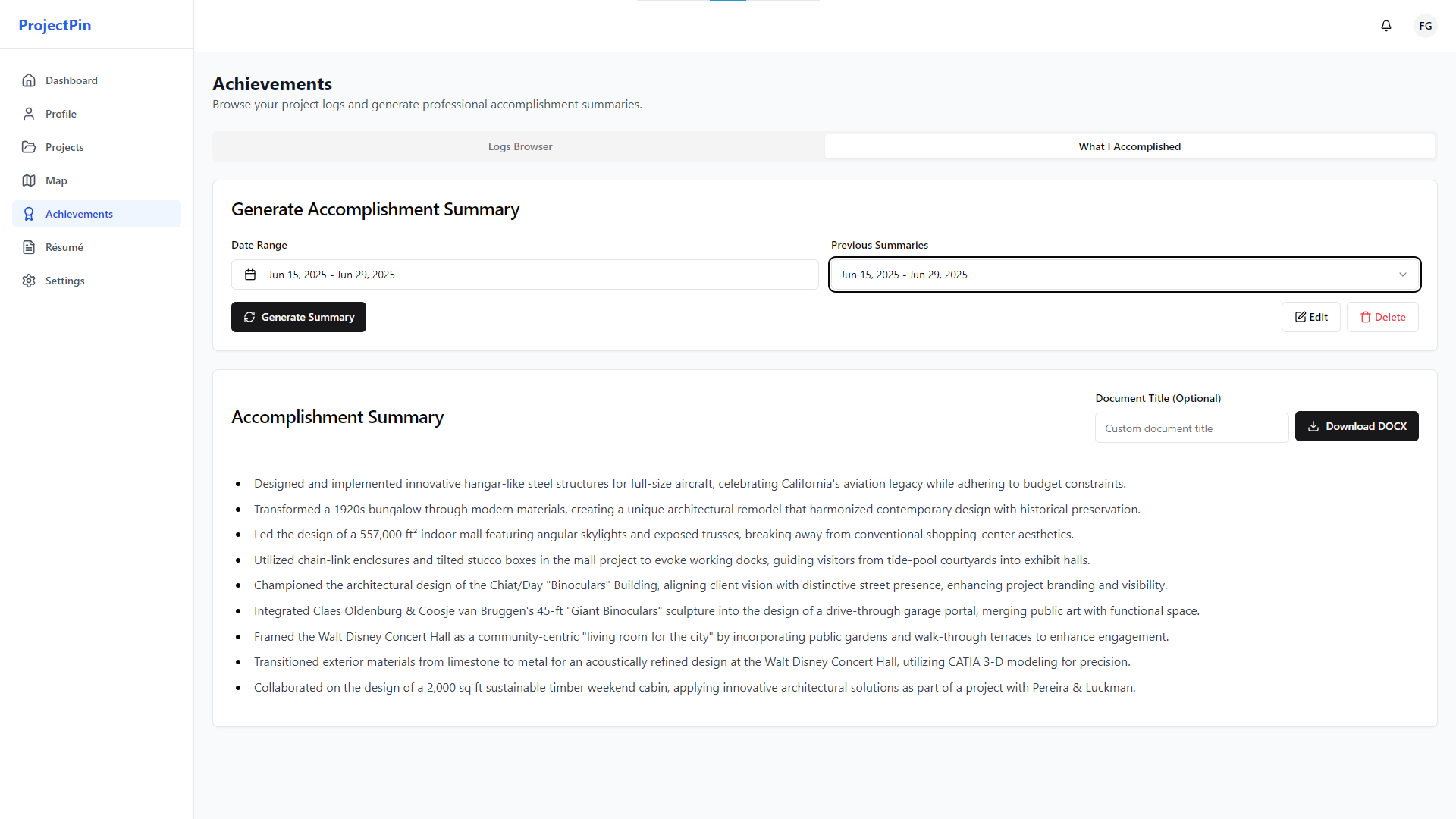
I log my project wins in five minutes a week before I forget. AI refines and enhances my messy notes into résumé-ready bullets.
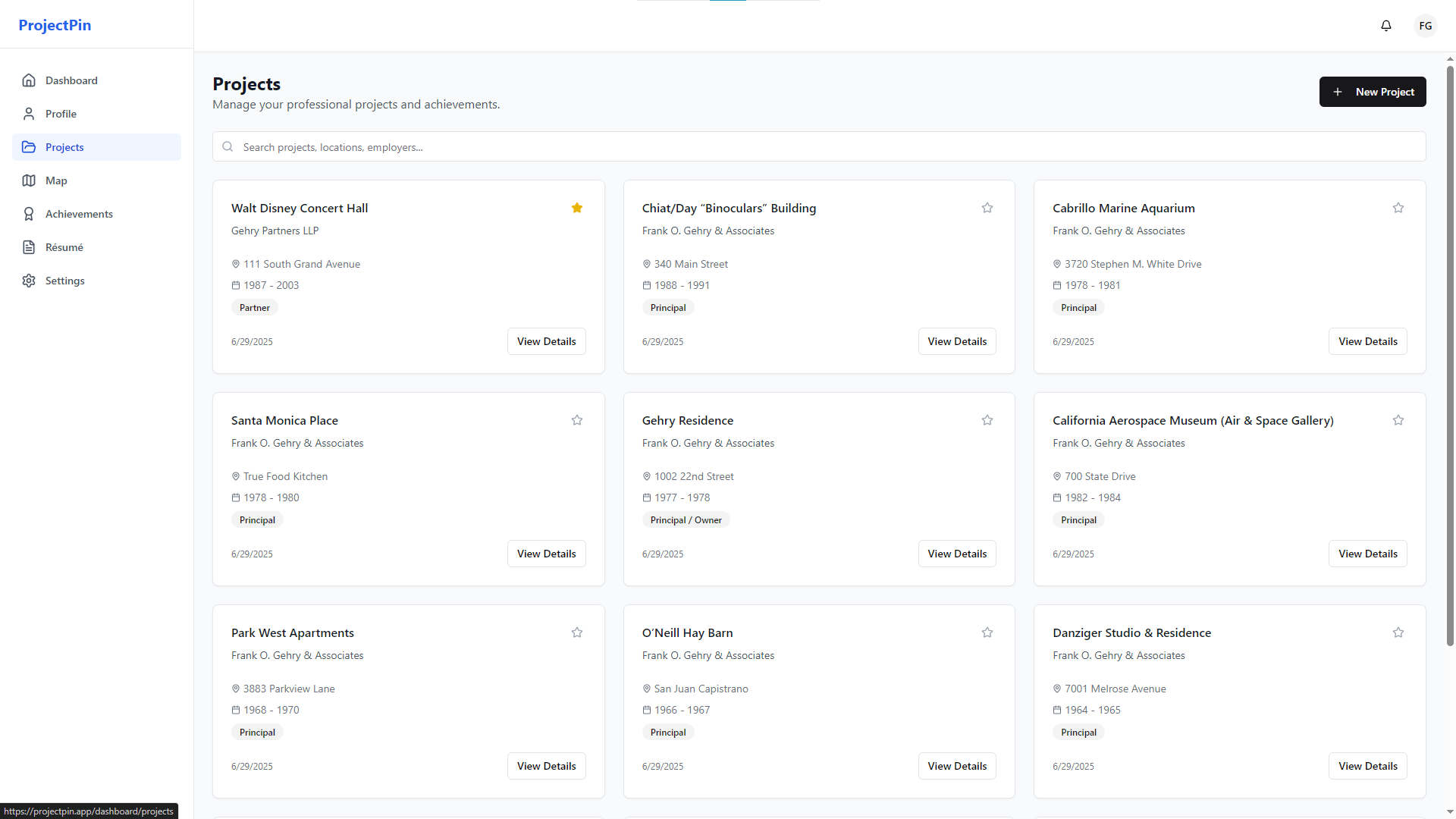
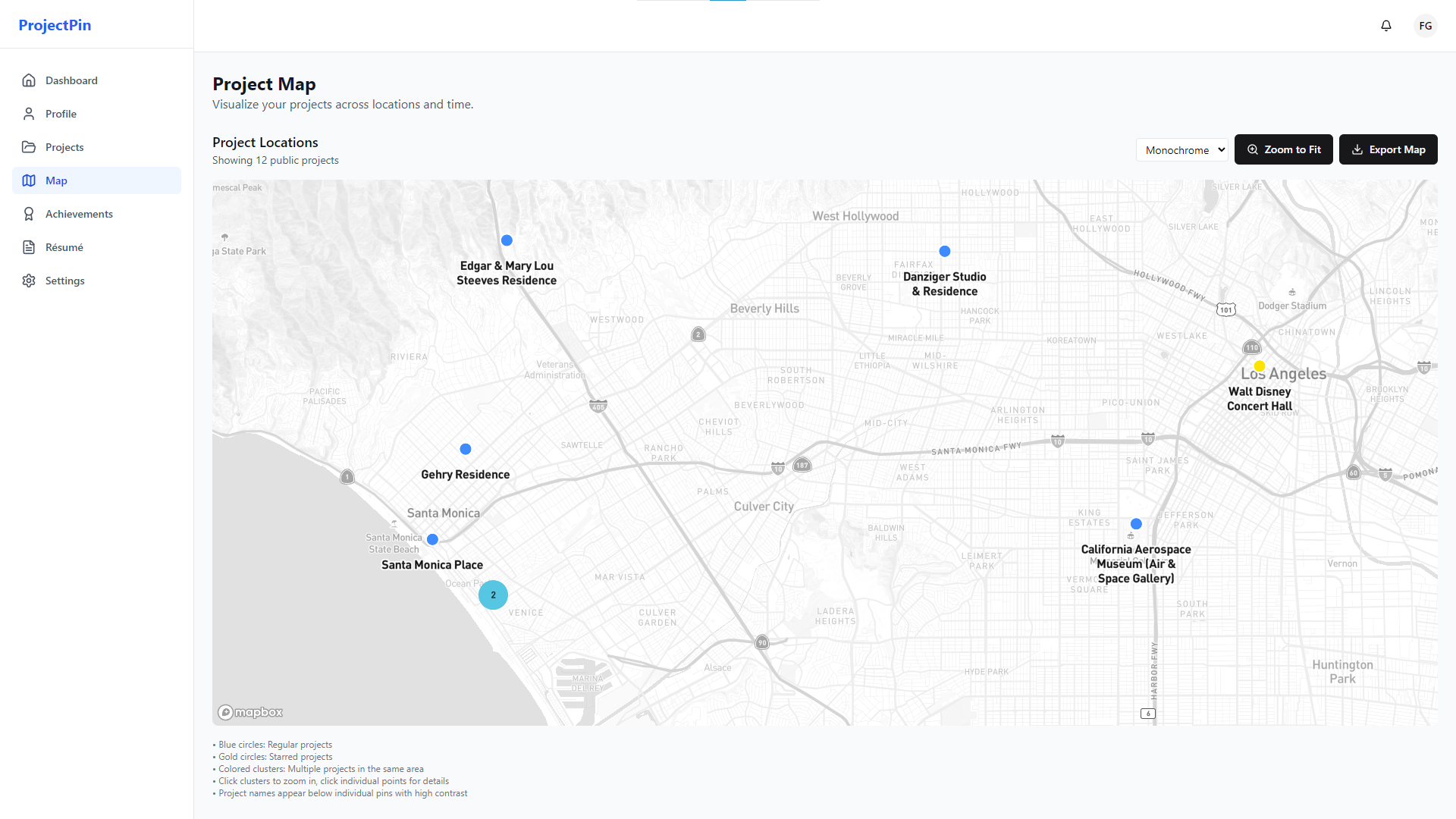
I pin each project to a visual map so I can see how far I’ve come and share that journey.
I can generate an instant résumé or performance review highlight reel whenever I need it.
I track my progress with weekly digests and a dashboard that shows how these small notes add up over time.
It’s basically my personal career CRM — plus a shareable project map that makes my work feel tangible.
How I built it
- Started by bouncing ideas off ChatGPT o3 and Gemini 2.5 Pro.
- Refined and developed the idea into a clear project outline.
- Used CodeGuide to turn the outline into a spec I could drop into bolt.new.
- Started with a CodeGuide template and built most of the core features in bolt.new.
- Fixed errors with Cursor and Codex.
Challenges I ran into
I couldn’t check lint errors directly in bolt.new. I’m not a developer, so I didn’t realize that would be a major roadblock when deploying. After many rounds of failed Netlify deployments, I realized I was burning through tokens fixing just one or two issues at a time. Eventually, I ran checks in Cursor and cleared 100+ errors over a few rounds.
I didn’t realize there was a Clerk integration issue related to the Webcontainer. I spent days trying to fix it with no luck and ended up switching to Supabase for authentication instead.
Even with Supabase, the authentication sometimes needed manual tweaks to the URL configuration. It took me a while to figure out why my preview wasn’t showing data correctly.
Accomplishments that I'm proud of
I turned a vague idea into a working prototype that I genuinely believe will save me time and stress.
The project pins feature feels motivating — it’s like watching my career “travel map” fill up.
I figured all of this out with basically no coding background (I only knew a little going in).
I got the Mapbox Search API and different themes working smoothly.
What I learned
Bolt can burn through tokens quickly. I need to recognize sooner when I’m hitting a wall and try a different tool before wasting tokens.
Deploy early — it helps catch lint issues sooner.
Some complex layouts or buttons just can’t be worked out by AI alone. As a non-developer, I learned to pivot early and simplify when needed.
What's next for Project Pin
- Refine the AI enhancements to make logs and résumé bullets even better.
- Refine pricing.
- Add a streak feature and career dashboard so users can see how their “career equity” grows.
- Make it mobile friendly
- Launch to my structural engineering newsletter subscribers for testing.
- Use Firecrawl to scrape job opportunities and match them to users’ project experience.
- Connect different users who have worked on the same project but lost touch — so they can reconnect through their pinned maps.
Project Pin makes sure an engineer or architect’s career story isn’t stuck in their head. It makes it visible — one tiny log each week, and a huge advantage over time.

Log in or sign up for Devpost to join the conversation.