-
-
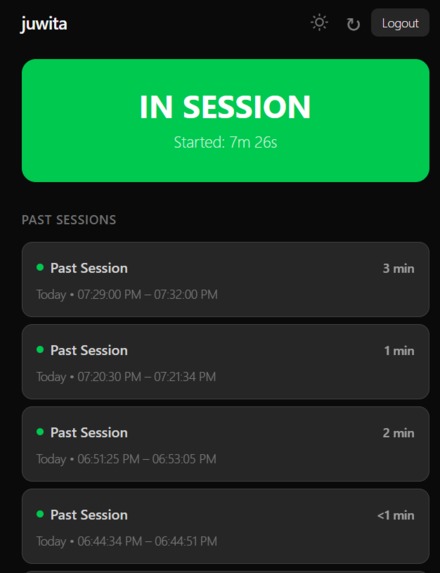
Juwita during a session.
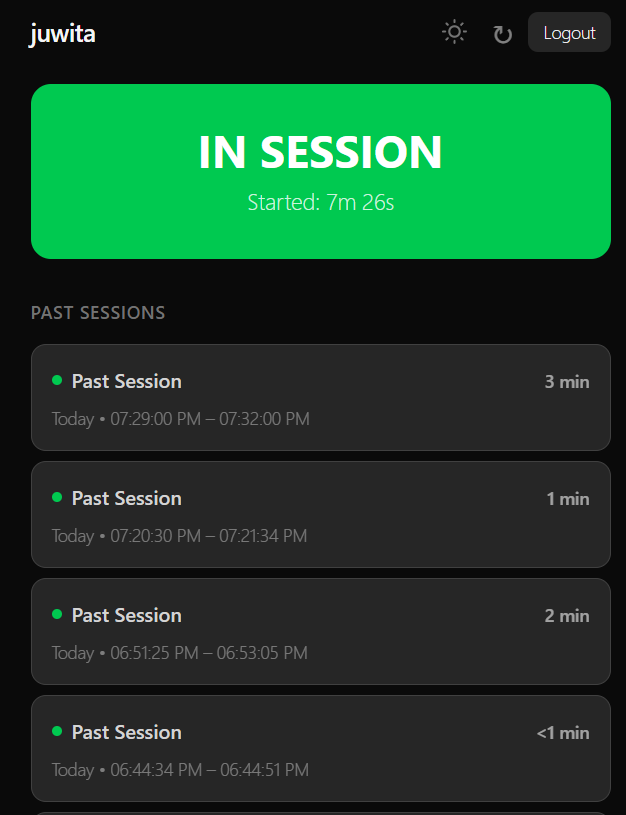
Introducing, Juwita
The professor in charge of my club wants to know what's going on in the meeting and when meeting happen. Instead of just sending a text message or creating a development log, which may be challenging to parse and interact with, our team wanted to create a system that made it easier to track the progress of a club's activities.
So our team brings forth: Juwita, the app for tracking the progress of elite teams. With this web app, it makes it really easy to log how long you spent working, what exactly you did with that time, and plan for future meetings.
This way, sponsors, reviewers, and supervisors can maintain a good understanding of group progress, and it helps teams keep track of their work and progression.
How it's Used
When a meeting or work session starts, turn the knob to indicate that a session has begun. At this time, Juwita takes note and the webpage says "In Session." During work, you can ignore Juwita and go along your merry business. After you finish your session, turn the knob off to indicate that you're done working. Juwita will create a log of the work session, showing the start and ending times.
Then, with the right privileges, you can edit the log to note the progress made, and include photos.
How it's Built
Throughout the development process, all members of the team utilized AI agents like Gemini and Claude to boost their productivity, keep track of changes, and come up with solutions to the various problems we've faced.
The physical layer includes a circuit using a potentiometer, a Raspberry Pi Pico W, and an Arduino Nano ESP32 Board, all powered by a trusty laptop (which exclusively serves as a power source). The ESP32 is used as a power source for the breadboard circuit/potentiometer and serves as reference ground. The output of the potentiometer is fed to a Raspberry Pi Pico's GPIO pin, which is read as an input voltage.
If the voltage exceeds a certain limit, the Pico uses it's WIFI capabilities (connected to a hotspot at the moment) to send a ping to a server that runs on Django. Otherwise, no ping is sent. With a ping, the server updates a webpage and indicates a session is in session. If no ping is received after 60 seconds, the server assumes that a session has stopped, and a new log entry is produced in the webpage. The webpage is styled with Tailwind.
Challenges we Faced
I mean, who uses an ESP as a power source am I right? We burnt the thing after not understanding how a potentiometer works, and now it's only good for its VDD and GND pins cause we can't flash onto it anymore. Luckily, we had a great stroke of luck in finding a Raspberry Pi Pico that had WIFI capabilities.
Having a computer as a power supply is a short term solution. In the long run, we can get a dedicated power supply to normalize wall power, but the computer has a added bonus as serving as a feedback system via serial console, allowing us to debug and test our code and circuits rapidly. In theory, we can replace the laptop with a power supply and the system should work exactly the same.
Let's not forget about debugging. In this process, we had to determine why our code didn't compile, why the database didn't respond properly, why our microcontrollers weren't flashing, and many other issues just with code. Ultimately, AI prevails in this space, by allowing us to properly parse error messages and come up with a variety of solutions to all our problems.
What we learned
Each member gained valuable experiences through this project. Daniel: Learned how to use Django and Claude in his project through Julian's mentorship and expertise. Aditya: Learned how to implement WIFI interaction in ESP and Raspberry PIs, allowing these microcontroller to talk to larger systems via the internet. Julian: Learned how to set up elements on digital ocean and use GoDaddy.


Log in or sign up for Devpost to join the conversation.