-
-
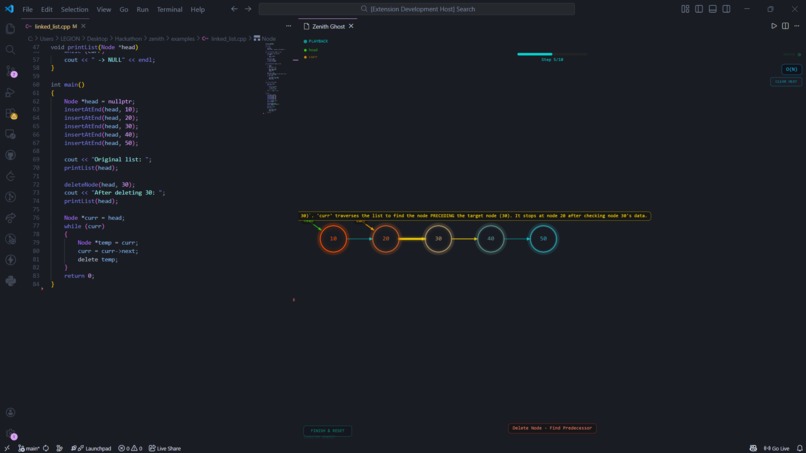
Linked List
-
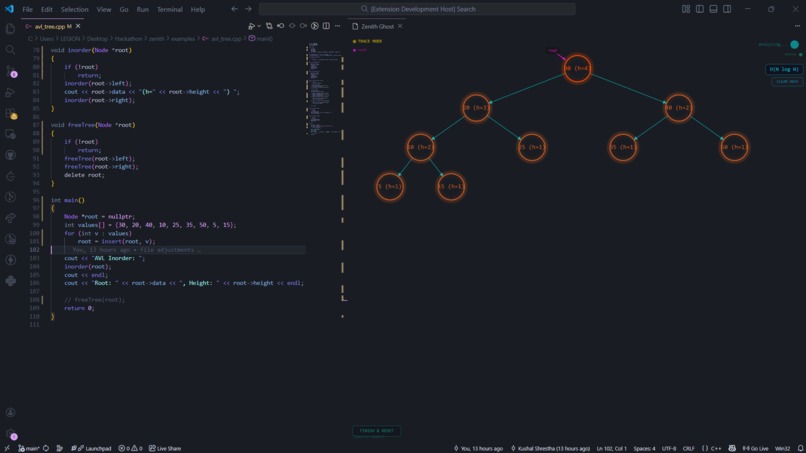
AVL Tree
-
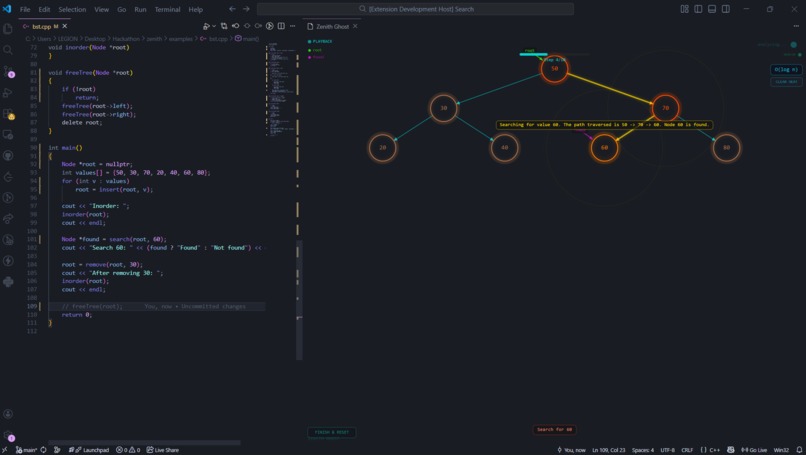
Binary Search Tree
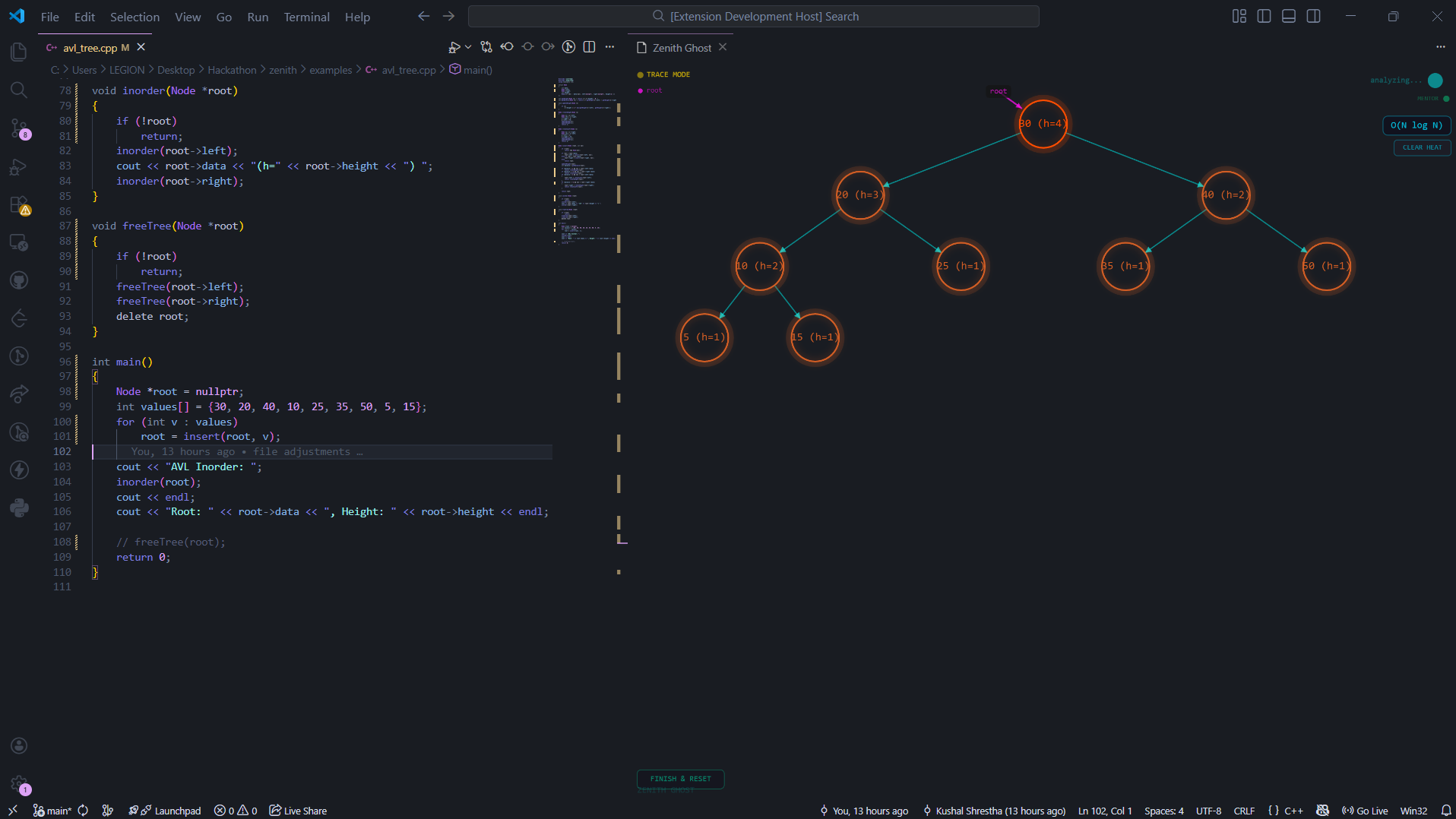
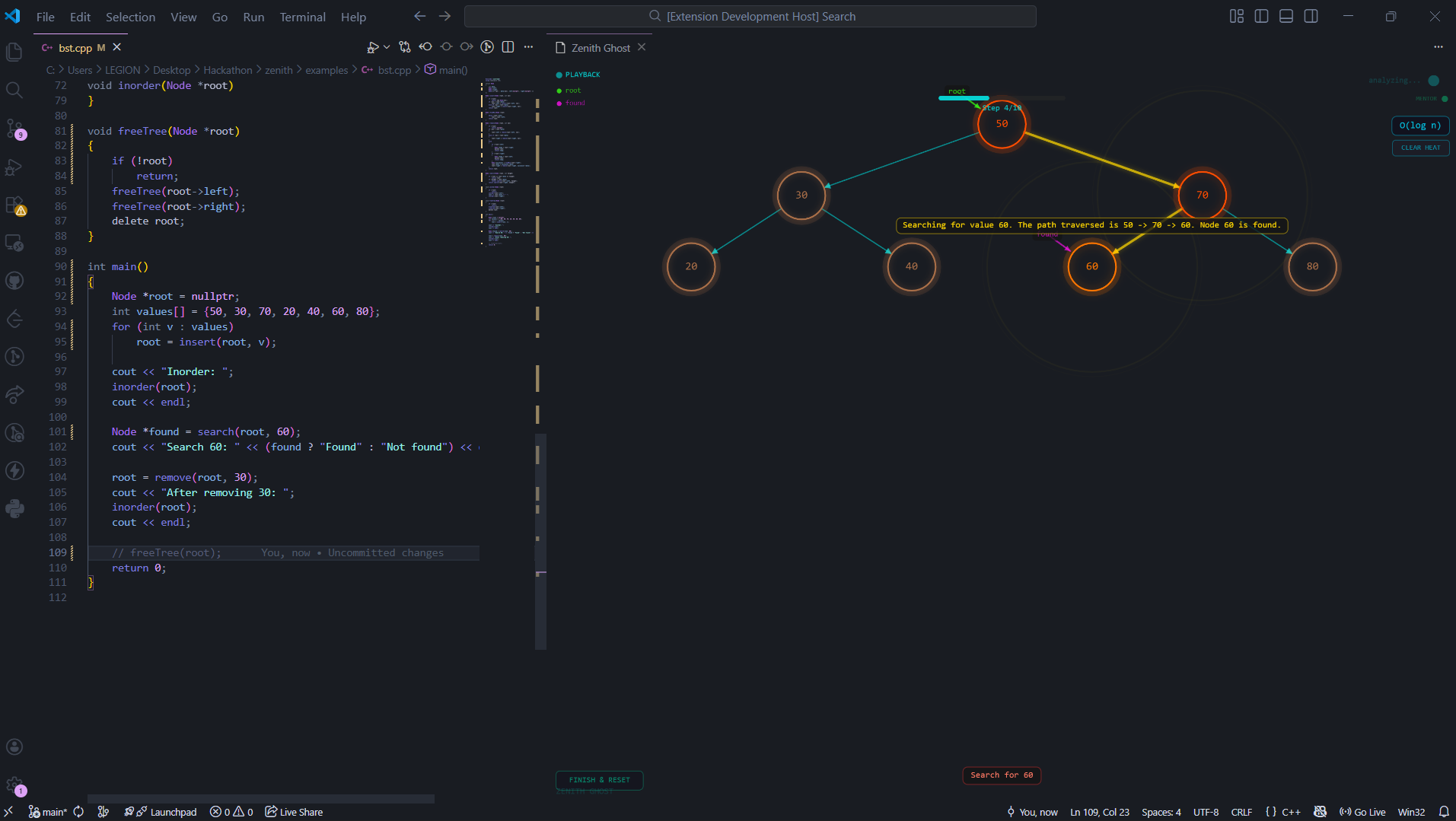
Inspiration.
As a Computer Science student, I noticed a common gap in education: the distance between abstract code and mental models. While learning DSA I realized that me and my friends were struggling with "invisibility" of pointer logic and memory allocation. So, I made zenith to create a "Live Laboratory" inside the IDE—a tool that makes data structures visual as we type.
What it does
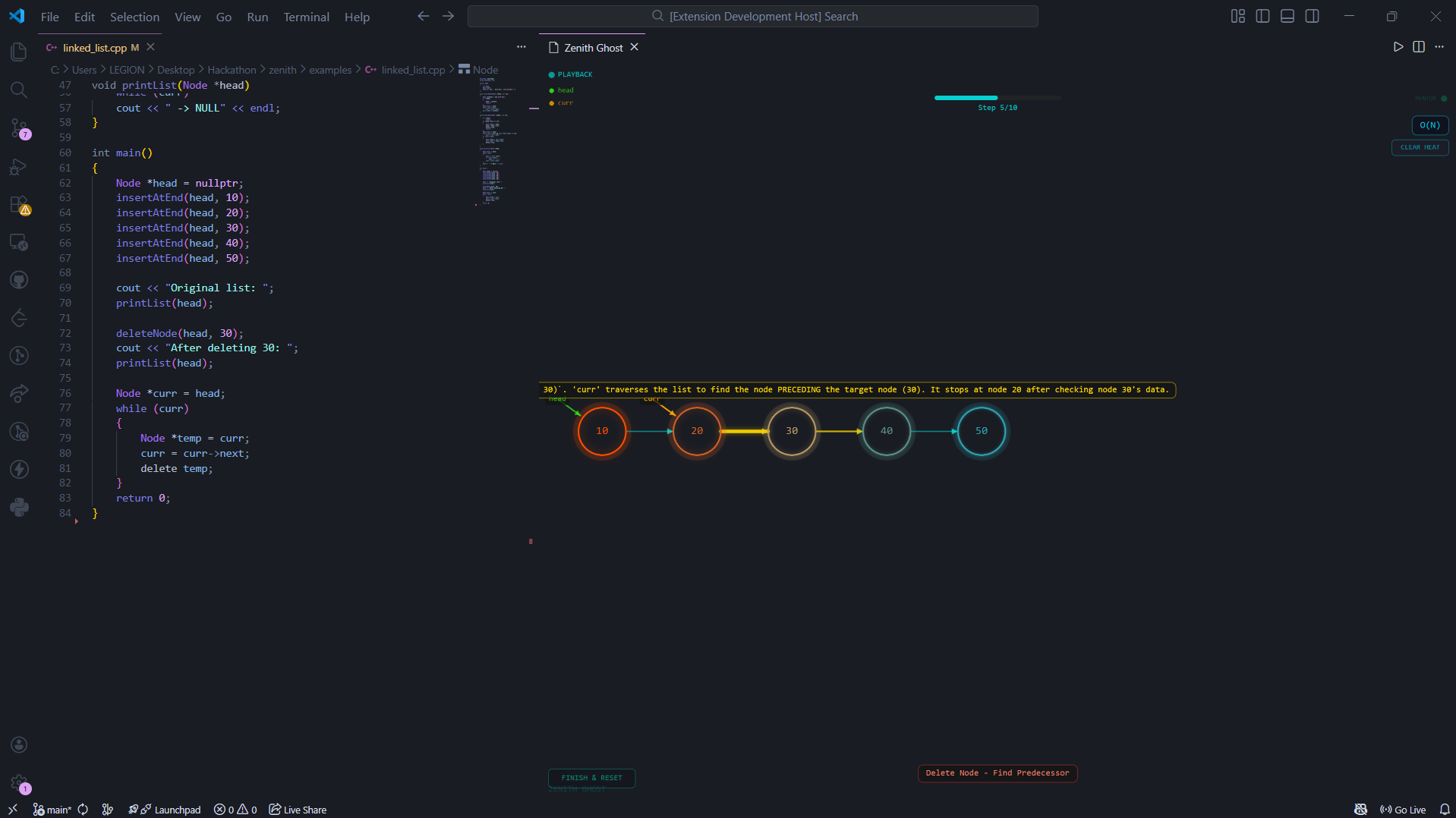
Zenith is an intelligent, real-time data structure visualizer and mentor built directly into VS Code. It transforms the often abstract process of writing C++ into an interactive, visual laboratory Live Trace Engine: As you type, Zenith parses your code in real-time (using a 200ms debounce) to render dynamic p5.js visualizations of your memory heap. Best Practice Mentor: The system identifies logic errors—like memory leaks or out-of-bounds access—and provides a Mentor Modal with one-click fixes and architectural coaching. The Pathfinder: During algorithm execution, a "Gold Pulse" neon trail physically steps through nodes, showing exactly how pointers move through your structure. Big-O Heatmap: To help students understand computational cost, Zenith tracks operations and turns "hot" code paths red, making abstract concepts like O(\log n) or O(n^2) visually tangible. Scaffolded Roadmaps: Upon completing a task, Zenith generates a "Next Steps" roadmap with AI-generated pseudocode and links to external practice problems to bridge the gap to the next complex topic.
How I built it
The project is built as a modular VS Code Extension with a three-tier architecture: The Bridge: I used the VS Code Extension API and TypeScript to create a bidirectional communication link between the editor and a Webview. I implemented a 200ms debounce to ensure the UI stays responsive during rapid typing. The Brain: I integrated Gemini 2.0 Flash to act as the primary logic engine. It analyzes the C++ code buffer and returns a structured JSON map of the data structure's state. The Graphics: The frontend uses p5.js with a custom physics-based layout. This allows nodes to "glide" into place smoothly rather than jumping, providing a satisfying "Live Trace" experience at 60 FPS.
Challenges I ran into
Pointer Precision and Data Distinction: One of the most significant technical hurdles was distinguishing between Structure Data (the actual nodes in a tree or array) and Scalar Data (variables like index, target, or mid). Asynchronous State Syncing: Keeping a high-performance p5.js canvas perfectly in sync with a fast-moving text buffer without causing IDE lag required careful optimization. I had to implement a custom 200ms debounce logic to ensure the AI analysis only triggered during natural pauses in typing.
Accomplishments that I'm proud of
The Live Trace Engine: I successfully built a system that provides near-instant visual feedback, allowing students to "see" their code execute as they type it. Best Practice Mentor: I am proud of the AI coaching layer I developed that doesn't just find errors but provides a Mentor Modal with optimized C++ refactors and pedagogical explanations.
What I learned
VS Code Extension Architecture: This project gave me deep insight into managing Webviews and bidirectional message-passing within a professional IDE environment. AI Context Engineering: I learned how to prompt models like Gemini 2.0 Flash to act as structured parsers, returning reliable JSON maps of complex C++ memory states. Software Lifecycle Management: Managing a 36-hour sprint taught me the importance of scope control, such as choosing to perfect the Live Trace over riskier features like "Reverse Engineering".
What's next for .
Expanded Language Support: While I started with C++ to support my ICPC preparation, I plan to expand Zenith to support Python and Java for a broader range of CS students. Collaborative Live Coding: I aim to integrate with VS Code Live Share so that teammates can see the same glowing visualization in real-time, making remote pair programming more intuitive. Reverse Engineering (Interactive Editing): I plan to implement a bidirectional "drag-to-code" feature. This would allow users to interactively drag nodes or swap pointers on the canvas, with Zenith automatically generating and injecting the corresponding C++ code back into the editor.


Log in or sign up for Devpost to join the conversation.