-
-

App Icon
-
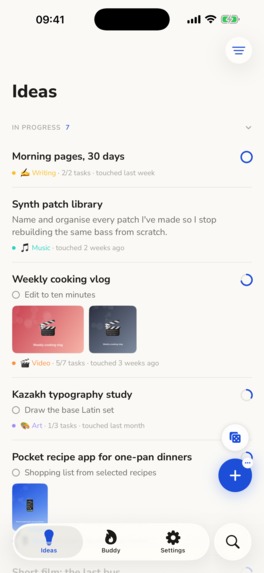
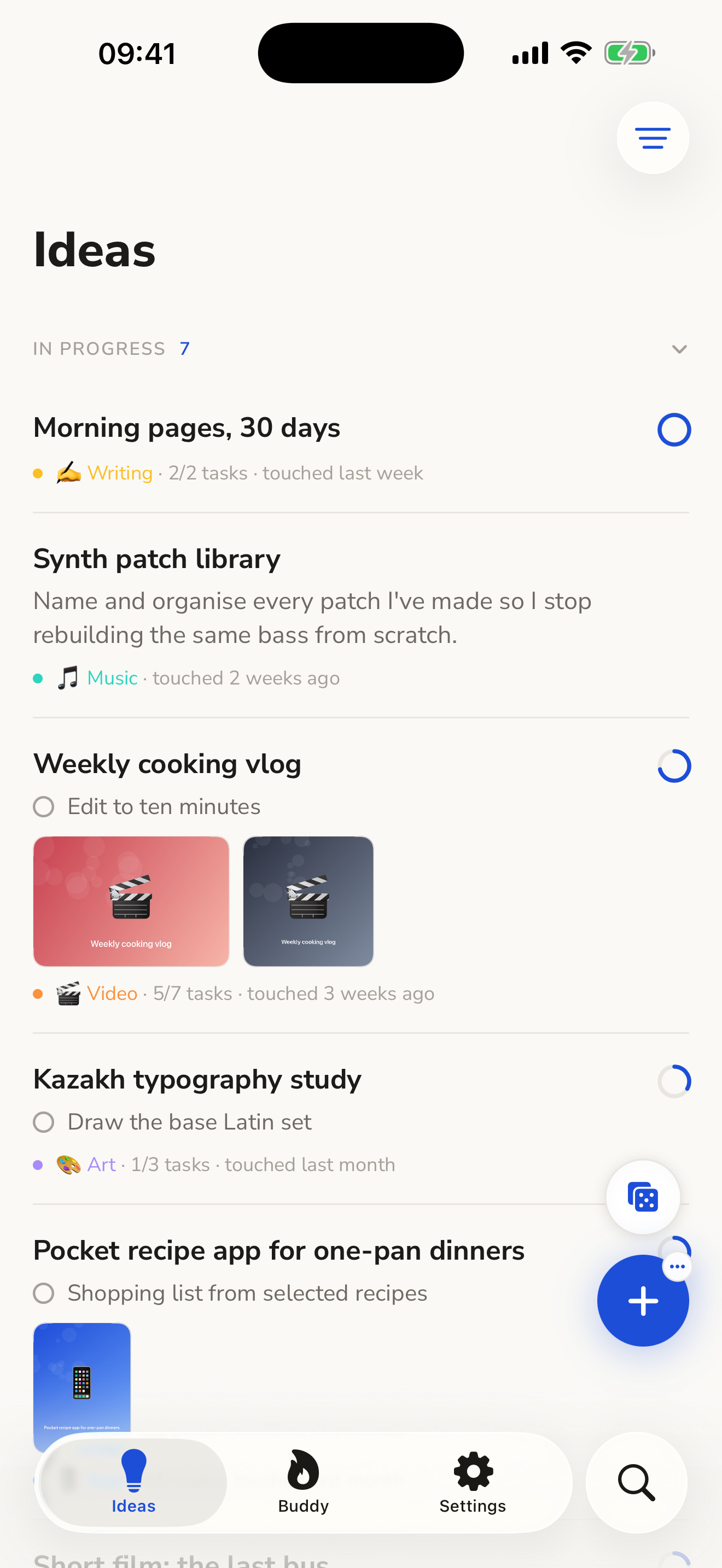
Ideas/Projects List
-
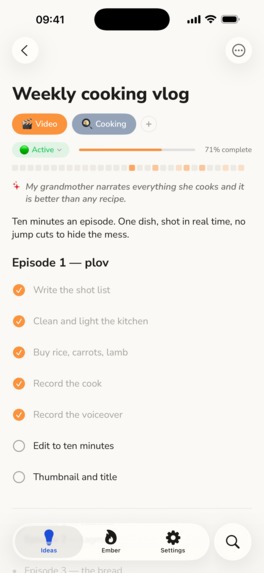
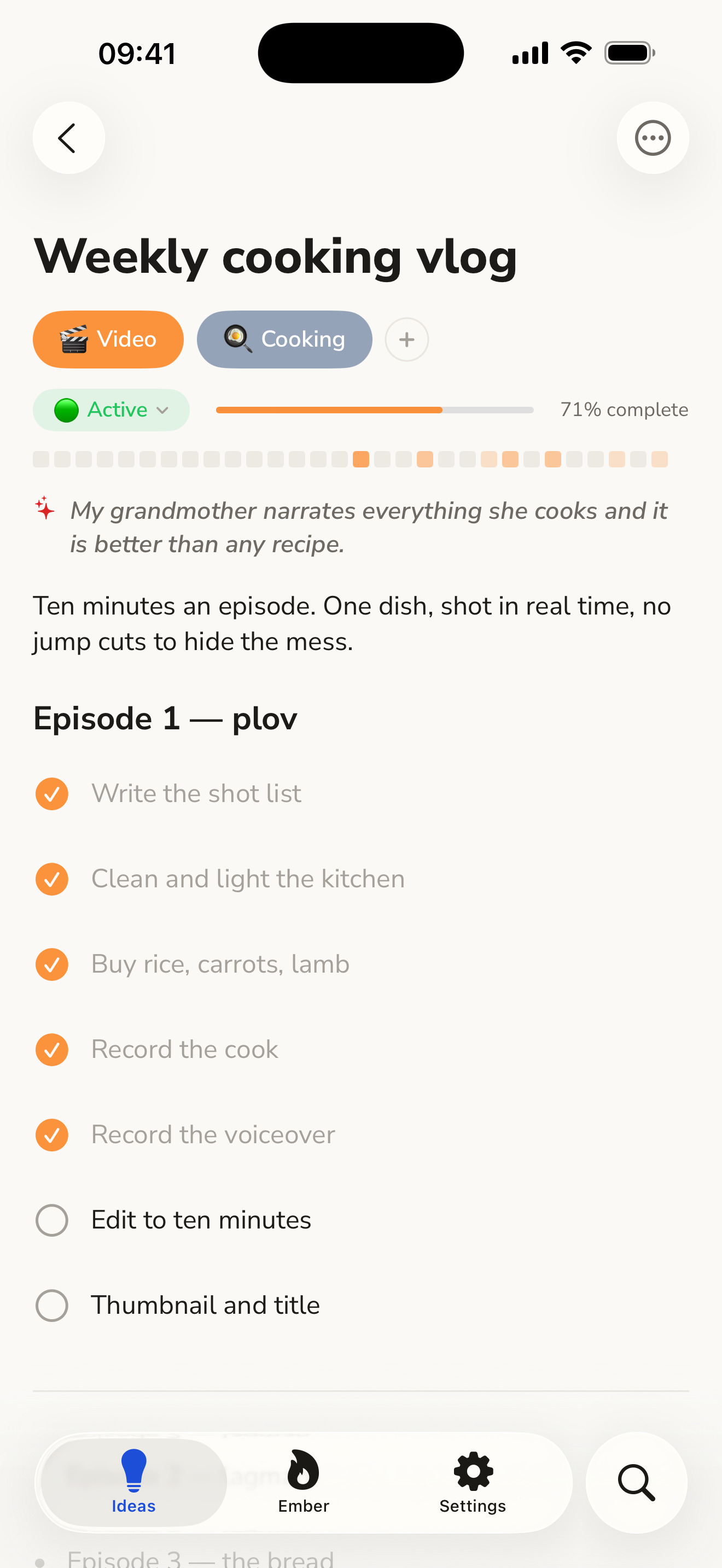
Idea/Project Page
-
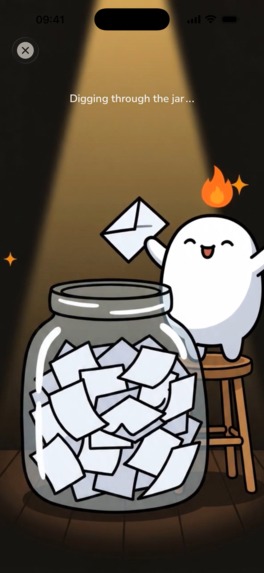
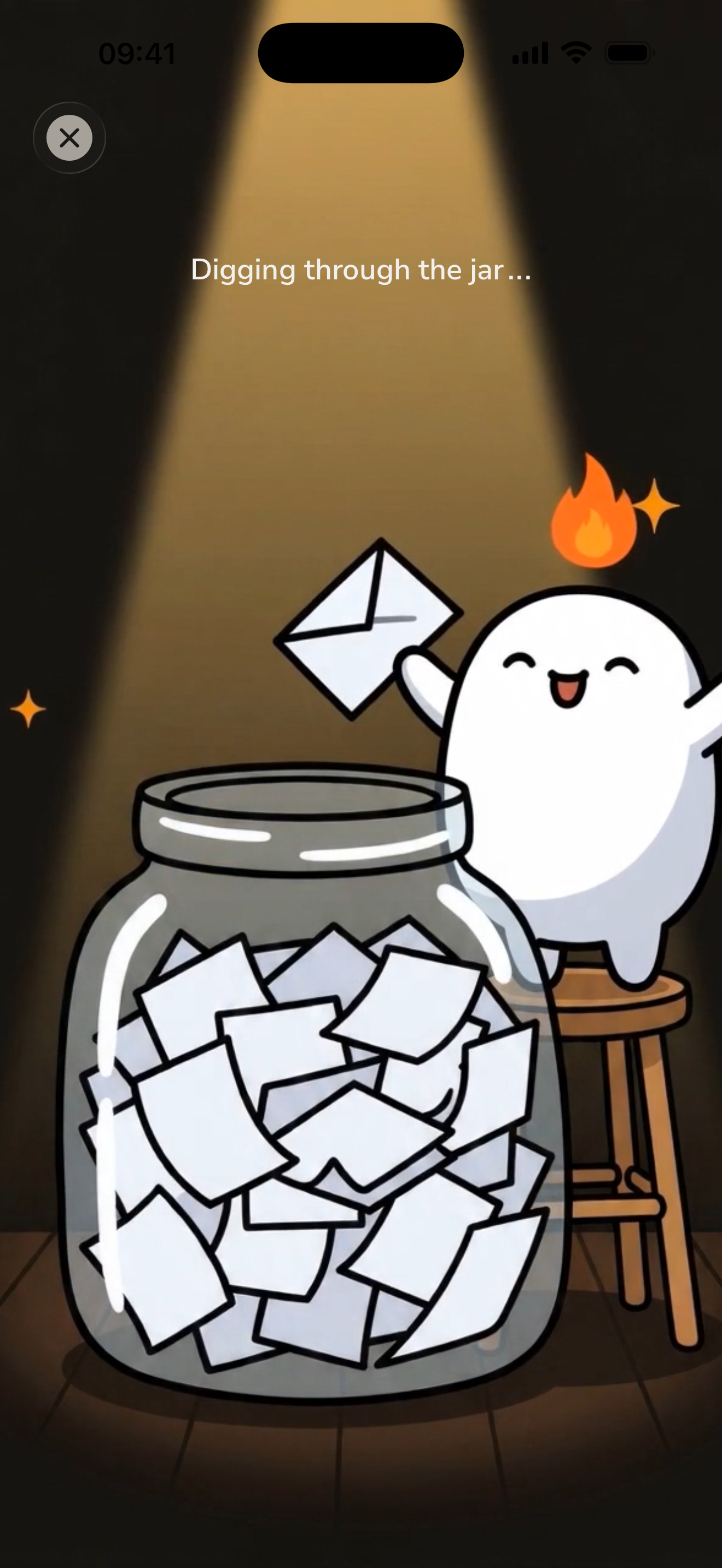
One of the idea randomizer page animation
-
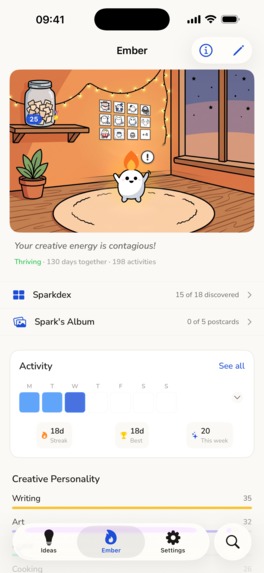
Spark page
-
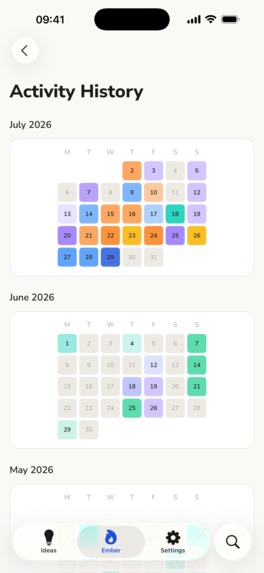
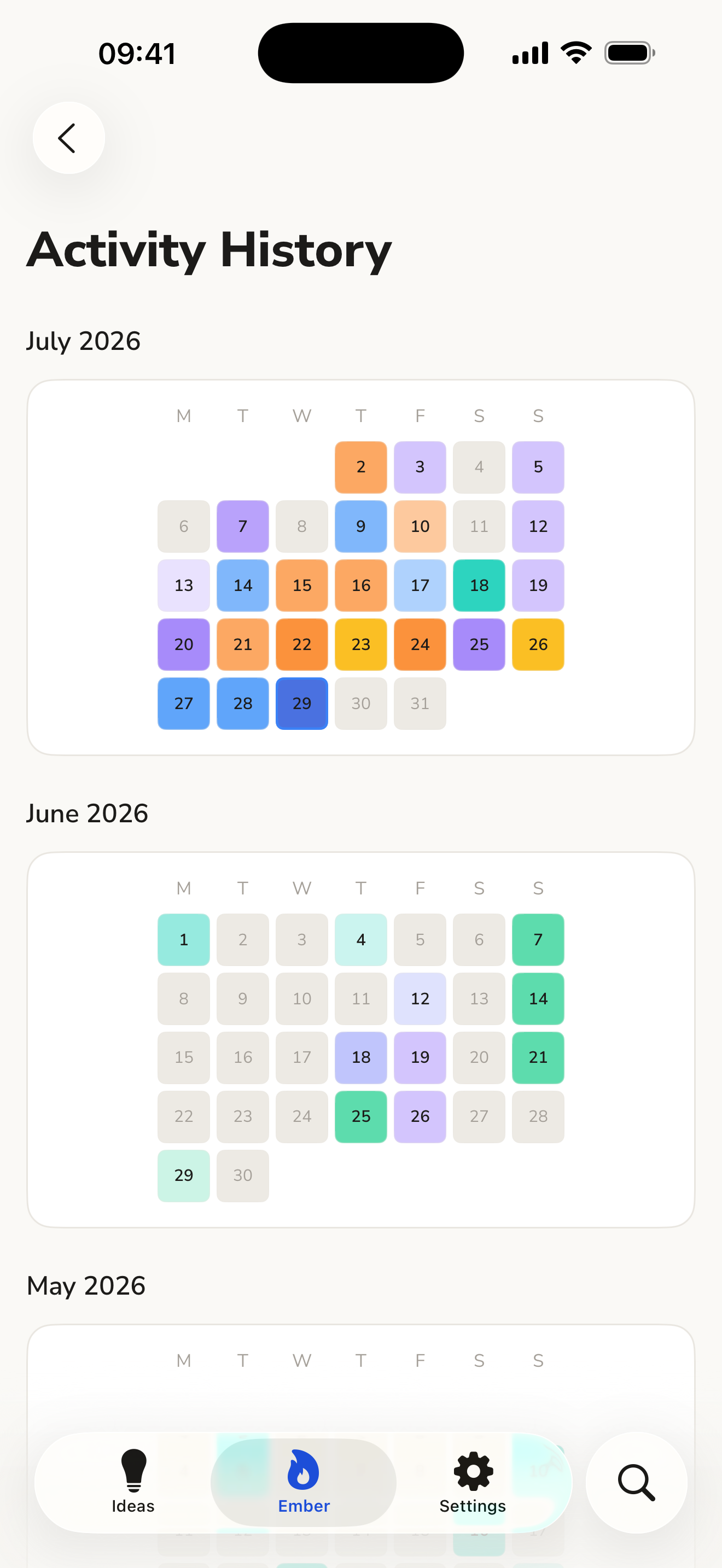
Activity page

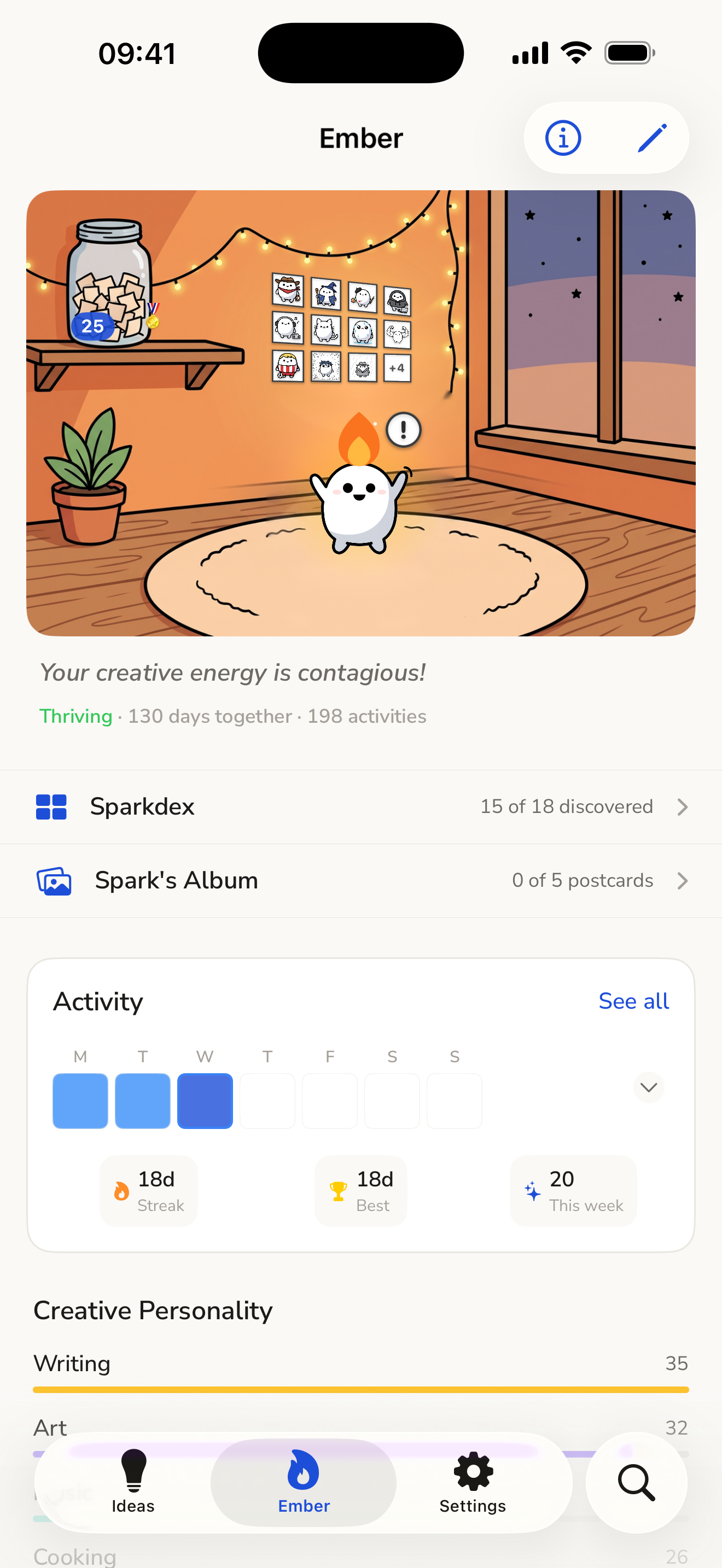
For people with more ideas than they can start, Project Jar picks the next one for you, and a little companion keeps you coming back to it, without shaming you.
Why I built it
I have a lot of ideas and projects, and I want to do all of them. My first problem was that I couldn't choose one. The second came after I did choose: I'd jump to the next idea before finishing the last one.
So I thought: what if someone, or something, motivated me to keep going? Something that cheers when you show up and never shames you when you don't.
What it does
- Capture an idea in seconds. Type it, or hold the plus and say it; speech is transcribed on the device. You don't even need to open the app: capture from the Action Button, a home-screen widget or Siri. The Action Button can spin the jar too.
- Spin, and your Spark pulls one idea out of the jar in one of seven animated draw scenes. The jar only picks ideas you haven't started, and you can leave out the categories you're not in the mood for.
- Work on it. Every idea opens as one page for notes and photos. Start it and it becomes a project with to-dos and a status you can change any time: active, paused, completed or archived. Pausing is a normal state, and nothing punishes it.
- Look after your Spark, a Tamagotchi-style pet that lives on what you make. More on it below.
- See the days you showed up on a GitHub-style activity grid.
- No account, no ads, no tracking. Everything stays on your phone.
The Spark
A motivator only works if you care about it, so the Spark couldn't be a random mascot. It had to be cute, responsive and aware of what you do. Everything you do in your ideas and projects feeds it, and it reacts to what it's fed: make a lot of music and it becomes a DJ, write and it's a wizard, paint and it's a painter, build apps and it's a hacker. Looks for the other categories are on the way. Finishing projects earns it new looks, and unlike other virtual pets it gets more encouraging when you disappear, never less. It only moves out after 30 quiet days.
It doesn't stay in its room, either. Every so often it peeks in from the edge of the screen, sits on the tab bar with its feet dangling until a tab switch startles it off, or strolls across the bottom of the screen. It keeps out of the way while you type or record.
It also speaks internet, because people share what makes them laugh. Poke it and it falls flat on its face in a famous cartoon death pose, and sometimes it clutches its knee instead, straight out of the knee-grab meme. When it moves out, its goodbye is a parody of a famous footballer's farewell post. The postcards it earns and its looks are made to be screenshotted, and more references like these are coming.
How it makes money
The app is free, and nothing above is behind a paywall. Two optional purchases go through RevenueCat:
- ProjectJar AI, $1.99 a month: Whisper transcription, plus AI that turns a rambling voice note into a complete idea, with a clean title, the right category, the inspiration behind it and its first to-dos. Say you want to start tonight and it creates the project for you. It's free if you'd rather use your own API keys.
- Spark Revival, $0.99: brings back a Spark that moved out, with its history. A free fresh start sits right above it.
Next up is a shop of paid looks and draw scenes for the Spark. The reasoning is in the HAMM answer.
Categories
- RevenueCat Design Award, for the Spark, its room and the draw scenes.
- HAMM Award, for purchases that never lock the core app.
- RevenueCat Peace Prize, for a creative tool designed to take guilt away.
How I built it
Swift, SwiftUI and SwiftData. RevenueCat handles the purchases, StoreKit 2 verifies them, and a Cloudflare Worker proxies the AI calls. The Spark is generated art, cut into poses with a Python script and animated in code. The draw scenes are generated video clips with haptics timed to each one.
What was hard
The notes part first. There are millions of note apps, so I researched them properly, "stole" the most popular features, and added the ones an app like this needs. My own bar was speed and reliability. I get a lot of ideas during the day, and opening the app, then a note, then typing is too slow when you're out. That's why the AI turns a voice note into a filled-in idea, with its title, category and to-dos already set, so there's nothing to tidy up later. The widgets and the Action Button are there for speed.
But an idea can't just sit in the app; you have to work on it too, and that's the Spark's job. The Spark was the hardest part. I had an exact picture of it in my head and not the skill to draw it. I tried a lot of concepts, drew some myself and gave them to AI as references, and studied popular mascots: how they behave, how they interact with people, and how companies use them in marketing. It had to be simple enough to customize endlessly and still be recognizable in any costume. That's where the flame on top and the plain white body came from, with nub cat as my model for how far a simple base can stretch. Take everything else away and it's still the Spark, so it can be a wizard one day and a manga hero or an old-master painting the next.
What's next
- A visible microphone button beside the plus.
- A free trial for the AI subscription.
- AI inside your ideas: talk a project through, and let it add or remove notes, to-dos, images and files.
- The Spark shop: paid looks, accessories, animations and draw scenes.
- Share cards for Instagram and TikTok when you earn a look or finish a project, plus iMessage and Telegram stickers.
- A Spark widget for the home screen.
- A photo mode that puts your own face, or your pet's, on the Spark.
- Looks for every category, and more meme references.

Log in or sign up for Devpost to join the conversation.