Inspiration
At K15t, our teams are all curious experimenters at heart. We like to play around with the tools at our disposal so we can get the best out of them for our teams and customers, which includes experimenting with Jira. In addition, all of our teams extensively use Jira Software and Jira Service Management to organize internal and external projects and customer requests. This results in frequent creation (and deletion) of Jira projects.
Deleting Jira projects may seem straightforward on its face, but all Jira admins know that there's another part to this story.
Graveyard of Inactive Schemes
When you delete a Jira project, the associated project schemes and configurations are not deleted simultaneously. Instead, they live in the “graveyard” of Jira configurations, a.k.a the inactive schemes tab. These include items like workflows, workflow schemes, issue type schemes, issue type screen schemes, screen schemes, screens, field configurations, field configuration schemes, statuses, notification schemes, permission schemes, and issue security schemes and can add up to about 25 items in total for a standard JSM project. The creation and deletion of Jira projects soon creates a huge mess of useless project schemes and configurations that clutters the entire instance.
Unfortunately, deleting these schemes requires some manual work... until now! Introducing “Project Gardener” by K15t, an app that automates the process of cleaning up the associated schemes and configurations with the deletion of the project.
What it does
The Project Gardener solves the headache of a cluttered instance by:
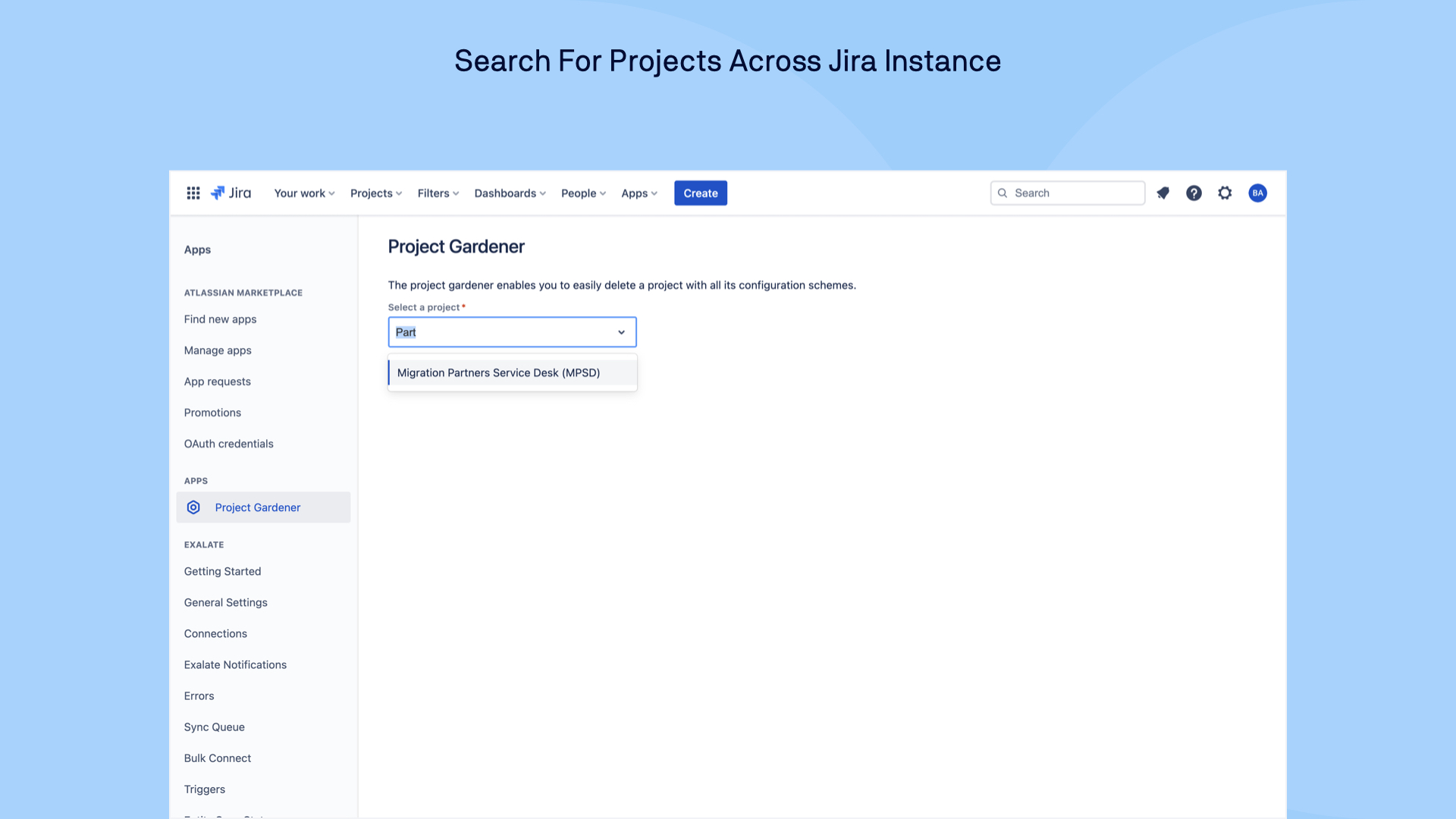
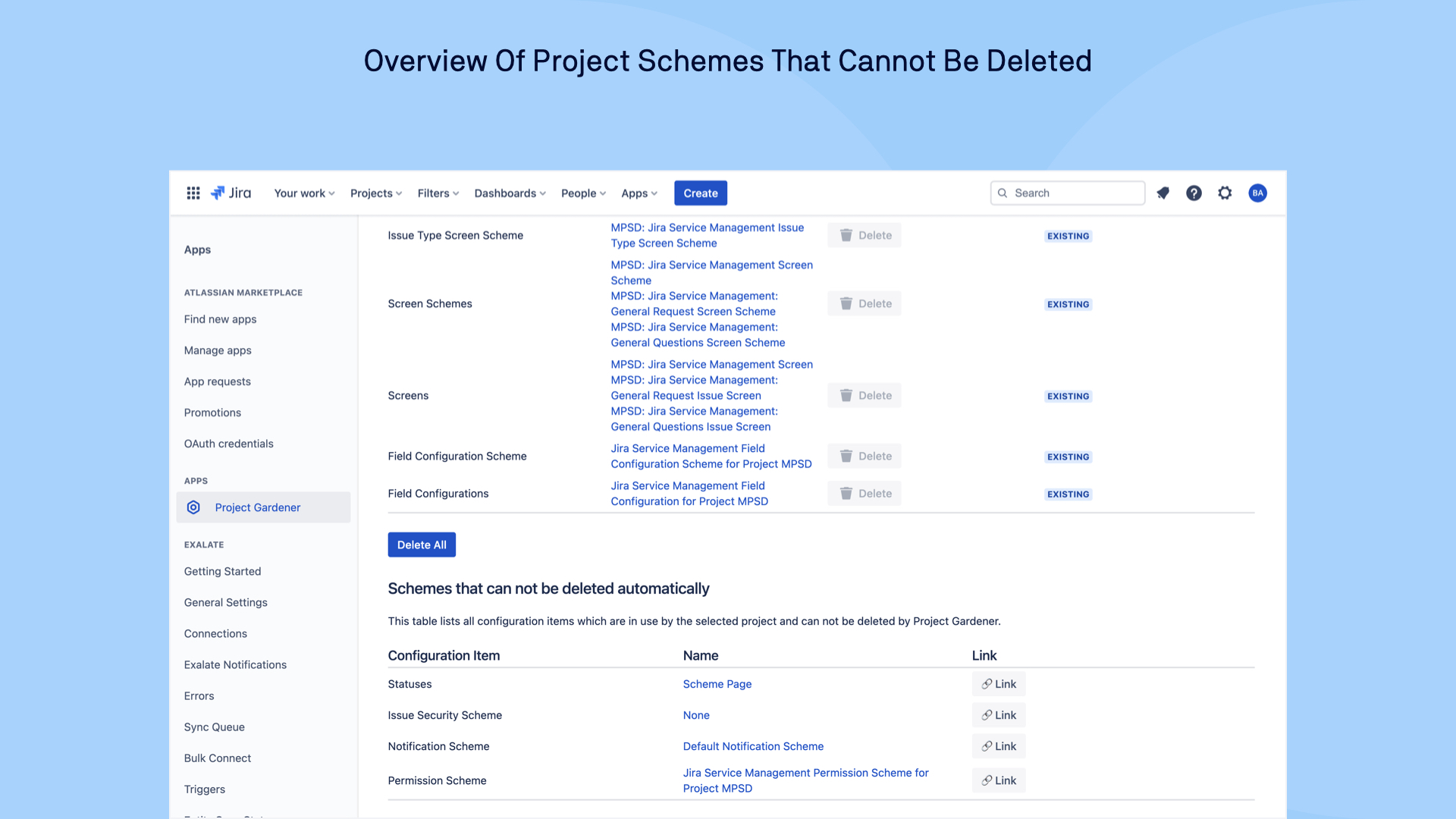
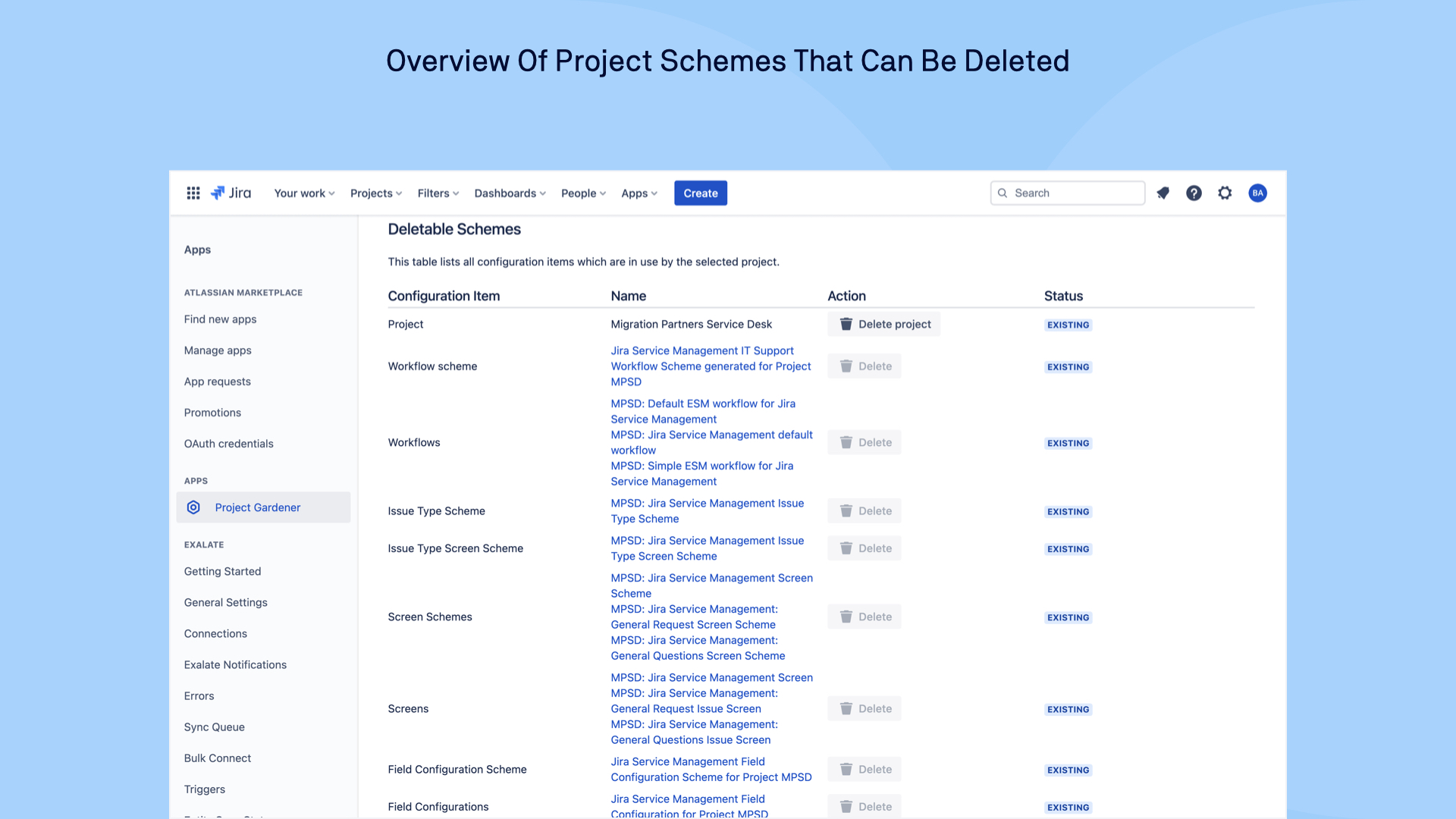
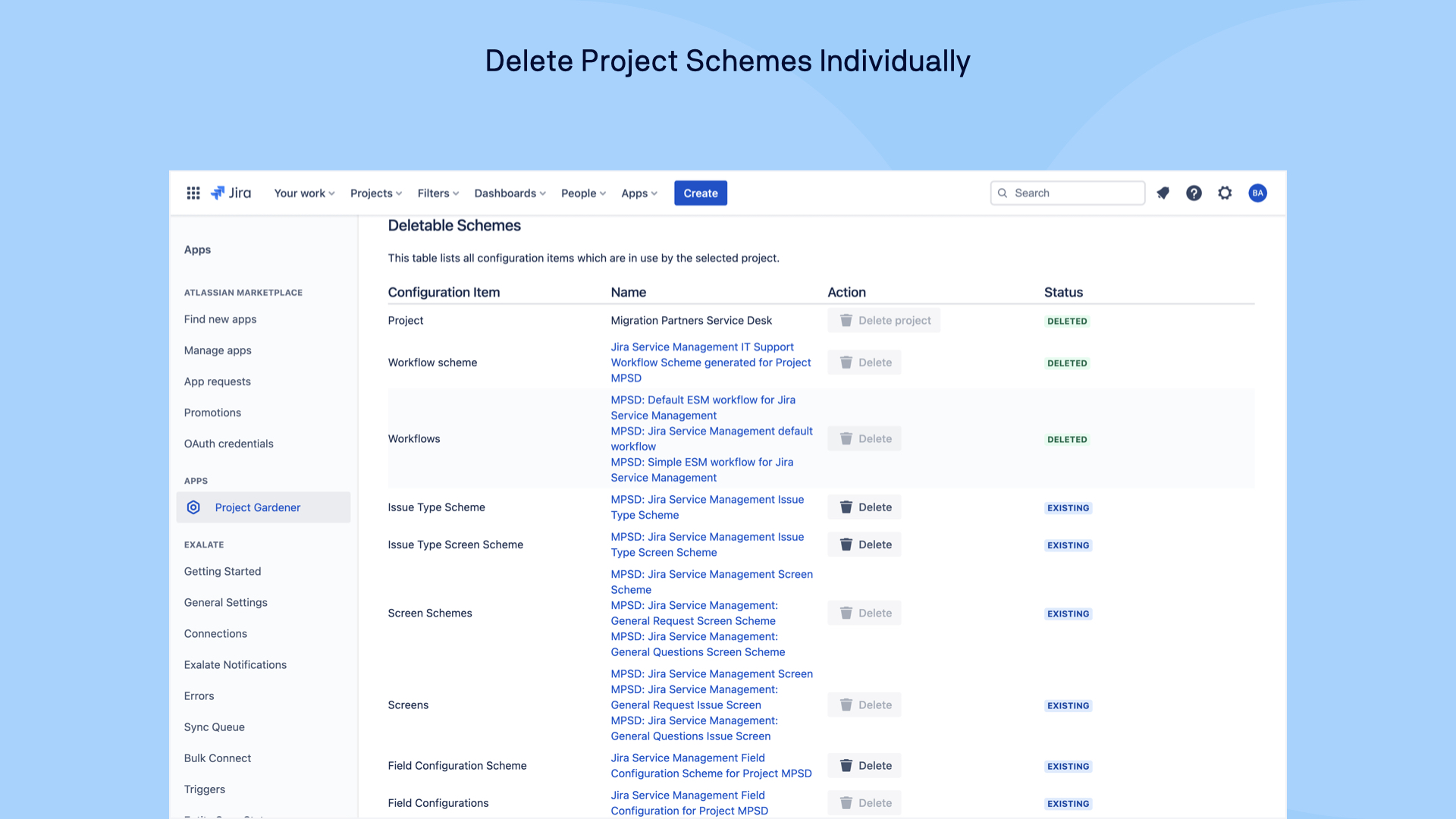
- Offering a condensed and simplified overview of all the schemes associated with a particular project on a single page.
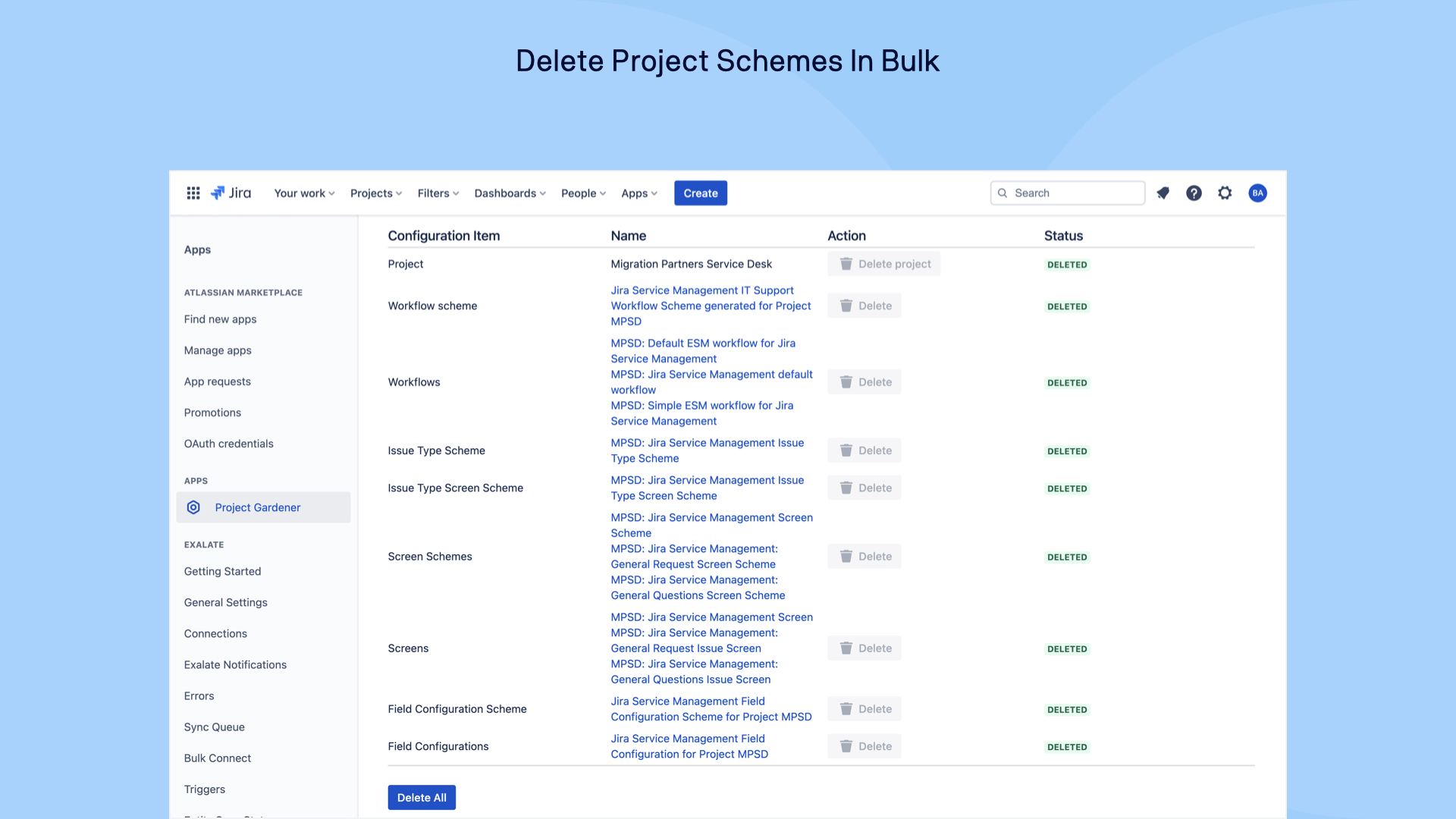
- Enabling deletion of all schemes either in one go or by selecting the schemes to be removed.
This way you can keep your test, production, or active instances tidy and don’t have to waste time manually going through each type of scheme and deleting them.
How we built it
- The app is completely built with Forge.
- UI Kit by Forge employed for creating the app UI.
- REST APIs used to fetch the information and delete the schemes.
Challenges we ran into
- Limited by the layout options in UIKit as they are very basic, e.g. not possible to adjust table column width.
- It’s hard to work collaboratively on Forge as multi-ownership of an app is not yet available.
Accomplishments that we’re proud of
During our development of the app, an alpha tester tested migrations of Jira projects in the Cloud. His feedback gave us a much-needed boost:
I love how I can simply delete a project in the Cloud now to test my migration! 🎉 Project Gardener for Jira makes my life easier!
What we learned
Setup of a Forge development workflow with Bitbucket to publish apps to production.
For a better UI, we’d need to use Custom UI for now.
What’s next for the Project Gardener?
Show which projects still use some schemes that are listed for a project.
Display orphaned schemes/configuration items after a scheme deletion and offer ways to clean them up.
Publish the app on the Atlassian Marketplace.



Log in or sign up for Devpost to join the conversation.