-
-
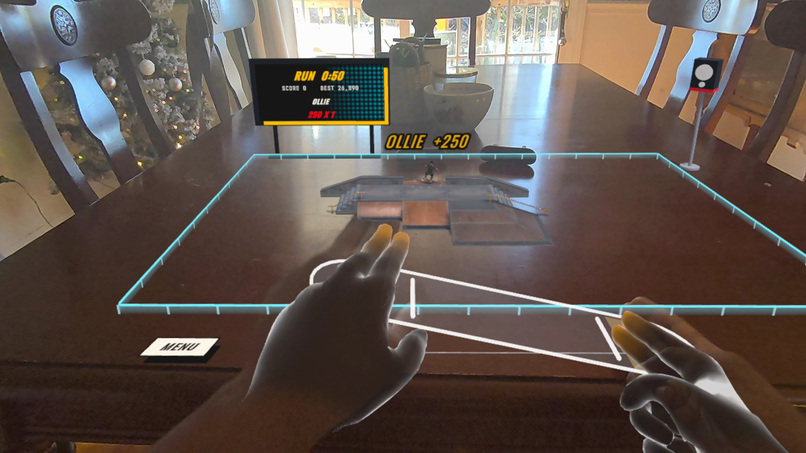
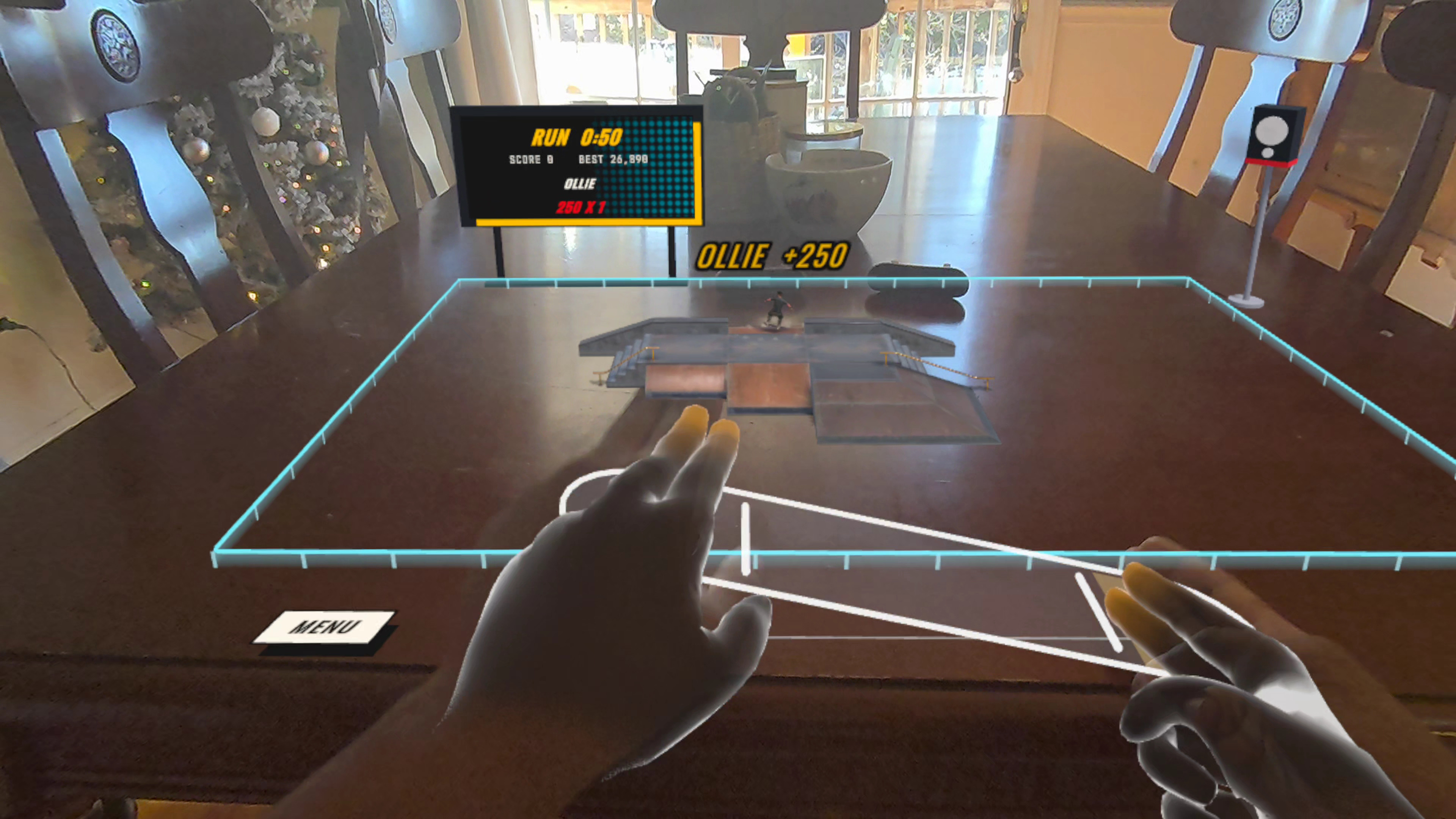
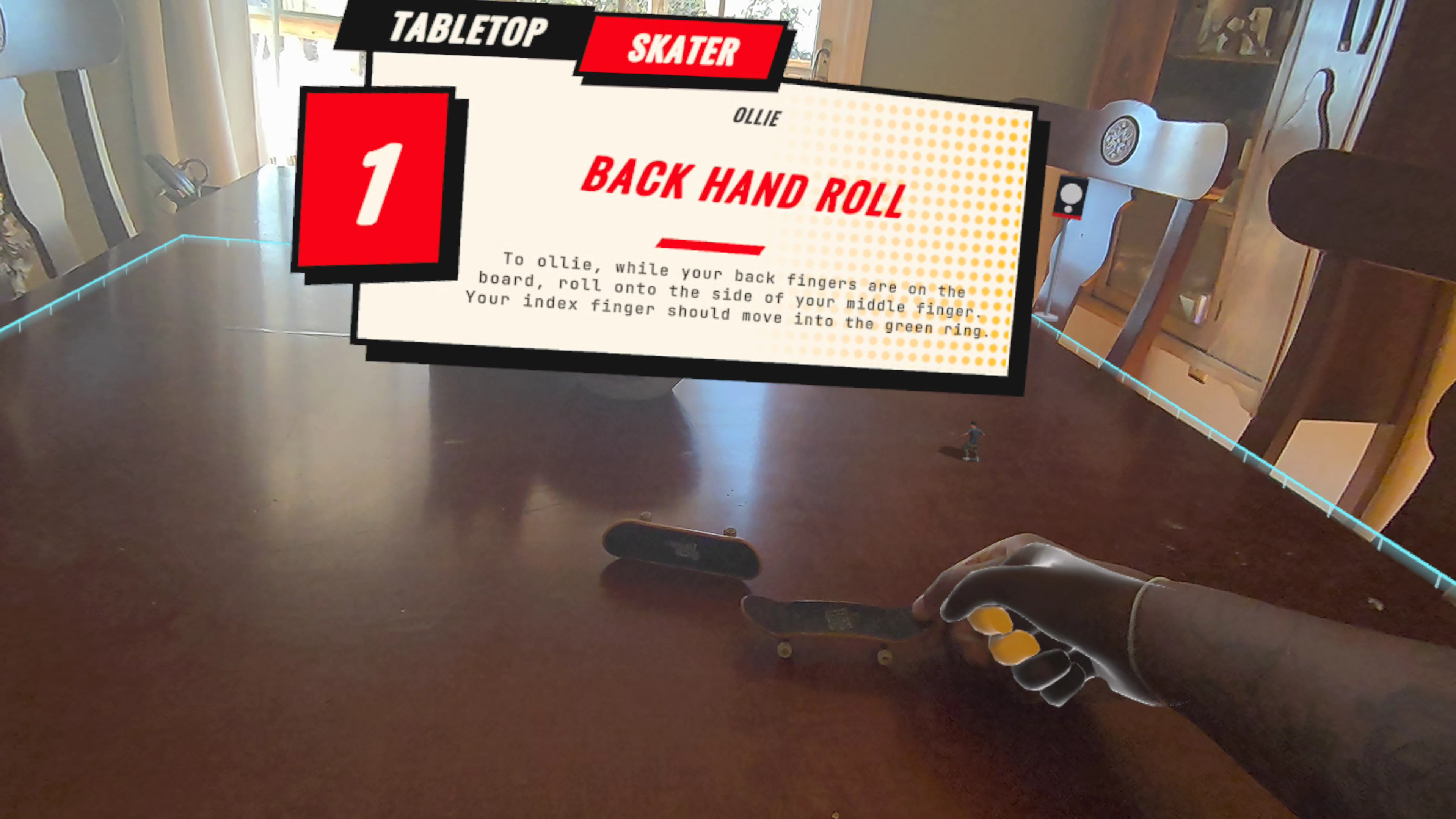
This is an ollie in action. Your fingers control the skater, lifting the board into the air and bringing it back down for the landing!
-
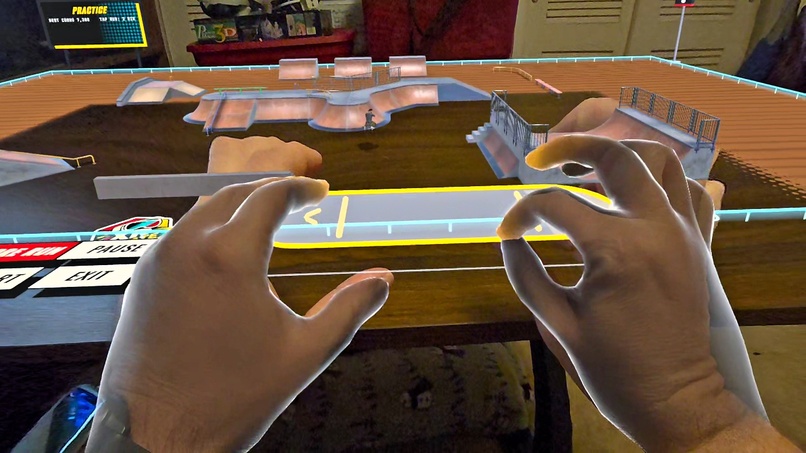
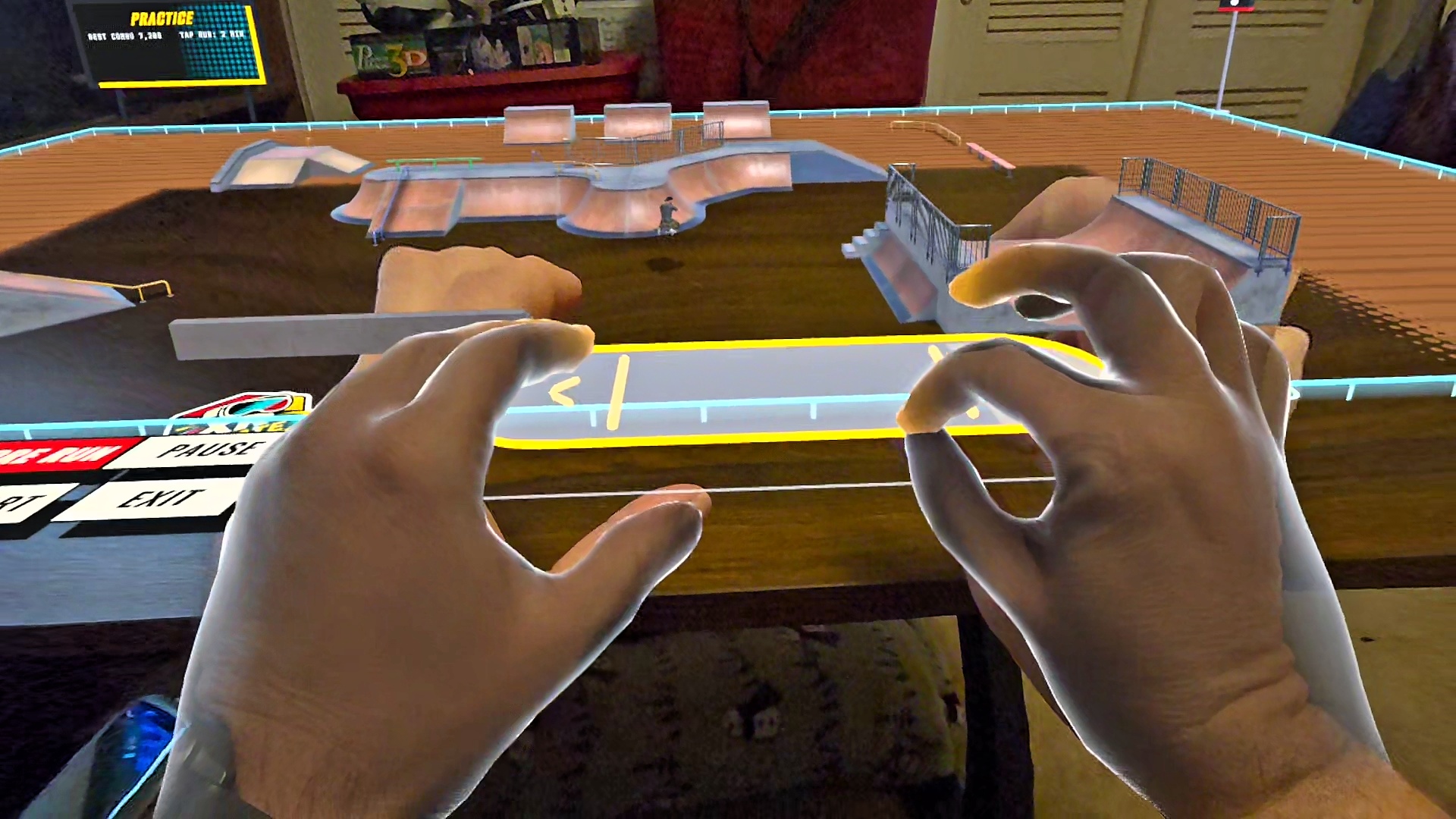
Pinch the board while it’s in the air to make your skater do a grab!
-
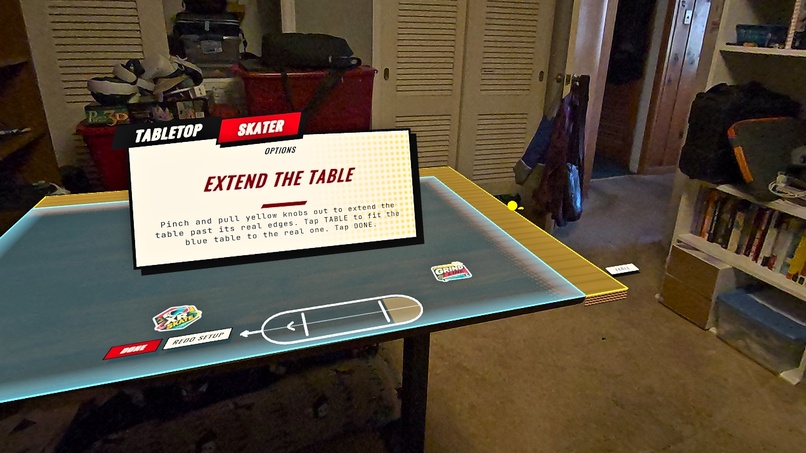
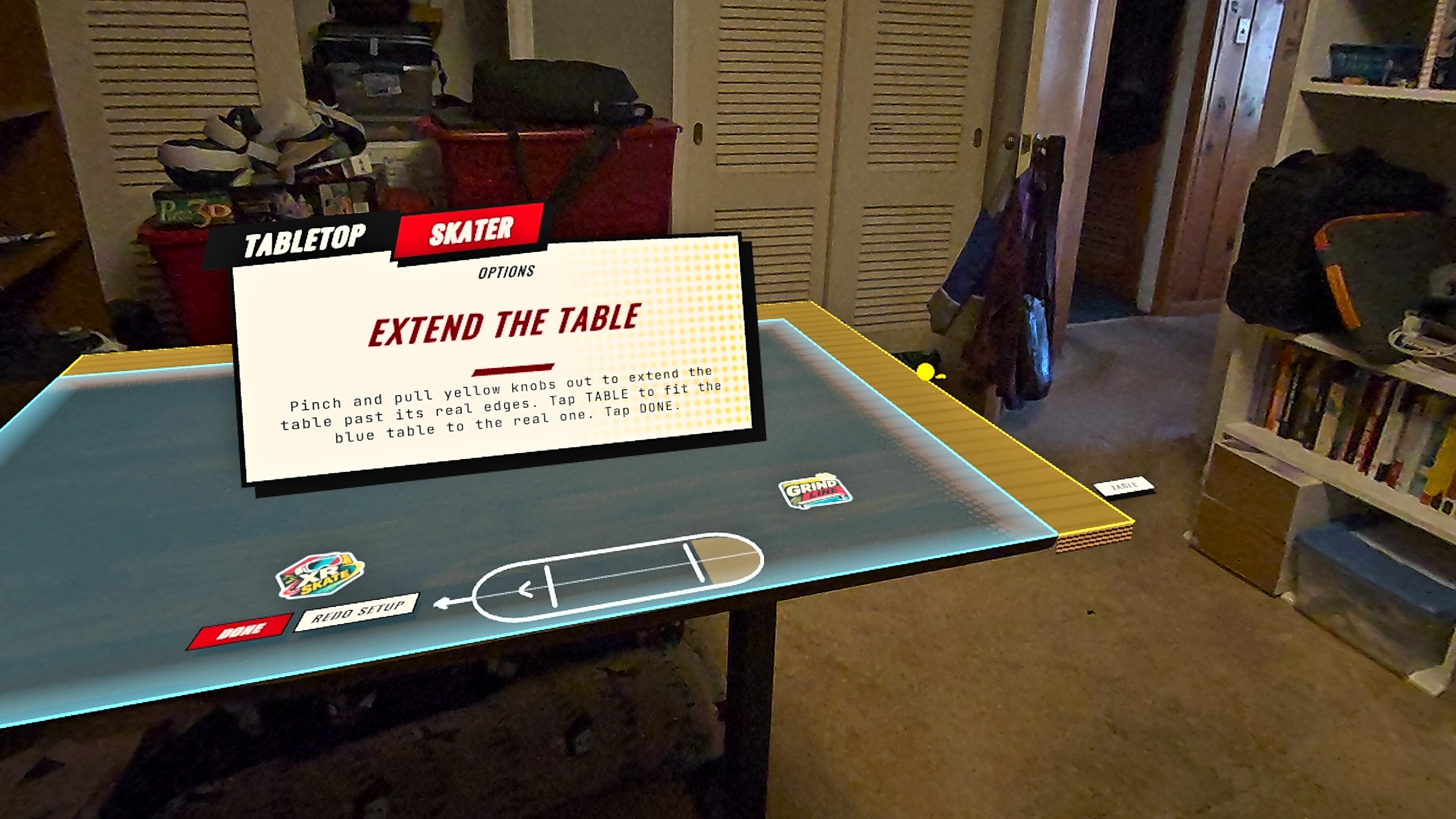
This is the table setup screen. The Quest scans your room to find your table, and you can adjust the play area if needed!
-
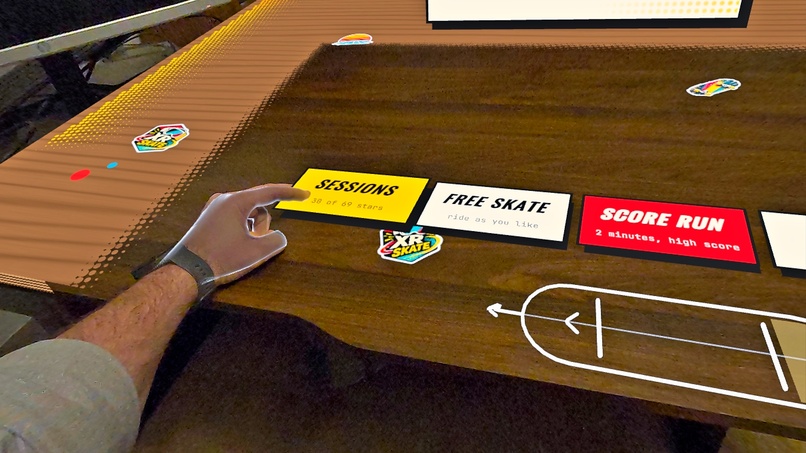
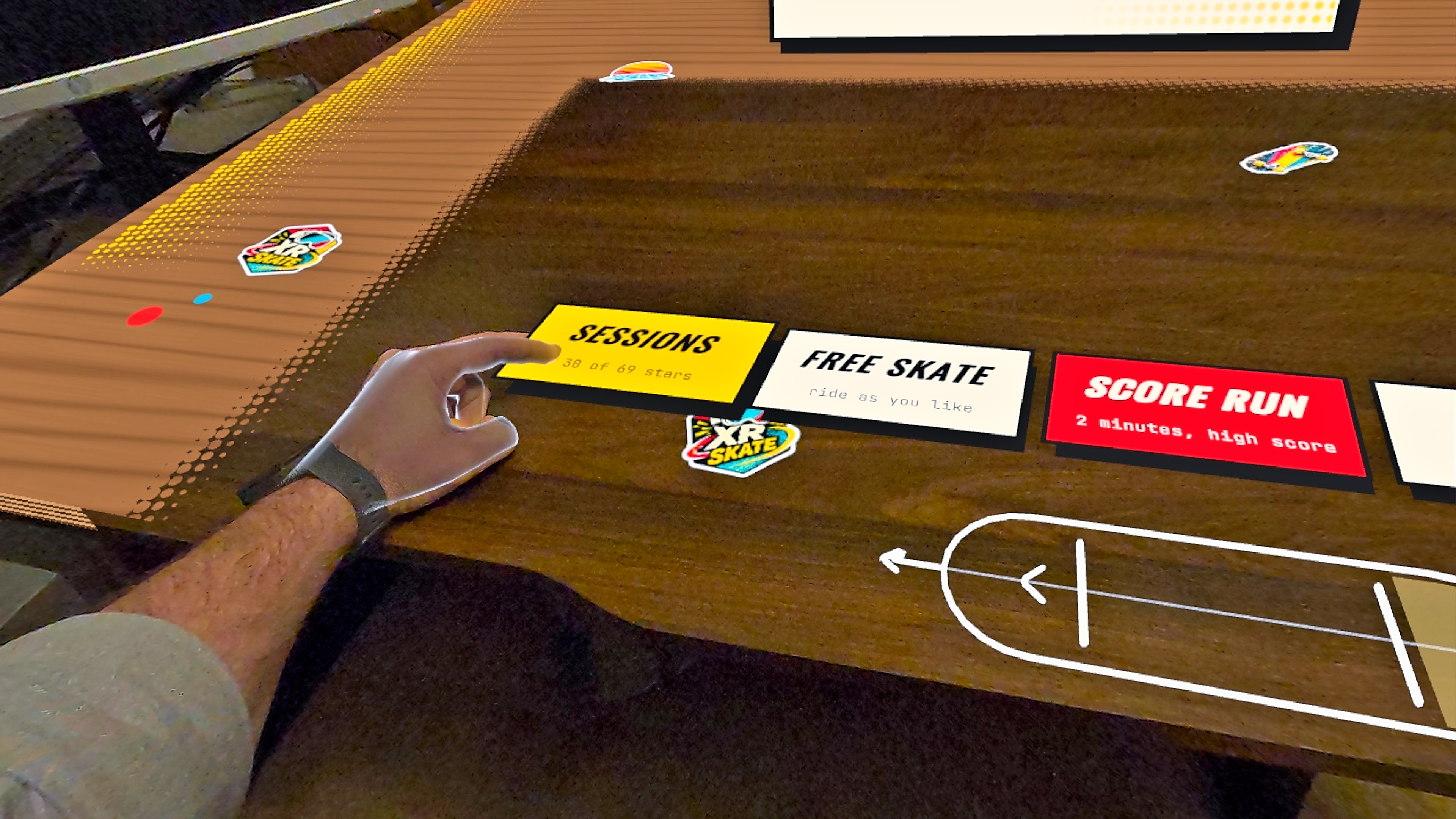
This is the main menu screen, where you can select which game mode you want to play!
-
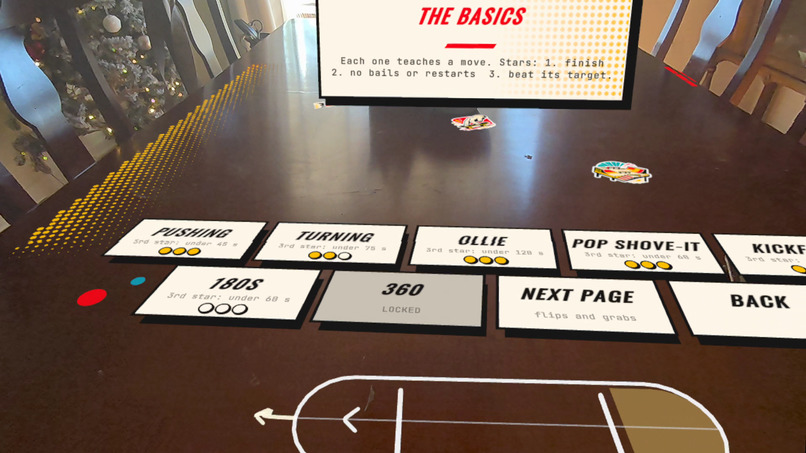
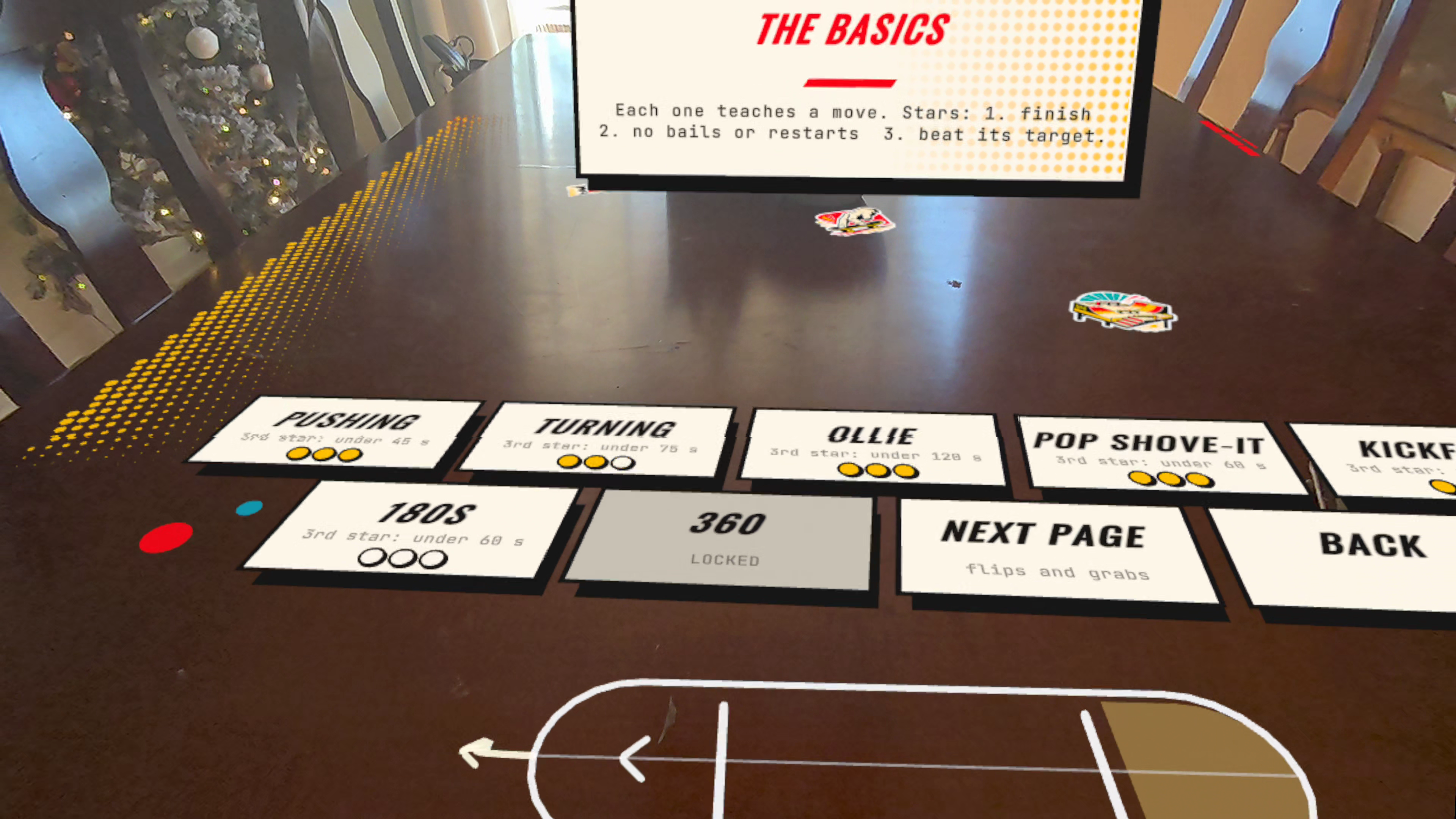
This is the “Sessions” menu, where you learn new tricks. Start with an ollie. Work your way up to flips, grabs, and spins!
-
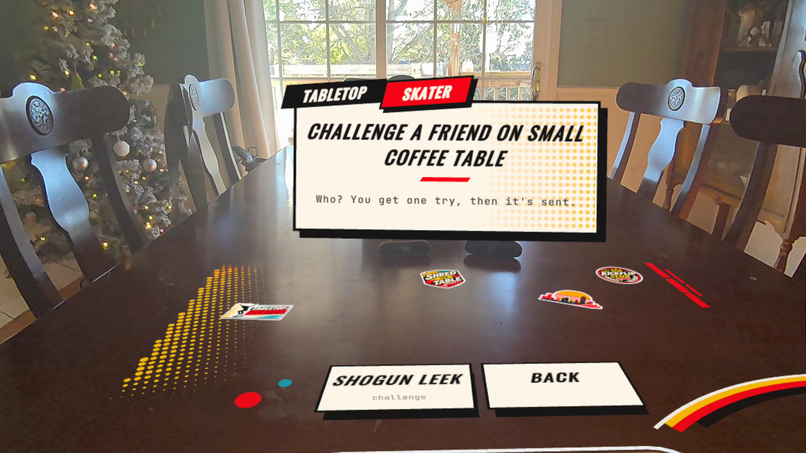
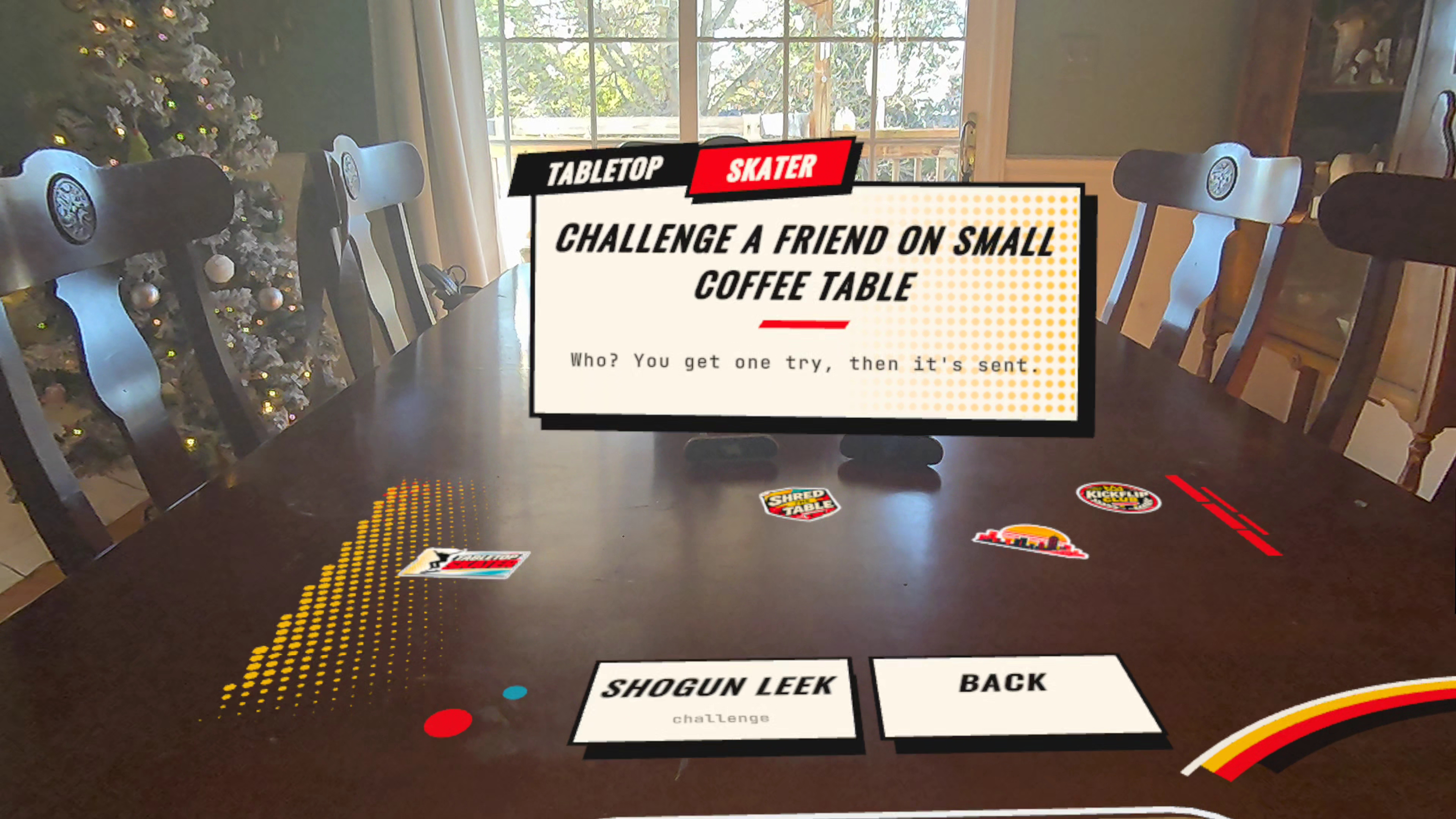
One run. One chance. Set a score and challenge a friend to beat it!
-
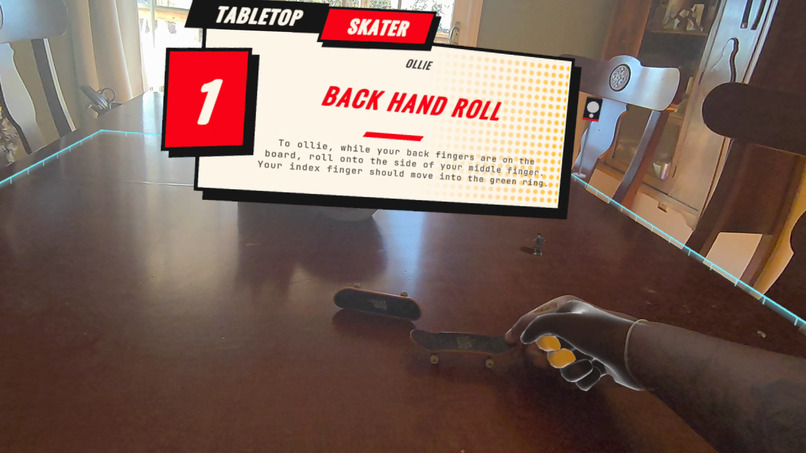
We had to do a little Tech Deck cameo…
-
Tabletop Skater Key art
-
TableTop Skater Icon
Inspiration
Tabletop Skater grew out of a conversation between the two of us. Richard had spent two months prototyping hand-interaction experiences for Quest, including Flow Wave and Musichi. KaleahVR was a professional fingerboarder in her youth and wanted a mixed reality fingerboarding game. We set out to explore a novel control scheme built on mixed reality and hand tracking. Without a physical board pushing back, mimicking fingerboarding would be a pale imitation, so we separated the skater from the controls: the idea of fingerboarding, the game of skateboarding in miniature.
What it does
Tabletop Skater is pick-up-and-play: a 5–10 minute break at work, at home or out and about. Skate a few runs on your desk, send a challenge to a friend, and get back to work. There are three modes, with more to come. Sessions teach tricks and how to score big. Free skate is for chilling out, finding lines and trying tricks. Scored runs put you on the leaderboards, or challenge a friend to beat your one-chance run. Your index and middle fingers are your feet, planted on the table for physical feedback. Roll your back hand and raise your front to ollie, just like a real ollie. The controls expand from there: slide the back hand for a shove-it, press down for a kickflip, pinch the board to grab, spin your hands to spin. Every trick is design dto feel great to land. The game wraps around your time instead of taking it over, so our first social mode is asynchronous: skate a 2-minute run, send it to a friend, and see if they can top your score.
How we built it
We built Tabletop Skater in Unity 6 with URP and OpenXR, using XR Hands for hand tracking and Meta’s OpenXR features through AR Foundation for passthrough, table detection and persistent anchors. The skater runs on our own skateboarding physics, riding the collision meshes of a skatepark kit we arranged into parks by hand in the Unity Editor, each sized for a common table. A rigged skater is posed procedurally, with ragdoll bails. Leaderboards and friend challenges use Meta’s Platform SDK, with recorded runs that play back as ghosts.
Challenges we ran into
Our biggest challenge is controls that are easy to understand but hard to master. Hand tracking is an organic input where discrete events are hard to detect, so we simulate skating’s fluid flow and add leeway wherever we can, keeping the game hard but never unfair. Frankly, we still have a way to go to get the controls exactly where we want them to be. We also found teaching movements to be challenging, and ran out of time, for this reason, we limit the sessions available in the hackathon build.
Accomplishments that we’re proud of
I’ve always loved a nice shadow from an MR object on a real surface, and our skater looks well-grounded on the table. We’re proud of the feeling the controls give of an ollie and the potential to continue to expand and refine the input. We’re also proud of how we blend the physical table with virtual elements: buttons, the skate deck, stamped stickers, and Meta APIs that detect tables and save spots with anchors.
What we learned
Small tracking fluctuations, occlusion or lost tracking can cause lost control or unintended input, which is frustrating. Smoothing, prediction and more are implemented to make sure players land moves on skill, not the limits of the controls. We also learned to treat hand tracking and Meta’s APIs as tools to use creatively.
What’s next for Tabletop Skater
We’ll launch the store page to capture wishlists while we build toward early access. The plan: 100+ Sessions with new moves, sequences and challenges, and an XP system unlocking boards, characters and, of course, stickers for your table. Add a new asynchronous challenge mode and ever-better controls, and that’s just the start.
Built With
- blender
- c#
- claude
- handtracking
- metavr
- photoshop
- platformsdk
- sceneunderstanding
- unity
- visual-studio
- xroperator
- xrsimulator


