-
-
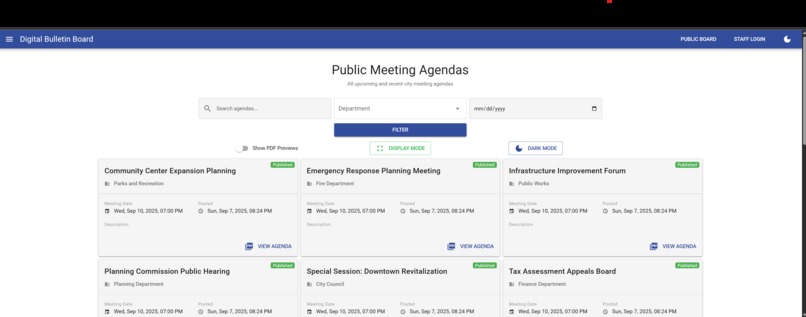
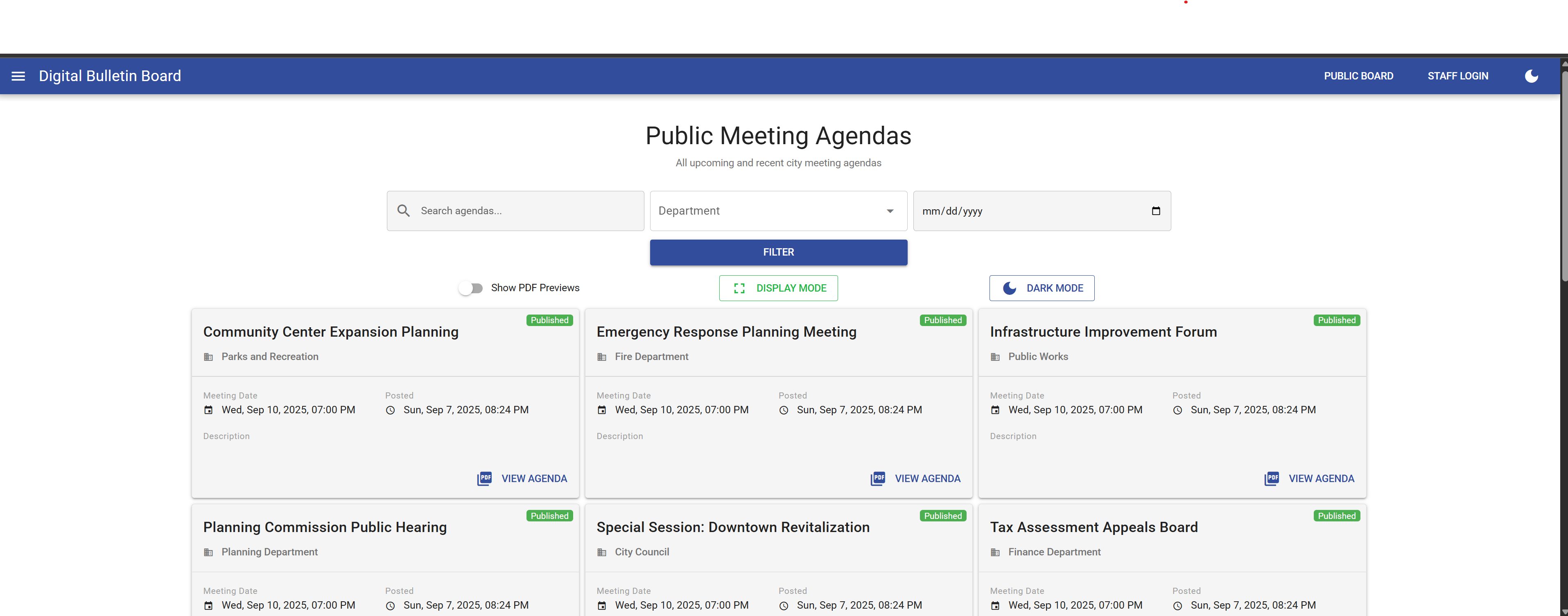
Bulletin Board - Browse Mode (Default)
-
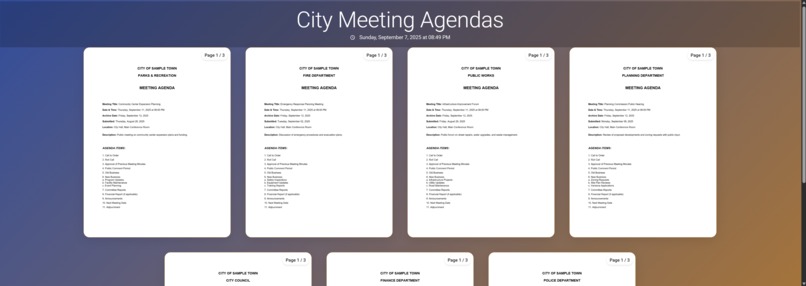
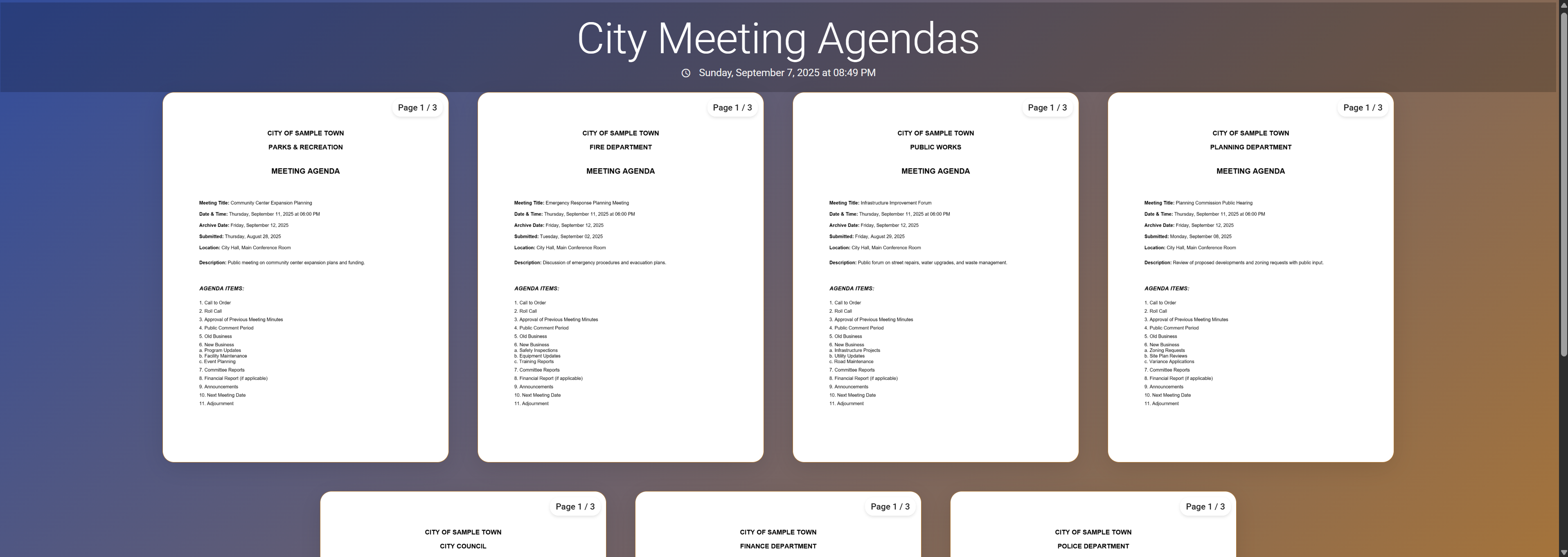
Bulletin Board - Display Mode
-
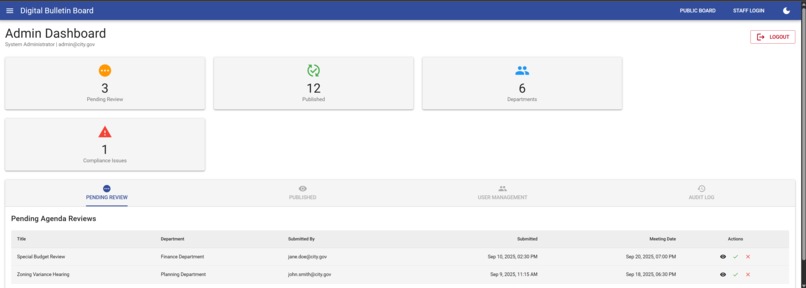
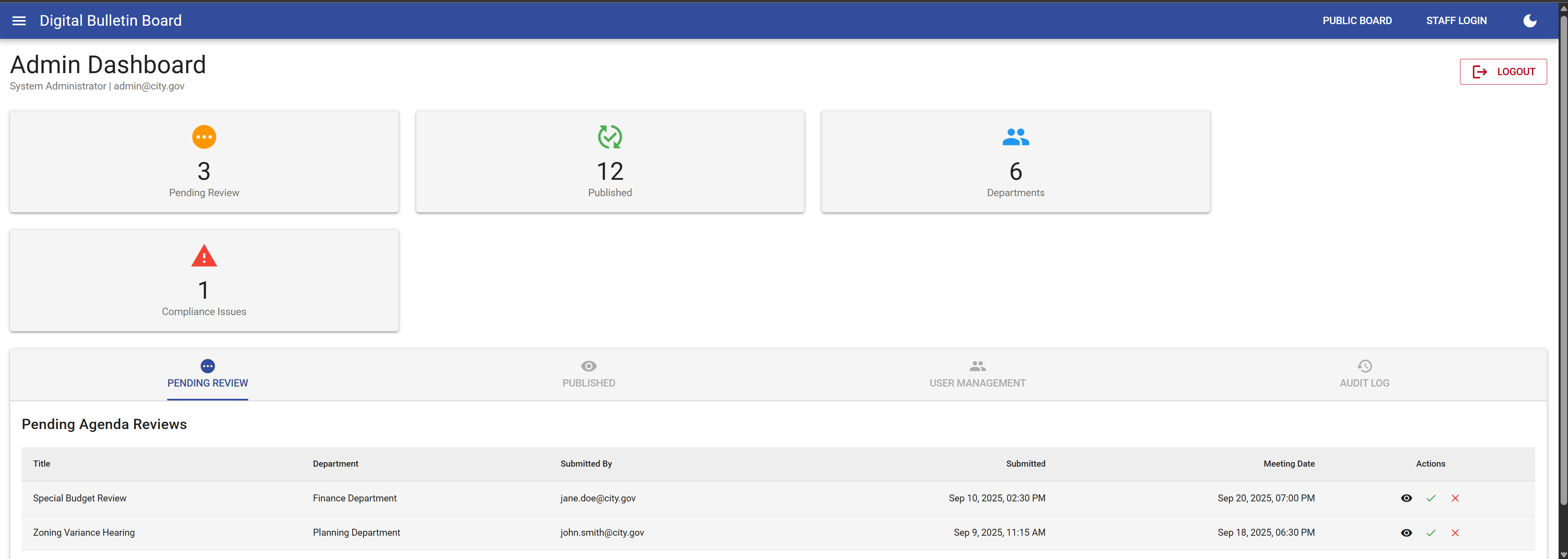
Admin Dashboard
-
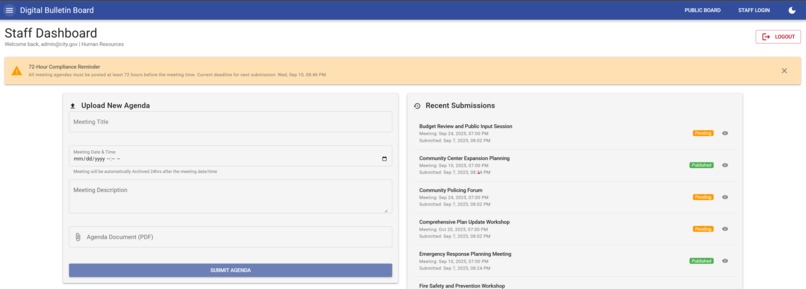
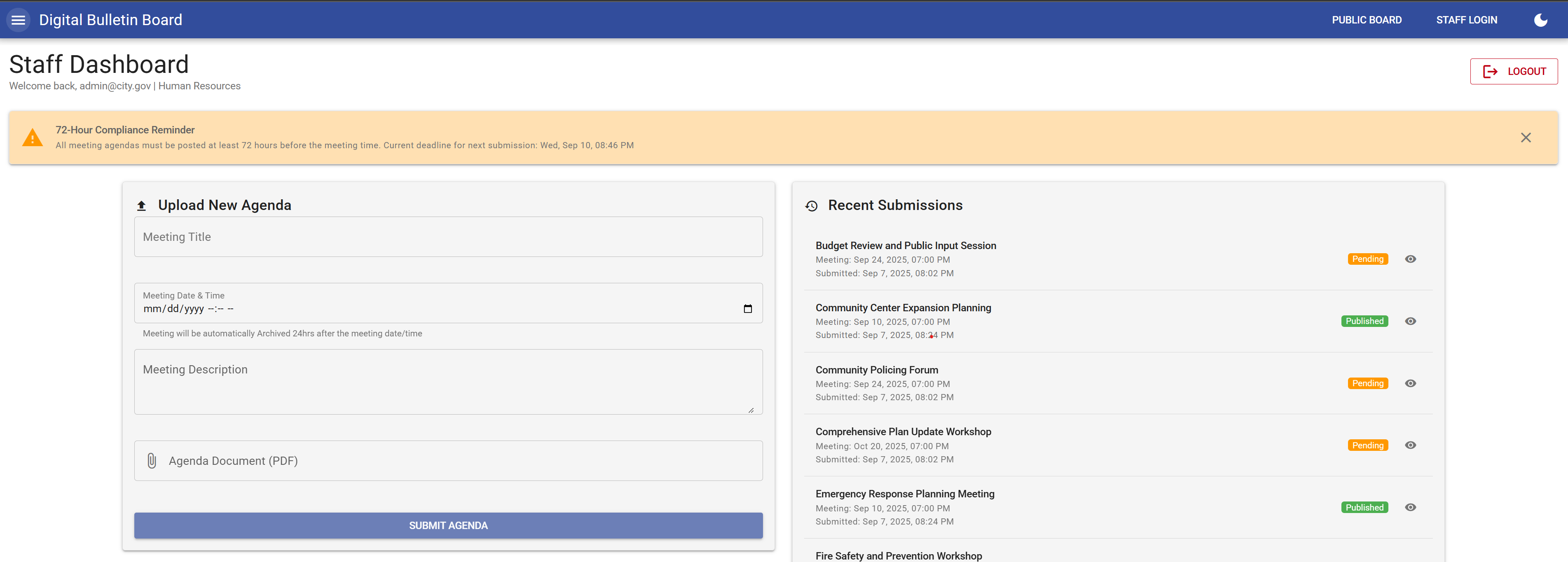
Staff Dashboard
-
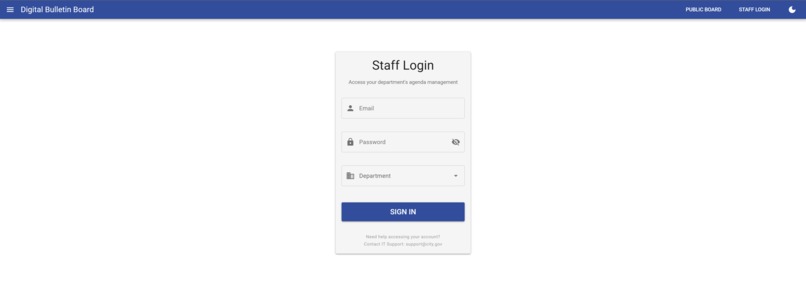
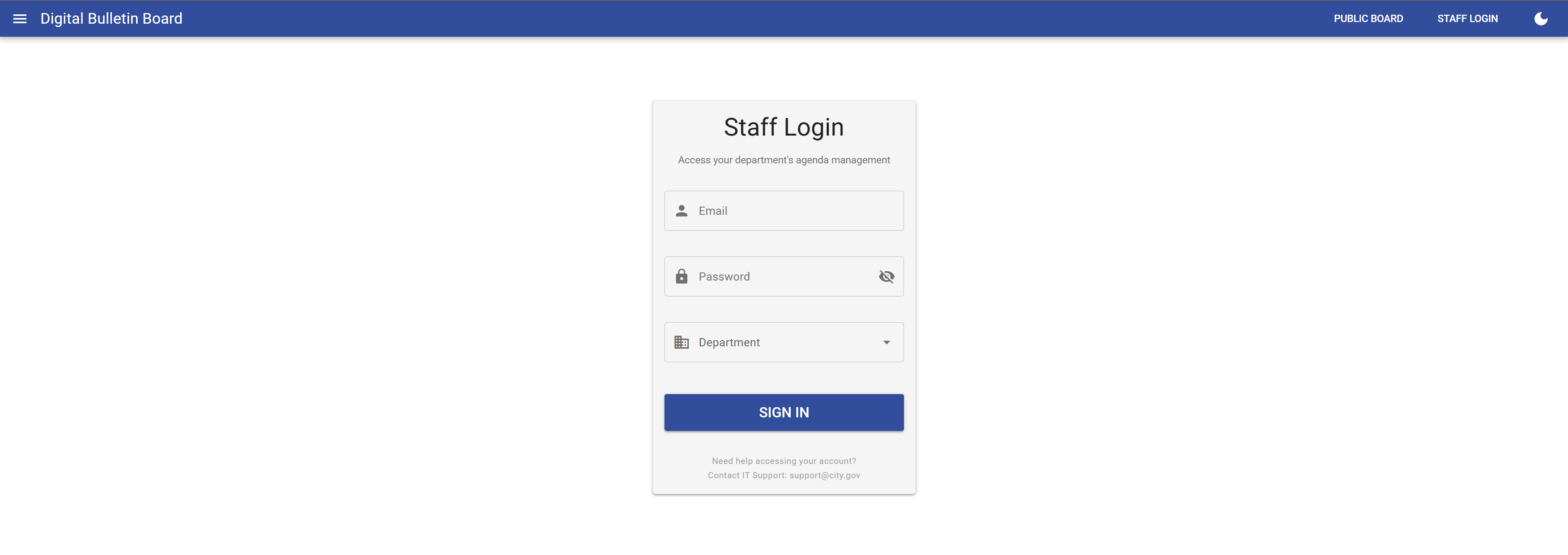
LogIn
Inspiration
Cities are legally required to make meeting agendas available to the public at least 72 hours in advance. Right now, this is often done by literally pinning papers on a bulletin board at city hall. The inspiration came from modernizing that outdated process into something digital, accessible, and easy to manage.
What it does
The Electronic Bulletin Board is a secure web app that allows city staff to upload meeting agendas and supporting documents, while the public can easily view them online. It supports:
- Direct agenda uploads to S3 using pre-signed URLs
- A clean board page where the public can view upcoming meetings
- Admin and staff dashboards (with role-based views)
- Display and dark modes for flexible presentation
- PDF previews with a toggle option
How we built it
- Frontend: Vue.js + Quasar Framework for the UI and responsive layouts
- Storage: Amazon S3 for hosting and storing agendas
- Upload Handling: Pre-signed S3 URLs for direct file uploads
- Access Control (Demo): Basic role selection based on email (future integration with AWS Cognito planned)
- Monitoring: Functions to periodically check S3 for new uploads
- Hosting: Static site deployed via S3 + CloudFront
Challenges we ran into
- Rendering PDFs correctly (initially only page counts were showing)
- Designing around time constraints — prioritizing demo-ready functionality over deeper backend integration
- Handling large agenda files (50–100MB PDFs with 100+ pages) efficiently
- Balancing the need for real authentication vs. keeping the demo lightweight
Accomplishments that we're proud of
- Fully working agenda upload flow from frontend to S3
- Smooth PDF rendering with previews
- Clean, intuitive board UI that works well on public displays
- Flexible “Display Mode” and “Dark Mode” for accessibility and usability
- Delivering a functional demo with both staff and admin roles in a short timeframe
What we learned
- Pre-signed S3 URLs are a powerful way to streamline file uploads without heavy backend code
- Simple role-based logic can be enough to validate workflows in a demo setting
- UI details like dark mode and preview toggles, while small, make a big difference in usability
- Managing large files requires more planning around optimization and backend processing
What's next for project-electronic-bulletin-board
- 🔐 Integrate real authentication and role management with AWS Cognito
- 🔐 Add custom domain support and https using AWS Route 53 and AWS Cloud Front
- 🗂 Build a proper API with AWS API Gateway + AWS Lambda + AWS DynamoDB to track uploads and agenda metadata
- ⚡️ Add optimization/processing for large PDF files during upload
- 🔔 Replace polling with event-driven notifications (S3 → Lambda → API Gateway) for real-time updates
- 📊 Expand the admin dashboard beyond static UI to include real stats and activity tracking
- 🌍 Work with municipalities to pilot and validate the system in real-world use
Demo
Staff Account:
- Email:
[email protected] - Password:
password - Department: Any department
Admin Account:
- Email:
[email protected] - Password:
password - Department: Any department
Pages:
- Board (Published Agendas Only) – Shows agendas published within the next 72 hours. Past meetings are archived; future meetings are pending.
https://d1r6yvp4doepfd.cloudfront.net/#/board?display=true
Built With
- amazon-web-services
- javascript
- lambda
- python
- quasar
- s3
- vue


Log in or sign up for Devpost to join the conversation.