-
-

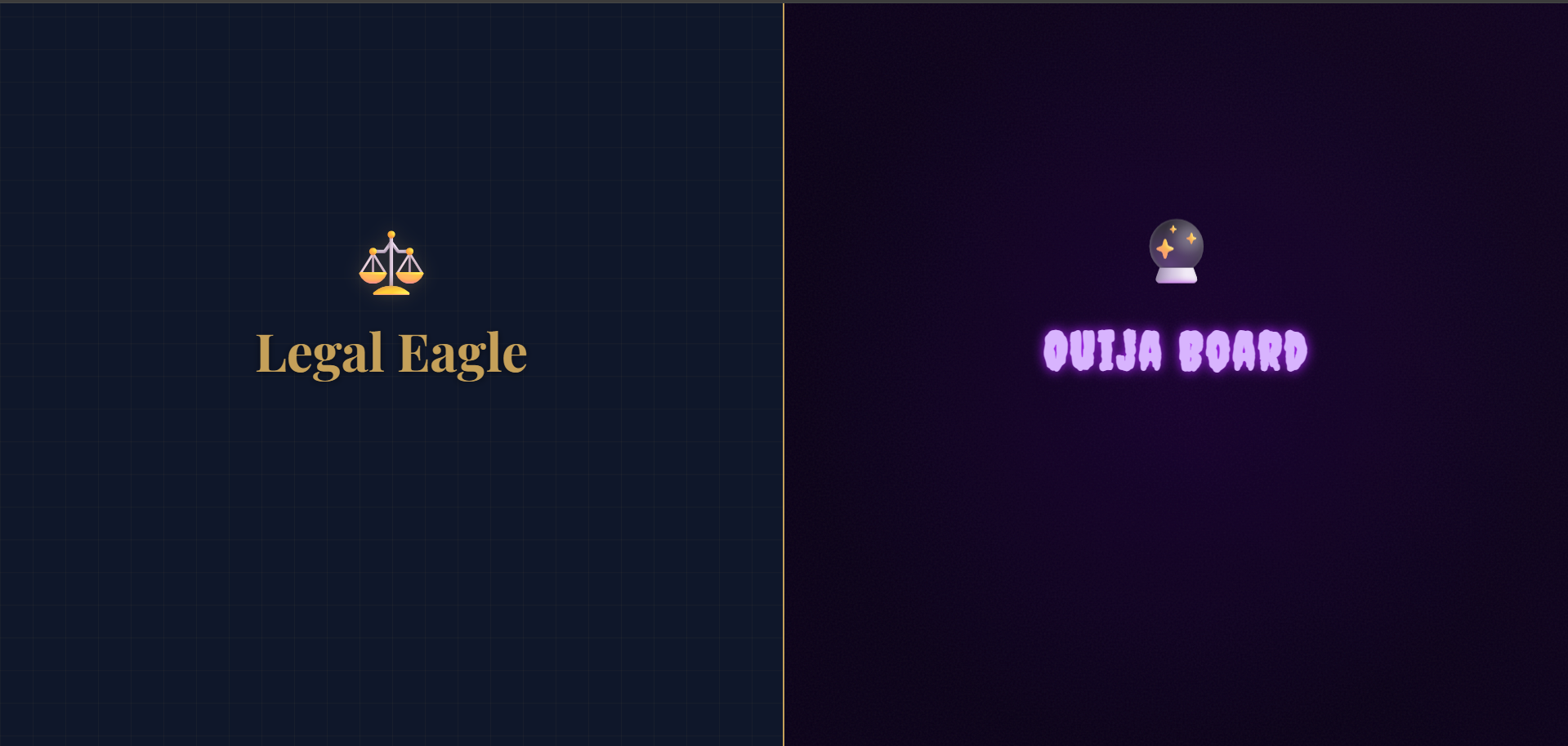
Launcher
-
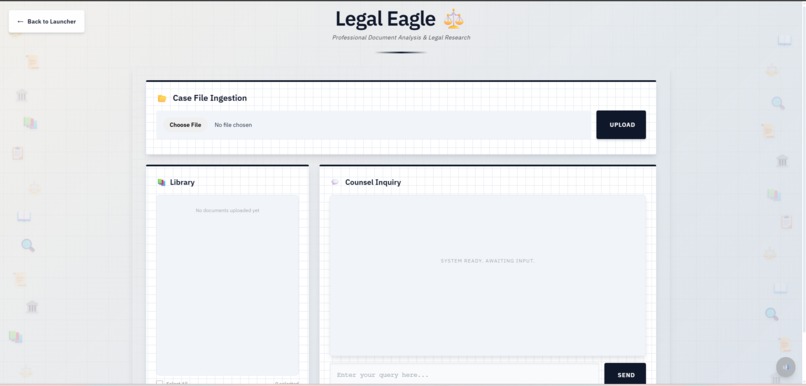
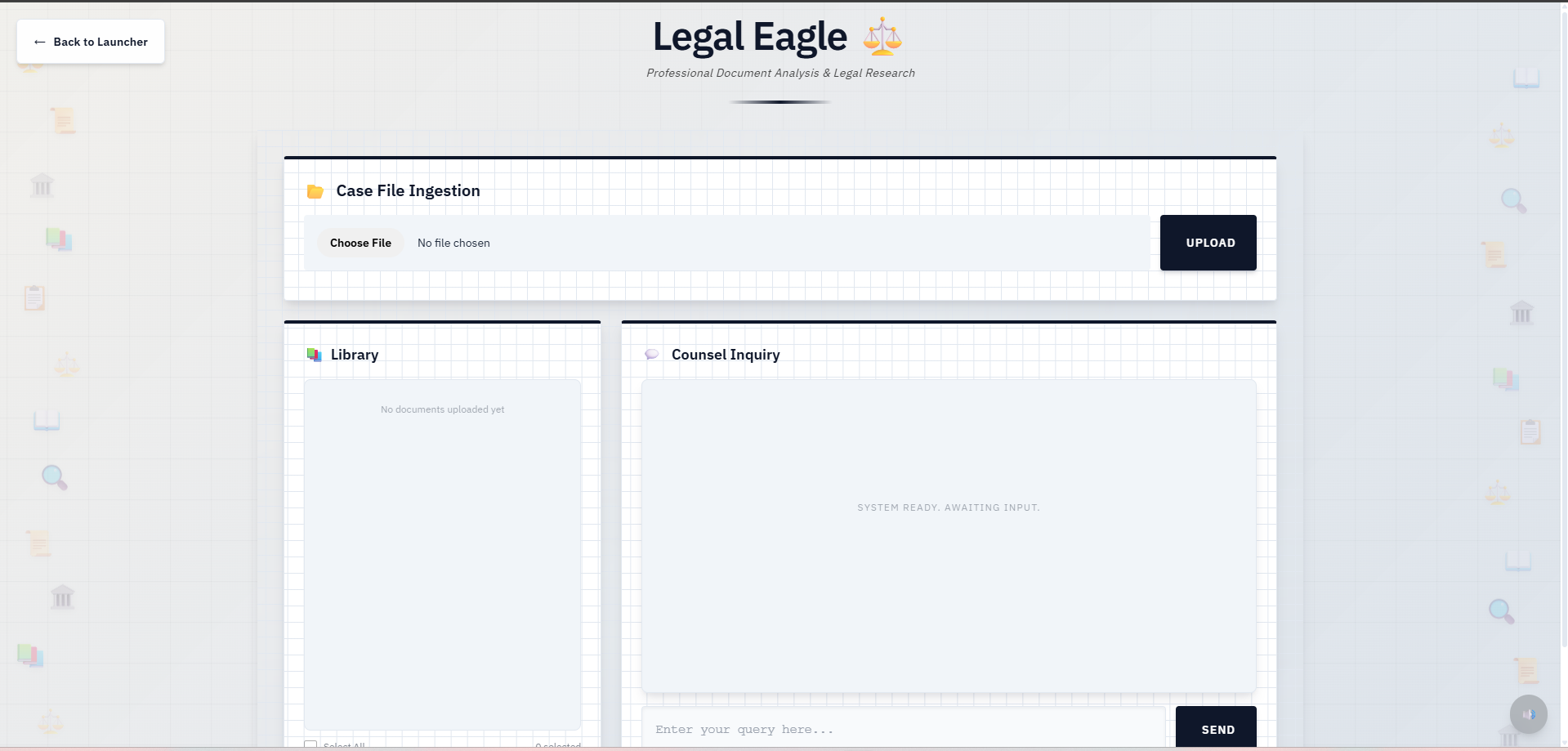
Legal Eagle
-
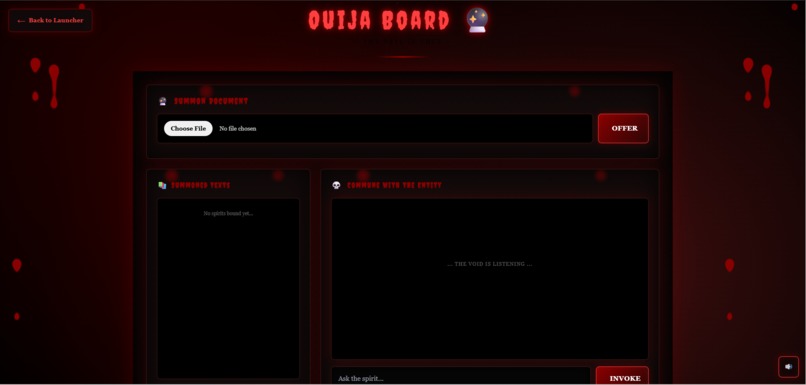
Oujia Board
Inspiration
As a junior developer encountering RAG (Retrieval Augmented Generation) for the first time, I was intimidated by the complexity of building a document chat system. But the Kiroween theme sparked an idea: what if I could build ONE skeleton that could transform into ANY personality? Like a shapeshifter, the same core logic could become a professional legal assistant or a mystical spirit channeling documents from beyond the veil. This "skeleton + apps" architecture would prove that RAG systems don't need to be monolithic—they can be modular, reusable, and fun.
What it does
Project Corpus is a production-ready RAG skeleton that lets you chat with uploaded documents through configurable AI personalities. The core innovation is the skeleton + config pattern: one reusable skeleton_core module powers multiple distinct applications, each with its own personality, theme, and behavior.
Two Personalities Showcase:
- Legal Eagle ⚖️: Professional legal document analysis with formal responses, blue corporate styling, and typewriter sound effects
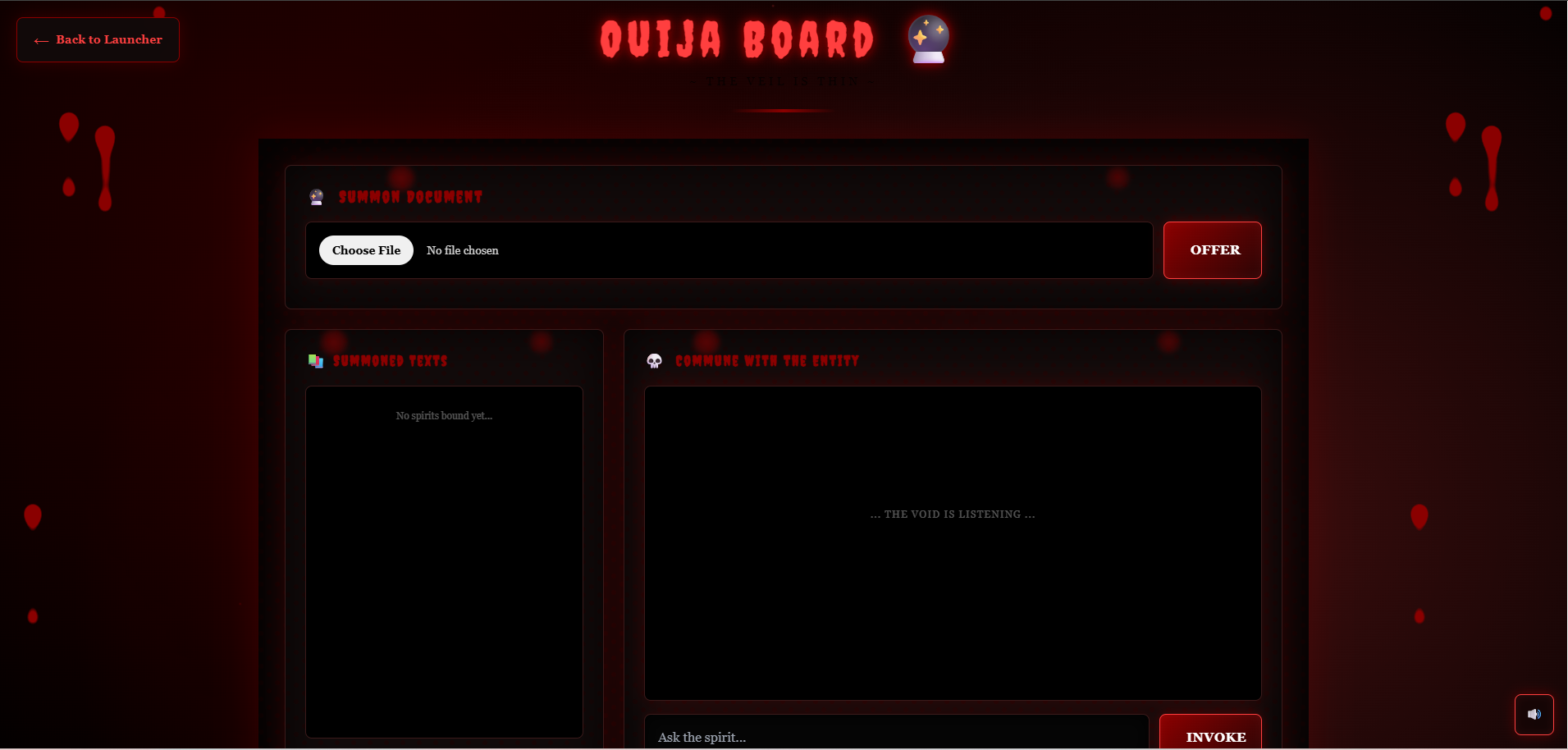
- Ouija Board 🔮: Mystical document exploration with cryptic responses, dark gothic aesthetics, blood drip animations, and ambient drone audio Key Features:
- Upload text/PDF documents with real-time progress tracking (SSE)
- Semantic search using ChromaDB + Google Gemini embeddings
- Page-aware chunking with accurate source citations
- Document library management with selective filtering
- Smart relevance filtering (only cites documents that actually contain answers)
- Fully responsive UI with accessibility support
- Comprehensive test suite using property-based testing
How I built it
Kiro-Powered Development Workflow
Vibe Coding (Primary Method) I relied heavily on conversational development with Kiro. As a junior developer learning RAG for the first time, I could ask questions like "How do I chunk PDFs by page?" or "Why are my embeddings returning irrelevant results?" and Kiro would generate working code while explaining the concepts. The most impressive generation was the entire upload pipeline with SSE progress tracking—Kiro understood I wanted real-time feedback and built the streaming architecture in one go.
Specs for UI Enhancement When my UI looked basic, I created a spec document describing the desired user experience: smooth animations, error handling, document management, and theme-specific styling. Kiro used this spec to systematically enhance the interface, adding features like:
- Sequential upload queue with progress bars
- Typewriter effect for AI responses
- Blood drip animations for Ghost theme
- ARIA labels for accessibility
- Steering Docs for Context I created four steering documents (tech.md, structure.md, product.md, personalities.md) that taught Kiro about my project's architecture. This was crucial because:
- Kiro always knew which files to modify without breaking the skeleton pattern
- It understood the config-based personality system
- It maintained consistency across both app modes
- When I asked "add a new feature," Kiro knew exactly where it belonged
- Agent Hooks for Quality I built 6 automated workflows:
- config-validator.kiro.hook: Validates config files have all required fields on save
- env-check-on-session.kiro.hook: Verifies GOOGLE_API_KEY exists when starting work
- test-runner-on-save.kiro.hook: Runs pytest automatically on Python file saves
- update-steering-on-config-change.kiro.hook: Reminds me to update docs when configs change
- vector-store-health-check.kiro.hook: Runs diagnostics on vector_store.py changes
- These hooks caught bugs immediately and kept documentation in sync.
Tech Stack Backend: Flask 3.1.0, ChromaDB 0.5.20, Google Gemini API 0.8.3 Frontend: Vanilla JavaScript, Custom CSS with theme variables Testing: pytest 7.4.3, Hypothesis 6.92.1 (property-based testing)
Challenges i ran into
RAG Learning Curve (Biggest Challenge) This was my first time building a RAG system. Understanding vector embeddings, semantic search, and chunking strategies was overwhelming. Kiro became my teacher—I could ask "why are my search results irrelevant?" and it would explain distance thresholds, embedding task types, and relevance filtering. Without Kiro's conversational guidance, I would have spent days reading documentation.
Relevance Filtering Initially, the system cited ALL documents for every query, even unrelated ones. I learned about distance-based thresholds and implemented a filter that only shows documents within 0.3 distance units of the best match. This made citations accurate and trustworthy.
Page-Aware Chunking Getting page numbers to persist through the chunking → embedding → storage → retrieval pipeline required careful metadata management. Kiro helped me trace the data flow and add page tracking at each stage.
Theme Switching Architecture Designing a system where one codebase could support radically different personalities (formal legal vs. mystical ghost) required careful abstraction. The config-based approach emerged from iterating with Kiro on the architecture.
Accomplishments that i proud of
Learning RAG in One Week As a junior developer, I went from zero RAG knowledge to building a production-ready system with vector search, embeddings, and semantic retrieval in 7 days. Kiro's vibe coding made this possible.
The Skeleton Pattern The architecture is genuinely reusable. Adding a new personality takes ~10 minutes: create a folder, write a config, done. This proves the "Skeleton Crew" concept works.
Production-Quality UI The interface isn't just functional—it's polished. Smooth animations, error handling, accessibility, audio integration, and theme-specific styling make it feel professional.
Comprehensive Testing I wrote 14 test files using property-based testing with Hypothesis. This was my first time using this approach, and Kiro helped me understand how to test UI behavior systematically.
Smart Source Attribution The relevance filtering ensures users only see citations from documents that actually contain relevant information. This builds trust in the AI's responses.
What i learned
Technical Skills:
- How RAG systems work (chunking, embeddings, vector search, retrieval)
- ChromaDB operations and cosine similarity
- Google Gemini API (both generation and embeddings)
- Server-Sent Events for real-time progress tracking
- Property-based testing with Hypothesis
- Accessibility best practices (ARIA labels, keyboard navigation)
Architecture Lessons:
- The power of config-based abstraction for reusability
- How to design modular systems that separate core logic from customization
- The importance of metadata (page numbers, source tracking) in RAG pipelines
Kiro-Specific Insights:
- Steering docs are game-changers: Once Kiro understood my project structure, every suggestion was contextually perfect
- Specs accelerate polish: Vibe coding is great for core features, but specs shine for systematic UI enhancement
- Hooks catch mistakes early: Automated validation saved me from broken configs and missing environment variables
- Conversational learning: Being able to ask "why?" and get explanations while building code is incredibly powerful for junior developers
What's next for Project Corpus
New Personalities:
- Detective 🔍: Investigative analysis with noir styling and mystery-solving prompts
- Scientist 🧪: Technical document analysis with lab aesthetics and data-focused responses
- Poet 📜: Creative interpretation with literary flair and verse-based responses
- Historian 📚: Archival research mode with vintage styling and contextual timelines
Advanced RAG Features:
- Multi-query retrieval (generate multiple search queries for better coverage)
- Re-ranking algorithms for improved relevance
- Citation highlighting (show exact text snippets in responses)
- Cross-document synthesis (answer questions spanning multiple documents)
Platform Enhancements:
- Additional document formats (DOCX, Markdown, HTML, CSV)
- Document preprocessing (OCR for scanned PDFs, table extraction)
- User authentication and document privacy
- Collaborative document libraries
- Export chat history as PDF/Markdown
Deployment & Scaling:
- Docker containerization
- Multi-user support with isolated vector stores
- Cloud deployment guides (AWS, Azure, GCP)
- Performance optimization for large document sets
Log in or sign up for Devpost to join the conversation.