-
-
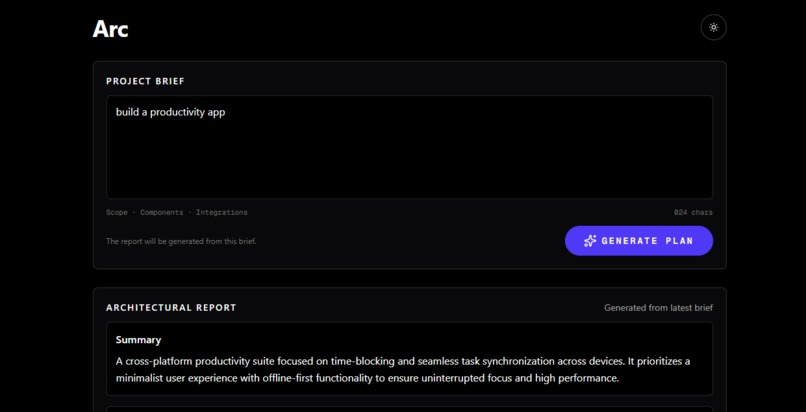
Prompt
-
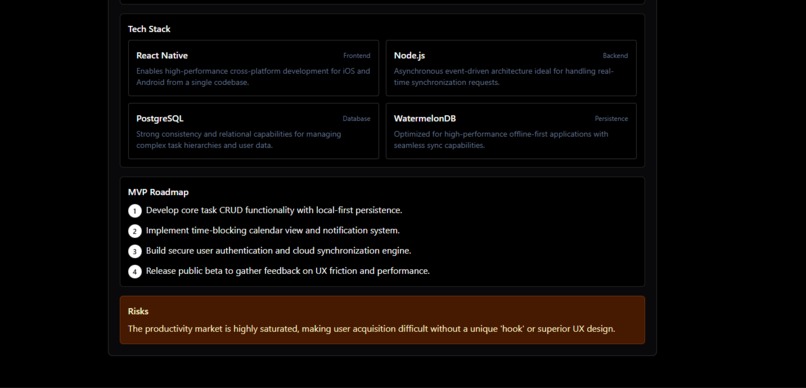
Tech-Stack and MVP
-
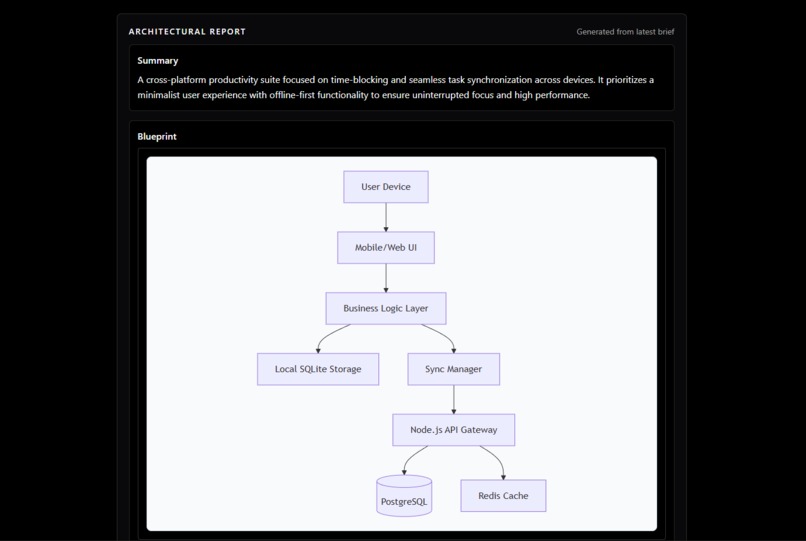
Flowchart
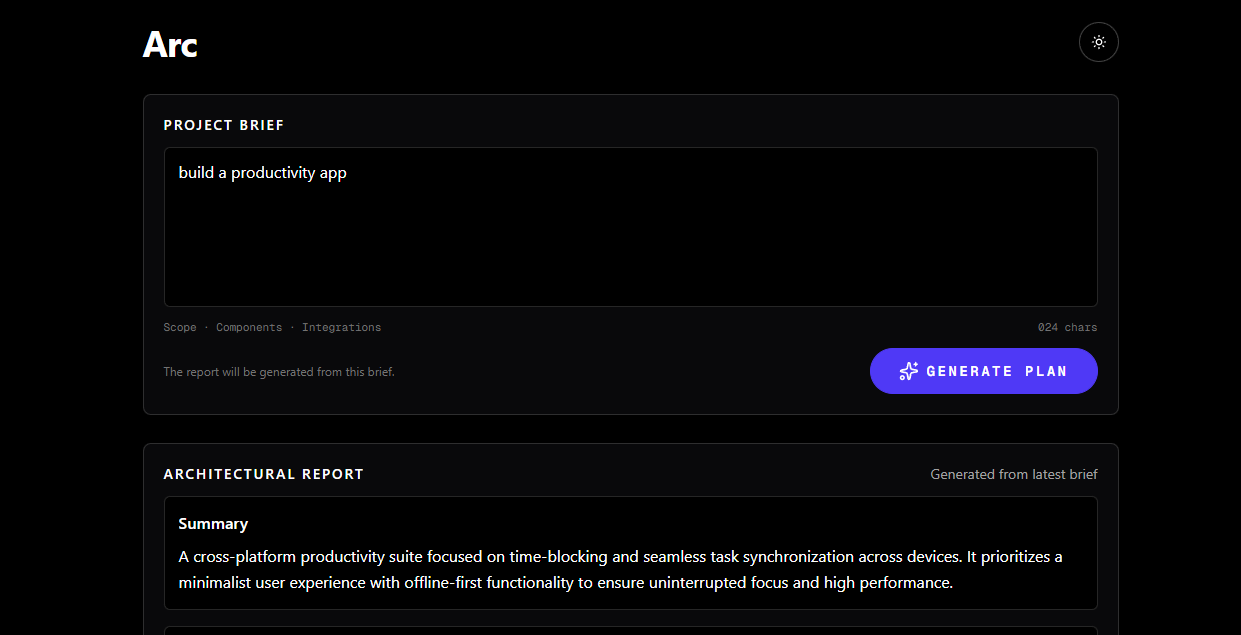
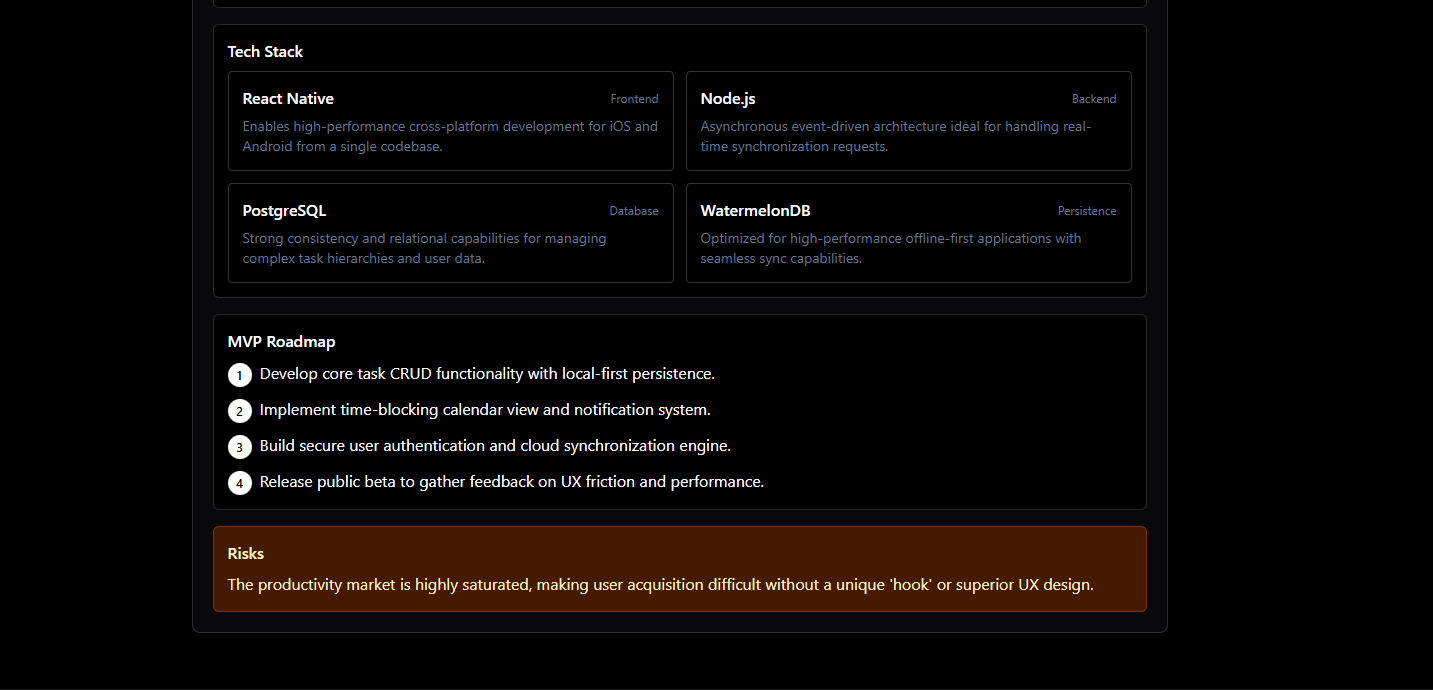
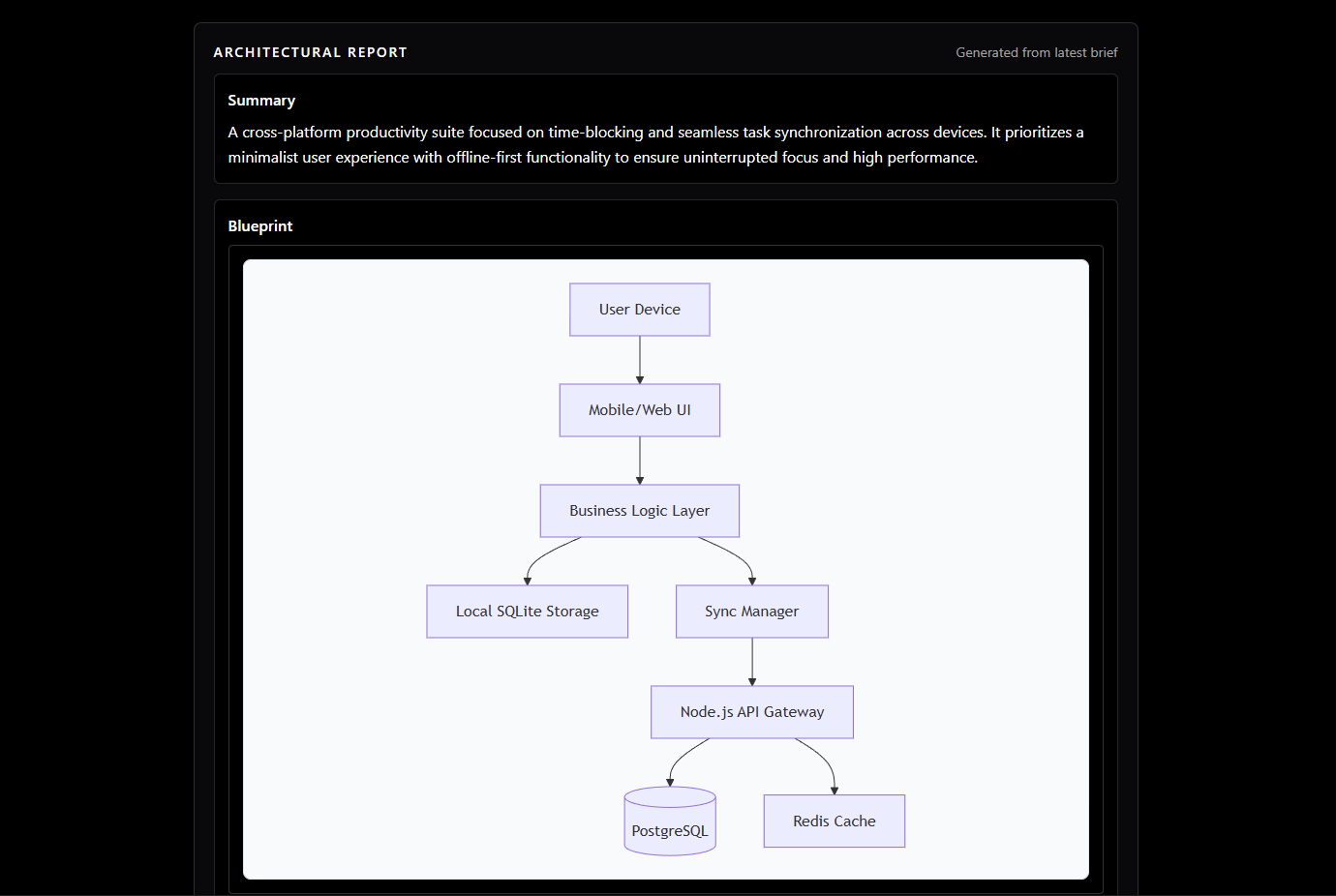
Inspiration As a student and solo developer, I have a folder full of "great ideas" that never saw the light of day. The problem wasn't a lack of coding skills—it was analysis paralysis. I found myself getting stuck on the starting line: What tech stack should I use? How do I structure the database? What is the absolute minimum MVP? I wanted to build a tool that solves the "Blank Page Syndrome" for indie hackers. I needed a CTO in a box—someone to instantly validate my idea and hand me a technical blueprint so I could stop overthinking and start coding. What it does AI Project Architect is an intelligent planning tool that converts a simple one-sentence idea into a comprehensive technical specification. Users simply input a concept (e.g., "A Tinder-style app for adopting shelter dogs"), and the app generates: Executive Summary: A refined pitch of the core value proposition. Visual System Architecture: A live-rendered Mermaid.js flowchart showing frontend, backend, and database interactions. Tech Stack Recommendations: Tailored tool selection (Frontend, Backend, Database, DevOps). MVP Roadmap: A step-by-step guide to building the minimal viable product, separating "must-haves" from "nice-to-haves." Risk Analysis: Identification of potential technical or market bottlenecks. How we built it I built this project as a solo developer using a modern, lightweight stack designed for speed: Frontend & Backend: Next.js (App Router). I kept the architecture monolithic to reduce complexity and latency. AI Engine: Google Gemini 3 (accessed via Google AI Studio). This is the "brain" that acts as the Senior Architect. Visualization: Mermaid.js. I used Gemini to generate raw Mermaid syntax, which the frontend parses and renders into beautiful, interactive diagrams. Styling: Tailwind CSS for a clean, distraction-free UI. Challenges we ran into Structured Output Hallucinations: The biggest challenge was getting the LLM to consistently return valid JSON that included error-free Mermaid syntax. Early on, the diagrams would break because of special characters in node names. I solved this by implementing strict prompt engineering and robust error handling on the client side. Solo Time Management: Handling the prompt engineering, UI design, and backend logic simultaneously was intense. I had to prioritize features ruthlessly, cutting out user authentication to focus entirely on the core generation engine. Accomplishments that we're proud of Instant Visualization: Successfully bridging the gap between text generation and visual rendering. Seeing the first flowchart render perfectly from a random text prompt was a huge "aha!" moment. Speed: The app is incredibly fast. It takes less than 5 seconds to go from a vague thought to a structured plan. One-Man Army: Building a full-stack AI application from scratch and deploying it solo within the hackathon timeframe. What we learned Prompt Engineering is Coding: I learned that English is effectively a programming language when working with Gemini. Small tweaks in the prompt (like asking for specific JSON structures) made massive differences in application stability. The Power of Visuals: Text is good, but diagrams are better. Adding Mermaid.js completely transformed the app from a "text generator" to a "system architect." What's next for Project Architect Export Options: allowing users to export their blueprint to PDF or Markdown. GitHub Integration: A button to "Scaffold Project" that automatically creates a repo with the recommended folder structure based on the tech stack. Cost Estimation: Using Gemini to estimate rough monthly cloud costs for the proposed architecture.
Built With
- google-gemini
- mermaid.js
- next.js
- react
- tailwind-css
- typescript
- vercel

Log in or sign up for Devpost to join the conversation.