-
-
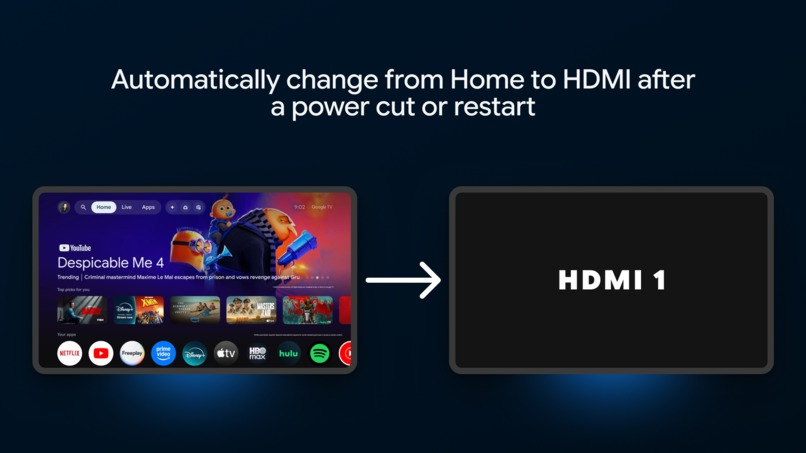
Demo
-
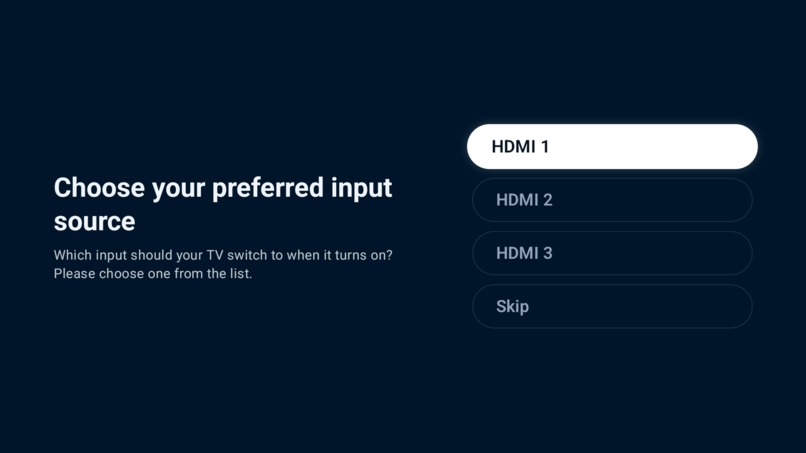
Setup Screen
-
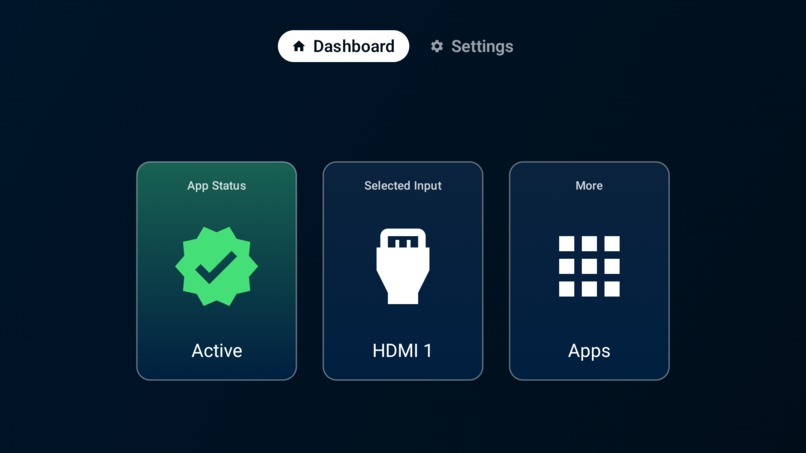
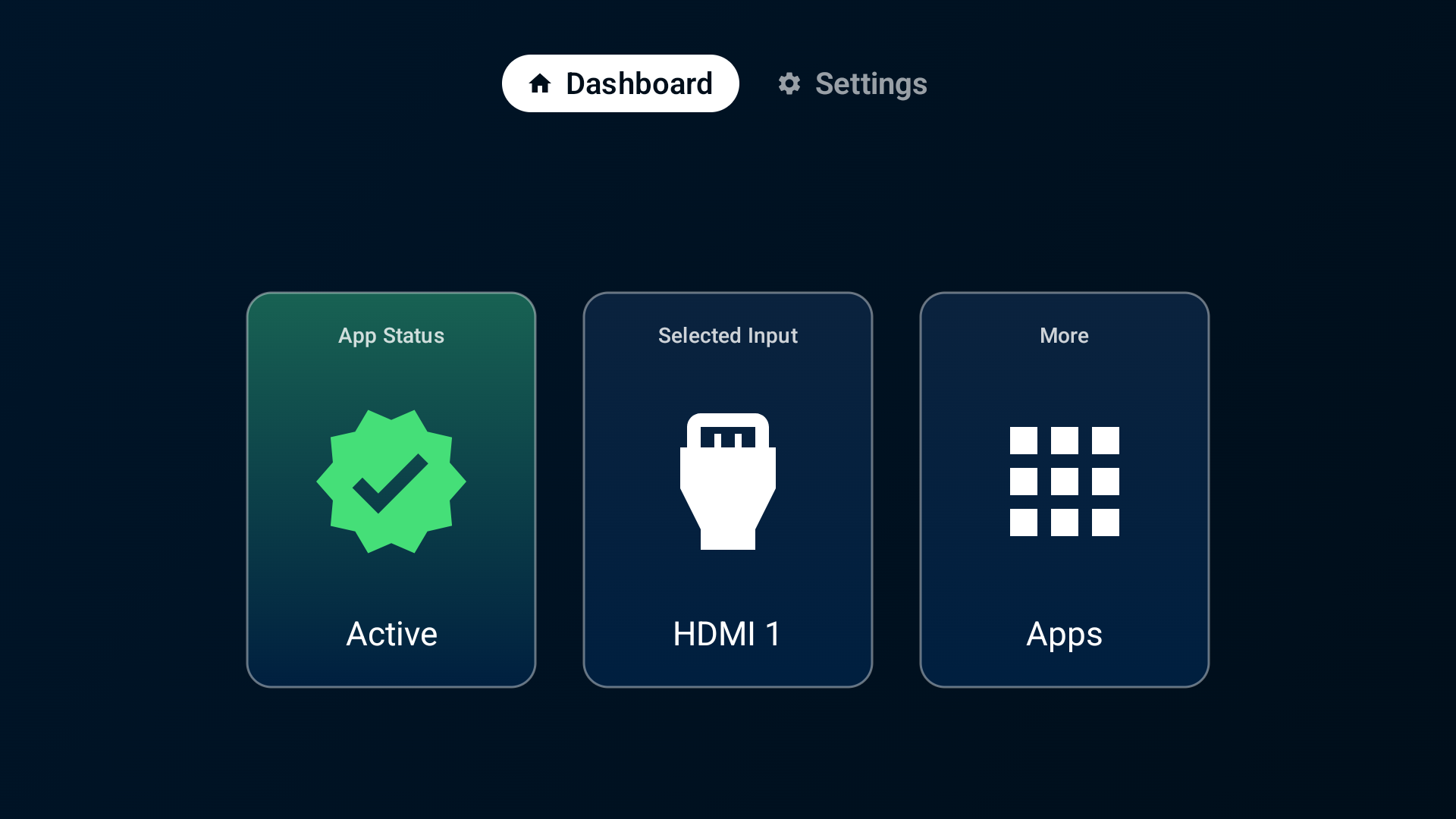
Dashboard
-
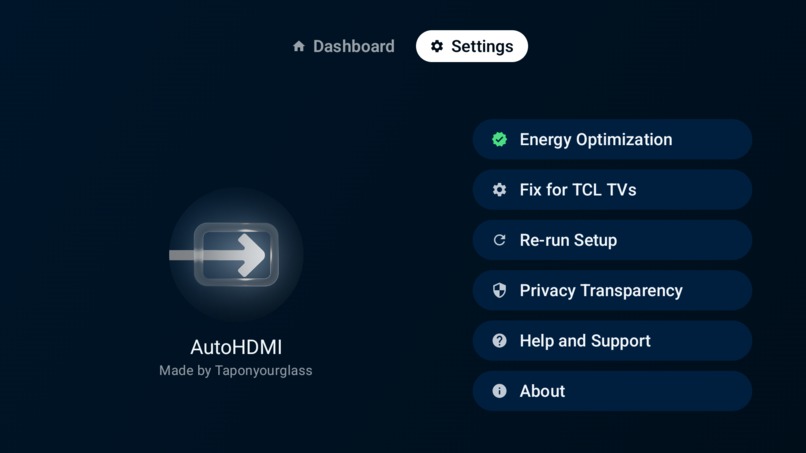
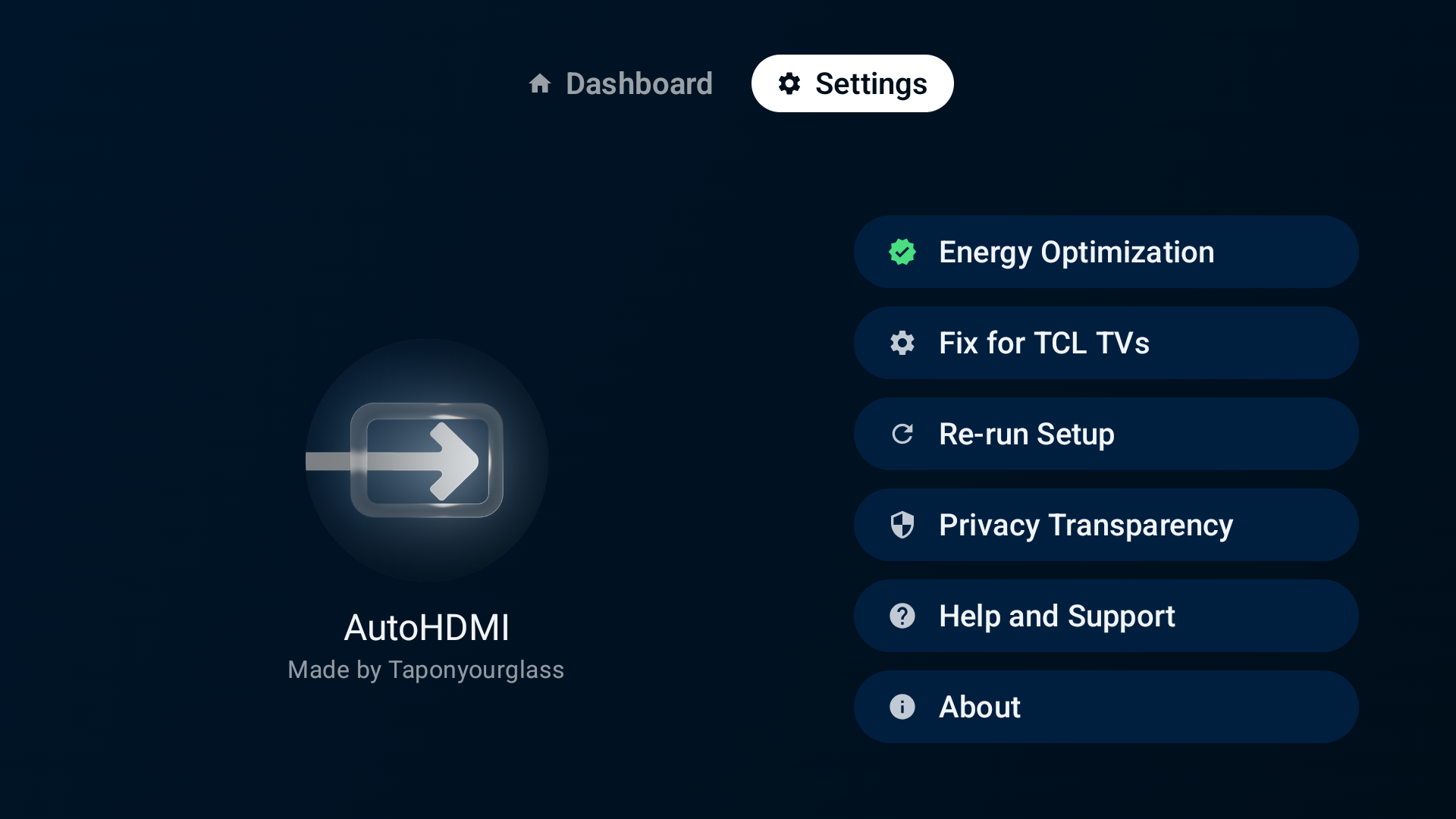
Settings
-
Platform
-

App Icon (Square)
-
App Banner

Inspiration
AutoHDMI started with a very small problem that became a surprisingly meaningful one in my family.
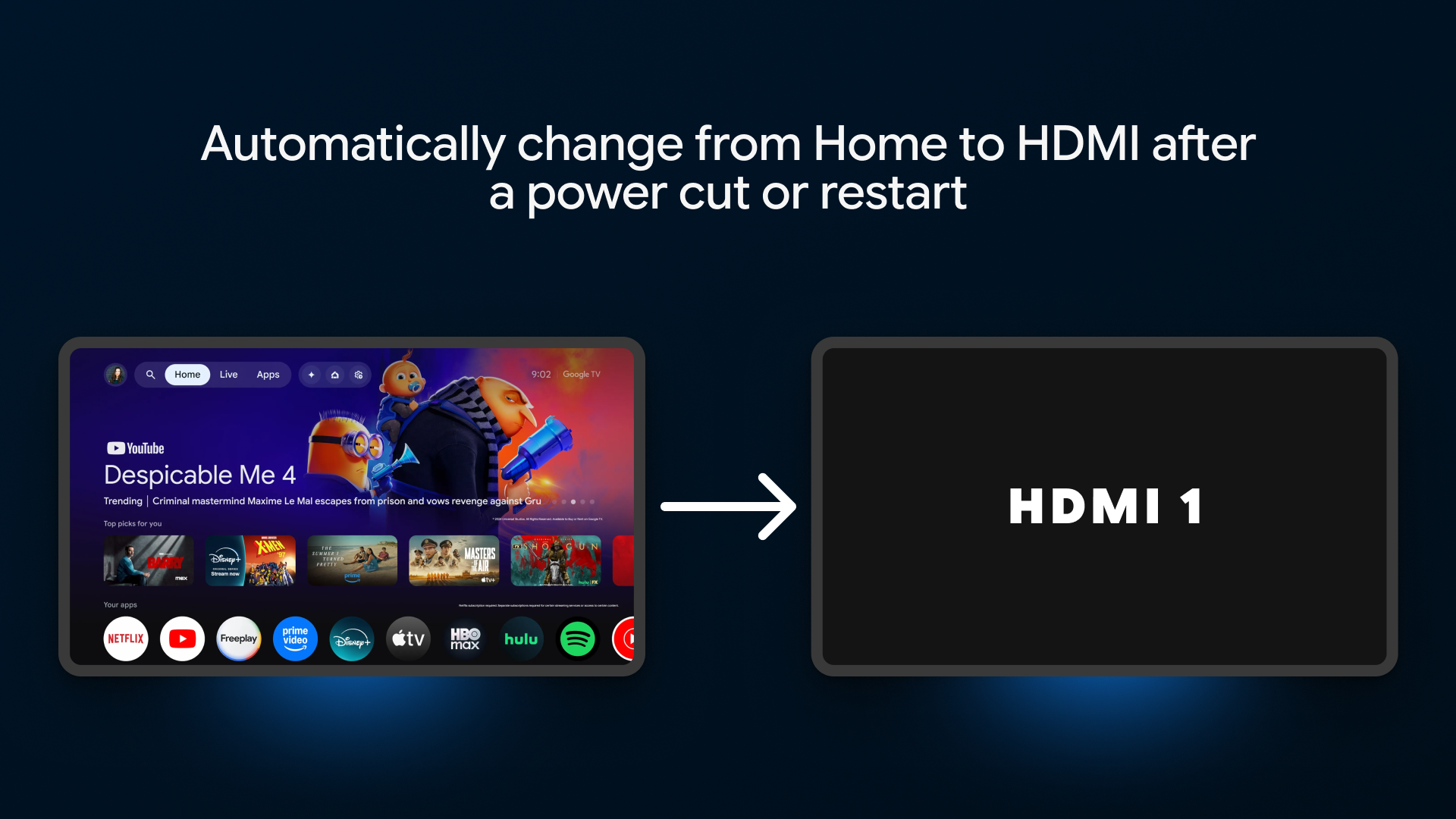
After a power cut, our Google TV TCL would restart on the home screen instead of the HDMI input we actually used. For me, switching it back took a few seconds. For my grandmother, it could mean waiting for hours until I woke up and could do it for her.
My mother had the same problem. Sometimes she would video-call me so I could guide her through changing the TV input. If I was unavailable, she simply had to wait.
That made me realize that something I considered a tiny interaction could become a usability barrier for someone who is less comfortable navigating smart TV menus or is technologically challenged.
So I built AutoHDMI around a simple idea: after a TV restarts, it should be able to return to what the person actually wants to watch without requiring them to understand HDMI menus, launchers, or system settings.
What it does
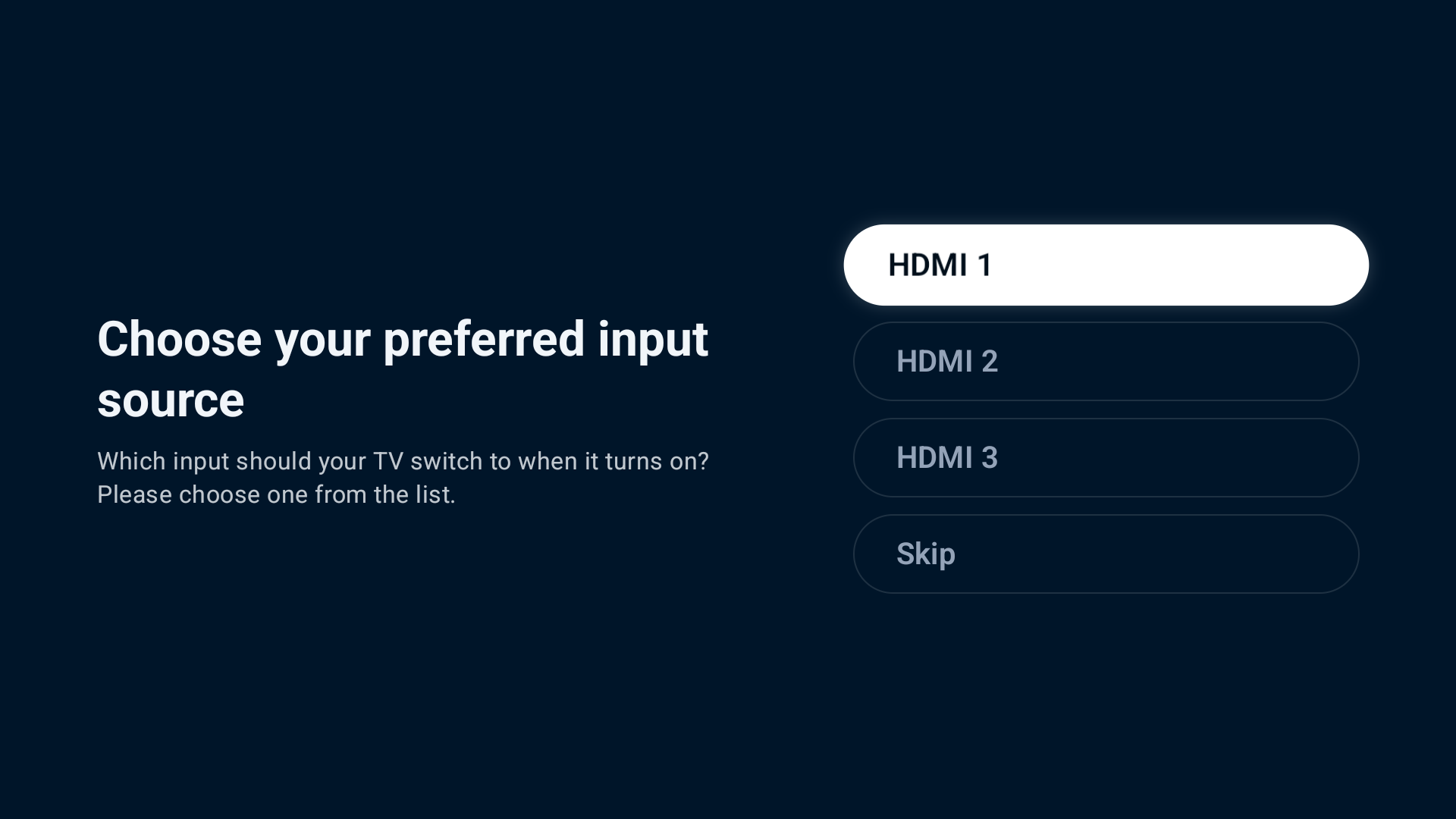
AutoHDMI lets the user choose the HDMI input they normally use.
After a power cut or full TV reboot, instead of leaving them on the Android TV or Google TV home screen, AutoHDMI automatically switches the television to their selected HDMI input.
It is specifically designed for the TV itself, because the television is the device that controls its physical HDMI inputs. It is not intended to run on an external streaming stick or box.
The goal is simple: configure it once, then let the TV take care of itself after future restarts.
How we built it
AutoHDMI listens for Android's system boot-completed event. Once the TV has finished starting, the app triggers the HDMI switching flow.
The actual switch is performed through an Android Accessibility Service. During setup, the user is clearly told why Accessibility permission is required and must explicitly enable it before AutoHDMI can perform the automatic switch.
Because Accessibility is a sensitive Android permission, this part of the experience needed to be transparent rather than hidden behind the setup flow.
AutoHDMI remembers the HDMI input selected by the user and uses that choice after future boots.
Another important design requirement was that the core boot and switching path should not depend on an active internet connection. Power cuts are one of the main situations AutoHDMI exists to solve, and connectivity may not be immediately available when the TV comes back online.
Challenges we ran into
One of the biggest challenges was finding a reliable way to react when Google TV starts.
The ideal solution initially seemed simple: if Google TV allowed another application to behave as the user's chosen launcher in the same practical way as a more open Android environment, AutoHDMI could immediately take over when the launcher loaded and switch to HDMI.
I explored that approach, but modern Google/Android TV heavily protects its own home experience. Even when working with Android's launcher and default-app mechanisms, replacing the native Google TV launcher was not a reliable path for the experience AutoHDMI needed.
That pushed the project toward Accessibility.
Accessibility solved the technical problem, but introduced a different responsibility. It is intentionally a sensitive permission, so AutoHDMI needed clear disclosure, explicit consent, and a setup flow that explains exactly why the permission is being requested.
The second major challenge was OEM fragmentation.
TV manufacturers often customize Android TV and Google TV in ways that affect even basic system navigation. One example is opening Accessibility settings. Android provides standard Settings intents, but some manufacturers expose those screens differently or require OEM-specific deep links.
To handle this, I built an OEM-aware resolver. AutoHDMI identifies the TV manufacturer, tries manufacturer-specific settings routes that I researched, and falls back to broader Android Settings when a better route is not available.
This matters because I do not have access to every Android TV manufacturer for physical testing. I have personally tested AutoHDMI on TCL, Sansui, and OnePlus televisions, so supporting a wider range of devices has required a combination of real-device testing, research, defensive fallbacks, and careful handling of manufacturer differences.
TCL Guard and Android background app management
TCL TVs introduced another challenge that I did not initially expect.
Some TCL televisions include a system application called TCL Guard, which manages applications running in the background using its own rules and allowlists. During testing, I found that TCL Guard could terminate AutoHDMI in the background.
For AutoHDMI, this was a serious problem because its Accessibility Service needs to remain available for the automatic HDMI switch to work. When TCL Guard interfered with the app, the Accessibility functionality could stop working correctly, leaving the user having to return to system settings and enable it again.
At first, it looked like an Accessibility or AutoHDMI bug. After researching the behavior, I traced the problem back to TCL Guard’s background application management.
The solution was not something AutoHDMI could silently change itself. Instead, I added a TCL-specific setup guide. When AutoHDMI detects a TCL television, it can guide the user through opening TCL Guard and changing the necessary settings so AutoHDMI is allowed to continue running in the background.
It was a good example of the kind of problem that makes Android TV development difficult: the application can be implemented correctly according to Android’s APIs, yet an additional OEM system utility can completely change how it behaves.
Offline reliability was another important challenge. The app often needs to do its job immediately after a power interruption, which is exactly when network connectivity may also be unavailable. The critical switching path therefore had to remain useful without assuming that the internet was ready.
Accomplishments that we're proud of
The first accomplishment is simply making the automatic HDMI switch work reliably enough to turn the original idea into a real product.
I am also proud that AutoHDMI was not built only around one television. The project grew into an attempt to support both Android TV and Google TV, deal with manufacturer-specific behavior, and continue working in situations where the network may not yet be available.
Building the OEM resolver is another part I am proud of. I only have a limited number of televisions available for testing, so I spent a lot of time researching how different manufacturers expose system settings and building fallbacks that give AutoHDMI a better chance of working beyond the devices sitting in front of me.
But the accomplishment that matters most happened during testing.
I installed AutoHDMI on my grandmother's TV. Later, there was another power cut.
The TV restarted. This time, it switched itself back to HDMI. She did not have to wait for me to wake up, call me, or learn how to navigate the TV settings. It just worked. That was the moment the project stopped feeling like a small utility and started feeling like it had solved the problem I originally cared about.
What we learned
Building AutoHDMI taught me that Android TV and Google TV can look very similar from the outside while behaving very differently when you try to build something that interacts deeply with the system.
I also learned how much TV development depends on the manufacturer. Something as simple as opening a system setting can behave differently depending on the OEM, so building for televisions often means thinking beyond the standard Android path.
The project also changed the way I think about platform control. Modern smart TV interfaces increasingly prioritize the platform's own home experience, recommendations, and commercial content, while users have fewer ways to decide what their television should simply open into. AutoHDMI exists partly because that loss of flexibility can create very real friction for people like my family.
I learned to design around unreliable connectivity rather than assume the internet will always be available, especially when the app's main job happens immediately after a power interruption.
Turning AutoHDMI into a real released product also taught me much more about RevenueCat purchase architecture and restore behavior, Android application security, Firebase App Check, and Play Integrity.
Most importantly, I learned that accessibility does not always mean adding a large or specialized accessibility mode. Sometimes removing one repeated piece of complexity can make an everyday device dramatically easier for someone to use.
What's next for AutoHDMI
The first priority is compatibility.
I want to test AutoHDMI on many more televisions, manufacturers, and Android versions. The challenge is that TV development is extremely hardware-dependent, and I need access to more real devices to verify and improve the work I have already done around OEM-specific behavior.
I also want to make AutoHDMI accessible to more people around the world. The app is already intentionally inexpensive and includes a generous trial, but I would like enough support around the project to offer more promo codes, discounts, and free licences to people who genuinely need the functionality but may not be able to pay for it.
Longer term, I do not want AutoHDMI to remain only an HDMI utility.
I want to explore more accessibility-focused TV automations, such as automatically launching a chosen application after boot or helping users recover when they accidentally press the Home button and suddenly find themselves back in an unfamiliar smart TV interface.
The broader goal is to make smart TVs behave more predictably for the person actually watching them.
For many users, especially older family members or people who are less comfortable with technology, the best interface is often the one they never have to think about.
Built With
- android-studio
- kotlin
- revenuecat


Log in or sign up for Devpost to join the conversation.