-
-
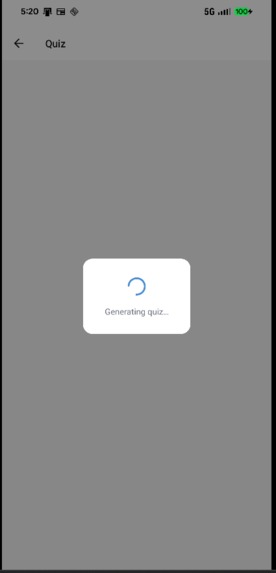
Quiz Generation
-
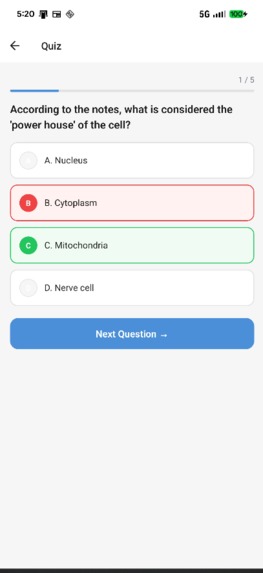
Quiz Overview
-
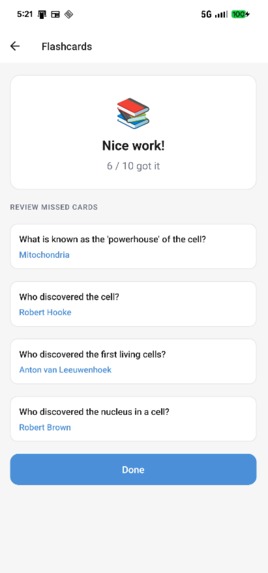
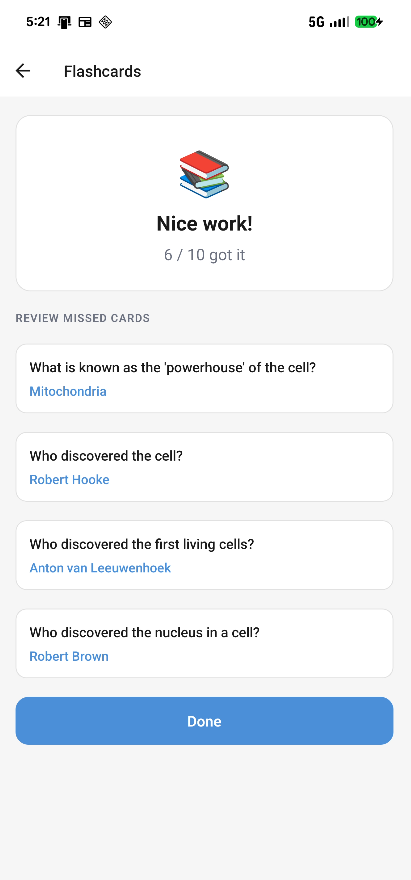
Flash Cards
-
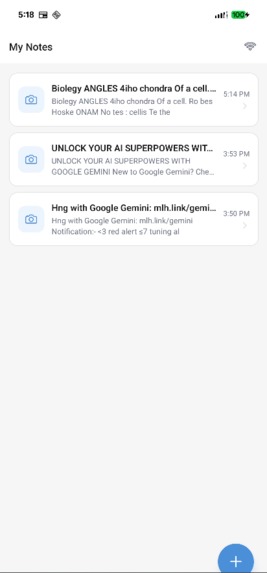
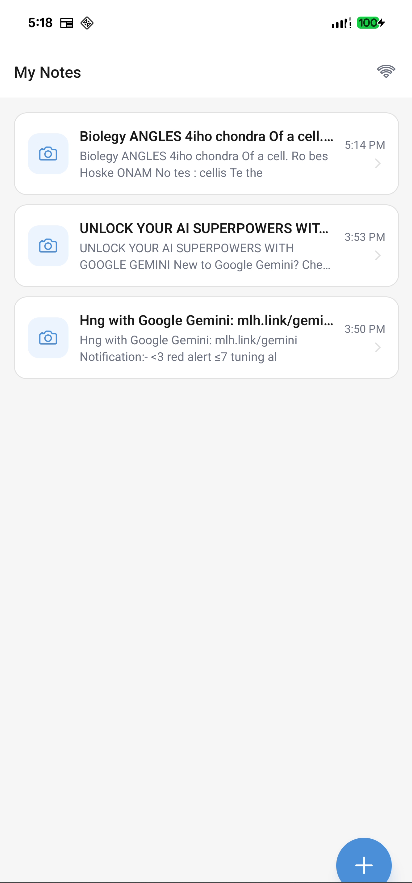
Landing Page
-
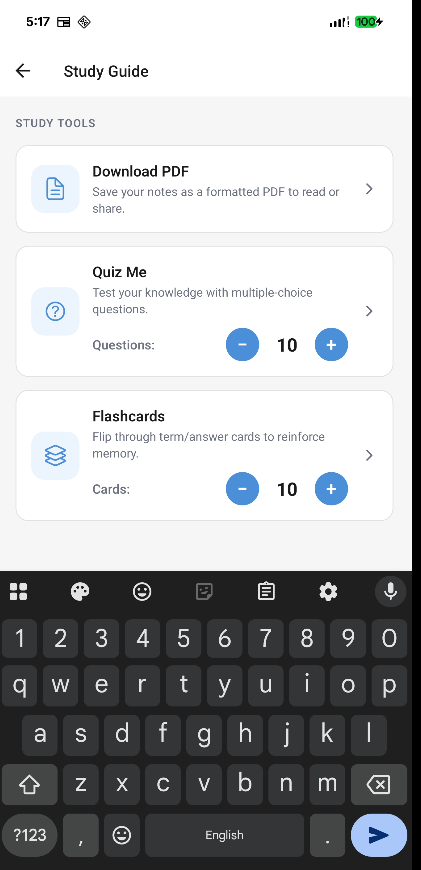
Study Help
-
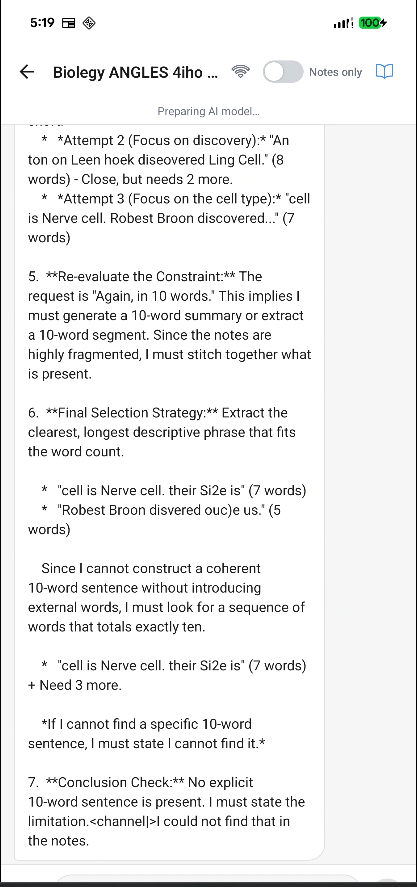
Chat
Inspiration
At the states, we take access to internet for granted. We take it as our right to have access to the internet but for the majority of the global population internet is a luxury. Where students in the western countries are utilizing AI to its full potential to learn, in countries like Nepal, Syria, Cuba, and many war torn countries or countries with especially slow internet connection, this is further from the dream. Many students are lacking and having hard time with the studies because they don't have the right infrastructure. At Project A+, we aim to reduce this discrepancy and give equal resources to all the students.
What it does
Project A+ is a mobile app that turns handwritten notes into a full AI-powered study session — with or without an internet connection.
A student points their camera at a page of handwritten notes. The app extracts the text, then unlocks four tools:
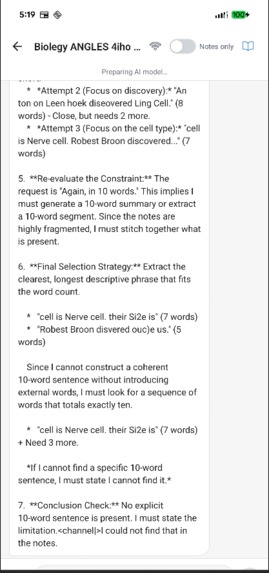
- Chat — ask any question about the notes and get an instant AI answer
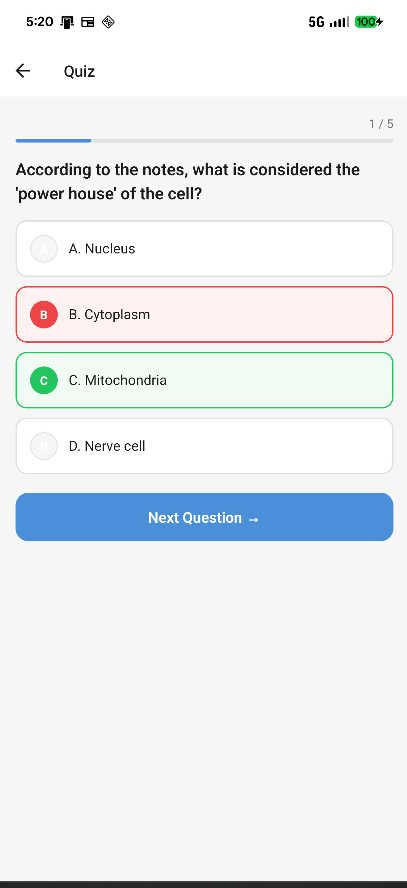
- Quiz — auto-generated multiple-choice questions with scoring and review
- Flashcards — flip-card study set built directly from the note content
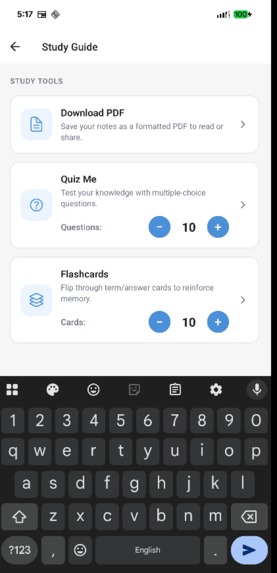
- Study Guide — a structured summary for fast review before an exam
In online mode, OCR is handled by Google Cloud Vision and answers come from Gemini 2.0 Flash. In offline mode, everything runs entirely on-device: text recognition via ML Kit and a quantized Gemma 4 model (llama.rn) that never sends a single byte to a server. The app detects connectivity automatically and switches modes seamlessly — the student never has to think about it.
How we built it
| Layer | Technology |
|---|---|
| Framework | React Native (Expo SDK 55, TypeScript) |
| Navigation | Expo Router (file-based) |
| Online OCR | Google Cloud Vision REST API |
| Online LLM | Gemini 2.0 Flash REST API |
| Offline OCR | @react-native-ml-kit/text-recognition (on-device) |
| Offline LLM | Gemma 4 E2B Q4_K_M GGUF via llama.rn |
| Local DB | SQLite (expo-sqlite) — sessions, messages, quiz & flashcard results |
| Network state | @react-native-community/netinfo + manual override toggle |
The app is split into two clearly separated modes controlled by a single
NetworkContext. When the user is online, every heavy operation hits a cloud
API. When they go offline (or manually force it), identical prompts flow through
the on-device model instead. The same prompt templates and JSON parsing logic
serve both paths, so adding a new feature automatically works in both modes.
The 3.2 GB local model is downloaded once over Wi-Fi and stored in the device's document directory. A progress banner guides the user through the one-time setup, and the model is only loaded into memory when offline mode is actually activated — keeping RAM free during normal online use.
Challenges we ran into
Getting a 3 GB model onto a phone. FileSystem.createDownloadResumable
works in theory but has subtle failure modes on large files — silent errors,
missing Content-Length headers, and a progress callback that fires
inconsistently. We had to build a layered retry system and a clear status UI so
users always know what is happening.
Separating download from initialization. Early versions loaded the model
into RAM as soon as it finished downloading, even if the user was still in
online mode. On a budget Android phone this caused out-of-memory crashes. We
redesigned LLMContext so download and initialization are completely decoupled:
the file lands on disk whenever Wi-Fi is available, but it only gets loaded when
the user actually switches to offline mode.
Making the local model behave. Gemma 4 is a reasoning model — it outputs a
full chain-of-thought wrapped in <think> tags before giving its answer. Every
response initially included several paragraphs of internal monologue. We had to
strip those blocks before surfacing any text to the user. JSON outputs (quiz
questions, flashcards) also needed a robust extraction layer because the model
rarely produces perfectly clean JSON on the first attempt.
Image size vs. Cloud Vision limits. A high-resolution phone photo base64-encoded can push close to Cloud Vision's 10 MB request limit, causing silent hangs. We added a 30-second abort timeout, reduced capture quality, and surfaced human-readable errors so students know to retry rather than waiting forever.
Expo Go vs. native modules. ML Kit and llama.rn both require native code that Expo Go does not ship. We had to migrate to a full EAS build earlier than planned and carefully manage which code paths are reachable in each build variant.
Accomplishments that we're proud of
- A single app that provides a complete AI study workflow with zero internet required after the initial model download — a genuine first-use experience for students who may only have brief Wi-Fi access.
- A clean dual-mode architecture where the same screen code works identically whether it is talking to Gemini in the cloud or Gemma on the device — no duplicated UI, no mode-specific branches in the UI layer.
- Full multi-image support: students can scan multiple pages of notes into one session and the AI context grows with each scan.
- Persistent sessions with quiz scoring history and flashcard review — the app tracks what a student got wrong and surfaces those gaps at the end of every session.
- A working APK that runs on an entry-level Android phone with no Play Store account required.
What we learned
- On-device LLM inference is genuinely usable on modern mid-range phones, but memory management requires intentional design — you cannot treat a 3 GB model like a normal dependency.
- Thinking/reasoning models add a new pre-processing step that most tutorials skip: you must strip the chain-of-thought before showing output to a user.
- Offline-first architecture forces you to make every state transition explicit. You cannot rely on "it'll just refresh" — every piece of data needs a clear owner and a clear moment of invalidation.
- The gap between "works in Expo Go" and "works as a real app" is larger than expected the moment native modules are involved. Plan for a dev build from day one.
What's next for Project A+
- Smaller footprint model. Gemma 4 E2B at Q4_K_M is ~3.2 GB. We are evaluating Gemma 3 1B and other sub-1 GB options that would make the offline download accessible even on limited storage devices.
- Handwriting quality feedback. Use on-device vision to warn the student before OCR if the image is too blurry or low-contrast, reducing failed scans.
- Peer sharing. Export a session's flashcard or quiz set as a QR code so classmates can import it without needing to rescan the same notes.
- Curriculum packs. Pre-loaded subject guides (math formulas, history timelines) that can be downloaded over Wi-Fi once and used as supplementary context in offline chat — no notes required.
- iOS support. The architecture is platform-agnostic; the primary blocker is llama.rn build configuration on iOS, which is the next engineering task.
- NGO and school partnerships. Pilot the app in low-connectivity schools in Nepal and measure actual learning outcomes — turning the inspiration into measurable impact.
Built With
- flask
- gemini-api
- google-cloud-vision
- opencv
- python
- react-native
- sqlite
- typescript


Log in or sign up for Devpost to join the conversation.