-
-
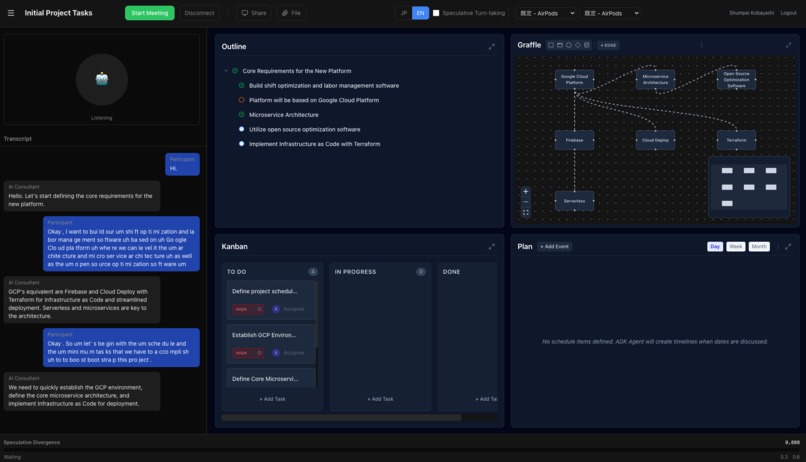
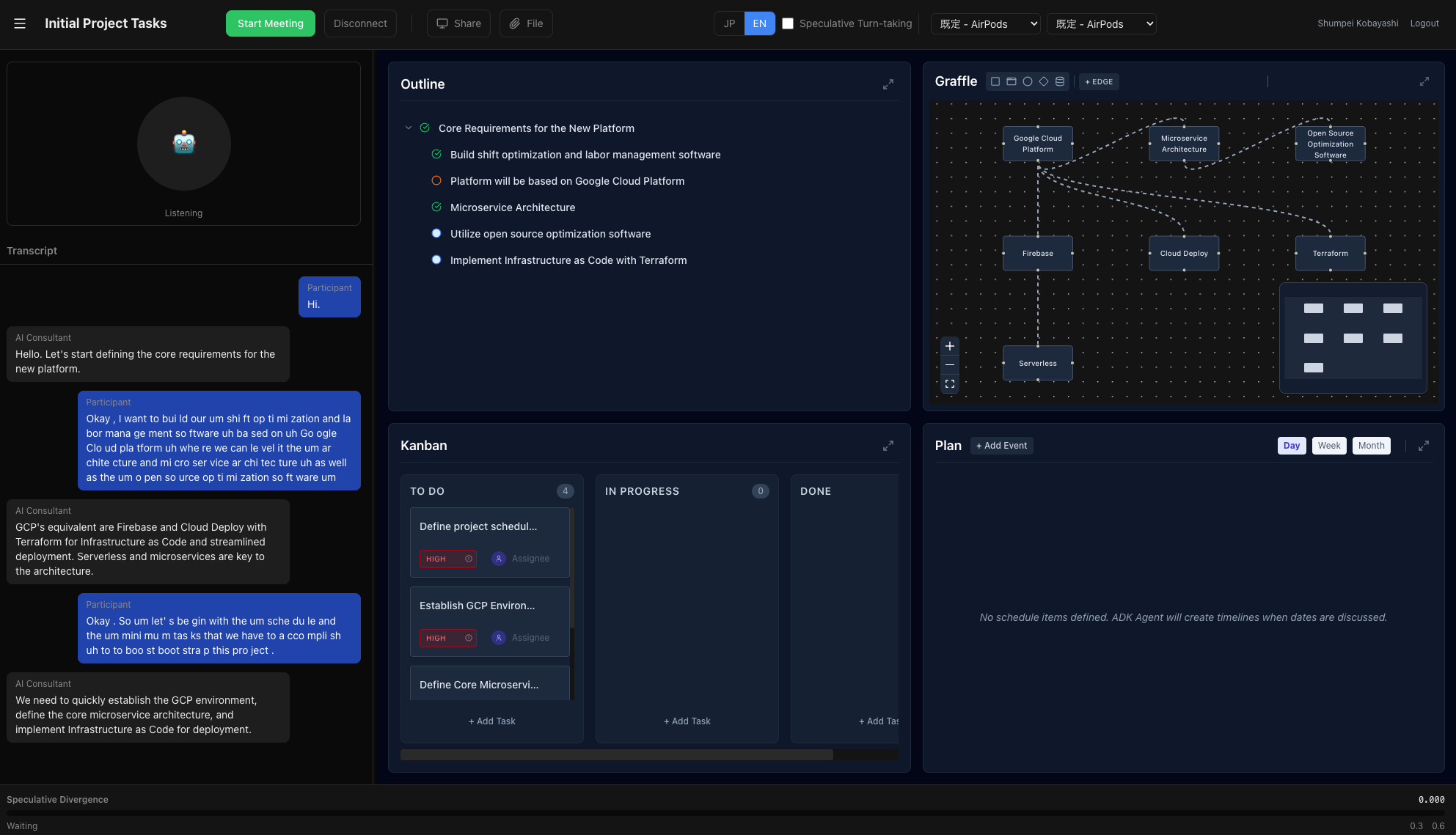
Screenshot
-
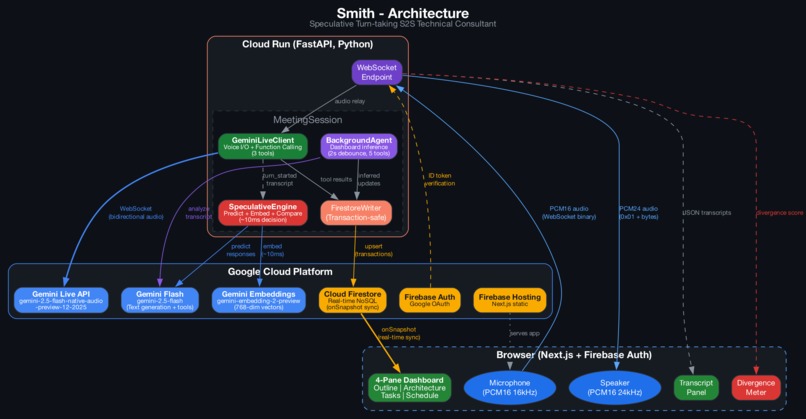
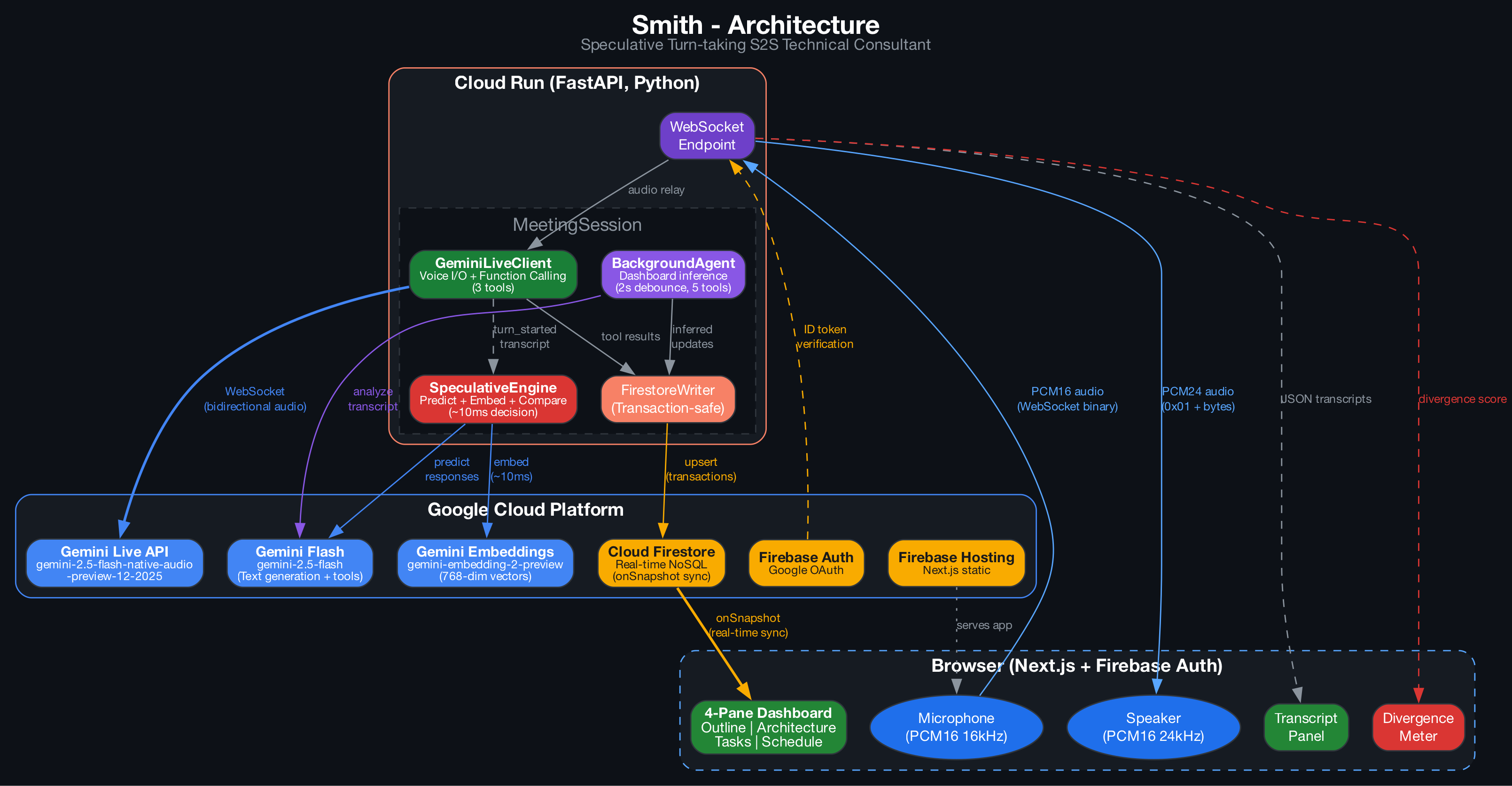
Archtecture
Smith - DevPost Submission Reference
Project Name
Smith - AI Technical Consultant with Real-time Dashboard
Tagline (short)
AI architect that conducts voice meetings and auto-generates structured project artifacts — requirements, architecture diagrams, tasks, and timelines — in real-time.
URL
https://cogent-silicon-489609-d0.web.app/
Repository
https://github.com/anthropics/smith (or wherever hosted)
What it does
Smith is an AI technical consultant that conducts requirements definition and architecture design meetings through natural voice conversation. As you discuss your project, Smith:
- Listens and responds as a senior IT architect — concise, expert-level guidance with clarifying questions and risk identification
- Auto-generates 4 structured dashboards in real-time:
- Outline: Hierarchical requirements/goals/assumptions tree
- Architecture: System component diagram (nodes + edges)
- Tasks: Kanban board (todo/in_progress/done)
- Schedule: Gantt chart with milestones and dependencies
- Supports bidirectional co-editing — users can manually edit any pane; the AI notices and adapts
- Bilingual — Japanese and English, switchable mid-session
Inspiration
Designing software architecture is hard. It takes years of experience to know which components to choose, how they connect, and what trade-offs matter. For most developers — especially beginners — it's overwhelming.
Meetings are where architecture decisions happen, but the output is unstructured: notes in docs, diagrams in someone's head, tasks scattered across chat threads.
We asked: what if you could just talk about your idea, and have a senior architect guide you through the process — visually, interactively, in real-time? And what if the structured output could then be fed directly into a coding agent to start building?
How we built it
Architecture
Browser (Next.js + Firebase Auth)
  | WebSocket (PCM16 audio + JSON)
  v
Cloud Run (FastAPI, Python)
  |-- GeminiLiveClient --> Gemini Live API (native audio)
  |     Voice I/O + Function Calling (3 tools)
  |-- BackgroundAgent --> Gemini Flash (dashboard inference)
  |     Event-driven, 2s debounce, 5 tools
  |-- FirestoreWriter --> Cloud Firestore (transaction-safe)
  v                          ^
Browser listens via onSnapshot (real-time sync)
Two Parallel Agents
| Agent | Model | Role |
|---|---|---|
| GeminiLiveClient | gemini-2.5-flash-native-audio-preview-12-2025 | Real-time voice conversation + function calling |
| BackgroundAgent | gemini-2.5-flash | Analyzes transcript, infers dashboard updates (2s debounce) |
Tech Stack
Backend: Python 3.14, FastAPI, google-genai SDK, firebase-admin, Cloud Run (4GB RAM) Frontend: Next.js 15, React 19, TypeScript, Tailwind CSS 4, @xyflow/react (architecture diagram), gantt-task-react (Gantt chart), dnd-kit (drag-and-drop) Infrastructure: GCP Cloud Run, Cloud Firestore (transaction-safe upserts), Firebase Auth (Google OAuth), Firebase Hosting AI: Gemini Live API, Gemini Flash
Challenges we ran into
Gemini Live native audio + tools: The model requires at least 1 tool declaration to produce audio responses (0 tools = complete silence). We found 3 tools to be the stability sweet spot.
Speech-to-text spacing: Gemini's output transcription arrives as space-less chunks ("NoProbleme.WhatAreYour"). Fixed by adding spaces between transcript segments on the frontend.
Race conditions on dashboard edits: Two concurrent writers (user edits, Background Agent) can collide on the same Firestore array. Solved with Firestore transactions (read-modify-write atomicity with automatic retry).
WebSocket + Cloud Run concurrency: Initially set
containerConcurrency: 1, which meant each WebSocket session locked an entire instance. Changed to 80 to allow multiple sessions per instance.Session persistence: Reconnecting to a session was overwriting all data. Fixed by checking if the Firestore document exists before initializing, and restoring context for the Background Agent.
Accomplishments that we're proud of
- 4-pane auto-generation: Speak about your system and watch architecture diagrams, task boards, and timelines populate in real-time
- Hybrid architecture: Gemini Live handles explicit requests instantly; Background Agent infers implicit context with 2-second delay
- True co-editing: Users can edit any pane manually, and the AI sees the changes and adapts its conversation
- Auto-maximize panes: When AI edits a pane, it automatically maximizes for 4 seconds so users see the change
- Bilingual voice switching: JP/EN toggle changes AI voice and dashboard output language
- Session resume: Reconnect to a previous meeting with full context restoration
What we learned
- Gemini Live native audio API is powerful but has quirks (tool count sensitivity,
<ctrl46>control characters that need filtering) - Firestore transactions are essential when multiple agents write concurrently
- The Background Agent pattern (separate Gemini Flash model for inference) elegantly solves the problem of Live API limitations with complex tool calling
- Native audio models work best with minimal configuration — adding speech_config or activity detection settings can cause unexpected behavior
What's next for Smith
- Coding agent integration: Feed structured artifacts (requirements, architecture, tasks) to a coding agent for automated development
- Multi-participant tracking: Distinguish speakers and assign tasks accordingly
- Export: Generate PDF/Markdown reports from meeting artifacts
- Integration: Connect to Jira, Linear, GitHub Issues for task export
- Template library: Pre-built architecture patterns for common use cases
Built with
- Gemini Live API
- Gemini Flash
- Google GenAI SDK
- Cloud Run
- Cloud Firestore
- Firebase Auth
- Firebase Hosting
- FastAPI
- Next.js
- React
- TypeScript
- Tailwind CSS
- Python
- Docker
Team
Shumpei Kobayashi
Demo Video Notes
See demo-video-script.md for video script.
Key scenes to capture:
- Google login -> meeting room
- Start recording, say a project idea
- AI responds, outline + architecture auto-populates
- Show pane auto-maximizing when AI edits
- Switch JP/EN language mid-session
- Manual edit on a pane -> AI acknowledges the change
- Resize chat panel (drag)
Built With
- cloud-firestore
- docker
- fastapi
- firebase-auth
- firebase-hosting
- gemini
- gemini-embeddings
- gemini-flash
- gemini-live-api
- google-cloud-run
- google-genai-sdk
- next.js
- python
- react
- tailwind-css
- typescript

Log in or sign up for Devpost to join the conversation.