Inspiration
The digital clocks we typically use don't help people visualize the passing of time. Recent research by the Association for Computing Machinery, titled "Towards Accessible Remote Work: Understanding Work-from-Home Practices of Neurodivergent Professionals'' (published on 22 April 2021), delved into the unique challenges faced by neurodivergent professionals working from home. A notable observation was the strategies these individuals employ to cope with time agnosia. For instance, one participant used a peripheral timer or clock to maintain a heightened awareness of time so she didn't lose track of it.
If you've ever felt the dissonance of 'time blindness' or “time agnosia”, you're not alone, especially among those with neurodivergent conditions like ADHD. One of our members is diagnosed with ADHD and experiences this phenomenon daily.
What it does
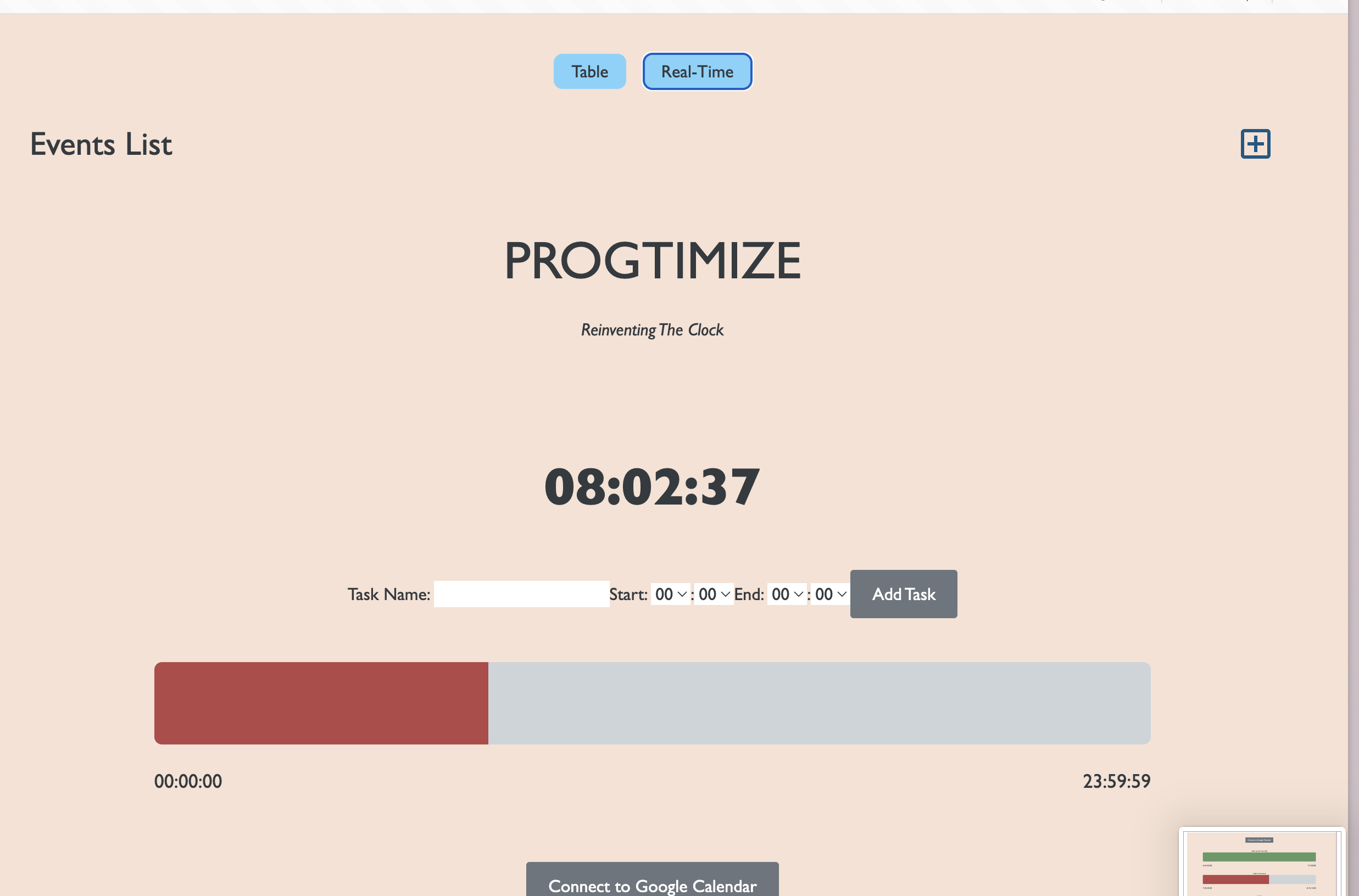
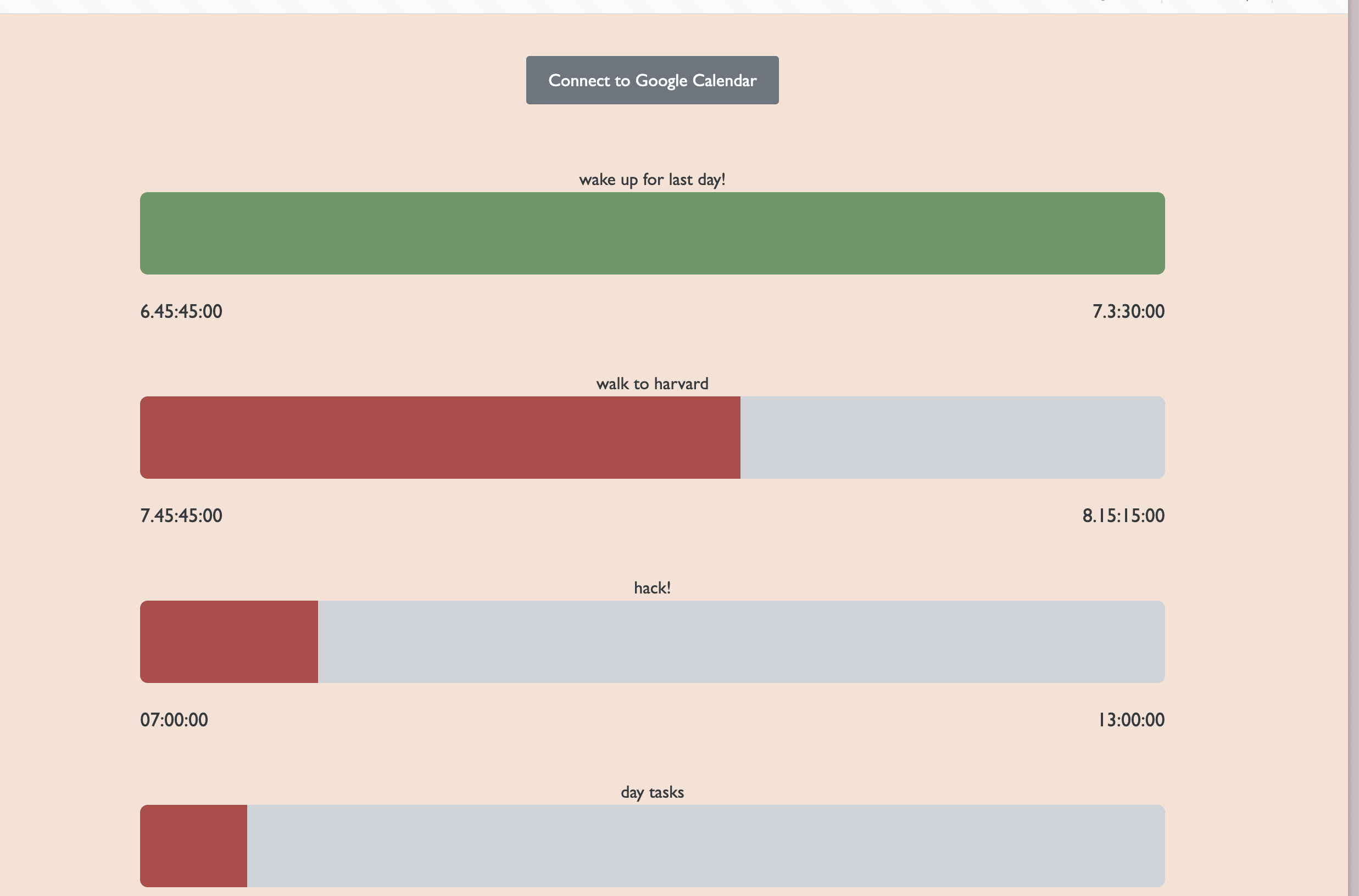
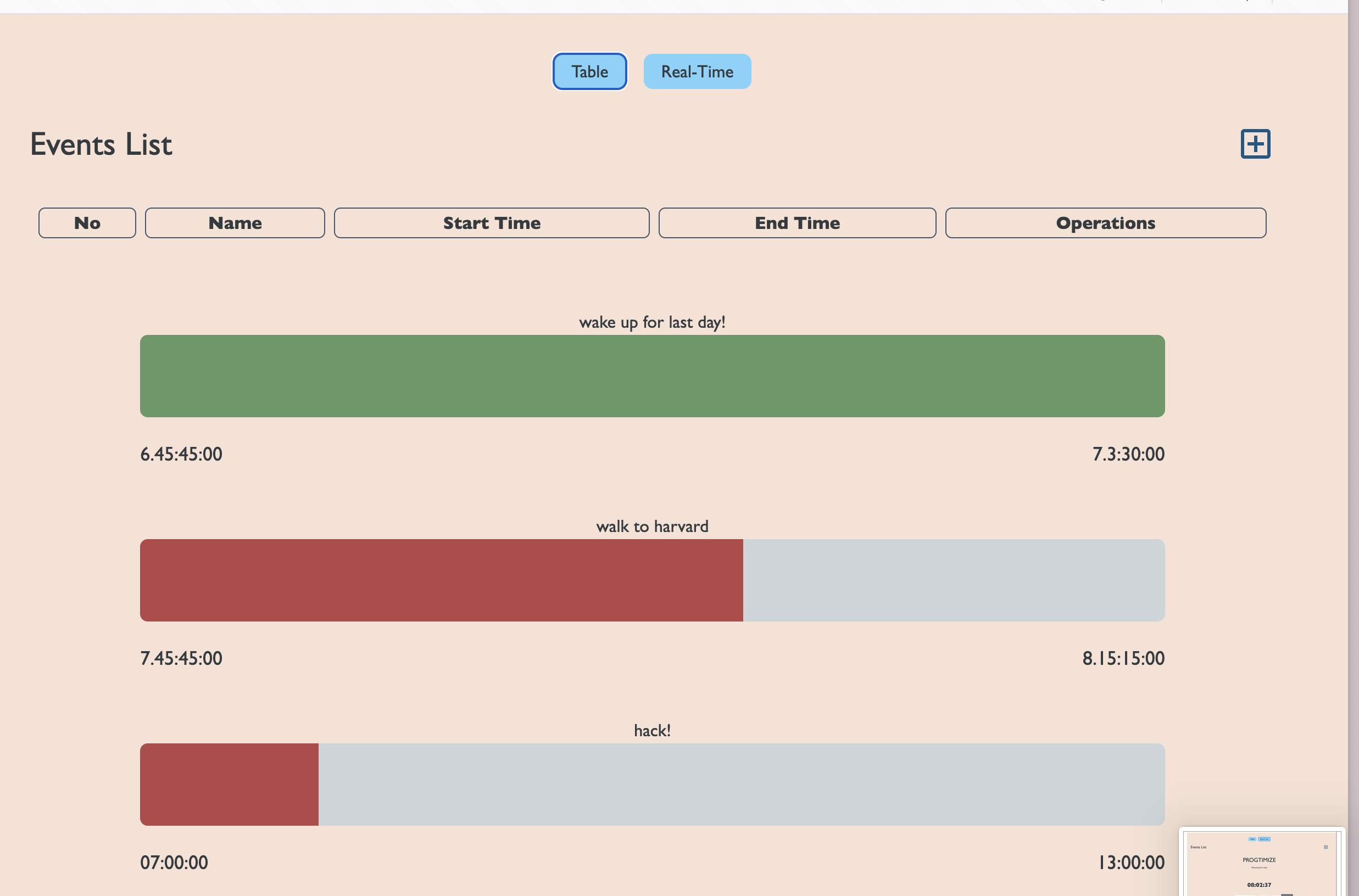
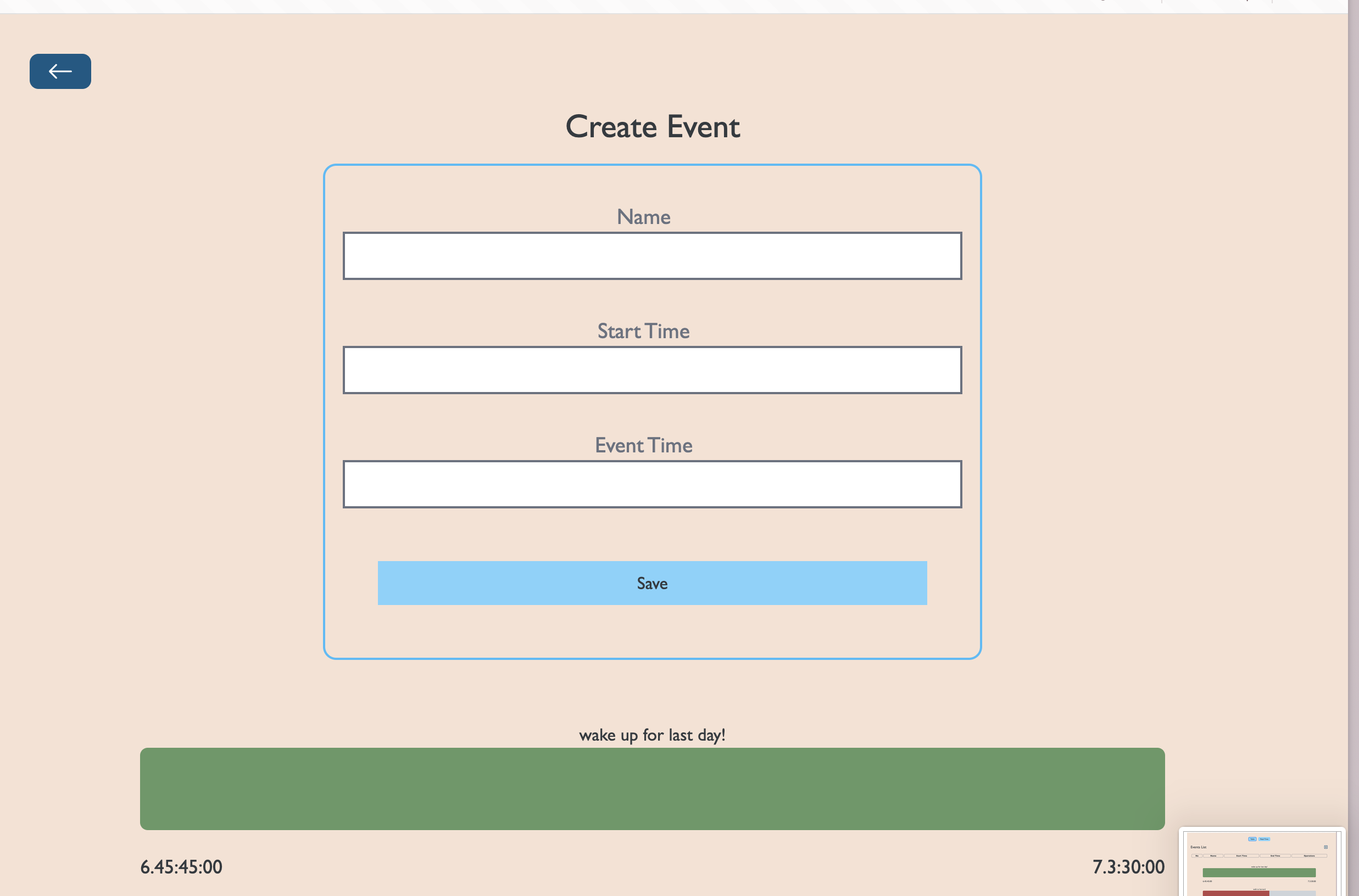
The typical digital clock may not truly resonate with your perception of time. This is where Progtimize Clock steps in! We offer a revolutionary linear digital clock that visualizes the day's progression, complemented by customizable task progress bars. The very existence of physical visual timers shows the demand for a more easily accessible customizable digital version. You can show your day’s events (progress bar starting from your inputted start and end time) and tasks by logging in with your Google calendar. To add more tasks, you can add them straight on the website. Furthermore, you can click on specific events to show another progress bar specifically for that event. It’s the first of its kind.
Progtimize is a clear improvement of the regular clock. It benefits neurodivergent and neurotypical alike by allowing them to time block better and become more productive people.
How we built it
This hackathon marked a significant milestone for our team, as it was not only our first hackathon but also our first time ever trying full-stack development. None of us had ever used frameworks, databases, and servers and had little to no clue where they fit when creating a web app. We each took one part of the stack and tried to commit ourselves to learning it fully through YouTube videos, courses, and implementation.
What we learned
36 hours ago many of our team members had never used HTML, CSS, JS, React, Node.Js, MongoDB, Express, Google Cloud Server, Google Calendar API, GitHub as a team, and Flask and came out with a significantly better understanding of all of these tools. Our biggest challenge was not knowing how everything fit together and how hard this truly would be. For example, our HTML code had overridden all our other code until the last 8 hours of the hackathon (yes, we realized it at midnight). We had to ask each other for the first few hours “Wait so how do I commit on Github?”
Overall, this was an amazing opportunity to jumpstart our learning on these tools.
Challenges we ran into
What's next for Progtimize Clock
In the end, we spent significant time on and will continue to develop many features that we couldn’t get done in this timeframe: we used Google Calendar API and received callbacks but didn’t fully figure out how to integrate it back into our database and website. We created a domain with GoDaddy (progtimizeclock.study), started a VM instance in Google Cloud & OAuth Clients, and used an SSH browser heavily, but with Google Cloud’s privacy authentication measure, we’ll likely launch the website in the next week. We ideated many cool features & customization to add to the front end (ex. differentiating between tasks and events, allowing the user to assign colors and click into tasks, option to put a countdown next to the progress bar, etc.)

Log in or sign up for Devpost to join the conversation.