-
-
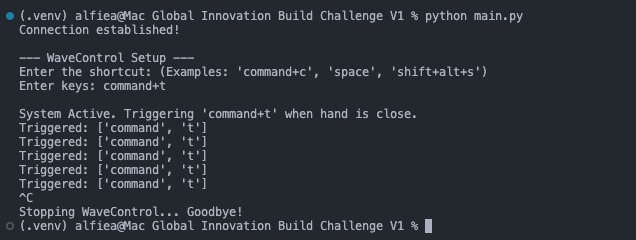
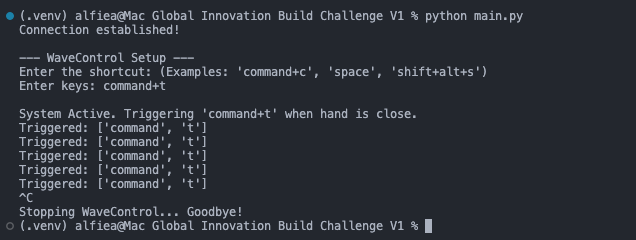
The Terminal Interface
-
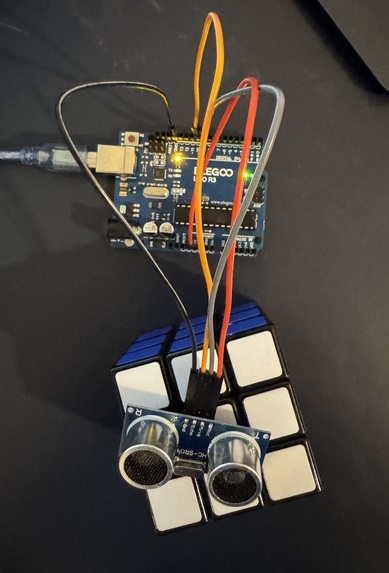
Project Image
Inspiration
My inspiration for this project was trying to fix an issue I have everyday, messing up my keyboard shortcuts. I rely upon them everyday, but a good 20% of the time, when stretching my fingers across the keyboard, I tend to make mistakes. So to fix this, I designed a product to solve my problem, the WaveControl.
What it does
The WaveControl is a prototype for a product, that senses for an object to be within a certain distance, where it then performs a shortcut that is entered by the user. So by spending 10 seconds to run the programs and enter the command, I was able to save minutes by avoiding errors that derail my workflow.
How I built it
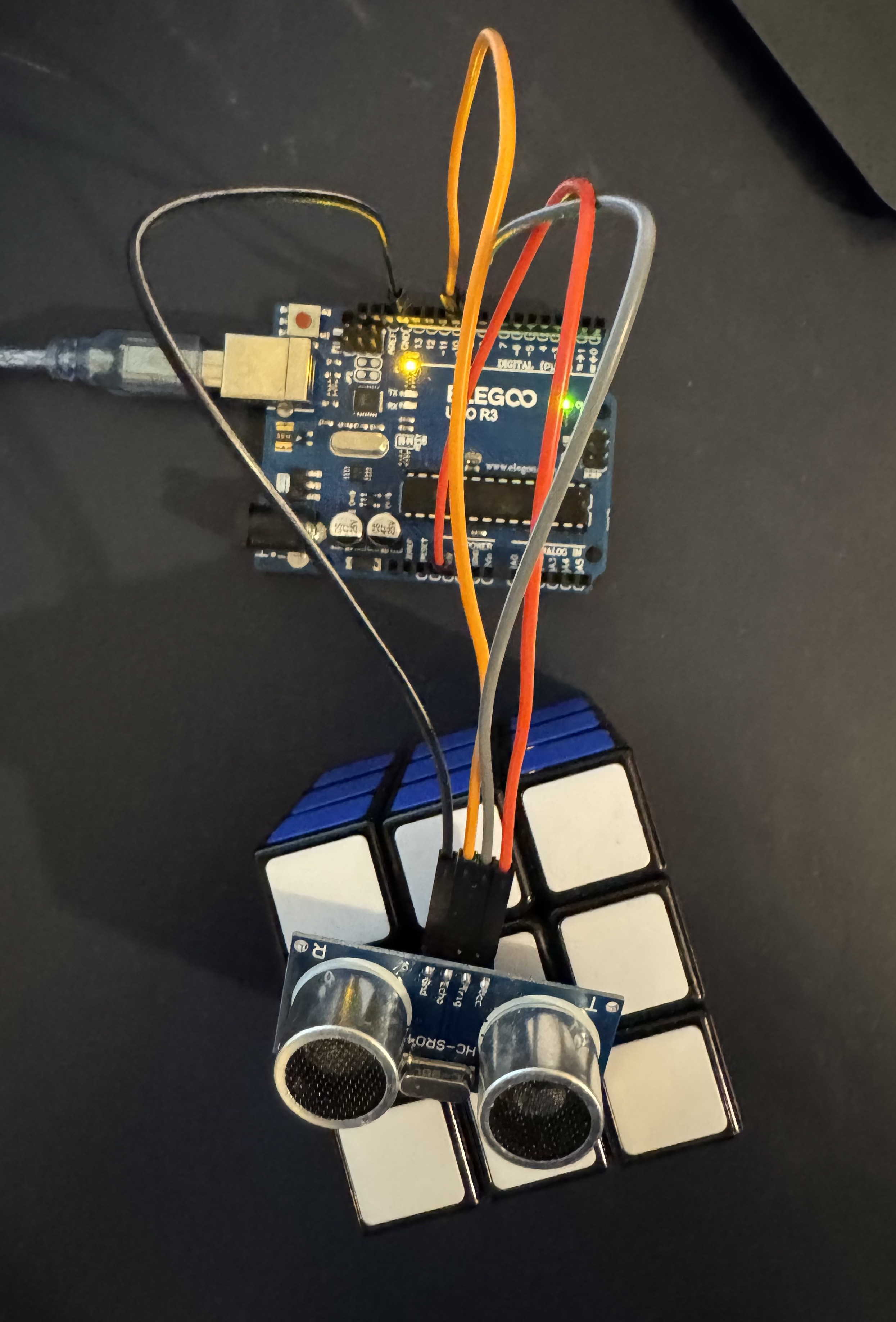
I built it with an Arduino Uno R3 and python, all I had to use was a ultrasonic sensor, some jumper wires and program the Arduino in its IDE and write a script in python for this to work.
Challenges I ran into
The main challenge I ran into was finding a way to send the data on the Arduino to my computer for my python script to process, also I struggled a little with finding the right modules for creating this project. Other than that, this project was pretty simple, aside from some debugging.
Accomplishments that I am proud of
An accomplishment I am proud of is finding a way to connect my Arduino interest to my interest in python, and combining both of my interests to make something really useful to me.
What I learned
I learned about how to program a computer to run a keyboard shortcut without actually doing it, and how to get input from an Arduino.
What's next for WaveControl
I could maybe think about adding levels to the sensor, where from certain thresholds, different keyboard shortcuts get executed, this would make the prototype more versatile. But would include its own set of challenges as well like: how would that be incorporated without making the product finicky and hard to use. These are challenges I am ready to face, and take WaveControl to the next level.

Log in or sign up for Devpost to join the conversation.