-
-
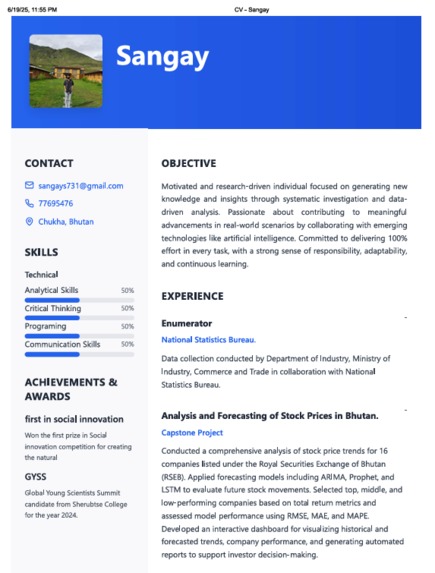
preview
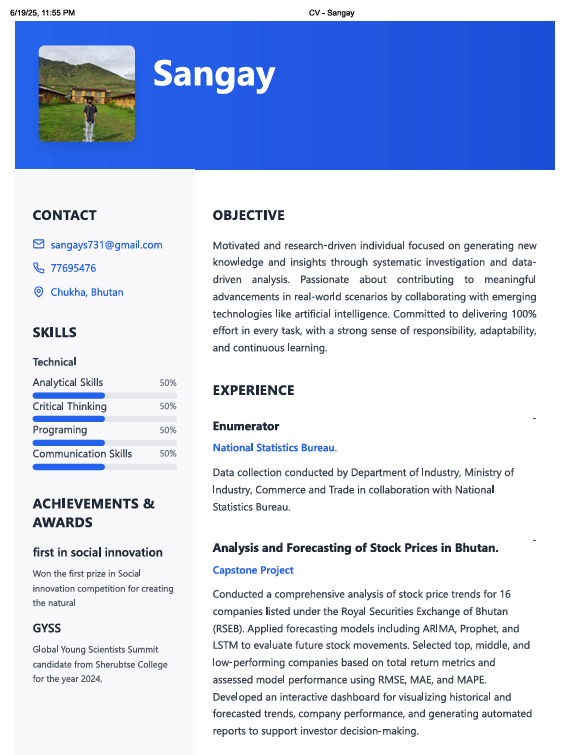
Project Story: Smart CV Generator Creating a compelling CV is often the first step toward securing a job, but many individuals—especially students and fresh graduates—struggle with formatting, design, and content structure. The Smart CV Generator project was inspired by this very challenge. I noticed that many of my peers were unsure how to present their skills professionally or lacked access to tools like Microsoft Word or design software. This observation motivated me to build a clean, easy-to-use web-based CV builder that generates professional resumes with just a few inputs.
In the process of developing this project, I learned a lot about the importance of user experience (UX) and user interface (UI) design. Rather than simply building a form-based tool, I focused on designing an interface that guides the user step-by-step through the CV-building process. The goal was to make the experience not only functional but also intuitive and aesthetically pleasing.
The project was built using HTML for structure and CSS for styling and layout. I implemented responsive design principles to ensure that the platform works well on both desktop and mobile devices. I used CSS Grid and Flexbox to create a clean and adaptable layout and included subtle animations to improve user engagement. The user interface was designed with accessibility in mind, including readable fonts, clear input fields, and easy navigation.
To ensure a smooth user experience, I designed multiple UI components such as progress indicators, tooltips, and preview sections. I adopted a modular CSS approach to maintain code clarity and consistency. The resume preview was dynamically updated as users filled in their information, giving them instant visual feedback.
Despite the simplicity of the idea, I encountered a few challenges during development. One major hurdle was ensuring that the final CV design looked professional across all browsers and printable formats (especially PDF). Achieving consistent formatting between screen view and print view took time and required deep understanding of media queries for print and CSS page-break behaviors. Another challenge was maintaining a balance between flexibility and simplicity—giving users customization options without overwhelming them.
Through this project, I not only improved my skills in HTML and CSS, but also gained a deeper appreciation for UX/UI design principles. I learned how small design decisions—like button placement, font choices, and color schemes—can significantly impact user satisfaction. Most importantly, this project showed me how design and technology can empower users to present themselves professionally, even without prior experience.
In the future, I plan to expand the project by integrating a PDF export feature, AI-based content suggestions, and multiple template options to make it even more powerful and customizable.

