-
-
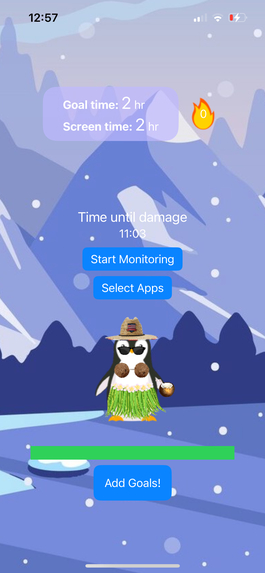
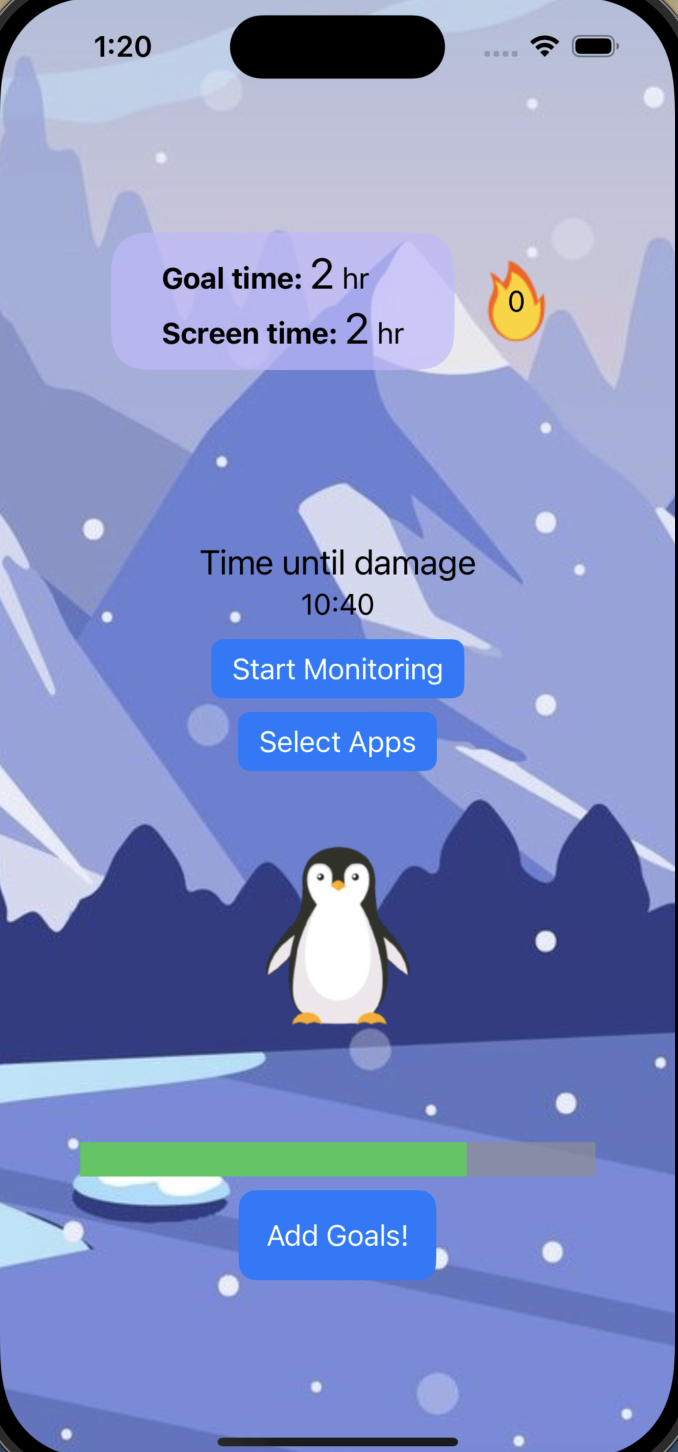
Example display of a healthy penguin
-
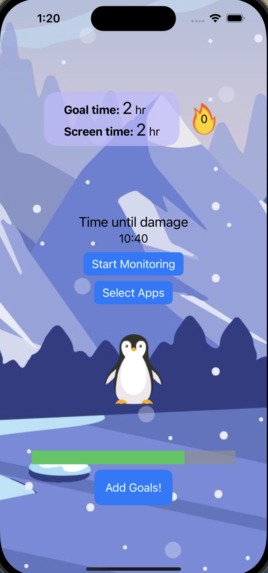
Example of content penguin
-
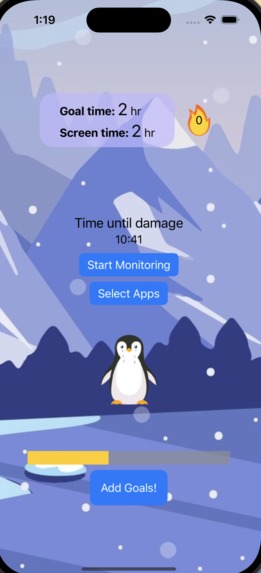
Example of tired sad penguin
-
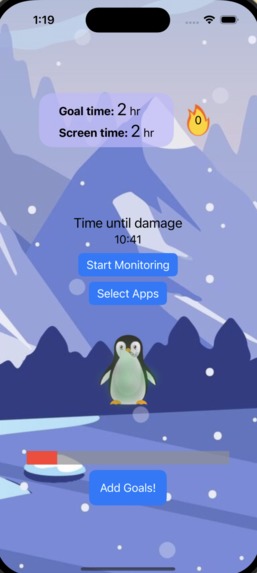
Example of sick penguin
-
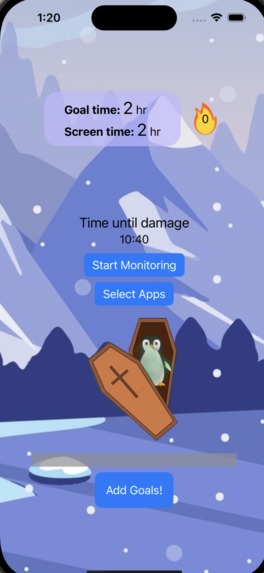
Example display of a dead penguin. Screen time has gone too far


Inspiration
- A common problem in our modern-day world is the overuse of technology. With the release of apps like TikTok and Instagram Reels, it has become easy to become attached to one’s phone, therefore reducing productivity. Because this issue is heavily centered around teens, we tried to make a solution that both addressed the issue of screen time, while keeping our users motivated. We were heavily inspired by the classic Tamagotchi digital pet from the early 2000s. With the huge popularity of Tamagotchi in the past, we believe having one’s screen time usage affect the health of their digital pet, will help user’s limit their device usage, with a cute, fun twist.
What it does
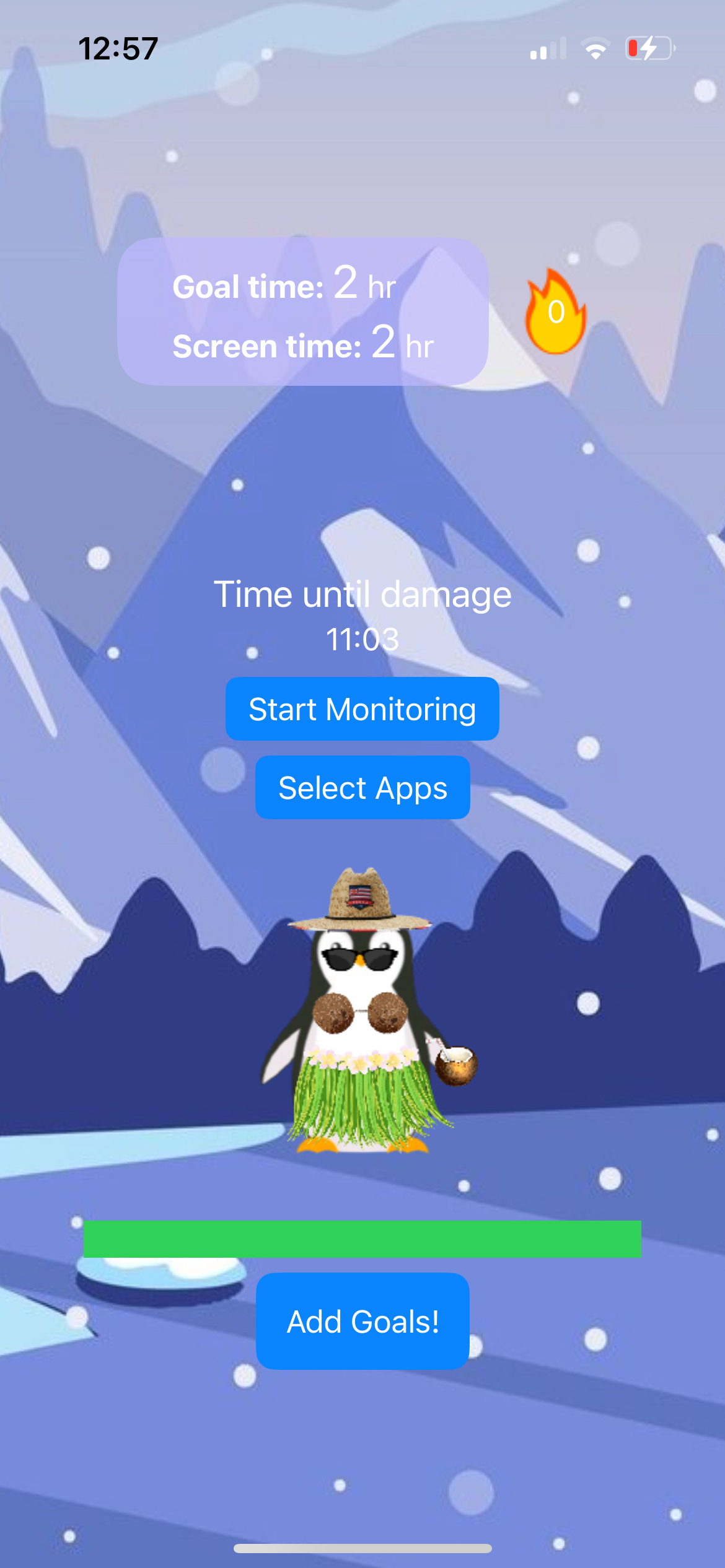
- Essentially, the app monitors your screen time and makes sure you maintain a screen time at or below the limit you set. If you go past this limit, Sammy the Penguin starts losing health points, and his state visually deteriorates as it continues. Along with taking damage, good behavior regarding device usage would reward the player, and heal/feed the pet (WIP). The players’ pet damage calculation is done at midnight each day for the user and displays this time remaining (WIP).
How we built it
- We used SwiftUI to build our program. We started by drafting the front end out in Figma, and then proceeded to design our program in Swift following the design choices we made in Figma. The technical aspects were all achieved using Swift as well, incorporating the Screen Time API from Apple to fuel most of our backend.
Challenges we ran into
- Learning about Swift was a big challenge for us. We were all unfamiliar with this coding language, so we spent a lot of time reading documentation and really understanding how to use the program. As a result, we had a tightly planned schedule to ensure we would be able to complete our application n time.
- Incorporating the Screen Time API was also a big challenge for us. Apple being Apple, because of the privacy settings the company enforces, it wasn't as simple as just requesting the API provide us the screen time data used. First we needed a a organizational Apple developer account in order by bypass “Family Controls” restrictions. Then, once receiving Device Activity access, we needed to set up a way for our application to request permission to monitor our apps, and had to set predetermined thresholds that would result in some action. There was no option to receive rawData in a way in which we could directly compare it to predetermined time stamps.
- Working with XCode was also a bit challenging. Because it only worked on the MacOS and we didn't have any virtual machines, only 2 of the 4 team members could actually compile and see the code working. As a result, we had to utilize the VSCode live share feature to make changes in real time and let our other members compile the program. But because of that, we needed to plan our schedules tightly around these members to ensure our program could be constantly tested.
Accomplishments that we're proud of
- One thing we're proud of in our program is the way the current screentime is being displayed onto the program. It took some time learning the Screen Time API, so getting it to finally work and display onto the application was a huge accomplishment for us.
What we learned
- We learned a lot about Swift through this experience. Being a new program to all of us, we learned how to quickly adapt by drawing upon our previous knowledge in other coding languages, and were able to swiftly learn swift.
- We also learned a lot about the importance of planning and creating timelines. We used Notion for much of our planning, and that gave us a good idea of how much time we would designate in each section. It also helped us stay organized by allowing us to self designate tasks and clearly indicate them on the Notion, so other members knew what tasks were available for them to complete.
What's next for Productivity Penguin
- We believe adding some type of long-term progression system into our application is the next step, as well as improvements to our animation. Along with this, we want to add more depth to the way the penguin is taken care of, to help incentivize users to get off their phones. We also plan on updating the front-end to be more appealing, as the current model is rather rudimentary. That way, our application can feel more like the high-quality ones seen on the app store, and maintain its users through its good design and progression system.
Built With
- apple-icloud
- figma
- github
- liveshare
- notion
- screentimeapi
- swift
- swiftui
- vscode
- xcode


Log in or sign up for Devpost to join the conversation.