-
-
Productivity Overlay
-
Inspiration
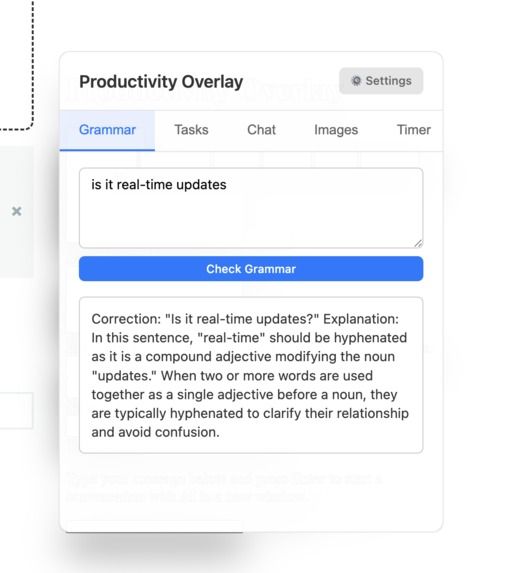
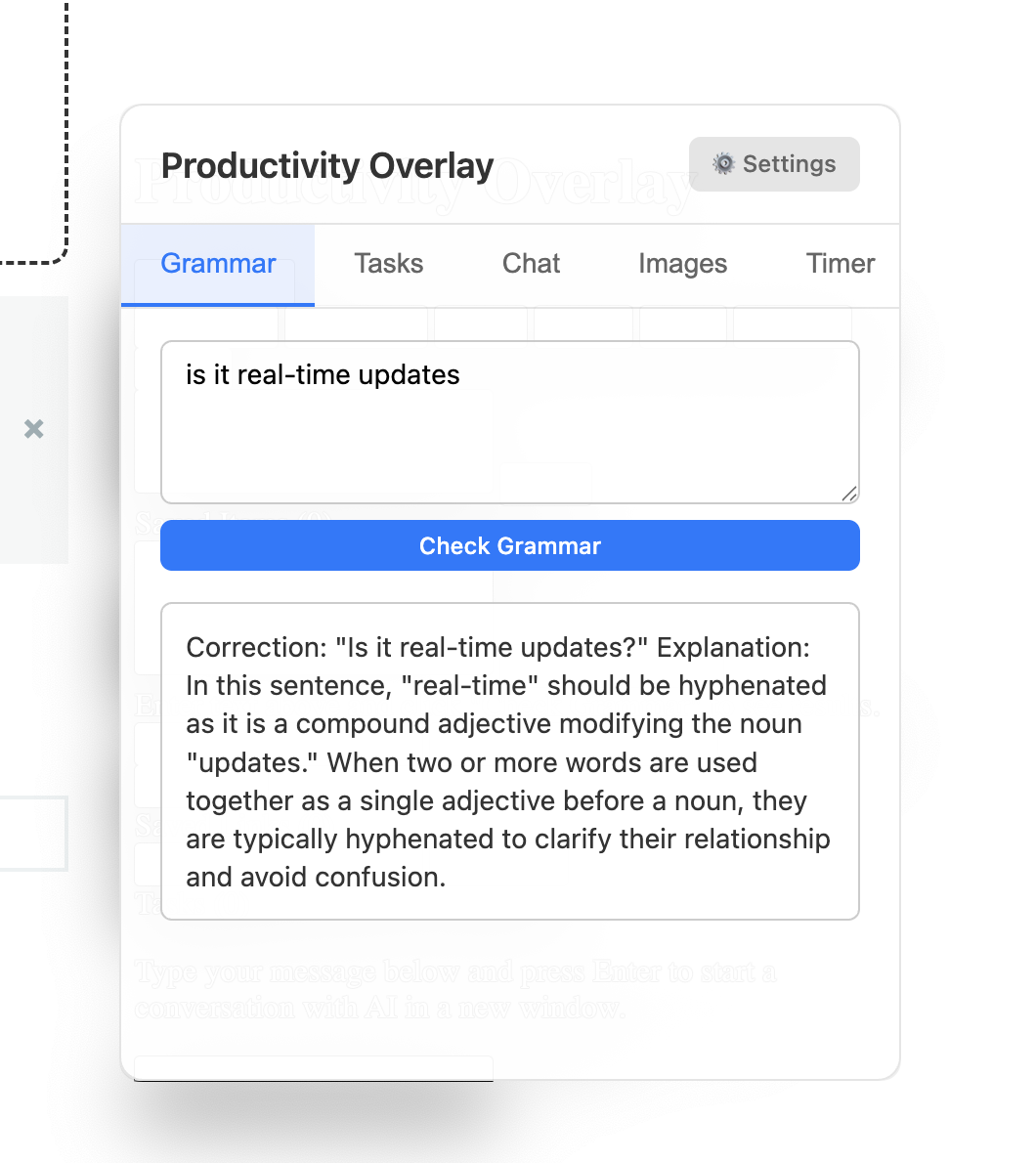
The inspiration behind this app was I often want quick easy access to a lot of actions that I repeatedly take like -- wishing I had a bigger Clipboard (copy and paste gallery easily accessibly), quick ChatGPT search without having to open a new browser, checking grammar with AI but still having to craft a prompt + my sentence like "does this need to be two words or include a hyphen" instead of just typing in the message directly, and even just having a list of top of mind tasks queue that I need to accomplish. Not having to exit or change the app (what I’m focused on) and having this overlay companion easily accessible really speed runs my workflow and makes me 10x more efficient. Built by a developer, for a developer.
What it does
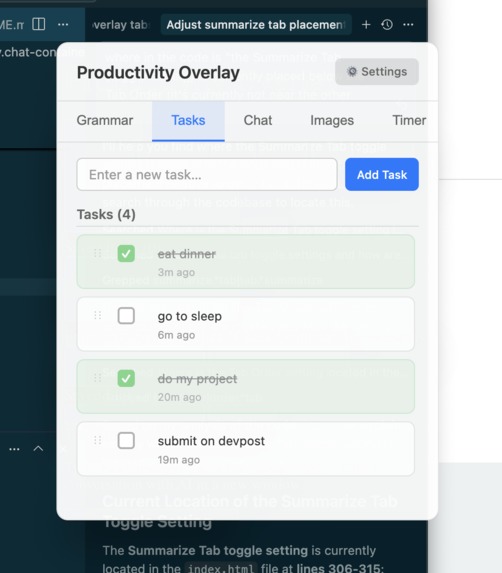
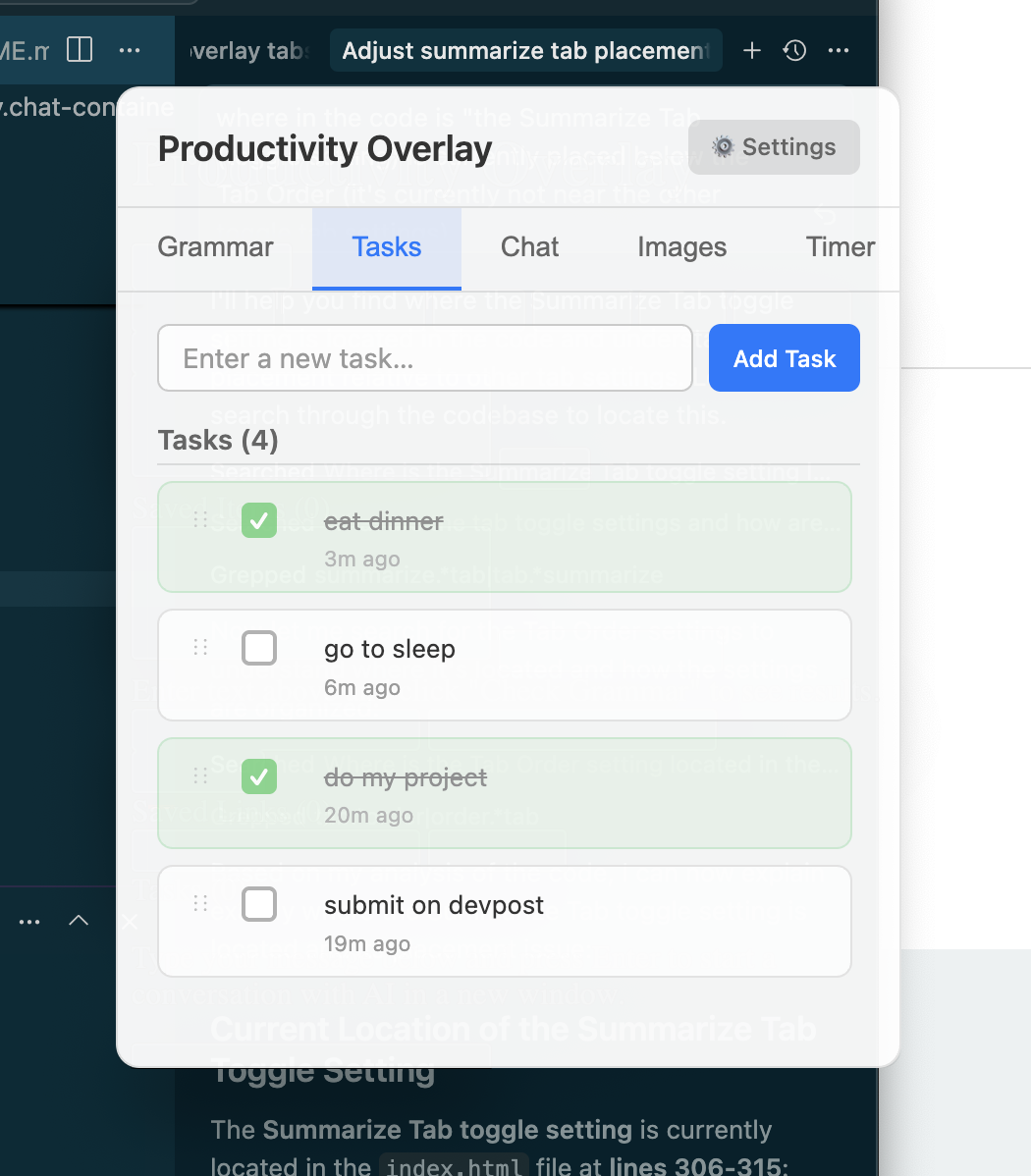
This app is a desktop app that is an overlay (always on top) with an adjustable opacity for the user's preference where they can quickly navigate a Grammar AI (helps check grammar [of the sentences, copy of their website, git commit messages], their custom Task List, their Extended Clipboard, send a query quickly and get the answer with the help of OpenAI without having to change their current screen and browser, set timers to help with productivity, and more. They can even custom and reorder the tabs to their preference in the settings. We also included flash Image Generation with Nano Banana so they can make a quick meme with their character + for example the task they are doing -- to share a quick meme with their co-workers. They can even drop a Jira ticket and instantly get their plan made with the Chat and then paste straight into Cursor to code.
They can start an additional watcher overlay than can watch over their screen and send email alerts when certain messages are detected by image recognition that is watching the screen watcher selected portion.
video demo:
https://youtu.be/17U6a29yFqE https://youtu.be/7ReQxkcrD8U
How we built it
Built with Electron with Vite, TypeScript, OpenAI, and Nano Banana (Gemini AI).
Challenges we ran into
We ran into challenges with the summarize feature. Initially there were issues with having the overlay properly capturing and summarizing the contents, we had to adjust the pre-prompt to fine tune the AI summary as well as hiding the overlay window inorder to capture the contents behind the overlay.
Accomplishments that we're proud of
It was fun being able to really learn and play around with Electron more and create a tool that we ended up using while creating the tool to be even more efficient and productive!
What we learned
It was fun playing around with Electron more and creating this overlay Desktop app. I found myself actually using the tool a lot while I was developing it.
What's next for Productivity Layer
Going to keep the project open source and share with other developers to use.


Log in or sign up for Devpost to join the conversation.