-
-
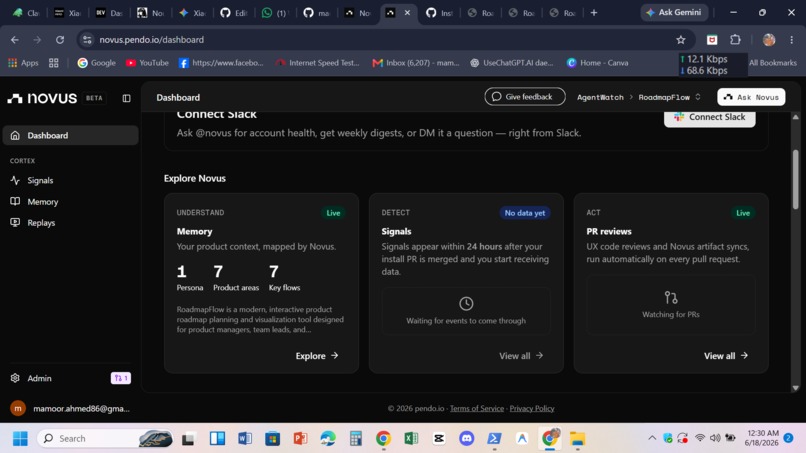
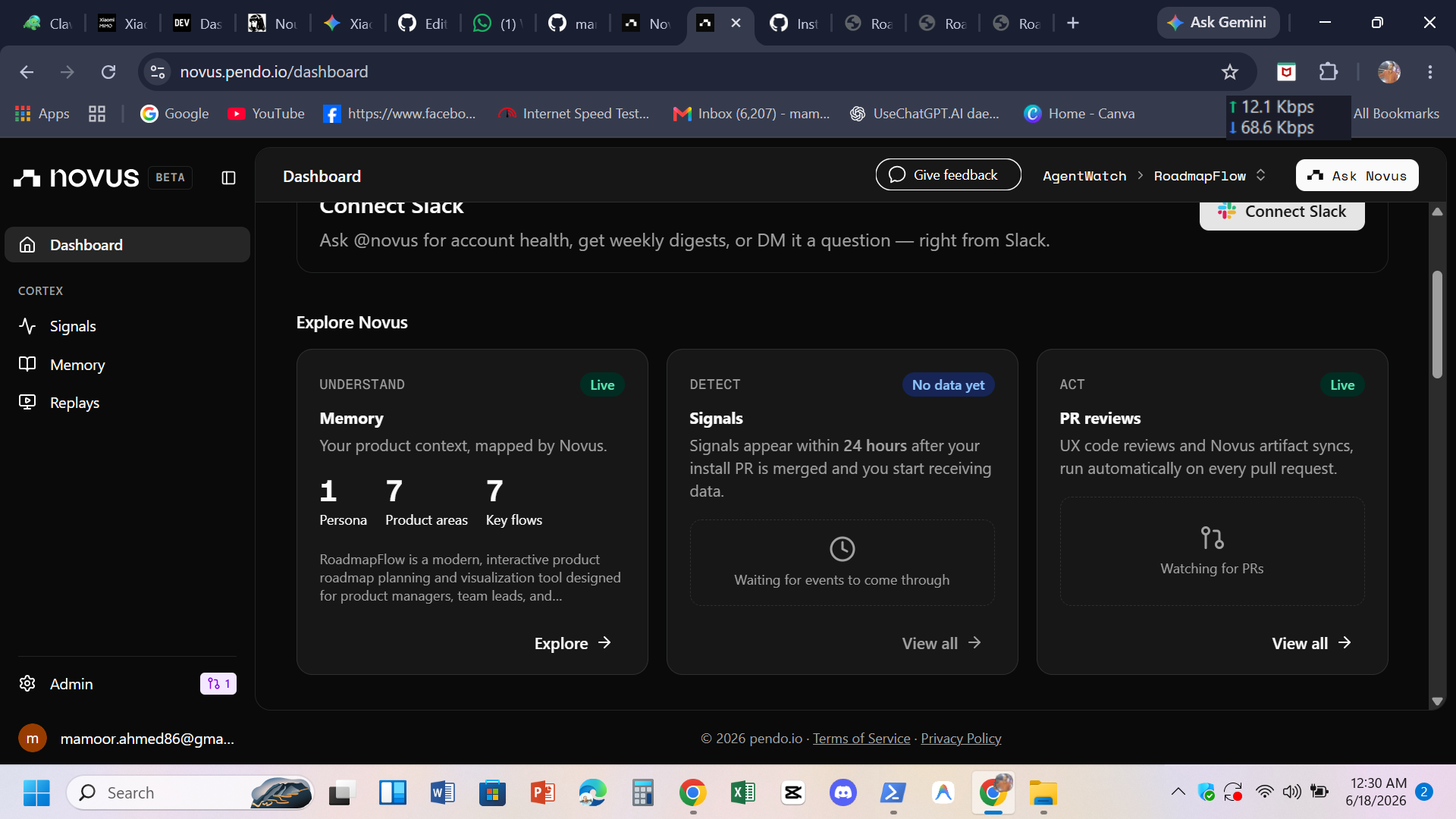
Novus.ai dashboard showing RoadmapFlow product analytics Memory mapped, Signals tracking, and PR reviews live
-
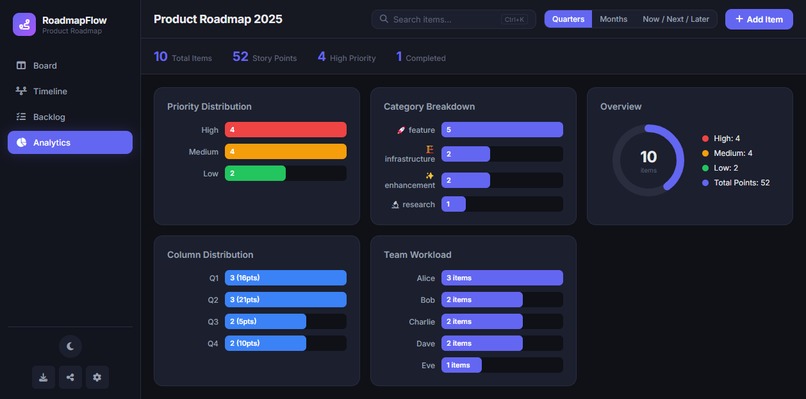
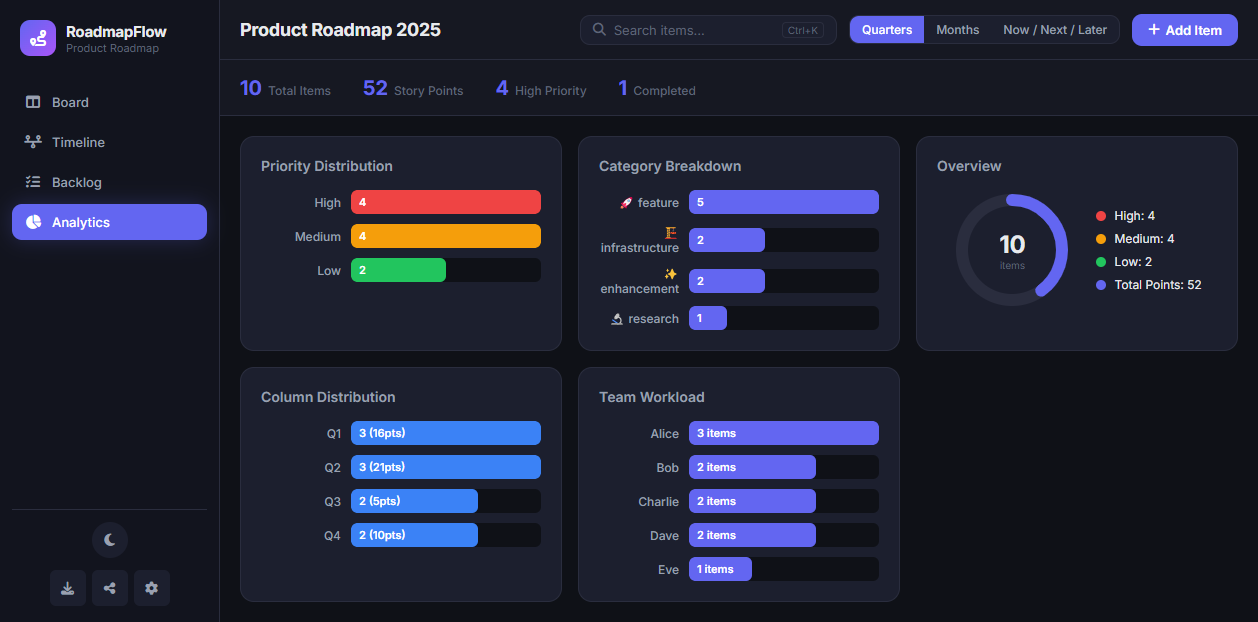
Analytics dashboard with priority distribution, category breakdown, donut overview, column distribution, and team workload charts.
-
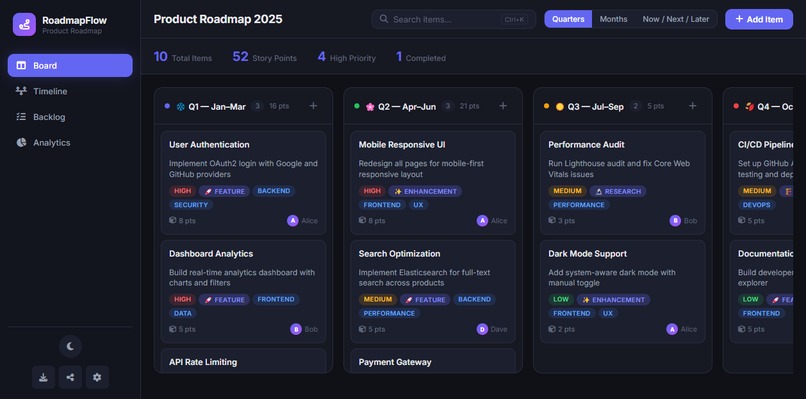
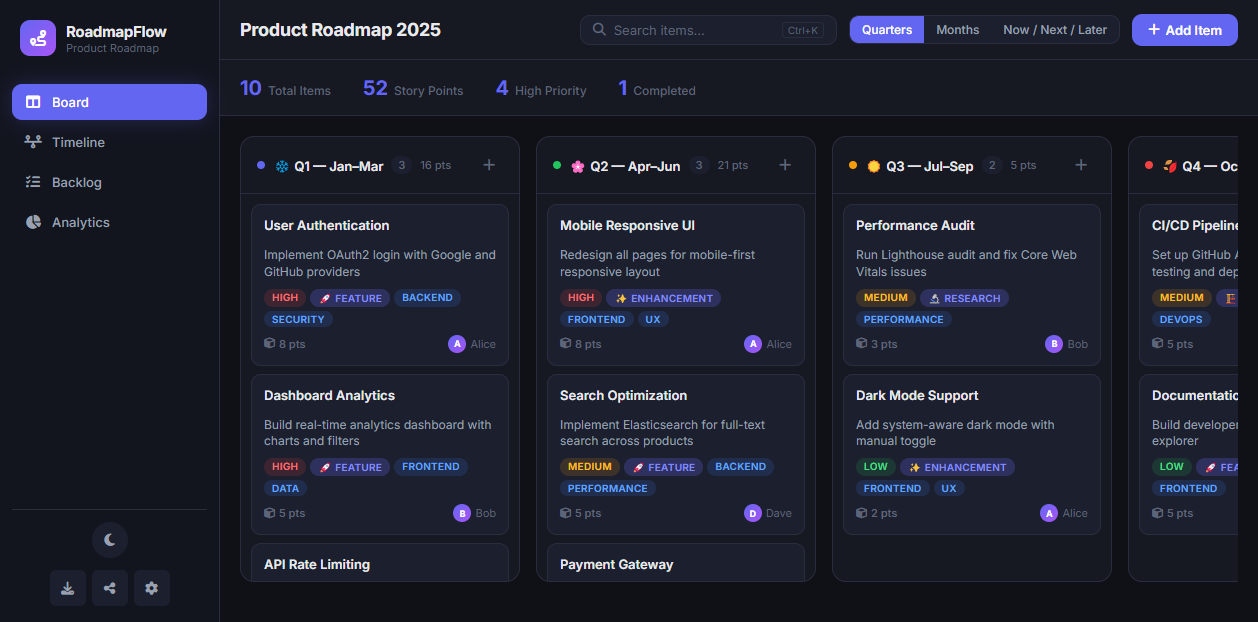
Board view with quarterly columns, drag-drop cards, priority tags, story points, and team assignments
-
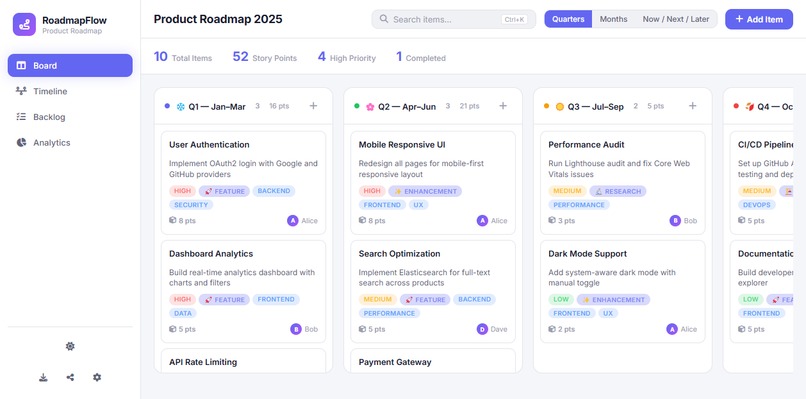
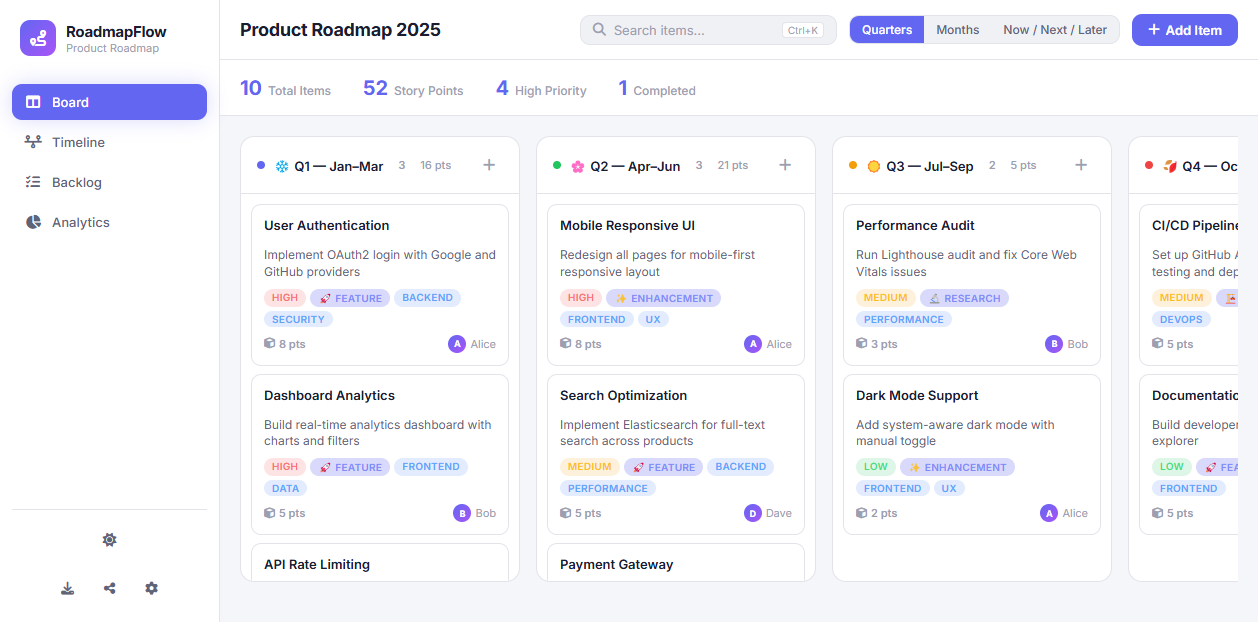
Light theme toggle same roadmap, clean white interface with full responsive layout
🗺️ RoadmapFlow — Product Roadmap Visualizer
A modern, interactive product roadmap planning tool built with vanilla HTML, CSS, and JavaScript.
✨ Features
- 📋 Board View — Kanban-style columns with drag & drop
- 📅 Timeline View — Chronological timeline of roadmap items
- 📝 Backlog — Manage items before adding to the roadmap
- 📊 Analytics — Visual charts for priority, category, and team workload
- 🌙 Dark/Light Theme — Toggle between themes
- 🔍 Search — Find items instantly with Ctrl+K
- 📤 Export/Import — JSON export for backup and sharing
- 📱 Responsive — Works on desktop, tablet, and mobile
- 💾 Auto-Save — All data persists in localStorage
- ⌨️ Keyboard Shortcuts — N to add item, Ctrl+K to search, Esc to close
🚀 Quick Start
- Clone the repository
- Open
index.htmlin your browser - Start planning your roadmap!
No build tools, no dependencies, no server required.
📁 Project Structure
product-roadmap-visualizer/
├── index.html      # Main HTML structure
├── styles.css      # Complete styling with dark/light themes
├── app.js          # Application logic and state management
└── README.md       # This file
🎯 How to Use
Adding Items
- Click the "+ Add Item" button in the top bar
- Click the "+" button on any column header
- Press N key when not in an input field
Moving Items
- Drag and drop cards between columns
- Items automatically save their new position
Switching Views
- Board — Kanban columns (Quarters, Months, or Now/Next/Later)
- Timeline — Chronological view of all items
- Backlog — Manage items not yet on the roadmap
- Analytics — Visual breakdown of your roadmap data
Theme Toggle
- Click the moon/sun icon in the sidebar bottom
Search
- Click the search box or press Ctrl+K
- Searches titles, descriptions, tags, owners, and categories
🛠️ Technologies
- HTML5 — Semantic structure
- CSS3 — Custom properties, Grid, Flexbox, animations
- Vanilla JavaScript — No frameworks, no dependencies
- Font Awesome 6 — Icons
- Google Fonts (Inter) — Typography
- LocalStorage — Data persistence
📄 License
MIT License — free to use and modify.
👤 Author
Built with ❤️ for the Devpost hackathon community.

Log in or sign up for Devpost to join the conversation.