-
-
-
-
-
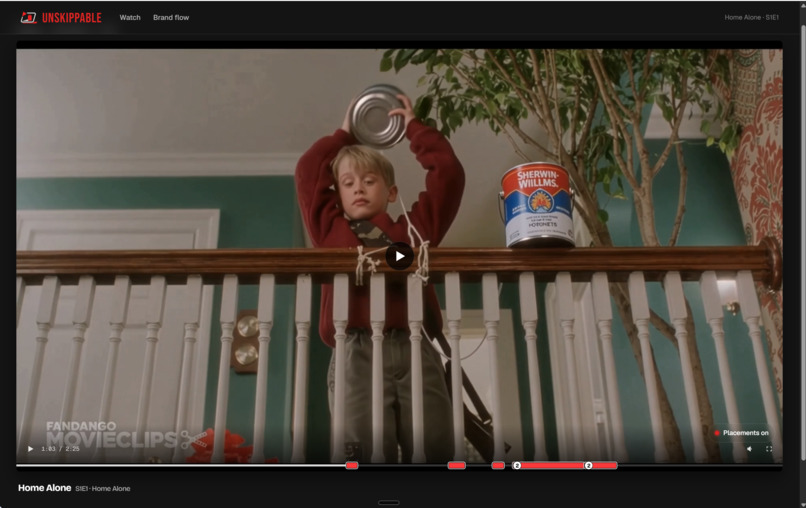
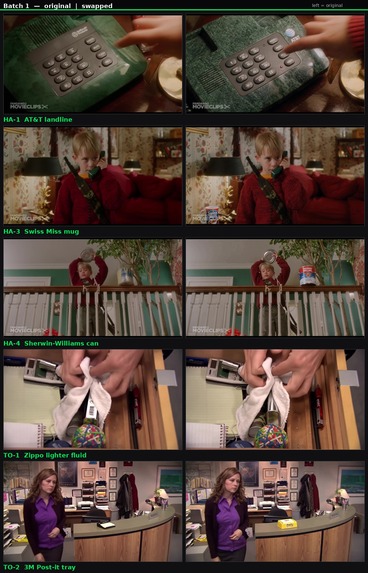
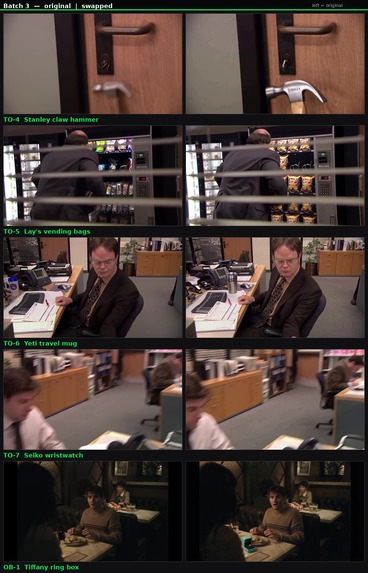
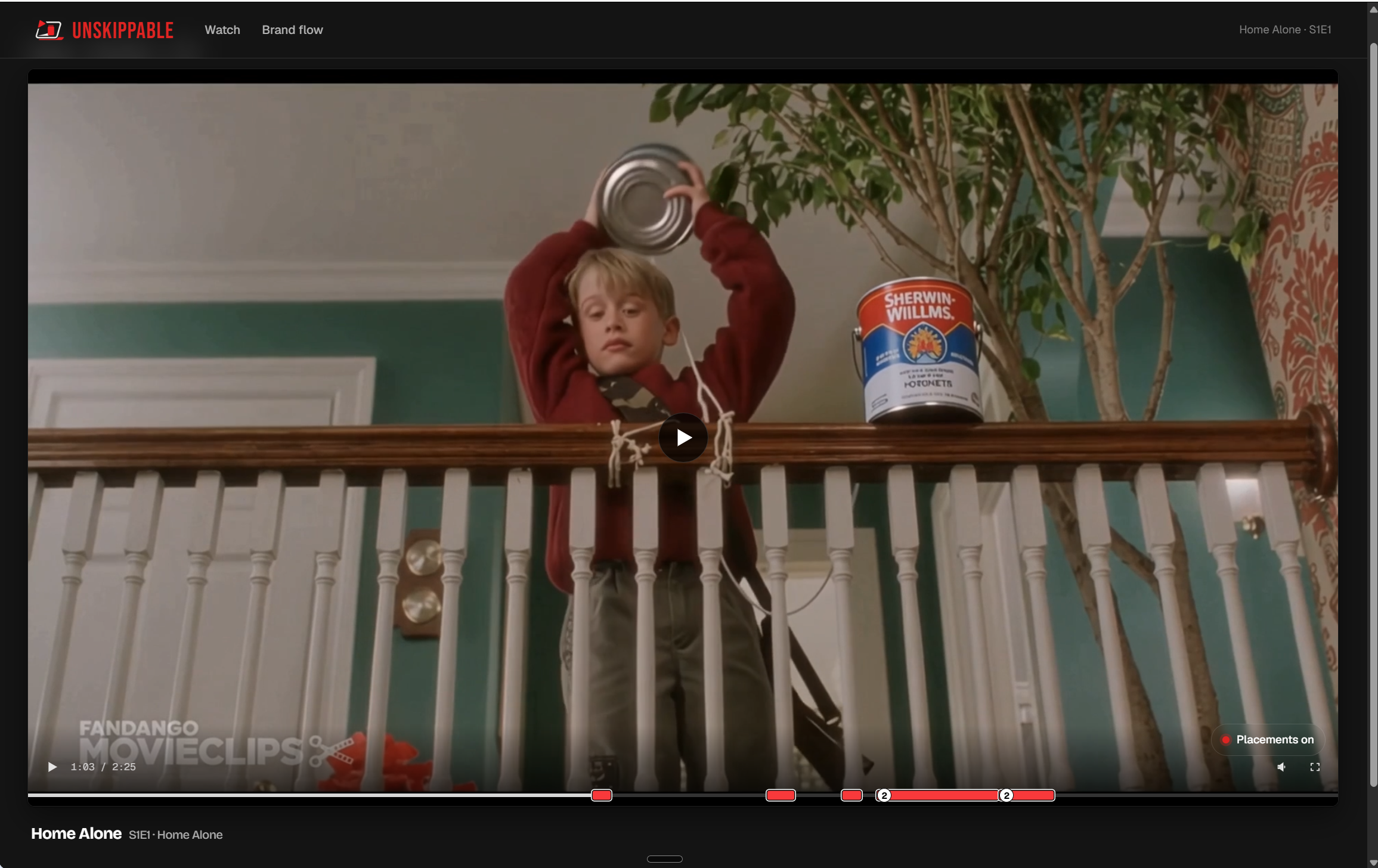
Home Alone scene: the paint can swapped for a Sherwin-Williams can, with the rest of the frame untouched.
-
-
-
-
-
-
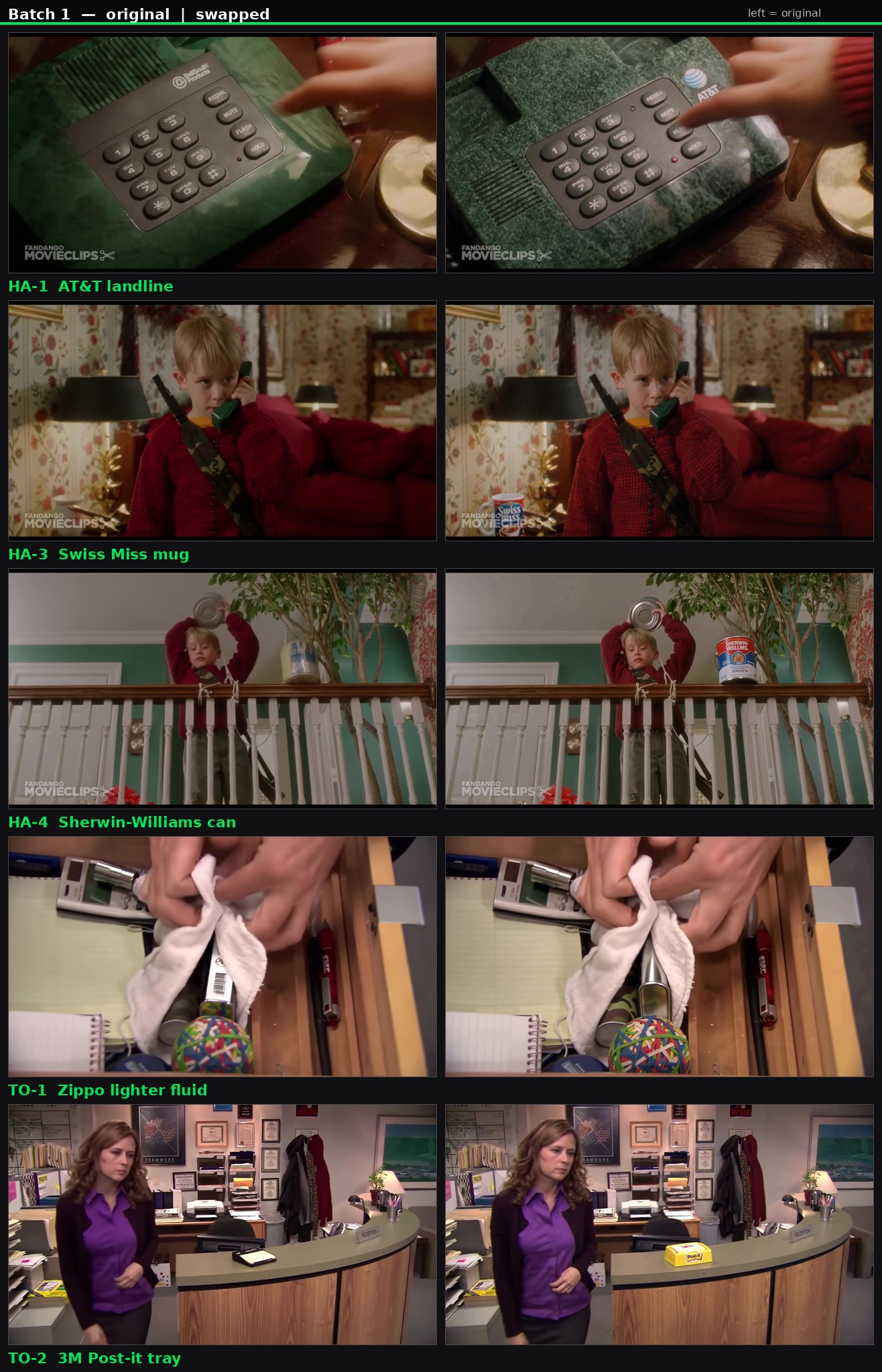
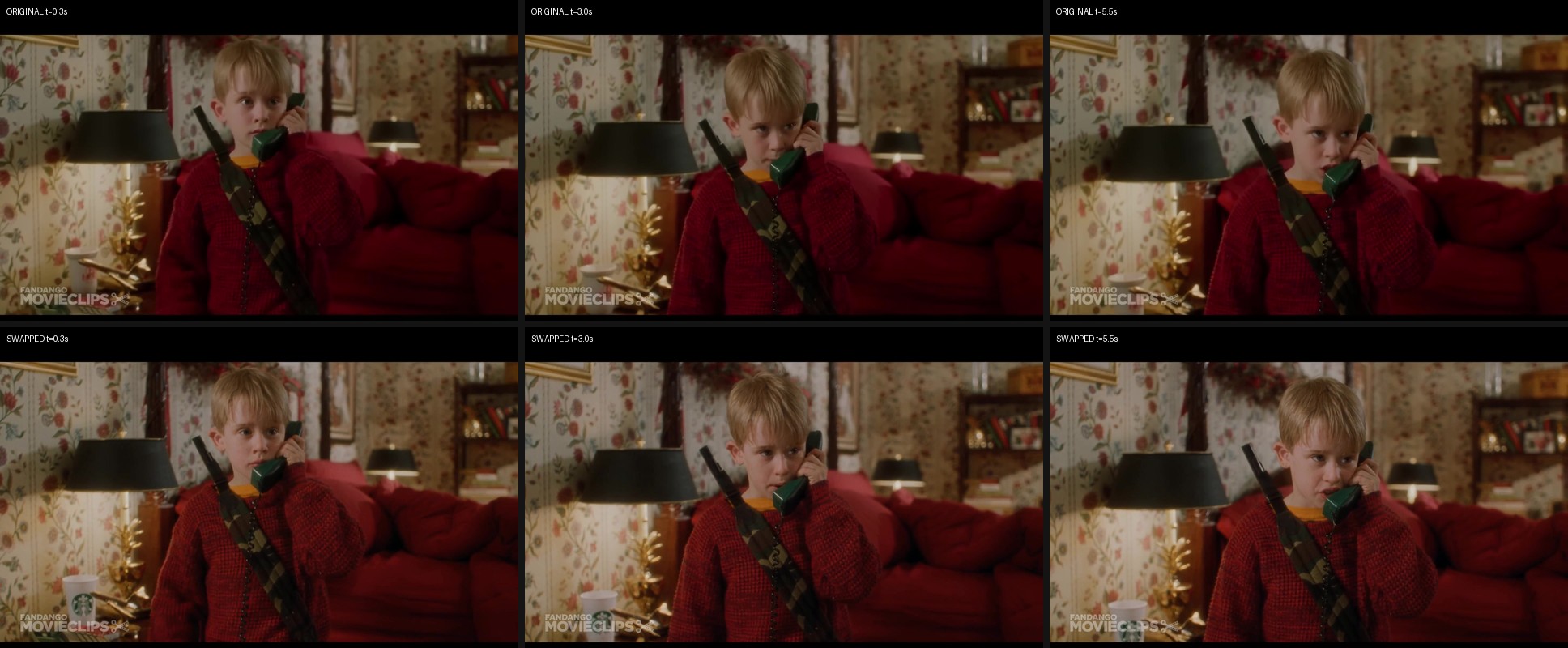
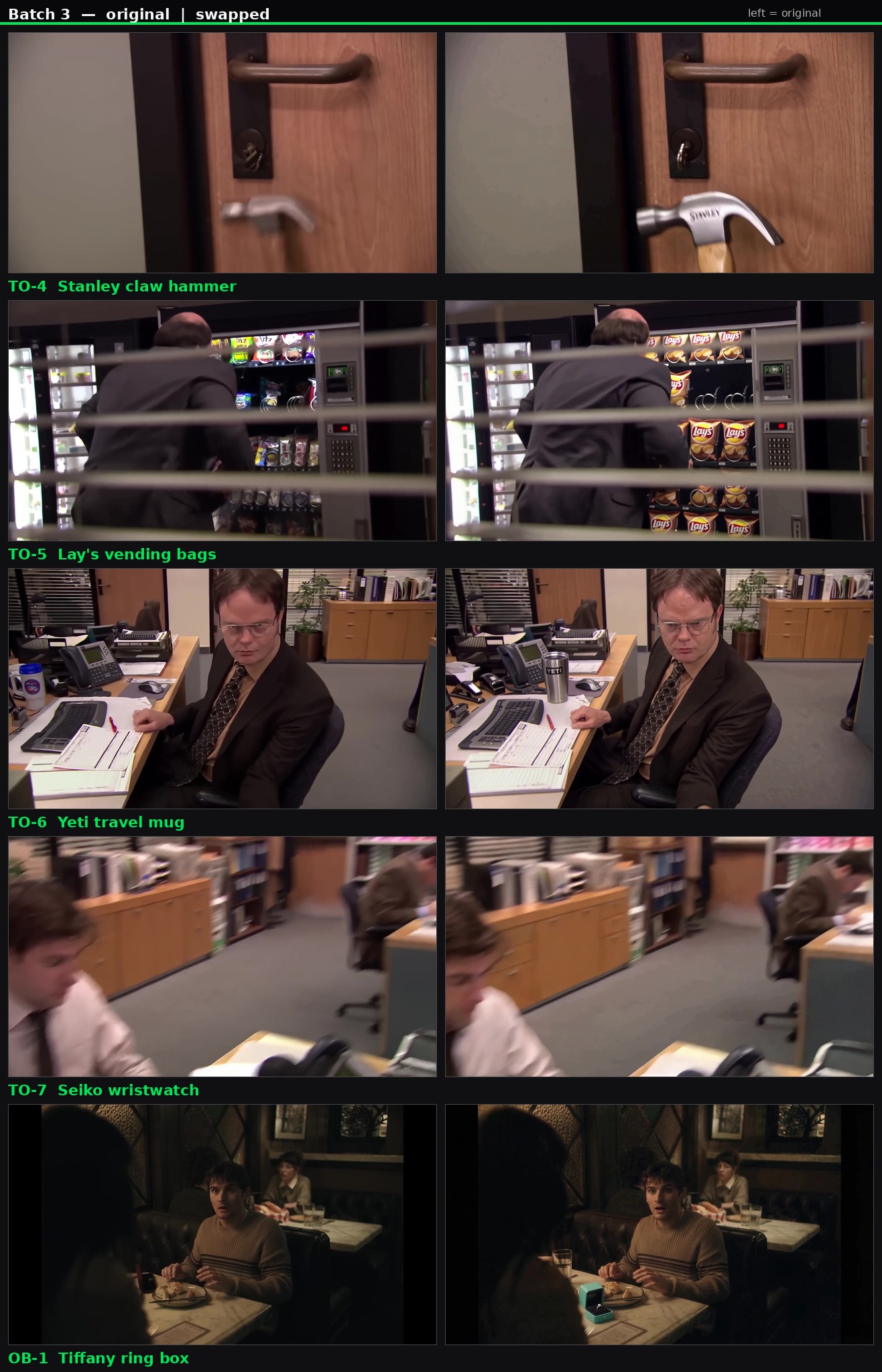
VIDEO DEMO: https://www.loom.com/share/5e33787f03e440cdbdb7d007d449a1e9
Inspiration
If you've watched K-dramas, you've probably seen it: the characters stop for a meal and it's suddenly at Subway, with the sandwiches front and center. It works for the sponsor, but it's obvious, and it has to be planned and filmed into the episode from the start.
We wanted to know whether product placement could be added after filming instead, and fit the scene rather than stand out. We built Unskippable to help businesses place their products in videos that are already finished: a drink on a table that's already there, a cup swapped for their brand. It also connects businesses with directors and creators whose work suits their product, so both sides can make money from videos that already exist.
What it does
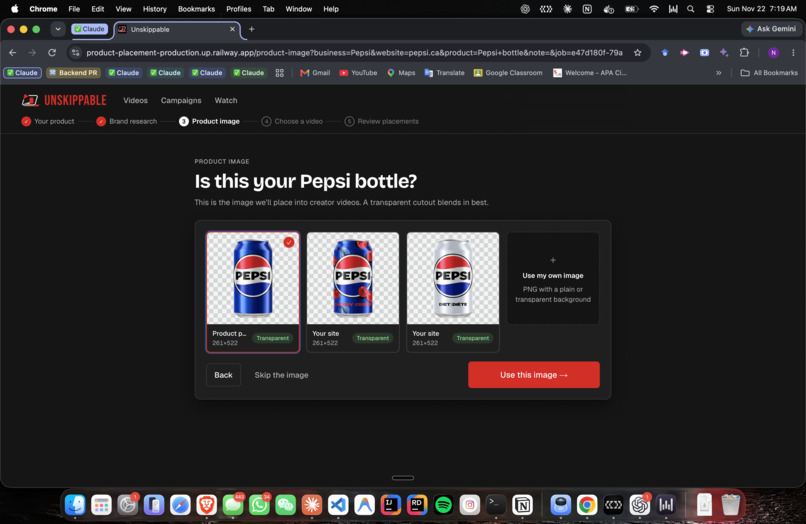
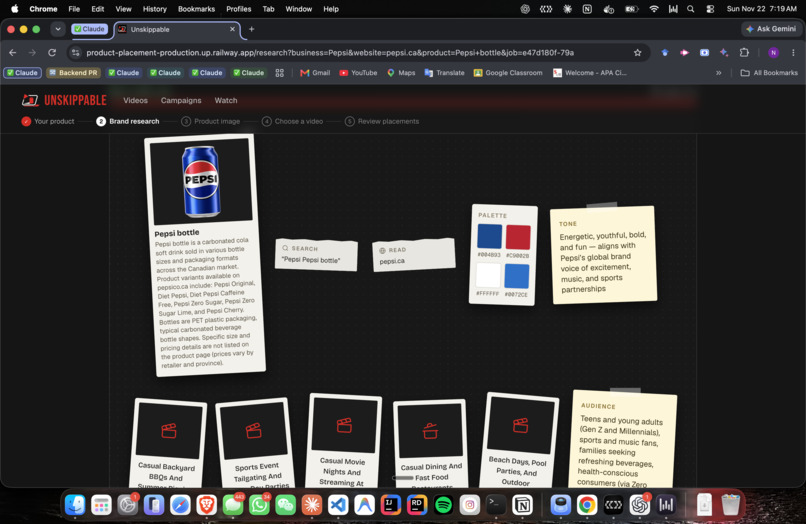
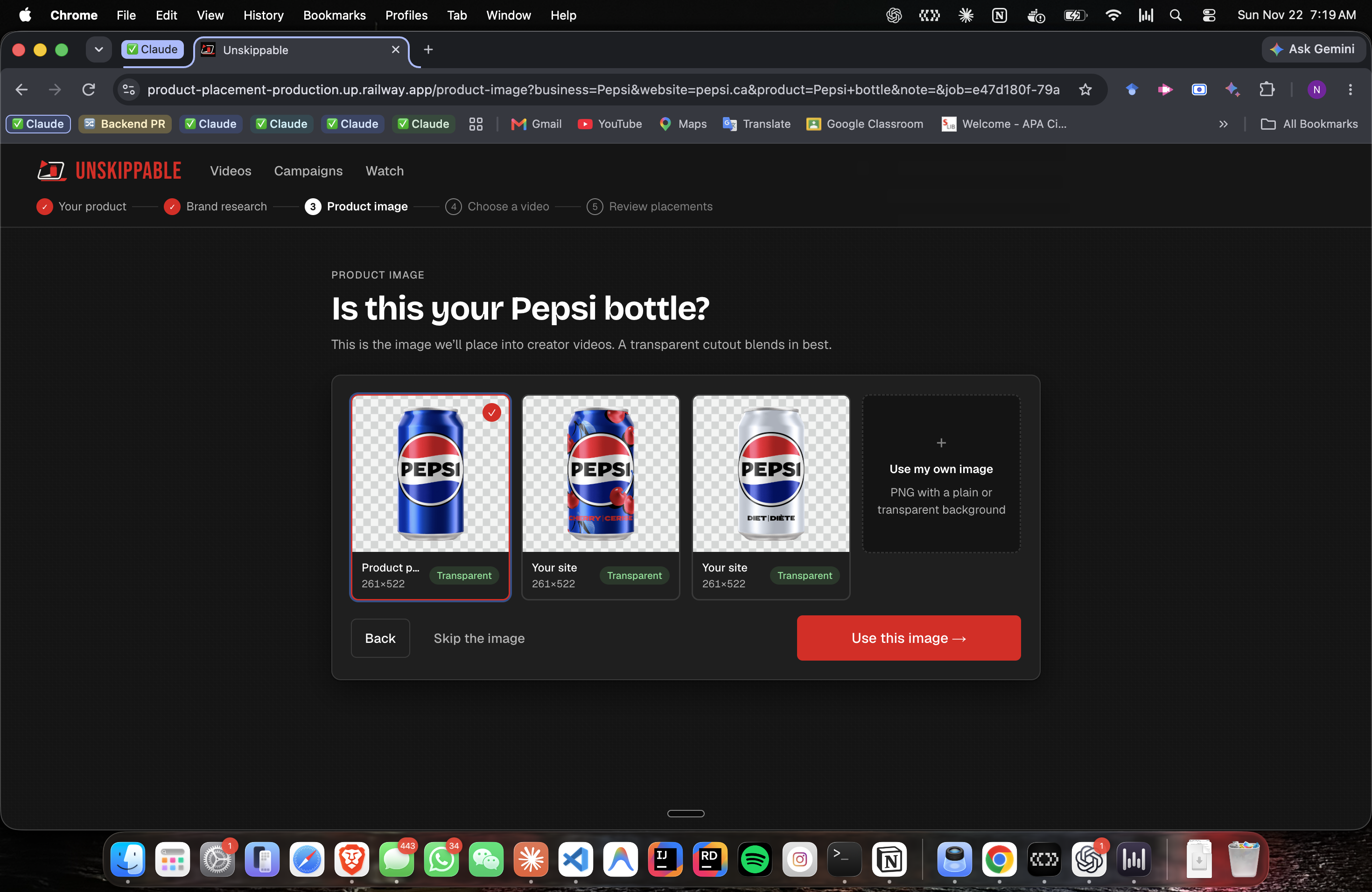
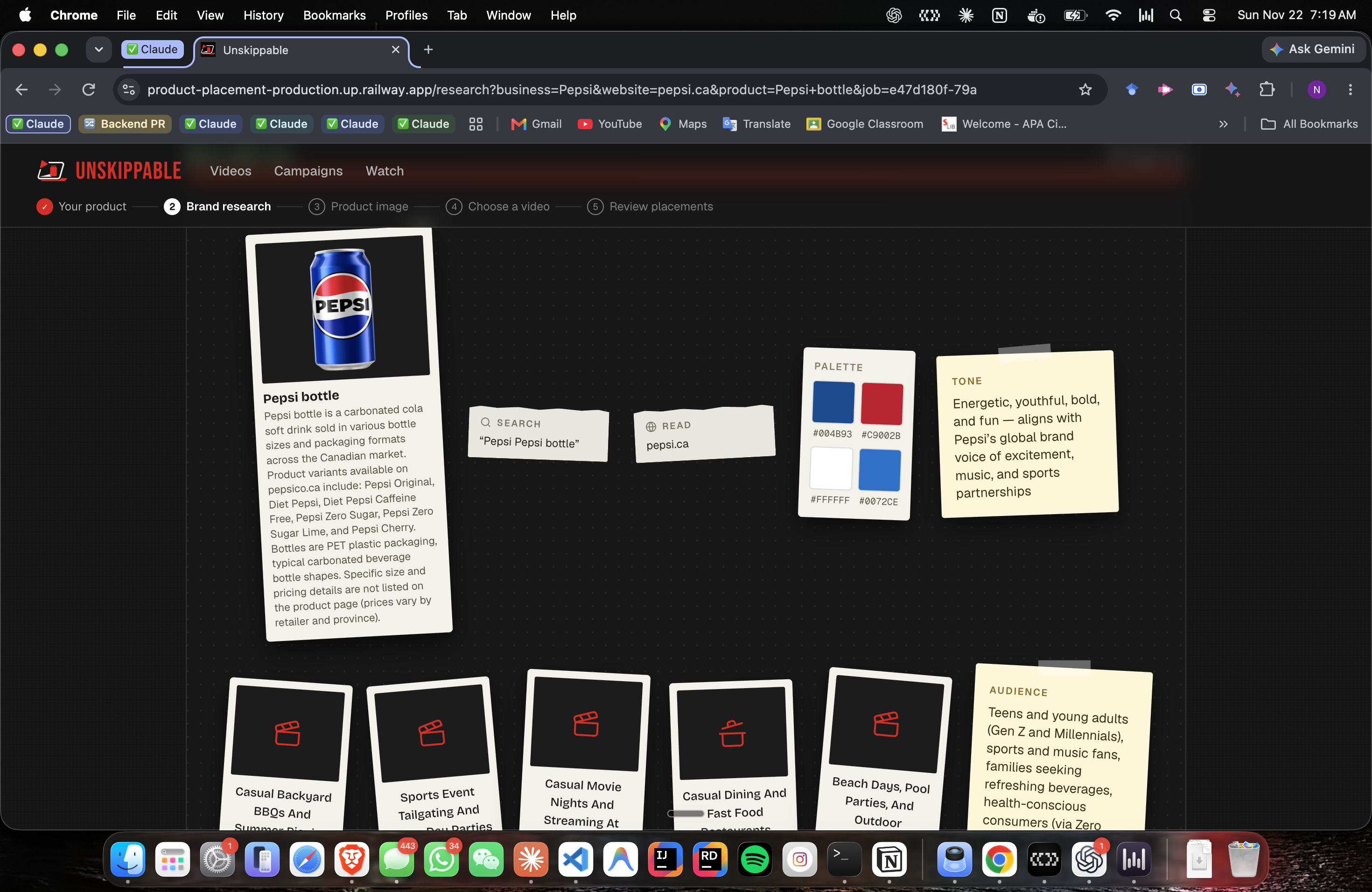
Unskippable lets a brand place its product in videos that have already been filmed. A brand enters its business name and product. A TinyFish agent looks at the brand's website and fills in a short profile (tone, audience, scenes to avoid) along with some product image options.
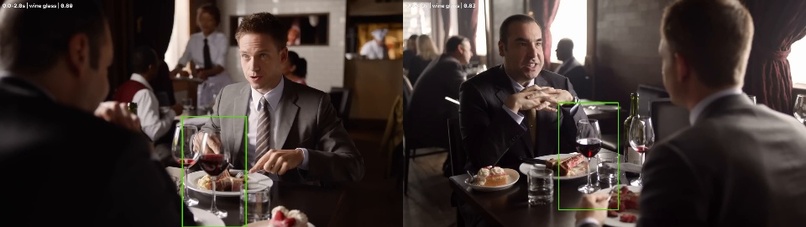
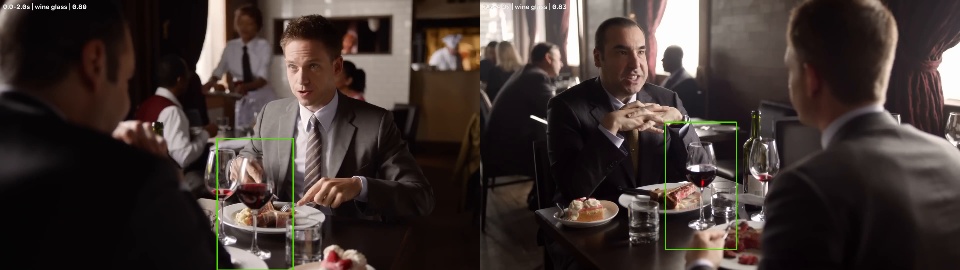
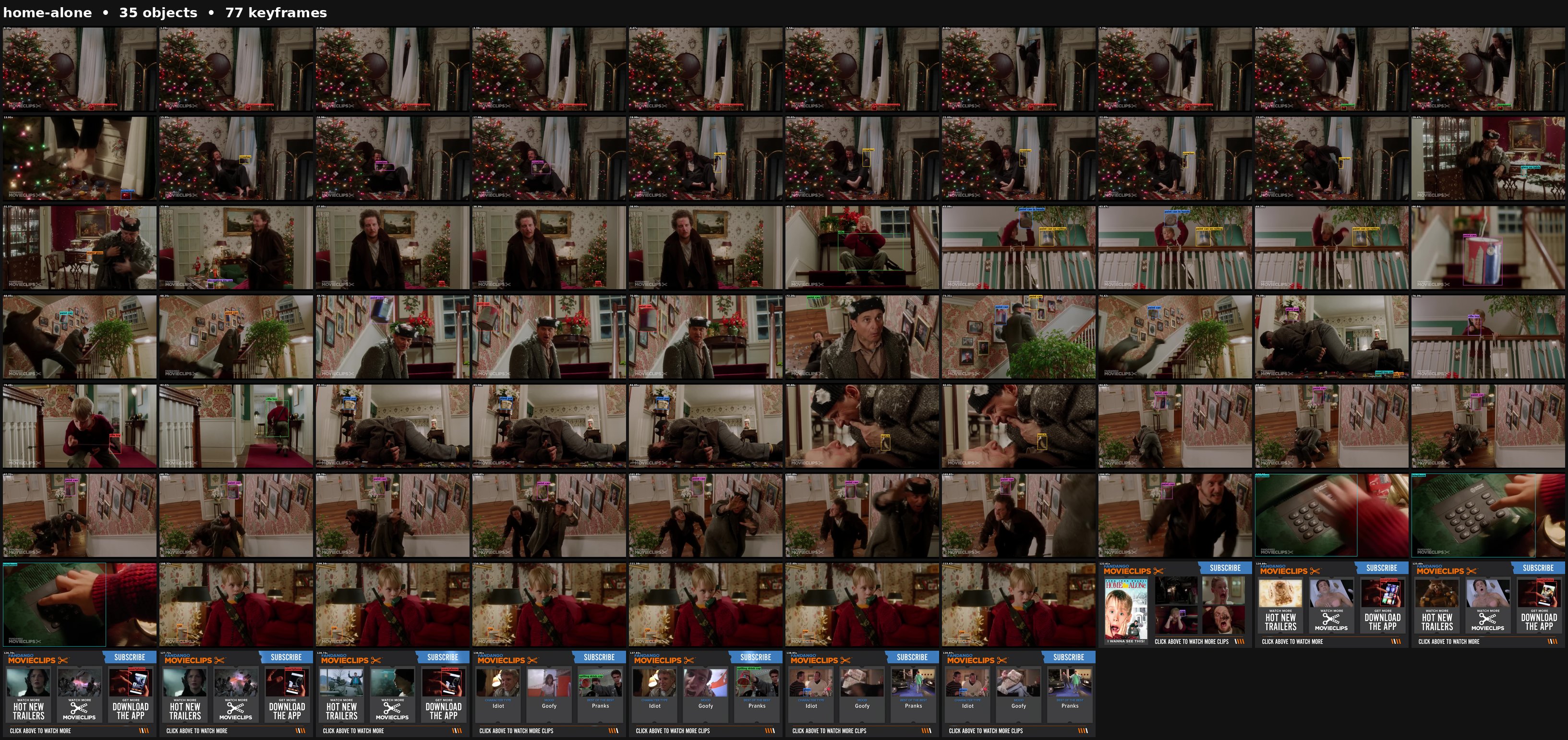
The brand then picks a video from a catalog of creator uploads. Each video is scanned when it's uploaded for objects that a product could replace, such as a cup or a bottle on a table. When a brand opens a video, it's scanned again with that brand's details in the prompt.
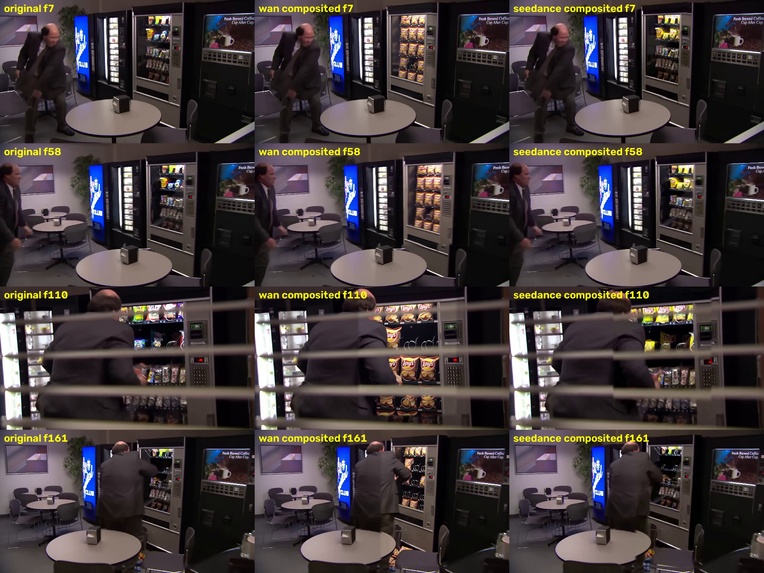
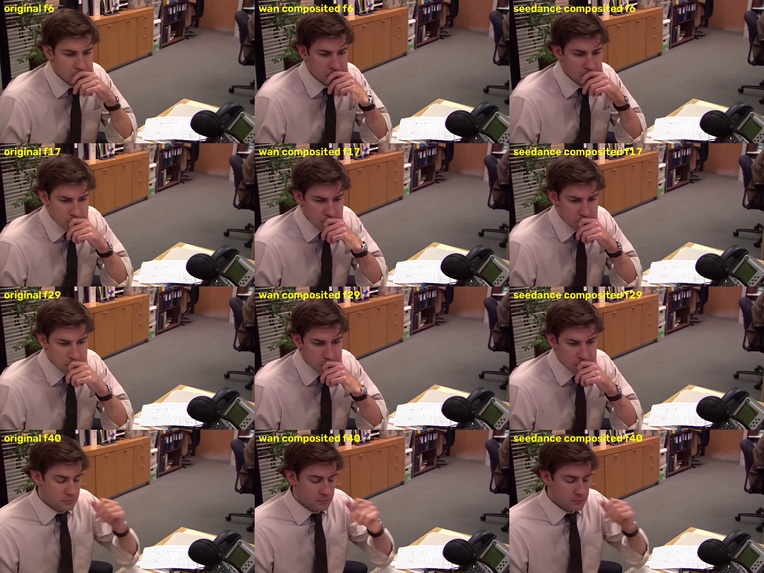
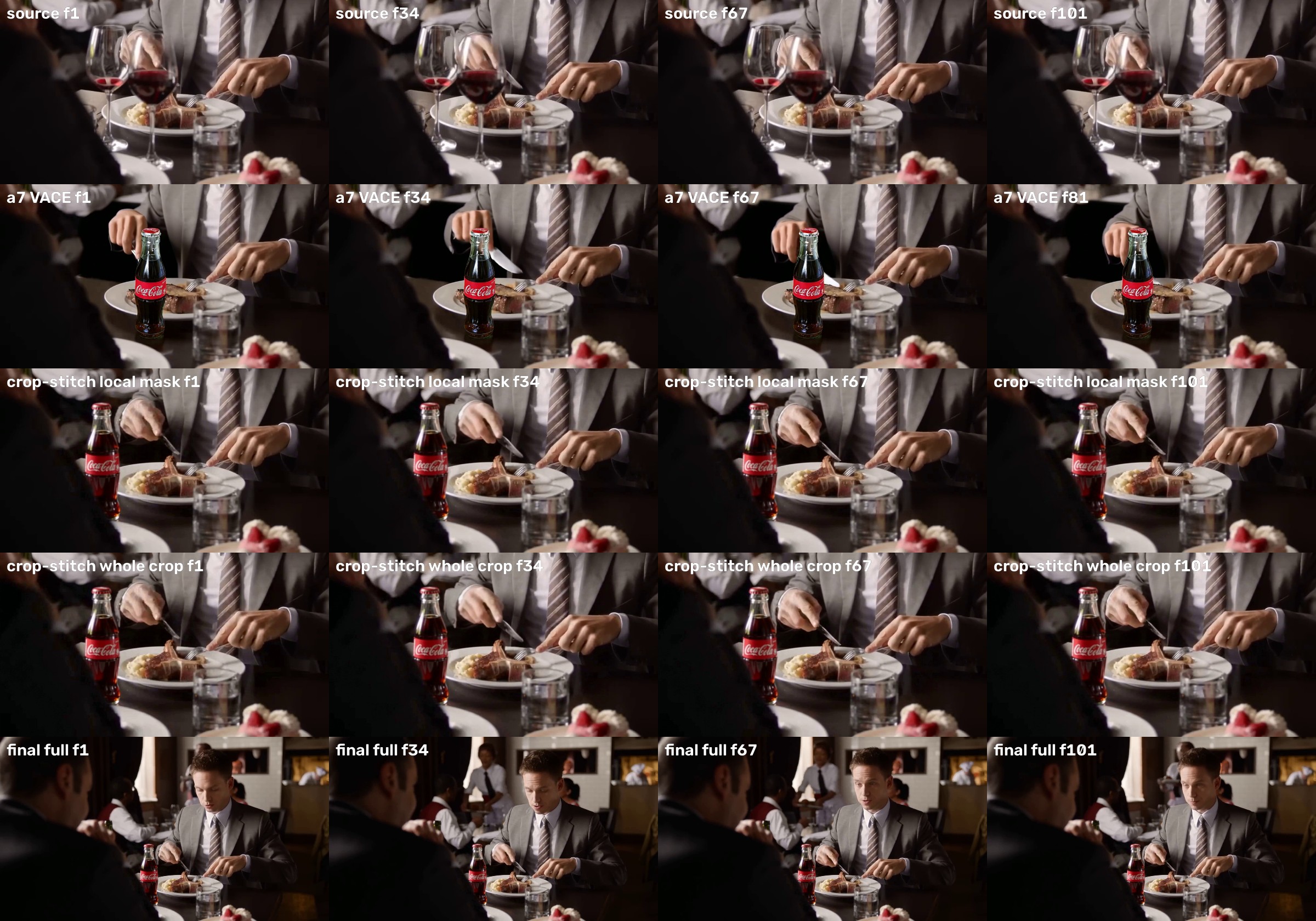
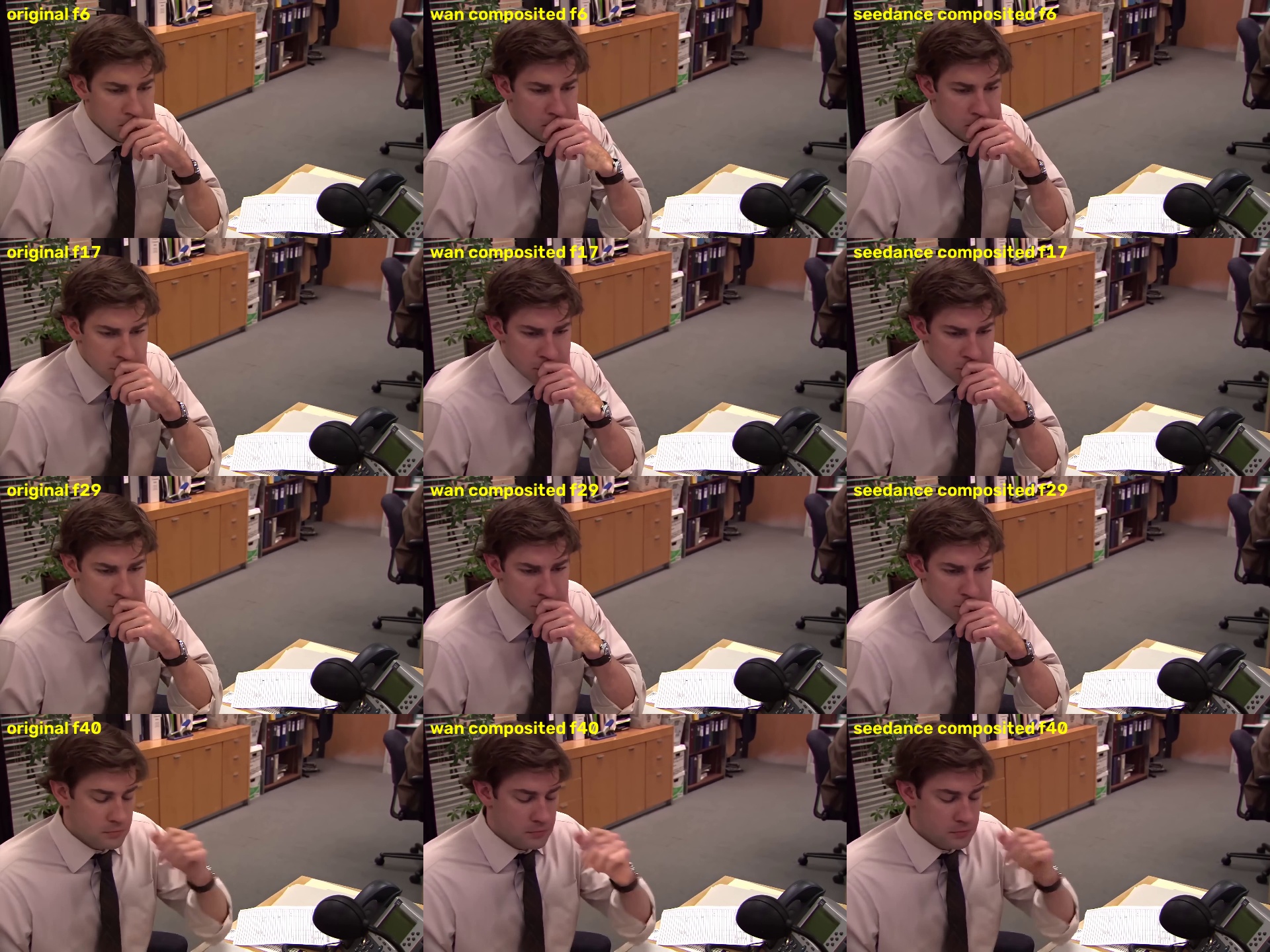
The review page shows each candidate spot on a timeline with the object boxed. If the brand approves one, the app queues a video edit and shows the result next to the original. There's also a campaigns page and a watch page that plays the video with placements at their timestamps.
How we built it
The frontend and API are built with Next.js. A Python package handles video analysis, background jobs, the catalog and storage.
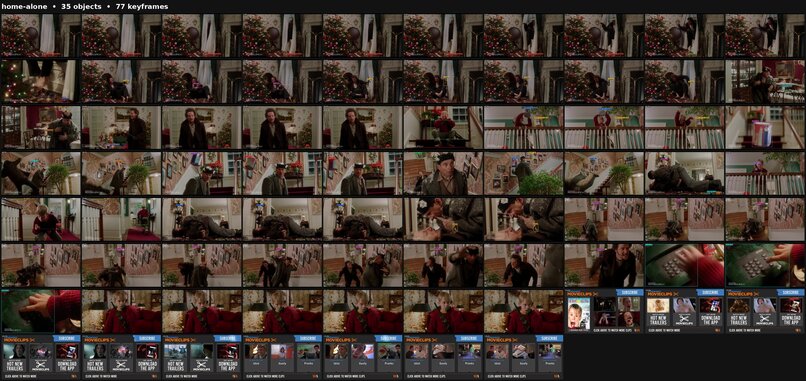
To find spots, we detect shot changes, sample keyframes from each shot and send them to Gemini through OpenRouter in batches. Gemini returns objects with bounding boxes and a suggested replacement, and we merge detections across frames into time windows. If no API key is set, a classical computer vision detector is used instead.
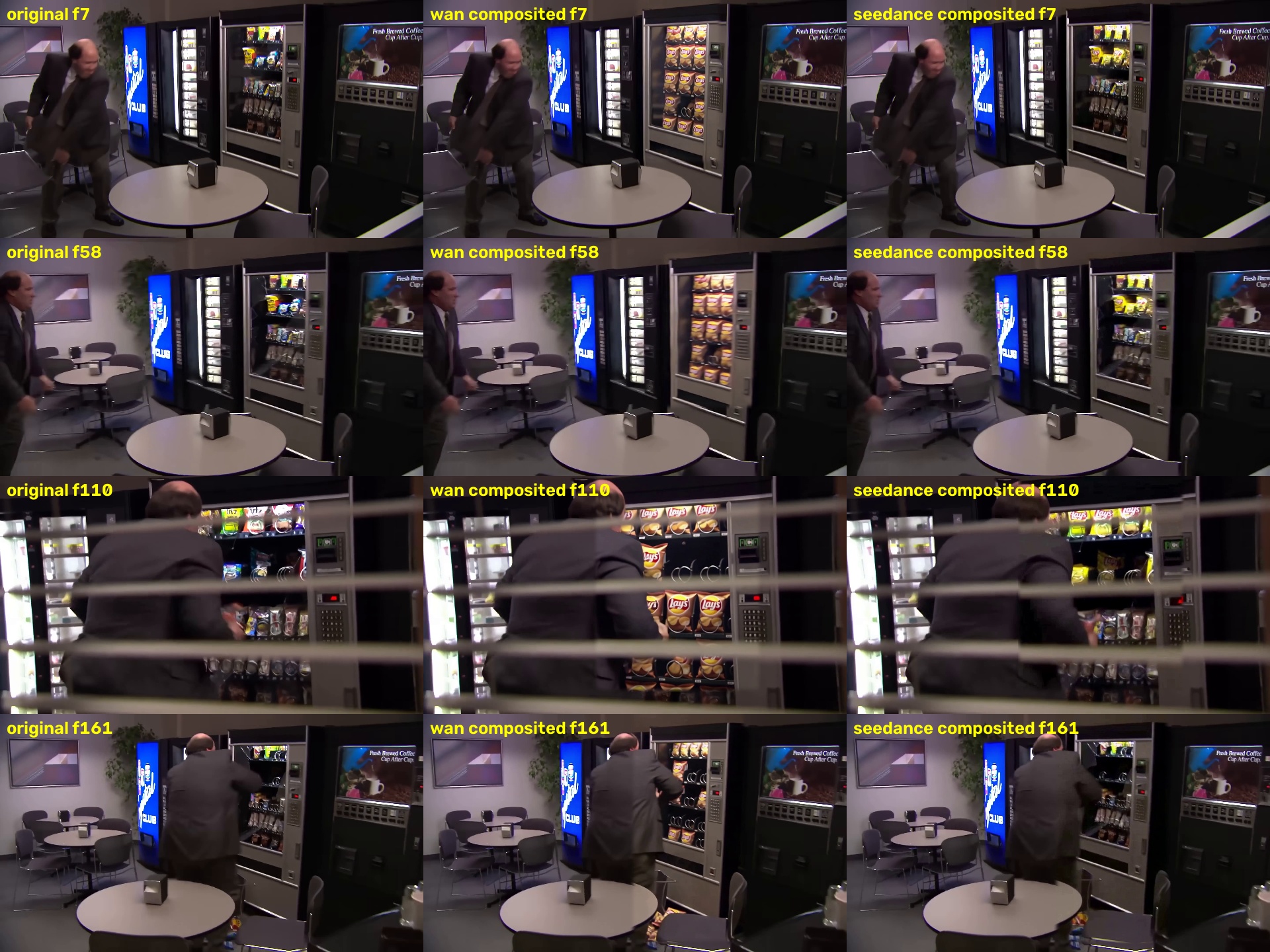
Brand research uses a TinyFish web agent. Video edits use Seedance or defaulting Wan 3.0 as backup through OpenRouter. Hosted data and media use Postgres and S3, and local development uses SQLite and files on disk.
Challenges we ran into
Finding an object isn't enough to make a good placement. The shot needs to be fairly still, the object can't overlap a face, and it has to make sense for the brand. A single brand-agnostic scan gave reasonable objects but often wrong ones for a given product, which is why we added the second, brand-specific scan.
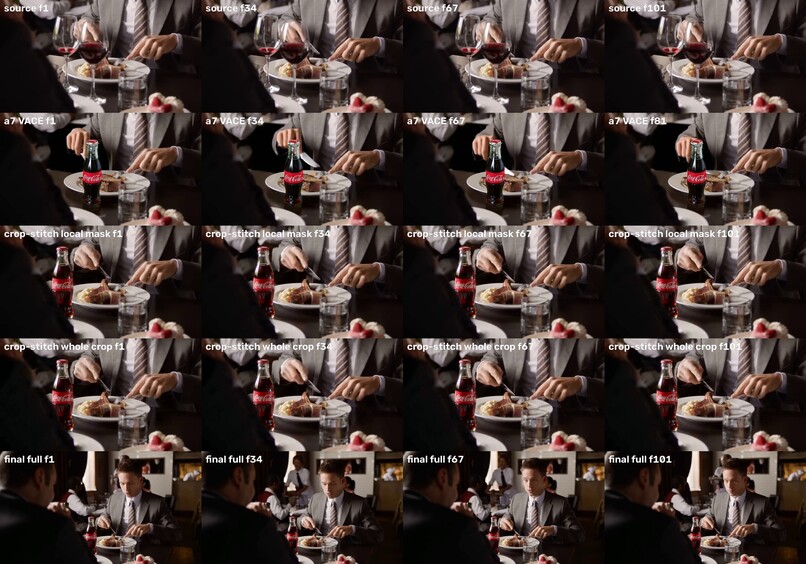
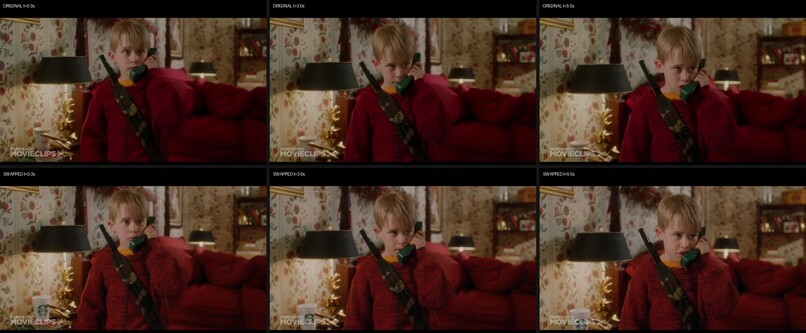
Generated edits also have to keep the motion and lighting of the original shot, and they cost money per clip. We added a review step and a confirmation before any paid edit runs, and brand scans run once per video and brand.
Accomplishments that we're proud of
The whole flow runs end to end, from entering a brand to an approved placement in a scene. Adding the brand to the prompt noticeably changed the suggestions; for a soda brand, the finder started proposing glasses on tables as spots for a can.
What we learned
Most of the work was in choosing which spots to show rather than detecting objects. Keeping a person in the loop before a paid edit kept costs predictable and made bad suggestions easy to skip.
What's next
Matching lighting and shadows in the generated edit, letting creators approve placements in their videos, and showing different placements to different viewers.
