-
-
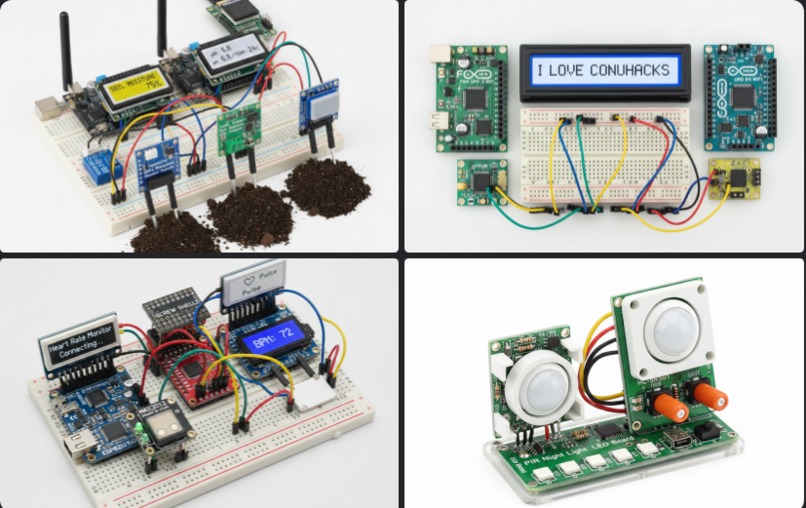
Some things we've tried out! Take a guess at what these are
-
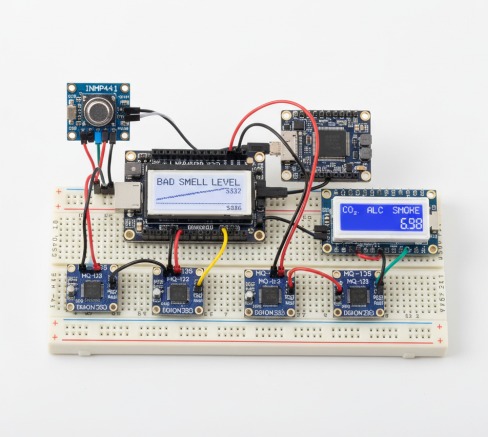
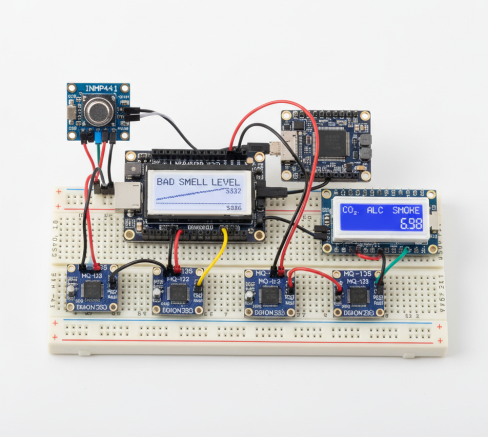
Bad smell detector trial run
-
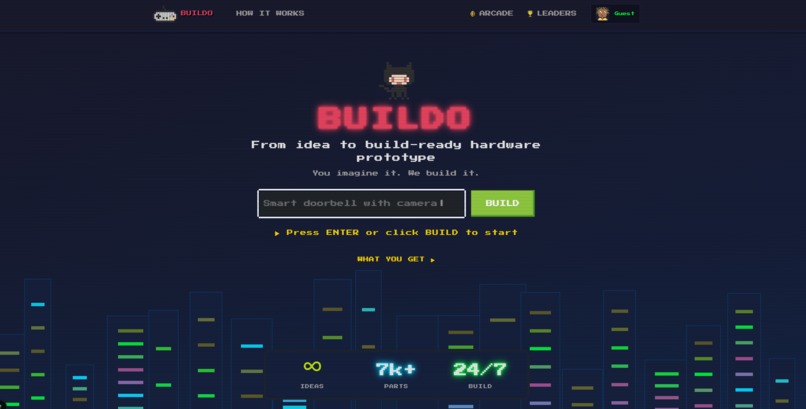
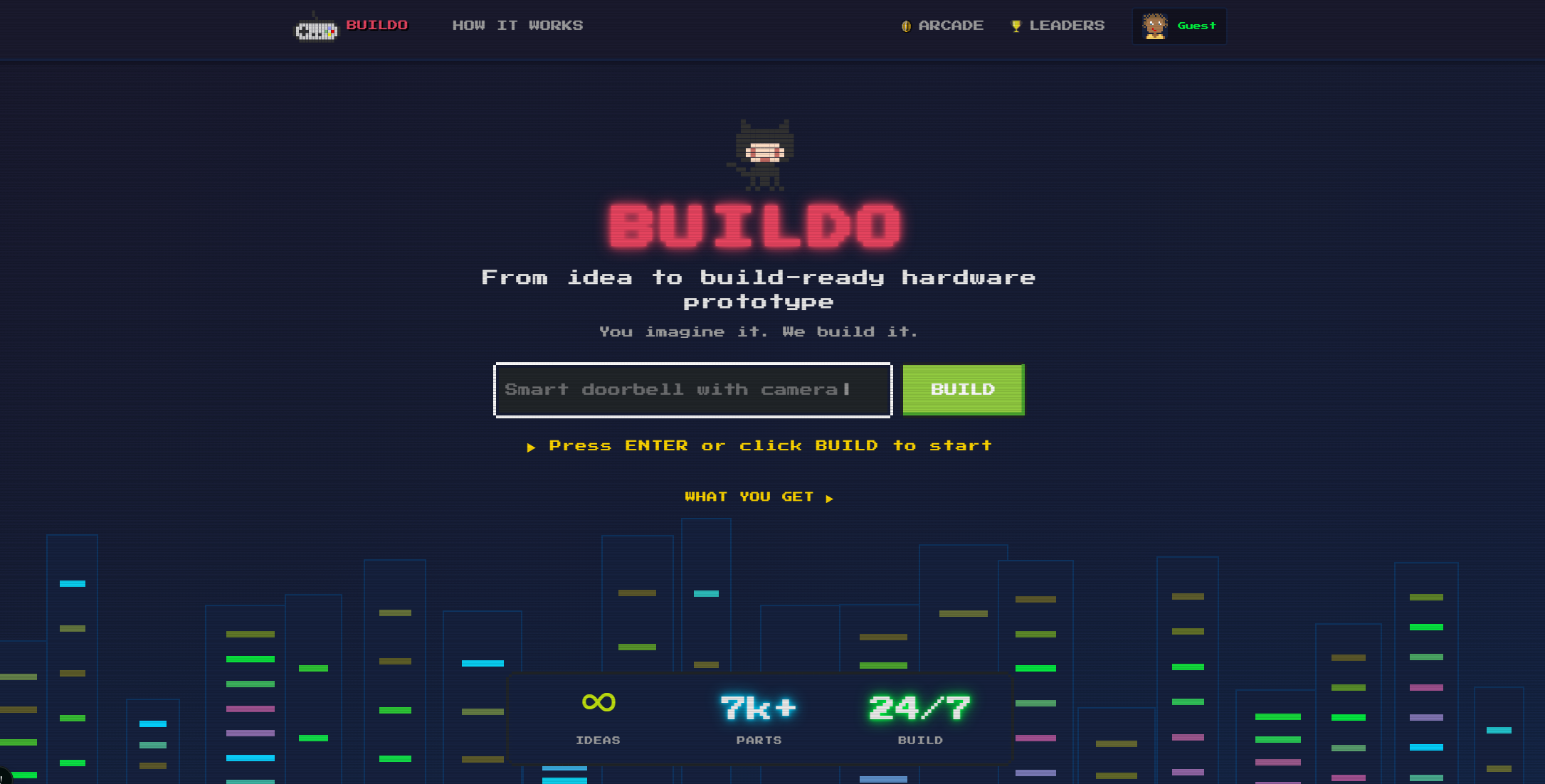
Input idea
-
Loading...
-

Done loading
-
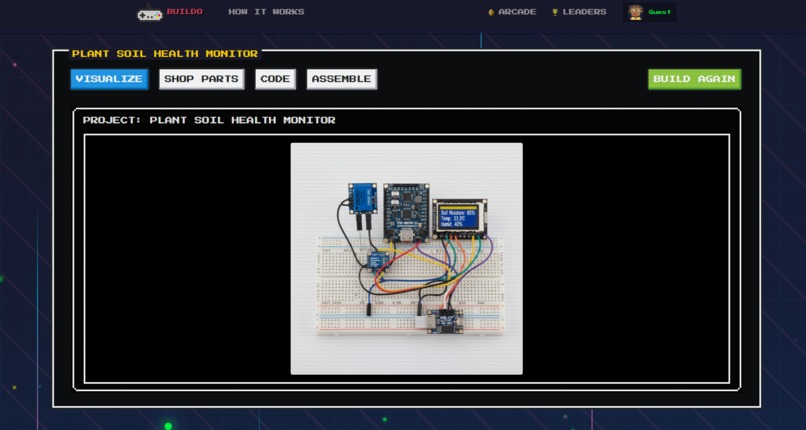
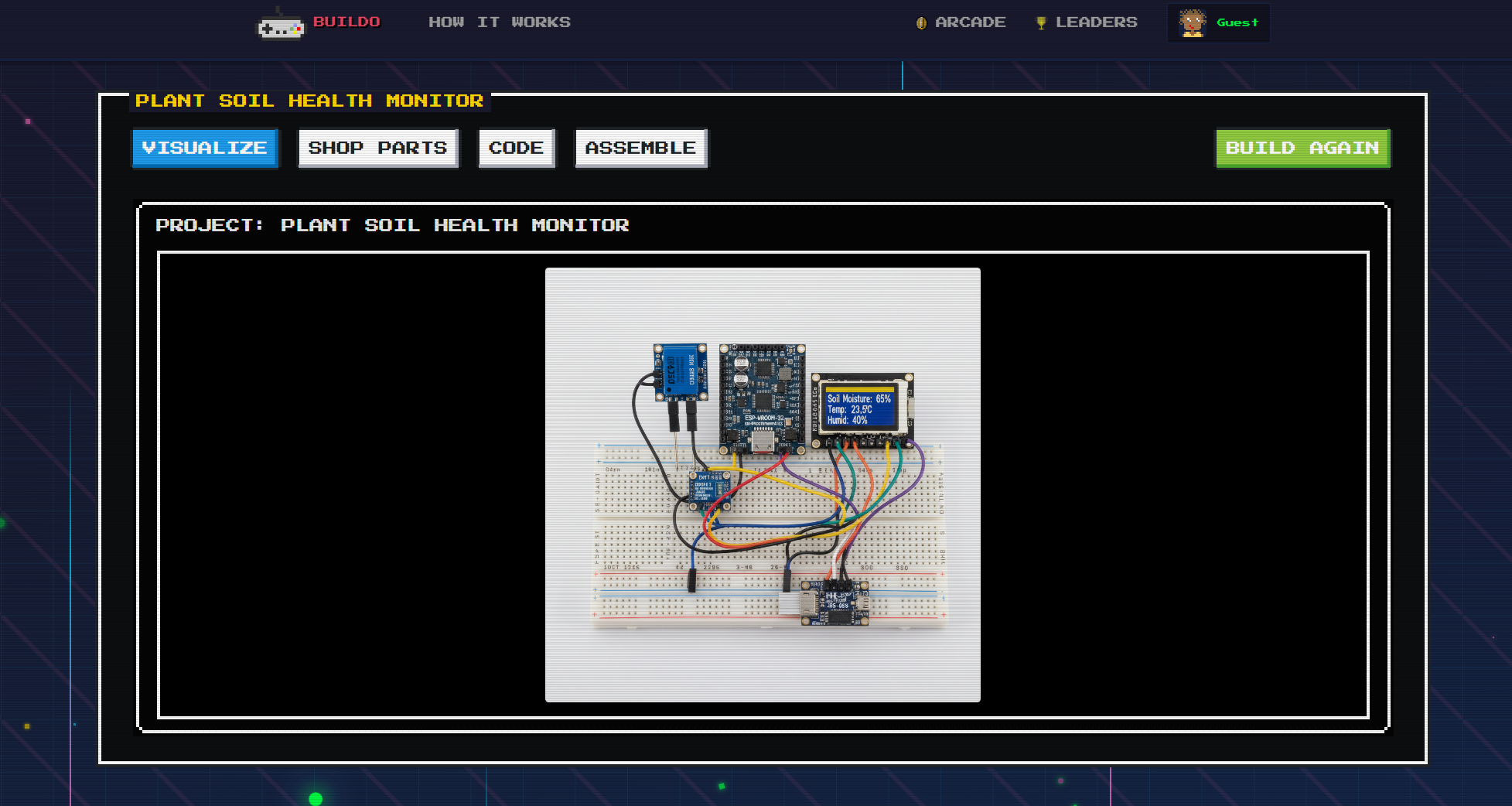
Visualization with parts assembbled
-
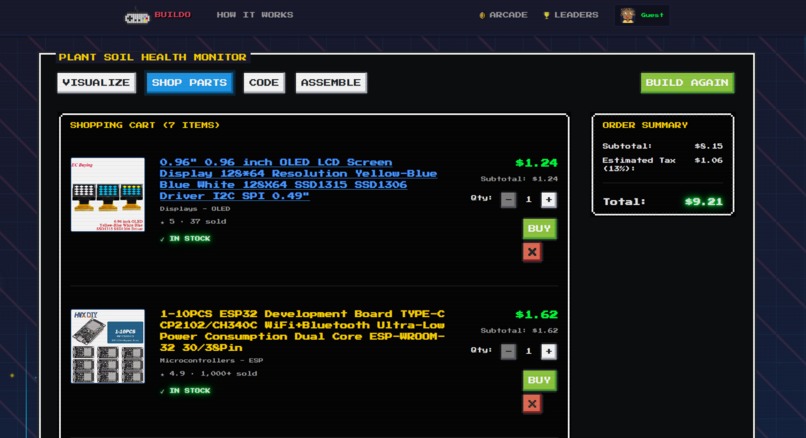
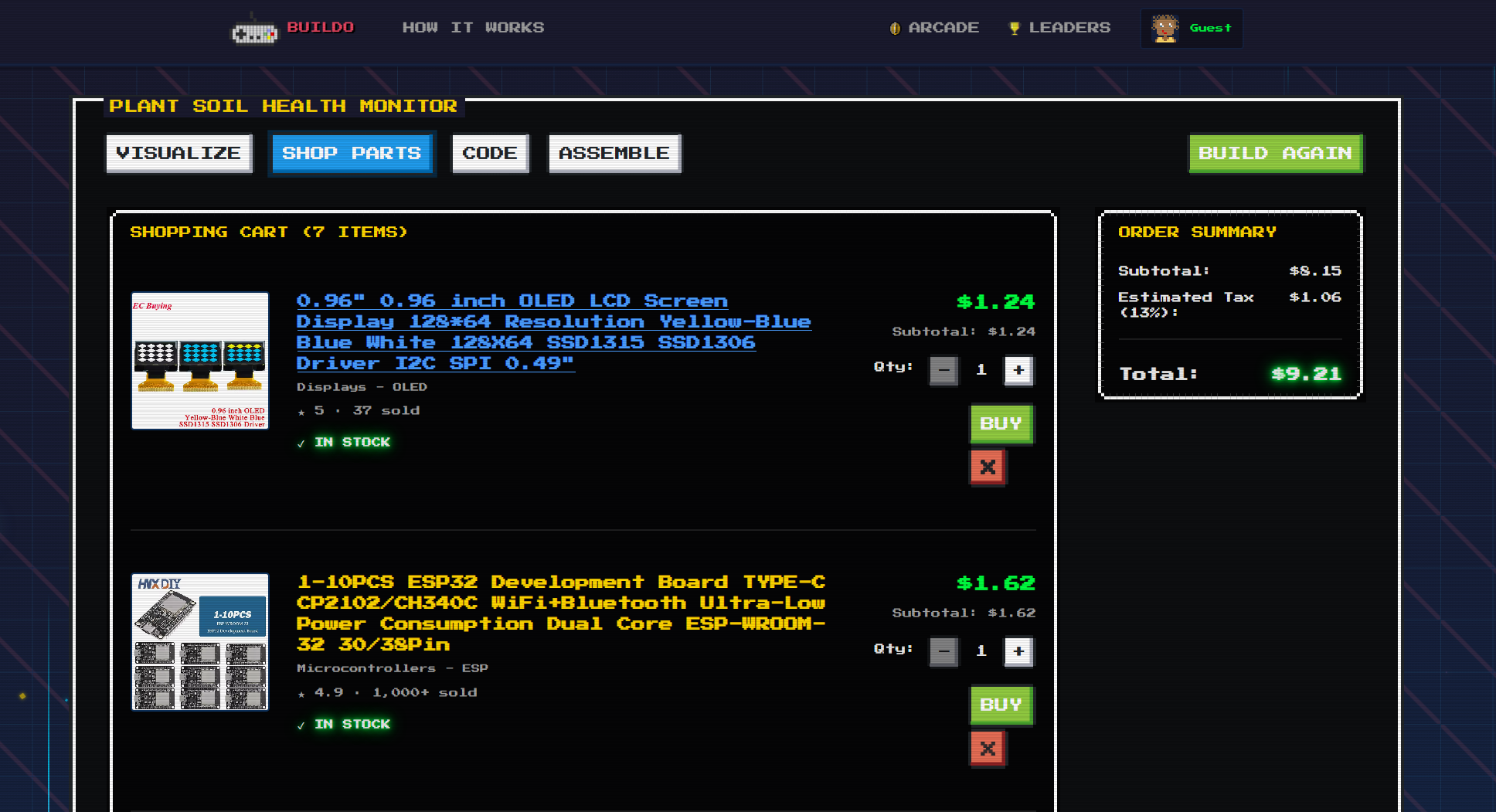
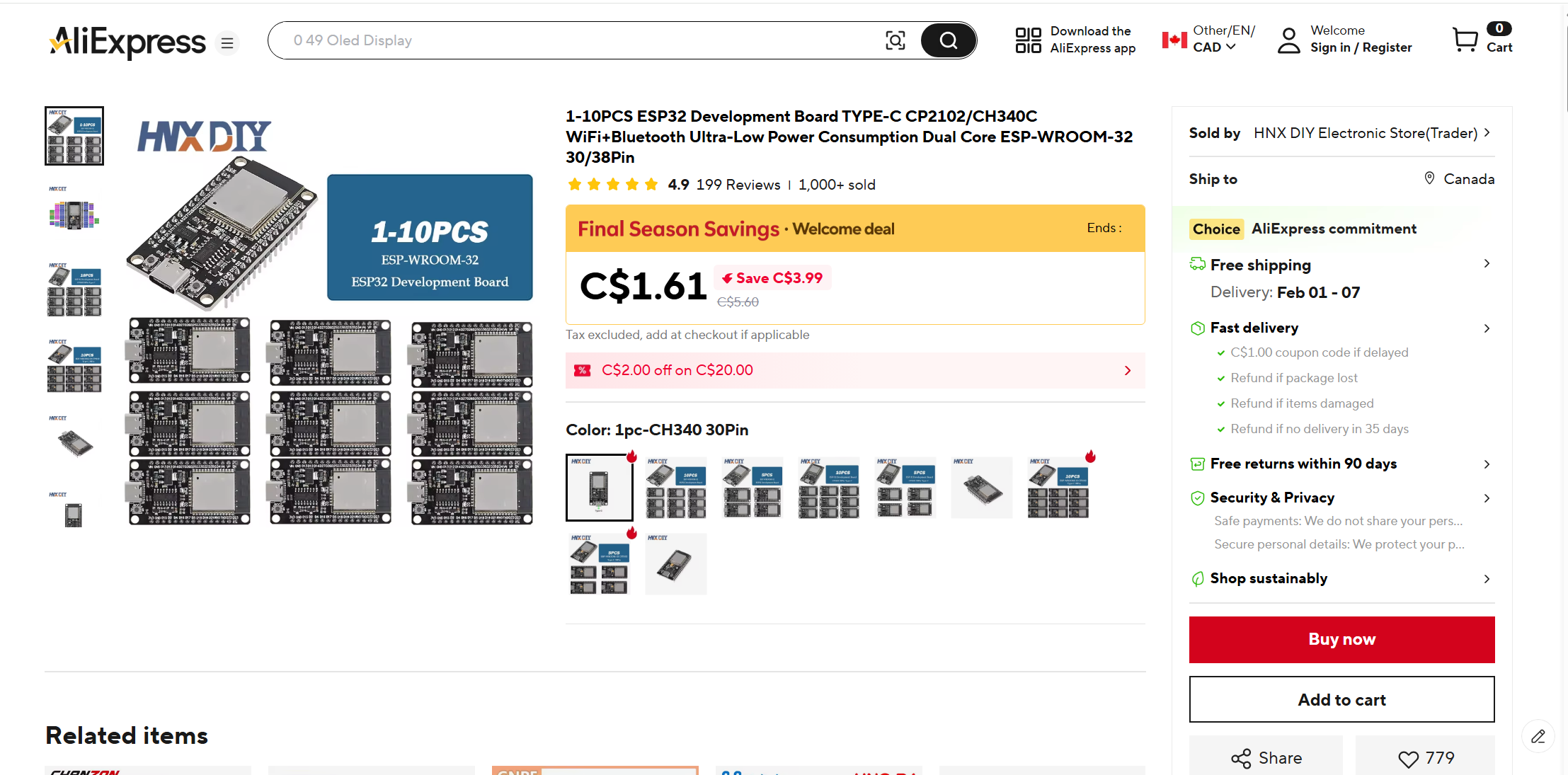
Shopping cart of parts
-
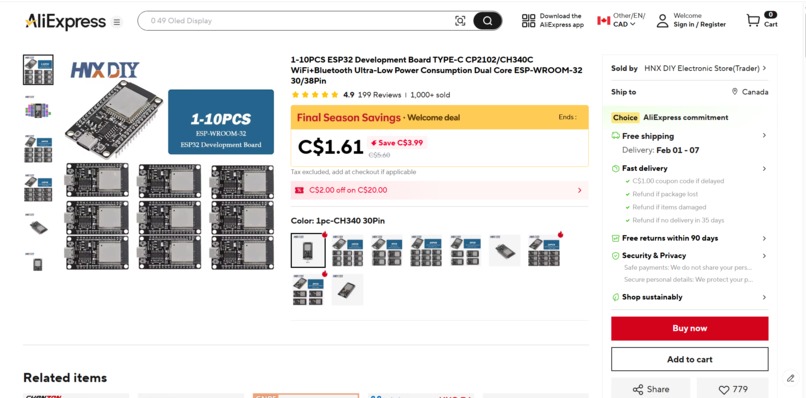
Can access checkout directly (yes Aliexpress parts surprisingly get the job done!)
-
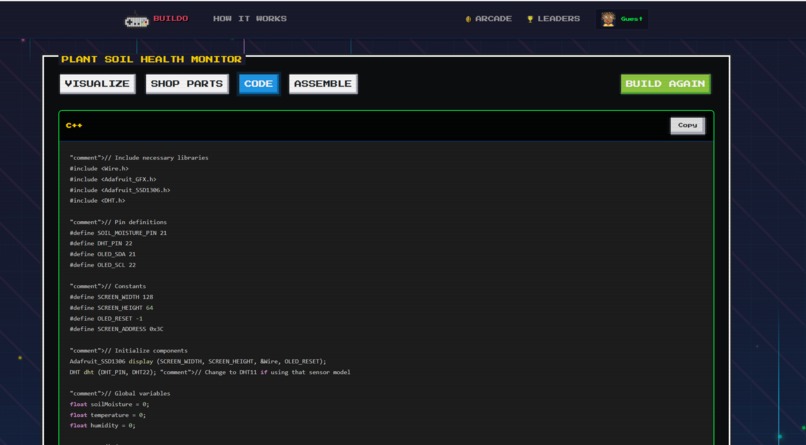
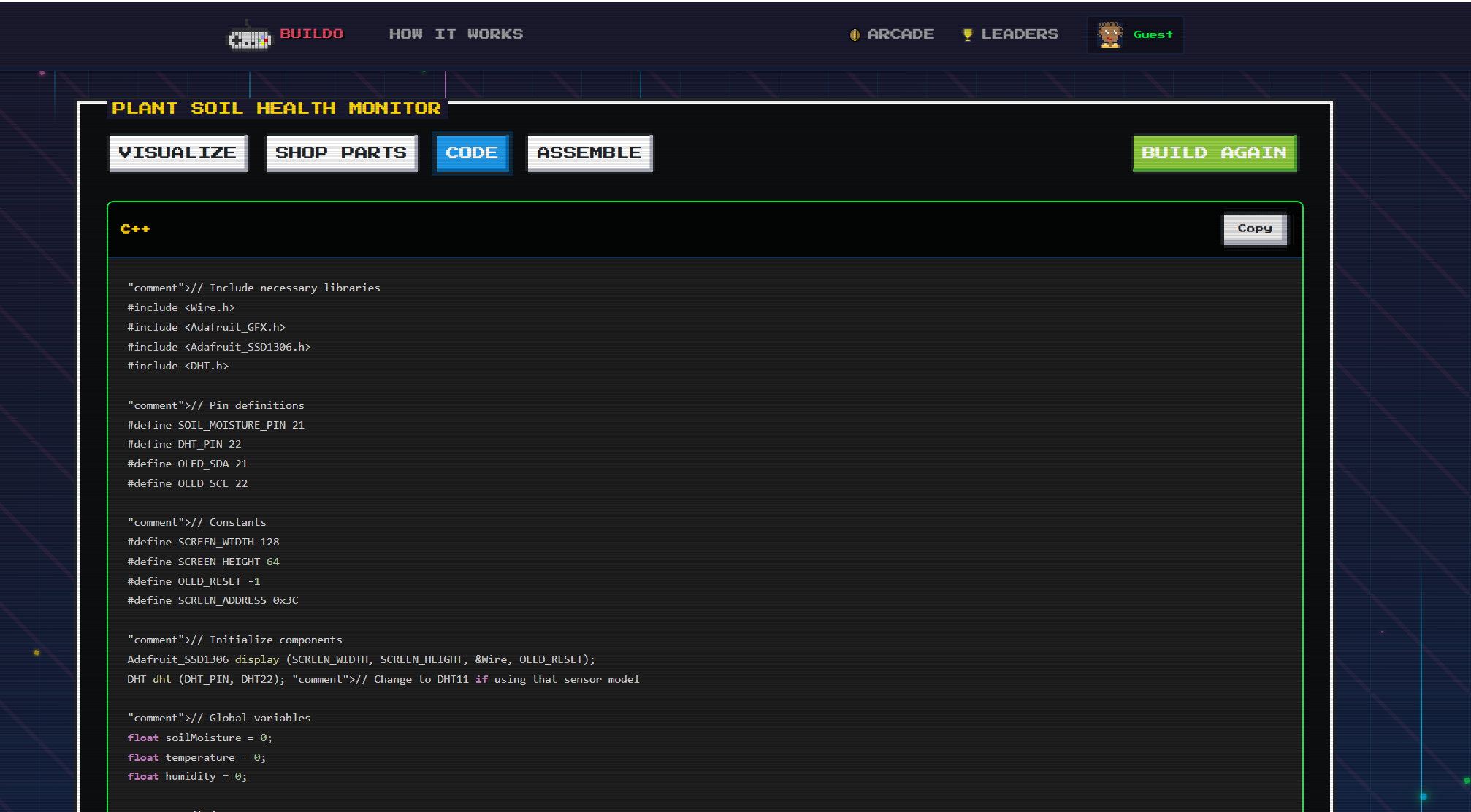
Skeleton firmware code
-
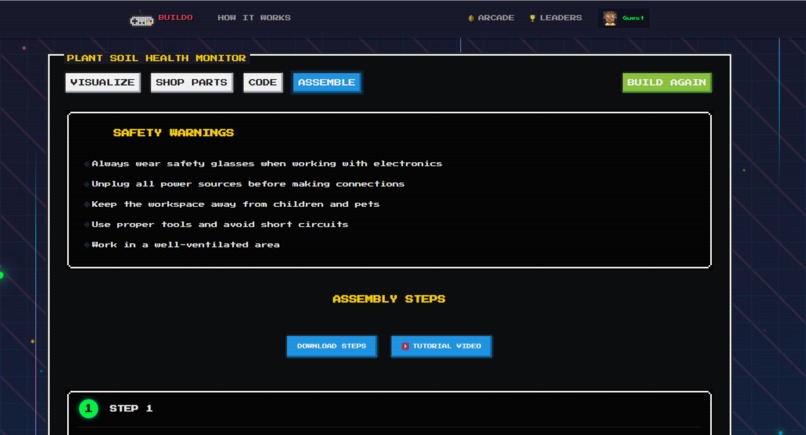
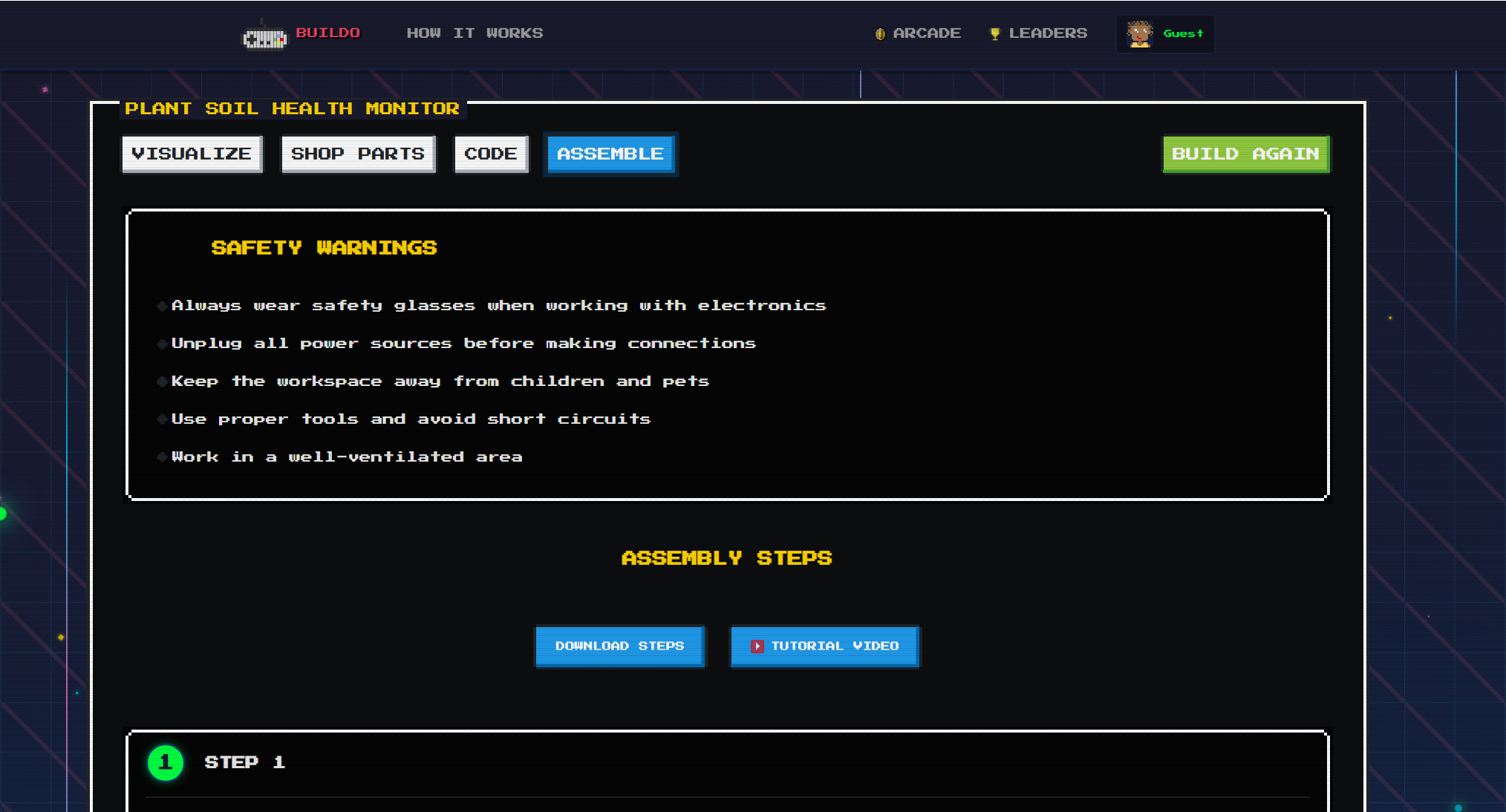
Safety warnings :)
-
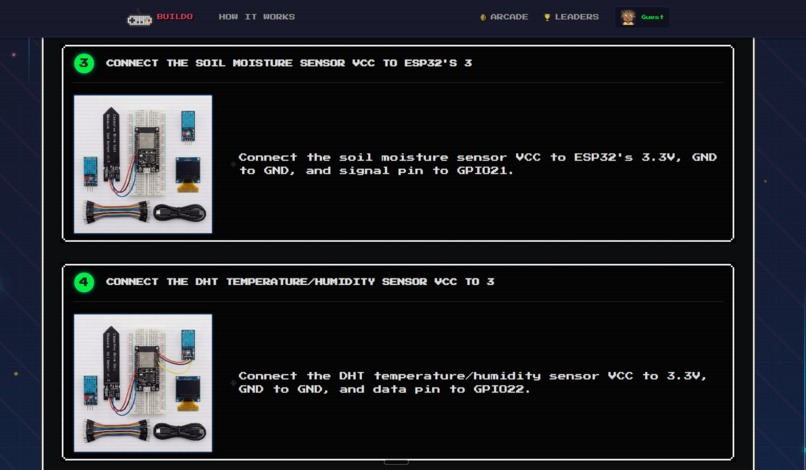
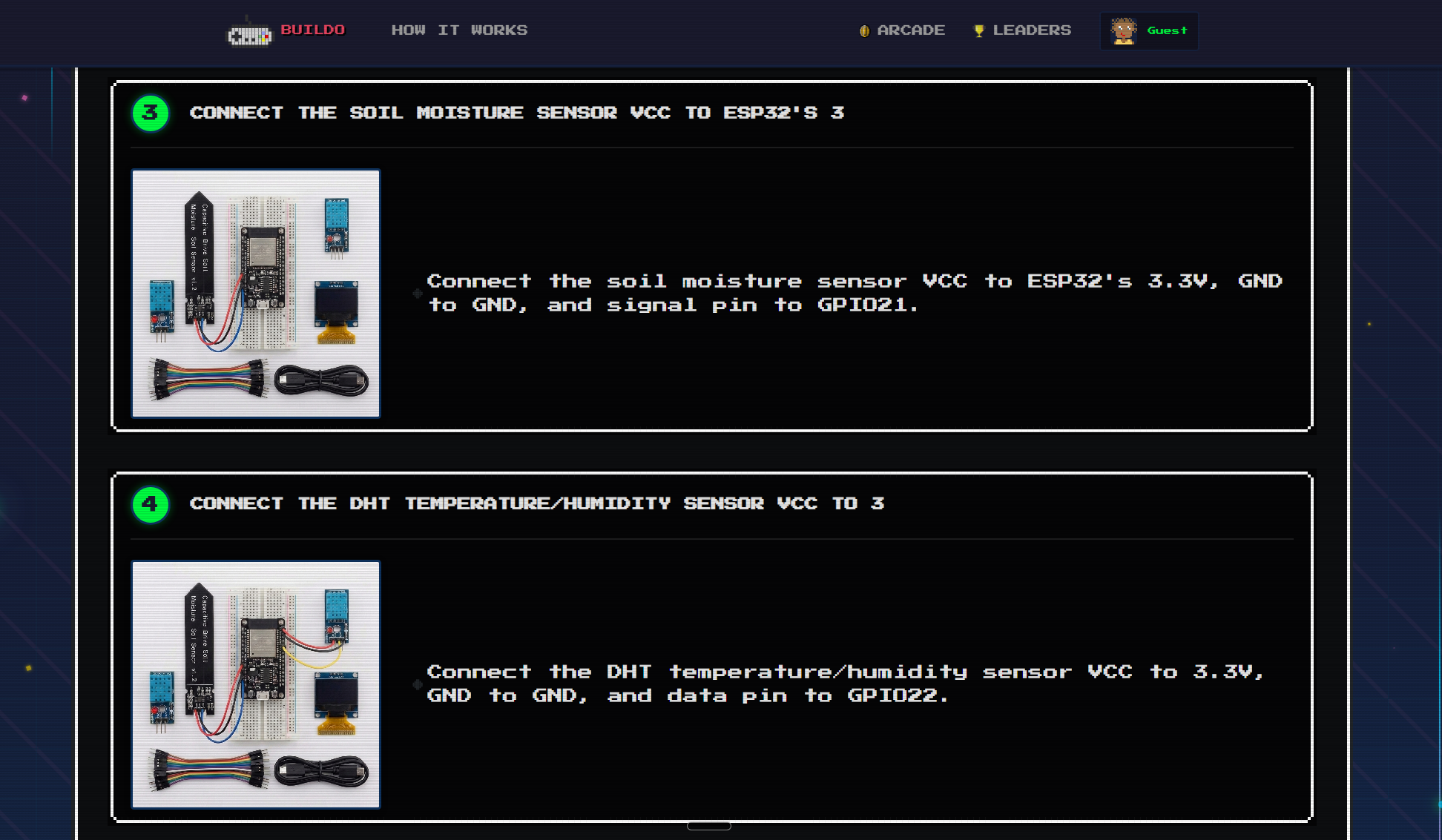
Steps from start to finish, video generation as well in video demo
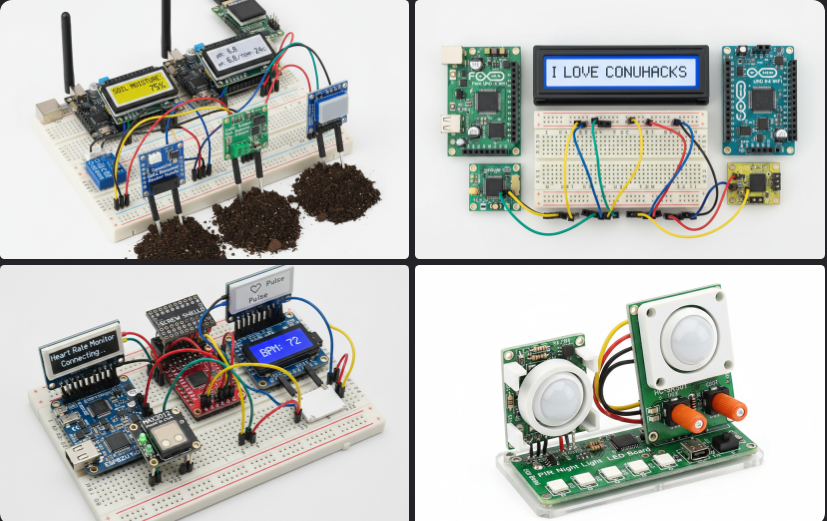

Inspiration
We were inspired by how hard it is to turn hardware ideas into reality. Creativity moves fast, but hardware doesn’t. Physical constraints, unclear specs, and planning overhead slow everything down. Often, it’s hard to even visualize a hardware idea before building it. We wanted to find a solution.
What it does
All you have to do is tell Buildo what you want to build.
This could be a coffee temperature checker, a plant health soil sensor, or that one class project that just seems impossible. That’s it. From there, Buildo gives you a realistic visualization of your idea, a complete shopping cart of the parts you need with specs and prices, starter firmware code you can copy and upload, and clear step-by-step assembly instructions you can download with images and a demo video. In a nutshell, Buildo turns ideas into build-ready hardware.
How we built It
Frontend
- You can customize your theme settings in your profile along with other preferences, and change your avatar.
- We also added fun games you can find in arcade section :)
- Next.js 16 - React framework with App Router
- React 19 - UI components and state management
- NES.css - Retro pixel-art styling
- Client-side routing - Project dashboard and navigation
- Context API - Project data sharing across components
- Image generation - Real-time assembly visualization
- Hosting Deployed with Railway and hosted on .tech
Backend
- Flask - Main API server (port 5000)
- Flask-CORS - Cross-origin requests
- Assembly Images Service - Separate Flask microservice (port 5001)
- Caching - Response caching by description hash
- Image proxy - CORS-safe image fetching
- RESTful API -
/generateendpoint for project creation
LLM Agent
- Google Gemini 2.5 Flash - Parts selection from natural language and image generation
- Snowflake Cortex - Assembly instructions and firmware generation
- Prompt engineering - Structured JSON output with category mapping
- Keyword matching - Parts ranked by relevance and rating
Web Scraping
- AliExpress catalog - 7k+ parts with prices, ratings, images after filtering from scraping 37k+ products overnight
- JSON storage -
parts_catalog.json(77k lines) - MongoDB Atlas - Optional database sync
- Category indexing - Fast lookup by category/subcategory
- Parts matching - Substring search with rating/price sorting
Challenges we ran into
Web Scraping Data Balance: One of our biggest challenges was web scraping parts catalogs. We needed to gather enough data to provide comprehensive parts recommendations, but ensuring our AI processed and considered all the scraped data instead of only the first few results required careful data structuring and prompt engineering. Too little data meant limited options, but too much unstructured data made it difficult for the AI to parse effectively.
Multi-Model LLM Orchestration and API Call Queuing and Timing: We use two different LLM providers (Google Gemini and Snowflake Cortex) to mitigate rate limit concerns and to optimize for speed. There are 4 main kinds of calls done, each API is being called twice. Geminif or the parts selection and images, Snowflake for the code and instructions. This split was because these two groups don't depend on each other so can be parallelized and we wanted to use gemini-flash-2.5-image for the image generation. Total generation time could be up to 4-5 minutes. However, the user only ever waits about 30 seconds. We strategically parallelized independent operations. While Google Gemini selects parts from the data we stored from web scraping, Snowflake generates instructions, Gemini then takes the output to the first API call to generate the final assembled image while Snowflake API allows us to get some skeleton code. The user then gets all of these returned on the front end (the loading page ends here) while gemini is still working on getting the images that accompany the instructions. So the user isn't stuck at the loading screen for 4 mins, and the images load as the user checks out their parts. We reduced token counts by sending only essential part names (not full URLs/prices) to instruction generation, cutting API costs and latency by 70% from our initial implementation.
Backend Microservices Coordination: Running two separate Flask services (main API and assembly-images service) that need to communicate while maintaining independent scalability created synchronization challenges. The main backend generates assembly steps, then the images service needs those steps to generate visuals. We implemented a request queuing system and proper error propagation so that if the images service fails, the main API still returns usable data.
Meshy API Cost Reality Check: We spent considerable time implementing Meshy (an image to 3D model generation service) for our 3D model features, only to realize it required paid API credits. As a hackathon project, we had to pivot away from this feature and find alternative approaches for 3D generation.
Frontend and Backend Connection: Connecting our Next.js frontend to the Flask backend presented several hurdles. We had to handle CORS issues, manage different data formats between JavaScript and Python, implement proper error handling across the stack, and ensure state synchronization between client and server. Getting the API endpoints to work smoothly with React state management required careful coordination.
UI Design Decisions: Creating a cohesive retro NES style UI while maintaining modern usability was a constant balancing act. We had to decide which elements should be pixel-perfect retro and which needed modern UX patterns. Making the dashboard intuitive with multiple tabs (Inventory, Code, Assembly, Blueprints) while keeping the nostalgic aesthetic required many iterations and design compromises.
Accomplishments that we're proud of
- First-time team collaboration Good synergy despite most of us working together for the first time
- 24-hour full-stack product From ideation to deployment in under 24 hours
- Massive data collection Web scraped 36k+ products, curated into 7k+ searchable parts catalog
- 24-hour full-stack product From ideation to deployment in under 24 hours
- The project itself :)
What we learned
- Progressive loading Users prefer incremental updates over long waits, even if total time is the same.
- LLM orchestration Coordinating multiple AI models requires careful engineering and error handling
- Microservices architecture Separating concerns enables parallel processing and independent scaling
- Data optimization - Reducing token counts by 70% through smart filtering dramatically improves cost and speed
- Team velocity - Clear communication and parallel workstreams enable rapid full-stack development
What's next for Buildo
- 3D model generation - Meshy API integration for printable CAD models and enclosures
- Community features - User projects, sharing, and collaborative builds
- Advanced analytics - Build success rates, popular parts, and usage patterns
- Expanded catalog - More data from additional suppliers and part categories
- CAD design tools - Interactive wiring schematics and PCB layout generation
- Wiring diagrams - Automated circuit diagram generation from parts list
Built With
- beautiful-soup
- contextapi
- flask
- flask-cors
- google-gemini-api
- mongodb
- nes
- next
- python
- react
- snowflake-cortex


Log in or sign up for Devpost to join the conversation.