-
-
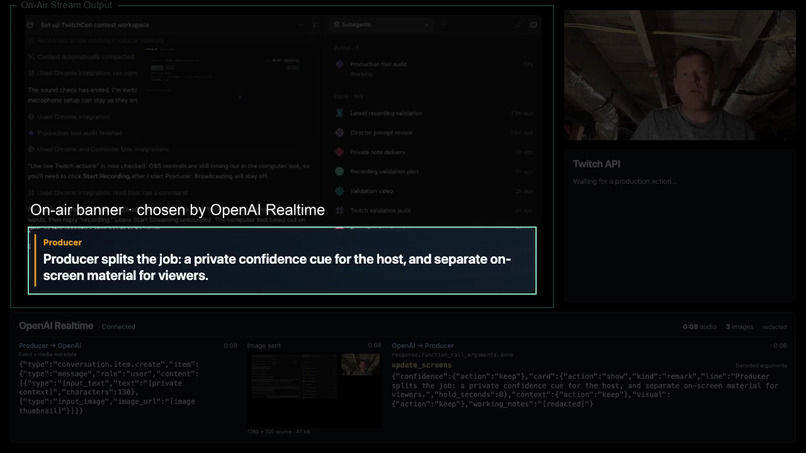
On air banner during twitch stream
-
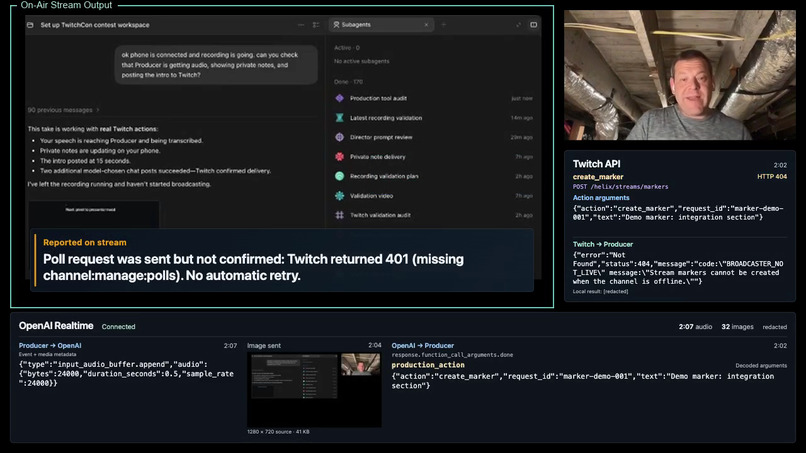
Twitch API
Inspiration
I’ve used Codex since its first week of general availability. I have a background in streaming and broadcasting, but I’m relatively new to Twitch. This contest gave me a reason to explore what I could contribute.
As someone who regularly presents on stage, I know how useful a confidence monitor can be - a screen that gives the presenter information the audience doesn’t see. Sometimes when I’m presenting at work events, I’m fortunate enough to have a producer feeding me timely notes through that screen.
Producer brings that idea to individual streamers. Presenting already demands a huge amount of attention: you’re talking, watching chat, managing technology, and thinking about what comes next. I wanted help that reduces that cognitive load and improves the show.
What it does
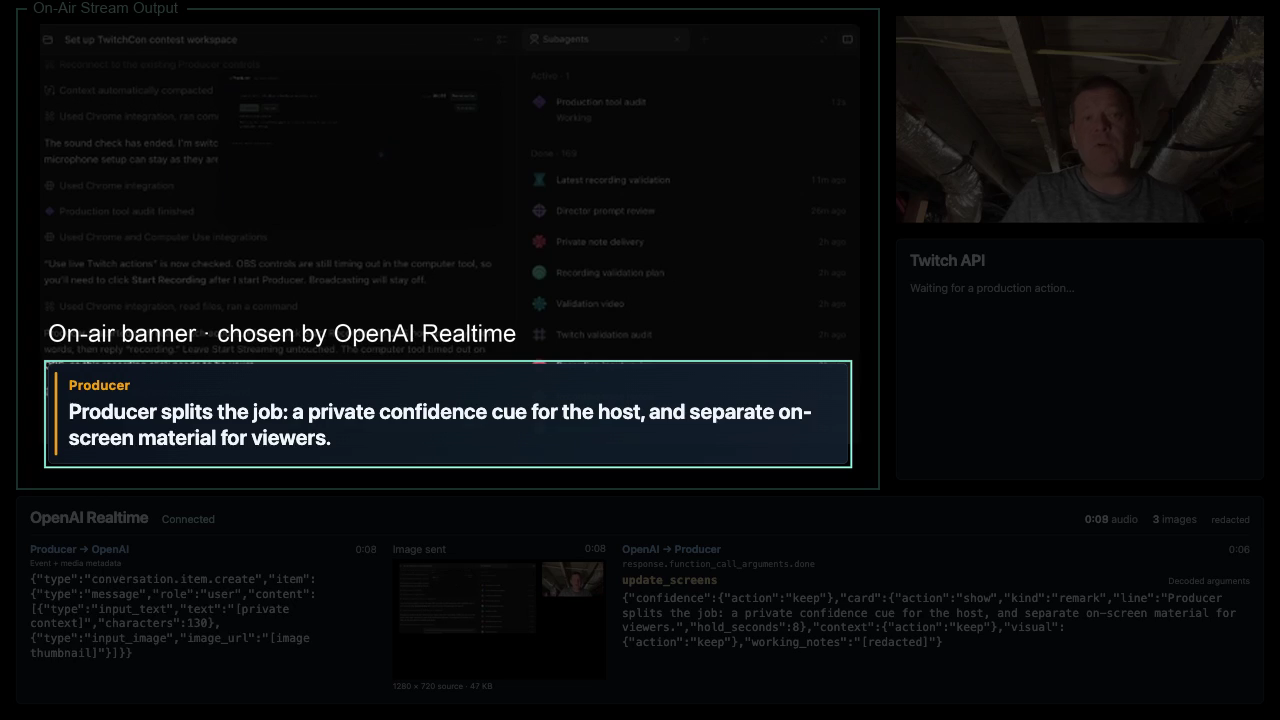
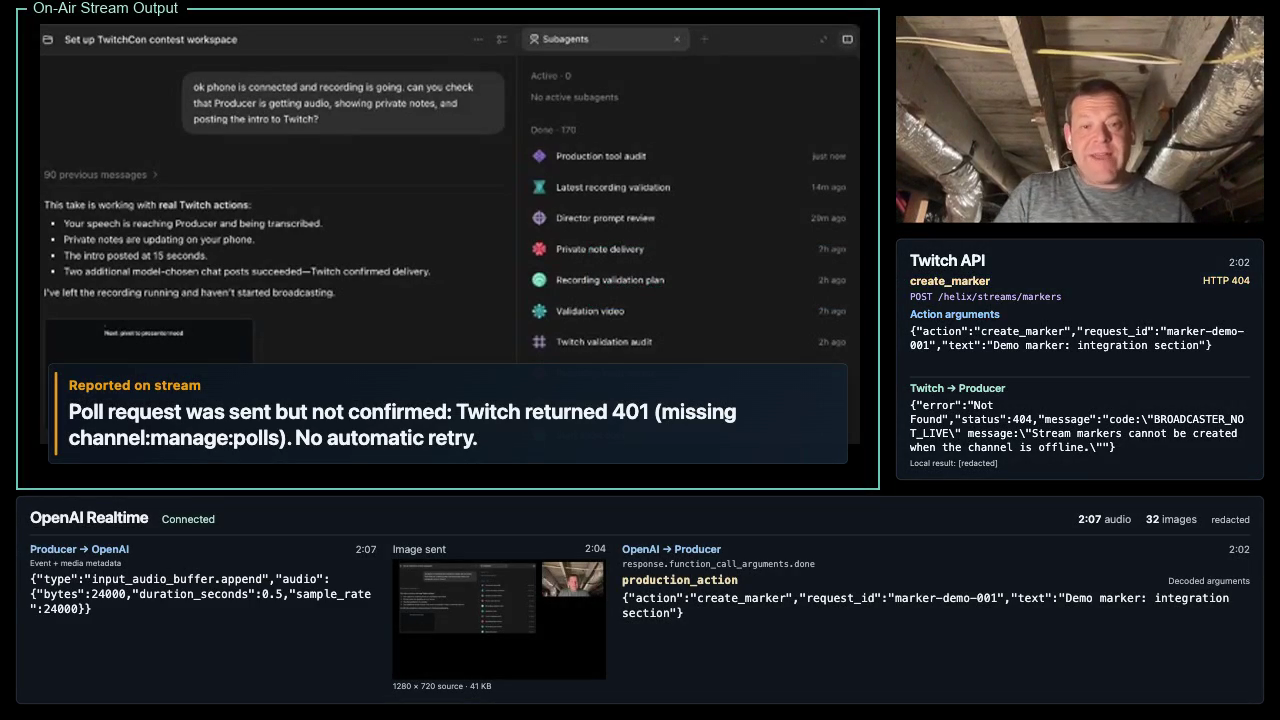
Producer acts as a live director for your stream. Directly from your local machine, it sends your show’s raw audio and sampled images to OpenAI’s Realtime API, alongside your show notes and optional research materials. The model’s screen updates return to your machine, where the public graphics can be integrated into your broadcast in OBS before it is sent to Twitch.
It coordinates two screens:
- For the presenter: a quiet backstage confidence monitor with useful reminders, audience questions, and suggestions for where to take the conversation and how to map it to your pre-broadcast plan.
- For viewers: an OBS-compatible overlay with relevant questions, facts, references, and graphics that are shown on the air in real time.
The model decides what deserves attention and when to show it. The presenter can keep presenting without operating another dashboard.
For the competition submission, we’re connecting Producer’s Twitch production actions to the Realtime director. These use Twitch’s Helix API:
- Send Chat Message: share relevant links, references, and chat-vote invitations.
- Create Poll and Get Polls: invite audience participation and retrieve native poll results on eligible channels.
- Create Stream Marker: mark useful moments for later review and highlight editing.
- Modify Channel Information: update the stream’s title and category.
Twitch EventSub supports chat voting and moderation handling through message, message-deletion, and chat-clearing events. Together, these integrations let Producer help with the production work surrounding the show as well as what appears on screen.
How we built it
I started in Codex by collecting the competition rules, judging criteria, and relevant Twitch API documentation. Codex then helped me explore the product, investigate technical options, and iterate. I spent significant time with my Dot discussing ideas, approaches, and doing research.
The original concept was a viewer companion that noticed personally interesting moments and brought you back to a stream. That prototype was nearly finished when I streamed on Twitch myself and realized the stronger opportunity was helping the presenter.
Codex made that hard pivot practical. We reused what we had learned about capture, models, and notifications while rebuilding around the producer’s role.
The current implementation combines a local Python helper, browser-based screens, and an ongoing OpenAI Realtime session. The model makes editorial choices while local code validates actions, manages state, and updates the screens.
Challenges we ran into
The viewer prototype raised questions about forwarding Twitch API data to a third-party model. We explored local models, which worked in limited tests but had capability and performance tradeoffs on my hardware.
Latency was another challenge. An early design collected eight-second observations before transcribing and evaluating them. That wait could make a useful note arrive after its moment had passed. Moving to an ongoing Realtime session removed that batching step.
The hardest challenge was editorial judgment: making information useful without becoming distracting, repetitive, or simply filling space.
Accomplishments that we're proud of
I’m proud of turning a major mid-project pivot into a working two-screen experience, with Codex helping throughout the implementation and testing.
We also built a rehearsal workflow that runs my recorded presentations through Producer at broadcast speed and generates a side-by-side viewer/presenter video. That let me evaluate the experience without repeatedly performing a live show.
Saved model actions can be replayed without another inference run, helping us separate screen-rendering bugs from the model’s editorial choices.
What we learned
A useful producer needs more than accurate information. Timing, restraint, and context matter just as much.
Watching the rehearsals exposed problems that individual successful API calls couldn’t reveal: stale presenter notes, repetitive graphics, and moments when silence would have been more helpful. Human factors became central to both the interface and the model’s instructions.
What's next for Producer
I plan to use Producer in my Applied AI Office Hours streams on Twitch and keep improving it through actual presenting experience.
Next priorities are better editorial timing, more useful contributions from prepared research, and simpler setup.
Producer is MIT-licensed. The public repository is available at https://github.com/scottfalconer/Producer I’d love to see other streamers try it, adapt it, and help shape what comes next.
Extra shoutout to @thsottiaux and the Codex team for some timely banked resets over the weekend, they came in very handy.
Built With
- create-poll
- create-stream-marker
- css
- dot
- ffmpeg
- get-polls
- gpt-4o-mini-transcribe
- gpt-realtime-2.1
- html
- javascript
- obs-studio
- openai-codex
- openai-realtime-api
- playwright
- python
- send-chat-message
- twitch
- twitch-eventsub
- twitch-helix
- twitch-oauth
- websockets
