Inspiration
I kept noticing that "AI agent shops for you" demos all have the same hole in them: the agent describes what it found in a wall of chat text, and then either asks you to go do the buying yourself, or it just buys and you find out afterwards. Neither is how a person actually wants to delegate a purchase.
What I wanted was an app where the agent works inside the page I'm already looking at — where it can point at things on my screen — and where the moment money is involved, it has to stop and ask me.
What it does
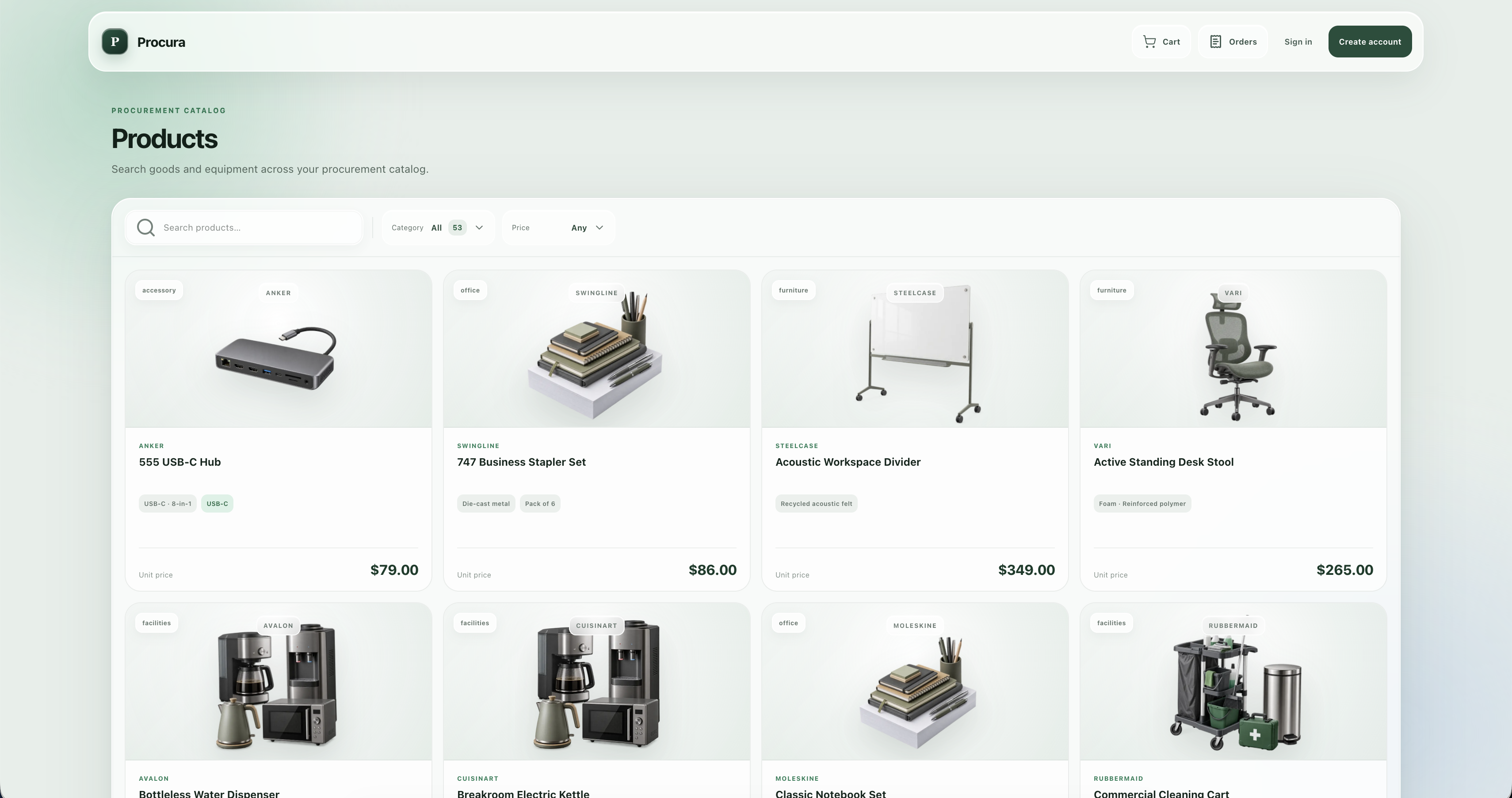
Procura is a procurement marketplace for workplace equipment with 25 WebMCP tools. A person and their agent use the same application at the same time.
The agent draws its reasoning into your page. When it compares products it
calls compare_products, which opens a comparison table over whatever page
you're on. The agent decides which product wins each row — cheapest, best
resolution, longest battery — and marks its overall pick with a badge. The app
supplies only the facts; the judgment is the agent's, and it lands in your
interface instead of in a paragraph you have to parse.
The agent cannot spend your money. request_order_approval prices an order
server-side and opens an approval panel showing exactly what will be charged.
There is no tool in the app that approves an order, and the server refuses to
place a proposal that isn't approved. Both layers have to be defeated, and the
agent has access to neither.
The agent stays responsive while it waits. That call returns immediately —
it does not block on your decision. The agent then polls
check_order_approval, which reports placed, rejected, awaiting, or
abandoned.
The app records who did what. Every cart item carries addedBy, every order
placedBy and cancelledBy. The agent can read them back, so it can say "you
added that one, not me."
Why procurement is a good fit for WebMCP
Buying for a team is research-heavy and decision-light. Someone compares a dozen monitors across resolution, refresh rate, USB-C, delivery and financing terms — then makes one decision that spends real money. The research is repetitive, structured, and safe to delegate. The spend is not. That split is exactly the shape WebMCP is good at.
How I built it
Next.js 16, React 19, TypeScript, PostgreSQL with Drizzle, deployed on Railway.
Tools are registered through document.modelContext.registerTool, split into 9
public and 16 account tools. Account tools are registered under an
AbortController that is torn down on sign-out, so a signed-out visitor's agent
never sees them at all. Tools re-register on route change so client-side
navigation doesn't silently drop the agent's session.
The tools and the UI share one implementation — search_products and the
catalog's own search box call the same function; the comparison table and
get_product_details resolve through the same intelligence layer.
Challenges
The agent and I were seeing different numbers. The comparison table computed
product ratings with its own local formula while get_product_details used the
real one. One monitor showed 4.7 out of 5 from 107 reviews on screen while the
agent was being told 4.1 from 8. On a page whose entire premise is that the
agent and the person share one view, that is the worst possible bug. I routed
the table through the same layer the tool uses, so they cannot diverge again.
Blocking the agent was the wrong design. My first approval flow held the
agent for up to three minutes waiting for a click. That's fragile — many agent
harnesses cap tool calls well below that — and worse, it left the agent unable
to do the one thing that actually helps: tell the user to go and approve. I
split it into request_order_approval and check_order_approval.
Telling "still deciding" apart from "walked away." Once the agent was
polling, a pending proposal was ambiguous. The fix only exists because WebMCP
tools run inside the page: check_order_approval checks whether the approval
panel is still in the DOM. Pending proposal, no panel, means the person reloaded
or left — so the agent asks again instead of polling into the void. No server
API could answer that question.
The panel hung on reject. Rejection dispatched the decision and then waited for the caller to close the panel — which the non-approve path never did. Reject, the X button, and Escape all froze. Rejection needs no server round-trip, so the panel now closes itself.
What I learned
The interesting part of WebMCP isn't wrapping an API in tools. It's that the
tools run in the page, which means they can read and change what the person is
actually looking at — and that a tool's honesty matters as much as its function.
highlight_products used to return success while silently doing nothing off the
catalog page; now it returns NOT_ON_CATALOG and says what to do instead. An
agent that is told the truth about what happened is far more useful than one
that is told it succeeded.
Built With
- drizzle-orm
- next.js
- postgresql
- railway
- react
- tailwindcss
- typescript
- vitest
- webmcp

Log in or sign up for Devpost to join the conversation.