Inspiration
The COVID-19 pandemic accelerated the shift to online education, but with it came a critical challenge: maintaining exam integrity. Traditional proctoring methods are expensive, require human involvement, and don't scale. I wanted to build an automated, intelligent solution that uses AI to detect cheating objectively and fairly.
The question was simple but powerful: "Can computer vision detect suspicious behavior during exams as well as, or better than, a human proctor?"
What it does
ProctorAI is a real-time AI monitoring system that watches students during online exams and detects multiple cheating indicators:
Face Monitoring: Detects if the student is present, if multiple people are in frame, or if the wrong person is taking the exam
Gaze Tracking: Monitors where the student's eyes are looking. Flags if they look away from the screen for more than 5 seconds
Head Pose Detection: Tracks head rotation (yaw, pitch, roll) and alerts if the student turns their head excessively
Object Detection: Uses computer vision to identify prohibited items like phones, laptops, or books in the frame
Tab Switching: Detects if the student switches browser tabs or minimizes the exam window
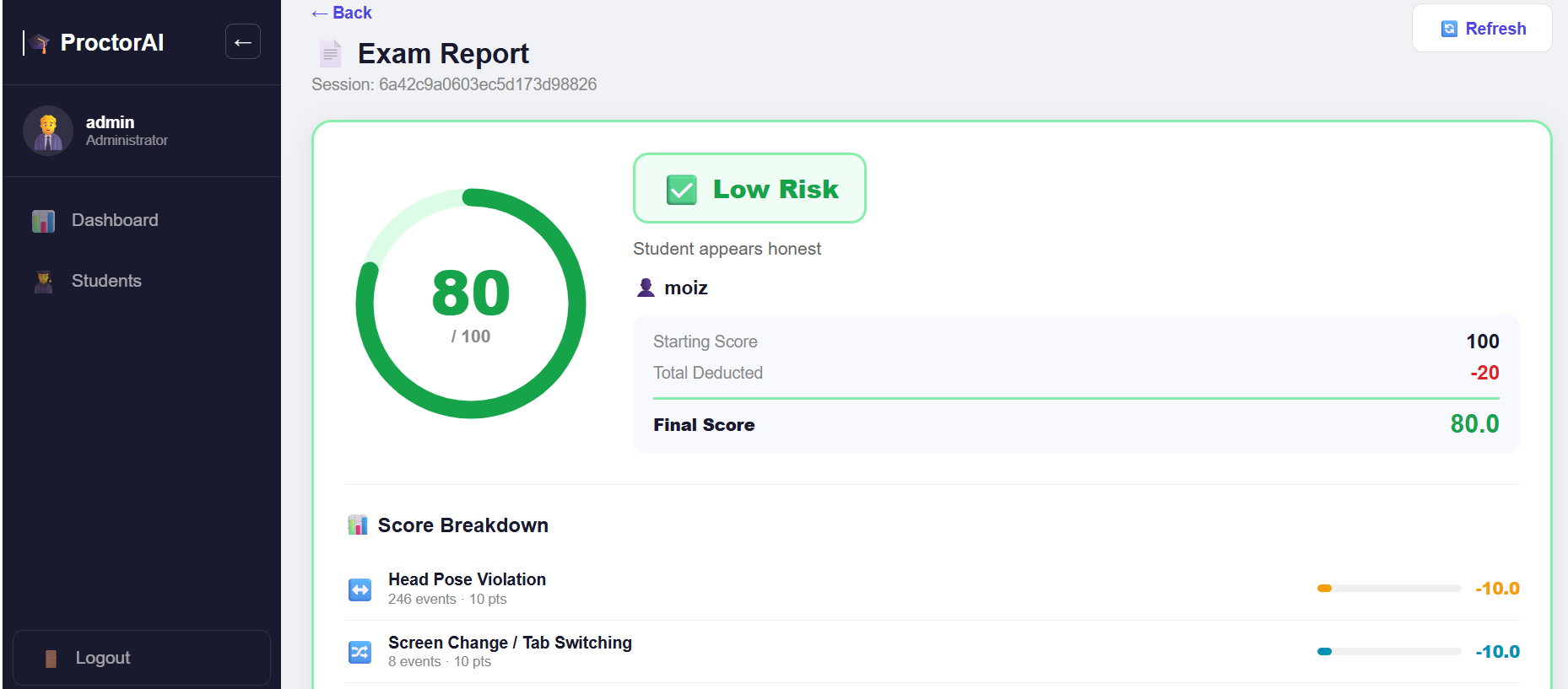
Trust Scoring: Calculates a dynamic trust score (0-100) based on all violations detected, with weighted deductions for each type
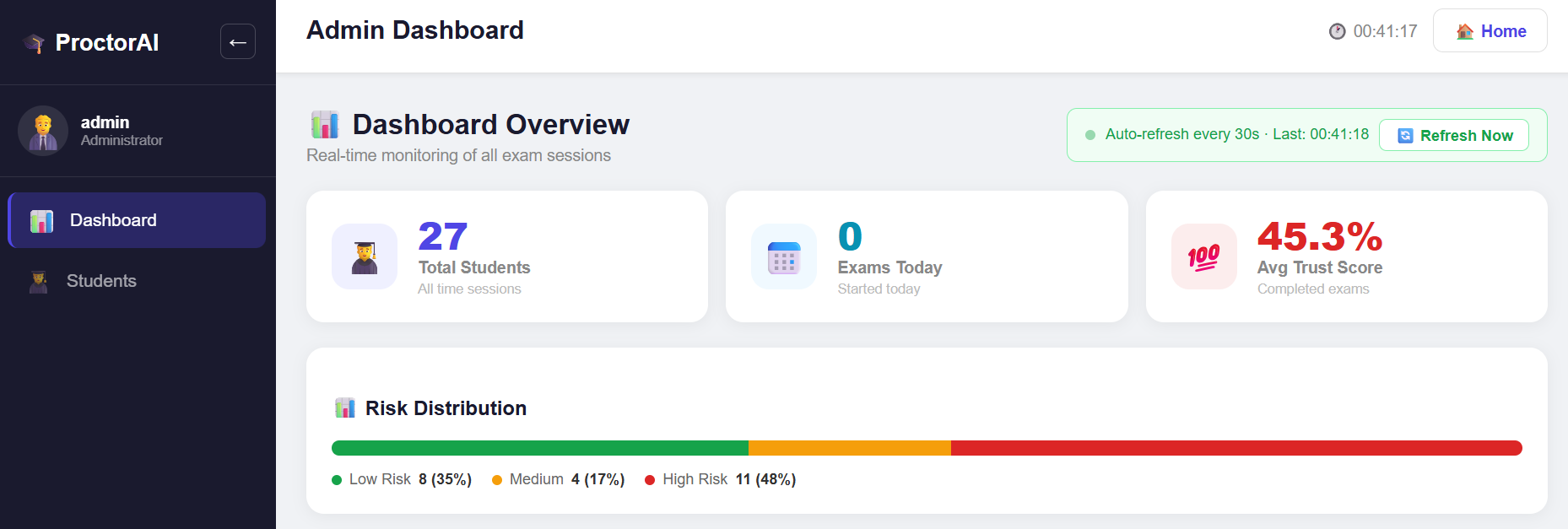
Admin Dashboard: Provides detailed reports showing per-student violations, timelines, charts, and analytics
How we built it
Detection Pipeline (Week 1) Implemented 6 concurrent AI detectors working simultaneously:
- Face Detection using MediaPipe (optimized for real-time webcam input)
- Head Pose Estimation using solvePnP algorithm with Euler angle decomposition
- Gaze Direction Tracking with iris landmark detection and auto-calibration
- Object Detection using YOLOv8n (nano variant) optimized for CPU inference
- Face Verification using LBPH (Local Binary Pattern Histogram) with CLAHE preprocessing
- Tab Switch Detection using Page Visibility API
Backend (Week 2) Built an asynchronous FastAPI server with:
- Real-time WebSocket endpoint for streaming video frames (300ms intervals)
- Async MongoDB integration using Motor driver for non-blocking I/O
- Services layer for authentication (JWT), exam management, violation logging, and trust score calculation
- RESTful API endpoints for student login, exam start/end, and admin dashboard
Frontend (Week 3) Developed a React application with:
- Student login page with role-based authentication
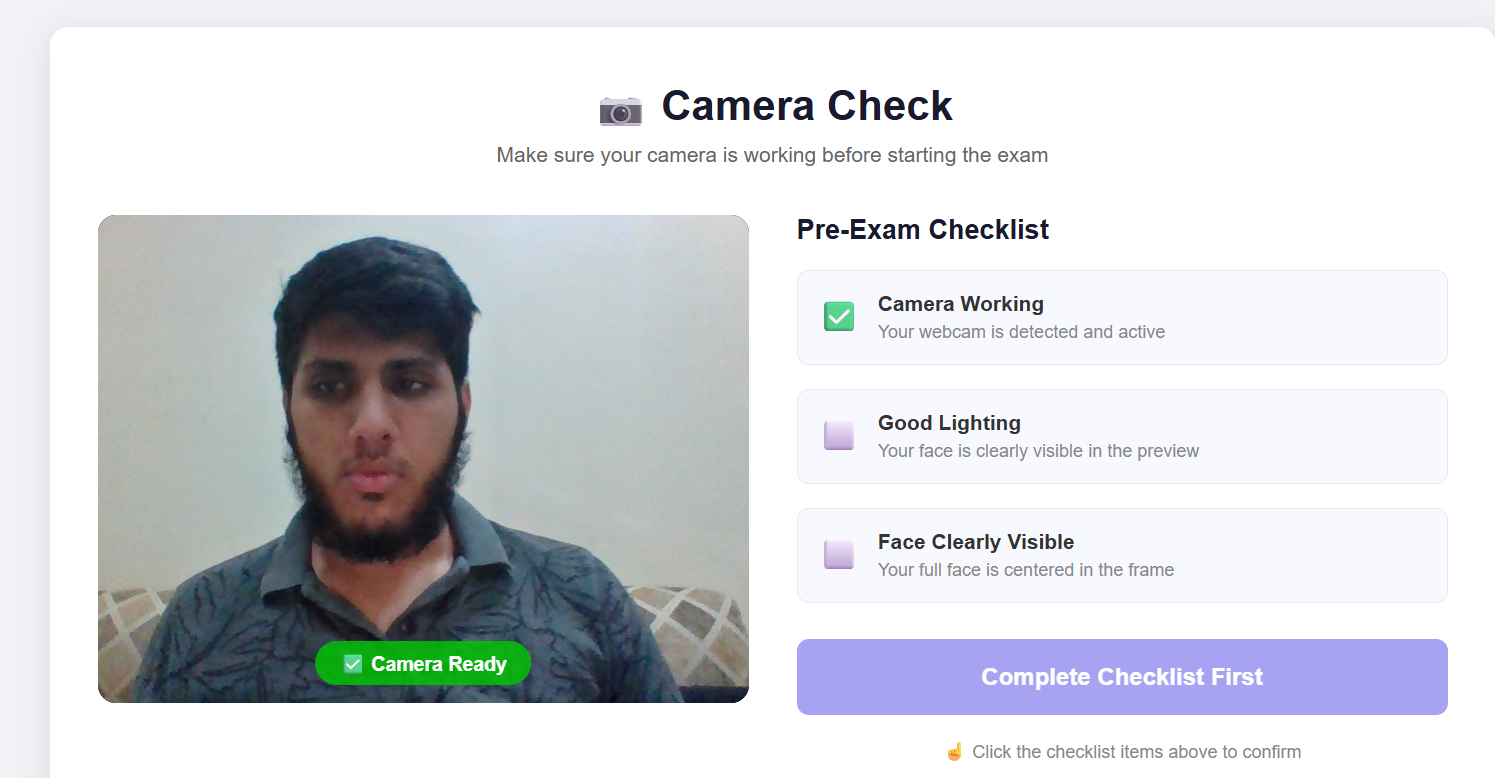
- Camera check page for pre-exam setup
- Exam page with live video monitoring, countdown timer, question panel, and real-time violation alerts
- Admin dashboard showing student list, flagged students, and detailed per-student reports
- Custom React hooks for camera access, WebSocket communication, timer management, and data fetching
Polish & Optimization (Week 4-5)
- Optimized detector performance to achieve 12+ FPS on CPU (no GPU required)
- Implemented frame throttling (process every 3rd frame) and detector staggering for speed
- Added auto-reconnect logic for WebSocket failures
- Created detailed violation report pages with charts and timelines using Recharts
- Implemented skeleton loaders for better user experience
Challenges we ran into
Performance on CPU: Running 6 detectors on every frame was initially too slow. Solution: Implemented frame throttling and detector staggering so not all detectors run on every frame.
Gaze Tracking Accuracy: Iris position varies significantly with head rotation and lighting conditions. Solution: Built adaptive auto-calibration that learns the student's baseline when their head is straight, and compensated for head rotation effects.
Face Verification False Positives: LBPH confidence threshold was too sensitive to lighting changes between registration and exam. Solution: Added CLAHE preprocessing, 5-frame smoothing, and required 3+ seconds of continuous mismatch before counting as a violation.
WebSocket Stability: Connection drops during long exams (45+ minutes) caused monitoring to stop. Solution: Implemented auto-reconnect logic with exponential backoff and graceful error handling.
Asynchronous Complexity: Managing async/await patterns across Python backend and JavaScript frontend was tricky. Solution: Studied async patterns deeply, used Motor for MongoDB async driver, and implemented proper promise handling in React.
Real-Time Synchronization: WebSocket frame streaming caused noticeable lag in detection results. Solution: Optimized base64 encoding and adjusted frame intervals to 300ms (optimal balance between responsiveness and bandwidth).
Algorithm Understanding: The solvePnP algorithm for head pose estimation was mathematically complex. Solution: Studied computer vision textbooks, watched tutorials, and implemented step-by-step with validation.
Initial Code Performance: First implementation was slow and resource-intensive. Solution: Profiled code, implemented caching strategies, reduced model sizes, and optimized inference pipelines.
Accomplishments that we're proud of
Built a full-stack AI system from scratch in 5 weeks with 6 concurrent computer vision detectors
Achieved real-time performance (12+ FPS) on CPU without GPU acceleration - making it accessible to institutions with limited hardware budgets
Implemented WebSocket-based architecture with 10-20ms latency for truly real-time monitoring
Created an intelligent, adaptive system that learns and compensates for individual differences (gaze auto-calibration, lighting adaptation)
Designed a modular, scalable architecture that can handle multiple concurrent exam sessions
Built an intuitive admin dashboard that makes violation data accessible and actionable for educators
Implemented weighted trust scoring that provides fair, evidence-based assessment rather than binary pass/fail decisions
Integrated complex AI algorithms (MediaPipe, YOLOv8, solvePnP, LBPH) into a cohesive, production-grade system
What we learned
Computer Vision: Deep dive into face detection, pose estimation, landmark tracking, and object detection algorithms
Machine Learning: Understanding how to optimize pre-trained models (YOLOv8n) for CPU inference and improve accuracy through preprocessing (CLAHE)
Full-Stack Development: Building complex systems that integrate frontend, backend, database, and AI components seamlessly
Real-Time Systems: Designing systems that process video streams in real-time with low latency and high reliability
Asynchronous Programming: Mastered async/await patterns and non-blocking I/O in both Python and JavaScript
Algorithm Optimization: Learning how to profile code, identify bottlenecks, and optimize for performance without sacrificing accuracy
Software Architecture: Designing modular, scalable systems with clear separation of concerns
Problem-Solving: Breaking down complex problems into manageable components and iterating based on testing and feedback
The most important lesson: Build incrementally, measure everything, test edge cases, and never stop learning.
What's next for ProctorAI: AI-Based Exam Proctoring System
GPU Acceleration: Implement GPU support using CUDA to process multiple concurrent sessions efficiently
LMS Integration: Connect with popular learning management systems (Moodle, Canvas, Blackboard) for seamless integration
Enhanced Analytics: Build more sophisticated analytics including anomaly detection and pattern recognition
Audio Monitoring: Add audio analysis to detect talking, background noise, or external voices during exams
Multi-Platform Support: Develop mobile apps for iOS and Android to support proctoring on any device
Advanced Reporting: Generate PDF reports with detailed violation timelines and recommendations for educators
Bias Analysis: Study and minimize potential biases in detection algorithms across different ethnicities, lighting conditions, and environments
Educator Dashboard: Create customizable settings allowing educators to adjust sensitivity levels and violation weights for their specific needs
Continuous Improvement: Use data from real exams to retrain and improve detection algorithms over time
Open Source Community: Release core components as open-source to benefit the educational technology community


Log in or sign up for Devpost to join the conversation.