-
-
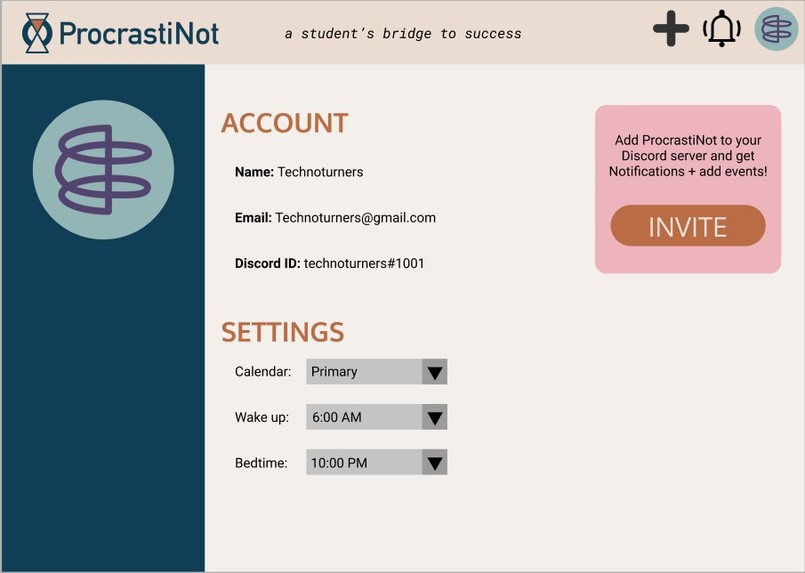
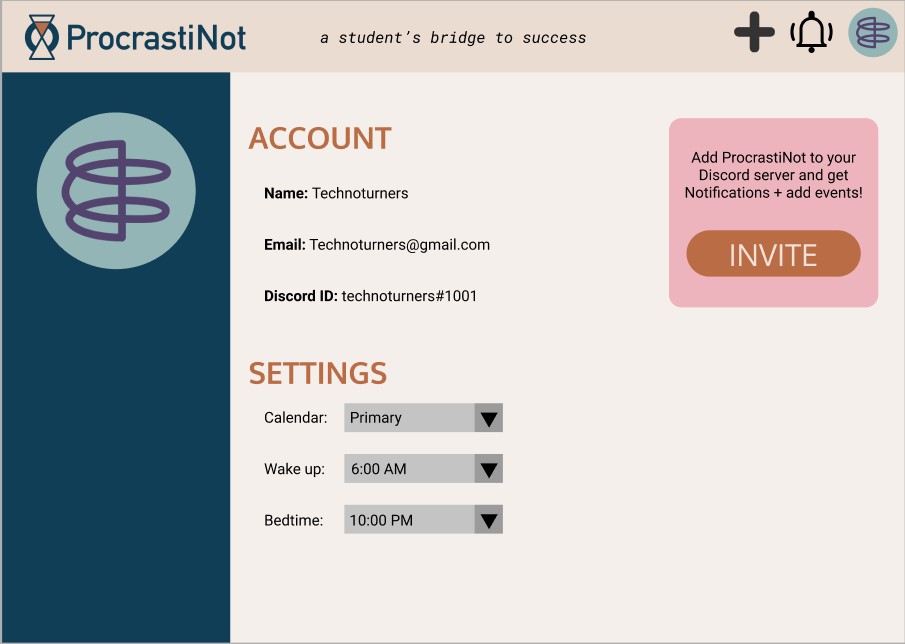
ProcrastiNot User Page
-
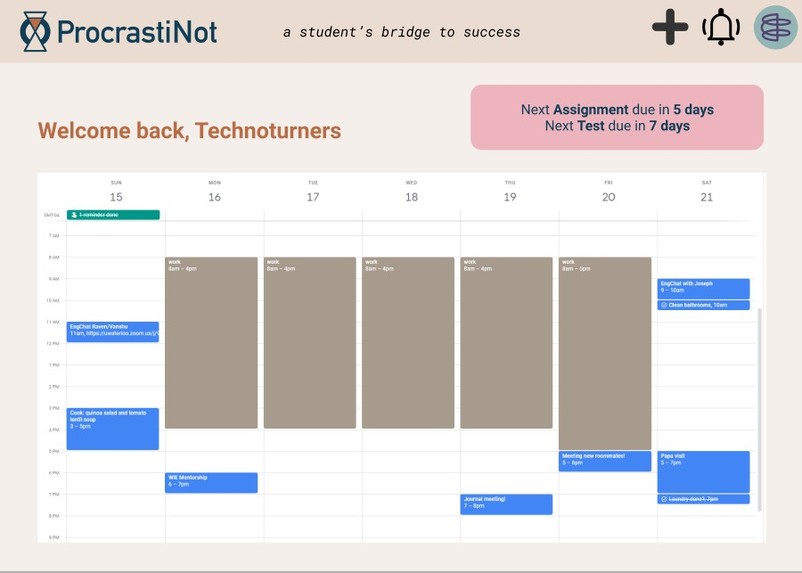
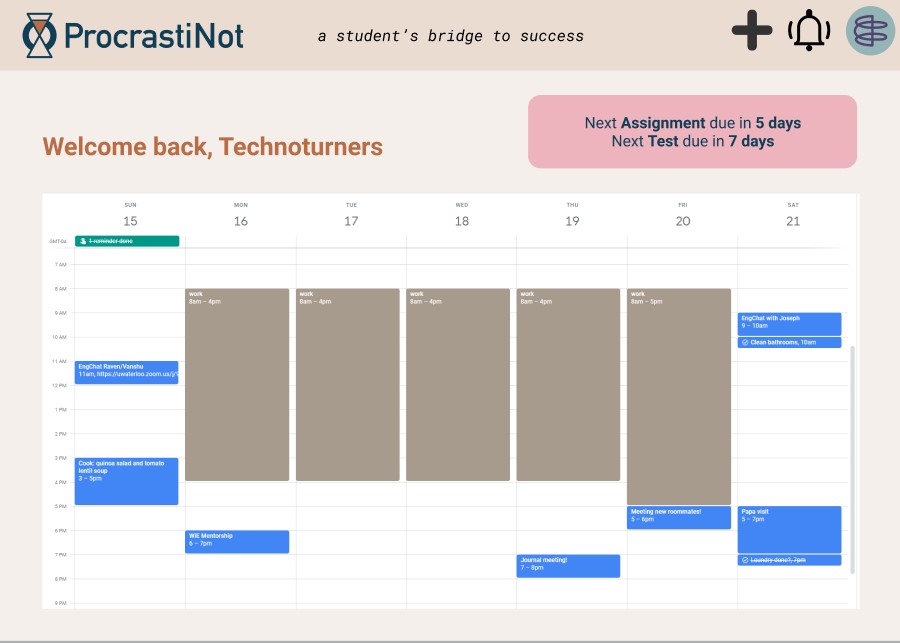
ProcrastiNot Calendar
-
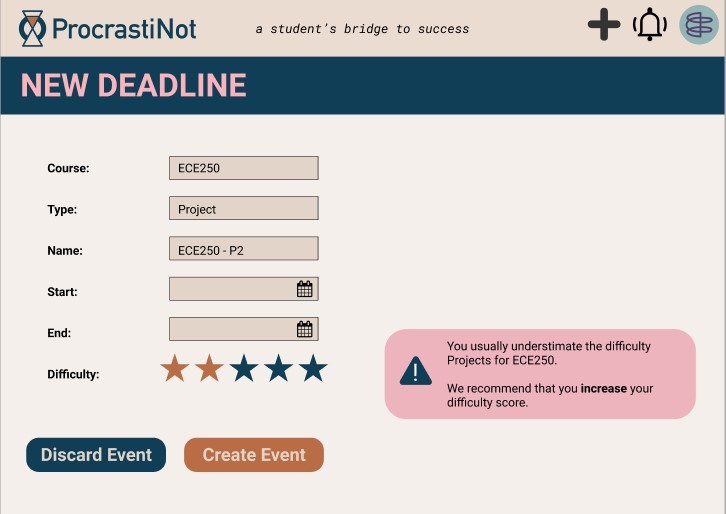
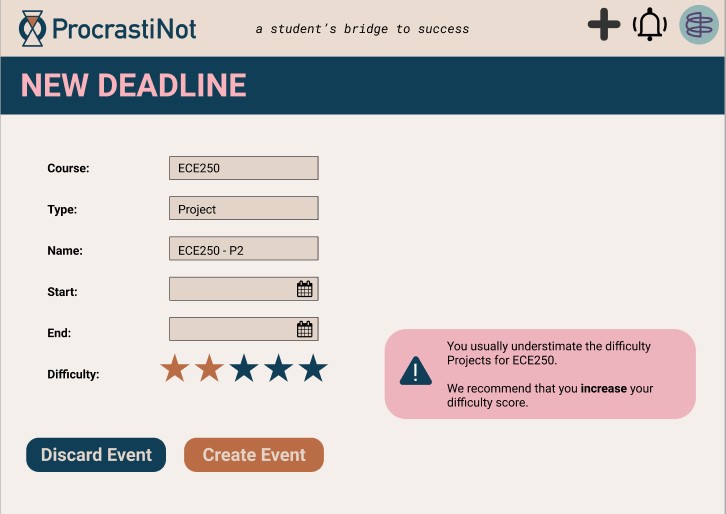
ProcrastiNot Add Event
-
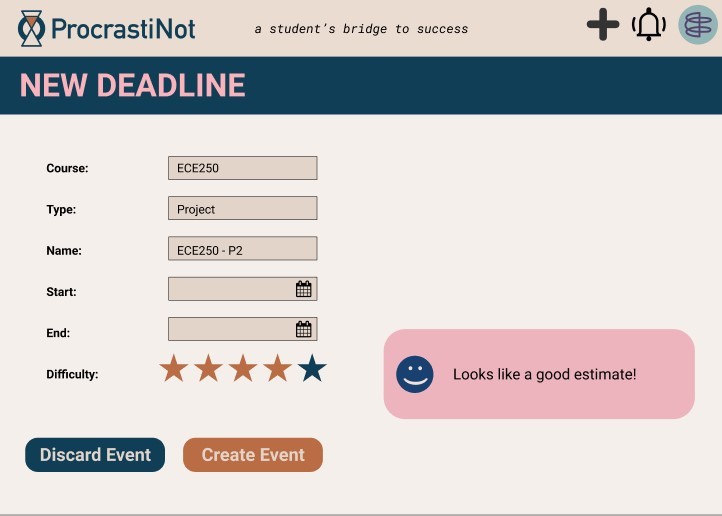
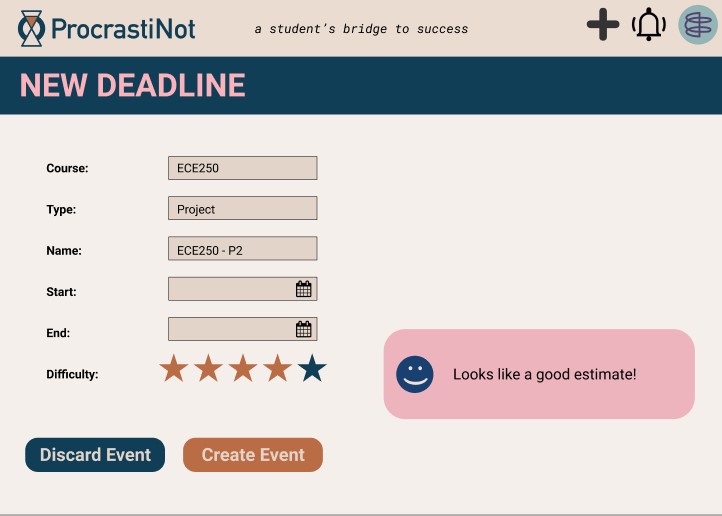
ProcrastiNot Add Event
-
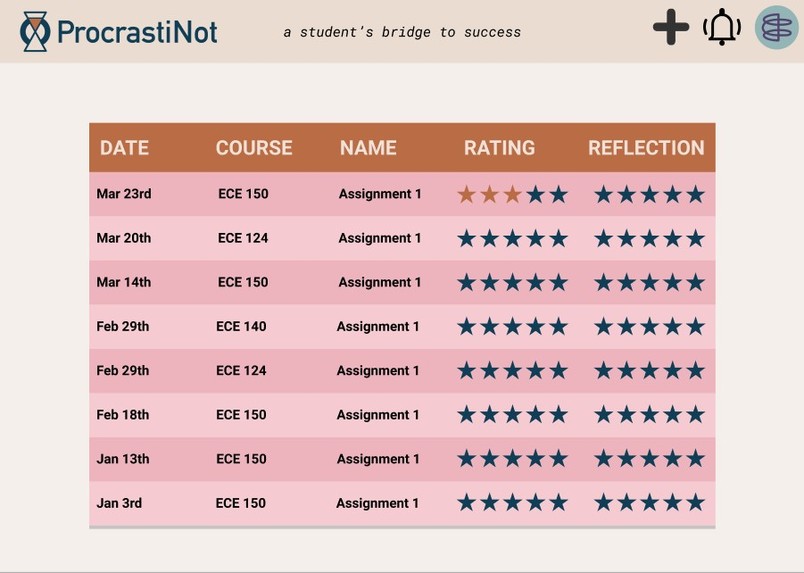
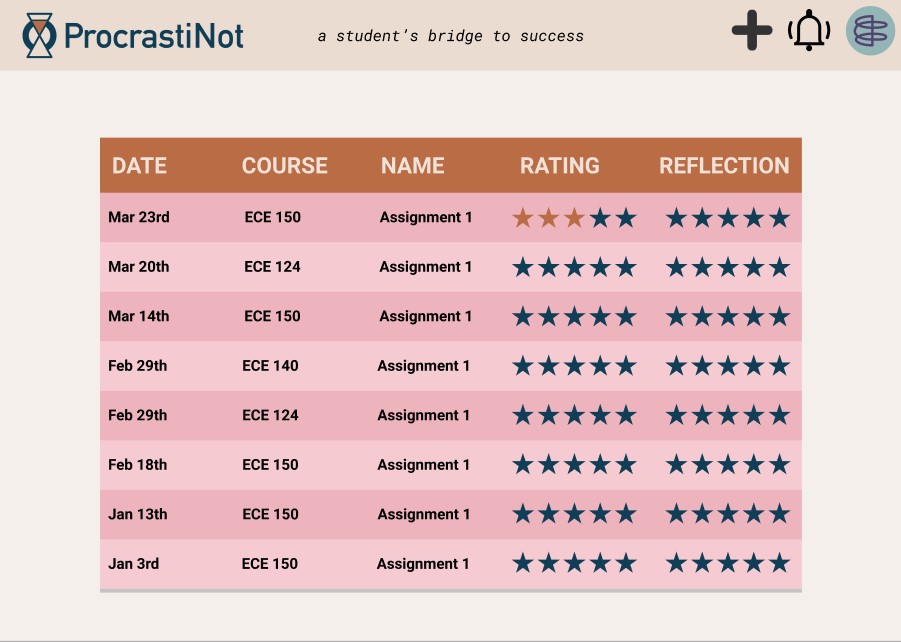
ProcrastiNot Reflections
-
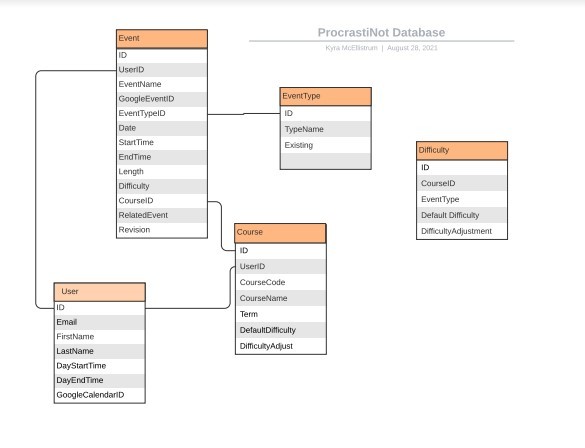
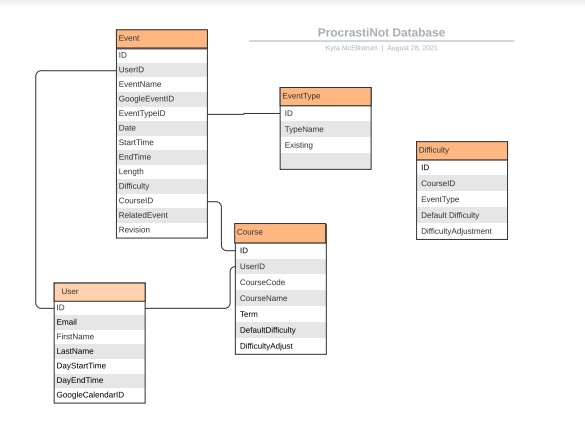
ProcrastiNot Database Diagram
-
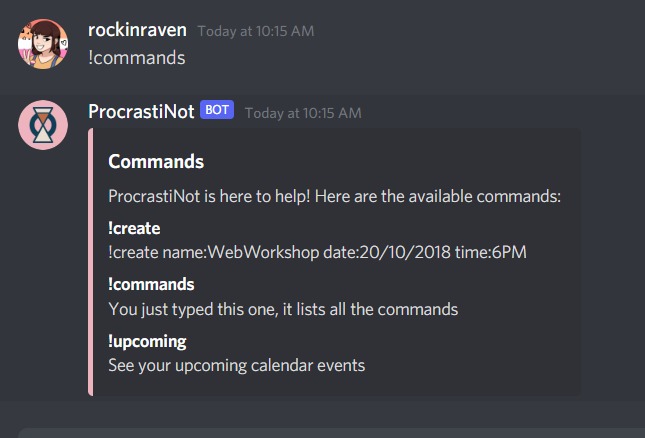
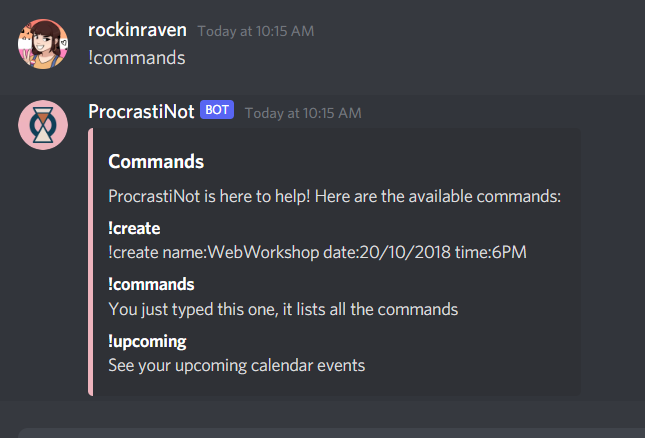
ProcrastiNot Discord Bot Commands
Inspiration
Time and time again, we students find ourselves frantically finishing assignments the night before they’re due. With so many online courses recently, we even have to schedule time to watch lectures, and make sure we learn the content before the exam! We’re pulling all-nighters and drinking caffeine, which only decreases our future performance. It becomes very easy to underestimate the amount of time things will take! Hindsight is 20/20, and it’s easy to tell ourselves that we should have started working earlier. Often, unfinished assignments and the stress of scheduling can take a heavy toll on many students’ mental health. Our goal was to create a project to help combat that.
What it does
ProcrastiNot Scheduler is our solution to this problem. Integrated with your Google calendar, ProcrastiNot uses assignments you have added to the calendar to suggest when you should start working on a project or watching a lecture! ProcrastiNot can add events to your calendar for both project deadlines, and the suggested day to start working. ProcrastiNot also works with the ProcrastiNot Discord bot, which can be invited directly into your discord server! This bot can be used directly to schedule assignments, create new events, and send real-time reminders of due-dates.
How we built it
Front End - Website
The frontend of the webpage consists of all the interacting components and is built using HTML, CSS, Bootstrap and JavaScript. HTML defines the structure of the complete webpage while CSS handles all the beautiful styling. Bootstrap is used for a few components for the styling and placement purposes. JavaScript is used to define the behaviour of the webpage and how it interacts with the user. Embedded JavaScript Templates ( EJS ) are essentially used to provide dynamic behaviour to the website frontend. The webpages constituting the web application can be navigated throughout back and forth, this functionality has been achieved by proper interaction between HTML components and javascript.
Back End - Website
The Backend of the website has been handled using passport.js and APIs. Passport.js is used for Google Authentication which shall also provide a base for working with a user’s Google Calendar associated with the same account. Google Calendar API is used for displaying, editing and deleting events associated with the Google Calendar. For the above purposes, Google Cloud Console has been used. All the backend services are being handled by JavaScript code and node.js while for the database purpose, mongoose is being used.
MongoDB
The data is stored using the MongoDB NoSQL database, and integrated into the web app using Node.js. The cluster is hosted with Google Cloud through MongoDB. The ProcrastiNot database consists of 5 collections: Course, Difficulty, Event, EventType, and User. The User collection keeps track of ProcrastiNot users, their preferred settings, and their Google Calendar ID. The Course collection has a document for each course. The courses are individual to a specific user, so if two users had the same course, each one would be identified by a unique ID. EventType keeps track of different types of events that users or ProcrastiNot can add, and Difficulty keeps track of the difficulty value that each user has assigned to an assignment type for each of their courses. The Event collection holds a document for each event added to a calendar through ProcrastiNot, as well as its associated course, user, difficulty settings, and any related events required.
Discord Integration
Currently hosted on Repl.it and kept active with UptimeRobot, the ProcrastiNot Discord Bot is written in node.JS and uses the Discord.JS library. It is currently set up for Google Authentication with a temporary workaround that requires the user to follow a custom link and get their Token, then send it back into the chat to finish authenticating. You can create events, see your upcoming events, and authenticate with your google accounts. In the future, we'll add the ability to modify existing events and add a webhook to get notified before events start!
Challenges we ran into
The Google Authentication component was by far the trickiest piece to integrate. It was a completely new technology, so there was lots of documentation to dig through and tons of troubleshooting. We wound up needing to hardcode some values for our test account in order to have functionality, and the Discord authentication method is not as clean as we would like for now. However we managed to get set up with the structure for OAUTH2, and just need a little more practice in order to integrate it fully with our website.
Accomplishments that we're proud of
We are definitely proud to have a prototype that is complete enough to demo! Half of our team is doing their first hackathon ever, so it’s great to have completed so much in such a short time. We also didn’t shy away from the challenges and we tackled new technologies instead of sticking to our comfort zones.
What we learned
Coding is hard! Just kidding, we already knew that :P We quickly figured out that it was important to make sure everyone was playing to their strengths as much as possible, and always knew what tasks were coming up next. We also learned that digital security is quite complex, and there are so many different keys, tokens, secrets, and IDs to keep track of without allowing any leaks!
What's next for ProcrastiNot
- Improve Account Security and complete Google Authentication
- Add more robust Prediction for event difficulty using AI
- Add ability to input class syllabi and automatically input all events from it
- Consider your existing calendar and making adjustments to time allocations based on your availability
Reference: https://github.com/aayushdutt/google-calendar-discord


Log in or sign up for Devpost to join the conversation.