
Inspiration:
What happens to someone’s access after they change roles or leave a company? Their account can stay active, or a group membership they no longer need can go unnoticed. In the classic Active Directory console, an IT administrator can look up an account and its groups, but deciding whether that access still makes sense takes more context. We built PriVis to bring that context into a refreshed GUI and make access reviews easier to act on.
What PriVis does:
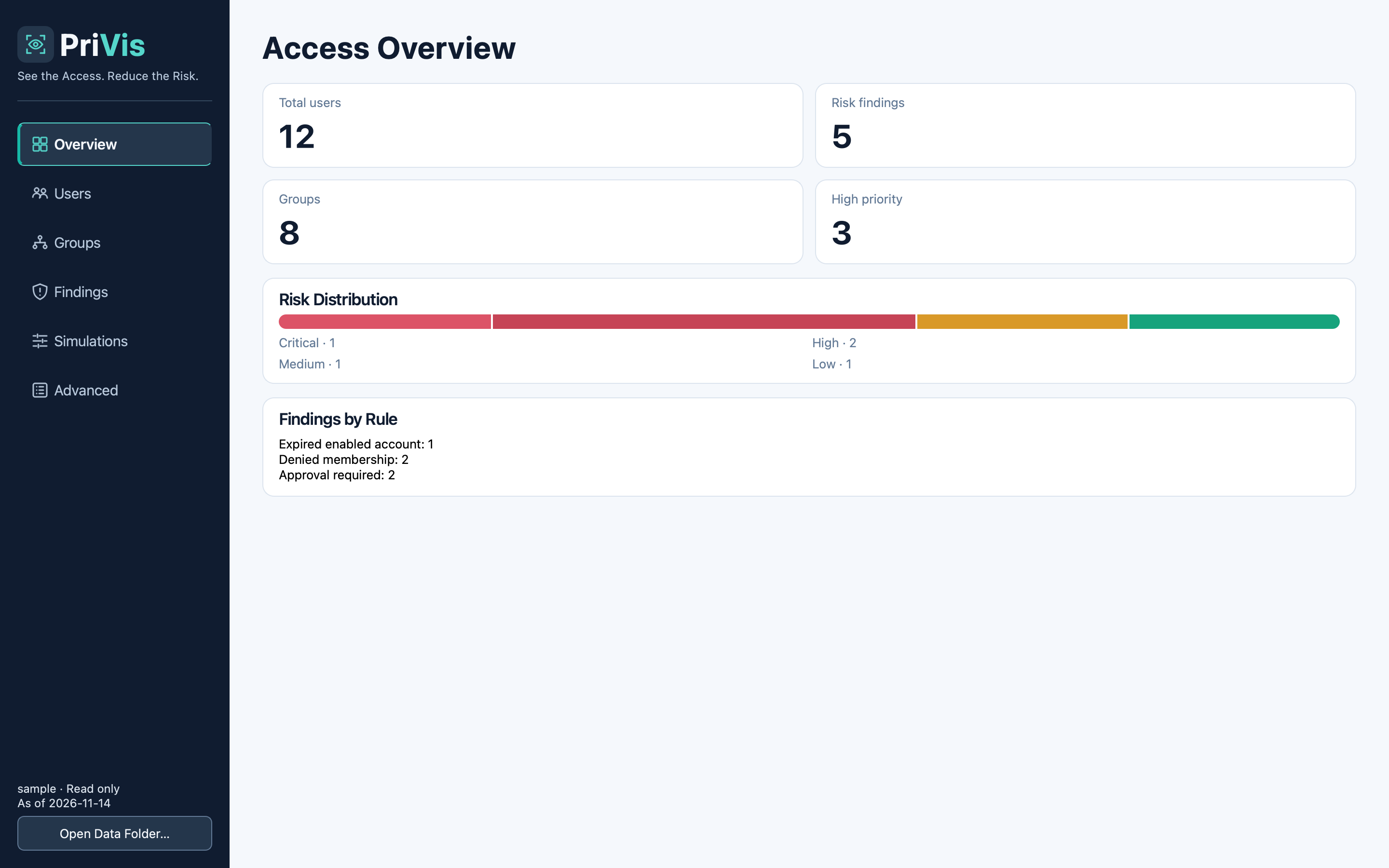
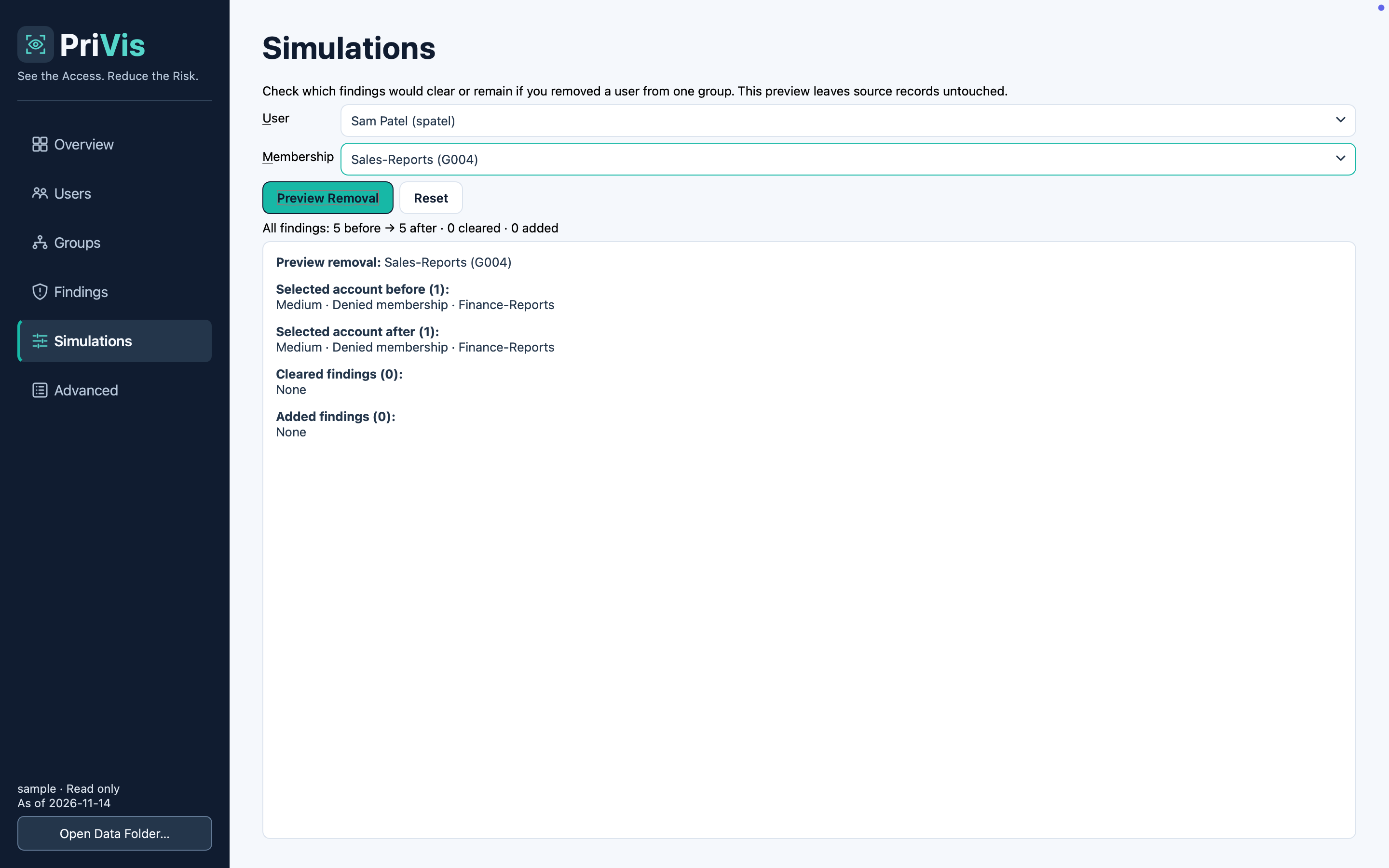
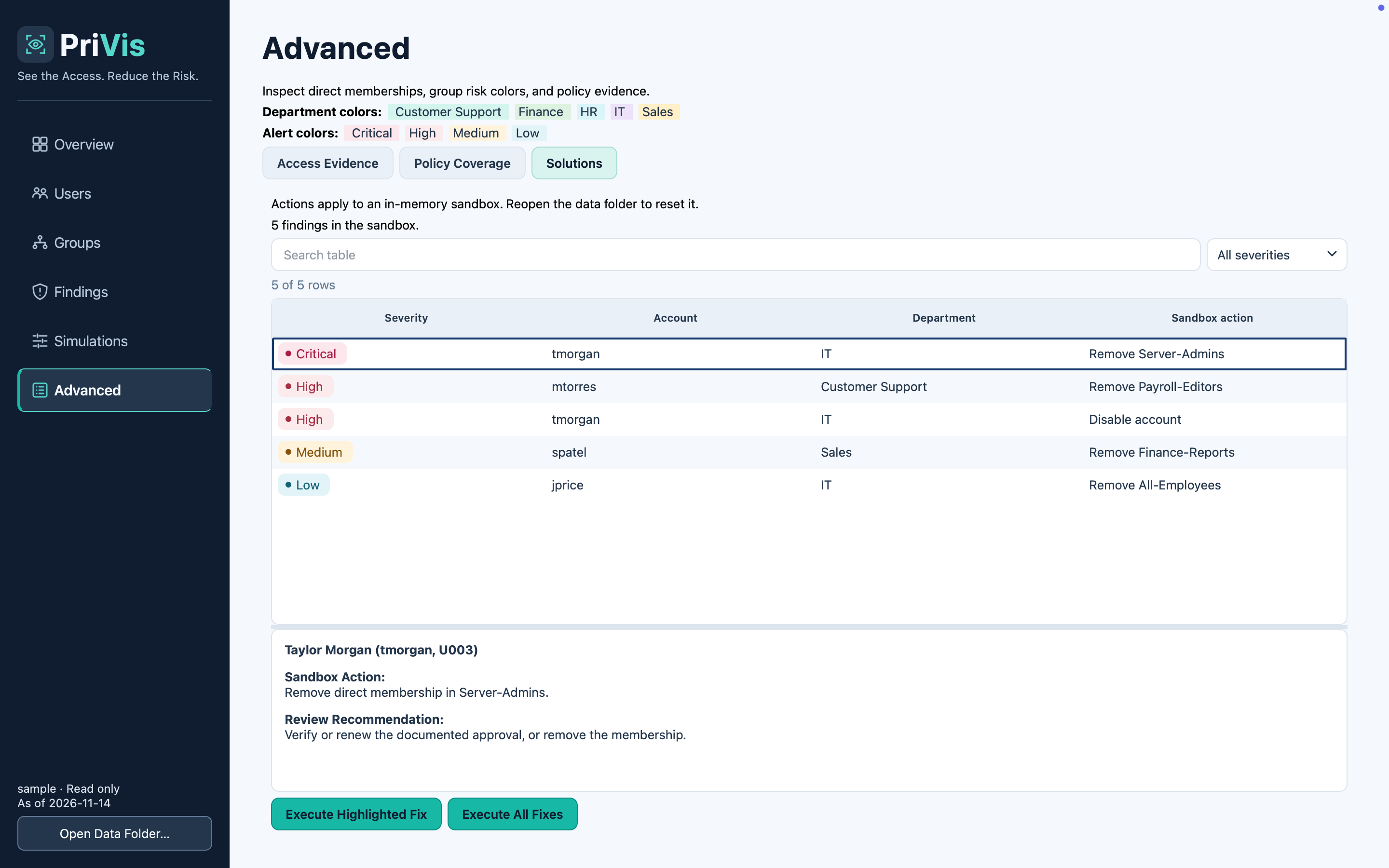
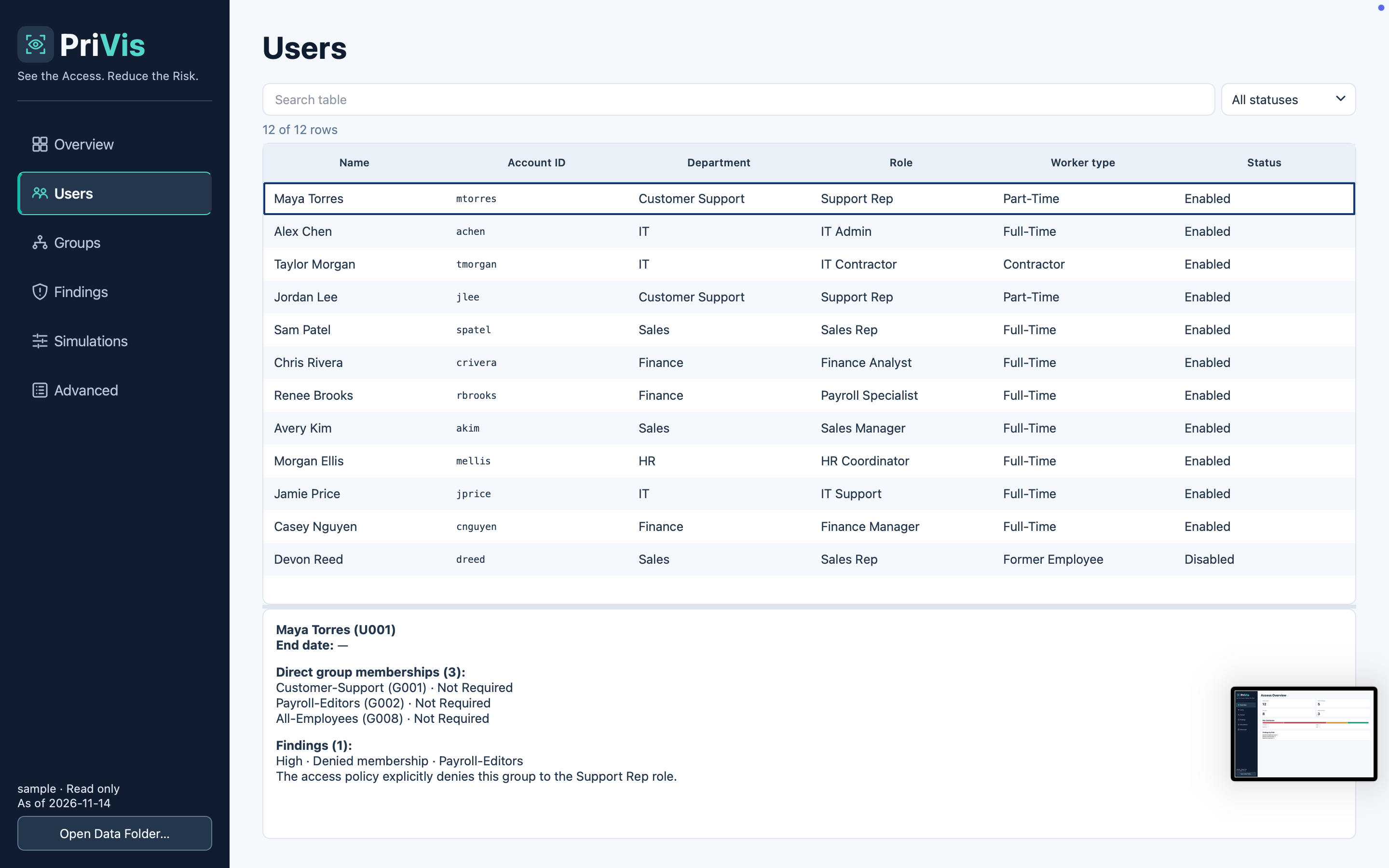
PriVis shows IT teams who has access, why a permission was flagged, and what could happen if they grant new access. In our demo, PriVis flags a contractor whose account is still enabled after their contract ends. We apply the fix in the sandbox and see the account switch to disabled in the directory view. We also simulate adding a customer support rep to the Server-Admins group. PriVis explains the policy violation before any membership changes are made.
How we built PriVis:
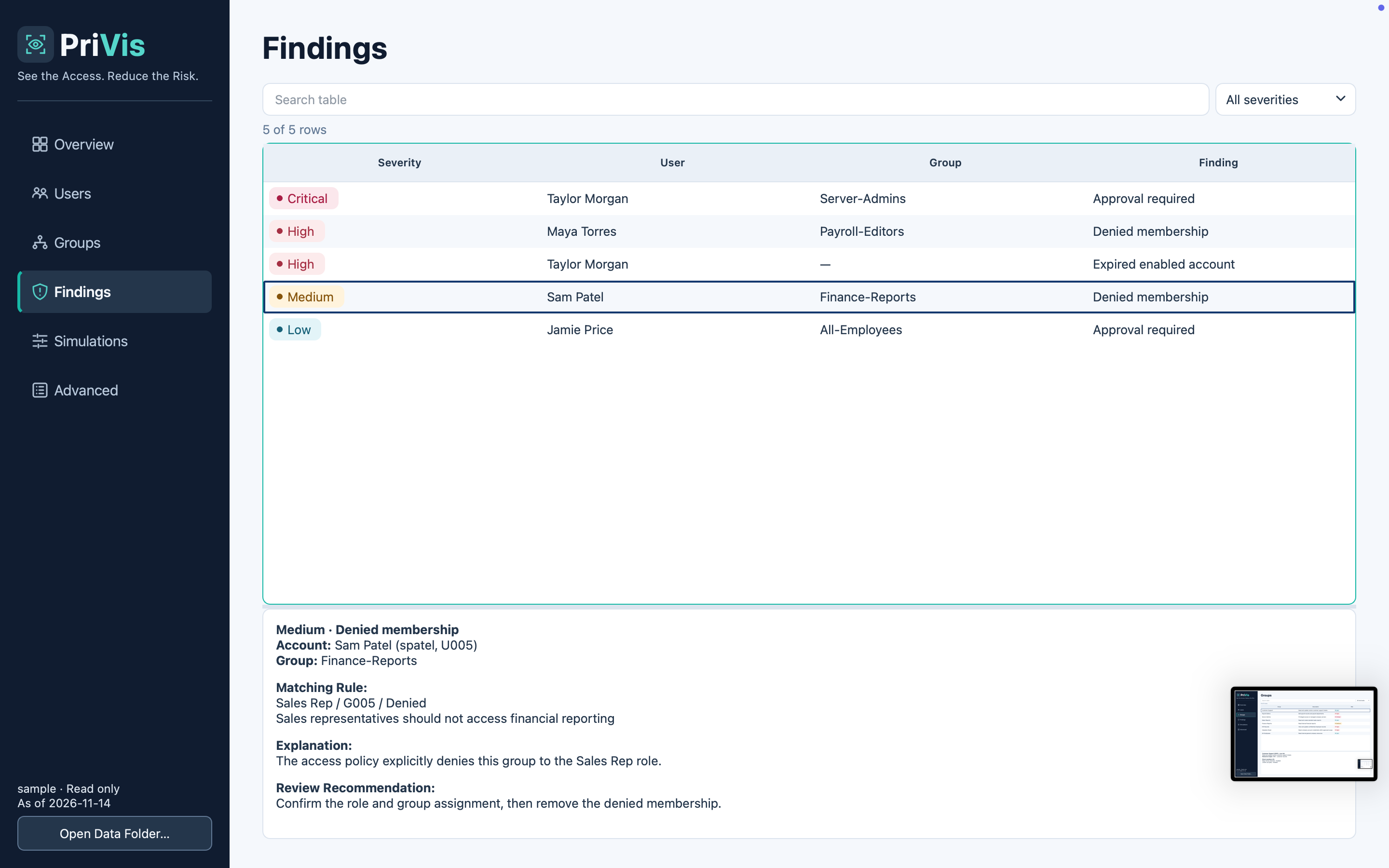
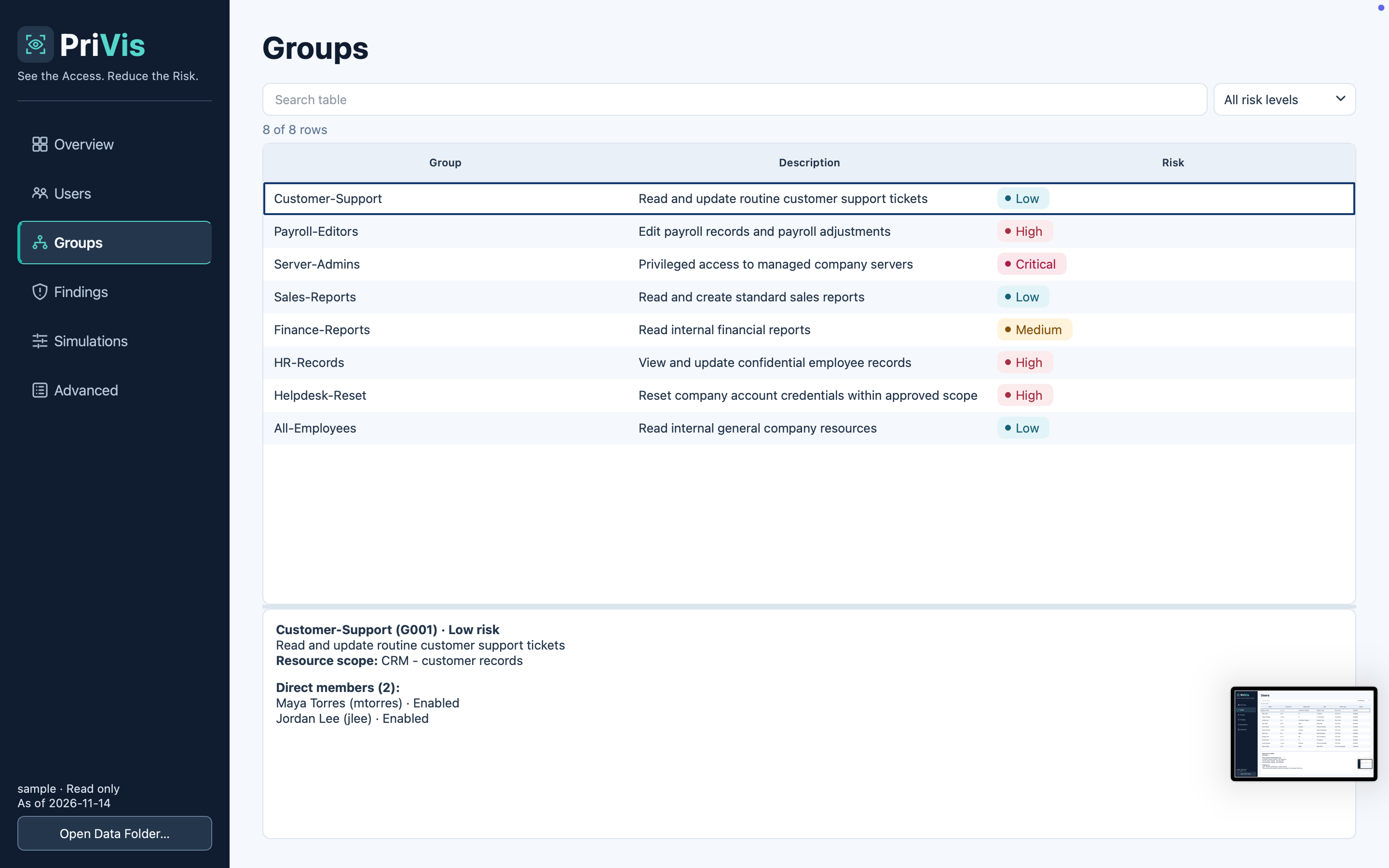
We modeled a fictional company’s Active Directory environment with four linked datasets covering users, groups, memberships, and access policies. We used those relationships to evaluate access in context. The dashboard surfaces findings by severity, the directory view shows the account behind each finding, and the simulator evaluates proposed group memberships against the same policies.
Challenges we faced & what we learned:
The hardest design question was how to turn a list of group memberships into a finding an administrator could act on. Membership in Server-Admins can be appropriate for an IT administrator and excessive for a customer support rep. We had to show the person’s role, the access the group grants, and the policy that makes the assignment risky. That shaped what we learned about least privilege. Finding a risky permission is only part of the job. The person reviewing it also needs enough context to decide what to do next.


