-
-
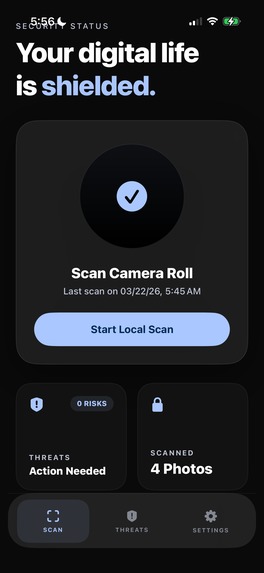
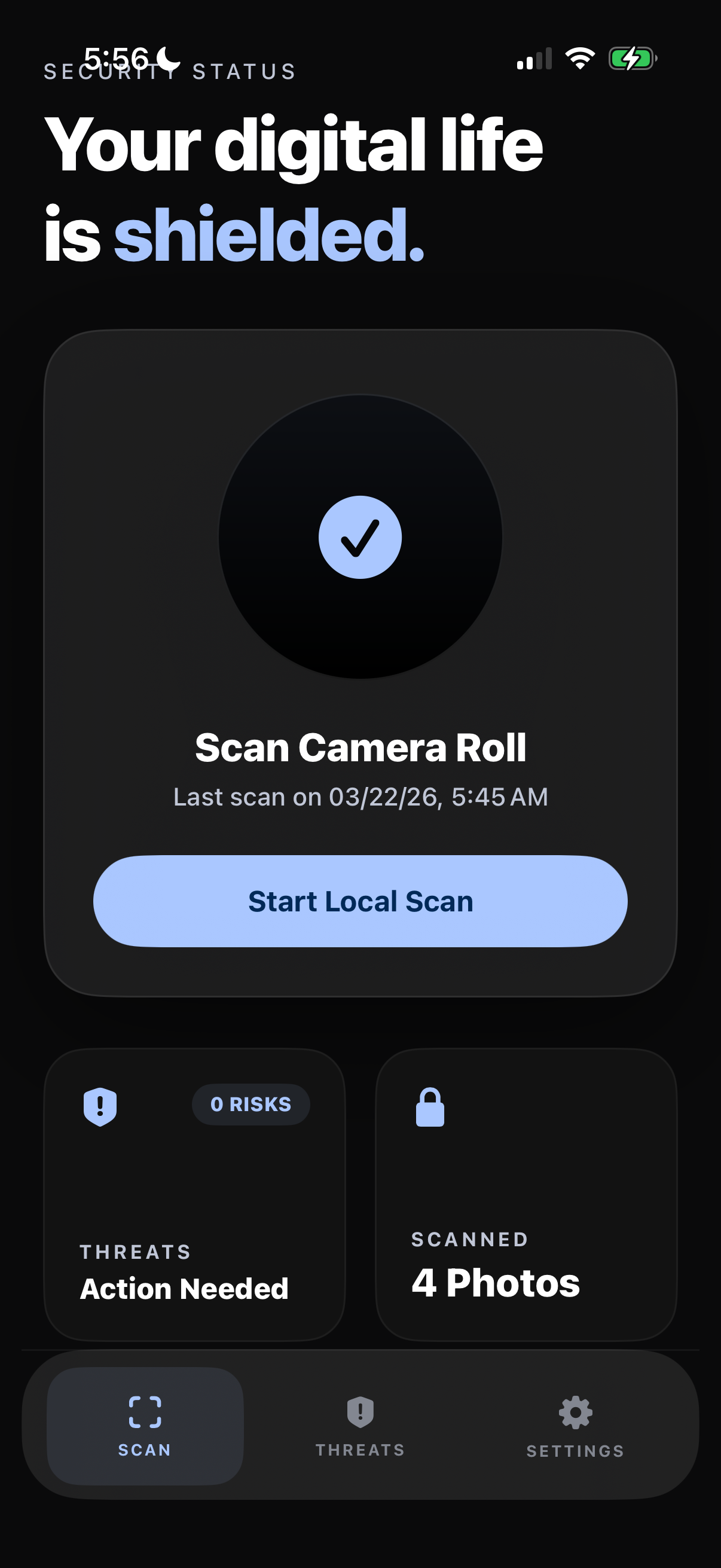
Dashboard Page (Before scanning)
-
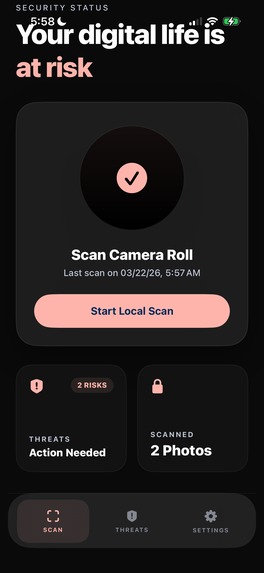
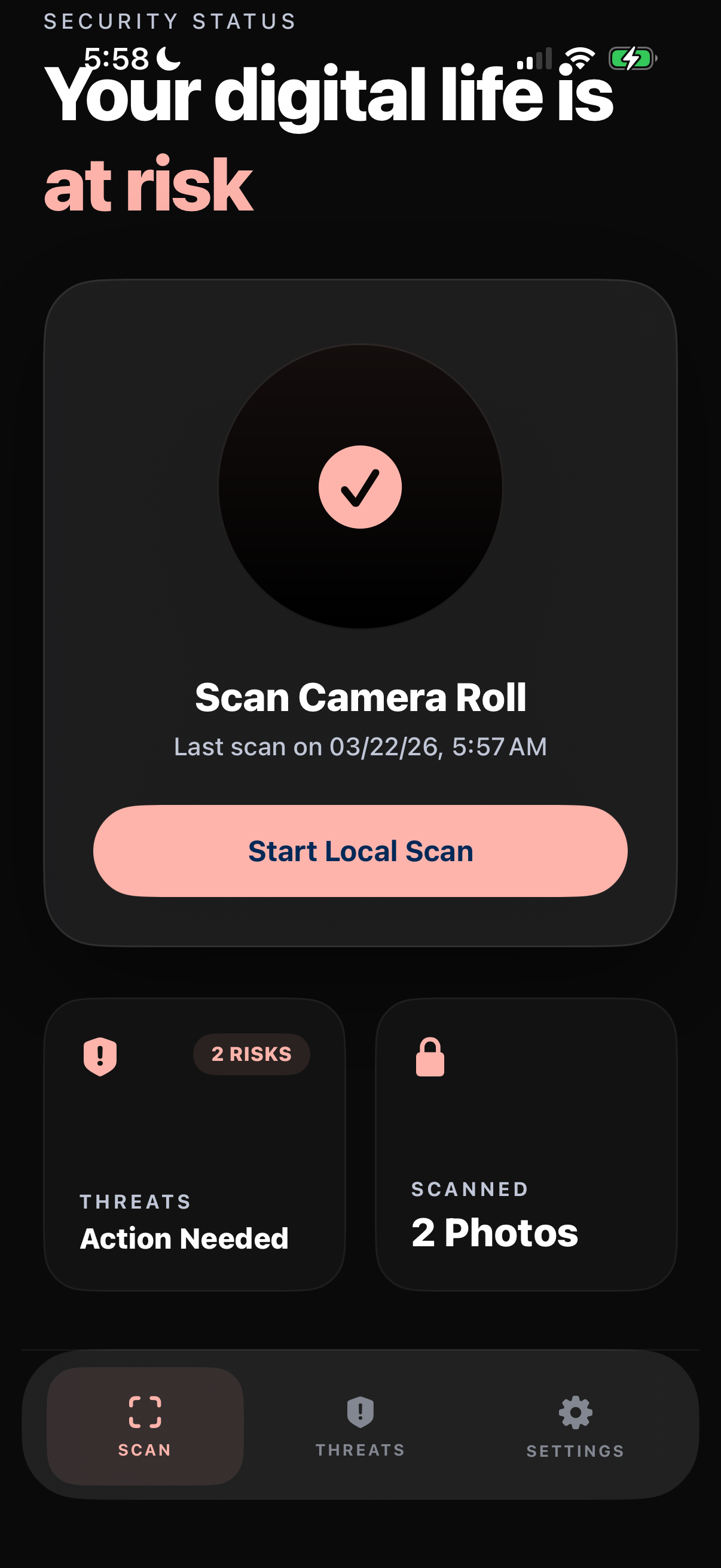
Dashboard Page (After scanning)
-
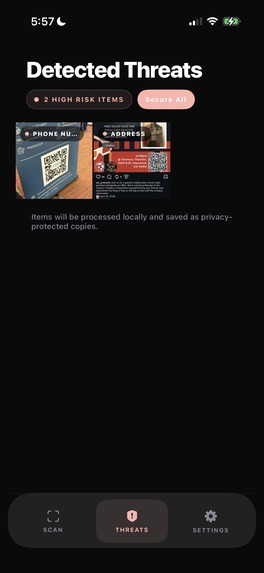
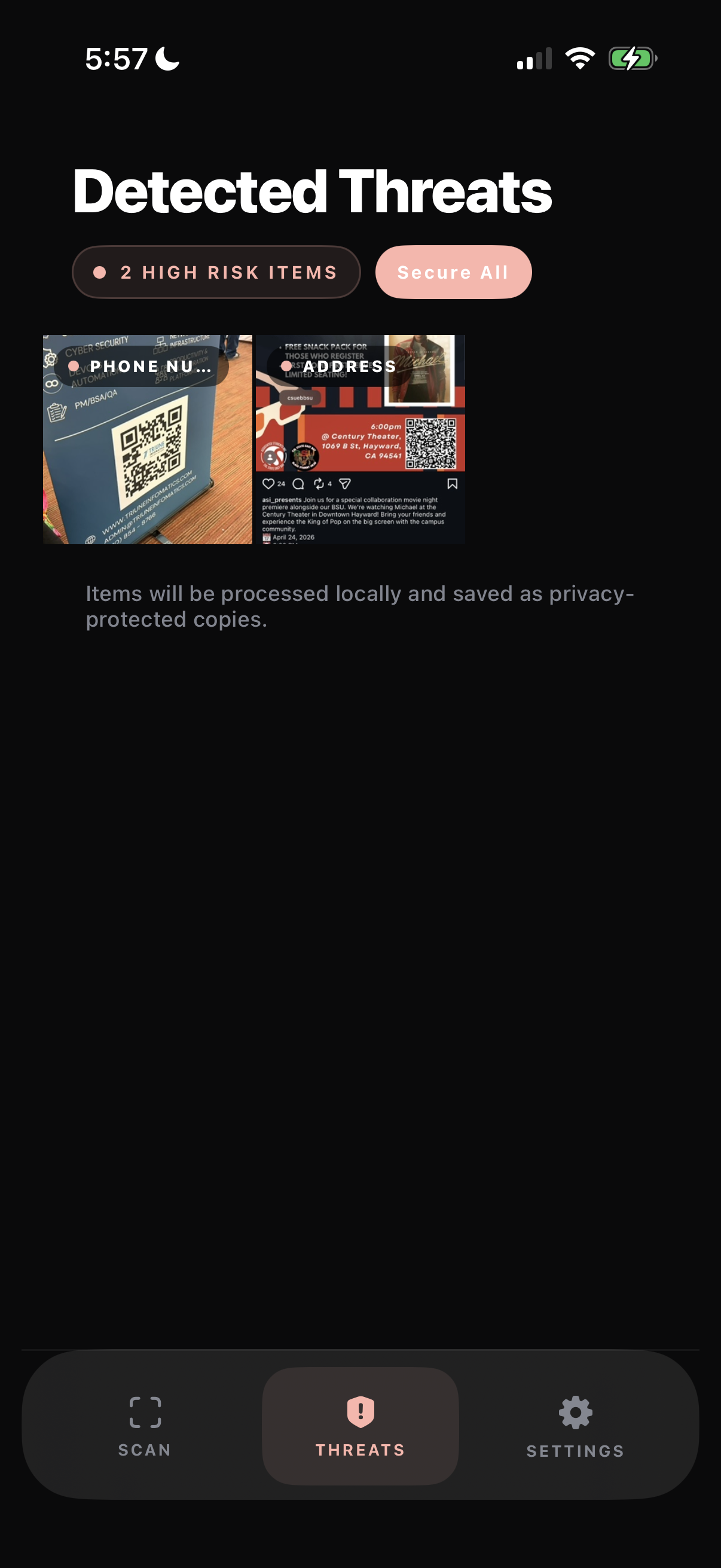
Identified Threats
-
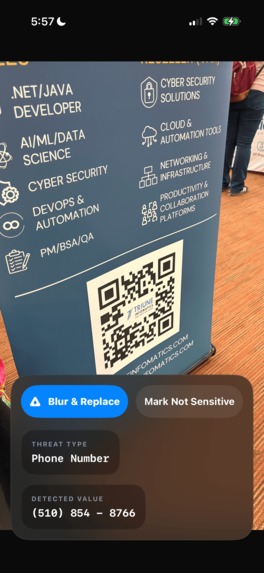
'Sensitive' data in the 'Sensitive' image
-
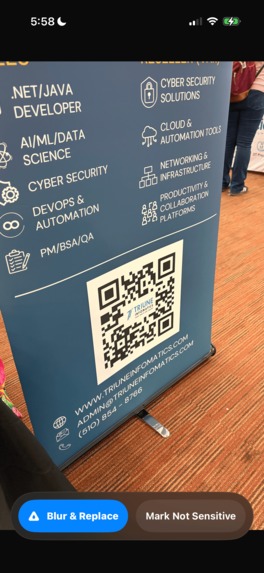
Full screen view of the 'Sensitive' image
Inspiration
People store some of their most sensitive information in their camera roll without realizing it: IDs, bank screenshots, passports, forms, cards, and personal documents. We wanted to build a product that helps users understand that risk and fix it immediately, without asking them to upload their photos to a third party. That led to Privasee Mobile: a privacy scanner built around the idea that images should never leave the device.
What it does
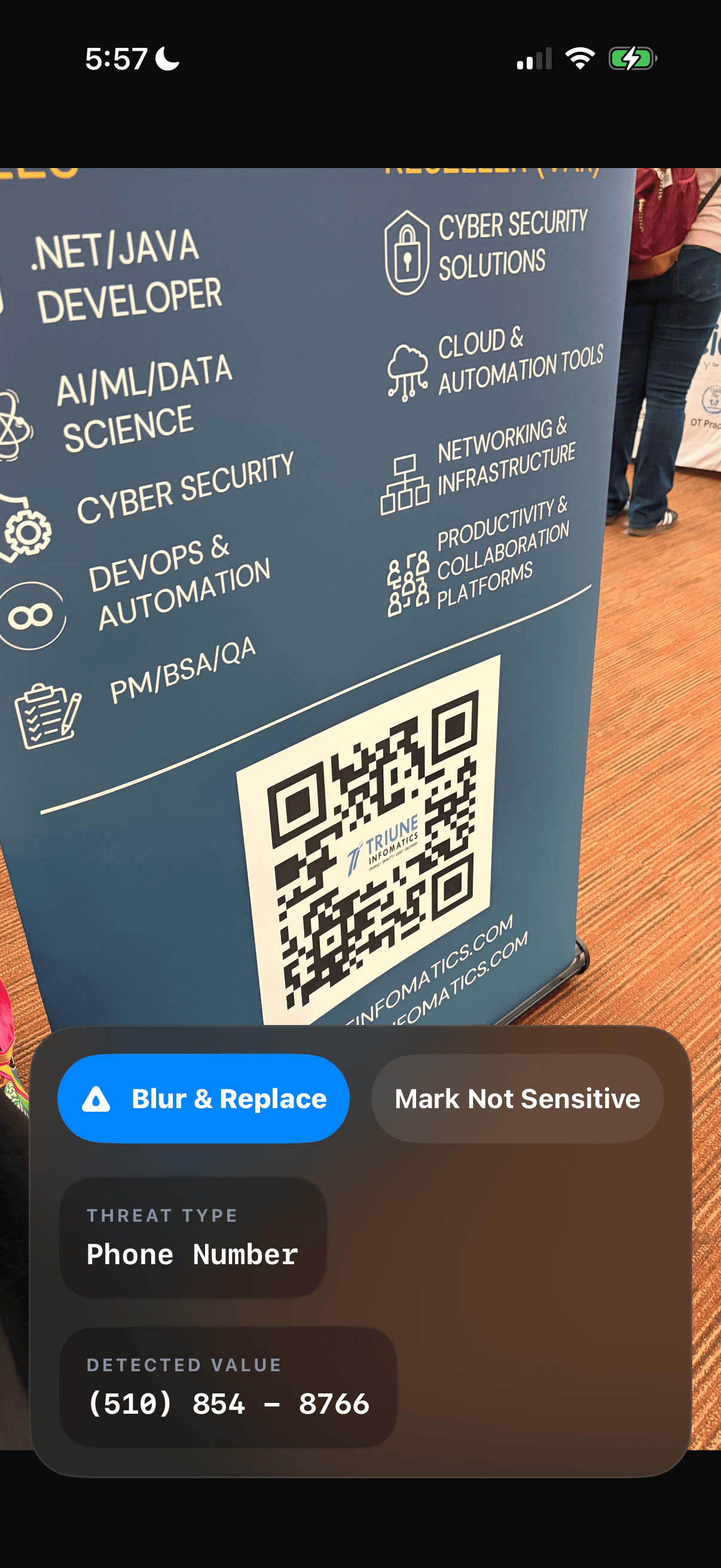
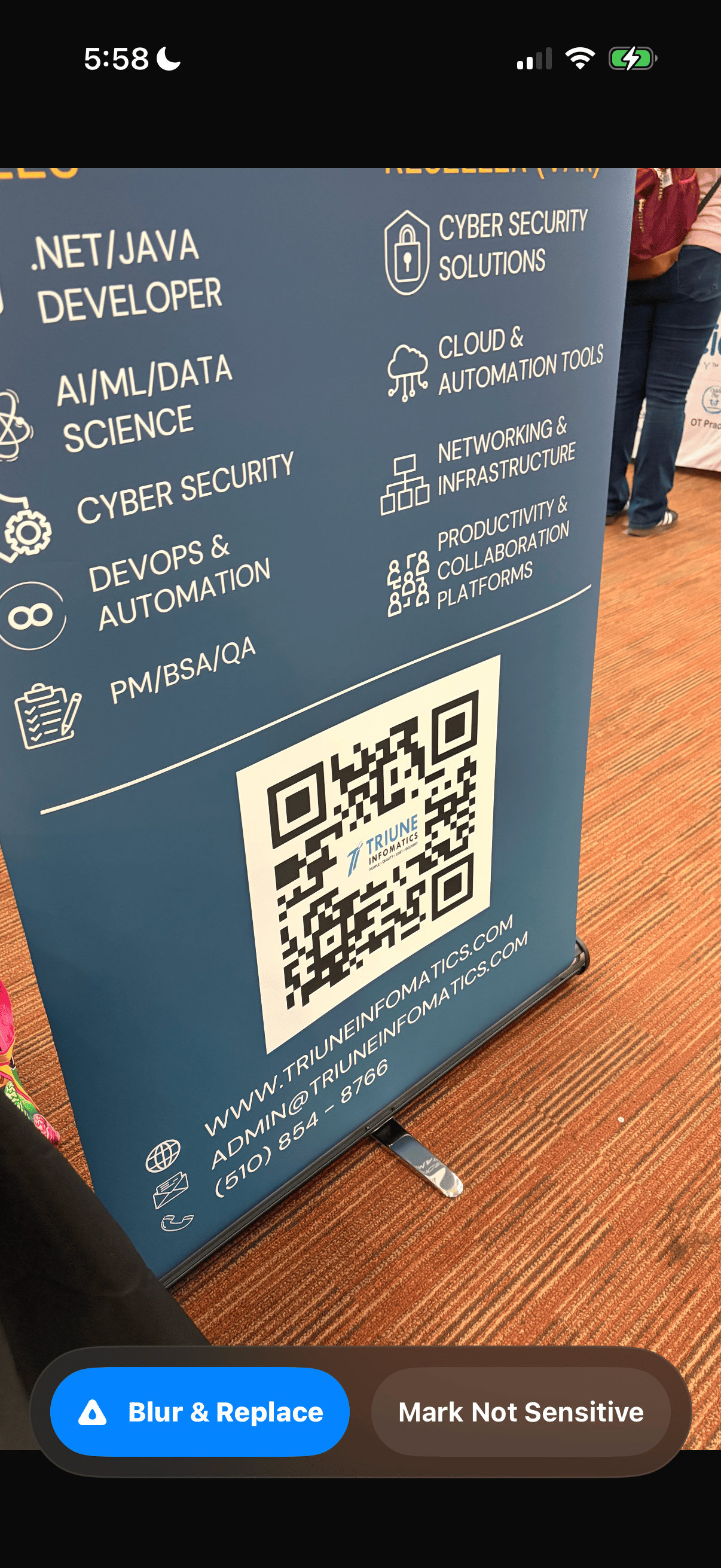
Privasee Mobile scans a user’s photo library for visible sensitive text, identifies risky images, and presents them in a clean review flow. Users can inspect flagged photos, see what sensitive information was detected, and locally blur that text before saving a protected replacement back to the gallery. The app also remembers which photos have already been reviewed, restores active threats across launches, and supports both one-by-one resolution and bulk secure-and-replace actions.
How we built it
We built Privasee Mobile natively in SwiftUI using Apple’s native frameworks. Photo access and asset management are handled with Photos and PhotosUI. OCR is performed fully on-device with Vision. Sensitive text classification is done by sending only extracted OCR text to Gemini through URLSession, never the image itself. Local redaction is handled with Core Image, where matched sensitive text regions are selectively blurred and saved as new photos. App state, scan history, and active threats are persisted locally with UserDefaults.
Challenges we ran into
One challenge was preserving a strict zero-knowledge architecture while still delivering useful detection. That meant designing the pipeline so only OCR text was sent for classification while all image handling stayed local. Another challenge was moving from single-value detection to supporting multiple sensitive findings in a single image, then mapping those findings back onto OCR bounding boxes for selective blur. We also had to handle tricky iOS-specific behavior around limited photo library access, full-screen photo presentation, batch photo replacement, and avoiding repeated deletion prompts during bulk actions.
Accomplishments that we're proud of
We’re proud that the final product keeps the core privacy promise intact: images never leave the device. We also built a polished end-to-end experience that feels native on iPhone, from the dashboard and threat grid to the full-screen review flow and batch resolution tools. Another major accomplishment was getting selective redaction working so the app blurs only sensitive text regions instead of destroying the entire image. The app also persists threat state across launches, which makes it feel like a real ongoing privacy companion rather than a one-time scanner.
What we learned
We learned how powerful Apple’s native frameworks can be when combined thoughtfully: Vision for OCR, Photos for asset lifecycle management, and Core Image for local redaction. We also learned that building privacy-respecting AI products requires careful system design, not just model usage. The hard part is often the product architecture around the model: what leaves the device, what stays local, what gets persisted, and how user trust is maintained throughout the experience.
What's next for Privasee
Next, we want to improve detection depth and reliability even further by adding richer multi-category classification, stronger OCR-region matching, and smarter handling of complex document layouts. We also want to expand the product beyond the current mobile workflow with better settings, stronger secret management, richer scan history, and potentially an encrypted vault experience for protected assets. Longer term, Privasee could evolve into a full personal privacy layer for photos and documents, helping users continuously monitor and reduce exposure inside their own digital life.
Built With
- geminiapi
- swift
- swiftui

Log in or sign up for Devpost to join the conversation.