-
-
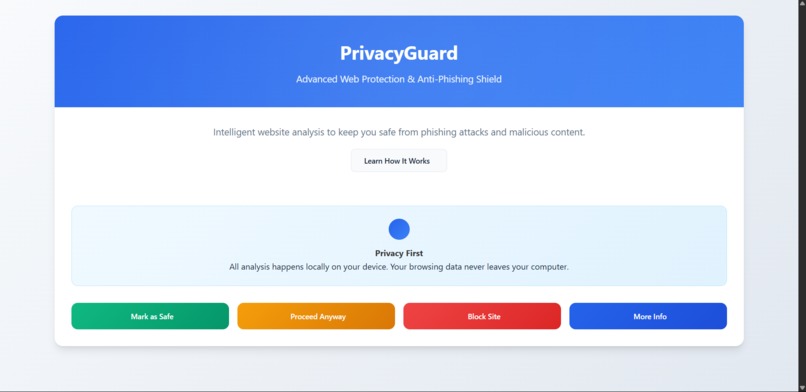
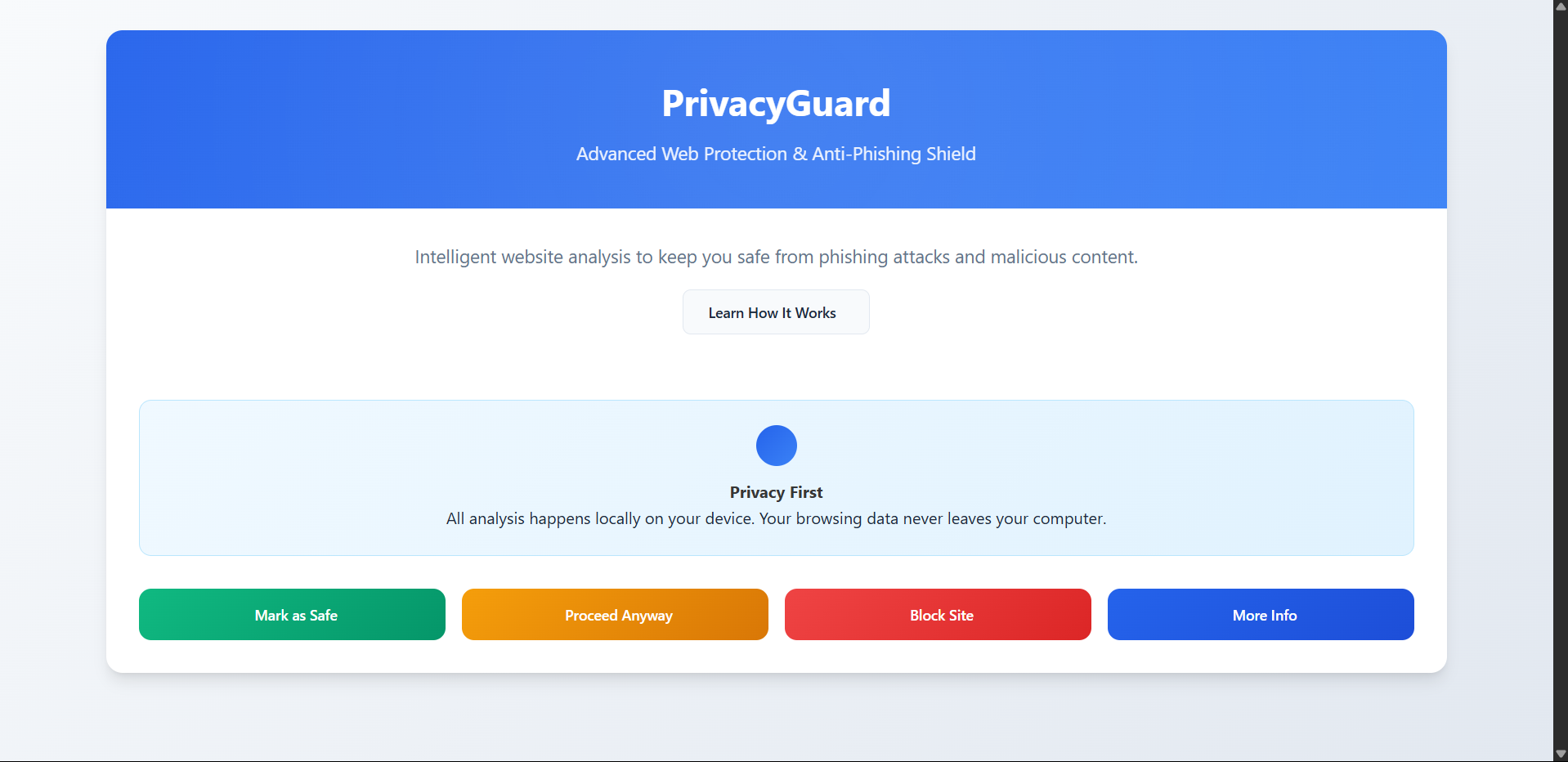
Landing Page
-
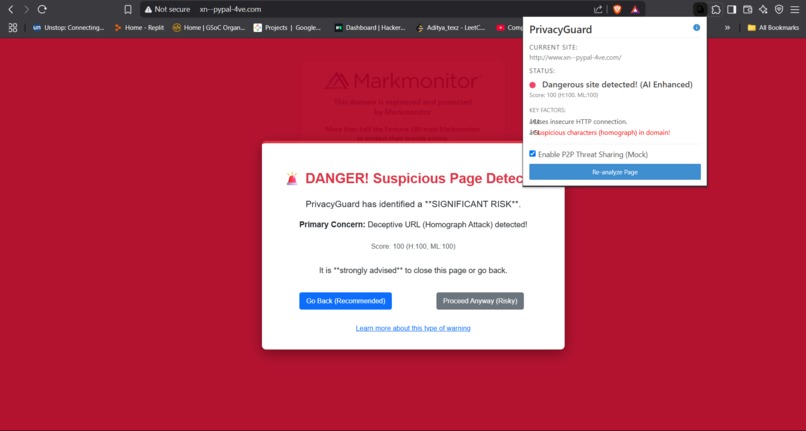
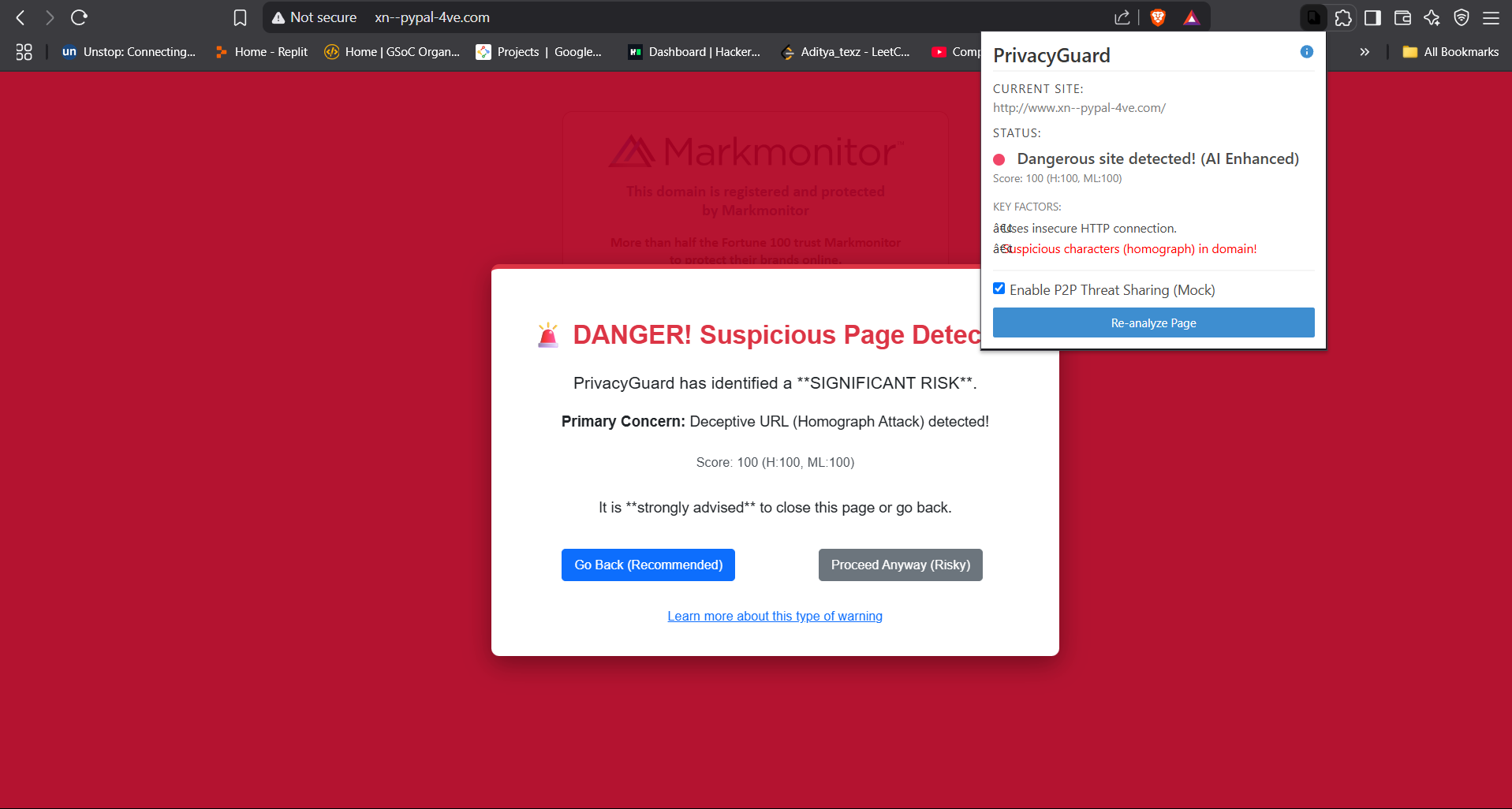
Alert-Warning && Popup
-
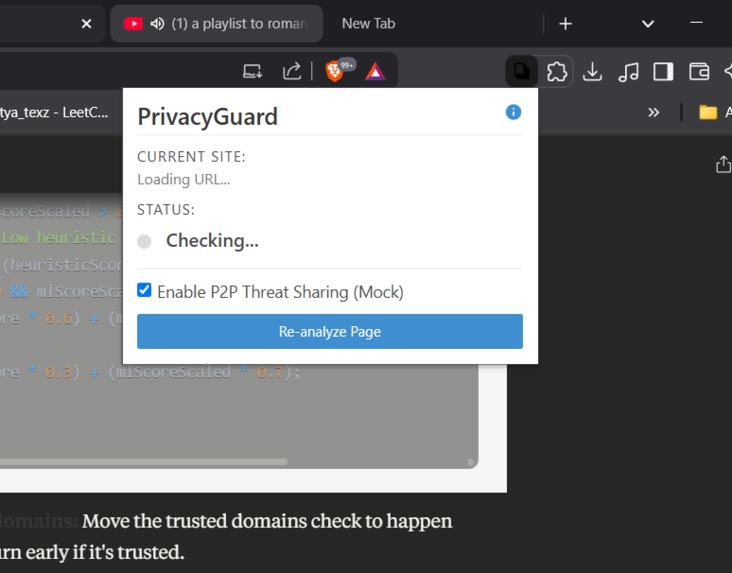
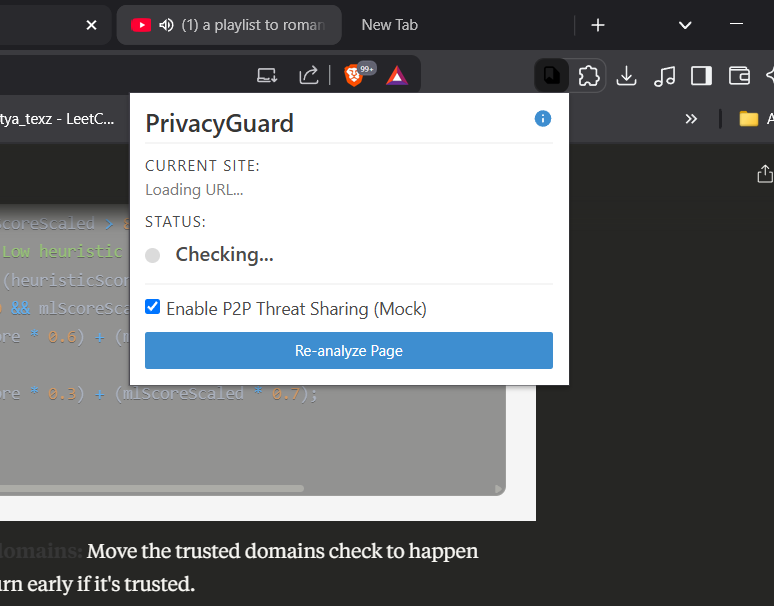
Green-Alert
-
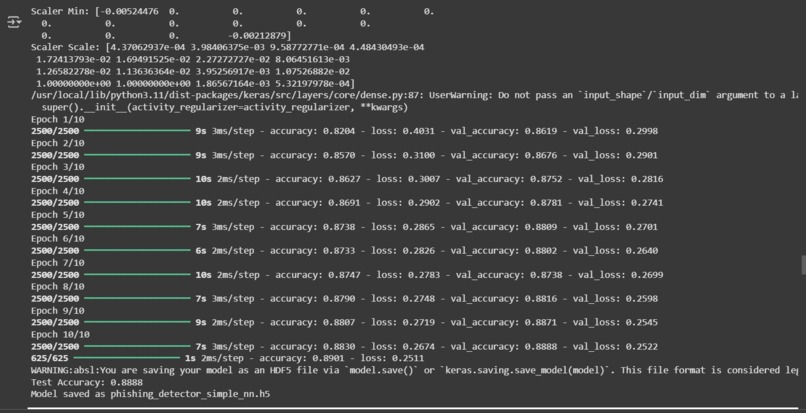
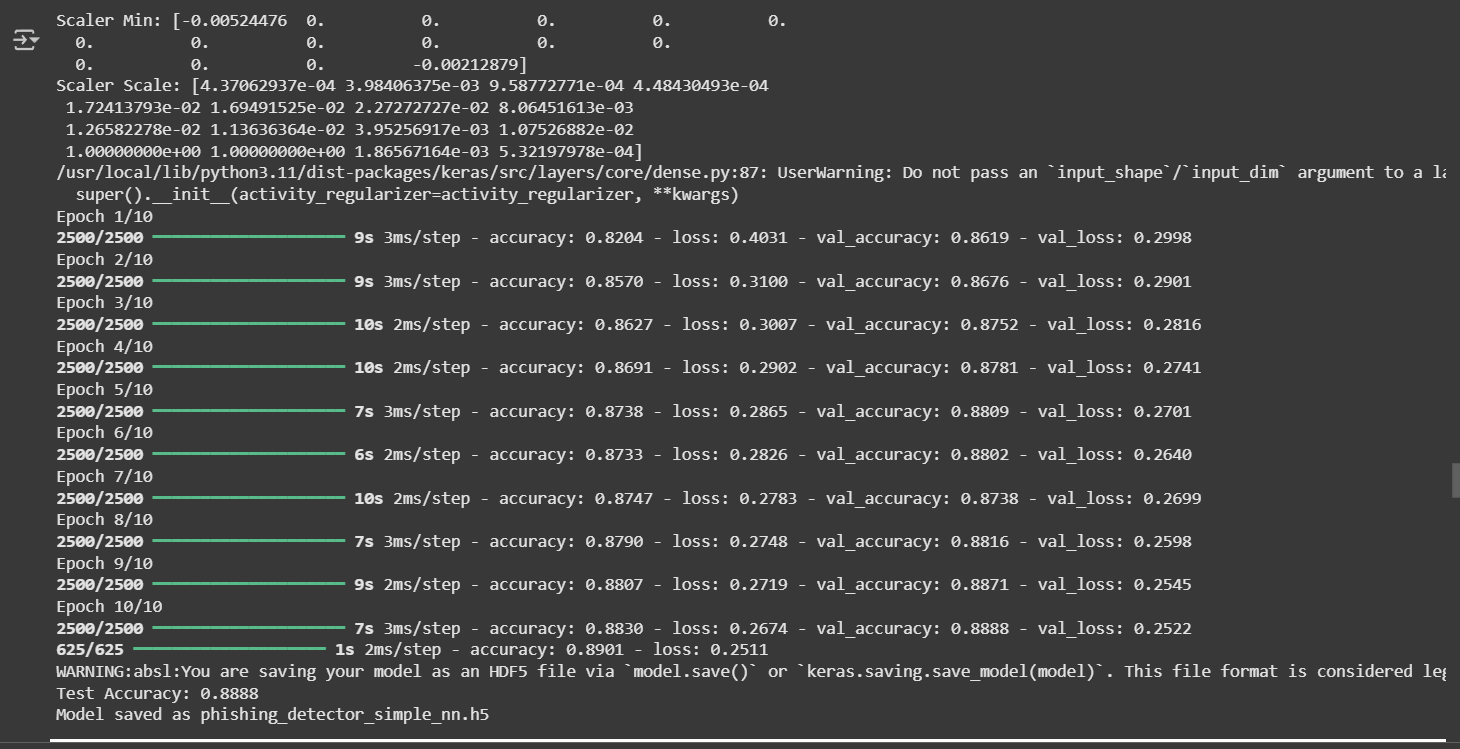
Trained Model Accuracies ( 0.8888) with a diverse dataset of ~100k
-
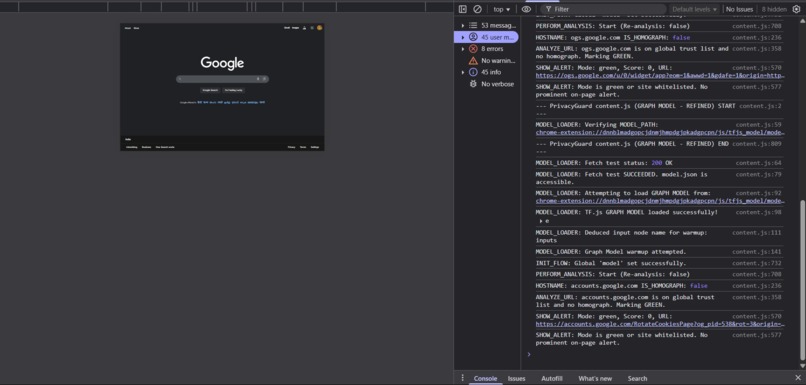
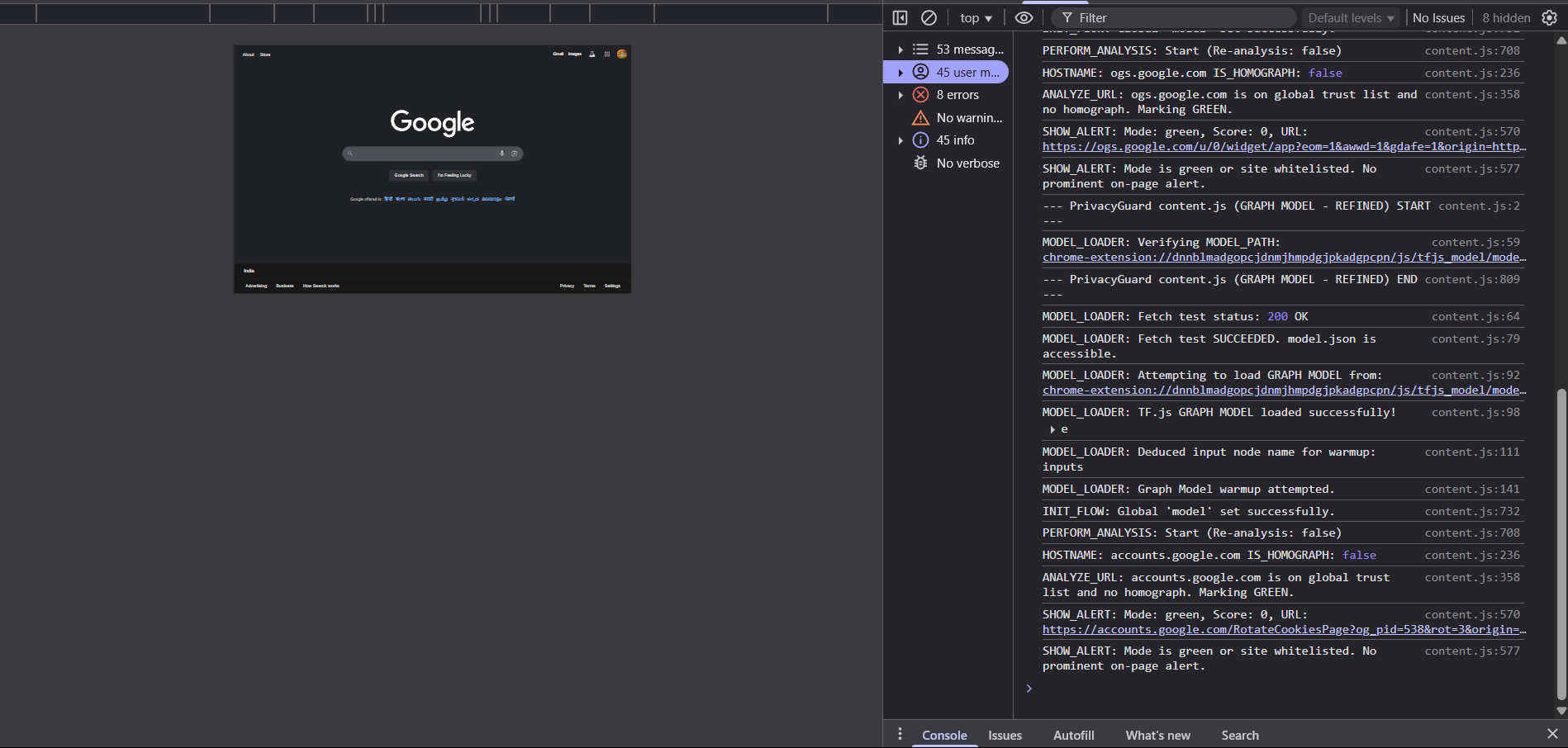
Console outputs (with all of it's output)
PrivacyGuard : Early Concept
Picture this: you’re browsing the web, clicking a link that looks like your bank’s login page, only to realize too late it’s a phishing scam. Your data’s gone, and the site’s vanished.
This scenario plays out daily, with phishing attacks growing sneakier,think homograph URLs that mimic apple.com with Unicode tricks or zero-day sites that pop up and disappear in hours.
As a tech enthusiast with a passion for security, I was frustrated by how existing anti-phishing tools lagged behind these threats. Blocklists were too slow, cloud-based solutions snooped on user data, and most tools treated users like passive bystanders, offering no insight or control.
I wanted to build something different: a Chrome extension that’s proactive, privacy-first, and empowering. That’s how PrivacyGuard was born,a tool that combines on-device AI, advanced heuristics, and a transparent Red/Yellow/Green system to protect users while respecting their autonomy.
The hackathon was my chance to turn this vision into reality, and what followed was a thrilling journey of coding, learning, and overcoming obstacles.
Here’s the story of how PrivacyGuard came to life, why it stands out against competitors, and how it’s poised to redefine web security.
The Landscape: Why Current Solutions Fall Short
To understand PrivacyGuard’s impact, let’s first look at the competition and their weaknesses. I studied the anti-phishing landscape,browser features, extensions, and antivirus tools,and found critical gaps that inspired PrivacyGuard’s unique approach.
Competitors and Their Weaknesses
Browser Built-In Safe Browsing (e.g., Google Safe Browsing, Firefox Monitor):
- Approach: Relies on vast, centrally updated blocklists of known malicious URLs.
Weaknesses:
- Reactive Nature: Blocklists lag behind zero-day phishing sites, which can vanish within hours.
- Limited Scope: Struggles with novel attacks like homograph URLs (e.g., using Punycode to mimic
paypal.com). - No User Insight: Simply blocks or warns without explaining why, leaving users frustrated or skeptical.
Basic Browser Extensions (e.g., Open-Source URL Checkers):
- Approach: Use simple heuristic rules (e.g., checking for HTTP, excessive dots, or IP addresses in URLs).
Weaknesses:
- Easily Bypassed: Attackers adapt to predictable rules, crafting URLs that slip through.
- High False Positives: Flags legitimate but unconventional sites (e.g., niche forums), annoying users.
- Shallow Detection: Lacks the depth to catch sophisticated phishing tactics.
Cloud-Based Antivirus Extensions (e.g., Commercial Tools like Norton, McAfee):
- Approach: Send URLs or page content to cloud servers for analysis by powerful models or databases.
Weaknesses:
- Privacy Risks: Transmits browsing data to third parties, raising concerns about user tracking.
- Latency Issues: Cloud queries can slow down browsing, especially on weaker connections.
- Dependency: Protection falters if the server is down or unreachable.
AI-Powered “Black Box” Tools (e.g., Some ML-Based Extensions):
- Approach: Use AI to flag sites but offer no explanation for warnings.
Weaknesses:
- Lack of Transparency: Users can’t assess false positives or understand risks, eroding trust.
- No Customization: One-size-fits-all blocking with little room for user input.
Lack of Community Engagement:
- Approach: Most tools operate in isolation, dictating outcomes without user or community input.
Weaknesses:
- Missed Collective Wisdom: No mechanism to leverage user reports for faster threat detection.
- Limited Control: Users can only toggle the tool on or off, with no way to personalize trust settings.
PrivacyGuard’s USPs
PrivacyGuard isn’t just another extension,it’s a leap forward. Our unique selling points address these gaps head-on:
- On-Device AI for Proactive Detection: A TensorFlow.js model analyzes URLs locally, catching zero-day threats that blocklists miss, with 88-89% accuracy on phishing detection.
- Privacy-First Architecture: No data,URLs, browsing history, or otherwise,ever leaves your device, unlike cloud-based competitors.
- Advanced Homograph Detection: Flags deceptive Unicode-based URLs, a threat most tools overlook.
- Explainable AI & Transparency: Detailed risk breakdowns (heuristics, ML, homograph triggers) empower users to make informed decisions.
- Red/Yellow/Green System: Nuanced alerts balance protection and usability, avoiding the “block or nothing” approach.
- User Empowerment: Personal whitelisting and clear action options (e.g., “Mark as Safe,” “Proceed”) give users control.
- P2P Threat Sharing (Conceptual): A mock framework shows how anonymized user reports could create a community-driven defense, a feature absent in most competitors.
The Learning Curve
When I started, I was no stranger to JavaScript and Python, but Chrome Extensions and on-device machine learning were new frontiers.
My goal was ambitious: build a multi-layered, privacy-first extension that rivals commercial tools. The hackathon’s ticking clock only fueled my drive to learn fast.
I dove into phishing detection research, discovering datasets like PhishTank for phishing URLs and Tranco’s Top 1 Million Sites for legitimate ones.
I learned about lexical features—like URL length, number of hyphens, or HTTPS presence—that could train an ML model to spot phishing patterns.
Homograph attacks, where attackers use Unicode to fake domains, fascinated and alarmed me, pushing me to prioritize advanced detection.
I also explored Chrome’s Extension API (Manifest V2, with V3 in mind) to understand content scripts, browser action popups, and local storage.
The biggest leap was mastering on-device AI with TensorFlow.js. Training a model in Python was one thing, but converting it for the browser and ensuring it ran smoothly was a whole new challenge.
I also studied user-centric design, inspired by my frustration with opaque tools, to create alerts and a popup that feel intuitive and empowering.
Every late-night study session brought me closer to turning PrivacyGuard into reality.
The Build: Piecing Together a Game-Changer
Building PrivacyGuard was like constructing a spaceship mid-flight—thrilling, chaotic, and deeply rewarding.
Here’s how it came together in five phases:
Phase 1: Laying the Heuristic Groundwork
I started with a simple heuristic engine in JavaScript, checking for classic phishing signals: HTTP instead of HTTPS, too many dots, password forms on odd pages, or IP addresses in URLs.
I added a trust boost for .edu and .gov domains to reduce false positives.
This gave me a functional prototype, but I knew it needed more to tackle modern threats.
Phase 2: Powering Up with On-Device AI
The core of PrivacyGuard is its ML model.
Using Python in Google Colab, I trained a Keras model on ~100,000 URLs (50% phishing from PhishTank, 50% legitimate from CommonCrawl/Tranco).
The model uses 16 lexical features (e.g., url_length, num_dots, has_https), normalized with MinMaxScaler.
Its architecture — Input(16) → Dense(32, ReLU) → Dense(16, ReLU) → Dense(1, Sigmoid) — delivers 88-89% test accuracy.
Converting it for the browser was a saga.
I saved the model as a TensorFlow SavedModel, then used tensorflowjs_converter (v4.22.0) to create a TensorFlow.js Graph Model.
Loading it in content.js with tf.loadGraphModel() required wrestling with version mismatches (TensorFlow ~2.18.0, Keras ~3.8.0, TF.js v4.15.0).
After hours of trial and error, the model ran smoothly, analyzing URLs entirely on-device.
Phase 3: Tackling Homograph Attacks
To catch deceptive URLs, I built a homograph detector that flags Punycode (xn--) or mixed Unicode scripts.
This was a standout feature, as most competitors barely address this threat.
I also refined heuristics to check URL length, query parameters, and suspicious keywords, blending them with the ML model for a robust, multi-layered system.
Phase 4: Crafting a User-Friendly UI
I designed a Red/Yellow/Green system to balance protection and usability:
- Red (High Risk): A full-page interstitial blocks dangerous sites, explaining the threat (e.g., “AI Model: High Phishing Probability”).
- Yellow (Caution): A corner notification offers options like “Mark as Safe” or “Learn More.”
- Green (Safe): No alerts, with details in the popup.
Alerts use Shadow DOM for CSS encapsulation, avoiding conflicts with host pages.
The browser action popup, styled with Bulma CSS, breaks down risks: heuristic triggers, ML contribution, homograph warnings, and a combined score (e.g.,
Score: 91 (Heuristics: 70, ML: 100)).
This transparency sets PrivacyGuard apart from “black box” competitors.
Phase 5: Pioneering P2P Threat Sharing
To push the envelope, I mocked a P2P threat-sharing system using chrome.storage.local.
When users whitelist a “Yellow” site or (conceptually) report a “Red” one, an anonymized hostname is stored, influencing future heuristic scores.
This proof-of-concept shows how a community-driven, opt-in network could outpace blocklists,a feature I didn’t find in any competitor.
The Challenges: Grit and Growth
The path to PrivacyGuard was paved with obstacles, each a lesson in resilience:
ML Conversion Chaos: Converting the Keras model to TensorFlow.js was a nightmare. I hit errors like InputLayer mismatches and “Failed to fetch” issues. After scouring GitHub issues and TensorFlow.js docs, I pinned versions (TensorFlow ~2.18.0, Keras ~3.8.0,
tensorflowjs_converterv4.22.0) and adopted a CLI pipeline (Keras → SavedModel → TF.js Graph Model). Testing in a clean Colab environment finally made it work.False Positives Fiasco: Early ML tests flagged sites like
google.comas phishing. The culprit? Feature scaling mismatches between Python and JavaScript. I ported MinMaxScaler parameters (min:[-0.00524476, ...], scale:[4.37e-04, ...]) to JavaScript, verified the dataset, and added a trusted domains list. Tuning the heuristic-ML score blend further smoothed things out.CSS Conflicts: My initial alerts broke host page layouts due to global CSS. Switching to Shadow DOM for alerts ensured style isolation, making them reliable and polished.
Hackathon Time Crunch: With only days to build, I prioritized ruthlessly: heuristics first, then ML, then UI. Late nights and endless debugging sessions tested my resolve, but seeing the Red/Yellow/Green system light up in the browser made it all worthwhile.
Why PrivacyGuard Shines
PrivacyGuard isn’t just a tool—it’s a game-changer. It outperforms competitors by:
- Catching Zero-Day Threats: On-device AI and homograph detection tackle attacks blocklists miss.
- Protecting Privacy: Local analysis ensures no data leaves your device, unlike cloud-based tools.
- Empowering Users: Transparent risk breakdowns and whitelisting put users in control.
- Pioneering Community Defense: The P2P mock lays the groundwork for a decentralized, user-driven future.
This project taught me to embrace complex challenges, from ML pipelines to secure UI design.
It’s a testament to what’s possible when you combine technical innovation with a user-first mindset.
Scaling PrivacyGuard’s Impact
PrivacyGuard is just the start. Future enhancements could include:
- Advanced AI: Larger datasets and features like n-grams or DOM hashes, if client-side performance allows.
- True P2P: WebRTC for real-time, anonymized threat sharing.
- Smarter Heuristics: Logo/favicon mismatch detection and checks for Newly Registered Domains.
- User Settings: A dedicated page for managing whitelists and sensitivity.
- Manifest V3
Here’s an expanded and professionally formatted version of the “Scaling PrivacyGuard’s Impact” section, suitable for documentation, a report, or your GitHub README:
🚀 Scaling PrivacyGuard’s Impact
PrivacyGuard was built with a vision far beyond a static browser extension. While the current version demonstrates powerful on-device phishing detection, the roadmap for future growth is ambitious and innovation-driven. Here’s how PrivacyGuard could evolve into an even more powerful, scalable, and privacy-respecting cybersecurity tool:
- Larger, More Diverse Datasets: Incorporate multilingual and multi-regional URL data, expanding the model’s generalization to catch global threats.
Feature Expansion: Go beyond lexical features with:
- n-gram analysis for deeper URL structure understanding.
- DOM-based features to analyze webpage behavior and structure in real-time.
- JavaScript behavior analysis, if feasible within browser constraints.
Federated Learning (Long-Term Goal): Train models collaboratively across users' browsers without ever collecting raw data, preserving privacy.
WebRTC Integration: Enable a lightweight, real-time, decentralized communication layer between browsers for:
- Sharing anonymized phishing site reports.
- Distributing crowd-verified threat data.
Trust Scoring: Implement a basic reputation system to weigh reports from multiple users and reduce manipulation.
Visual Identity Checks: Detect:
- Logo or favicon mismatches using fuzzy image comparison (e.g., perceptual hashing).
- Typosquatting by checking similarity to high-traffic domain names.
Domain Intelligence:
- Identify Newly Registered Domains (NRDs), which are often used in phishing.
- Leverage WHOIS and DNS analysis APIs (where privacy policies allow).
Settings Dashboard:
- Allow users to manage whitelists, blacklists, and detection thresholds.
- Add opt-in P2P participation with transparent controls.
Explainability Controls:
- Offer toggles to control the verbosity of alerts.
- Visualize how each component (heuristic, ML, P2P) contributed to a threat score.
- Increased security with declarativeNetRequest.
Improved performance and tighter control over background services.
- Challenges:
Adaptation of service workers for model loading and storage.
Compatibility with async logic and messaging.
- Firefox: Leverage
browser.*APIs with polyfills for seamless transition. - Microsoft Edge: Already Chromium-based, minor adjustments may suffice.
Safari (WebExtensions):
- Requires adaptation to Apple’s WebExtension API.
- Careful performance optimization due to stricter resource limitations.
Vision for the Future
PrivacyGuard is more than a project , it’s a privacy-first philosophy. With continuous innovation, community-driven intelligence, and explainable AI, it aims to redefine how we defend ourselves online , intelligently, locally, and transparently.
Built With
- css3
- dataset
- html5
- javascript
- ml
- python
- tensorflow

Log in or sign up for Devpost to join the conversation.