-
-
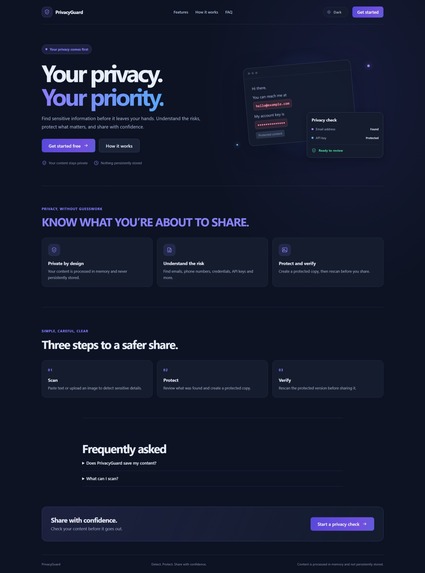
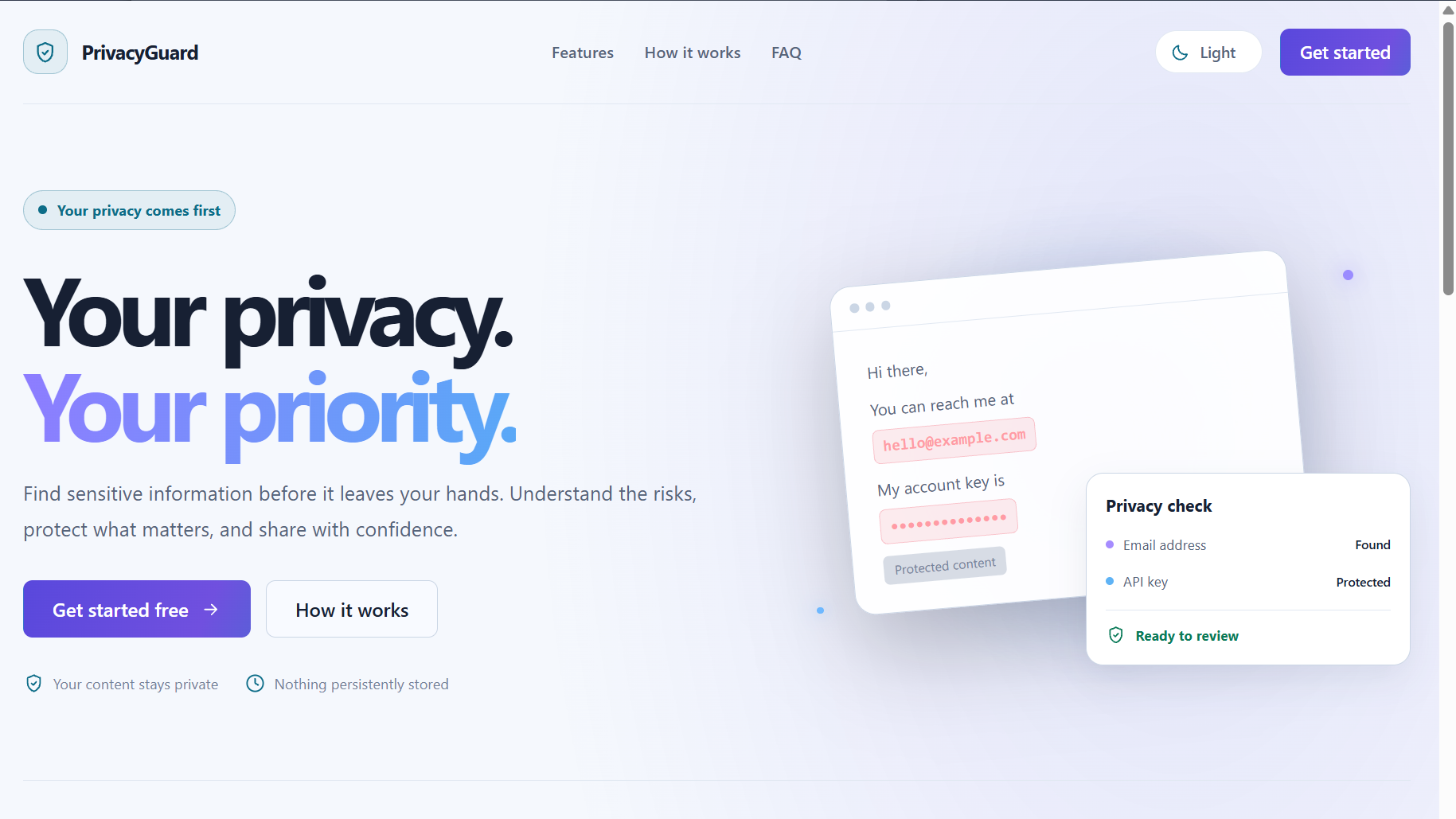
Landing-page
-
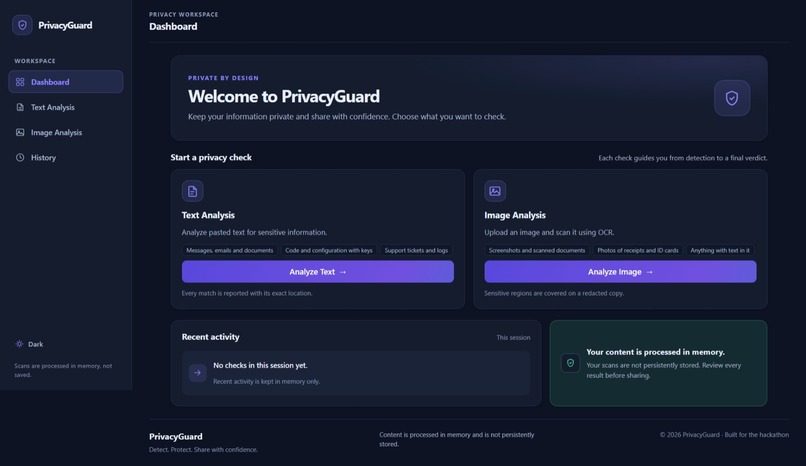
Dashboard
-
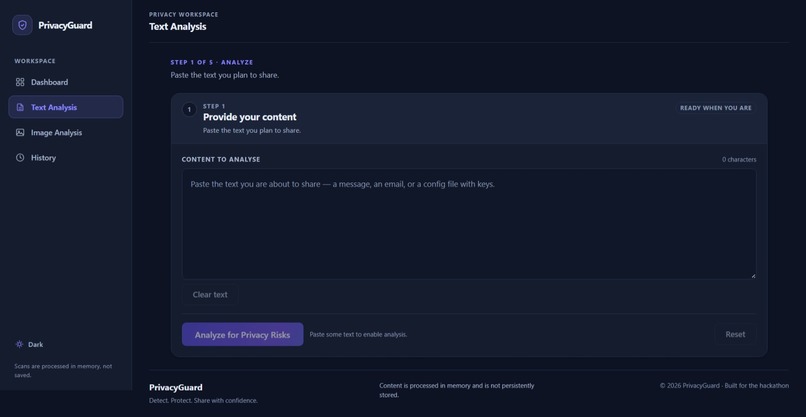
Text Analysis
-
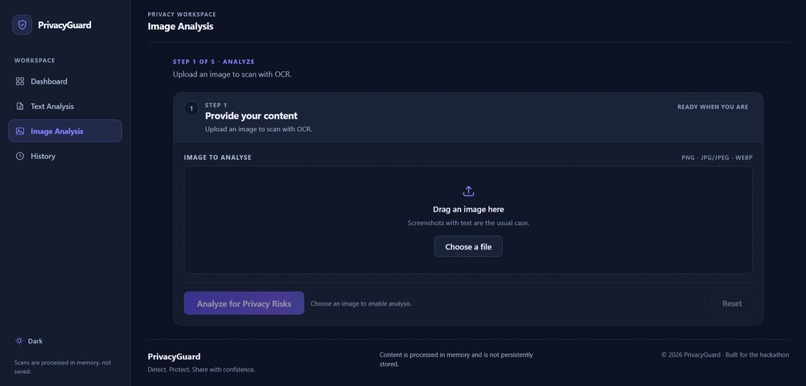
Image Analysis
-
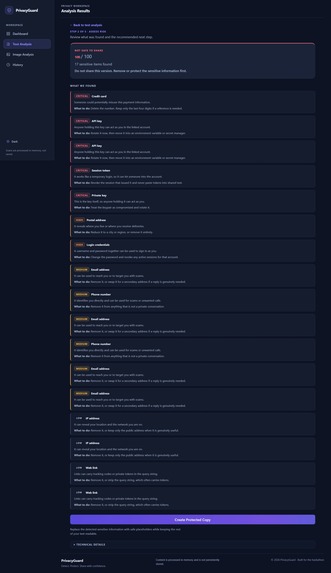
Text results
-
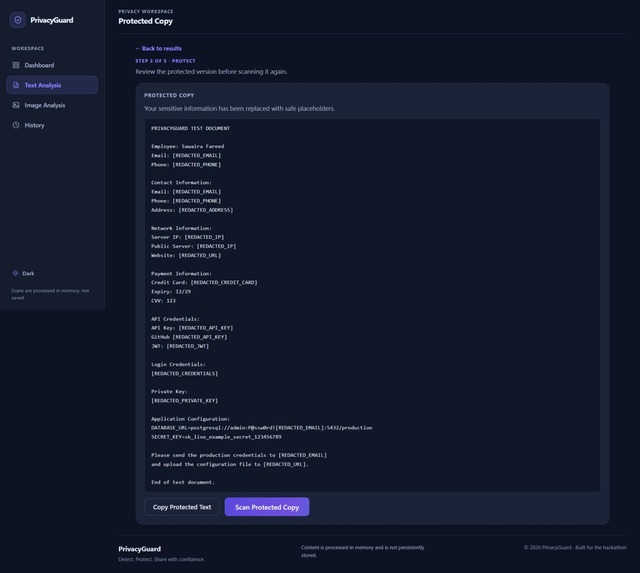
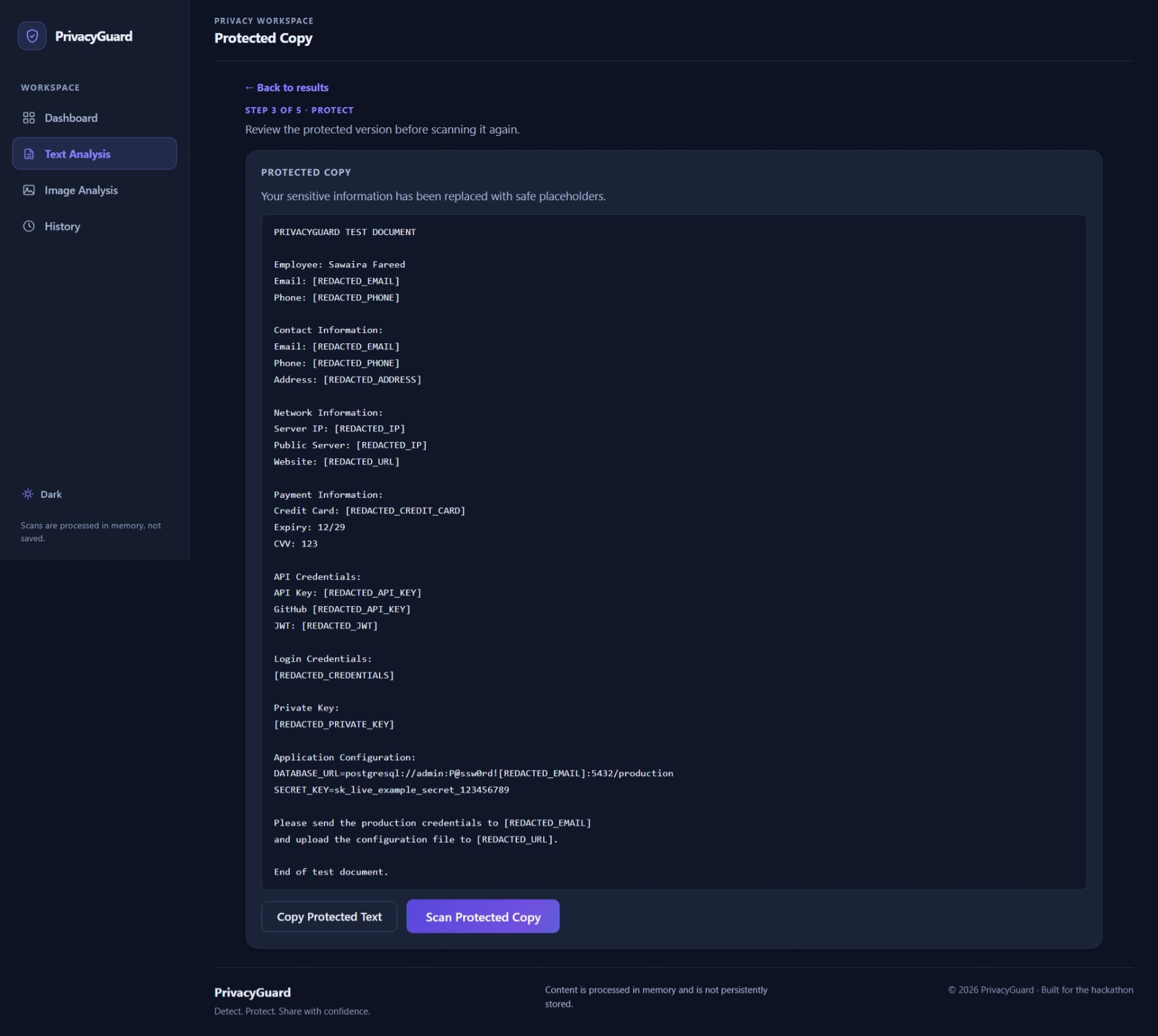
Protected copy of Text
-
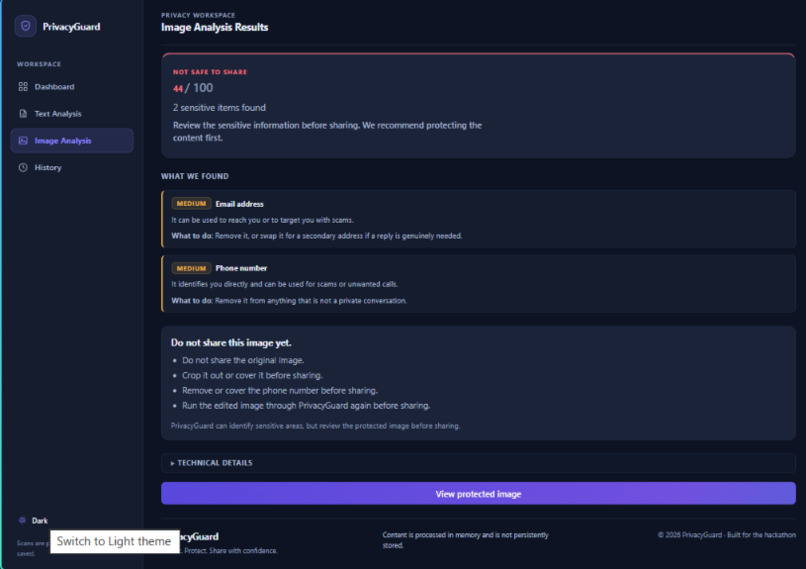
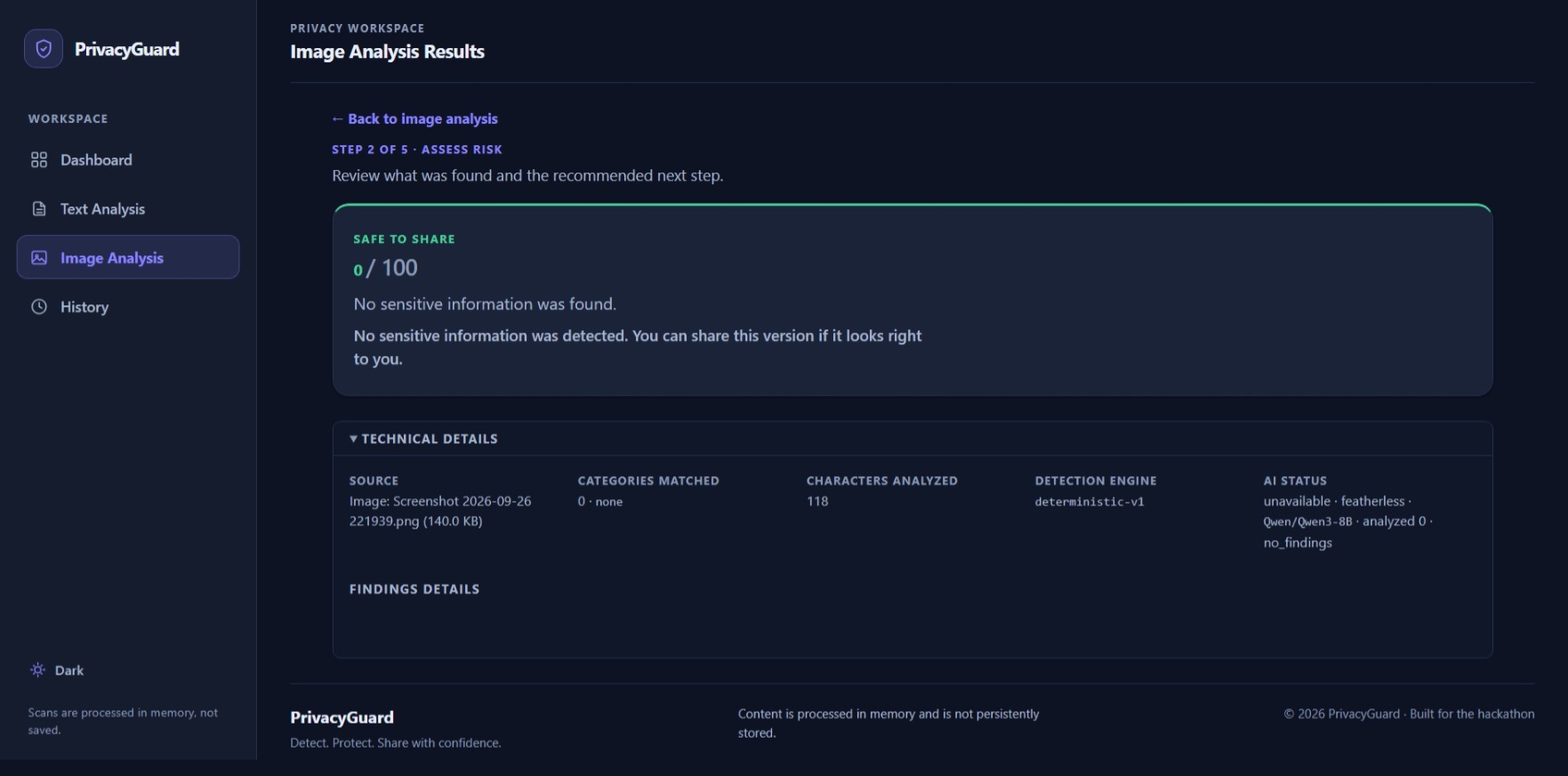
Image results 2
-
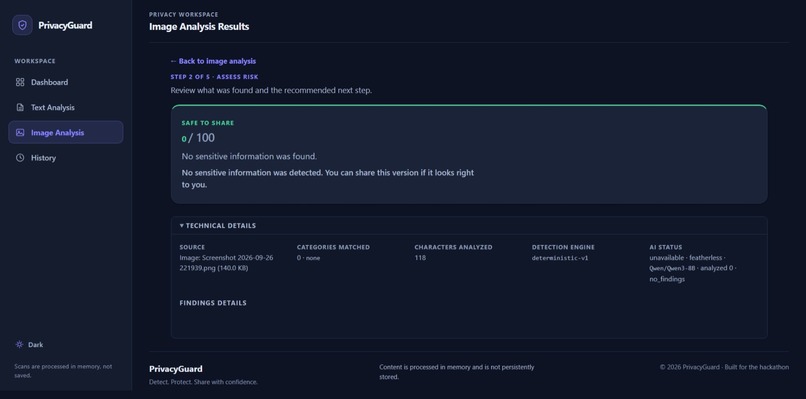
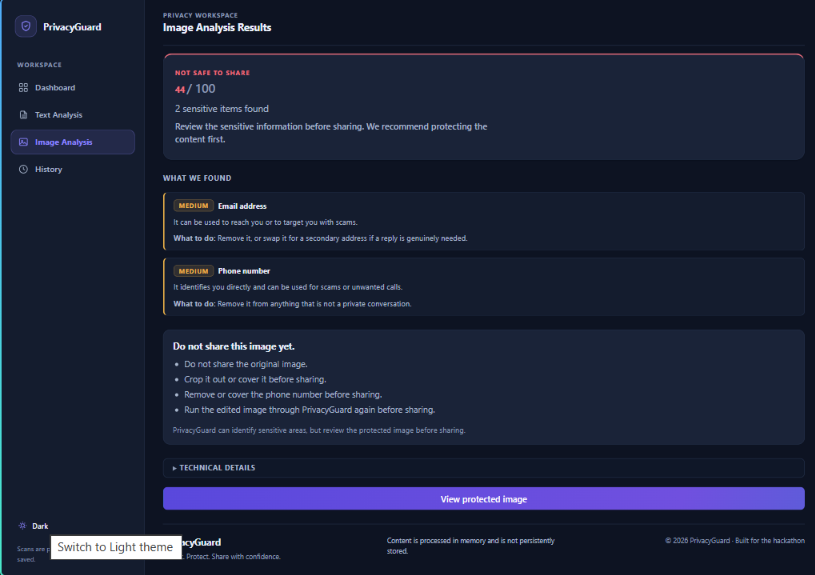
Image results 1
-
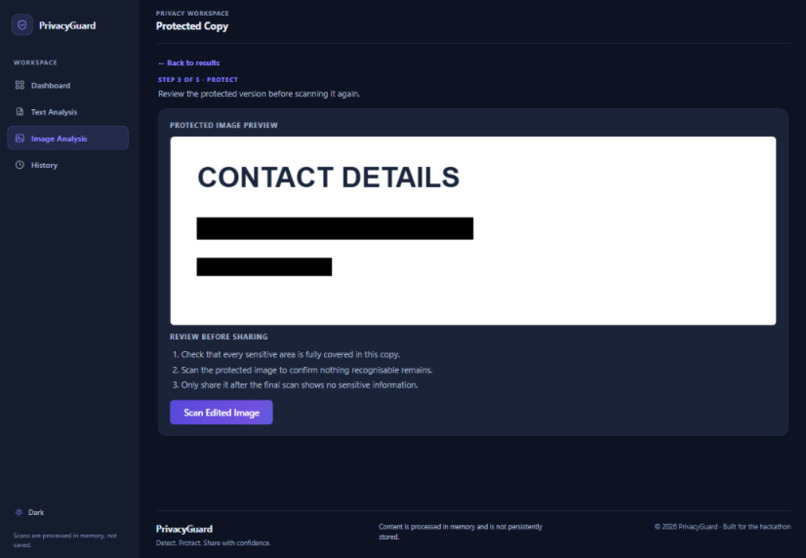
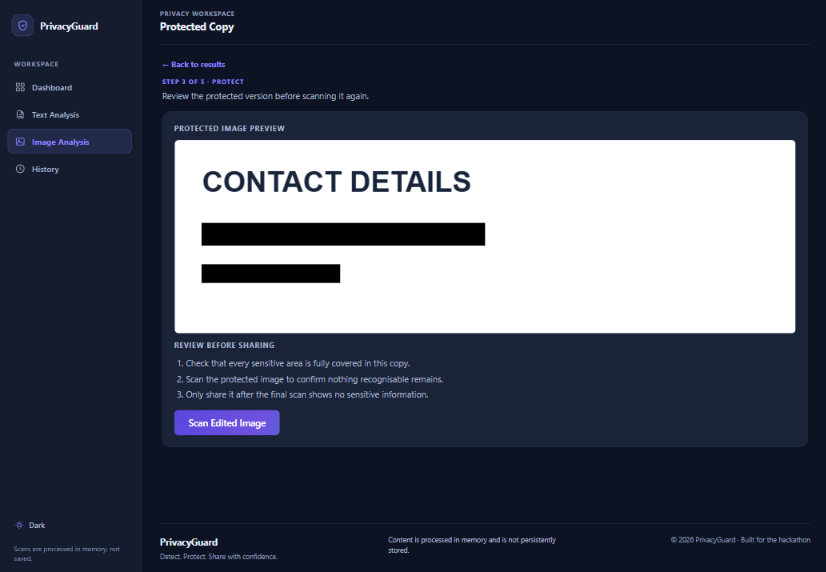
Protected copy of Image
-
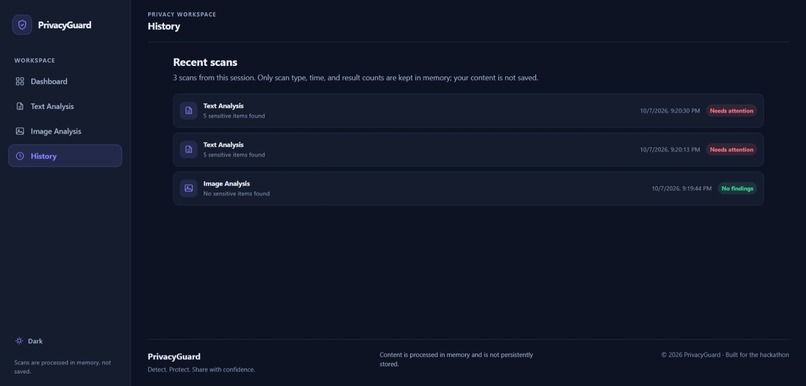
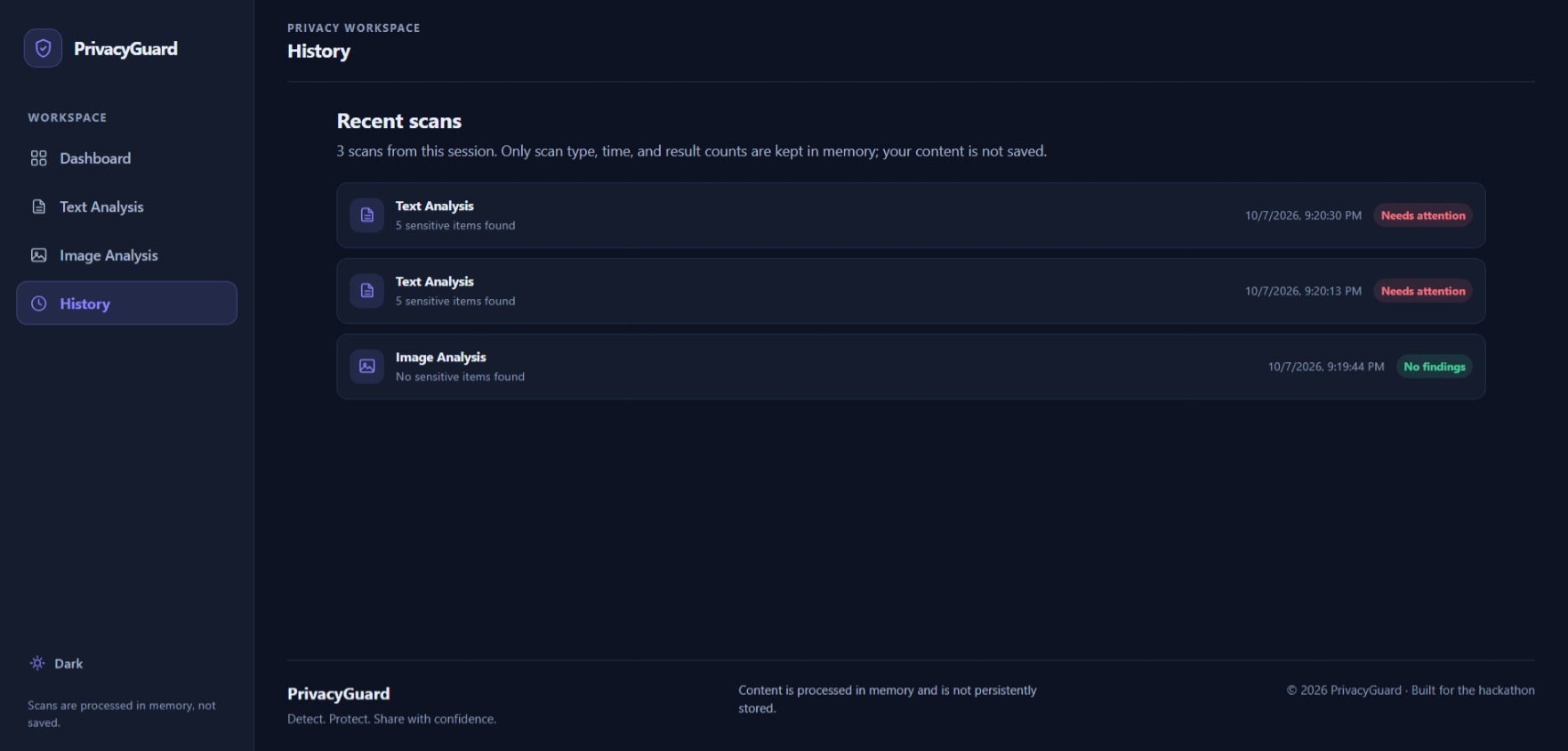
History
-
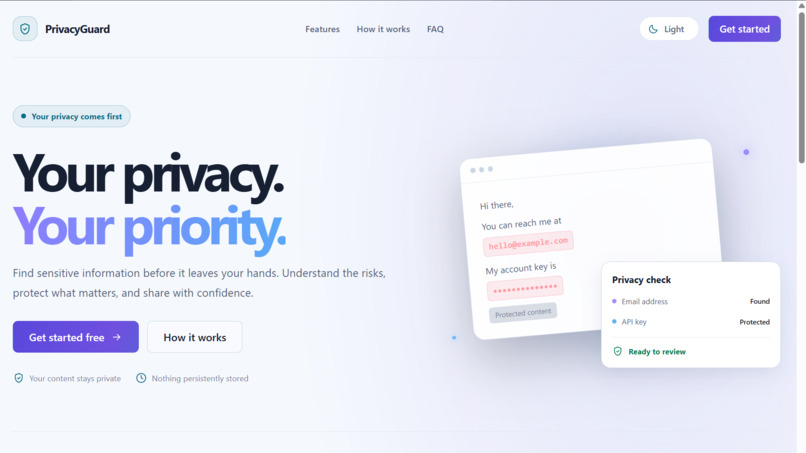
Light Theme
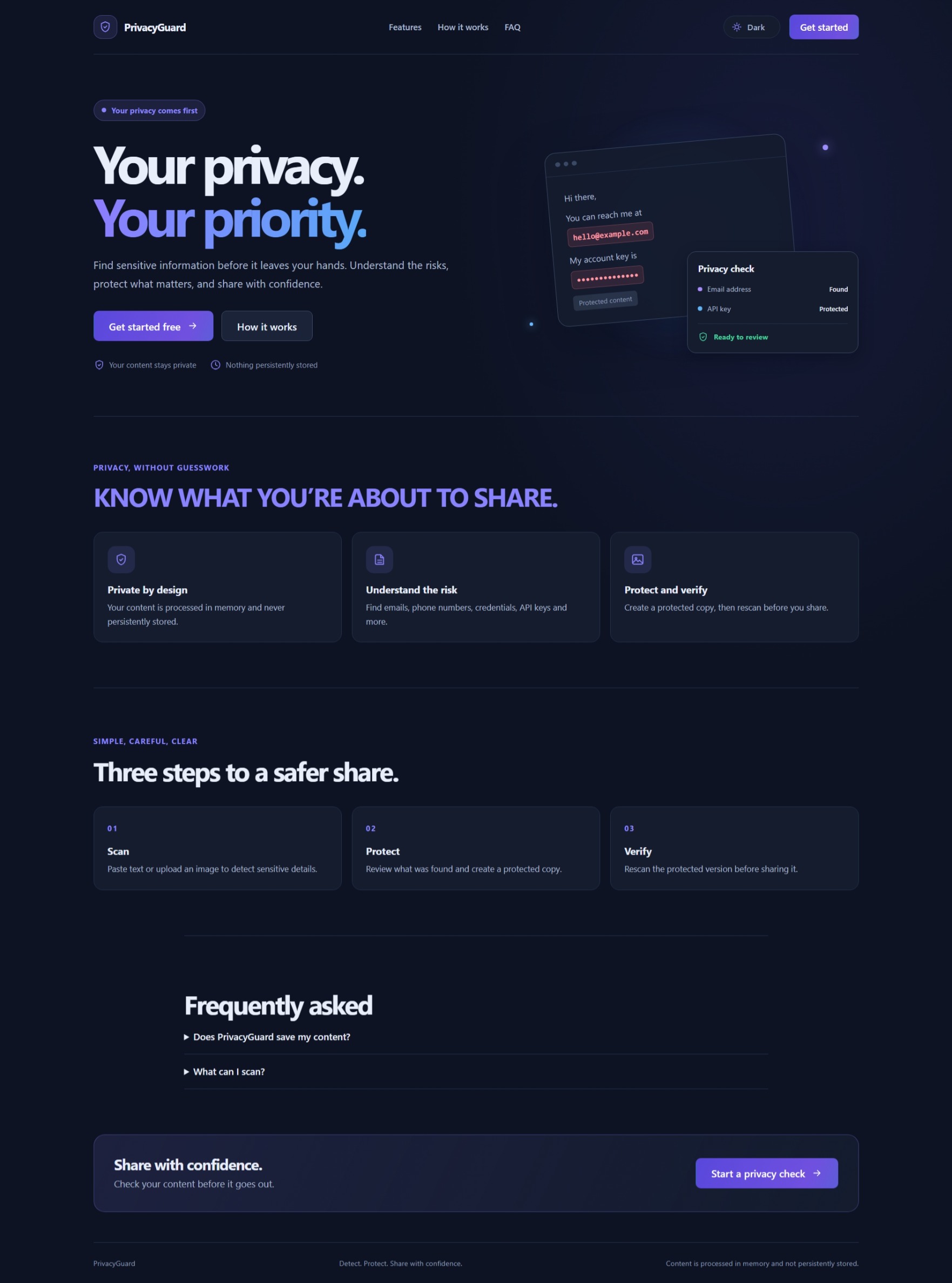
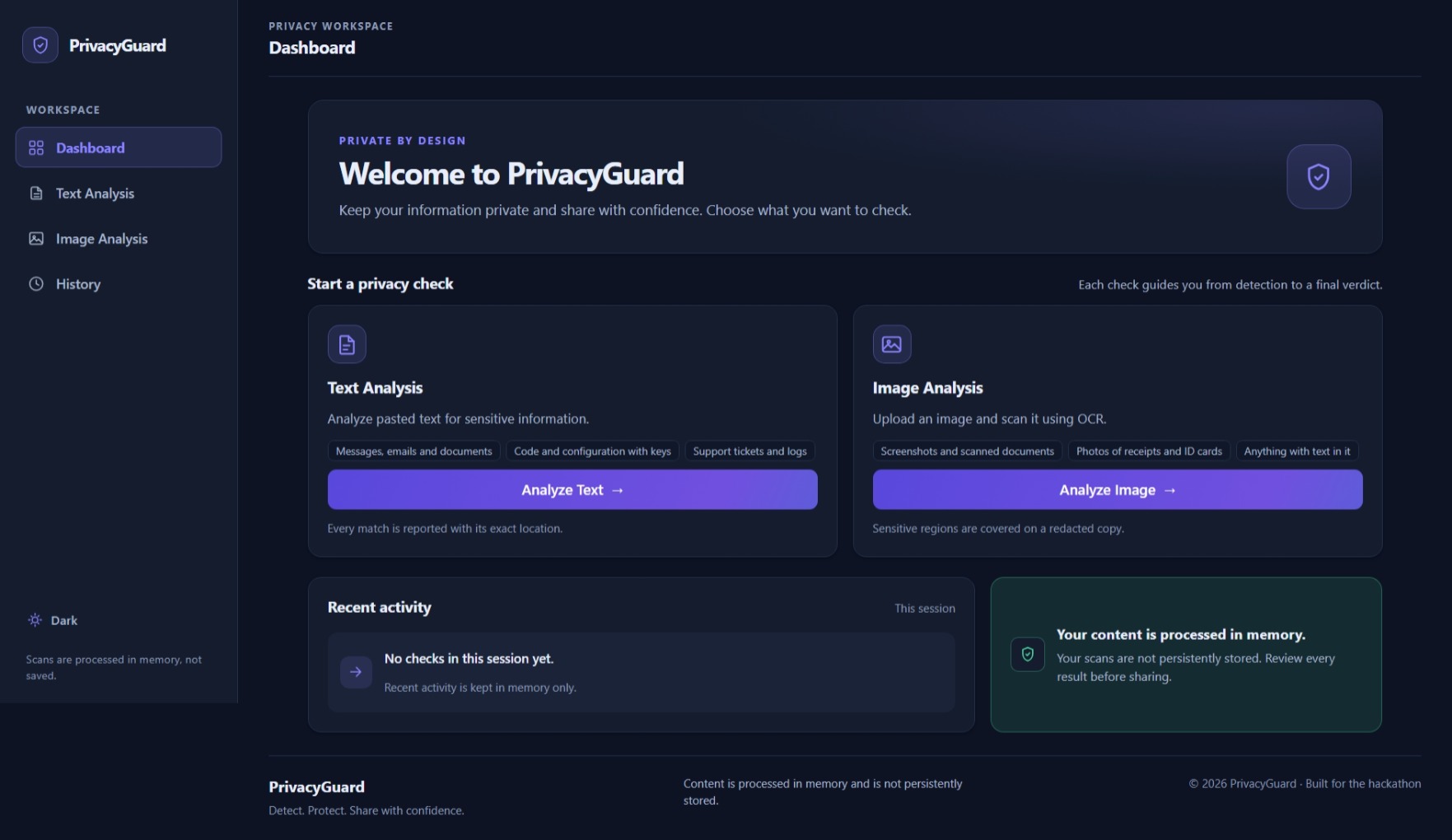
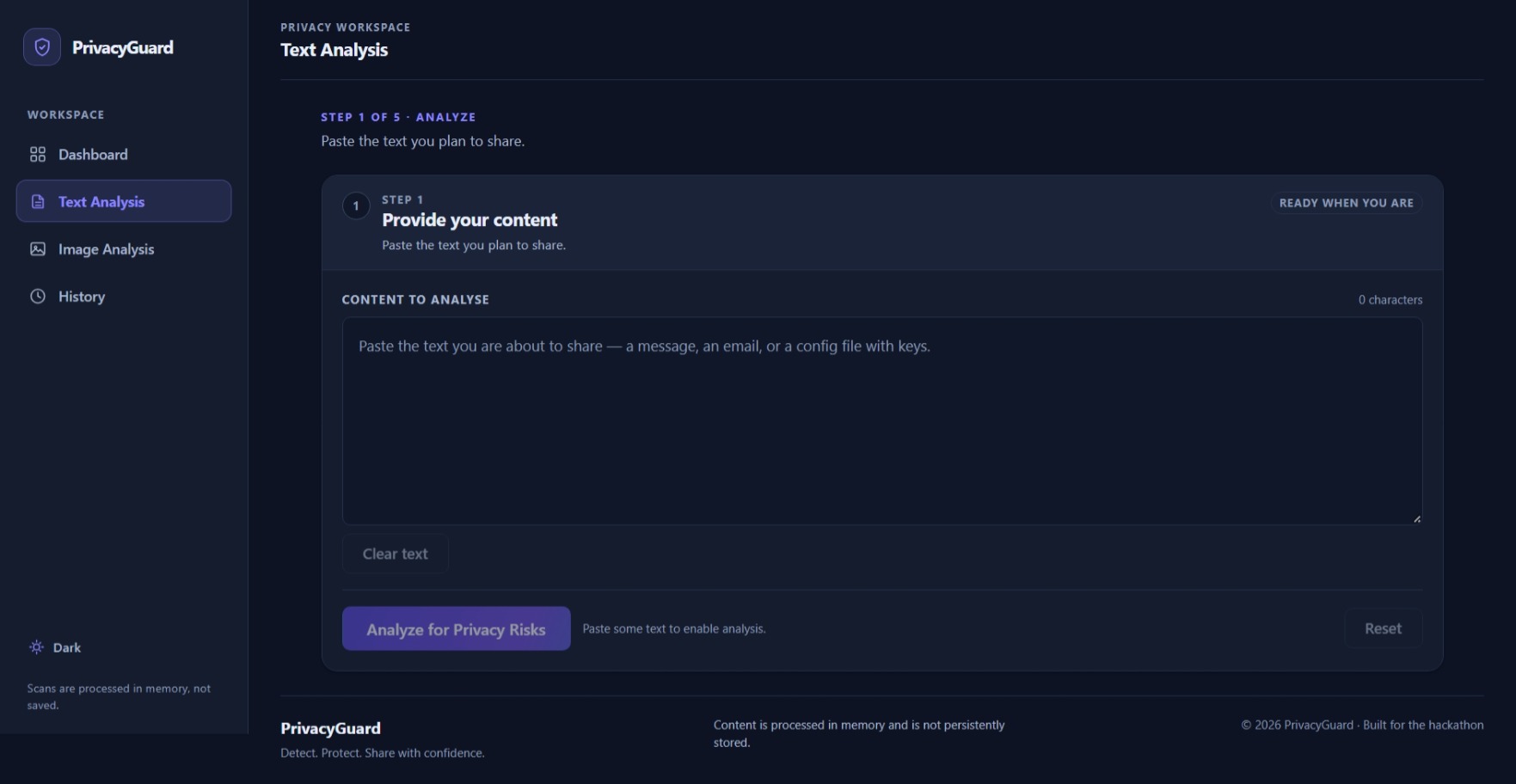
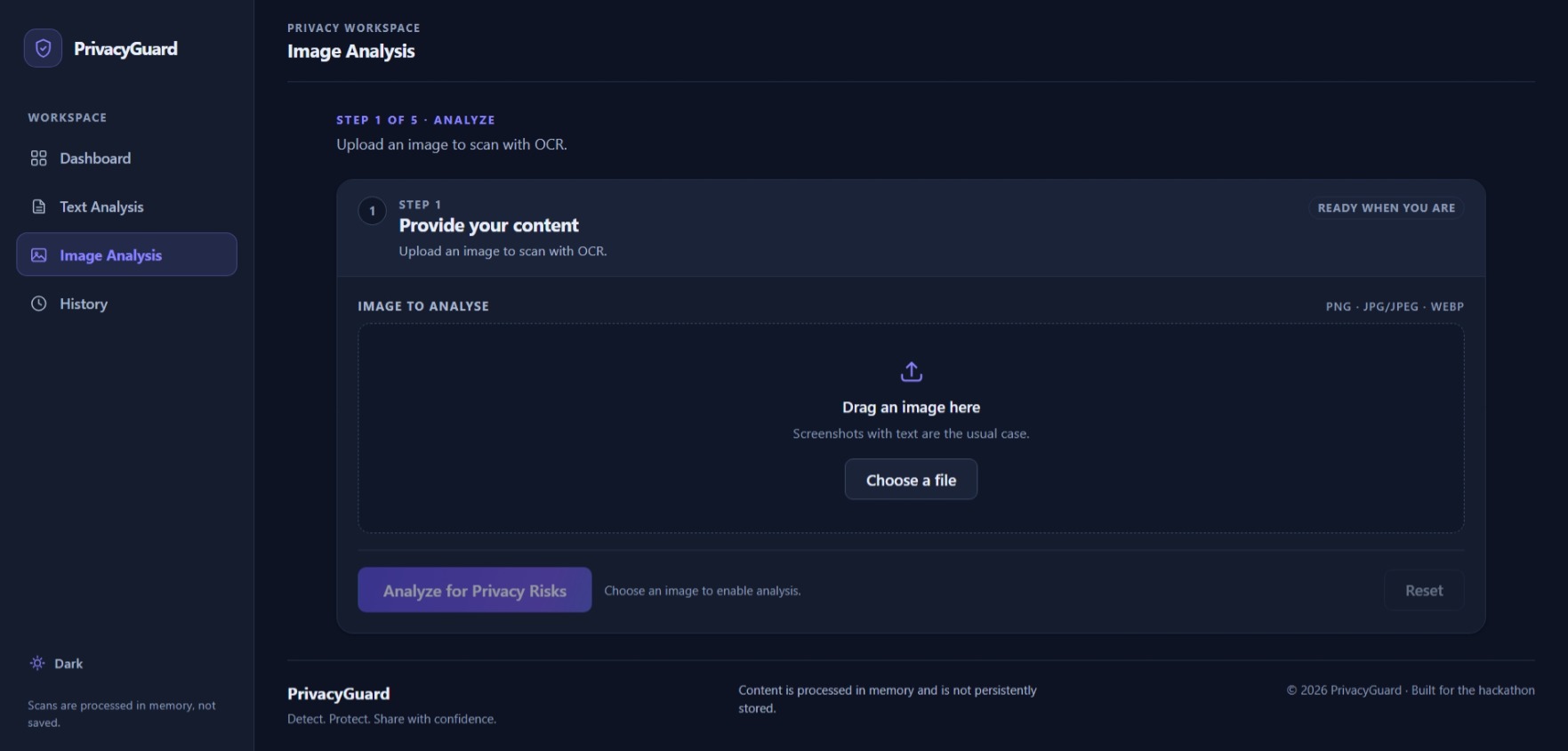
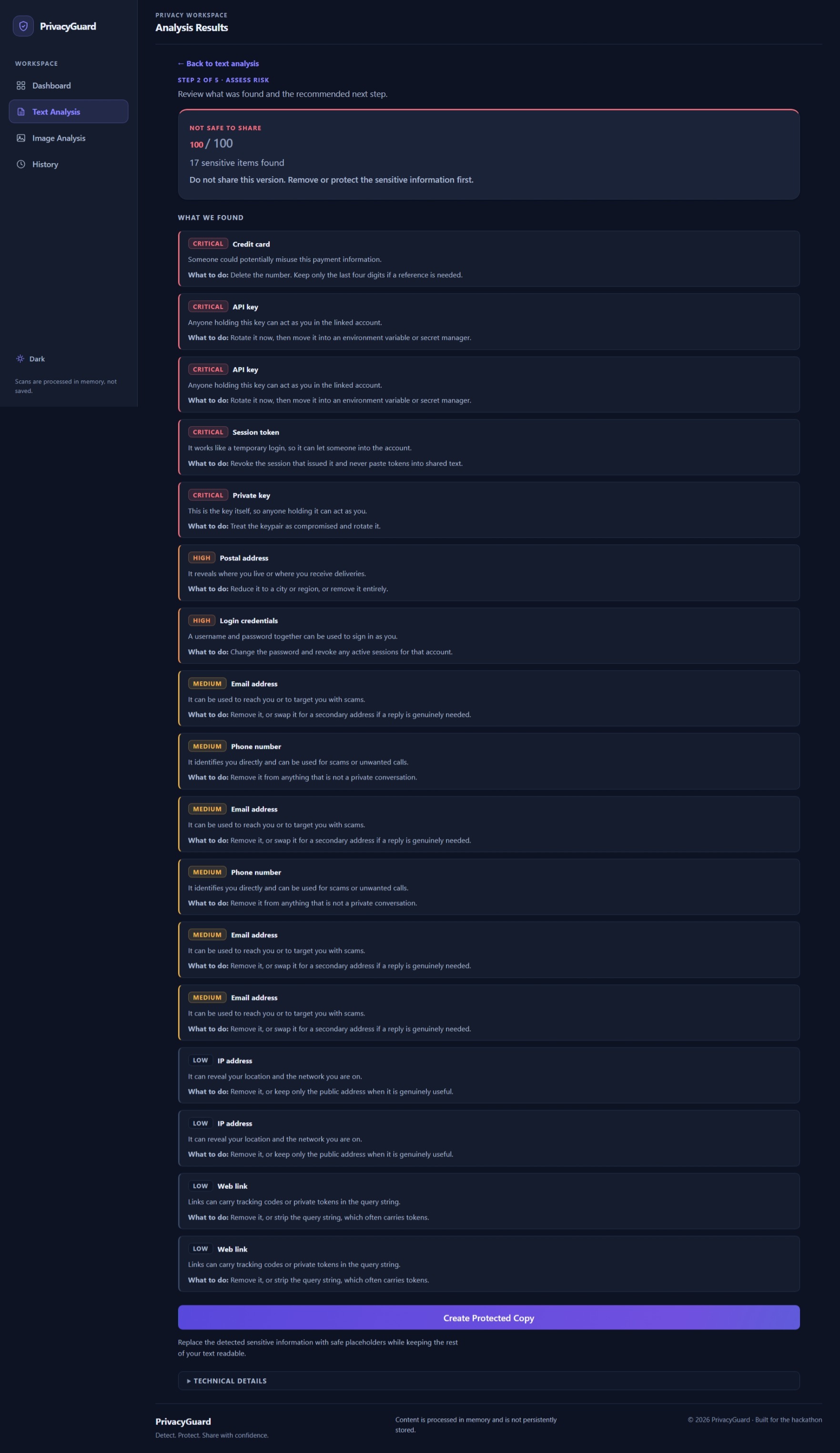
PrivacyGuard — AI-Powered Privacy Risk Analyzer
Inspiration
Have you ever been about to send an email, share a screenshot, or paste something into a chat, only to realize it might contain information you shouldn't expose?
That possibility inspired us to build PrivacyGuard — AI-Powered Privacy Risk Analyzer.
We share information online constantly, and sensitive details can hide in ordinary content: an email address in a screenshot, a phone number in a message, a credit card number in a document, or an API key accidentally included in a code snippet. Sometimes, we notice these details only after we have already shared the content.
We wanted to create a tool that helps people catch these risks before sharing. We didn't want to build another detector that simply returns a list of matches or labels everything as safe or unsafe. We wanted PrivacyGuard to explain what it found, communicate the level of risk, and help users create a protected version of their content and check it again.
That became the core idea behind PrivacyGuard: detect the risk, explain it clearly, help reduce it, and verify the result.
Privacy was also an important design consideration. We wanted the application to process content in memory without storing users' text or images in a database. The aim was to make privacy protection practical without creating another place where sensitive information needs to be stored.
What it does
PrivacyGuard analyzes text and images for potentially sensitive information before users share them.
1. Sensitive Information Detection
The deterministic detection engine checks for ten categories of sensitive information:
- Email addresses
- Phone numbers
- URLs
- IP addresses
- Credit card numbers
- Postal addresses
- API keys
- JSON Web Tokens (JWTs)
- Private keys
- Credential pairs, such as usernames and passwords
Rather than relying on one broad pattern, the detectors use targeted matching and additional validation where appropriate. For example, credit card candidates are checked using the Luhn algorithm, and private keys are identified using PEM boundaries.
2. AI-Powered Contextual Analysis
When configured with a Featherless AI API key, PrivacyGuard uses a language model, with Qwen3-8B as the configured default, to provide contextual explanations for detected findings and potentially refine their severity.
The AI layer is designed to work within defined boundaries: it can enrich existing detector-issued findings, but it cannot introduce entirely new findings or invent new text spans. If the AI service is unavailable or returns an unusable response, deterministic detection remains available.
3. Risk Scoring and Verdicts
PrivacyGuard assigns severity weights to findings and combines them into an overall risk score. Users receive a risk level and a sharing verdict that helps them understand whether their content is ready to share or needs further review.
Instead of presenting a score without context, the application connects the result to the findings that contributed to it.
4. Text Protection and Rescanning
Finding sensitive information is only half the job. PrivacyGuard can create a protected text copy by replacing detected values with redaction placeholders.
Users can then rescan the protected copy to check whether any sensitive information remains. This creates a practical workflow: analyze, protect, and verify.
5. Image Analysis with OCR
PrivacyGuard uses Tesseract.js to extract readable text from uploaded images and runs that text through the sensitive-information detection pipeline.
If an image contains potentially sensitive information, users can review the findings and receive guidance on what to crop, blur, or remove. They can edit the image externally and upload the revised version for another scan.
If OCR cannot reliably extract readable text, PrivacyGuard should communicate that limitation rather than treating an unreadable image as proof that it is safe.
How we built it
We built PrivacyGuard as a full-stack application using a React and TypeScript frontend, an Express and TypeScript backend, and npm workspaces to organize the project.
Frontend — React, TypeScript, and Vite
The frontend provides the user interface for entering text, uploading images, viewing analysis results, understanding risk verdicts, and working with protected text. We used custom CSS instead of a UI framework to build the interface and its theme system.
Our goal was to make the experience approachable for everyday users, with clear findings and actionable guidance instead of exposing every technical detail at once.
Backend — Node.js, Express, and TypeScript
The backend exposes API workflows for analyzing text and images, protecting content, and rescanning the resulting copy. We separated detection, risk scoring, protection, image processing, and AI integration into distinct modules so each part could be developed and tested independently.
Deterministic Detection First
We made deterministic detection the foundation of the system. Specialized detectors identify candidate sensitive information, validators improve precision, and overlap resolution prevents multiple detectors from redundantly reporting the same portion of text.
This design also establishes a clear boundary for AI: the detector identifies the findings, while AI provides additional context for those findings.
AI Integration with Featherless AI
We integrated Featherless AI through its OpenAI-compatible HTTP API rather than adding a dedicated SDK. The AI layer uses bounded prompts, validates model responses, and maps returned analyses to existing finding identifiers.
We also worked on handling provider failures and malformed responses so the application can fall back to deterministic results instead of fabricating an answer.
Risk Scoring
We experimented with ways to combine the severities of multiple findings into a useful score. The initial diminishing-returns model used the formula
$$ R = 100\left(1-\prod_{i=1}^{n}\left(1-\frac{w_i}{100}\right)\right) $$
where (w_i) represents the severity weight of each finding.
This model keeps the score bounded and accounts for multiple findings without simply adding their weights. During testing, we also refined the aggregation behavior to reduce excessive score increases when critical findings are repeated. That experience taught us that a scoring formula needs to be evaluated not only mathematically, but also in terms of how users interpret its results.
Image Processing and OCR
For image analysis, we integrated Tesseract.js to extract text and used the resulting text as the input to the detection pipeline. Jimp provides image-processing capabilities in the project.
We treated OCR as a source of uncertainty: a detector can only analyze the text it receives, and text extracted incorrectly from an image can lead to misleading results. That is why image verification and clear review guidance are important parts of the design.
Testing and Reliability
We used Node.js's built-in test runner to test the detection engine, API routes, AI integration, risk scoring, text protection, and image workflows. We also worked through TypeScript errors and targeted test failures while refining the scoring implementation.
These checks helped us validate individual components without having to rely exclusively on manual testing of the entire application.
Challenges we ran into
1. Balancing Detection Accuracy and False Positives
A string can resemble sensitive information without actually being sensitive. A sequence of digits might be a phone number, an identifier, or ordinary text. A generic secret assignment might contain a real API key or just a placeholder.
We addressed this challenge by using specialized detectors, format-specific validation, placeholder checks, and overlap resolution. The goal was to make findings more meaningful rather than flagging every string that resembles a sensitive pattern.
2. Designing a Meaningful Risk Score
A simple sum of severity weights can produce unintuitive results as findings accumulate. We had to think carefully about how a single critical finding should compare with multiple lower-severity findings, how scores map to verdicts, and whether repeated findings make the score rise too quickly.
We tested different severity combinations and refined the aggregation behavior. This reinforced an important lesson: a risk score is not a probability of harm, and its behavior must be understandable and consistent.
3. Preventing AI Hallucinations
Language models can produce plausible-sounding information that is not supported by the input. In a privacy application, allowing a model to invent findings or change their locations could undermine trust in the entire system.
We therefore designed the AI layer to enrich existing findings rather than act as an unrestricted detector. Model output must map to known finding identifiers, and unsupported results are discarded.
4. Handling OCR Uncertainty and Image False Positives
OCR adds another layer of complexity because an image may contain blurry text, unusual fonts, or characters that are easily confused. A misread string can resemble a phone number or secret key even when the image contains no such information.
We traced the image workflow from upload through OCR, detection, AI enrichment, and response generation. The investigation did not identify evidence of stale backend state or cross-request finding leakage. However, it also highlighted that OCR noise and detector precision remain important areas to evaluate with real images.
5. Building a Complete Protection Workflow
We wanted PrivacyGuard to do more than display warnings. Creating a protected text copy and rescanning it introduced additional requirements: redaction must use the correct spans, the protected copy must be the content being rescanned, and the final verdict must reflect the new analysis.
Making these stages work together helped turn separate technical functions into one coherent user workflow.
Accomplishments that we're proud of
We're proud to have developed a complete, full-stack privacy-analysis workflow that combines deterministic detection, optional AI explanations, risk scoring, protection, and rescanning.
Some of the accomplishments we're most proud of are:
- Ten categories of sensitive information: Built specialized detectors for common personal and confidential data, including credentials and cryptographic material.
- AI with defined boundaries: Integrated contextual analysis while restricting model output to existing detector-issued findings.
- Explainable risk assessment: Developed severity weights, score aggregation, and verdict thresholds to help users understand the results.
- Protected text and rescanning: Implemented deterministic redaction and a workflow for checking the protected copy again.
- Image analysis: Integrated OCR so readable text in screenshots and other images can be analyzed using the detection engine.
- Graceful degradation: Designed the application to retain deterministic analysis when the optional AI provider is unavailable or returns an unusable response.
- Privacy-conscious architecture: Built the request-processing workflow without a database for persistent storage of user content.
- Targeted automated testing: Tested key detection, risk, route, AI, and protection behaviors and resolved TypeScript issues encountered during development.
Beyond the features themselves, we're proud of the engineering decisions behind them: keeping the detection pipeline authoritative, making failures explicit, and treating uncertainty as something the application should communicate honestly.
What we learned
Building PrivacyGuard taught us that reliable AI applications depend as much on boundaries, validation, and thoughtful engineering as they do on the model itself.
Deterministic detection and AI serve different purposes. Pattern-based detectors provide a structured foundation, while AI can make findings easier to understand. Combining them works best when their responsibilities are clearly separated.
Validation matters more than matching alone. A pattern can identify a candidate, but additional checks help determine whether it is plausible. This is especially important for sensitive information, where false positives can reduce user trust.
Risk scores need to be explainable. A number is useful only if its behavior is consistent and users can understand what contributes to it. Different aggregation methods can produce very different results, so scoring needs explicit tests and careful evaluation.
OCR results are not ground truth. Image analysis introduces uncertainty that the interface must communicate. When text cannot be verified, the application should ask for review instead of implying that the image is safe.
Graceful degradation is part of the design. An optional AI service should improve the experience without becoming a single point of failure for the core detection workflow.
Finally, we learned that privacy protection is not just about finding sensitive information. It is about helping people make better decisions before they share it.
What's next for PrivacyGuard — AI-Powered Privacy Risk Analyzer
PrivacyGuard is a foundation we want to continue improving, with a focus on precision, usability, and trustworthy analysis.
Improving Detection Precision
We want to evaluate the detectors against a wider range of real-world examples, reduce false positives, and improve support for different text formats and image conditions.
Making Risk Explanations More Contextual
We want to improve how PrivacyGuard explains why each finding matters and how users can respond. The goal is to provide useful context without allowing AI to invent unsupported facts or findings.
Strengthening Image Analysis
We plan to evaluate OCR performance on more varied screenshots and improve the guidance provided when text is difficult to read. We also want to make the process of editing and rescanning images clearer.
Making Protected Copies More Useful
We want to explore more flexible redaction options that preserve useful context while removing sensitive values, along with clearer verification of what remains in the protected copy.
Improving Deployment Readiness
Before expanding real-world use, we want to strengthen operational safeguards such as request limits, configuration management, and protections against accidental exposure of user content. We also want to keep the in-memory processing model central to the application's privacy approach.
Our long-term vision is to make PrivacyGuard a dependable, easy-to-use privacy checkpoint for everyday digital communication.
The principle behind the project remains simple: detect what's sensitive, explain why it matters, and help people share more safely.
Built With
- ai
- cybersecurity
- express.js
- featherless
- node.js
- ocr
- react
- tesseract.js
- typescript


Log in or sign up for Devpost to join the conversation.