-
-
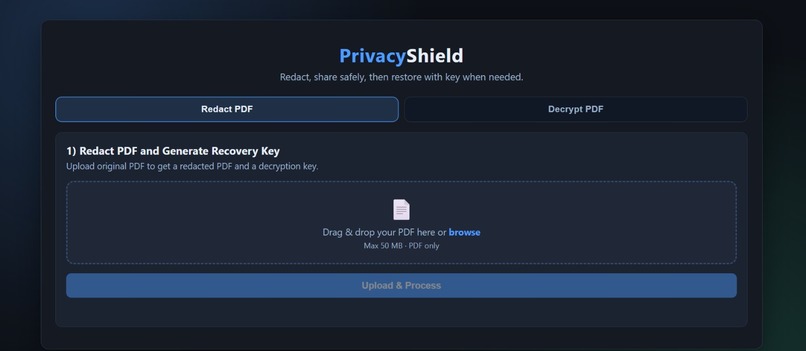
website
-
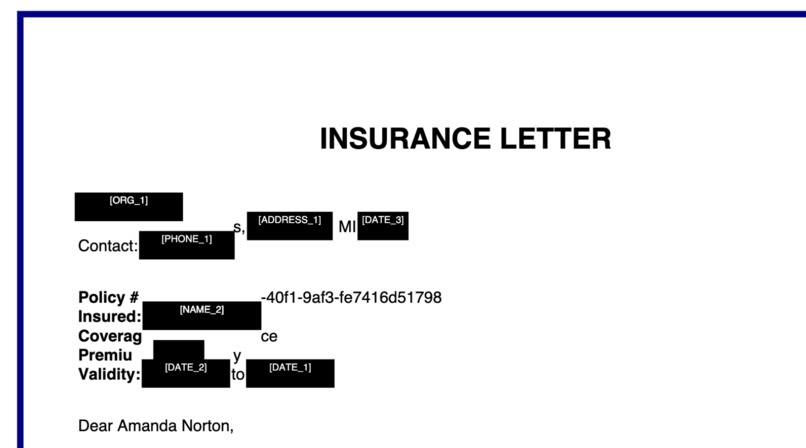
example of redaction
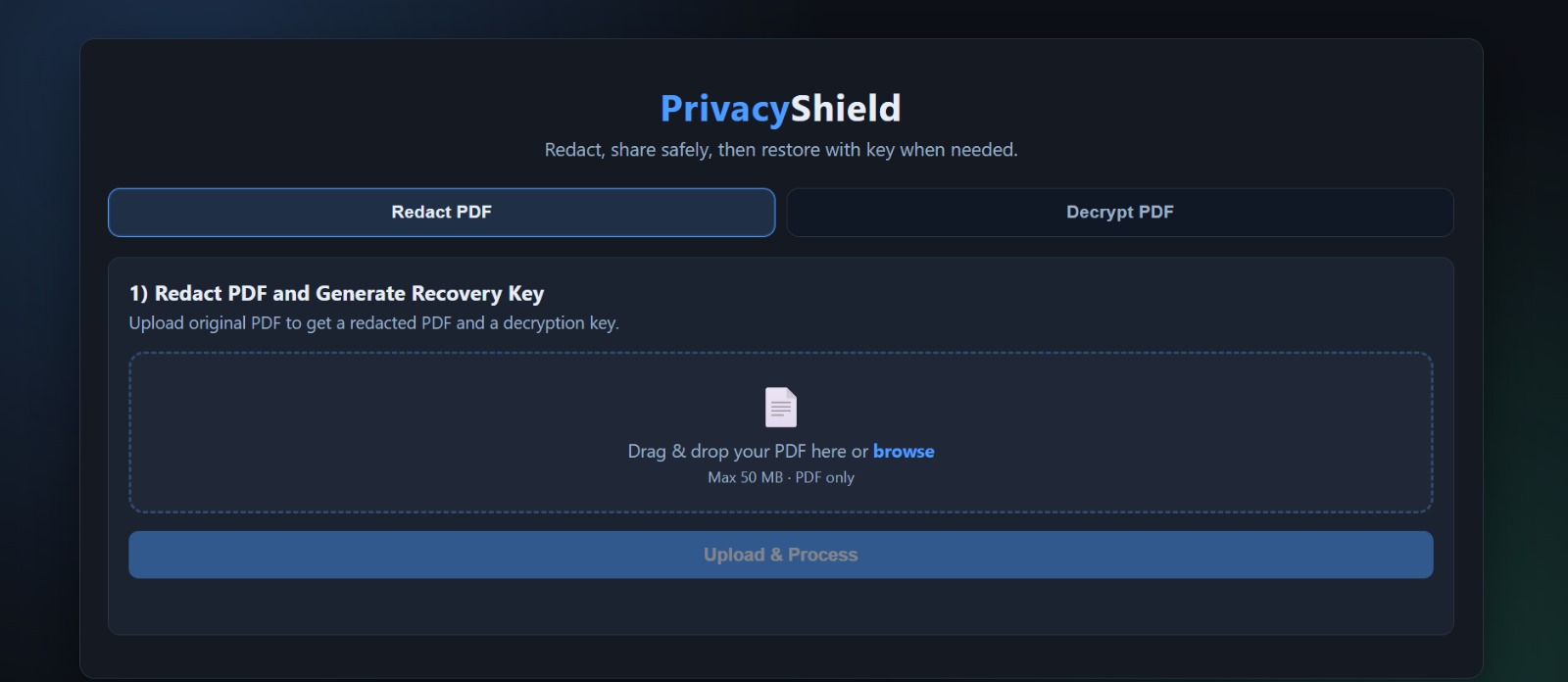
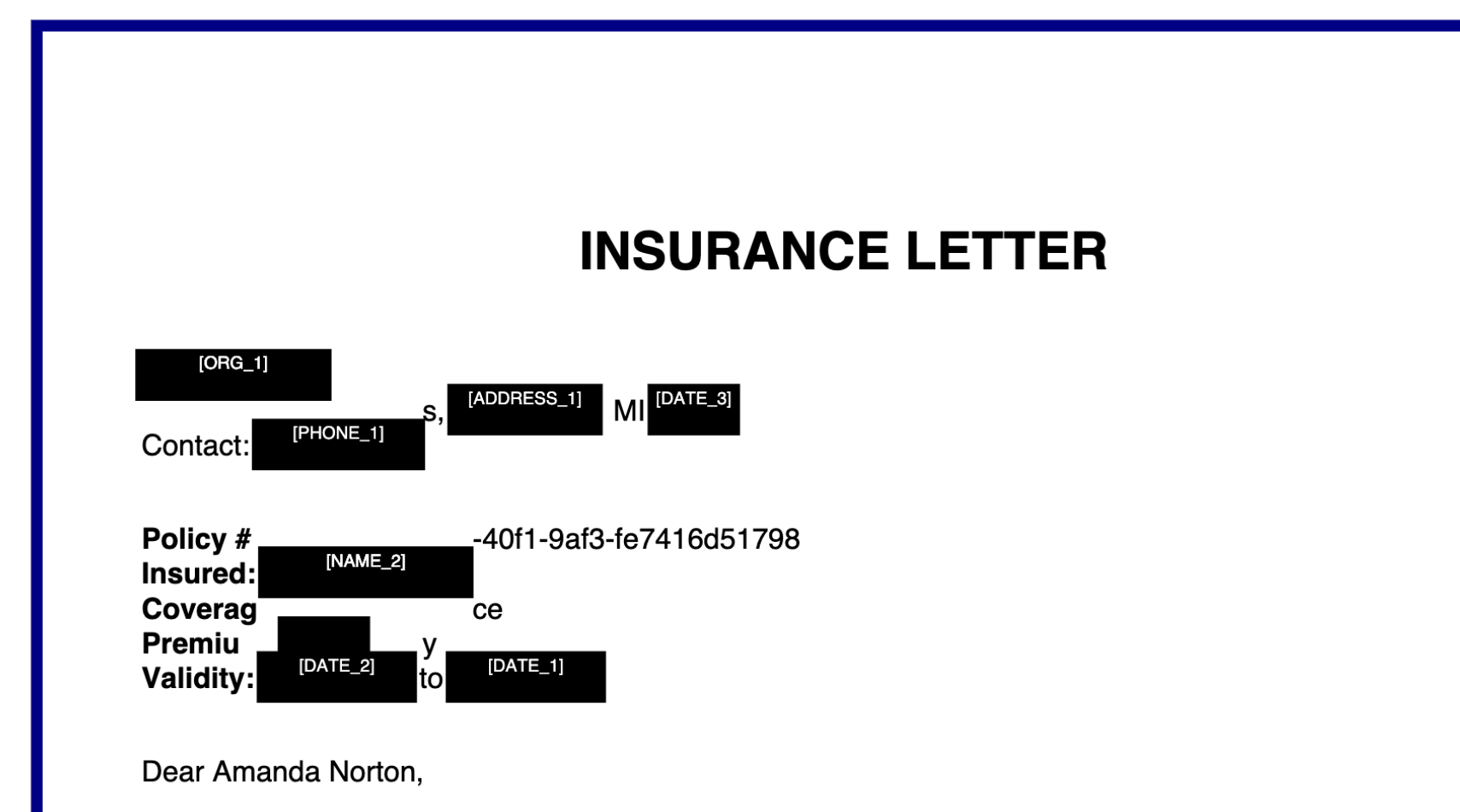
PrivacyShield — Local-First PDF Redaction with Reversible Encryption
Inspiration
These days, we’re constantly sharing documents — over email, through cloud platforms, or with third-party tools. Many of these documents contain sensitive information like names, social security numbers, medical details, or financial records.
The problem is, most redaction tools either:
- require uploading your files somewhere (which raises privacy concerns), or
- permanently destroy the original information once redacted
We wanted to build something that felt safer and more practical — a tool that:
- works entirely on your device
- is easy enough for non-technical users
- and doesn’t force you to lose your data forever
That’s how PrivacyShield came about.
What We Built
PrivacyShield is a local-first PDF redaction tool that automatically finds and hides sensitive information — while still letting you recover it later if needed.
Here’s what it does:
- Automatically detects PII (Personally Identifiable Information) using a multilingual NLP pipeline (English, German, French, Italian, Spanish)
- Redacts sensitive content by placing black boxes directly over it — without breaking the document layout
- Encrypts the original data into a secure
.privacyshieldfile - Supports reversible redaction — only the document owner can restore the original information
- Works with text PDFs, scanned PDFs, and mixed documents
- Runs completely locally — nothing leaves your machine
- Provides a simple REST API (
/redactand/unredact) for integration
The system follows a clean pipeline architecture:
PDF Input
    ↓
Analyzer  →  classify each page (text / scanned / mixed)
    ↓
Text pages    → Extractor → NER Engine → Redactor → PDF Rebuilder
Scanned pages → pypdfium2 → PaddleOCR  → Image Redactor
Mixed pages   → both pipelines run and results are merged
    ↓
Key Manager → encrypt token map → .privacyshield file
    ↓
Redacted PDF + Encryption Key (shown once to user)
How We Built It
NLP Layer — Presidio + spaCy
We used Microsoft Presidio as the NER backbone, extended with custom pattern recognizers for:
- Swiss AHV/AVS numbers (
756.XXXX.XXXX.XX) - IBANs with mod-97 checksum validation
- UUIDs, TAX IDs, RF creditor references
- Policy numbers, invoice numbers, and any value following a label word like
"number","no.","#" - Multilingual support via spaCy models for DE, FR, IT, ES, EN
We run NER line by line to prevent entities from spanning across newlines, and apply a post-processing pipeline to remove false positives — filtering duration expressions like "30 days", company names, and label words like "Email" or "Phone" being detected as person names.
PDF Layer — pdfplumber + PyMuPDF
pdfplumber extracts text with character-level coordinates. PyMuPDF then searches for each detected PII string and draws a permanent black redaction box at the exact pixel location, with a white [TOKEN_ID] label on top so reviewers know what was redacted without exposing the original value.
Image Layer — pypdfium2 + PaddleOCR + PIL
For scanned pages, pypdfium2 converts each page to a high-resolution PIL image. PaddleOCR then extracts text with pixel-level bounding boxes. PIL draws black boxes directly on the image layer over detected PII regions, with token labels drawn in white text on top of each box.
Encryption Layer — Fernet
The token map ({"NAME_1": "John Smith", "SSN_1": "123-45-6789"}) is serialized to JSON, encrypted using Fernet symmetric encryption, and saved as a .privacyshield file. The encryption key is shown to the user exactly once and never stored — following the principle that only the document owner can decrypt their own data.
The math behind Fernet encryption uses AES-128-CBC with HMAC-SHA256 for authentication:
$$C = \text{AES}_{128\text{-CBC}}(K, M) \quad \text{with} \quad \text{HMAC-SHA256}(K, C)$$
API Layer — FastAPI
A FastAPI backend exposes two core endpoints:
POST /redact— accepts a PDF, runs the full pipeline, returns redacted PDF + encryption keyPOST /unredact— accepts redacted PDF + key, restores the original document
The restore flow embeds the encrypted original PDF bytes directly into the redacted file using a payload marker, so the user only needs to keep two things: the redacted PDF and their key.
Challenges We Faced
1. Coordinate System Mismatch
pdfplumber and PyMuPDF both claim to use PDF coordinates but differ subtly in how they report bounding boxes. We spent significant time debugging why black boxes appeared in the wrong position before discovering both use top-origin coordinates — eliminating the need for coordinate flipping.
2. NER Spanning Across Newlines
Presidio's analyzer treated multi-line text as a single string, causing entities like "John Smith\nSSN" to be detected as a single PERSON. We solved this by running NER line-by-line and tracking character offsets to map results back to the original document.
3. False Positives at Scale
Testing on 100 synthetic documents revealed numerous false positives — "Email" detected as a person name, "30 days" as a date, company names as organizations to redact, and SWIFT/BIC codes matching common words like "Paziente". We built a multi-layer false positive filter and a context-based number detector that catches any value following label words like "policy number" or "invoice #".
4. Multilingual PII Formats
Each European country has different ID formats — Swiss AHV numbers, RF creditor references, IBANs in 30+ country formats. We built custom recognizers for each, with language-specific supported_language parameters to prevent cross-language false positives.
5. Windows Compatibility for OCR
pypdfium2 was used instead of pdf2image because poppler — a dependency of pdf2image — is not natively available on Windows. pypdfium2 bundles its own PDF rendering engine and works cross-platform without any system-level dependencies.
6. Package Size and Deployment
PaddleOCR adds ~2.5GB to the deployment footprint, making cloud deployment on free tiers impossible. We solved this by running the application locally with an ngrok tunnel for demonstration, and structuring the code so PaddleOCR is only initialized lazily when a scanned page is actually encountered.
What We Learned
- Building privacy-preserving tools requires thinking adversarially — what can an attacker infer from a redacted document alone?
- NER models trained on news corpora behave very differently on structured documents like tax forms and insurance policies
- Coordinate systems in PDF processing are surprisingly inconsistent across libraries
- Context is everything — the same string (
"Miller") may or may not be PII depending on what surrounds it - Mixed PDFs (containing both text layers and embedded scanned images) require two separate redaction pipelines running in parallel
What's Next
- Surname-only redaction —
"James Miller"→"James [NAME_1]"per GDPR minimization principles - Face detection — blur profile photos and ID card photos using OpenCV
- Browser extension — redact PDFs directly in the browser before download
- Audit trail — cryptographically signed redaction log showing what was redacted, when, and by whom
- Lightweight deployment — replace PaddleOCR with a lighter OCR engine to enable cloud hosting on free tiers


Log in or sign up for Devpost to join the conversation.