-
-
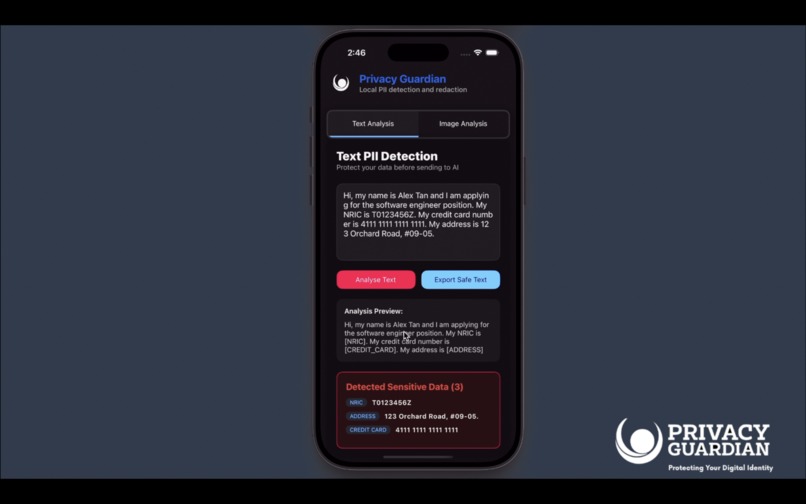
Text Analysis
-
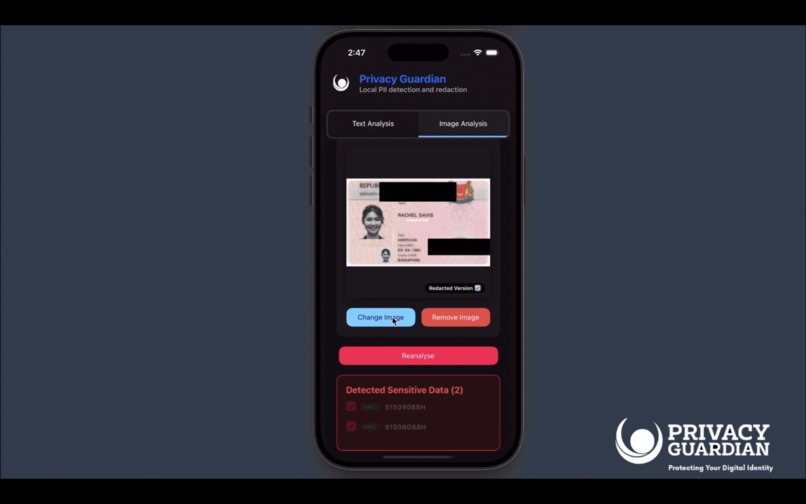
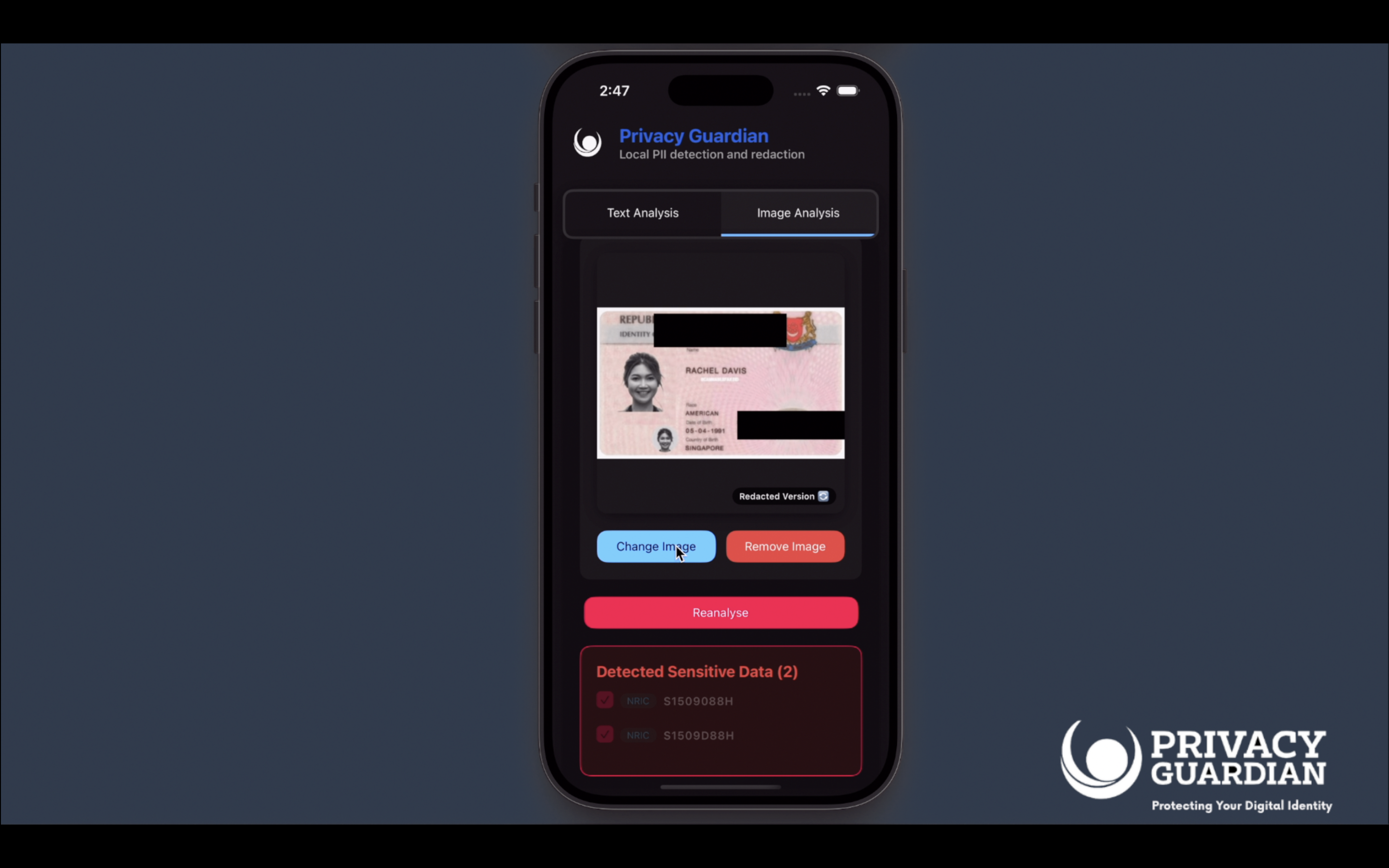
Image Analysis of NRIC
-
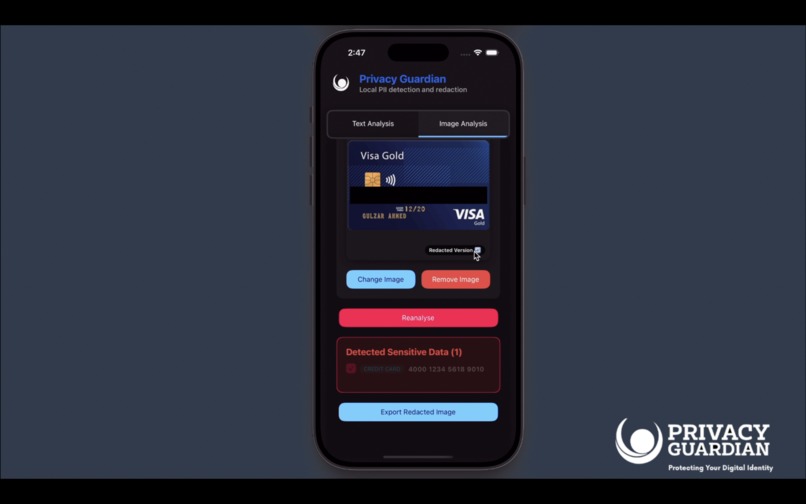
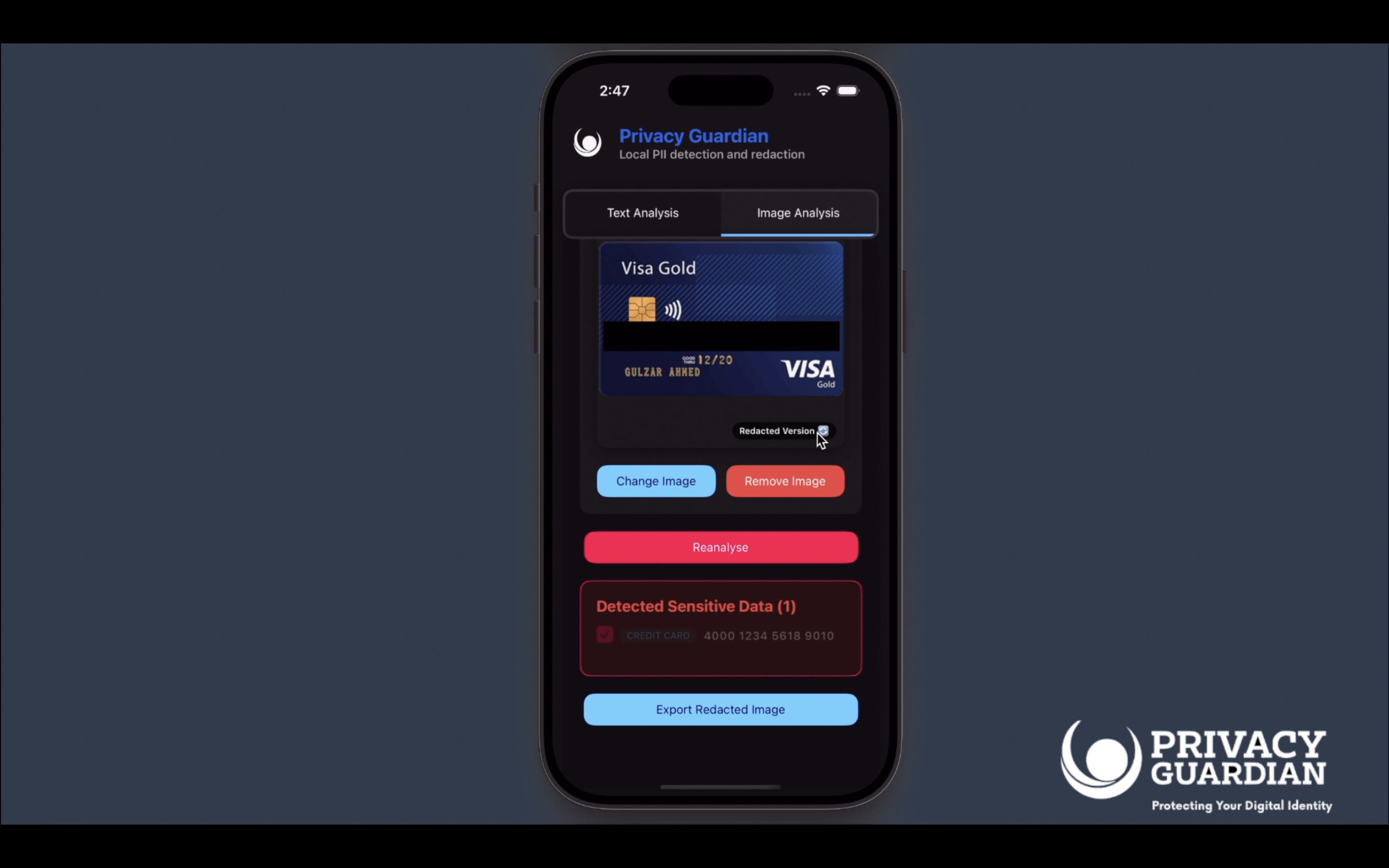
Image Analysis of Credit Card
Inspirations
People paste private data like credit cards, addresses, or NRICs into AI tools without realizing the risks. Privacy Guardian was built to help you keep control of your sensitive information before it leaks.
🔒 What is Privacy Guardian
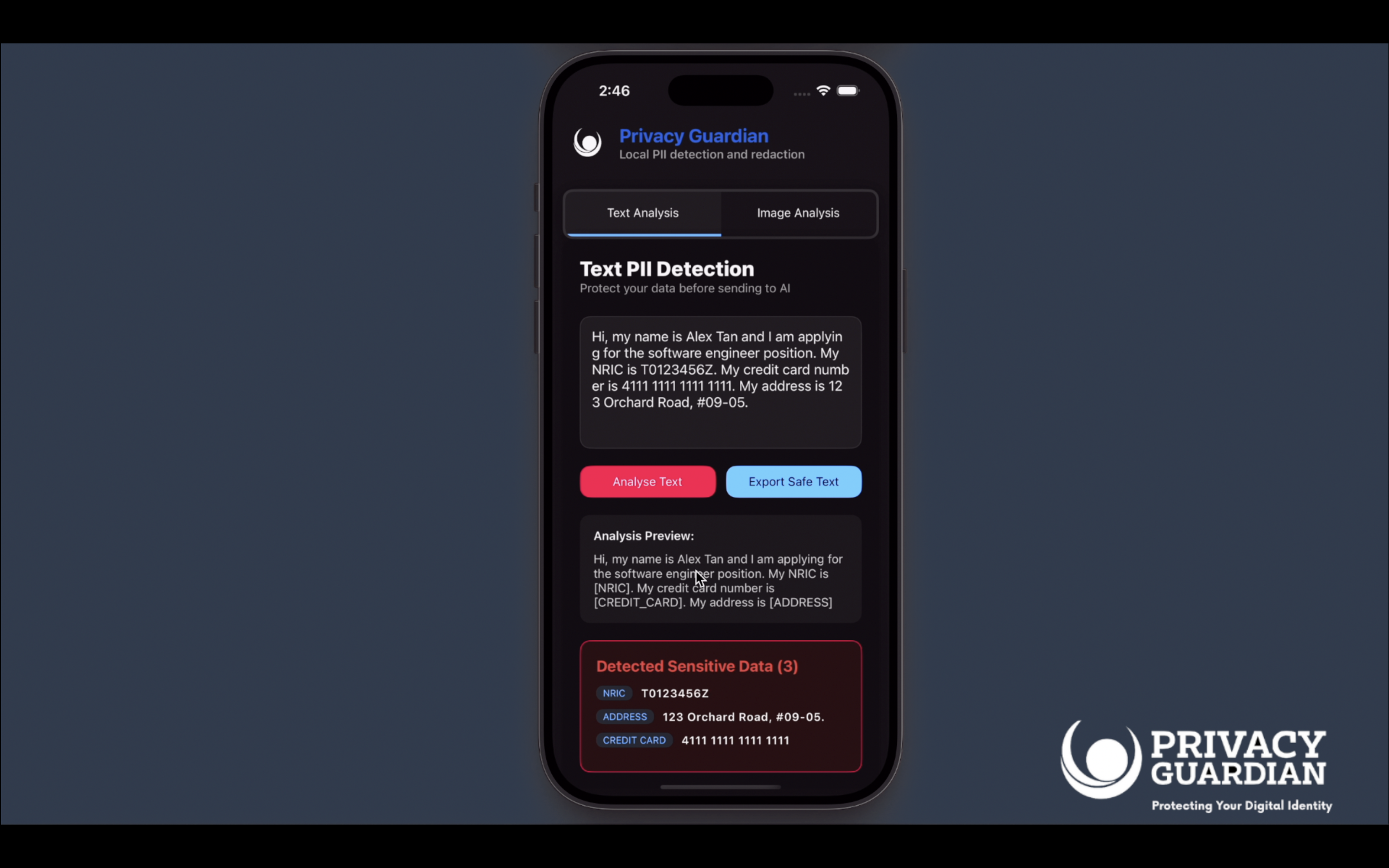
Privacy Guardian automatically detects and censors sensitive data in text and images. It acts as a privacy filter you can run locally before sending content to third-party services.
Key features:
- Named Entity Recognition to flag sensitive text like NRIC, phone numbers, credit cards, and addresses
- Text redaction with placeholders so context is preserved but private data is hidden
- OCR-based detection of PII inside uploaded images or screenshots
- Image redaction with editable polygons for manual control
- Works as a web app with a simple upload and review interface
🤖 Tech Stack
Frontend
- React with Lynx for a lightweight UI
- Custom components for input, upload, and redaction preview
Backend
- FastAPI in Python for NER and OCR endpoints
- SpaCy custom NER model with regex fallback for robust detection
- PaddleOCR for text extraction from images
- OpenCV for polygonal redaction and editing
Core Components
- SpaCy for entity recognition
- PaddleOCR for extracting text from images
- OpenCV for masking and rendering redactions
🔨 Challenges & Reflection
- Balancing accuracy between ML-based entity recognition and regex fallback
- Ensuring image redaction polygons stay accurate when expanded or modified
- Designing a pipeline that runs fast enough for real-time web use
🚀 Next Steps
- Browser extension to auto-redact before sharing screenshots
- Support for additional languages and ID formats
- Export of safe text or images directly into AI apps
- Multi-platform deployment on iOS, Android and as a TikTok plugin for creators handling personal data
Accomplishments that we're proud of
- Built a working prototype in a short time.
- Integrated image analysis to detect sensitive information.
- Designed a simple interface for quick redaction.
- Worked effectively as a team under time pressure.
What we learned
- Handling images and text extraction requires careful error handling.
- Simpler user flows improve adoption compared to feature-heavy tools.
- Clear communication in the team speeds up problem solving.
- Privacy protection is not just technical, it also depends on usability.
What's next for Privacy Guardian
- Improve accuracy of sensitive information detection.
- Add support for more file types beyond images.
- Enhance redaction features with customizable options.


Log in or sign up for Devpost to join the conversation.