-
-
HomePage
-
MapMode
-
FocusMode
-
SkimMode
Inspiration
Important documents are not always easy to understand. Rental agreements, policies, and other lengthy documents can contain important deadlines, responsibilities, and conditions hidden inside paragraphs of text. Readers may want a quick summary, a visual explanation of how clauses relate to one another, or a comfortable way to read the entire document—but traditional document viewers usually offer only one reading experience.
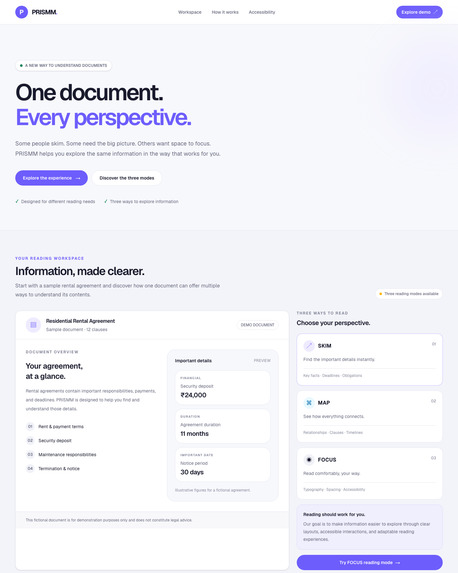
That inspired us to build PRISMM — One Document. Every Perspective.
The idea behind PRISMM is simple: people understand information differently, so they should be able to explore the same document in different ways without losing their place.
What It Does
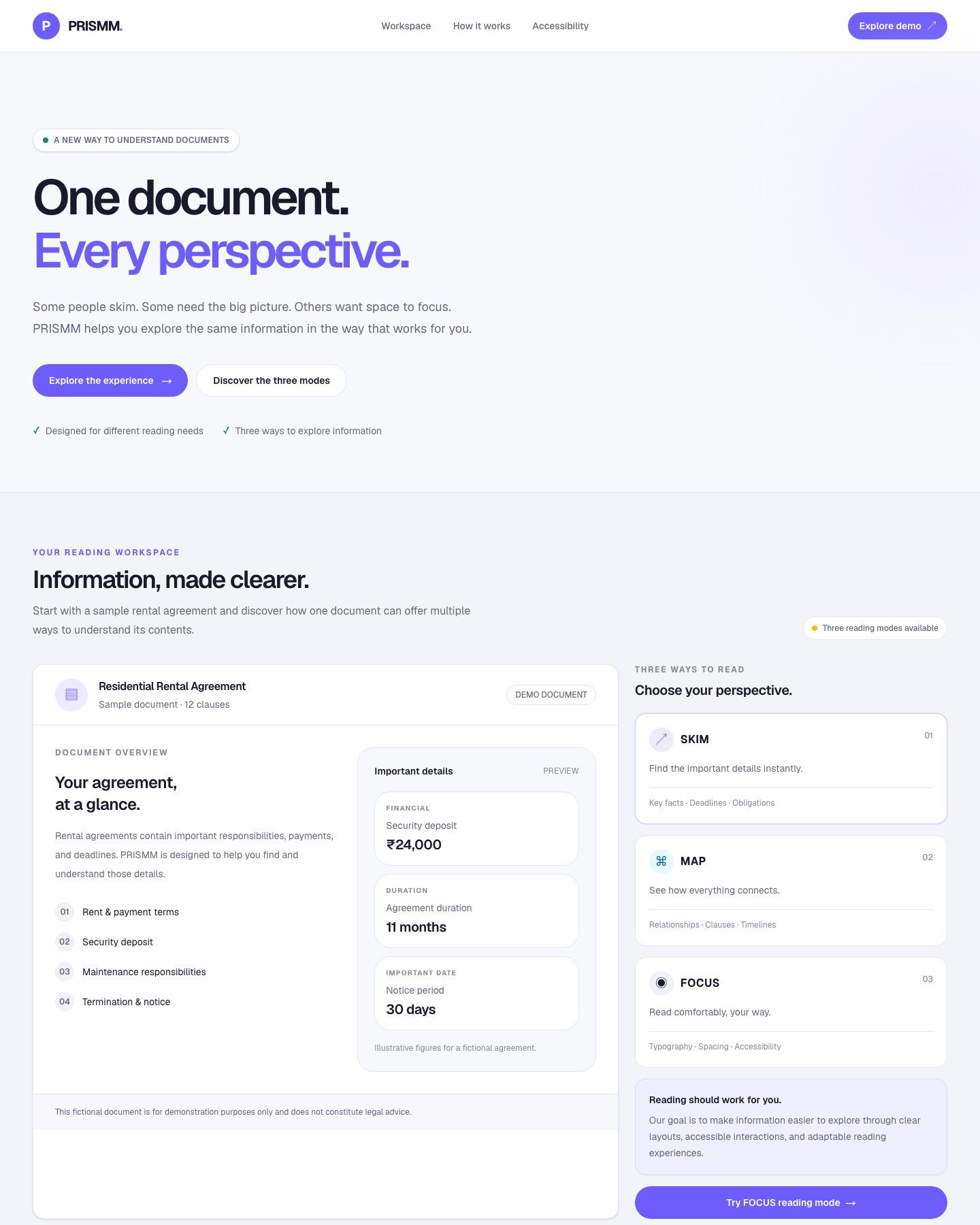
PRISMM transforms a single document into three connected reading experiences:
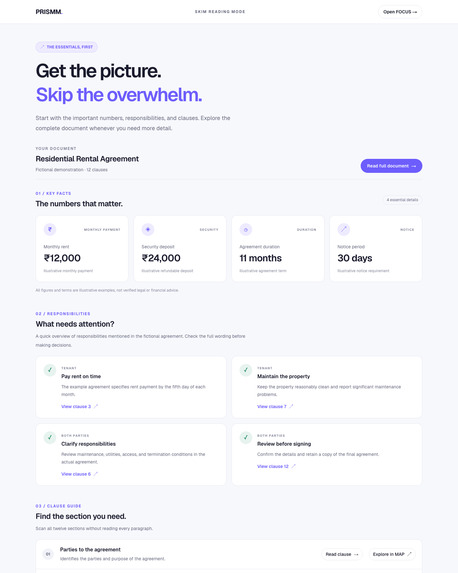
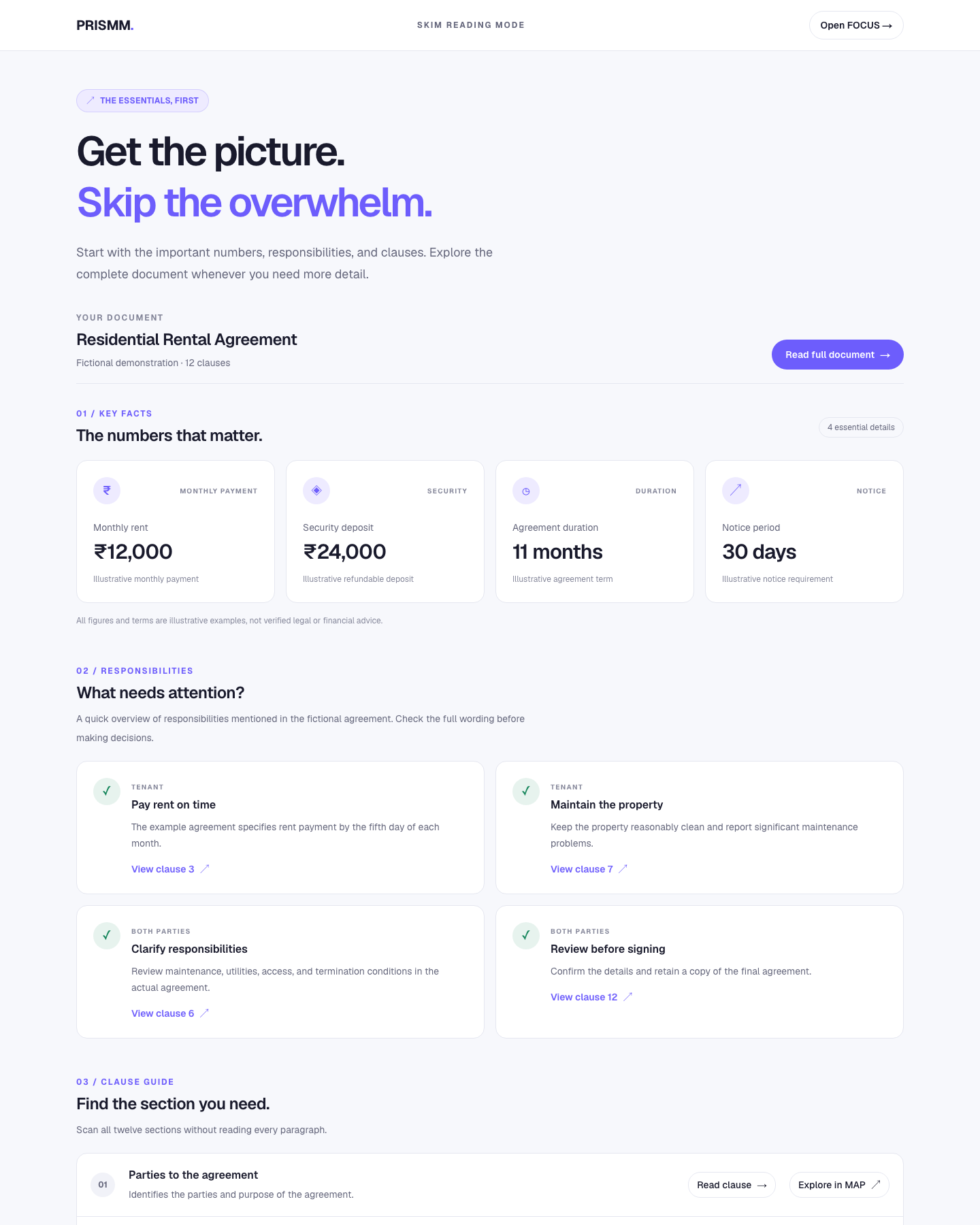
- SKIM — Understand quickly: Highlights key facts, important dates, responsibilities, and clause summaries so readers can grasp the essentials without reading every paragraph first.
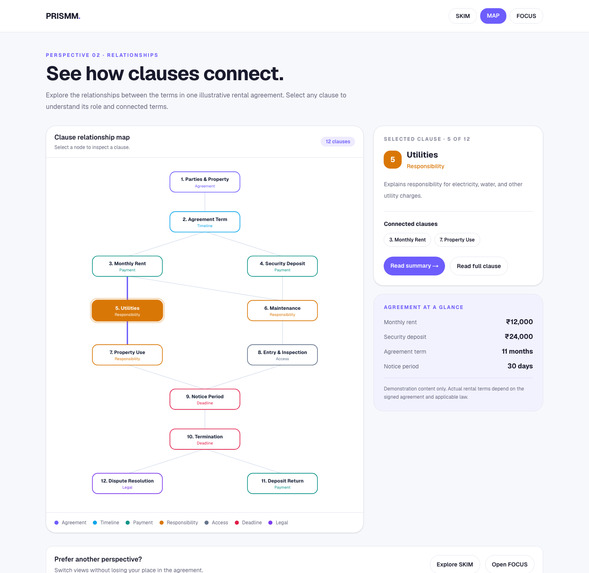
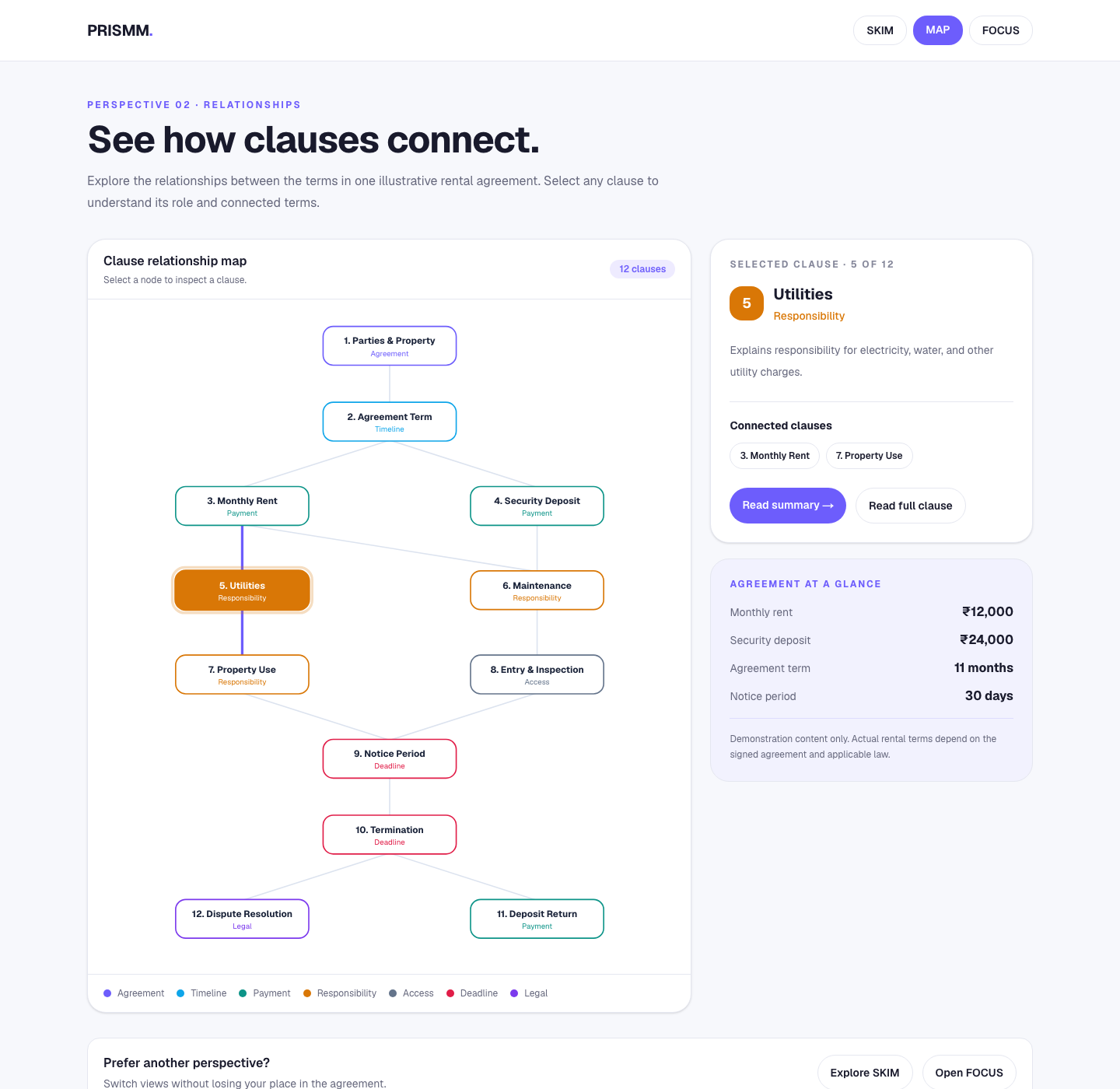
- MAP — See the connections: Presents clauses as an interactive visual map, helping readers explore relationships between sections and understand how different parts of a document fit together.
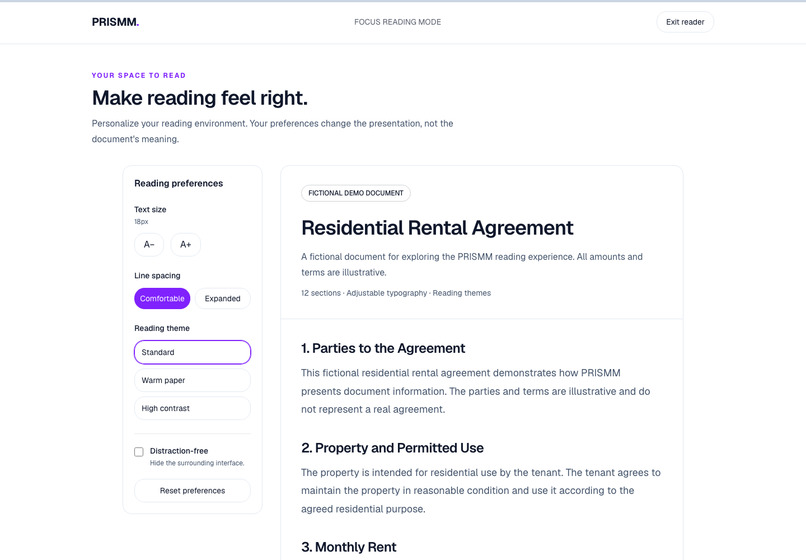
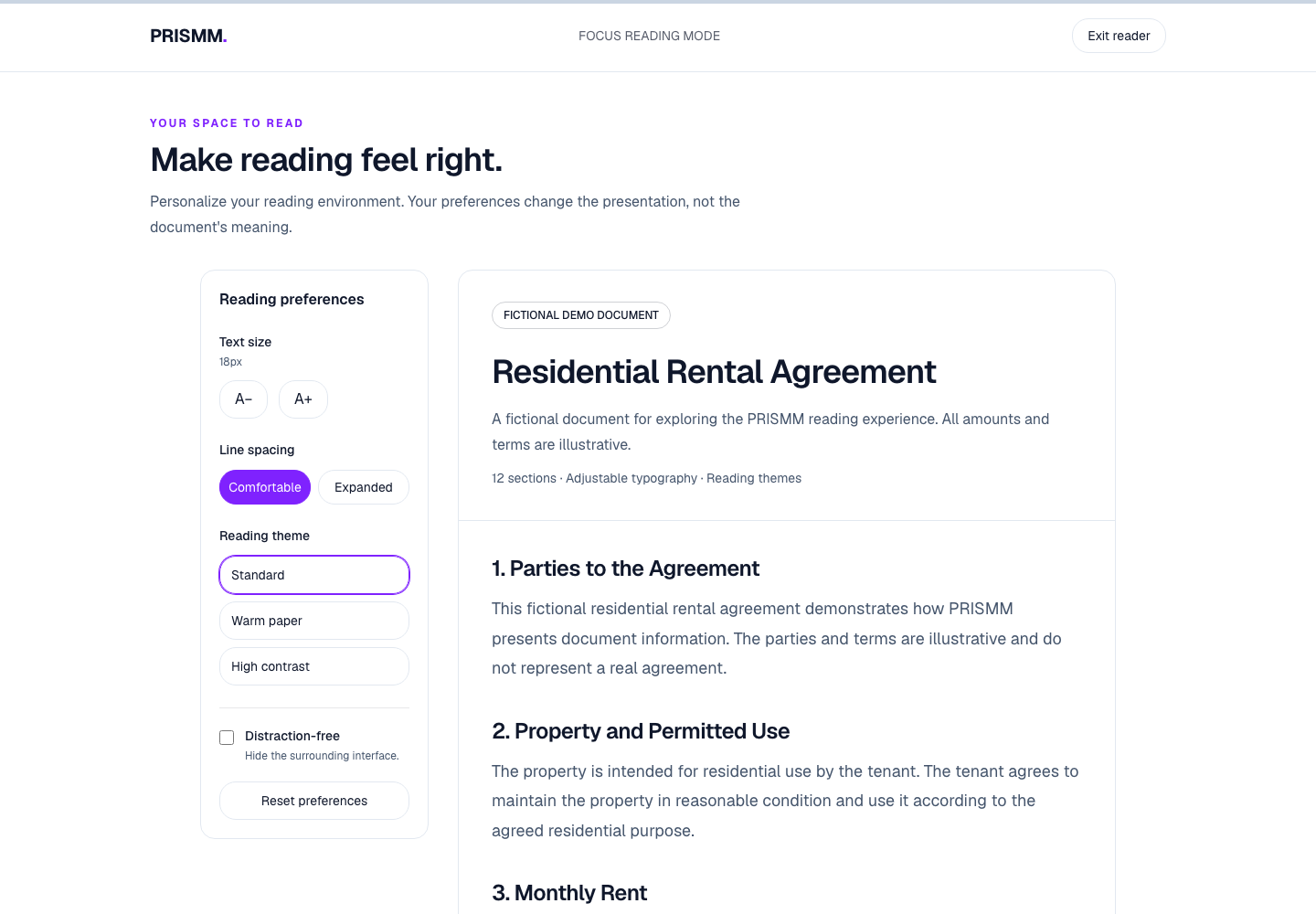
- FOCUS — Read comfortably: Provides a distraction-free reading experience with adjustable text size, line spacing, and reading themes.
The three modes are connected. Readers can move between them and navigate to corresponding clauses, making it easier to switch from a quick overview to a visual exploration or detailed reading.
PRISMM currently demonstrates these experiences using a fictional rental agreement. It is an exploration of how thoughtful interface design can make complex information more approachable.
How We Built It
We built PRISMM as a responsive web application using Next.js, React, TypeScript, and Tailwind CSS.
Next.js provides the application structure and routing, while React powers the interactive reading experiences. Tailwind CSS helps us build a consistent interface that adapts to different screen sizes.
We designed each mode around a distinct user need:
- SKIM: Organizes important information into readable summaries and key facts.
- MAP: Uses an interactive SVG visualization to represent document clauses and let readers select and explore them.
- FOCUS: Offers adjustable reading preferences and saves those preferences in the browser using local storage.
We also connected clause navigation across the three modes. Selecting a clause in one experience can lead readers to the corresponding section in another. Responsive layouts, keyboard accessibility, visible focus indicators, and reduced-motion considerations help make the experience more usable.
Challenges We Faced
One of our biggest challenges was making three different interfaces feel like parts of the same product rather than separate tools.
Keeping navigation connected: We needed clause references to remain consistent across SKIM, MAP, and FOCUS. We addressed this by using shared clause identifiers and links between the corresponding sections.
Making the visual map work on mobile: The map initially required more horizontal space than a narrow screen could provide. We adjusted the SVG layout so the visualization could shrink to fit smaller screens while keeping the clauses visible.
Remembering reading preferences: A comfortable reading setup should not disappear whenever someone returns to the page. We implemented browser-based preference persistence for text size, line spacing, and theme, while ensuring saved settings are restored before subsequent updates are written.
Balancing simplicity with functionality: We wanted to provide useful controls without overwhelming readers. Each mode therefore focuses on a specific task, while shared navigation makes switching perspectives straightforward.
What We Learned
Building PRISMM reinforced that good user experience is not just about visual appearance. It is also about reducing cognitive effort, preserving context, and giving people control over how they consume information.
We learned how to build interactive experiences with React and Next.js, connect navigation across routes, persist user preferences, create SVG-based visualizations, and improve responsive behavior. We also learned the importance of testing interfaces on smaller screens and considering accessibility throughout development rather than treating it as a final step.
What’s Next
PRISMM is a starting point for rethinking how people interact with complex documents. Future improvements could include importing user-provided documents, automatically identifying important clauses, generating relationship maps, and adding more document types and reading preferences.
Our goal is to make complex information easier to explore—one document, viewed from every perspective.
PRISMM — One Document. Every Perspective.
Built With
- accessibility
- css
- design
- html
- javascript
- localstorage
- next.js
- react
- responsive
- svg
- tailwind
- typescript


Log in or sign up for Devpost to join the conversation.