-
-
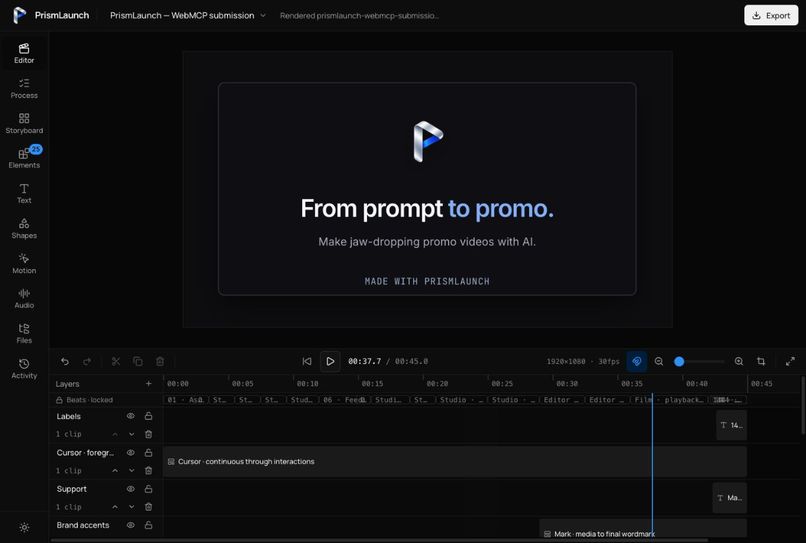
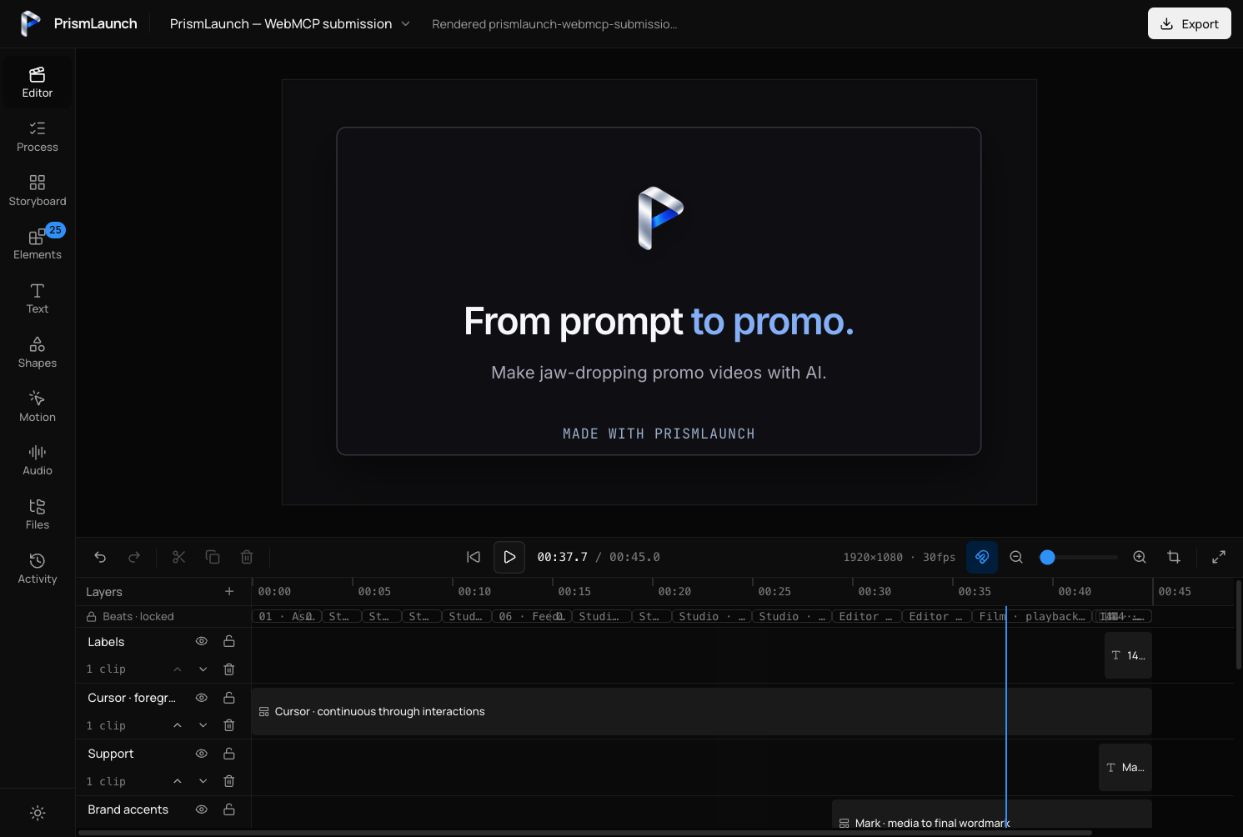
Dark-mode editor: an editable 45-second promo on a shared timeline, with layered visuals and frame-accurate playback.
-
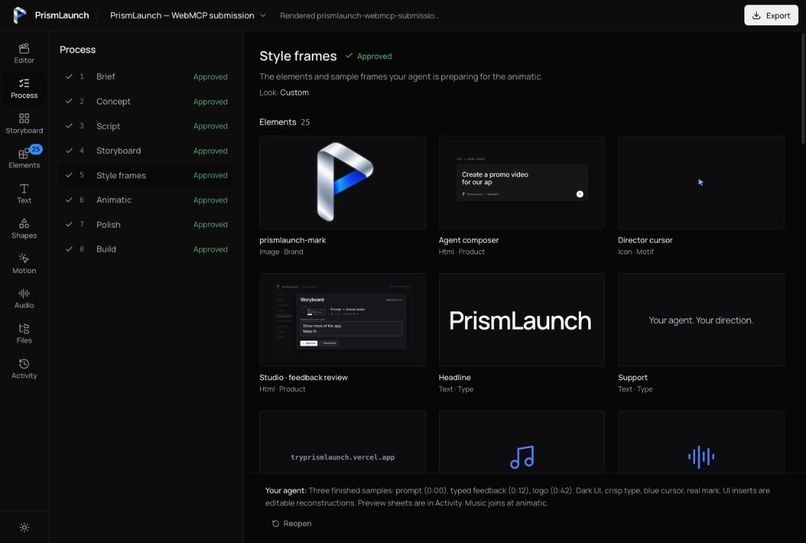
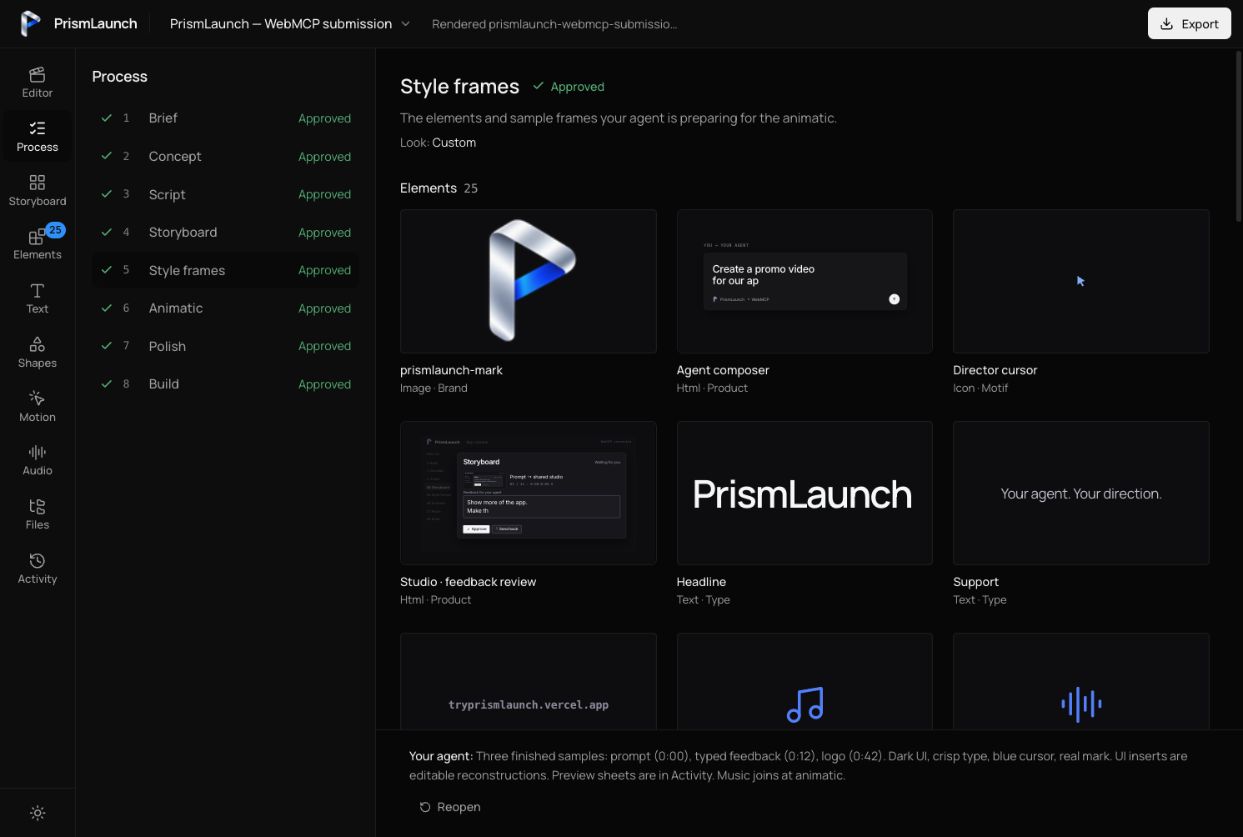
Style frames: review reusable brand, typography, UI and sound elements before the agent builds the animatic.
-
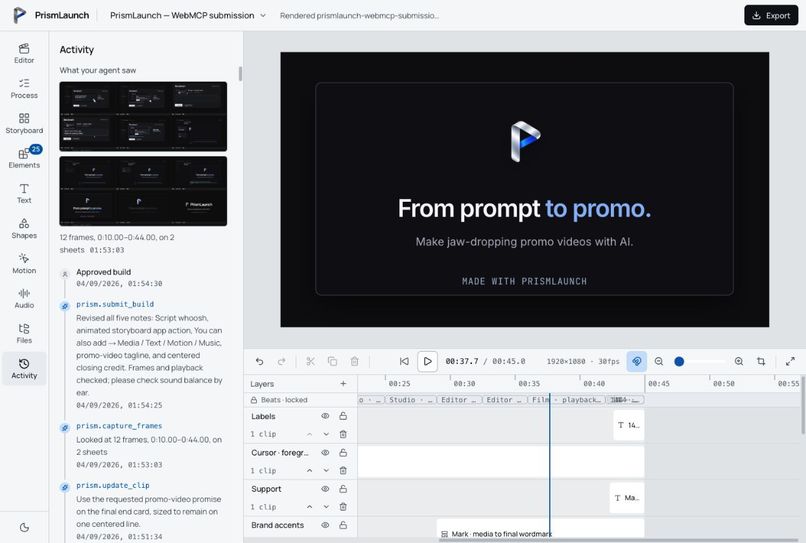
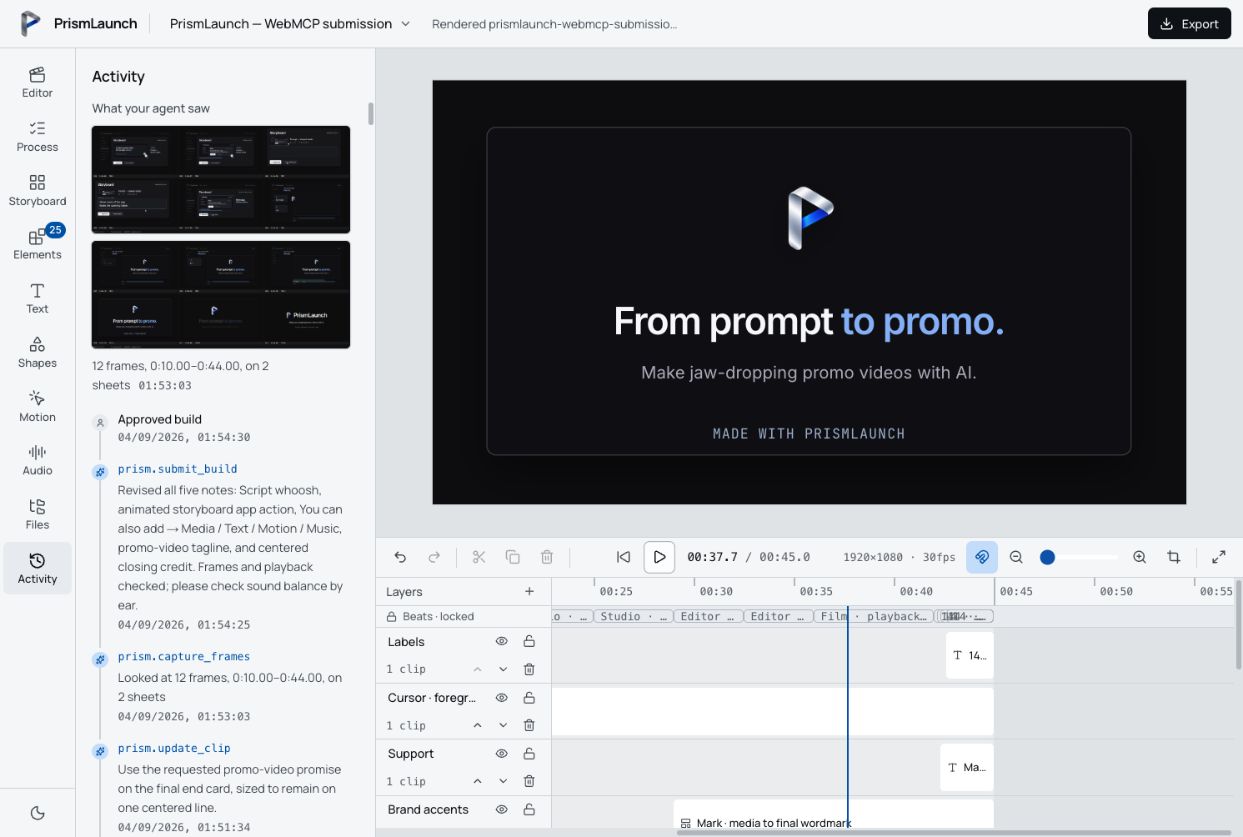
Saved activity: review the agent’s tool calls, captured frames, revisions and human approvals alongside the current film.
-
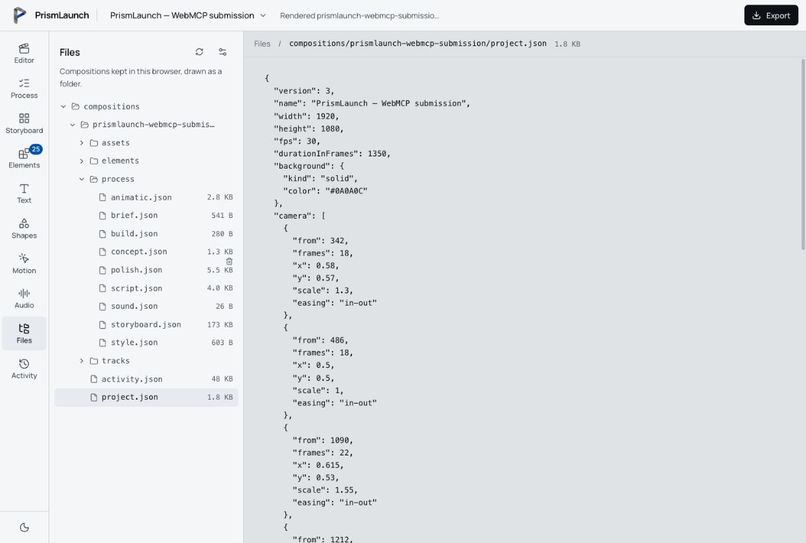
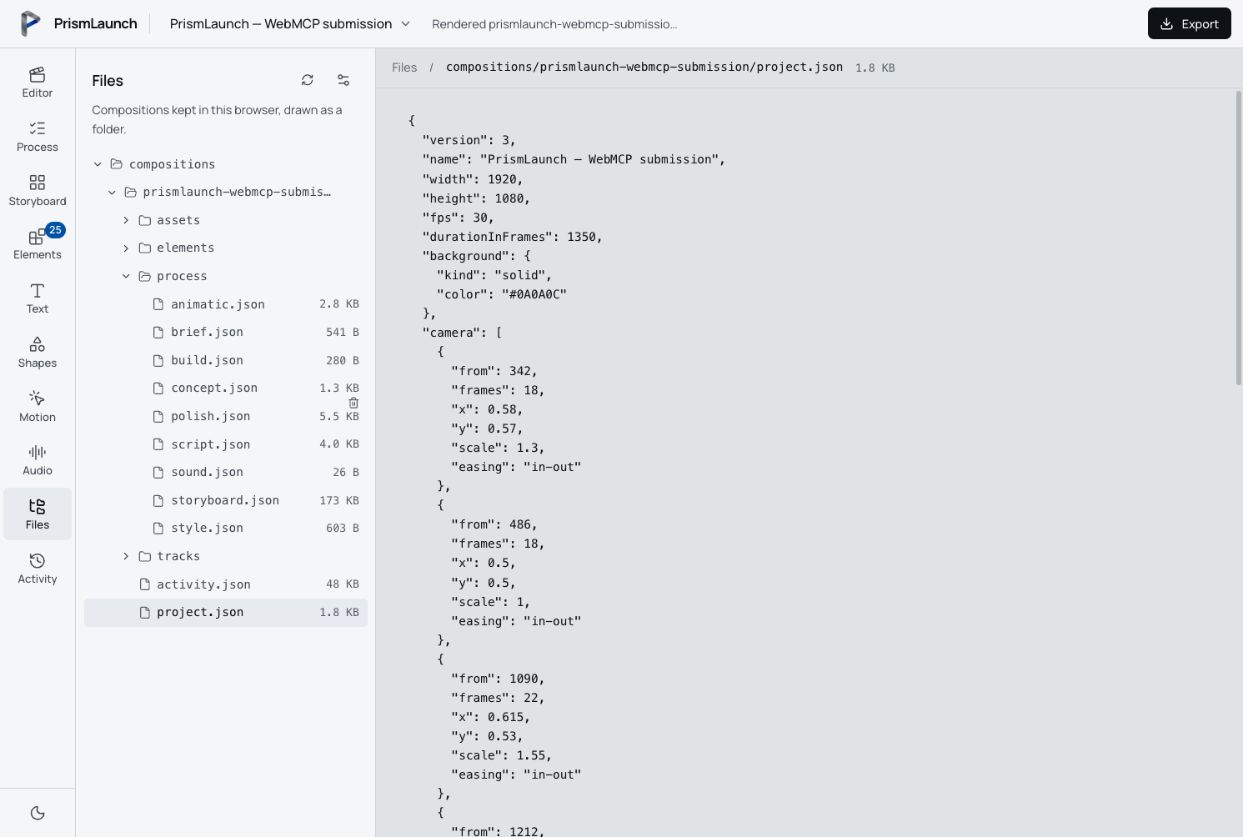
Modular project files: separate JSON for creative stages, elements, tracks and activity keeps each part easy to inspect.
-
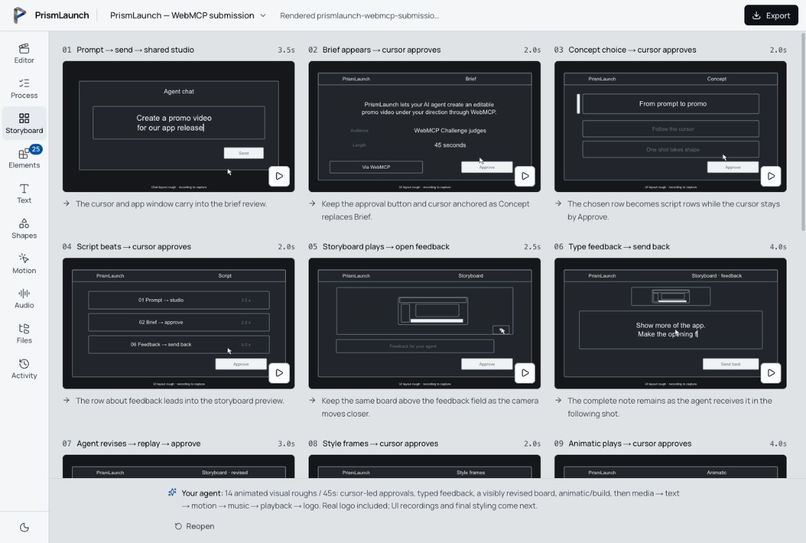
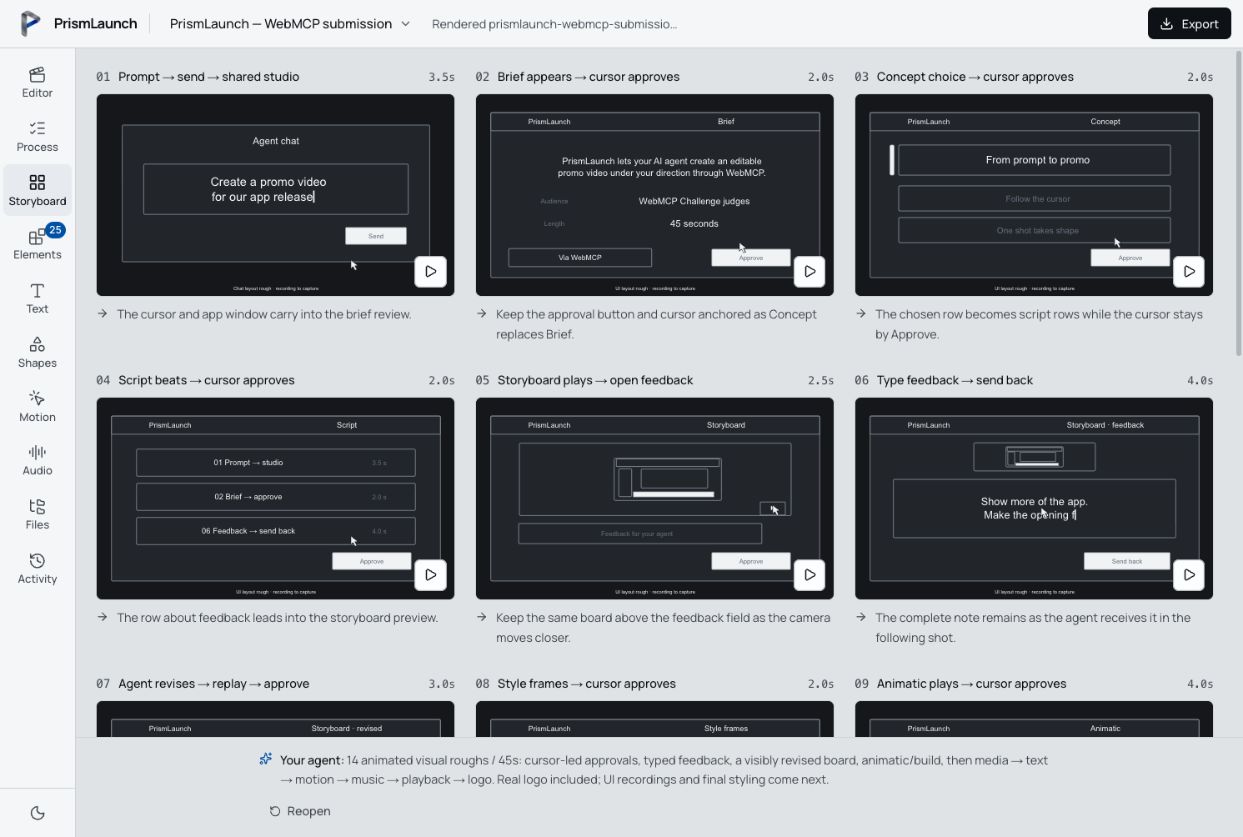
Light-mode storyboards: play each shot’s composition and movement before approving the film’s visual direction.
Inspiration
I build products, but I don't know how to make a good promo video. Learning motion graphics is a whole other job, and it becomes another thing standing between finishing a product and showing it to people.
I wanted my AI agent to help with that. It already understood the product I was building. The missing piece was an editor it could actually use. Asking an agent to control a video timeline through screenshots, dragging, and clicking was a fragile way to work. WebMCP gave me a practical way to expose the editing operations directly.
That became PrismLaunch: a promo video editor built for a person and their agent to use together.
What it does
You give your agent the product, the audience, and the message. It develops the film in PrismLaunch while you review the work in the studio.
The process moves through a brief, concepts, script, visual storyboard, style frames, animatic, polish, and final build. Storyboards show the composition and timed movement of each shot. Style frames show the reusable elements and sample compositions the agent plans to use.
You can approve each stage or send it back with a note. The agent revises the same project, and a saved activity log records submissions, decisions, and edits. Review panels stay focused on the work; manual editing tools live in the editor.
The shared timeline combines text, images, video, audio, shapes, device frames, motion, and editable HTML components. Reusable elements let the agent define a piece once and update its placements throughout the film. The finished composition can be encoded as an MP4 in the browser.
I used PrismLaunch to make the promo video for PrismLaunch itself.
Watch the promo video made with PrismLaunch.
Why WebMCP fits
Video editing involves precise operations: placing a clip at a frame, changing its duration, moving it to another layer, adjusting typography, or updating a reusable element. Those operations are much easier to express as structured tools than as a sequence of mouse movements.
PrismLaunch exposes tools for project context, creative stages, layers, elements, clips, preview, frame capture, and render requests. The agent can inspect the current project and make a specific edit. The person sees the result in the same editor and gives feedback there.
This makes it possible to work with an agent on an editable film throughout the process. Human review is part of that workflow: stage approval and render approval are controls in the studio, not tools exposed for the agent to call.
PrismLaunch does not contain its own model. You bring the agent you already use.
How I built it
I came up with the idea from my own painful experience and used Claude Code to build the core functionality. I then used Codex to test the WebMCP workflow in the browser and fix issues that my Claude Code setup could not directly exercise.
The studio uses Next.js, React, and TypeScript. WebMCP tools register via document.modelContext.registerTool, with a compatibility path for browsers that expose the older API location. Zod validates tool inputs, and human edits and agent edits go through the same state and timeline operations.
Remotion renders the composition for preview and export, with WebCodecs encoding the MP4 in the browser. Projects can live in a linked local folder or in browser storage, with separate JSON files for each creative stage, element, and track, plus a saved activity log. The app is hosted on Vercel, and its source is available under the MIT license.
Challenges and what I learned
The hardest part was teaching an AI how to make a good promo when I am still learning video editing myself. I analysed successful promo videos, turned what I learned into a filmmaking guide, and built reusable elements that an agent could combine in its own films. Pacing, hierarchy, and knowing what to leave out mattered as much as having editing tools.
Making PrismLaunch's own promo became a practical test of the product. Early storyboards looked too much like scripts, so I built visual boards with positioned subjects and timed movement. The first animatic also exposed a gap in the method: copying storyboard roughs onto a timeline did not produce a finished sequence. I strengthened the filmmaking guide and added a check that refuses animatic submissions while storyboard roughs remain visible.
That workflow uncovered product bugs too. I fixed review notes that failed validation, activity that disappeared after reopening, and style-frame reviews that exposed editing tools. I split browser-stored projects into separate files for creative stages, elements, tracks, and activity. I also improved media preparation and playhead synchronisation to address interruptions during playback.
Real WebMCP testing exposed issues that the local fallback did not. Multiple components initially registered the same tools, causing partial registration failures. Later, ChatGPT's built-in browser disabled discovery because the growing tool catalogue exceeded its supported limits. I introduced shared registration and five compact toolsets—workflow, graphics, media, elements, and edit—with prism.use_toolset to switch between them. Long sessions can still require reconnecting when a host retains earlier catalogues.
Publishing a skill was not enough to ensure an agent received it. Creative WebMCP edits now require that both the operating guide and the filmmaking guide be delivered via prism.read_guide. The agent still has to apply that guidance well.
I learned that an agent-friendly editor needs precise tools, inspectable state, visible feedback, and a clear point where the person decides whether the work is ready.
What I am proud of
PrismLaunch made its own promo video. That took the idea beyond a tool-registration demo and into the task I originally needed help with.
I also tested the WebMCP experience in Chrome and ChatGPT's built-in browser. Working through those differences helped turn the editor into something I could actually use with an agent.
Current limitations
This is an early editor with a small motion library. External agents need a browser and client with native WebMCP support; the fallback registry is only usable within the page. Tool discovery can vary between hosts, and long sessions may require reconnecting if the host retains earlier tool catalogues.
Local folder access depends on browser support and a person granting permission. Browser storage is an alternative, but an agent must edit those projects through the page's tools rather than ordinary filesystem tools. MP4 export depends on browser codec support and the resources available on the user's device.
What's next
I want to build a much richer motion graphics library that agents can draw from when making promo videos: more reusable elements, more visual treatments, and more ways to clearly communicate a product.
Built With
- claude-code
- codex
- next.js
- react
- remotion
- tailwind-css
- typescript
- vercel
- webcodecs
- webmcp
- zod
- zustand

Log in or sign up for Devpost to join the conversation.