-
-
prism extension
Inspiration
You skim a page, feel like you learned something, close the tab, and forget it by dinner. The web is built for reading fast, not for remembering. We wanted to fix that without making anyone open another app or upload a PDF. The page you're already on is the material, so Prism treats it like light and splits it into the different ways you can learn it.
What it does
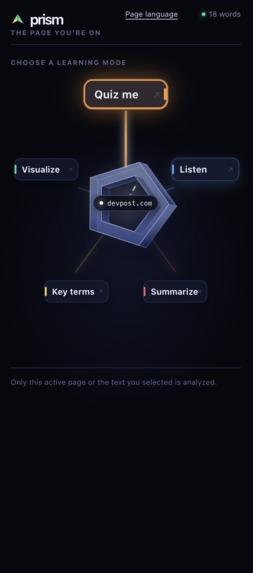
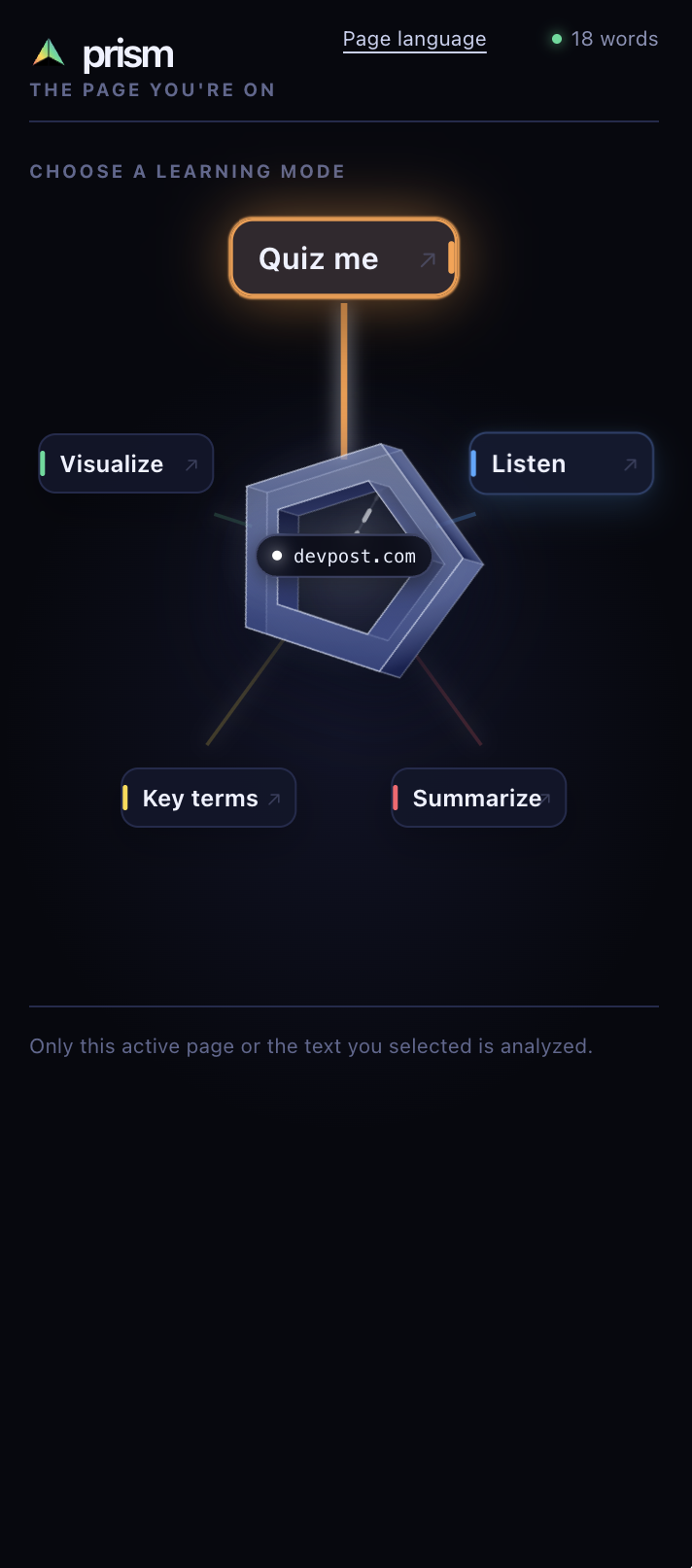
Prism is a Chrome extension that reads the page you're on and gives it back in a form that sticks. Open the side panel and the page breaks into five modes: Summarize for the key points, Quiz me to make you answer before seeing the reasoning, Key terms for the concepts that matter, Visualize for a concept map of the whole idea, and Listen to hear it at your pace.
The quiz is the heart of it. Most tools hand you the answer the second you ask. Prism holds it back. The worked solution stays locked on the server until you record an attempt, so you get a 403 until you try. That's the moment learning actually happens, so we built the rule into the API instead of trusting the interface to enforce it.
How we built it
A Manifest V3 extension with a side panel that stays open beside any page and survives tab switches. Behind it, a learning engine turns captured page text into summaries, quizzes, key terms, and concept maps, with Gemini handling generation and the text to speech that gives Listen a real voice. The quiz endpoint strips the answer and explanation from every response until an attempt exists. The interface is a five sided prism where each face is a mode. It turns on its own, and when you reach for it, it freezes and fans its faces out into cards.
Challenges we ran into
Permissions gave us the most trouble. We assumed activeTab could power a persistent side panel, but it is granted per tab, per click, and disappears when you switch tabs. We rebuilt around optional host permissions requested at exactly the right point in the click handler, because any await before that throws away the user's gesture.
The answer gate took real work. Hiding it in the front end was easy, but anyone could pull it out of the page, so we moved enforcement to the server.
The interface fought us in a good way. We wanted the spinning prism to mean something, so the face at the top is the active mode and each one fans out from its own side. Getting the geometry, timing, and labels to agree took genuine iteration.
Accomplishments that we're proud of
We built a study tool that won't let you skip the part where you think. All five modes run off the same captured page with no setup. People actually stop and play with the prism, which tells us the visual works. And we shipped a real MV3 extension end to end, capture through generation, speech, and a gated backend, in a weekend.
What we learned
The hard part of an AI learning tool turned out to be knowing when to hold back. Withholding the answer is worth more than generating it. We also learned to work with Chrome's permission model instead of against it, and that a visual metaphor only lands when it's honest. Every time the prism did something arbitrary it felt cheap. Every time its motion meant something it felt right.
What's next for Prism
Spaced repetition that resurfaces quizzes and key terms from pages you read days ago, plus mastery tracking across everything you've learned. Then reading beyond live pages, so PDFs, videos, and selected passages. After that, full support for learning in your home language, and shareable maps and quizzes for study groups.
Built With
- chrome
- chrome-side-panel-api
- css
- gemini-api
- google-gemini
- html
- javascript
- manifest-v3
- monorepo
- node.js
- npm-workspaces
- react
- rest-api
- sqlite
- text-to-speech
- typescript
- vite
- vitest
- web-speech-api

Log in or sign up for Devpost to join the conversation.