Inspiration
As college students, we are always on the look for ways to purchase things at a lower price or for free. Every time we ordered online, we realized how expensive it was and wondered if there was a way to reduce the cost. That is when we discovered the fact that there are places where we could purchase gift cards for less than they were worth. However, finding these gift cards, purchasing, and applying them felt like too much of a hassle. We wanted to make something that would automatically do the process for us and save that money without any hassle. That is when we came up with this idea.
What it does
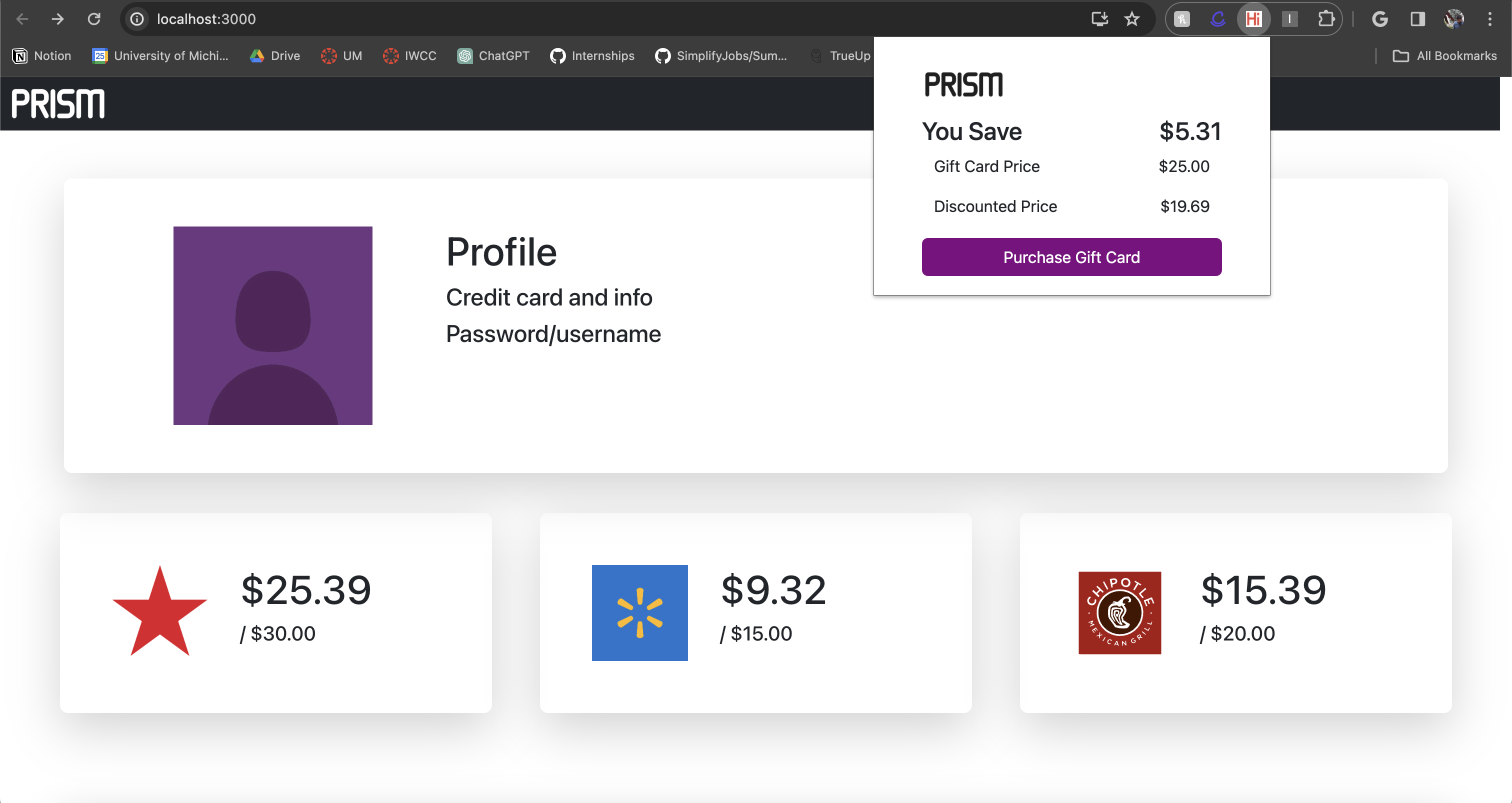
Our extension scans the internet for gifts cards that can be purchased at a discount, then applying this to an online order to get an overall discount. For instance, if one is trying to buy a jacket from H&M that costs 50 dollars, our extension would scan the internet for gift cards being sold at a lower price. If one is found, it would ask the user for approval, purchase the gift card, and apply the gift card to the order. The result is a lot of money saved for the customer almost instantly.
How we built it
This project involves 3 primary components - a chrome extension to serve as the user interface, a python script to purchase and receive the gift card information, and a website to store previously purchased gift cards and manage profile information.
The chrome extension was made using html, css, js, and Bootstrap. The website was created as a React app written using javascript, also with a Bootstrap enhanced frontend. The python script was created in python and will be run from an external server.
Challenges we ran into
One challenge we ran into was not having developer access to the Raise and Stripe API which would allow us to purchase the gift cards directly through code. These sites require an authentication process we would not be able to complete before the end of the hackathon so we had to find workarounds such as creating a python script to simulate a card purchase via an external server.
Another challenge we ran into was trying to find a library for the frontend that would be most compatible with both the chrome extension and the website. While there were initially some problems with connecting Bootstrap and the use of Tailwind or Pure.css was being discussed, Bootstrap was eventually chosen.
Accomplishments that we're proud of
The created system of all 3 components is able to purchase gift cards seamlessly and save users' money.
What we learned
This was our team's first time building a chrome extension and we learned the similarities/differences between building an extension vs an app/website. Another new aspect of our system we've implemented that we've never done before is a completely headless python script that is called when a request is made from our extension.
What's next for Prism
Prism needs to ensure the security and privacy of its customers' financial information. This involves limiting the number of channels information travels through and using top notch, trusted external APIs and tools. We will be rewriting some elements of the current process to ensure our extension is completely safe to use.

Log in or sign up for Devpost to join the conversation.